தனிப்பயன் டொமைன் (ஒயிட் லேபிள்) ஆதரவுள்ள சிறந்த QR ஜெனரேட்டர்கள்
ஒரு இணைப்பு, காணொளி அல்லது படத்திற்கான QR குறியீட்டை உருவாக்க, கீழே உள்ள பொத்தானைச் சொடுக்கவும்.


- தனிப்பயன் டொமைனுடன் கூடிய QR குறியீடு என்றால் என்ன?
- வணிகத்திற்கு தனிப்பயன் டொமைன் QR குறியீடுகள் ஏன் முக்கியம்?
- தனிப்பயன் டொமைன் ஆதரவுடன் QR குறியீடு ஜெனரேட்டர்களை நாங்கள் எவ்வாறு மதிப்பீடு செய்தோம்
- தனிப்பயன் டொமைன் அம்சங்களைக் கொண்ட QR குறியீடு ஜெனரேட்டர்களின் பக்கவாட்டு ஒப்பீடு
- தனிப்பயன் டொமைன் ஆதரவுடன் கூடிய சிறந்த QR குறியீடு ஜெனரேட்டர்கள்
- வலைத்தளங்கள் மற்றும் வணிகத்திற்கான QR குறியீடுகளின் வகைகள்
- உங்கள் சொந்த டொமைனுடன் QR குறியீட்டை உருவாக்குவது எப்படி
- வெள்ளை லேபிள் QR குறியீடுகளுக்கான சிறந்த நடைமுறைகள்
-
தனிப்பயன் டொமைன் (ஒயிட் லேபிள்) ஆதரவுடன் கூடிய சிறந்த QR குறியீடு ஜெனரேட்டர்கள் பற்றிய அடிக்கடி கேட்கப்படும் கேள்விகள்
- டொமைன் QR குறியீட்டைப் பயன்படுத்தி உங்கள் சொந்த டொமைனை எவ்வாறு பயன்படுத்துவது?
- ஒரு வலைத்தளத்திற்கு QR குறியீட்டை எப்படி உருவாக்குவது?
- பிராண்டுகளுக்கான சிறந்த QR குறியீடு ஜெனரேட்டர் எது?
- எனது வணிகத்திற்காக QR குறியீட்டை உருவாக்க முடியுமா?
- ஒயிட் லேபிள் QR குறியீடு ஜெனரேட்டர் என்றால் என்ன, நான் அதை ஏன் பயன்படுத்த வேண்டும்?
நவீன வணிகங்களுக்கு, ஒயிட் லேபிள் QR குறியீடு ஜெனரேட்டரைப் பயன்படுத்துவது என்பது இனி ஒரு விரும்பத்தக்க அம்சம் மட்டுமல்ல — அது ஒரு அத்தியாவசியத் தேவையாகும். மின்வணிகம், சந்தைப்படுத்தல் மற்றும் சில்லறை விற்பனை போன்ற பல்வேறு துறைகளில் உள்ள நிறுவனங்கள், தயாரிப்புப் பக்கங்கள், பணம் செலுத்தும் இணைப்புகள் அல்லது சமூக ஊடகங்கள் சுயவிவரங்கள் போன்ற டிஜிட்டல் அனுபவங்களுடன் ஆஃப்லைன் பார்வையாளர்களை இணைக்க QR குறியீடுகளைச் சார்ந்துள்ளன.
வழக்கமான QR குறியீடுகளில் உள்ள சிக்கல் என்னவென்றால், அவை பெரும்பாலும் மூன்றாம் தரப்பு டொமைன்களைச் சார்ந்திருக்கின்றன, அவை பயனர்களுக்கு நம்பகத்தன்மையற்றதாகவோ அல்லது அறிமுகமில்லாததாகவோ தோன்றக்கூடும். வாடிக்கையாளர்கள் ஒரு பொதுவான அல்லது தொடர்பற்ற URL-க்கு இட்டுச்செல்லும் குறியீட்டை ஸ்கேன் செய்யும்போது, அது நம்பிக்கையைக் குறைத்து, ஈடுபாட்டை எதிர்மறையாகப் பாதிக்கக்கூடும். குறிப்பாக, நம்பிக்கை மிகவும் அவசியமான நிதி, சுகாதாரம் அல்லது ரியல் எஸ்டேட் போன்ற தொழில்களில் இது நிகழ்கிறது.
இங்குதான் உங்கள் சொந்த டொமைனுடன் QR குறியீட்டைப் பயன்படுத்துவது ஒரு திருப்புமுனையாக அமைகிறது. QR குறியீடுகளை உங்கள் சொந்த பிராண்டட் டொமைனுடன் இணைப்பதன் மூலம், உங்கள் இணைப்புகள் மீது முழுமையான கட்டுப்பாட்டைப் பராமரிக்கிறீர்கள், பிராண்ட் அங்கீகாரத்தை மேம்படுத்துகிறீர்கள், மேலும் பேக்கேஜிங், மெனுக்கள், ஃபிளையர்கள் அல்லது டிஜிட்டல் பிரச்சாரங்கள் என அனைத்து தளங்களிலும் ஒரு தடையற்ற அனுபவத்தை உருவாக்குகிறீர்கள்.
தனிப்பயன் டொமைனுடன் கூடிய QR குறியீடு என்றால் என்ன?
QR குறியீடு டொமைன் என்பது, மூன்றாம் தரப்பு இணைப்புச் சுருக்கிக்குப் பதிலாக உங்கள் சொந்த பிராண்டட் URL-ஐப் பயன்படுத்தும் ஒரு QR குறியீட்டைக் குறிக்கிறது. பயனர்களை அறிமுகமில்லாத டொமைன் வழியாகத் திசைதிருப்புவதற்குப் பதிலாக, அந்த QR குறியீடு உங்கள் வணிகத்திற்குத் தெளிவாகச் சொந்தமான ஒரு இணைப்பைச் சுட்டிக்காட்டி, நம்பிக்கையையும் நிலைத்தன்மையையும் வலுப்படுத்துகிறது.
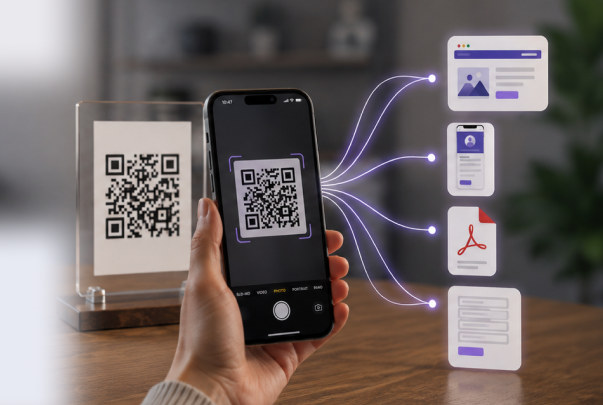
நடைமுறையில், ஒரு டொமைன் QR குறியீடு என்பது, ஸ்கேன் செய்யக்கூடிய குறியீட்டை நீங்கள் கட்டுப்படுத்தும் ஒரு தனிப்பயன் டொமைனுடன் இணைப்பதன் மூலம் செயல்படுகிறது. ஒரு பயனர் அந்தக் குறியீட்டை ஸ்கேன் செய்யும்போது, அவர்கள் உங்கள் பிராண்டட் இணைப்பு வழியாகத் திருப்பி விடப்படுகிறார்கள். உங்கள் பிரச்சார அமைப்பைப் பொறுத்து, அந்த இணைப்பு ஒரு இணையதளம், லேண்டிங் பக்கம், பணம் செலுத்துதல் நுழைவாயில் அல்லது இணைப்புகளின் பட்டியலுக்குக் கூட இட்டுச் செல்லக்கூடும்.
ஒரு சாதாரண QR குறியீட்டிற்கும் பிராண்ட் பெயருள்ள QR குறியீட்டிற்கும் உள்ள முக்கிய வேறுபாடு அவற்றின் URL கட்டமைப்பில் உள்ளது. பாரம்பரிய QR குறியீடுகள் பெரும்பாலும் பொதுவான சிறு இணைப்புகளைப் பயன்படுத்தும் வேளையில், ஒரு தனிப்பயன் டொமைன் QR குறியீடு உங்கள் வணிக டொமைனைப் பயன்படுத்துகிறது. இது அதனை மேலும் தொழில்முறையானதாகவும், பாதுகாப்பானதாகவும், உங்கள் பிராண்ட் அடையாளத்துடன் இயைந்ததாகவும் ஆக்குகிறது.
வணிகத்திற்கு தனிப்பயன் டொமைன் QR குறியீடுகள் ஏன் முக்கியம்?
தனிப்பயன் டொமைன் QR குறியீடுகள் வெறும் தொழில்நுட்ப அம்சம் மட்டுமல்ல—அவை வணிகங்களுக்கான ஒரு பிராண்டிங் மற்றும் நம்பிக்கைக் கருவியாகும். மூன்றாம் தரப்பு URL-கள் வழியாகத் திருப்பிவிடும் வழக்கமான QR குறியீடுகளைப் போலல்லாமல், ஒரு டொமைன் QR குறியீடு உங்கள் வணிக அடையாளத்தைத் தெளிவாகப் பிரதிபலிக்கிறது, இது வாடிக்கையாளர்கள் மற்றும் கூட்டாளர்களிடம் நம்பகத்தன்மையை உருவாக்க உதவுகிறது.
தங்கள் சொந்த டொமைனைப் பயன்படுத்துவதன் மூலம், நிறுவனங்கள் பயனர் நம்பிக்கையை அதிகரிக்க முடியும். இது அதிக ஸ்கேன் விகிதங்களுக்கும் சிறந்த ஈடுபாட்டிற்கும் வழிவகுக்கும். ஒரு பொதுவான URL உடன் இணைக்கப்பட்ட QR குறியீட்டைக் காட்டிலும், தொழில்முறையாகவும் பரிச்சயமாகவும் தோற்றமளிக்கும் ஒரு QR குறியீட்டுடன் வாடிக்கையாளர்கள் தொடர்பு கொள்ள அதிக வாய்ப்புள்ளது.
சொந்த டொமைனைப் பயன்படுத்தும் QR குறியீடு ஜெனரேட்டரைப் பயன்படுத்துவதன் மூலம் , வணிகங்கள் தங்கள் இணைப்புகள் மீது முழுமையான கட்டுப்பாட்டைப் பராமரிக்கின்றன. இது QR குறியீடுகள் தொடர்ந்து செயல்படுவதை உறுதிசெய்கிறது, பிரச்சாரங்கள் மாறும்போது மாறும் திசைமாற்றங்களை அனுமதிக்கிறது, மேலும் சந்தைப்படுத்தல் முயற்சிகளை மேம்படுத்துவதற்கான விரிவான பகுப்பாய்வு சந்தைப்படுத்தல் முயற்சிகளை மேம்படுத்துவதற்கு.
தனிப்பயன் டொமைன்கள் மூலம் ஒயிட் லேபிள் தீர்வுகளும் சாத்தியமாகின்றன. ஏஜென்சிகள் மற்றும் சேவை வழங்குநர்கள் , வாடிக்கையாளர்களுக்கு முழுமையாக பிராண்ட் முத்திரையிடப்பட்ட QR குறியீடுகளை வழங்க முடியும். இதன் மூலம் பிராண்ட் அடையாளத்தை வலுப்படுத்துவதோடு, சில்லறை விற்பனை , சுற்றுலா, நிதி மற்றும் ரியல் எஸ்டேட் போன்ற பல்வேறு பிரச்சாரங்கள் மற்றும் தொழில்துறைகளில் அதன் செயல்பாட்டையும் சீராகப் பராமரிக்கலாம்.
பிராண்ட் நம்பிக்கையை உருவாக்குங்கள்
உங்கள் சொந்த டொமைனுடன் கூடிய பிராண்டட் QR குறியீட்டைப் பயன்படுத்துவது , வாடிக்கையாளர்களுக்கு தொழில்முறை மற்றும் நம்பகத்தன்மையை உடனடியாக உணர்த்துகிறது. நிதி, சுகாதாரம் மற்றும் ரியல் எஸ்டேட் போன்ற துறைகளில் , பொதுவான மூன்றாம் தரப்பு URL-ஐ விட, நம்பகமான ஒரு நிறுவனத்திற்குச் சொந்தமான குறியீடுகளைப் பயனர்கள் ஸ்கேன் செய்யவே அதிக வாய்ப்புள்ளது. இந்த எளிய மாற்றம், ஆஃப்லைன் மற்றும் டிஜிட்டல் சந்தைப்படுத்தல் சேனல்கள் முழுவதும் நம்பகத்தன்மையை கணிசமாக மேம்படுத்தும்.
ஸ்கேன் விகிதங்களையும் ஈடுபாட்டையும் மேம்படுத்துங்கள்
தனிப்பயன் டொமைன் QR குறியீடுகள், பழக்கமானதாகவும் பாதுகாப்பானதாகவும் தோன்றுவதால், அதிக ஸ்கேன் விகிதங்களை ஊக்குவிக்கின்றன. பயனர்கள் ஒரு இணைப்பை உங்கள் பிராண்டின் ஒரு பகுதியாக அடையாளம் காணும்போது, அதனுடன் தொடர்புகொள்வதில் அதிக நம்பிக்கை கொள்கிறார்கள். இது தயாரிப்புப் பக்கங்கள், லேண்டிங் பக்கங்கள், சமூக ஊடகங்கள் மற்றும் பிற பிரச்சாரத் தளங்களில் சிறந்த ஈடுபாட்டிற்கு வழிவகுக்கிறது.
இணைப்புகள் மீது முழுமையான கட்டுப்பாட்டைப் பராமரிக்கவும்
சொந்த டொமைனைப் பயன்படுத்தும் ஒரு QR குறியீடு ஜெனரேட்டர், QR குறியீடுகள் எங்கு திருப்பி விடப்படுகின்றன என்பதில் உங்கள் வணிகம் முழுமையான கட்டுப்பாட்டைத் தக்கவைத்துக்கொள்வதை உறுதி செய்கிறது. இது வெளிப்புற சேவைகளைச் சார்ந்திருக்காமல், விரைவான புதுப்பிப்புகள், மாறும் வழிமாற்றங்கள் மற்றும் பகுப்பாய்வுக் கண்காணிப்பை அனுமதிக்கிறது. வணிகங்கள் பிரச்சாரங்களை எளிதாக மாற்றியமைக்கலாம், மாற்றங்களை மேம்படுத்தலாம் மற்றும் நீண்ட கால இணைப்பு நம்பகத்தன்மையை உறுதி செய்யலாம்.
வாடிக்கையாளர்களுக்கு ஒயிட் லேபிள் தீர்வுகளைச் செயல்படுத்துங்கள்
முகவர் நிறுவனங்கள் மற்றும் சேவை வழங்குநர்களுக்கு, தனிப்பயன் டொமைன் QR குறியீடுகள், முழுமையாக பிராண்ட் முத்திரையிடப்பட்ட, வாடிக்கையாளரை நோக்கிய தீர்வுகளை வழங்கும் திறனை அளிக்கின்றன. ஒயிட்-லேபிள் அணுகுமுறையைப் பயன்படுத்துவதன் மூலம், வணிகங்கள் பல பிரச்சாரங்களில் தொழில்முறைத் தன்மையையும் சீரான செயல்பாட்டையும் தக்கவைத்துக்கொண்டு, வாடிக்கையாளரின் பிராண்டிங்கைப் பிரதிபலிக்கும் QR குறியீடுகளை வழங்க முடியும்.

தனிப்பயன் டொமைன் ஆதரவுடன் QR குறியீடு ஜெனரேட்டர்களை நாங்கள் எவ்வாறு மதிப்பீடு செய்தோம்
தனிப்பயன் டொமைன் திறன்களைக் கொண்ட QR குறியீடு ஜெனரேட்டர்களை மதிப்பிடும்போது, வணிகங்களுக்கு மிகவும் முக்கியமான அம்சங்களில் நாங்கள் கவனம் செலுத்தினோம். செயல்பாட்டுக்கு உகந்த QR குறியீடுகளை உருவாக்குவது மட்டுமல்லாமல், பிராண்டிங்கை மேம்படுத்தி, நெகிழ்வுத்தன்மையை வழங்கி, செயல்படுத்தக்கூடிய நுண்ணறிவுகளை அளிக்கும் கருவிகளைக் கண்டறிவதே இதன் நோக்கமாக இருந்தது.
நாங்கள் பல முக்கிய அளவுகோல்களைக் கருத்தில் கொண்டோம்:
1. தனிப்பயன் டொமைன் மற்றும் ஒயிட்-லேபிள் திறன்கள்
- பிராண்ட் அடையாளத்தை வலுப்படுத்த, QR குறியீடு ஜெனரேட்டருக்கான ஆதரவு அதன் சொந்த டொமைனைப் பயன்படுத்துகிறது.
- வாடிக்கையாளர்களுக்கோ அல்லது உள்ளக அணிகளுக்கோ ஒயிட்-லேபிள் தீர்வுகளை உருவாக்கும் திறன்.
- லோகோக்கள், வண்ணங்கள் மற்றும் தனித்துவமான வடிவமைப்புகள் உள்ளிட்ட தனிப்பயன் பிராண்டிங் விருப்பங்கள்.
2. பகுப்பாய்வு மற்றும் வணிக நெகிழ்வுத்தன்மை
- விரிவான ஸ்கேன் அறிக்கைகள் மற்றும் செயல்திறன் கண்காணிப்பு.
- குறியீடுகளை மீண்டும் அச்சிடாமல் இலக்குகளைப் புதுப்பிக்க, டைனமிக் QR குறியீடு ஆதரவு.
- சந்தைப்படுத்தல் குழுக்கள் மற்றும் முகமைகளுக்குப் பயன்படுத்த எளிதாக இருப்பதுடன், தடையற்ற ஏற்பையும் உறுதி செய்கிறது.
- சில்லறை வணிகம் மற்றும் சுற்றுலா முதல் நிதி மற்றும் ரியல் எஸ்டேட் வரை, பல்வேறு தொழில்துறைகள் மற்றும் பயன்பாடுகளுடன் இணக்கமானது.
இந்த அம்சங்களை மதிப்பீடு செய்வதன் மூலம், தங்களின் QR குறியீடு பிரச்சாரங்களில் பிராண்டிங், பகுப்பாய்வு மற்றும் நெகிழ்வுத்தன்மை ஆகியவற்றை ஒருங்கிணைக்க விரும்பும் வணிகங்களுக்கு அதிக மதிப்பை வழங்கும் ஜெனரேட்டர்களை எங்களால் முன்னிலைப்படுத்த முடிந்தது.
தனிப்பயன் டொமைன் அம்சங்களைக் கொண்ட QR குறியீடு ஜெனரேட்டர்களின் பக்கவாட்டு ஒப்பீடு
|
கருவி
|
தனிப்பயன் டொமைன்
|
வெள்ளை லேபிள்
|
டைனமிக் QR
|
பகுப்பாய்வு
|
இதற்கு சிறந்தது
|
|
ME-QR
|
✅ |
✅
|
✅
|
✅
|
பெருநிறுவனங்கள், முகமைகள், சிறு மற்றும் நடுத்தர நிறுவனங்கள்
|
|
QRTRAC
|
✅ |
✅
|
✅
|
✅
|
சிறு மற்றும் நடுத்தர நிறுவனங்கள், சந்தைப்படுத்தல் குழுக்கள்
|
|
Blinq
|
✅
|
✅
|
✅
|
✅
|
முகவர் நிறுவனங்கள், மின் வணிகம்
|
|
QRLynx
|
✅ | ✅ |
✅
|
✅
|
வணிகங்கள், நிகழ்வுகள்
|
|
Hovercode
|
✅
|
✅
|
✅
|
✅
|
முகவர் நிறுவனங்கள், சிறு மற்றும் நடுத்தர நிறுவனங்கள்
|
|
Scanova
|
✅
|
✅
|
✅
|
✅
|
நிறுவனங்கள், சந்தைப்படுத்தல் குழுக்கள்
|
|
QRFY
|
✅
|
✅
|
✅
|
✅
|
சிறு மற்றும் நடுத்தர நிறுவனங்கள், சில்லறை விற்பனை
|
|
QRSurge
|
✅
|
✅
|
✅
|
✅
|
முகவர் நிறுவனங்கள், வணிகங்கள்
|
|
SQR
|
✅
|
✅
|
✅
|
✅
|
சிறு மற்றும் நடுத்தர நிறுவனங்கள், மின் வணிகம்
|
|
Yohn.io
|
✅
|
✅
|
✅
|
✅
|
ஏஜென்சிகள், ஸ்டார்ட்அப்கள்
|
|
ZodQR
|
✅
|
✅
|
✅
|
✅
|
சிறு மற்றும் நடுத்தர நிறுவனங்கள், சந்தைப்படுத்தல் குழுக்கள்
|
தனிப்பயன் டொமைன் ஆதரவுடன் கூடிய சிறந்த QR குறியீடு ஜெனரேட்டர்கள்
தொழில்முறை மற்றும் பிராண்டட் QR குறியீடுகளை உருவாக்க விரும்பும் வணிகங்களுக்கு, வழக்கமான கருவிகளை விட அதிகமானவை தேவைப்படுகின்றன. QR குறியீடு ஜெனரேட்டர்கள் தங்களின் சொந்த டொமைனைப் பயன்படுத்த அனுமதிக்கும் ஜெனரேட்டர்கள் , URL மீது முழுமையான கட்டுப்பாட்டை வழங்குகின்றன, பிராண்ட் அங்கீகாரத்தை வலுப்படுத்துகின்றன, மேலும் வாடிக்கையாளர்களுக்கு ஒயிட்-லேபிள் தீர்வுகளை அளிக்கின்றன. இந்தத் தளங்கள் தனிப்பயனாக்கம், பகுப்பாய்வு மற்றும் எளிதான பயன்பாடு ஆகியவற்றை ஒருங்கிணைப்பதால், வாடிக்கையாளர் ஈடுபாட்டிற்காக QR குறியீடுகளைச் சார்ந்திருக்கும் சந்தைப்படுத்தல், இ-காமர்ஸ் , ரியல் எஸ்டேட், உணவகங்கள் மற்றும் பிற தொழில்களுக்கு இவை இன்றியமையாதவையாகின்றன. தனிப்பயன் டொமைன் ஆதரவுடன் கூடிய சிறந்த QR குறியீடு ஜெனரேட்டர்களின் சுருக்கம் கீழே கொடுக்கப்பட்டுள்ளது.
1. ME-QR
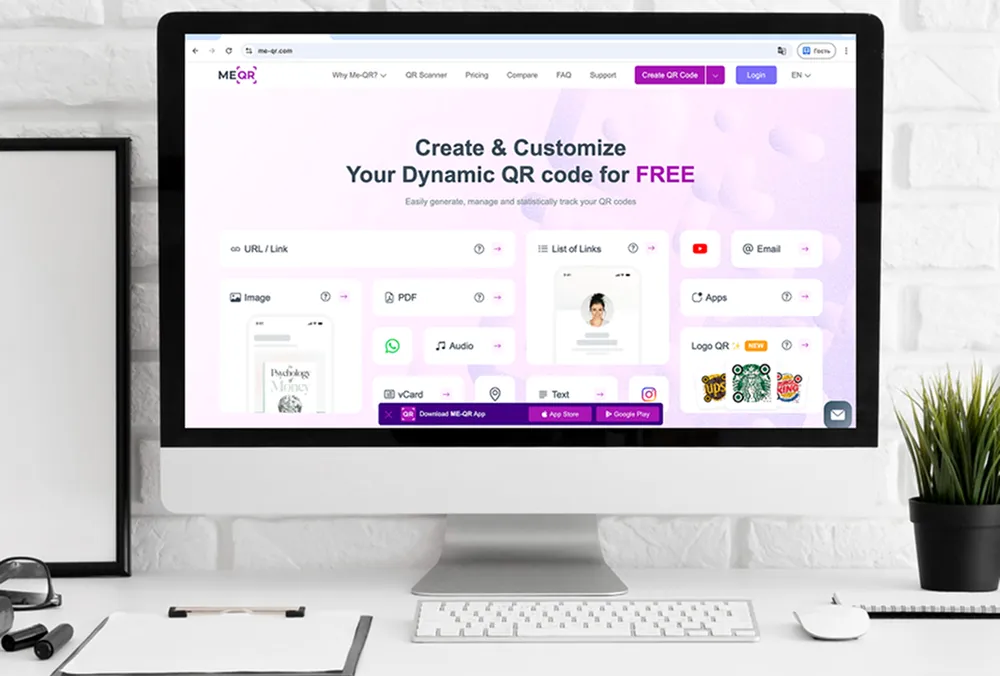
ME-QR என்பது, தங்களின் ஸ்கேனிங் அனுபவம் மற்றும் பிராண்டிங் மீது முழுமையான கட்டுப்பாடு தேவைப்படும் வணிகங்களுக்காக வடிவமைக்கப்பட்ட ஒரு சக்திவாய்ந்த, நிறுவனங்களுக்கு ஏற்ற QR குறியீடு தளமாகும். இது ஒரு சிறந்த ஒயிட் லேபிள் QR குறியீடு ஜெனரேட்டராகத் தனித்து நிற்கிறது , ஏனெனில் இது நிறுவனங்கள் தங்களின் சொந்த தனிப்பயன் டொமைன்களைப் பயன்படுத்தும் QR குறியீடுகளை உருவாக்க அனுமதிக்கிறது. இதன் மூலம் ஒவ்வொரு இணைப்பும் மூன்றாம் தரப்பு சுருக்கிகள் வழியாகச் செல்லாமல், பிராண்டிற்கு இயல்பானதாகத் தோன்றுவதை உறுதி செய்கிறது.
ME-QR மூலம், நிறுவனங்கள் தங்கள் காட்சி அடையாளத்தைப் பிரதிபலிக்கும் முழுமையான பிராண்ட் முத்திரையிடப்பட்ட QR குறியீடுகளை உருவாக்க முடியும் — லோகோ ஒருங்கிணைப்பு, வண்ணத் தீம்கள் மற்றும் பயனர் நம்பிக்கையை மேம்படுத்தும் தனிப்பயன் பிராண்ட் முத்திரையிடப்பட்ட QR குறியீடுகள் வரை இதில் அடங்கும். பிராண்ட் பற்றிய எண்ணமும் நம்பகத்தன்மையும் வாடிக்கையாளர் ஈடுபாட்டில் செல்வாக்கு செலுத்தும் மின்வணிகம், விருந்தோம்பல், ரியல் எஸ்டேட், சுகாதாரப் பாதுகாப்பு மற்றும் நிதி போன்ற துறைகளுக்கு இது மிகவும் பொருத்தமானதாக அமைகிறது .
முக்கிய அம்சங்கள்:
- முழுமையான பிராண்ட் அடையாளத்துடன் கூடிய வணிக இணைப்பு அனுபவத்திற்கான தனிப்பயன் டொமைன் QR குறியீடுகள்
- நெகிழ்வான பிரச்சாரங்களுக்கான, திருத்தக்கூடிய இலக்குகளைக் கொண்ட டைனமிக் QR குறியீடுகள்
- பிராண்ட் அடையாளத்தைப் பிரதிபலிக்கும் வகையில் லோகோவின் இடம் மற்றும் வண்ணத்தை மாற்றுதல்
- ஸ்கேன்கள், இருப்பிடங்கள் மற்றும் பயனர் ஈடுபாட்டை அளவிடுவதற்கான விரிவான பகுப்பாய்வுகள்
நன்மைகள்: தனிப்பயன் டொமைன் QR குறியீடுகள் பிராண்ட் அங்கீகாரத்தையும் பயனர் நம்பிக்கையையும் மேம்படுத்துகின்றன, டைனமிக் புதுப்பிப்புகள் பிரச்சார நெகிழ்வுத்தன்மையை வழங்குகின்றன, ஒயிட் லேபிள் ஆதரவு ஏஜென்சிகள் மற்றும் SaaS நிறுவனங்களுக்குப் பயனளிக்கிறது, மேலும் பகுப்பாய்வுகள் மூலோபாய முடிவெடுப்பதைச் சாத்தியமாக்குகின்றன.
குறைகள்: சில மேம்பட்ட பிராண்டிங் அம்சங்கள் உயர்-நிலைத் திட்டங்களில் மட்டுமே கிடைக்கின்றன, மேலும் நிறுவன QR கருவிகளின் புதிய பயனர்கள் கற்றுக்கொள்வதில் சிரமப்படலாம், இருப்பினும் அறிமுக வழிகாட்டுதல் மற்றும் ஆவணங்கள் இதைச் சமாளிக்க உதவுகின்றன.

2. QRTRAC
QRTRAC என்பது தனிப்பயன் டொமைன்கள் மற்றும் அடிப்படை ஒயிட் லேபிள் விருப்பங்களை ஆதரிக்கும் ஒரு பன்முக QR குறியீடு உருவாக்கும் கருவியாகும், இது சிறிய மற்றும் நடுத்தர வணிகங்களுக்கு ஏற்றதாக அமைகிறது. இது டைனமிக் QR குறியீடுகளை உருவாக்குவதற்கும், பிரச்சாரங்கள் முழுவதும் ஈடுபாட்டைக் கண்காணிப்பதற்கும் கருவிகளை வழங்குகிறது.
முக்கிய அம்சங்கள்:
- முழுமையான பிராண்ட் இணைப்பு அனுபவத்திற்கான தனிப்பயன் டொமைன் QR குறியீடுகள்
- உருவாக்கப்பட்ட பிறகு எப்போது வேண்டுமானாலும் புதுப்பிக்கக்கூடிய டைனமிக் URLகள்
- ஸ்கேன் நுண்ணறிவுகள் மற்றும் ஈடுபாட்டுப் போக்குகளை வழங்கும் பகுப்பாய்வு டாஷ்போர்டு
நன்மைகள்: பயன்படுத்த எளிதான இடைமுகம், சிறு வணிக விளம்பரங்களுக்கு ஏற்றது, அடிப்படை பிராண்டிங்கை ஆதரிக்கிறது.
குறைகள்: வரையறுக்கப்பட்ட மேம்பட்ட ஒயிட் லேபிள் தேர்வுகள், குறைவான ஸ்டைலிங் மற்றும் வடிவமைப்பு அம்சங்கள்.
3. Blinq
பிளிங்க், தனிப்பயன் டொமைன்கள் மற்றும் ஸ்கேன்களைக் கண்காணிப்பதற்கான பகுப்பாய்வுகளுடன், எளிமையான QR குறியீடு உருவாக்கத்தை வழங்குகிறது. பிராண்டட் QR குறியீடுகளை விரைவாகப் பயன்படுத்த விரும்பும் சந்தைப்படுத்துபவர்கள் மற்றும் வணிகங்களுக்கு இது மிகவும் ஏற்றது.
முக்கிய அம்சங்கள்:
- வணிக பிராண்டிங் மற்றும் சந்தைப்படுத்தல் பிரச்சாரங்களுக்கான வணிகத்திற்கான QR குறியீடுகள்
- குறியீடுகளை மீண்டும் அச்சிடாமல் URL மாற்றங்களை அனுமதிக்கும் டைனமிக் இலக்குகள்
- ஸ்கேன்கள் மற்றும் பயனர் செயல்பாட்டைக் கண்காணிக்க கண்காணிப்பு மற்றும் பகுப்பாய்வு
நன்மைகள்: வேகமான QR குறியீடு உருவாக்கம், பிராண்டட் URL-களை ஆதரிக்கிறது, விளம்பரப் பிரச்சாரங்களை எளிதாக நிர்வகிக்கலாம்.
குறைகள்: வரையறுக்கப்பட்ட வடிவமைப்பு தனிப்பயனாக்கம், குறைவான நிறுவன அம்சங்கள்.

4. QRLynx
QRLynx ஆனது, டைனமிக் இணைப்புகள் மற்றும் பகுப்பாய்வு அறிக்கையிடல் விருப்பங்களுடன், வணிகங்கள் தங்களின் சொந்த டொமைன்களைப் பயன்படுத்தி QR குறியீடுகளை உருவாக்க உதவுகிறது.
முக்கிய அம்சங்கள்:
- பிராண்ட் சார்ந்த QR குறியீடுகளை உருவாக்குவதற்கான தனிப்பயன் டொமைன் ஆதரவு.
- திருத்தக்கூடிய மற்றும் திசைதிருப்பக்கூடிய இலக்குகளைக் கொண்ட டைனமிக் QR குறியீடுகள்
- ஸ்கேன் அதிர்வெண் மற்றும் இருப்பிடம் குறித்த நுண்ணறிவுகளை வழங்கும் பகுப்பாய்வு
நன்மைகள்: விரிவாக்கக்கூடிய தீர்வு, டொமைன் QR ஆதரவு, எளிய பகுப்பாய்வு.
குறைகள்: வடிவமைப்பு அம்சங்கள் குறைவாக உள்ளன, மேலும் ஒயிட் லேபிள் விருப்பங்களும் குறைவாகவே உள்ளன.

5. Hovercode
ஹோவர்கோட் என்பது முகவர் நிறுவனங்கள் மற்றும் சிறு, நடுத்தர வணிகங்களை இலக்காகக் கொண்ட ஒரு கியூஆர் குறியீடு தளமாகும், இது தனிப்பயன் டொமைன்கள் மற்றும் கியூஆர் கண்காணிப்பை வழங்குகிறது.
முக்கிய அம்சங்கள்:
- தொழில்முறை அடையாளத்தைப் பேணுவதற்கான தனிப்பயன் டொமைன் QR குறியீடுகள்
- அச்சிடப்பட்ட குறியீடுகளைப் பாதிக்காமல் URL-களைப் புதுப்பிப்பதற்கான டைனமிக் இணைப்புகள்
- ஈடுபாடு மற்றும் பிரச்சார செயல்திறனைக் கண்காணிப்பதற்கான பகுப்பாய்வுகள்
நன்மைகள்: விரைவான அமைப்பு, பயன்படுத்த எளிதான டாஷ்போர்டு, பிராண்டட் URL-களை ஆதரிக்கிறது.
குறைகள்: படைப்பாற்றல் மிக்க QR வடிவமைப்பு வரம்புக்குட்பட்டது, நிறுவனங்களுக்கான ஒருங்கிணைப்புகள் குறைவு.
6. Scanova
ஸ்கனோவா என்பது தனிப்பயன் டொமைன்கள், டைனமிக் URLகள் மற்றும் குழு ஒத்துழைப்பை ஆதரிக்கும் ஒரு வலிமையான QR குறியீடு தீர்வாகும்.
முக்கிய அம்சங்கள்:
- வணிக பிராண்ட் அடையாளத்தை வலுப்படுத்த டொமைன் QR குறியீடுகள்
- நெகிழ்வான மற்றும் நீண்ட கால சந்தைப்படுத்தல் பிரச்சாரங்களுக்கான ஆற்றல்மிக்க இடங்கள்
- கூட்டுப்பணி மற்றும் பல பயனர் நிர்வாகத்தை செயல்படுத்தும் குழு கணக்குகள்
நன்மைகள்: வலுவான பகுப்பாய்வு மற்றும் அறிக்கையிடல், துறைசார் ஆதரவு, குழுக்களுக்கு ஏற்றவாறு விரிவாக்கக்கூடியது.
குறைகள்: சில மேம்பட்ட ஒயிட் லேபிள் மற்றும் வடிவமைப்பு அம்சங்களுக்கு உயர் திட்டங்கள் தேவைப்படுகின்றன.
7. QRFY
QRFY, பகுப்பாய்வுகளுடன் தனிப்பயன் டொமைன் QR குறியீடுகளை உருவாக்குவதற்கான ஒரு பயனர் நட்பு தளத்தை வழங்குகிறது.
முக்கிய அம்சங்கள்:
- பிராண்டிங்குடன் ஒத்துப்போகும் QR குறியீடுகளை உருவாக்குவதற்கான தனிப்பயன் டொமைன்கள்
- ஸ்கேன்கள், சாதன வகைகள் மற்றும் இருப்பிடங்களை அளவிடுவதற்கான QR பகுப்பாய்வு
- அச்சிட்ட பிறகு நிகழ்நேர URL புதுப்பிப்புகளை அனுமதிக்கும் டைனமிக் இலக்குகள்
நன்மைகள்: எளிய இடைமுகம், எளிதான பிராண்டட் QR குறியீடு உருவாக்கம், பகுப்பாய்வுகள் சேர்க்கப்பட்டுள்ளன.
குறைகள்: வரையறுக்கப்பட்ட மேம்பட்ட வடிவமைப்பு மற்றும் ஒயிட் லேபிள் தேர்வுகள்.
8. QRSurge
QRSurge, வணிகங்கள் தங்களின் சொந்த டொமைன்களில் QR குறியீடுகளை உருவாக்கவும், ஈடுபாட்டைக் கண்காணிக்கவும் அனுமதிக்கிறது.
முக்கிய அம்சங்கள்:
- பிராண்ட் நிலைத்தன்மையை உறுதிசெய்ய தனிப்பயன் டொமைன் QR குறியீடுகள்
- உருவாக்கிய பிறகு எப்போது வேண்டுமானாலும் மாற்றக்கூடிய டைனமிக் QR இணைப்புகள்
- ஸ்கேன் எண்ணிக்கைகள் மற்றும் பயனர் ஈடுபாட்டுப் போக்குகளைக் கண்காணிக்கும் பகுப்பாய்வு டாஷ்போர்டு
நன்மைகள்: சந்தைப்படுத்தல் பிரச்சாரங்களுக்கு நெகிழ்வானது, பிராண்டட் URL-களை ஆதரிக்கிறது.
குறைகள்: வடிவமைப்பைத் தனிப்பயனாக்கும் வசதி குறைவாக உள்ளது, மேம்பட்ட அம்சங்களுக்குக் கட்டணத் திட்டங்கள் தேவைப்படுகின்றன.
9. SQR
பிராண்டட் தீர்வுகளை விரும்பும் வணிகங்களுக்கு, SQR டொமைன் QR குறியீடுகளையும் டைனமிக் இணைப்பு நிர்வாகத்தையும் வழங்குகிறது.
முக்கிய அம்சங்கள்:
- பிராண்டட் QR குறியீடு உருவாக்கத்திற்கான தனிப்பயன் டொமைன்கள்
- எளிதான இலக்கு புதுப்பிப்புகளைச் செயல்படுத்தும் டைனமிக் URLகள்
- ஸ்கேன்கள், இருப்பிடங்கள் மற்றும் பயன்பாட்டு முறைகளைக் கண்காணிக்க உதவும் பகுப்பாய்வுகள்
நன்மைகள்: அமைப்பது எளிது, பிராண்டட் இணைப்புகளை ஆதரிக்கிறது, கண்காணிக்கும் வசதி உள்ளது.
குறைகள்: வரையறுக்கப்பட்ட வடிவமைப்பு மற்றும் மேம்பட்ட ஒயிட் லேபிள் தேர்வுகள்.
10. Yohn.io
Yohn.io, பகுப்பாய்வு மற்றும் எளிய இணைப்புத் திருத்தத்துடன் தனிப்பயன் டொமைன் QR குறியீடு உருவாக்கத்தை வழங்குகிறது.
முக்கிய அம்சங்கள்:
- வணிகங்களுக்கான QR குறியீடுகளை உருவாக்க தனிப்பயன் டொமைன்கள்
- திருத்தக்கூடிய இலக்கு நிர்வாகத்திற்கான டைனமிக் QR இணைப்புகள்
- ஸ்கேன் புள்ளிவிவரங்கள் மற்றும் பிரச்சாரத்தின் செயல்திறனைக் காட்டும் பகுப்பாய்வு அறிக்கை
நன்மைகள்: விரைவான நிறுவல், டொமைன் ஆதரவு, எளிதான QR குறியீடு மேலாண்மை.
குறைகள்: குறைந்தபட்ச வடிவமைப்புத் தேர்வுகள், குறைவான என்டர்பிரைஸ் ஒயிட் லேபிள் அம்சங்கள்.
11. ZodQR
ZodQR, தனிப்பயன் டொமைன்களில் உள்ள QR குறியீடுகளை டைனமிக் இணைப்புகள் மற்றும் பகுப்பாய்வுகளுடன் ஆதரிக்கிறது.
முக்கிய அம்சங்கள்:
- பிராண்ட் அங்கீகாரம் மற்றும் நிலைத்தன்மையை உறுதிசெய்ய டொமைன் QR குறியீடுகள்
- குறியீடுகளை மீண்டும் அச்சிடாமல் மாற்றங்களைச் செய்ய அனுமதிக்கும் டைனமிக் இலக்குகள்
- ஸ்கேன் முறைகள் மற்றும் இருப்பிடங்கள் குறித்த விரிவான நுண்ணறிவுகளை வழங்கும் பகுப்பாய்வு
நன்மைகள்: பயன்படுத்த எளிதான தளம், பிராண்டட் URL-களை ஆதரிக்கிறது, விரைவான நிறுவல்.
குறைகள்: படைப்பு சார்ந்த தனிப்பயனாக்கம் குறைவாக உள்ளது, மேம்பட்ட ஒயிட் லேபிள் விருப்பங்கள் கட்டுப்படுத்தப்பட்டுள்ளன.
வலைத்தளங்கள் மற்றும் வணிகத்திற்கான QR குறியீடுகளின் வகைகள்
QR குறியீடுகள், வழக்கமான கருப்பு-வெள்ளை குறியீடுகளைத் தாண்டி வெகுவாகப் பரிணமித்துள்ளன. அவை, வாடிக்கையாளர்களை ஈடுபடுத்தவும் டிஜிட்டல் உள்ளடக்கத்திற்கான அணுகலை எளிதாக்கவும் வணிகங்களுக்குப் பல்வேறு விருப்பங்களை வழங்குகின்றன. இணையதள URL QR குறியீடுகளைப் பயன்படுத்துவதன் மூலம் , நிறுவனங்கள் கைமுறையாகத் தட்டச்சு செய்யத் தேவையின்றி, பயனர்களைத் தங்கள் தளங்கள், இலக்குப் பக்கங்கள் அல்லது குறிப்பிட்ட தயாரிப்புகளுக்கு விரைவாக வழிநடத்த முடியும். இது சந்தைப்படுத்தல் பிரச்சாரங்களை மேலும் தடையற்றதாக ஆக்குகிறது.
வணிக மற்றும் பெருநிறுவன QR குறியீடுகள் தொழில்முறைத் தேவைகளைப் பூர்த்திசெய்கின்றன; இவை நிறுவனங்கள் தொடர்புத் தகவல்கள், நிறுவன வளங்கள் அல்லது சேவை இணைப்புகளைத் திறமையாகப் பகிர்ந்துகொள்ள உதவுகின்றன. இந்தக் குறியீடுகள் சிற்றேடுகள், விளக்கக்காட்சிகள், அறிவிப்புப் பலகைகள் மற்றும் நிகழ்வுகளில் பரவலாகப் பயன்படுத்தப்பட்டு, வர்த்தக முத்திரையின் நிலைத்தன்மையையும் நம்பகத்தன்மையையும் பராமரிக்க உதவுகின்றன.
தனிப்பயனாக்கப்பட்ட மற்றும் பிராண்ட் முத்திரையிடப்பட்ட QR குறியீடுகள், நிறுவனங்கள் தங்கள் குறியீடுகளில் சின்னங்கள், பிராண்ட் வண்ணங்கள் மற்றும் ஆக்கப்பூர்வமான வடிவமைப்புகள் போன்ற காட்சி அடையாளத்தைப் புகுத்த உதவுகின்றன. தனிப்பயன் QR குறியீடுகளைப் பயன்படுத்துவதன் மூலம், வணிகங்கள் பயனர் நம்பிக்கையை அதிகரிக்கவும், ஸ்கேன் விகிதங்களை மேம்படுத்தவும், தங்கள் சந்தைப்படுத்தல் உத்தியுடன் ஒத்துப்போகும் பார்வைக்கு ஈர்க்கும் அனுபவத்தை உருவாக்கவும் முடியும்.
வலைத்தள URLக்கான QR குறியீடு
ஒரு வலைத்தள URL QR குறியீடு, வணிக நிறுவனங்கள் தங்கள் வலை முகவரியைத் தட்டச்சு செய்யாமலேயே, பயனர்களை விரைவாகத் தங்கள் தளத்திற்கு வழிநடத்த அனுமதிக்கிறது. இந்தக் குறியீடுகள் சந்தைப்படுத்தல் பிரச்சாரங்கள், தயாரிப்பு பேக்கேஜிங், துண்டுப் பிரசுரங்கள் அல்லது டிஜிட்டல் விளம்பரங்களுக்கு மிகவும் பொருத்தமானவை. இவை வாடிக்கையாளர்கள் உங்கள் ஆன்லைன் இருப்பை விரைவாகவும் தடையின்றியும் அணுகுவதற்கு ஒரு வழியை வழங்குகின்றன.
வணிக மற்றும் பெருநிறுவன QR குறியீடுகள்
நிறுவன QR குறியீடுகள் தொழில்முறைப் பயன்பாட்டிற்காக வடிவமைக்கப்பட்டுள்ளன. அவை நிறுவனங்கள் தொடர்பு விவரங்கள், ஆவணங்கள் அல்லது வணிகச் சேவைகளுக்கான இணைப்புகளைப் பகிர்ந்துகொள்ள உதவுகின்றன. அவை பிராண்ட் மீதான நம்பிக்கையை மேம்படுத்துவதோடு, சிற்றேடுகள் மற்றும் விளக்கக்காட்சிகள் முதல் அறிவிப்புப் பலகைகள் மற்றும் நிகழ்வுகள் வரை, பௌதீக மற்றும் டிஜிட்டல் தளங்கள் முழுவதும் சீரான தகவல்தொடர்பை உறுதி செய்கின்றன.
தனிப்பயனாக்கப்பட்ட மற்றும் பிராண்டட் QR குறியீடுகள்
தனிப்பயனாக்கப்பட்ட QR குறியீடுகள் , சின்னங்கள், பிராண்ட் வண்ணங்கள் மற்றும் தனித்துவமான வடிவமைப்பு அம்சங்களை இணைத்து, உங்கள் பார்வையாளர்களுக்கு ஒரு பிராண்டட் அனுபவத்தை உருவாக்குகின்றன. பிராண்ட் அடையாளத்தை வலுப்படுத்தவும், ஸ்கேன் விகிதங்களை மேம்படுத்தவும், மேலும் தங்கள் QR குறியீடுகளை முழுமையாகச் செயல்படும் அதே வேளையில் பார்வைக்கு ஈர்க்கும் வகையில் உருவாக்கவும் விரும்பும் வணிகங்களுக்கு இந்தக் குறியீடுகள் மிகவும் பொருத்தமானவை.
உங்கள் சொந்த டொமைனுடன் QR குறியீட்டை உருவாக்குவது எப்படி
உங்கள் சொந்த டொமைனைப் பயன்படுத்தும் QR குறியீட்டை உருவாக்குவது, ஒவ்வொரு ஸ்கேனும் தொழில்முறையாகவும், நம்பகத்தன்மையுடனும், உங்கள் பிராண்டுடன் முழுமையாகப் பொருந்தியதாகவும் இருப்பதை உறுதி செய்கிறது. உங்கள் இணையதளம் அல்லது வணிகத்திற்கான டொமைன் QR குறியீட்டை உருவாக்க, இந்த வழிமுறைகளைப் பின்பற்றவும் :
- தனிப்பயன் டொமைன்களை ஆதரிக்கும் நம்பகமான QR குறியீடு ஜெனரேட்டரைத் தேர்ந்தெடுக்கவும். ஒயிட் லேபிள் வசதிகள், டைனமிக் QR குறியீடுகள் மற்றும் பகுப்பாய்வுகளை வழங்கும் தளங்களைத் தேடுங்கள்.
- உங்கள் தனிப்பயன் டொமைனை அமைக்கவும். பொதுவான மூன்றாம் தரப்பு URLகள் பதிலாக, அனைத்து QR குறியீடு இணைப்புகளும் உங்கள் பிராண்டட் டொமைன் வழியாகத் திருப்பிவிடப்படுமாறு அதை உள்ளமைக்கவும் .
- உங்கள் இலக்கு URL-ஐ உள்ளிடவும். பயனர்கள் அணுக விரும்பும் இணையதள முகவரி, இலக்குப் பக்கம் அல்லது குறிப்பிட்ட வணிகப் பக்கத்தை உள்ளிடவும்.
- உங்கள் QR குறியீடு வடிவமைப்பைத் தனிப்பயனாக்குங்கள். உங்கள் குறியீட்டைப் பார்ப்பதற்கு அழகாகவும், உங்கள் பிராண்டிற்கு ஏற்றதாகவும் மாற்ற, வண்ணங்களைச் சரிசெய்யவும், உங்கள் லோகோவைச் சேர்க்கவும் அல்லது தனிப்பயனாக்கப்பட்ட பாணியைத் தேர்ந்தெடுக்கவும்.
- QR குறியீட்டை உருவாக்கவும். அனைத்தும் தயாரானதும், உங்கள் சொந்த டொமைனைப் பயன்படுத்தி உயர் தெளிவுத்திறன் வடிவத்தில் (PNG, SVG, PDF ) உங்கள் QR குறியீடு ஜெனரேட்டரை உருவாக்கி வெளியீட்டை வழங்கவும்.
- பகிர்வதற்கு முன் சோதித்துப் பார்க்கவும். QR குறியீடு சரியாகத் திசைதிருப்பப்படுவதையும், தெளிவாகப் படிக்க முடிவதையும் உறுதிசெய்ய, அதனைப் பல சாதனங்களைக் கொண்டு ஸ்கேன் செய்யவும்.
- பல்வேறு தளங்களில் பயன்படுத்துங்கள். கையேடுகள், அறிவிப்புப் பலகைகள், தயாரிப்புப் பொட்டலங்கள், இணையதளங்கள் அல்லது சந்தைப்படுத்தல் பிரச்சாரங்களில் QR குறியீட்டைச் சேர்ப்பதன் மூலம், அது உங்கள் பார்வையாளர்களுக்கு எளிதில் தெரியும்படி பார்த்துக்கொள்ளுங்கள்.
உங்கள் சொந்த டொமைனுடன் கூடிய QR குறியீட்டைப் பயன்படுத்துவது, பிராண்ட் மீதான நம்பிக்கையை அதிகரிப்பது மட்டுமின்றி, இணைப்பு மேலாண்மை, பகுப்பாய்வு மற்றும் பயனர் அனுபவம் ஆகியவற்றின் மீதும் முழுமையான கட்டுப்பாட்டை வழங்குகிறது.
வெள்ளை லேபிள் QR குறியீடுகளுக்கான சிறந்த நடைமுறைகள்
ஒயிட் லேபிள் QR குறியீடு ஜெனரேட்டரைத் திறம்படப் பயன்படுத்துவதற்கு , அதன் வடிவமைப்பு, வைக்கும் இடம் மற்றும் மேலாண்மை ஆகியவற்றில் கவனம் செலுத்த வேண்டும். வணிகங்களுக்கான முக்கிய நடைமுறைகள் பின்வருமாறு:
- பிராண்ட் நிலைத்தன்மையைப் பேணுங்கள் – அங்கீகாரத்தையும் நம்பிக்கையையும் வலுப்படுத்த, QR குறியீடு வடிவமைப்பில் எப்போதும் உங்கள் லோகோ, பிராண்ட் வண்ணங்கள் மற்றும் எழுத்துருக்களைப் பயன்படுத்துங்கள்.
- தனிப்பயன் டொமைனைப் பயன்படுத்துங்கள் – பொதுவான மூன்றாம் தரப்பு URL-களைத் தவிர்த்து, இணைப்புகள் இயல்பாகவும் தொழில்முறையாகவும் தோன்றுவதை உறுதிசெய்ய ஒரு டொமைன் QR குறியீட்டை உருவாக்குங்கள்.
- முடிந்தவரை டைனமிக் QR குறியீடுகளைப் பயன்படுத்துங்கள் – QR குறியீட்டையே மாற்றாமல் இலக்கு புதுப்பிப்புகளைச் செயல்படுத்துங்கள்; இது விளம்பரப் பிரச்சாரங்கள், பருவகாலச் சலுகைகள் அல்லது பல லேண்டிங் பக்கங்களுக்கு மிகவும் ஏற்றது.
- எளிதாகப் படிப்பதற்கு உகந்ததாக மேம்படுத்துங்கள் – பின்னணிக்கும் குறியீட்டிற்கும் இடையே போதுமான வேறுபாட்டைப் பேணுங்கள், அதிகப்படியான வடிவமைப்பு அம்சங்களைத் தவிர்க்கவும், மேலும் QR குறியீட்டைச் சுற்றியுள்ள அமைதியான பகுதியைப் பாதுகாக்கவும்.
- செயல்திறனைக் கண்காணித்து பகுப்பாய்வு செய்யுங்கள் – ஸ்கேன்கள், இருப்பிடங்கள், சாதனங்கள் மற்றும் ஈடுபாடு ஆகியவற்றைக் கண்காணிக்க பகுப்பாய்வுகளைப் பயன்படுத்துங்கள்; இது சந்தைப்படுத்தல் உத்திகளைச் சரிசெய்ய உதவுகிறது.
- பல்வேறு சாதனங்களில் சோதிக்கவும் – பெருமளவில் விநியோகிப்பதற்கு முன், QR குறியீடுகள் பல்வேறு ஸ்மார்ட்போன்கள், டேப்லெட்டுகள் மற்றும் QR ஸ்கேனிங் செயலிகளில் நம்பகத்தன்மையுடன் ஸ்கேன் ஆகின்றனவா என்பதை உறுதிப்படுத்தவும்.
- சரியான இடத்தில் வைக்கவும் – தயாரிப்பு பேக்கேஜிங், சிற்றேடுகள், அறிவிப்புப் பலகைகள், வணிக அட்டைகள் அல்லது டிஜிட்டல் விளம்பரங்கள் போன்றவற்றில், பயனர்கள் எளிதாக ஸ்கேன் செய்யக்கூடிய இடங்களில் QR குறியீடுகளை வைக்கவும் .
இந்த நடைமுறைகளைப் பின்பற்றுவது, உங்களுக்கென பிரத்யேகமாக உருவாக்கப்பட்ட பிராண்டட் QR குறியீடுகள் திறம்பட்டதாகவும், நம்பகமானதாகவும், உங்கள் வணிக இலக்குகளுடன் ஒத்துப்போவதாகவும் இருப்பதை உறுதி செய்கிறது.
ஒயிட் லேபிள் மற்றும் தனிப்பயன் டொமைன் QR குறியீடுகள், வணிகங்களுக்கு பிராண்டிங், இணைப்பு மேலாண்மை மற்றும் பயனர் அனுபவம் ஆகியவற்றின் மீது முழுமையான கட்டுப்பாட்டை அளிக்கின்றன. ஒரு ஒயிட் லேபிள் QR குறியீடு ஜெனரேட்டரைப் பயன்படுத்துவதன் மூலமோ அல்லது ஒரு டொமைன் QR குறியீட்டை உருவாக்குவதன் மூலமோ , ஒவ்வொரு ஸ்கேனும் பிராண்ட் அடையாளத்தை வலுப்படுத்துவதையும், நம்பிக்கையை வளர்ப்பதையும், மற்றும் ஈடுபாட்டை அதிகரிப்பதையும் நிறுவனங்கள் உறுதிசெய்ய முடியும். சிறு வணிகங்கள், ஏஜென்சிகள் அல்லது பெரிய நிறுவனங்கள் என எதுவாக இருந்தாலும், இந்த QR தீர்வுகள், வழக்கமான QR குறியீடுகளால் ஈடு செய்ய முடியாத நெகிழ்வுத்தன்மை, பகுப்பாய்வு மற்றும் தொழில்முறை வடிவமைப்பு விருப்பங்களை வழங்குகின்றன.
நம்பகமான ஒரு தளத்தில் முதலீடு செய்வதன் மூலம், பௌதீக மற்றும் டிஜிட்டல் சேனல்கள் முழுவதும் சிறப்பாகச் செயல்படும் ஆற்றல்மிக்க, தனிப்பயனாக்கப்பட்ட மற்றும் பிராண்ட் முத்திரையிடப்பட்ட QR குறியீடுகளை உங்களால் உருவாக்க முடியும். இது சந்தைப்படுத்தல், மின் வணிகம், பெருநிறுவனத் தொடர்புகள் மற்றும் வாடிக்கையாளர் ஈடுபாடு ஆகியவற்றிற்கு அவற்றை ஒரு மூலோபாயக் கருவியாக ஆக்குகிறது.
தனிப்பயன் டொமைன் (ஒயிட் லேபிள்) ஆதரவுடன் கூடிய சிறந்த QR குறியீடு ஜெனரேட்டர்கள் பற்றிய அடிக்கடி கேட்கப்படும் கேள்விகள்
மூன்றாம் தரப்பு சுருக்கிக்குப் பதிலாக, ஒவ்வொரு ஸ்கேனும் பயனர்களை உங்கள் பிராண்டட் URL வழியாக வழிநடத்தும் வகையில், உங்கள் சொந்த டொமைனைப் பயன்படுத்தி QR குறியீடு ஜெனரேட்டரை அமைப்பது எப்படி என்பதைக் கற்றுக்கொள்ளுங்கள்.