డెవలపర్ల కోసం API యాక్సెస్తో టాప్ QR కోడ్ జనరేటర్లు
లింక్, వీడియో లేదా చిత్రం కోసం QR కోడ్ను సృష్టించడానికి - దిగువ బటన్పై క్లిక్ చేయండి.


- డెవలపర్ల కోసం QR కోడ్ APIలను అన్వేషించడం
- క్యూఆర్ కోడ్ ఏపీఐలను మరియు వాటి ప్రయోజనాలను అర్థం చేసుకోవడం
- ఉత్తమ QR కోడ్ API సాధనాలను ఎంచుకోవడానికి ప్రమాణాలు
- API మద్దతుతో ప్రముఖ QR కోడ్ జనరేటర్లు
- QR కోడ్ APIలను ఏకీకృతం చేయడం వల్ల కలిగే ముఖ్య ప్రయోజనాలు
- అగ్రశ్రేణి QR కోడ్ APIల శీఘ్ర పోలిక
- డెవలపర్లు QR కోడ్ APIలను సమర్థవంతంగా ఎలా ఉపయోగించగలరు
- QR కోడ్ APIలతో ప్రారంభించడం
- డెవలపర్ల కోసం API యాక్సెస్తో కూడిన QR కోడ్ జనరేటర్ల గురించి తరచుగా అడిగే ప్రశ్నలు
ఆధునిక డిజిటల్ పరస్పర చర్యలలో క్యూఆర్ కోడ్లు అతి త్వరగా ఒక మూలస్తంభంగా మారాయి. మార్కెటింగ్ ప్రచారాల నుండి ఈవెంట్ చెక్-ఇన్ల వరకు, ఈ కోడ్లు భౌతిక మరియు ఆన్లైన్ అనుభవాల మధ్య అతుకులు లేని అనుసంధానాన్ని సాధ్యం చేస్తాయి. డెవలపర్లకు, QR కోడ్ను సృష్టించండి , దానిని యాప్లు, వెబ్సైట్లు లేదా సాస్ (SaaS) ప్లాట్ఫారమ్లలో ఏకీకృతం చేయగల సామర్థ్యం చాలా కీలకం. ఒక నమ్మకమైన క్యూఆర్ కోడ్ జనరేటర్ను ఉపయోగించడం ద్వారా , డెవలపర్లు సృష్టిని స్వయంచాలకం చేయవచ్చు, బల్క్ కోడ్లను నిర్వహించవచ్చు మరియు స్టాటిక్, డైనమిక్ క్యూఆర్ కోడ్లను రెండింటినీ సమర్థవంతంగా అమలు చేయవచ్చు.
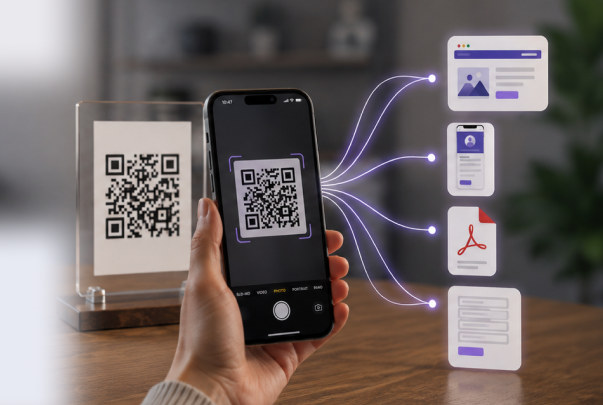
స్టాటిక్ క్యూఆర్ కోడ్లు స్థిరంగా ఉంటాయి మరియు మెనూలు, బ్రోచర్లు లేదా సంప్రదింపు సమాచారం వంటి స్థిరమైన కంటెంట్కు లింక్ చేయడానికి అనువైనవి. మరోవైపు, డైనమిక్ క్యూఆర్ కోడ్లను ప్రింటింగ్ తర్వాత అప్డేట్ చేయవచ్చు, ఎంగేజ్మెంట్ను ట్రాక్ చేయవచ్చు మరియు అనలిటిక్స్ను అందించవచ్చు. అందువల్ల ఇవి మార్కెటింగ్ క్యాంపెయిన్లకు లేదా వ్యక్తిగతీకరించిన వినియోగదారు అనుభవాలకు చాలా అనువుగా ఉంటాయి. మీరు స్టాటిక్ కోడ్ల కోసం ఉచిత క్యూఆర్ కోడ్ మేకర్తో ప్రయోగాలు చేస్తున్నా లేదా డైనమిక్ కోడ్లను ఉపయోగించి సంక్లిష్టమైన సిస్టమ్లను నిర్మిస్తున్నా, ప్రతి రకం యొక్క తేడాలు మరియు సామర్థ్యాలను అర్థం చేసుకోవడం చాలా అవసరం.
డెవలపర్ల కోసం QR కోడ్ APIలను అన్వేషించడం
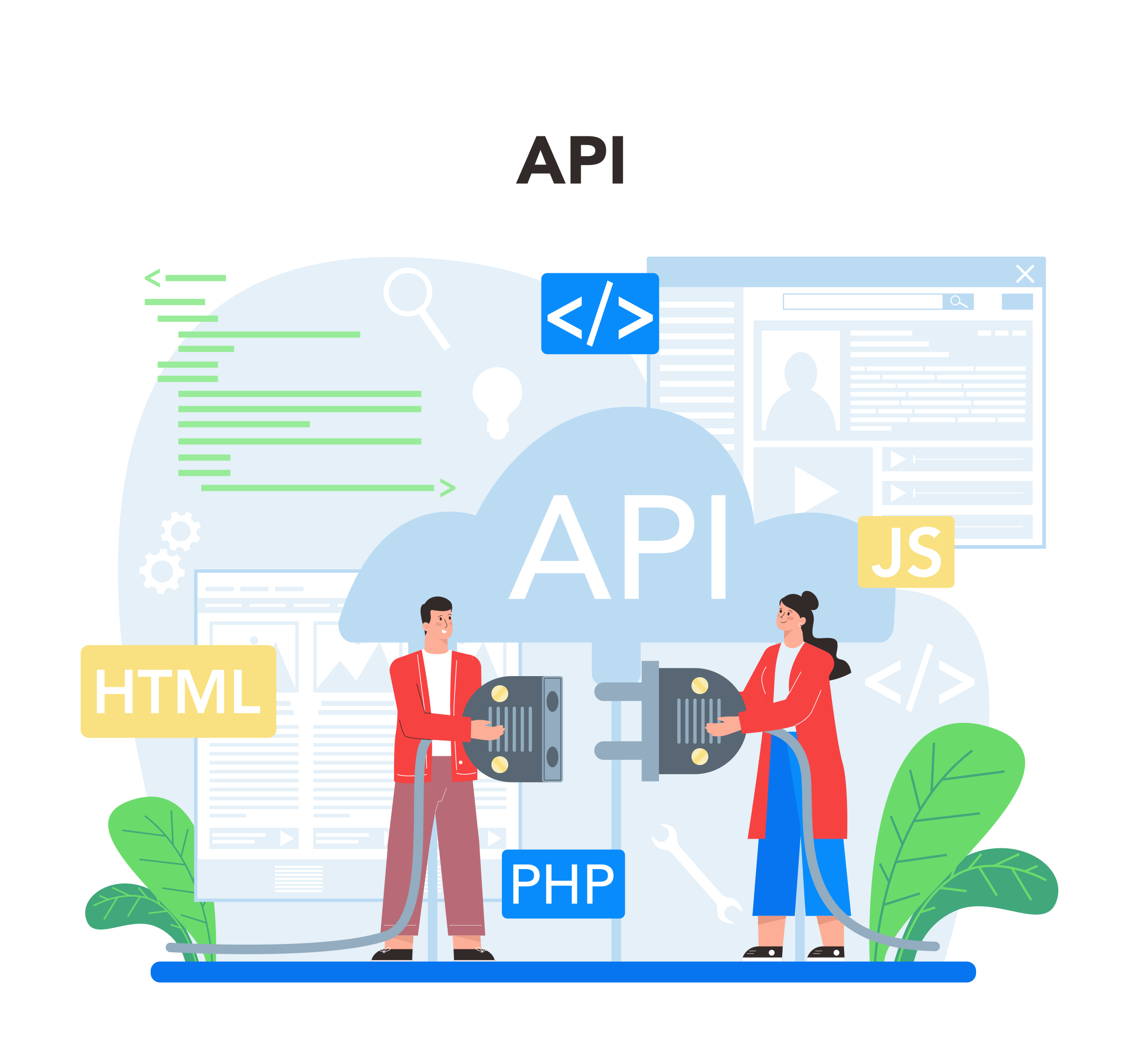
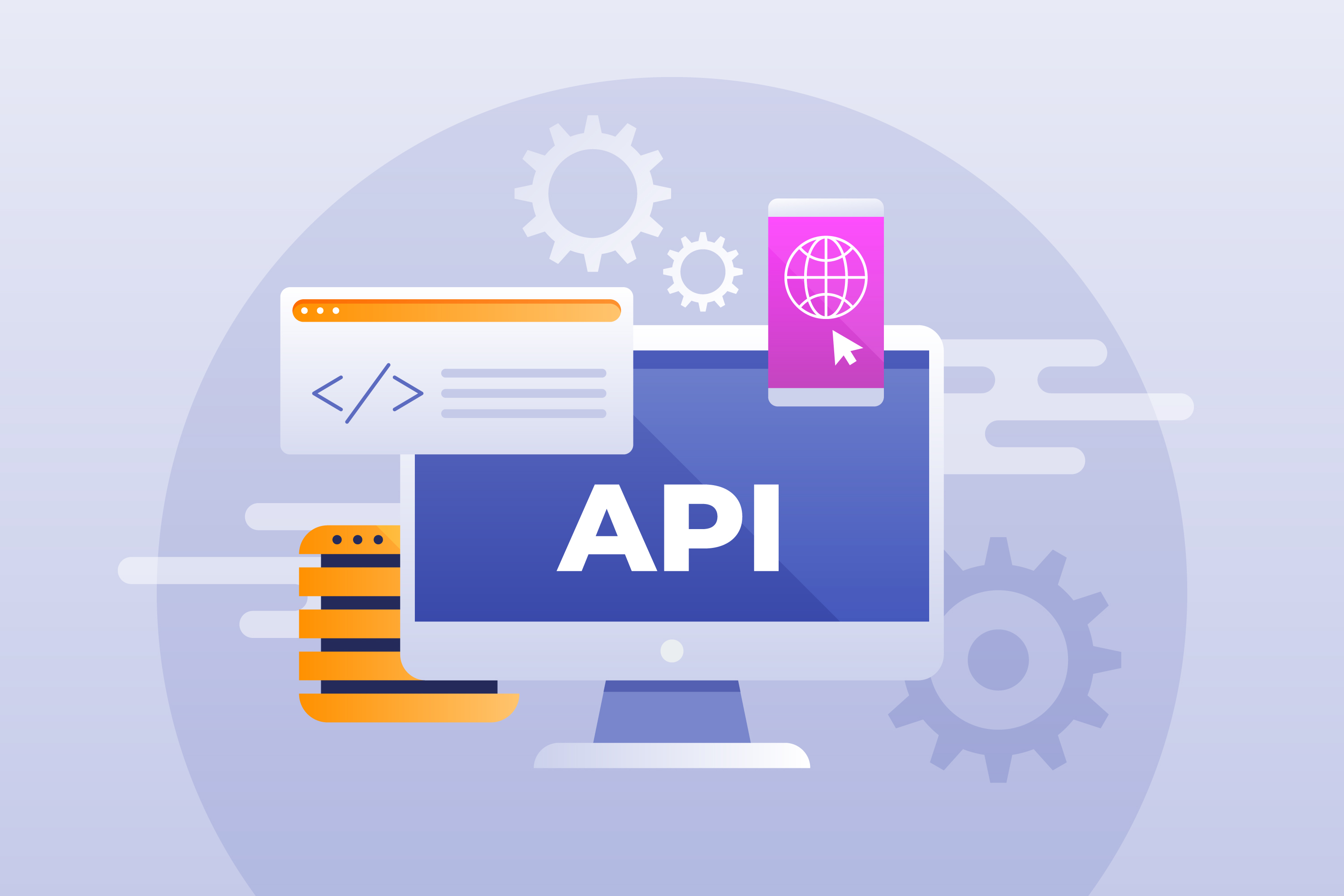
మాన్యువల్ జనరేషన్పై ఆధారపడకుండా, QR కోడ్ సొల్యూషన్లను అభివృద్ధి చేయడానికి APIలు డెవలపర్లకు ప్రోగ్రామాటిక్ మార్గాన్ని అందిస్తాయి . ఒక APIతో, మీరు సాధారణ కంటెంట్ కోసం స్టాటిక్ కోడ్లను లేదా ఆటోమేటిక్గా అప్డేట్ అయ్యే మరియు ఎంగేజ్మెంట్ను ట్రాక్ చేసే డైనమిక్ కోడ్లను జనరేట్ చేయవచ్చు. ఉదాహరణకు, ఒక QR కోడ్ జనరేటర్ API, మీకు అవసరమైనప్పుడు QR కోడ్లను సృష్టించడానికి, వాటిని యూజర్ డాష్బోర్డ్లలో పొందుపరచడానికి, లేదా ట్రాన్సాక్షనల్ ఈమెయిల్లలో భాగంగా వాటిని డెలివర్ చేయడానికి అనుమతిస్తుంది.
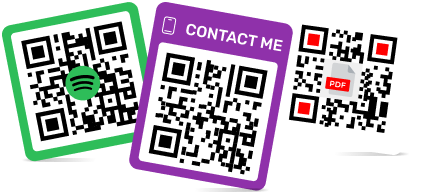
స్టాటిక్ వర్సెస్ డైనమిక్ క్యూఆర్ కోడ్లు
- స్టాటిక్ క్యూఆర్ కోడ్లు: కంటెంట్ స్థిరంగా ఉంటుంది, ట్రాకింగ్ ఉండదు, శాశ్వత లింక్లకు అనువైనవి. తరచుగా క్యూఆర్ కోడ్ జనరేటర్ను ఉపయోగించి రూపొందించబడతాయి .
- డైనమిక్ క్యూఆర్ కోడ్లు: సవరించదగిన కంటెంట్, స్కాన్ ట్రాకింగ్, అనలిటిక్స్ అందుబాటులో ఉంటాయి. డైనమిక్ క్యూఆర్ కోడ్ API వంటి APIలు , డెవలపర్లు ఈ కోడ్లను పెద్ద ఎత్తున సమర్థవంతంగా నిర్వహించడానికి వీలు కల్పిస్తాయి.
అప్లికేషన్లలో ఏకీకరణ
ఒక పటిష్టమైన API QR కోడ్ జనరేటర్ వెబ్, మొబైల్ మరియు SaaS ప్లాట్ఫారమ్లలో ఇంటిగ్రేషన్కు మద్దతు ఇస్తుంది. డెవలపర్లు మెనూలు లేదా ఉత్పత్తి లేబుల్లు కోసం స్టాటిక్ QR కోడ్లను పెద్దమొత్తంలో ఆటోమేటిక్గా రూపొందించవచ్చు , అదే సమయంలో డైనమిక్ QR కోడ్లను ప్రచార పనితీరును ట్రాక్ చేయడానికి, వినియోగదారులను దారి మళ్లించడానికి లేదా వ్యక్తిగతీకరించిన కంటెంట్ను అందించడానికి ఉపయోగించవచ్చు.
QR కోడ్ జనరేటర్ రెస్ట్ APIని ఉపయోగించి , ఈ క్రింది వాటిని చేయడం సాధ్యమవుతుంది:
- కస్టమ్ లోగోలు మరియు బ్రాండింగ్తో కోడ్లను సృష్టించండి.
- స్కాన్ స్థానాలు, పరికరాలు మరియు టైమ్స్టాంప్లను ట్రాక్ చేయండి.
- డైనమిక్ కోడ్లను మళ్లీ జారీ చేయకుండానే అప్డేట్ చేయండి.
ఉచిత మరియు చెల్లింపు QR కోడ్ API ఎంపికలు
డెవలపర్లు తరచుగా పరీక్ష ప్రయోజనాల కోసం ఉచిత QR కోడ్ జనరేటర్ను సృష్టించడంతో ప్రారంభిస్తారు . ఈ ఎంపికలు స్టాటిక్ కోడ్ల కోసం ప్రాథమిక కార్యాచరణను అందిస్తాయి, అయితే చెల్లింపు APIలు బల్క్ క్రియేషన్, అనలిటిక్స్ మరియు SDK సపోర్ట్ వంటి అధునాతన ఫీచర్లను అందిస్తాయి.
క్యూఆర్ కోడ్ ఏపీఐలను మరియు వాటి ప్రయోజనాలను అర్థం చేసుకోవడం
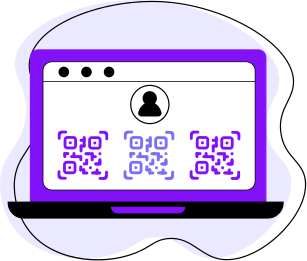
ఒక QR కోడ్ API, డెవలపర్లు కోడ్లను సమర్థవంతంగా ప్రోగ్రామాటిక్గా సృష్టించడానికి, నిర్వహించడానికి మరియు ట్రాక్ చేయడానికి అనుమతించడం ద్వారా ఒక ప్రామాణిక QR కోడ్ జెనరేటర్ను అధిగమిస్తుంది. మాన్యువల్ జెనరేటర్ల వలె కాకుండా, APIs వర్క్ఫ్లోలను ఆటోమేట్ చేస్తాయి, తద్వారా సమయాన్ని ఆదా చేస్తూ స్థిరత్వాన్ని నిర్ధారిస్తాయి. ఒక జెనరేట్ QR కోడ్ APIని ఉపయోగించి, డెవలపర్లు వ్యక్తిగతీకరించిన లింక్లు, అప్డేట్లు లేదా రీడైరెక్ట్ల కోసం డైనమిక్ కోడ్లకు మద్దతునిస్తూ, వెబ్ యాప్లు , మొబైల్ యాప్లు లేదా SaaS ప్లాట్ఫారమ్లలో QR కోడ్ క్రియేషన్ను పొందుపరచవచ్చు .
క్యూఆర్ కోడ్ సృష్టించే ఏపీఐతో , అనుకూలీకరణ మరియు ఆటోమేషన్ సులభతరం అవుతాయి:
- బ్రాండింగ్కు సరిపోయేలా లోగోలు, రంగులు మరియు ఫ్రేమ్ శైలులను జోడించండి.
- కోడ్లను పెద్దమొత్తంలో లేదా షెడ్యూల్ ప్రకారం రూపొందించండి.
- స్కాన్లు, పరికరాలు మరియు ఎంగేజ్మెంట్ మెట్రిక్లను ట్రాక్ చేయండి.
డైనమిక్ క్యూఆర్ కోడ్లు స్టాటిక్ కోడ్ల కన్నా ఎక్కువ సౌలభ్యాన్ని అందిస్తాయి, విలువైన విశ్లేషణలను సేకరిస్తూనే కంటెంట్ మార్పులను చేయడానికి వీలు కల్పిస్తాయి. మార్కెటింగ్ కోసం , ఈవెంట్లు మరియు రియల్-టైమ్ కంటెంట్ డెలివరీ కోసం విలువైన విశ్లేషణలను సేకరిస్తూనే, కంటెంట్ మార్పులను చేయడానికి వీలు కల్పిస్తాయి .
ఉత్తమ QR కోడ్ API సాధనాలను ఎంచుకోవడానికి ప్రమాణాలు
సరైన QR కోడ్ జనరేటర్ APIని ఎంచుకోవడానికి సాంకేతిక మరియు ఆచరణాత్మక అంశాలను మూల్యాంకనం చేయాలి. స్థిరత్వం మరియు అప్టైమ్ QR కోడ్లు విశ్వసనీయంగా రూపొందించబడతాయని నిర్ధారిస్తాయి, అయితే జావా, PHP లేదా జావాస్క్రిప్ట్ వంటి భాషలలో స్పష్టమైన డాక్యుమెంటేషన్ మరియు SDK మద్దతు ఇంటిగ్రేషన్ను సులభతరం చేసి, అభివృద్ధి సమయాన్ని తగ్గిస్తాయి. ఉచిత QR కోడ్ APIలు ప్రాథమిక స్టాటిక్ లేదా పరిమిత డైనమిక్ కోడ్ సృష్టిని అనుమతిస్తాయి, అయితే చెల్లింపు ప్లాన్లు బల్క్ జనరేషన్, అనలిటిక్స్ మరియు కస్టమ్ బ్రాండింగ్ను అందిస్తాయి.
ఒక మంచి ఒక మంచిక్యూఆర్ కోడ్ ఏపీఐరెండింటికీ మద్దతు ఇవ్వాలి స్టాటిక్ మరియు డైనమిక్ క్యూఆర్ కోడ్లు వివిధ ప్రాజెక్ట్లకు అనువుగా ఉండేలా సౌలభ్యాన్ని అందిస్తుంది. పెద్ద ప్రచారాల కోసం బల్క్ క్రియేషన్ సమయాన్ని ఆదా చేస్తుంది మరియు డెవలపర్ మద్దతుతో కూడిన స్థిరమైన డాక్యుమెంటేషన్ సులభమైన అమలును నిర్ధారిస్తుంది. స్కేలబిలిటీ, ఖర్చు మరియు సాంకేతిక మద్దతును పరిగణనలోకి తీసుకుని, డెవలపర్లు ప్రస్తుత అవసరాలు మరియు భవిష్యత్ వృద్ధికి సరిపోయే ప్లాట్ఫారమ్ను ఎంచుకోవచ్చు.
API మద్దతుతో ప్రముఖ QR కోడ్ జనరేటర్లు
సరైన QR కోడ్ జనరేటర్ APIని కనుగొనడం ద్వారా డెవలపర్లు స్టాటిక్ మరియు డైనమిక్ QR కోడ్లను సమర్థవంతంగా సృష్టించగలరు. స్టాటిక్ కోడ్లు మెనూలకు లేదా స్థిరమైన URLలకు అనుకూలంగా ఉంటాయి, అయితే డైనమిక్ కోడ్లు రియల్-టైమ్ అప్డేట్లు, అనలిటిక్స్ మరియు వ్యక్తిగతీకరించిన రీడైరెక్ట్లను సాధ్యం చేస్తాయి.
డైనమిక్ క్యూఆర్ కోడ్ జనరేటర్ ఏపీఐ బల్క్ జనరేషన్, కస్టమ్ లోగోలు మరియు ఎంబెడెడ్ ట్రాకింగ్తో వర్క్ఫ్లోలను క్రమబద్ధీకరిస్తుంది, మాన్యువల్ శ్రమను తగ్గిస్తుంది మరియు వెబ్, మొబైల్ మరియు సాస్ ప్లాట్ఫారమ్లలో స్థిరమైన బ్రాండింగ్ను నిర్ధారిస్తుంది.
1. ME-QR
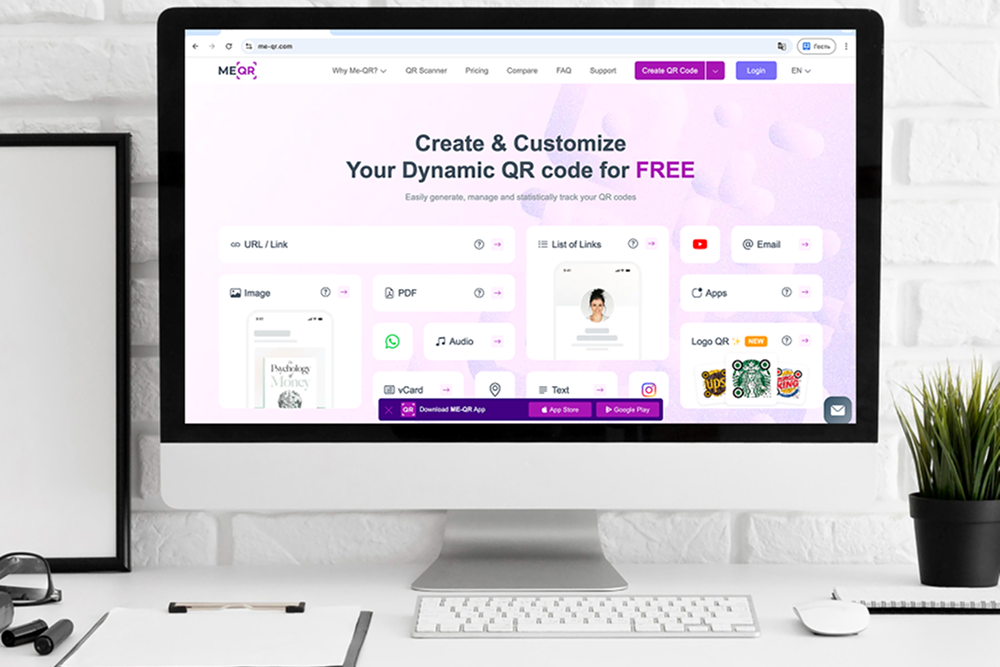
ME-QR స్టాటిక్ మరియు డైనమిక్ QR కోడ్లు రెండింటికీ మద్దతు ఇచ్చే ఒక బహుముఖ QR కోడ్ జనరేటర్ APIని అందిస్తుంది. స్టాటిక్ కోడ్లు మెనూలు, ఉత్పత్తి లేబుల్లు లేదా స్థిరమైన URLల కోసం ఖచ్చితంగా సరిపోతాయి, అయితే డైనమిక్ కోడ్లు నిజ-సమయ నవీకరణలు, వినియోగదారు స్కాన్లను ట్రాక్ చేయడం మరియు వ్యక్తిగతీకరించిన కంటెంట్ డెలివరీని అనుమతిస్తాయి. డెవలపర్లు మార్కెటింగ్ ప్రచారాలు లేదా SaaS ప్లాట్ఫారమ్ల కోసం పెద్ద ఎత్తున QR కోడ్ సృష్టిని ఆటోమేట్ చేయడానికి డైనమిక్ QR కోడ్ జనరేటర్ APIని ఉపయోగించవచ్చు.
ME-QR QR కోడ్ జనరేటర్ రెస్ట్ APIని ఉపయోగించి , మీరు వీటిని చేయవచ్చు:
- కస్టమ్ లోగోలు, రంగులు మరియు ఫ్రేమ్లతో QR కోడ్లను సృష్టించండి.
- స్కాన్ స్థానాలు, పరికరాలు మరియు టైమ్స్టాంప్లను పర్యవేక్షించండి.
- డైనమిక్ QR కోడ్లను మళ్లీ జారీ చేయకుండానే అప్డేట్ చేయండి.
ME-QR బల్క్ క్యూఆర్ కోడ్ జనరేషన్కు కూడా మద్దతు ఇస్తుంది, అందువల్ల వందలు లేదా వేల కోడ్లు త్వరగా అవసరమయ్యే వ్యాపారాలకు ఇది చాలా అనువైనది. ఇంటిగ్రేషన్ ఎంపికలలో జావా, PHP, మరియు జావాస్క్రిప్ట్ SDKలు ఉన్నాయి, ఇవి డెవలపర్లు క్యూఆర్ కోడ్ క్రియేషన్ను నేరుగా వారి అప్లికేషన్లలో పొందుపరచడానికి వీలు కల్పిస్తాయి. దీని డాష్బోర్డ్ డైనమిక్ కోడ్ల కోసం అనలిటిక్స్ను కూడా అందిస్తుంది, ఇది బృందాలు ఎంగేజ్మెంట్ను ట్రాక్ చేయడానికి మరియు ప్రచారాలను సమర్థవంతంగా ఆప్టిమైజ్ చేయడానికి సహాయపడుతుంది.
ప్రయోజనాలు: ఉచిత స్టాటిక్ క్యూఆర్ కోడ్ జనరేషన్, ఏపీఐ ద్వారా డైనమిక్ క్యూఆర్ కోడ్లు, బల్క్ క్రియేషన్, బ్రాండింగ్ కస్టమైజేషన్, క్రాస్-ప్లాట్ఫామ్ ఎస్డీకే సపోర్ట్.
2. QuickChart
QuickChart, స్టాటిక్ మరియు డైనమిక్ క్యూఆర్ కోడ్లు రెండింటి కోసం ఒక సులభమైన రెస్ట్ ఇంటర్ఫేస్తో కూడిన తేలికపాటి API క్యూఆర్ కోడ్ జనరేటర్ను అందిస్తుంది . స్టాటిక్ కోడ్లు డాష్బోర్డ్లు, నివేదికలు మరియు ఉత్పత్తి లేబుల్లకు అనువైనవి, అయితే డైనమిక్ కోడ్లు డెవలపర్లకు కంటెంట్ను అప్డేట్ చేయడానికి, స్కాన్లను ట్రాక్ చేయడానికి మరియు క్యూఆర్ కోడ్లను నేరుగా వెబ్ లేదా మొబైల్ అప్లికేషన్లలో పొందుపరచడానికి వీలు కల్పిస్తాయి.
QuickChart APIని ఉపయోగించి, డెవలపర్లు ఈ క్రింది వాటిని చేయగలరు:
- ప్రోగ్రామాటిక్గా స్టాటిక్ లేదా డైనమిక్ క్యూఆర్ కోడ్లు రూపొందించండి .
- ప్రాథమిక రంగులు, పరిమాణాలు మరియు దోష సవరణతో QR కోడ్లను అనుకూలీకరించండి.
- డైనమిక్ క్యూఆర్ కోడ్ స్కాన్లను పర్యవేక్షించండి మరియు వాటిని అనలిటిక్స్ ప్లాట్ఫారమ్లతో అనుసంధానించండి.

3. QRPlanet
QRPlanet, స్టాటిక్ మరియు డైనమిక్ QR కోడ్లు రెండింటి కోసం ఒక QR కోడ్ జనరేటర్ APIని అందిస్తుంది . అందువల్ల, వెబ్ యాప్లు లేదా SaaS ప్లాట్ఫారమ్లలో QR కోడ్ ఫంక్షనాలిటీని ఇంటిగ్రేట్ చేయాలనుకునే డెవలపర్లకు ఇది అనువుగా ఉంటుంది. స్టాటిక్ కోడ్లు స్థిరమైన URLలు లేదా ఉత్పత్తి లేబుల్లకు చాలా అనుకూలంగా ఉంటాయి, అయితే డైనమిక్ కోడ్లు కంటెంట్ అప్డేట్లు, స్కాన్ ట్రాకింగ్ మరియు ప్రచార నిర్వహణకు అనుమతిస్తాయి.
QRPlanet యొక్క APIతో, డెవలపర్లు వీటిని చేయగలరు:
- మార్కెటింగ్ లేదా అంతర్గత ఉపయోగం కోసం పెద్ద సంఖ్యలో స్టాటిక్ మరియు డైనమిక్ QR కోడ్లను సృష్టించండి.
- రంగులతో కోడ్లను అనుకూలీకరించండి, ఫ్రేమ్లు మరియు లోగోలు.
- డైనమిక్ QR కోడ్ల కోసం స్కాన్ విశ్లేషణలను తిరిగి పొందండి.

4. QRCodeKit
QRCodeKit, స్టాటిక్ మరియు డైనమిక్ QR కోడ్లకు మద్దతుతో పాటు, జావాస్క్రిప్ట్, PHP మరియు జావా కోసం అనలిటిక్స్ మరియు SDKలతో కూడిన ఒక పటిష్టమైన QR కోడ్ APIని అందిస్తుంది . స్టాటిక్ QR కోడ్లు ఈవెంట్ టిక్కెట్లు లేదా ఉత్పత్తి URLల వంటి సాధారణ వినియోగ సందర్భాలకు అనుకూలంగా ఉంటాయి, అయితే డైనమిక్ QR కోడ్లు నిజ-సమయ కంటెంట్ మార్పులు, స్కాన్ పర్యవేక్షణ మరియు మార్కెటింగ్ సాధనాలతో అనుసంధానాన్ని అనుమతిస్తాయి.
QRCodeKit యొక్క APIని ఉపయోగించి, డెవలపర్లు ఈ క్రింది వాటిని చేయగలరు:
- ప్రోగ్రామాటిక్గా బల్క్ స్టాటిక్ లేదా డైనమిక్ QR కోడ్లను రూపొందించండి.
- లోగోలు మరియు బ్రాండ్కు ప్రత్యేకమైన రంగులను జోడించండి.
- స్కాన్ మెట్రిక్లను ట్రాక్ చేయండి మరియు రిపోర్టింగ్ కోసం డేటాను ఎగుమతి చేయండి.

5. Scanova
Scanova ఒక డైనమిక్ క్యూఆర్ కోడ్ జనరేటర్ APIని అందిస్తుంది , ఇది డెవలపర్లకు బ్రాండింగ్, అనలిటిక్స్ మరియు బల్క్ సామర్థ్యాలతో స్టాటిక్ మరియు డైనమిక్ క్యూఆర్ కోడ్లను సృష్టించడానికి వీలు కల్పిస్తుంది. స్టాటిక్ కోడ్లు మెనూలు, బ్రోచర్లు మరియు లేబుల్లకు చాలా అనుకూలంగా ఉంటాయి, అయితే డైనమిక్ కోడ్లు కంటెంట్ అప్డేట్లు, స్కాన్ ట్రాకింగ్ మరియు గూగుల్ అనలిటిక్స్ వంటి బాహ్య సాధనాలతో అనుసంధానానికి మద్దతు ఇస్తాయి.
డెవలపర్లు Scanova APIని ఉపయోగించి:
- భారీ ప్రచారాల కోసం ప్రోగ్రామాటిక్గా QR కోడ్లను రూపొందించండి.
- లోగోలు, రంగులు మరియు డిజైన్ టెంప్లేట్లతో అనుకూలీకరించండి.
- డైనమిక్ QR కోడ్ల కోసం స్కాన్ మెట్రిక్లను యాక్సెస్ చేయండి.

6. GoQR
GoQR, స్టాటిక్ మరియు డైనమిక్ QR కోడ్లను సృష్టించడం కోసం ఒక సులభమైన QR కోడ్ జనరేటర్ రెస్ట్ APIని అందిస్తుంది . స్టాటిక్ కోడ్లు స్థిరమైన URLలు మరియు ప్రాథమిక అప్లికేషన్లకు అనువైనవి, అయితే డైనమిక్ కోడ్లు అప్డేట్లు, ట్రాకింగ్ మరియు ప్రోగ్రామాటిక్ ఇంటిగ్రేషన్ను అనుమతిస్తాయి. GoQR యొక్క API తేలికైనది మరియు వేగవంతమైనది, ఇది వెబ్సైట్లు లేదా యాప్లలో త్వరగా పొందుపరచడానికి అనువుగా ఉంటుంది.
GoQRను ఉపయోగించి, డెవలపర్లు ఈ క్రింది వాటిని చేయగలరు:
- అవసరాన్ని బట్టి స్టాటిక్ లేదా డైనమిక్ QR కోడ్లను రూపొందించండి.
- పరిమాణం, రంగు మరియు దోష సవరణను అనుకూలీకరించండి.
- డైనమిక్ క్యూఆర్ కోడ్ స్కాన్లను పర్యవేక్షించండి.

7. MyQRCode
MyQRCode డెవలపర్ల కోసం స్టాటిక్ మరియు డైనమిక్ QR కోడ్లు రెండింటికీ మద్దతు ఇచ్చే ఒక QR కోడ్ సృష్టించే APIని అందిస్తుంది . స్టాటిక్ కోడ్లు ఉత్పత్తులు, మెనూలు మరియు స్థిరమైన URLల కోసం ఆదర్శంగా ఉంటాయి, అయితే డైనమిక్ QR కోడ్లు కంటెంట్ అప్డేట్లు, స్కాన్ ట్రాకింగ్ మరియు ప్రచార ఆటోమేషన్ను అనుమతిస్తాయి. ఈ API బల్క్ క్రియేషన్కు మరియు వెబ్ లేదా మొబైల్ యాప్లతో ఇంటిగ్రేషన్కు మద్దతు ఇస్తుంది.
డెవలపర్లు MyQRCode యొక్క APIని ఉపయోగించి:
- ఐచ్ఛిక బ్రాండింగ్తో QR కోడ్లను పెద్దమొత్తంలో రూపొందించండి.
- డైనమిక్ క్యూఆర్ కోడ్ల నుండి స్కాన్లను ట్రాక్ చేయండి మరియు విశ్లేషణలను సేకరించండి.
- డైనమిక్ కోడ్లను మళ్లీ జారీ చేయకుండానే అప్డేట్ చేయండి.

8. Orca Scan
Orca Scan, ఇన్వెంటరీ నిర్వహణ, ఆస్తుల ట్రాకింగ్ మరియు మార్కెటింగ్ ప్రచారాల కోసం స్టాటిక్ మరియు డైనమిక్ క్యూఆర్ కోడ్లు రెండూ అవసరమయ్యే వ్యాపారాలు మరియు డెవలపర్ల కోసం రూపొందించిన ఒక ఫ్లెక్సిబుల్ క్యూఆర్ కోడ్ జనరేటర్ APIని అందిస్తుంది . స్టాటిక్ కోడ్లు ఉత్పత్తులు లేదా పరికరాలకు లేబుల్ చేయడానికి అనువైనవి, అయితే డైనమిక్ క్యూఆర్ కోడ్లు కంటెంట్ అప్డేట్లు, స్కాన్ ట్రాకింగ్ మరియు బాహ్య డేటాబేస్లు లేదా వర్క్ఫ్లోలతో అనుసంధానానికి అనుమతిస్తాయి.
Orca Scan APIని ఉపయోగించి, డెవలపర్లు ఈ క్రింది వాటిని చేయగలరు:
- ప్రోగ్రామాటిక్గా స్టాటిక్ లేదా డైనమిక్ QR కోడ్లను రూపొందించండి.
- QR కోడ్లను ఇన్వెంటరీ సిస్టమ్లకు లేదా ఆస్తి నిర్వహణ సాధనాలకు అనుసంధానించండి.
- కోడ్ను మార్చకుండానే స్కాన్లను ట్రాక్ చేయండి మరియు లింక్ చేయబడిన కంటెంట్ను అప్డేట్ చేయండి.
9. Hovercode
Hovercode బ్రాండింగ్, అనలిటిక్స్ మరియు మార్కెటింగ్ క్యాంపెయిన్ నిర్వహణపై దృష్టి సారించే ఒక ఆధునిక డైనమిక్ క్యూఆర్ కోడ్ జనరేటర్ APIని అందిస్తుంది . స్థిరమైన URLలు లేదా మెనూల వంటి సాధారణ వినియోగ సందర్భాల కోసం స్టాటిక్ క్యూఆర్ కోడ్లు బాగా పనిచేస్తాయి, అయితే డైనమిక్ క్యూఆర్ కోడ్లు మార్కెటర్లు మరియు డెవలపర్లకు కంటెంట్ను అప్డేట్ చేయడానికి, స్కాన్ యాక్టివిటీని ట్రాక్ చేయడానికి మరియు బహుళ క్యాంపెయిన్లను సమర్థవంతంగా నిర్వహించడానికి వీలు కల్పిస్తాయి.
Hovercode APIతో, డెవలపర్లు ఈ క్రింది వాటిని చేయగలరు:
- స్టాటిక్ మరియు డైనమిక్ QR కోడ్లను ప్రోగ్రామాటిక్గా రూపొందించండి.
- బ్రాండ్ రంగులు, లోగోలు మరియు ఫ్రేమ్లతో QR కోడ్లను అనుకూలీకరించండి.
- స్థానం, పరికర రకం మరియు సమయంతో సహా స్కాన్ విశ్లేషణలను ట్రాక్ చేయండి.

10. Unitag
Unitag, స్టాటిక్ మరియు డైనమిక్ QR కోడ్లు రెండింటికీ మద్దతు ఇచ్చే శక్తివంతమైన QR కోడ్ జనరేటర్ APIని అందిస్తుంది , దీనిలో విస్తృతమైన డిజైన్ అనుకూలీకరణ మరియు విశ్లేషణ సాధనాలు కూడా ఉన్నాయి. స్టాటిక్ కోడ్లు ఉత్పత్తి ప్యాకేజింగ్ లేదా ముద్రిత సామగ్రికి అనుకూలంగా ఉంటాయి, అయితే డైనమిక్ QR కోడ్లు వ్యాపారాలకు కంటెంట్ను అప్డేట్ చేయడానికి, స్కాన్ పనితీరును పర్యవేక్షించడానికి మరియు బహుళ ఛానెళ్లలో ప్రచారాలను నిర్వహించడానికి వీలు కల్పిస్తాయి.
Unitag యొక్క APIని ఉపయోగించి, డెవలపర్లు ఈ క్రింది వాటిని చేయగలరు:
- అధునాతన డిజైన్ అనుకూలీకరణతో QR కోడ్లను రూపొందించండి.
- రియల్-టైమ్ అప్డేట్లతో డైనమిక్ QR కోడ్లను సృష్టించండి మరియు నిర్వహించండి.
- స్కాన్ గణాంకాలను యాక్సెస్ చేయండి మరియు విశ్లేషణ డేటాను ఎగుమతి చేయండి.