
QR Code Templates

PCR Test with QR Code
Discover the convenience of ME-QR Service, a groundbreaking platform designed to generate PCR QR codes seamlessly from your COVID testing results. With our innovative PCR QR code generator, your health information is transformed into a secure and accessible digital format.
Effortless Travel with COVID Test QR Code
Bid farewell to paper documentation! ME-QR Service ensures a smooth travel experience by providing a dedicated QR code for COVID testing results. This QR code is tailored for travel, meeting the stringent requirements for international travel and offering a hassle-free verification process.

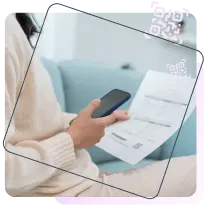
Streamlining Verification: QR Code for COVID Testing Results
Unlock a new era of efficiency with our QR code for COVID testing. Ideal for airlines, border control, and event organizers, this secure digital passport allows instantaneous access to your health status. Say goodbye to cumbersome paperwork and embrace the simplicity of the PCR QR code.
Digital Transformation: PCR QR Code Generator
Experience the power of our PCR QR code generator, designed specifically for PCR testing nuances. This tool ensures the accurate representation of your health status in a compact digital format, contributing to the safety of public spaces and facilitating quick result verification. Whether you need to make a QR code from a URL or encode other essential information, our generator seamlessly incorporates this functionality for added convenience.
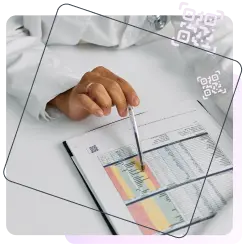
Obtaining Your PCR QR Code: Simple Steps for Seamless Integration
To effortlessly generate your PCR QR code through ME-QR Service, follow these straightforward instructions:
-
1
Upload Your PCR Result FileBegin by visiting our user-friendly website. Locate the dedicated section to upload your PCR result file securely. Ensure the file is in the supported format for accurate processing. -
2
Enter Certificate Expiry DateProvide the expiration date of your PCR certificate. This crucial detail ensures that your QR code remains valid and up-to-date, aligning with the expiration of your COVID test result. -
3
Set a Secure PasswordEnhance the security of your PCR QR code by setting a password during the generation process. This step adds an extra layer of protection, ensuring that only authorized individuals can access your health information. -
4
Optional: Personalize with Your NameFor added convenience and personalization, you have the option to include your name in the QR code file. This step is entirely optional but can be useful for quick identification of your health information. -
5
Generate Your PCR QR CodeClick the designated button to initiate the QR code generation process. Our platform will swiftly process the information, creating a secure and digitized QR code tailored to your PCR test results. -
6
Download and SaveUpon successful generation, download your personalized PCR QR code and save it to your device. This digital passport becomes your go-to solution for travel verification and event entry. -
7
Access Anytime, AnywhereEnjoy the convenience of having your PCR QR code readily accessible, including the option to retrieve it easily using the "QR code from picture" feature. Whether you're traveling internationally or attending an event, the secure and efficient digital format ensures quick and hassle-free result verification.
International Travel Made Easy: PCR Test with QR Code
ME-QR Service is your key to stress-free international travel. The PCR test with QR code ensures that your health status is readily available and easily verified, streamlining the travel process and providing you with confidence on your journey. Experience the convenience of a QR code to text conversion for quick and efficient access to your health information.

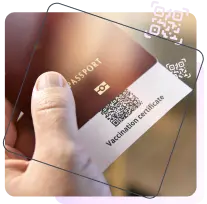
Secure and Accessible: PCR Result with QR Code
Trust ME-QR Service to deliver a secure and efficient solution for your PCR test result with QR code integration. Our platform offers a reliable method for presenting your health information digitally, enhancing safety measures and simplifying result verification processes.
ME-QR Service is committed to simplifying the process, providing you with a reliable and secure solution for transforming your PCR test results into a QR code. Travel with confidence, knowing that your health status is easily verifiable through our user-friendly platform.
Many countries and airlines now require digital verification to prevent the fraud of health documents. A PCR QR code allows border control and airport staff to instantly verify your test result's authenticity and validity by scanning your phone, significantly speeding up the check-in process.
PCR tests have a very limited validity window (usually 48 to 72 hours). By entering the expiry date when creating your QR code, you ensure that the code remains active only while the test is valid. This prevents confusion at checkpoints regarding outdated results.
Security is our priority. ME-QR allows you to set a password for your PCR QR code. When an official scans the code, they will need to enter the password you provide, ensuring that your personal health data is only seen by authorized individuals.
The PCR QR code generated by ME-QR is designed to provide a secure link to your official medical documentation. While it facilitates easy access, always ensure your original test result is from an accredited laboratory required by your destination country.
If you have set an expiry date, the QR code will show that the result is no longer valid. In this case, you will need to take a new test and generate a new QR code to ensure continued compliance with travel regulations.
Was This Article Helpful?
Click on a star to rate it!
Thank you for your vote!

Be the first to rate this post!














