ME-QR / Código QR de API
¿Necesitas crear códigos QR a gran escala? Integra nuestra API generadora de códigos QR en tu negocio y automatiza procesos. Con la API de Me-QR, tienes acceso a todos los tipos de códigos QR.
Genera tu primer código QR en segundos con una sola solicitud a la API.
curl -X POST https://me-qr.com/api/v2/qr/link/create \
-H "Content-Type: application/json" \
-H "X-AUTH-TOKEN: YOUR_API_TOKEN" \
-d '{
"qrFieldsData": {
"link": "https://example.com"
},
"format": "png",
"designType": "base"
}'
import requests
url = "https://me-qr.com/api/v2/qr/link/create"
headers = {
"Content-Type": "application/json",
"X-AUTH-TOKEN": "YOUR_API_TOKEN"
}
payload = {
"qrFieldsData": {
"link": "https://example.com"
},
"format": "png",
"designType": "base"
}
response = requests.post(url, json=payload, headers=headers)
print(response.json())
const response = await fetch(
'https://me-qr.com/api/v2/qr/link/create',
{
method: 'POST',
headers: {
'Content-Type': 'application/json',
'X-AUTH-TOKEN': 'YOUR_API_TOKEN'
},
body: JSON.stringify({
qrFieldsData: { link: 'https://example.com' },
format: 'png',
designType: 'base'
})
}
);
const data = await response.json();
console.log(data);
Utilice una clave API para autenticar sus solicitudes.
Encuéntralo en tu panel de control:
Agregue su clave API al encabezado de la solicitud:
Authorization: Bearer YOUR_API_KEY
Todo lo que necesitas saber sobre el uso, los límites y el acceso a la API.
Incluye hasta 10.000 códigos QR al mes.
$0.005 / pedido
Hasta 100.000 solicitudes
$0.0025 / pedido
100k+ requests
gratuito
3 claves API · Válidas por 3 días
Prima
Claves API ilimitadas · Sin caducidad
Límites de la API: ~1 solicitud/seg · 50 solicitudes/min (igual para todos los planes)
Póngase en contacto con el servicio de asistencia para habilitar un uso adicional.
Defina el contenido, la apariencia y la salida de sus códigos QR utilizando los parámetros disponibles.
| Parámetro | Tipo | Defecto | Descripción |
|---|---|---|---|
| tokenrequerido | string | — | token de acceso a la funcionalidad de la API |
| qrType | integer | 1 | Tipo de código QR: 1=Enlace, 4=PDF, 5=Correo electrónico, 7=VCard… |
| qrFieldsData | object | [] | QR code content depending on the type (e.g. {"link": "https://…"}) |
| title | string | "Qr Code" | Título del código QR que se muestra en el panel de control |
| format | string | "png" | Formato de salida: png, svg, jpg, jpeg, json |
| designType | string | "base" | Tipo de diseño QR: base o arte |
| qrFolderOptions | object | null | Folder placement: {"folderName": "…", "subfolderName": "…"} |
| entryId | integer | null | ID del código QR existente para actualizar en lugar de crear uno nuevo |
Defina el contenido, la apariencia y la salida de sus códigos QR utilizando los parámetros disponibles.
| Parámetro | Tipo | Defecto | Descripción |
|---|---|---|---|
| qrOptions | |||
| size | integer | 300 | Tamaño de la imagen QR devuelta en píxeles. |
| errorCorrectionLevel | string | "Q" | Corrección de errores: L, M, Q, H |
| pattern | string | "square" | Estilo de puntos: cuadrado, puntos, redondeado, elegante, rombo, chispa… |
| patternColor | string | "#000000" | El color del código qr de puntos |
| patternBackground | string | "#ffffff" | Color de fondo del código QR |
| cornetsOuter | string | "square" | Estilo de esquina exterior: cuadrado, punteado, elegante, engranaje, extra redondeado… |
| cornetsOuterColor | string | "#000000" | Color de las esquinas exteriores |
| cornetsInterior | string | "square" | Estilo de esquina interior: cuadrado, punto, elegante, rombo, estrella… |
| cornetsInteriorColor | string | "#000000" | Color de las esquinas interiores |
| logotype | string | null | Logotipo central: enumeración predefinida, URL o imagen base64 |
| logotypeSize | number | 0.3 | Coeficiente de tamaño del logotipo: 0–1 (máximo recomendado: 0,5) |
| logotypeMargin | number | 0 | Margen del logotipo en píxeles |
| logotypeHideBackground | boolean | true | Ocultar los puntos cubiertos por el logotipo |
| gradientPattern | object | null | Degradado para puntos: {tipo, rotación, colores[]} |
| gradientCornetsOuter | object | null | Degradado para las esquinas exteriores |
| gradientCornetsInterior | object | null | Degradado para las esquinas interiores |
| gradientBackground | object | null | Degradado para el fondo |
| qrFrame | |||
| name | string | "noFrame" | Diseño de la estructura (más de 200 opciones o sin estructura) |
| color | string | "#000000" | Color del marco |
| backgroundColor | string | "#ffffff" | color de fondo del marco |
| text | string | "" | Texto de la etiqueta del marco (máximo 20 caracteres) |
| textSize | integer | null | Tamaño de fuente en píxeles (1–50) |
| textColor | string | "#9C3AAF" | color del texto del marco |
| textFont | string | "Roboto" | Fuente: Arial, Roboto, Georgia, Verdana… |
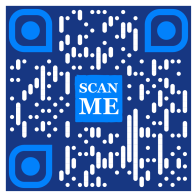
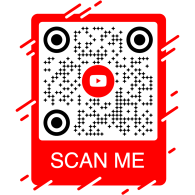
Explora ejemplos de solicitudes a la API y los códigos QR que generan.
curl -X POST https://me-qr.com/api/v2/qr/link/create \
-H "Content-Type: application/json" \
-H "X-AUTH-TOKEN: YOUR_API_TOKEN" \
-d '{
"qrFieldsData": {
"link": "https://example.com"
},
"format": "png"
}'
curl -X POST https://me-qr.com/api/v2/qr/link/create \
-H "Content-Type: application/json" \
-H "X-AUTH-TOKEN: YOUR_API_TOKEN" \
-d '{
"qrFieldsData": {
"link": "https://example.com"
},
"format": "png",
"qrOptions": {
"patternColor": "#FFFFFF",
"patternBackground": "#173782",
"cornetsOuterColor": "#0281fb",
"cornetsInteriorColor": "#0281fb"
}
}'
curl -X POST https://me-qr.com/api/v2/qr/link/create \
-H "Content-Type: application/json" \
-H "X-AUTH-TOKEN: YOUR_API_TOKEN" \
-d '{
"qrFieldsData": {
"link": "https://example.com"
},
"format": "png",
"qrOptions": {
"logotype": "youTubeLogotype",
"logotypeSize": 0.3,
"logotypeMargin": 5,
"logotypeHideBackground": true
},
"qrFrame": {
"name": "frame1",
"color": "ff0000",
"backgroundColor": "#ffffff",
"text": "Scan me!",
"textColor": "#FFFFFF"
}
}'
La API de códigos QR es una potente herramienta diseñada para la creación masiva de códigos QR y su perfecta integración en los procesos empresariales, permitiendo la automatización mediante la tecnología QR. Esta API resulta fundamental para optimizar las operaciones, mejorar la eficiencia y proporcionar una solución sólida para las empresas que buscan incorporar códigos QR en sus flujos de trabajo.
Un ejemplo notable de la funcionalidad de la API se demuestra a través del punto final /api/qr/create/, que permite generar códigos QR mediante programación:
Te permite generar un código QR utilizando uno de los tipos disponibles en me-qr. Cada solicitud generará un nuevo código QR.
Sin parámetros
{
"token": "string",
"qrType": 1,
"qrFieldsData": {
"link": "https://example.com"
},
"entryId": null,
"title": "Qr Code",
"format": "png",
"designType": "base",
"qrFolderOptions": {
"folderName": null,
"subfolderName": null
},
"qrOptions": {
"size": 300,
"errorCorrectionLevel": "Q",
"pattern": "square",
"patternColor": "#000000",
"patternBackground": "#ffffff",
"cornetsOuter": "square",
"cornetsOuterColor": "#000000",
"cornetsInterior": "square",
"cornetsInteriorColor": "#000000",
"logotype": null,
"logotypeSize": 0.3,
"logotypeMargin": 0,
"logotypeHideBackground": true,
"gradientPattern": null,
"gradientCornetsOuter": null,
"gradientCornetsInterior": null,
"gradientBackground": null
},
"qrFrame": {
"name": "noFrame",
"color": "#000000",
"backgroundColor": "#ffffff",
"text": "",
"textSize": null,
"textColor": "#9C3AAF",
"textFont": "Roboto"
}
}
| Código | Descripción | Campo de golf |
|---|---|---|
| default | — | No hay enlaces |
La API Me-QR Generator ofrece un control integral sobre la generación de códigos QR, proporcionándole una gama de funciones para adaptar los códigos QR a sus necesidades específicas:
Obtenga una lista de países compatibles con la API de códigos QR personalizados.
Recuperar la lista de países disponibles.
| Nombre | Descripción |
|---|---|
|
country
string
(query)
|
Buscar por nombre de país. |
| Código | Descripción | Campo de golf |
|---|---|---|
| 200 | Respuesta exitosa application/json
[
{
"id": 0,
"name": "string"
}
]
|
No hay enlaces |
Este punto final le permite obtener una lista de países disponibles, lo que facilita la localización y la personalización en función de las preferencias geográficas.
Acceda a una lista de ciudades compatibles para ajustar los detalles del código QR.
Recuperar la lista de ciudades disponibles.
| Nombre | Descripción |
|---|---|
|
country
string
(query)
|
Buscar por nombre de país. |
| Código | Descripción | Campo de golf |
|---|---|---|
| 200 | Respuesta exitosa application/json
[
{
"id": 0,
"name": "string"
}
]
|
No hay enlaces |
Puedes usar esta función para seleccionar ciudades específicas, lo que aumenta la relevancia de los códigos QR para campañas o difusión de información en ubicaciones específicas.
Obtenga una lista de las zonas horarias compatibles para incorporar información sensible al tiempo en los códigos QR.
Recuperar la lista de zonas horarias disponibles.
| Nombre | Descripción |
|---|---|
|
timezone
string
(query)
|
Buscar por nombre de zona horaria. |
| Código | Descripción | Campo de golf |
|---|---|---|
| 200 | Respuesta exitosa application/json
[
{
"id": 0,
"name": "string"
}
]
|
No hay enlaces |
Esta funcionalidad permite alinear el contenido del código QR con datos específicos de tiempo, garantizando así su relevancia y actualidad.
Acceda a la lista de idiomas compatibles para la personalización del texto y el contenido de los códigos QR.
Recuperar la lista de idiomas disponibles.
| Nombre | Descripción |
|---|---|
|
language
string
(query)
|
Buscar por nombre de idioma. |
| Código | Descripción | Campo de golf |
|---|---|---|
| 200 | Respuesta exitosa application/json
[
{
"id": 0,
"name": "string"
}
]
|
No hay enlaces |
Puedes utilizar esta función para adaptarte a las diversas preferencias lingüísticas, lo que hace que los códigos QR sean más accesibles y fáciles de usar en contextos multilingües.
La flexibilidad que ofrecen estas funciones le permite crear una API de código QR dinámica adaptada a regiones, ciudades, zonas horarias e idiomas específicos, mejorando así la eficacia de sus estrategias de comunicación e interacción basadas en códigos QR.
Nuestra API de generación de códigos QR ofrece una amplia variedad de tipos para la generación de códigos QR, adaptándose a diversas necesidades y funcionalidades. Exploremos algunos de estos tipos en detalle.
La API gratuita de códigos QR resulta valiosa en el ámbito de los pagos gracias a su fluidez y eficiencia. Simplifica las transacciones, mejora la seguridad y agiliza el pago mensual mediante código QR. Aquí tienes un ejemplo de código sencillo que demuestra su uso:
La API gratuita de códigos QR resulta muy valiosa en el ámbito de los pagos, ya que permite a empresas y particulares agilizar las transacciones. Al integrar una URL de pago en un código QR, los clientes pueden escanearlo rápidamente con sus smartphones y completar las transacciones sin problemas.
{
"qrFieldsData": {
"link"*: "https://example.com/pay"
}
}
| Campo | Tipo | Requerido | Descripción |
|---|---|---|---|
| link | string($hostname) | required | URL de la página de pago |
Genera códigos QR mediante API y revoluciona tus procesos de pago con nosotros, transformando las transacciones en experiencias fluidas y eficientes.
Genera códigos QR mediante API y revoluciona tus procesos de pago con nosotros. Integra transacciones seguras y eficientes en tus aplicaciones sin problemas.
Un ejemplo paradigmático de una API de pago mediante código QR es el código QR de PayPal. Reconocido como líder en pagos en línea, la integración de la API de PayPal agiliza las transacciones de forma segura. He aquí una ilustración básica de su implementación:
La API de códigos QR de PayPal permite integrar fácilmente los enlaces de pago de PayPal en los códigos QR. Los usuarios pueden escanear el código QR para acceder instantáneamente a una página de pago de PayPal, lo que facilita y agiliza las transacciones tanto para empresas como para clientes.
{
"qrFieldsData": {
"link"*: "https://paypal.me/username"
}
}
| Campo | Tipo | Requerido | Descripción |
|---|---|---|---|
| link | string($hostname) | required | PayPal.me o URL de pago |
Aprovecha la API de códigos QR de PayPal para simplificar y acelerar tu flujo de pagos, ofreciendo una experiencia de pago moderna a tus usuarios.
Mejora tu experiencia de pago online con la API de código QR de PayPal de Me-QR. Integra fácilmente transacciones seguras y eficientes de PayPal en tus aplicaciones.
La API de generación de códigos QR con logotipo destaca notablemente por su popularidad. Esta función permite a los usuarios integrar su logotipo en el diseño del código QR mediante la creación de un QR con logotipo. Es una opción preferida para el reconocimiento de marca y la personalización.
La API de códigos QR para logotipos te permite generar códigos QR que enlazan a cualquier URL, ideales para páginas de marca, portafolios o páginas de destino. Integra tu URL de destino y ofrece una experiencia profesional y fácil de escanear a tu público.
{
"qrFieldsData": {
"link"*: "https://example.com"
}
}
| Campo | Tipo | Requerido | Descripción |
|---|---|---|---|
| link | string($hostname) | required | URL de destino |
Utilice la API de códigos QR con logotipos para conectar fácilmente cualquier destino, combinando el reconocimiento de marca con la comodidad de la tecnología QR.
Deja tu marca grabada en cada escaneo con una API gratuita para generar códigos QR. Mejora el reconocimiento de tu marca y personaliza los códigos QR sin esfuerzo con logotipos integrados.
El código QR de la API de WhatsApp ocupa un lugar destacado entre las API de códigos QR para mensajería. Su uso facilita una interacción fluida al permitir un acceso rápido a WhatsApp, convirtiéndola en líder en el ámbito de las funcionalidades QR para mensajería. He aquí un ejemplo:
La API de códigos QR de WhatsApp te permite generar códigos QR que abren una conversación de WhatsApp con un mensaje predefinido. Solo tienes que proporcionar un número de teléfono y un mensaje opcional; ideal para atención al cliente, campañas de marketing e interacción instantánea.
{
"qrFieldsData": {
"phone"*: "+1234567890",
"message"*: "Hello!"
}
}
| Campo | Tipo | Requerido | Descripción |
|---|---|---|---|
| phone | string | required | Número de teléfono del destinatario en formato internacional |
| message | string | required | Texto del mensaje prellenado |
Integra la API de códigos QR de WhatsApp para impulsar conversaciones directas y aumentar la interacción con un solo escaneo.
Conéctate con tu audiencia sin problemas mediante el Código QR de WhatsApp. Permite un acceso rápido a las conversaciones con solo escanear, mejorando tu experiencia de mensajería.
La API gratuita de códigos QR ofrece un conjunto completo de tipos de generadores de API de códigos QR para satisfacer diversas necesidades. Explore los tipos de API de códigos QR más compatibles y ejemplos de código para cada uno:
Crea códigos QR que dirijan a los usuarios a cualquier URL.
Crea un código QR que, al escanearse, redirija a cualquier URL.
{
"qrFieldsData": {
"link": "https://example.com"
},
"title": "Qr Code",
"format": "png",
"designType": "base",
"qrFolderOptions": {
"folderName": null,
"subfolderName": null
},
"qrOptions": {
"size": 300,
"errorCorrectionLevel": "Q",
"pattern": "square",
"patternColor": "#000000",
"patternBackground": "#ffffff",
"cornetsOuter": "square",
"cornetsOuterColor": "#000000",
"cornetsInterior": "square",
"cornetsInteriorColor": "#000000",
"logotype": null,
"logotypeSize": 0.3,
"logotypeMargin": 0,
"logotypeHideBackground": true,
"gradientPattern": null,
"gradientCornetsOuter": null,
"gradientCornetsInterior": null,
"gradientBackground": null
},
"qrFrame": {
"name": "noFrame",
"color": "#000000",
"backgroundColor": "#ffffff",
"text": "",
"textSize": null,
"textColor": "#9C3AAF",
"textFont": "Roboto"
}
}
Modificación de los parámetros de datos y estilo del código QR.
entryUIDpath Identificador o clave de acceso única (código QR)
{
"qrFieldsData": {
"link": "https://example.com"
},
"title": "Qr Code",
"format": "png",
"designType": "base",
"qrFolderOptions": {
"folderName": null,
"subfolderName": null
},
"qrOptions": {
"size": 300,
"errorCorrectionLevel": "Q",
"pattern": "square",
"patternColor": "#000000",
"patternBackground": "#ffffff",
"cornetsOuter": "square",
"cornetsOuterColor": "#000000",
"cornetsInterior": "square",
"cornetsInteriorColor": "#000000",
"logotype": null,
"logotypeSize": 0.3,
"logotypeMargin": 0,
"logotypeHideBackground": true,
"gradientPattern": null,
"gradientCornetsOuter": null,
"gradientCornetsInterior": null,
"gradientBackground": null
},
"qrFrame": {
"name": "noFrame",
"color": "#000000",
"backgroundColor": "#ffffff",
"text": "",
"textSize": null,
"textColor": "#9C3AAF",
"textFont": "Roboto"
}
}
Visualiza los datos y la configuración de personalización o la imagen del código QR generado.
entryUID path Identificador o clave de acceso única (código QR)
format query Formato de imagen. Valores disponibles: png, svg, jpg, jpeg, json. Predeterminado: null
{
"qrFieldsData": {
"link": "https://example.com"
},
"title": "Qr Code",
"format": "png",
"designType": "base",
"qrFolderOptions": {
"folderName": null,
"subfolderName": null
},
"qrOptions": {
"size": 300,
"errorCorrectionLevel": "Q",
"pattern": "square",
"patternColor": "#000000",
"patternBackground": "#ffffff",
"cornetsOuter": "square",
"cornetsOuterColor": "#000000",
"cornetsInterior": "square",
"cornetsInteriorColor": "#000000",
"logotype": null,
"logotypeSize": 0.3,
"logotypeMargin": 0,
"logotypeHideBackground": true,
"gradientPattern": null,
"gradientCornetsOuter": null,
"gradientCornetsInterior": null,
"gradientBackground": null
},
"qrFrame": {
"name": "noFrame",
"color": "#000000",
"backgroundColor": "#ffffff",
"text": "",
"textSize": null,
"textColor": "#9C3AAF",
"textFont": "Roboto"
}
}
Conéctate con perfiles de Instagram mediante códigos QR.
Genera un código QR que enlace directamente a un perfil o publicación de Instagram.
{
"qrFieldsData": {
"link": "https://www.instagram.com/username"
},
"title": "Qr Code",
"format": "png",
"designType": "base",
"qrFolderOptions": {
"folderName": null,
"subfolderName": null
},
"qrOptions": {
"size": 300,
"errorCorrectionLevel": "Q",
"pattern": "square",
"patternColor": "#000000",
"patternBackground": "#ffffff",
"cornetsOuter": "square",
"cornetsOuterColor": "#000000",
"cornetsInterior": "square",
"cornetsInteriorColor": "#000000",
"logotype": null,
"logotypeSize": 0.3,
"logotypeMargin": 0,
"logotypeHideBackground": true,
"gradientPattern": null,
"gradientCornetsOuter": null,
"gradientCornetsInterior": null,
"gradientBackground": null
},
"qrFrame": {
"name": "noFrame",
"color": "#000000",
"backgroundColor": "#ffffff",
"text": "",
"textSize": null,
"textColor": "#9C3AAF",
"textFont": "Roboto"
}
}
Modificación de los parámetros de datos y estilo del código QR.
entryUIDpath Identificador o clave de acceso única (código QR)
{
"qrFieldsData": {
"link": "https://www.instagram.com/username"
},
"title": "Qr Code",
"format": "png",
"designType": "base",
"qrFolderOptions": {
"folderName": null,
"subfolderName": null
},
"qrOptions": {
"size": 300,
"errorCorrectionLevel": "Q",
"pattern": "square",
"patternColor": "#000000",
"patternBackground": "#ffffff",
"cornetsOuter": "square",
"cornetsOuterColor": "#000000",
"cornetsInterior": "square",
"cornetsInteriorColor": "#000000",
"logotype": null,
"logotypeSize": 0.3,
"logotypeMargin": 0,
"logotypeHideBackground": true,
"gradientPattern": null,
"gradientCornetsOuter": null,
"gradientCornetsInterior": null,
"gradientBackground": null
},
"qrFrame": {
"name": "noFrame",
"color": "#000000",
"backgroundColor": "#ffffff",
"text": "",
"textSize": null,
"textColor": "#9C3AAF",
"textFont": "Roboto"
}
}
Visualiza los datos y la configuración de personalización o la imagen del código QR generado.
entryUID path Identificador o clave de acceso única (código QR)
format query Formato de imagen. Valores disponibles: png, svg, jpg, jpeg, json. Predeterminado: null
{
"qrFieldsData": {
"link": "https://www.instagram.com/username"
},
"title": "Qr Code",
"format": "png",
"designType": "base",
"qrFolderOptions": {
"folderName": null,
"subfolderName": null
},
"qrOptions": {
"size": 300,
"errorCorrectionLevel": "Q",
"pattern": "square",
"patternColor": "#000000",
"patternBackground": "#ffffff",
"cornetsOuter": "square",
"cornetsOuterColor": "#000000",
"cornetsInterior": "square",
"cornetsInteriorColor": "#000000",
"logotype": null,
"logotypeSize": 0.3,
"logotypeMargin": 0,
"logotypeHideBackground": true,
"gradientPattern": null,
"gradientCornetsOuter": null,
"gradientCornetsInterior": null,
"gradientBackground": null
},
"qrFrame": {
"name": "noFrame",
"color": "#000000",
"backgroundColor": "#ffffff",
"text": "",
"textSize": null,
"textColor": "#9C3AAF",
"textFont": "Roboto"
}
}
Enlace a perfiles o páginas de Facebook mediante la API REST del generador de códigos QR.
Genera un código QR que enlace a una página, grupo o perfil de Facebook.
{
"qrFieldsData": {
"link": "https://www.facebook.com/pagename"
},
"title": "Qr Code",
"format": "png",
"designType": "base",
"qrFolderOptions": {
"folderName": null,
"subfolderName": null
},
"qrOptions": {
"size": 300,
"errorCorrectionLevel": "Q",
"pattern": "square",
"patternColor": "#000000",
"patternBackground": "#ffffff",
"cornetsOuter": "square",
"cornetsOuterColor": "#000000",
"cornetsInterior": "square",
"cornetsInteriorColor": "#000000",
"logotype": null,
"logotypeSize": 0.3,
"logotypeMargin": 0,
"logotypeHideBackground": true,
"gradientPattern": null,
"gradientCornetsOuter": null,
"gradientCornetsInterior": null,
"gradientBackground": null
},
"qrFrame": {
"name": "noFrame",
"color": "#000000",
"backgroundColor": "#ffffff",
"text": "",
"textSize": null,
"textColor": "#9C3AAF",
"textFont": "Roboto"
}
}
Modificación de los parámetros de datos y estilo del código QR.
entryUIDpath Identificador o clave de acceso única (código QR)
{
"qrFieldsData": {
"link": "https://www.facebook.com/pagename"
},
"title": "Qr Code",
"format": "png",
"designType": "base",
"qrFolderOptions": {
"folderName": null,
"subfolderName": null
},
"qrOptions": {
"size": 300,
"errorCorrectionLevel": "Q",
"pattern": "square",
"patternColor": "#000000",
"patternBackground": "#ffffff",
"cornetsOuter": "square",
"cornetsOuterColor": "#000000",
"cornetsInterior": "square",
"cornetsInteriorColor": "#000000",
"logotype": null,
"logotypeSize": 0.3,
"logotypeMargin": 0,
"logotypeHideBackground": true,
"gradientPattern": null,
"gradientCornetsOuter": null,
"gradientCornetsInterior": null,
"gradientBackground": null
},
"qrFrame": {
"name": "noFrame",
"color": "#000000",
"backgroundColor": "#ffffff",
"text": "",
"textSize": null,
"textColor": "#9C3AAF",
"textFont": "Roboto"
}
}
Visualiza los datos y la configuración de personalización o la imagen del código QR generado.
entryUID path Identificador o clave de acceso única (código QR)
format query Formato de imagen. Valores disponibles: png, svg, jpg, jpeg, json. Predeterminado: null
{
"qrFieldsData": {
"link": "https://www.facebook.com/pagename"
},
"title": "Qr Code",
"format": "png",
"designType": "base",
"qrFolderOptions": {
"folderName": null,
"subfolderName": null
},
"qrOptions": {
"size": 300,
"errorCorrectionLevel": "Q",
"pattern": "square",
"patternColor": "#000000",
"patternBackground": "#ffffff",
"cornetsOuter": "square",
"cornetsOuterColor": "#000000",
"cornetsInterior": "square",
"cornetsInteriorColor": "#000000",
"logotype": null,
"logotypeSize": 0.3,
"logotypeMargin": 0,
"logotypeHideBackground": true,
"gradientPattern": null,
"gradientCornetsOuter": null,
"gradientCornetsInterior": null,
"gradientBackground": null
},
"qrFrame": {
"name": "noFrame",
"color": "#000000",
"backgroundColor": "#ffffff",
"text": "",
"textSize": null,
"textColor": "#9C3AAF",
"textFont": "Roboto"
}
}
Acceda a perfiles o tweets de Twitter mediante códigos QR.
Crea un código QR que dirija a los usuarios a un perfil o tuit de Twitter/X.
{
"qrFieldsData": {
"link": "https://twitter.com/username"
},
"title": "Qr Code",
"format": "png",
"designType": "base",
"qrFolderOptions": {
"folderName": null,
"subfolderName": null
},
"qrOptions": {
"size": 300,
"errorCorrectionLevel": "Q",
"pattern": "square",
"patternColor": "#000000",
"patternBackground": "#ffffff",
"cornetsOuter": "square",
"cornetsOuterColor": "#000000",
"cornetsInterior": "square",
"cornetsInteriorColor": "#000000",
"logotype": null,
"logotypeSize": 0.3,
"logotypeMargin": 0,
"logotypeHideBackground": true,
"gradientPattern": null,
"gradientCornetsOuter": null,
"gradientCornetsInterior": null,
"gradientBackground": null
},
"qrFrame": {
"name": "noFrame",
"color": "#000000",
"backgroundColor": "#ffffff",
"text": "",
"textSize": null,
"textColor": "#9C3AAF",
"textFont": "Roboto"
}
}
Modificación de los parámetros de datos y estilo del código QR.
entryUIDpath Identificador o clave de acceso única (código QR)
{
"qrFieldsData": {
"link": "https://twitter.com/username"
},
"title": "Qr Code",
"format": "png",
"designType": "base",
"qrFolderOptions": {
"folderName": null,
"subfolderName": null
},
"qrOptions": {
"size": 300,
"errorCorrectionLevel": "Q",
"pattern": "square",
"patternColor": "#000000",
"patternBackground": "#ffffff",
"cornetsOuter": "square",
"cornetsOuterColor": "#000000",
"cornetsInterior": "square",
"cornetsInteriorColor": "#000000",
"logotype": null,
"logotypeSize": 0.3,
"logotypeMargin": 0,
"logotypeHideBackground": true,
"gradientPattern": null,
"gradientCornetsOuter": null,
"gradientCornetsInterior": null,
"gradientBackground": null
},
"qrFrame": {
"name": "noFrame",
"color": "#000000",
"backgroundColor": "#ffffff",
"text": "",
"textSize": null,
"textColor": "#9C3AAF",
"textFont": "Roboto"
}
}
Visualiza los datos y la configuración de personalización o la imagen del código QR generado.
entryUID path Identificador o clave de acceso única (código QR)
format query Formato de imagen. Valores disponibles: png, svg, jpg, jpeg, json. Predeterminado: null
{
"qrFieldsData": {
"link": "https://twitter.com/username"
},
"title": "Qr Code",
"format": "png",
"designType": "base",
"qrFolderOptions": {
"folderName": null,
"subfolderName": null
},
"qrOptions": {
"size": 300,
"errorCorrectionLevel": "Q",
"pattern": "square",
"patternColor": "#000000",
"patternBackground": "#ffffff",
"cornetsOuter": "square",
"cornetsOuterColor": "#000000",
"cornetsInterior": "square",
"cornetsInteriorColor": "#000000",
"logotype": null,
"logotypeSize": 0.3,
"logotypeMargin": 0,
"logotypeHideBackground": true,
"gradientPattern": null,
"gradientCornetsOuter": null,
"gradientCornetsInterior": null,
"gradientBackground": null
},
"qrFrame": {
"name": "noFrame",
"color": "#000000",
"backgroundColor": "#ffffff",
"text": "",
"textSize": null,
"textColor": "#9C3AAF",
"textFont": "Roboto"
}
}
Descubre perfiles de TikTok mediante códigos QR.
Genera un código QR que enlace a un perfil o vídeo de TikTok.
{
"qrFieldsData": {
"link": "https://www.tiktok.com/@username"
},
"title": "Qr Code",
"format": "png",
"designType": "base",
"qrFolderOptions": {
"folderName": null,
"subfolderName": null
},
"qrOptions": {
"size": 300,
"errorCorrectionLevel": "Q",
"pattern": "square",
"patternColor": "#000000",
"patternBackground": "#ffffff",
"cornetsOuter": "square",
"cornetsOuterColor": "#000000",
"cornetsInterior": "square",
"cornetsInteriorColor": "#000000",
"logotype": null,
"logotypeSize": 0.3,
"logotypeMargin": 0,
"logotypeHideBackground": true,
"gradientPattern": null,
"gradientCornetsOuter": null,
"gradientCornetsInterior": null,
"gradientBackground": null
},
"qrFrame": {
"name": "noFrame",
"color": "#000000",
"backgroundColor": "#ffffff",
"text": "",
"textSize": null,
"textColor": "#9C3AAF",
"textFont": "Roboto"
}
}
Modificación de los parámetros de datos y estilo del código QR.
entryUIDpath Identificador o clave de acceso única (código QR)
{
"qrFieldsData": {
"link": "https://www.tiktok.com/@username"
},
"title": "Qr Code",
"format": "png",
"designType": "base",
"qrFolderOptions": {
"folderName": null,
"subfolderName": null
},
"qrOptions": {
"size": 300,
"errorCorrectionLevel": "Q",
"pattern": "square",
"patternColor": "#000000",
"patternBackground": "#ffffff",
"cornetsOuter": "square",
"cornetsOuterColor": "#000000",
"cornetsInterior": "square",
"cornetsInteriorColor": "#000000",
"logotype": null,
"logotypeSize": 0.3,
"logotypeMargin": 0,
"logotypeHideBackground": true,
"gradientPattern": null,
"gradientCornetsOuter": null,
"gradientCornetsInterior": null,
"gradientBackground": null
},
"qrFrame": {
"name": "noFrame",
"color": "#000000",
"backgroundColor": "#ffffff",
"text": "",
"textSize": null,
"textColor": "#9C3AAF",
"textFont": "Roboto"
}
}
Visualiza los datos y la configuración de personalización o la imagen del código QR generado.
entryUID path Identificador o clave de acceso única (código QR)
format query Formato de imagen. Valores disponibles: png, svg, jpg, jpeg, json. Predeterminado: null
{
"qrFieldsData": {
"link": "https://www.tiktok.com/@username"
},
"title": "Qr Code",
"format": "png",
"designType": "base",
"qrFolderOptions": {
"folderName": null,
"subfolderName": null
},
"qrOptions": {
"size": 300,
"errorCorrectionLevel": "Q",
"pattern": "square",
"patternColor": "#000000",
"patternBackground": "#ffffff",
"cornetsOuter": "square",
"cornetsOuterColor": "#000000",
"cornetsInterior": "square",
"cornetsInteriorColor": "#000000",
"logotype": null,
"logotypeSize": 0.3,
"logotypeMargin": 0,
"logotypeHideBackground": true,
"gradientPattern": null,
"gradientCornetsOuter": null,
"gradientCornetsInterior": null,
"gradientBackground": null
},
"qrFrame": {
"name": "noFrame",
"color": "#000000",
"backgroundColor": "#ffffff",
"text": "",
"textSize": null,
"textColor": "#9C3AAF",
"textFont": "Roboto"
}
}
Conéctate con los perfiles a través de QR de Snapchat.
Genera un código QR que enlace directamente a un perfil de Snapchat.
{
"qrFieldsData": {
"link": "https://www.snapchat.com/add/username"
},
"title": "Qr Code",
"format": "png",
"designType": "base",
"qrFolderOptions": {
"folderName": null,
"subfolderName": null
},
"qrOptions": {
"size": 300,
"errorCorrectionLevel": "Q",
"pattern": "square",
"patternColor": "#000000",
"patternBackground": "#ffffff",
"cornetsOuter": "square",
"cornetsOuterColor": "#000000",
"cornetsInterior": "square",
"cornetsInteriorColor": "#000000",
"logotype": null,
"logotypeSize": 0.3,
"logotypeMargin": 0,
"logotypeHideBackground": true,
"gradientPattern": null,
"gradientCornetsOuter": null,
"gradientCornetsInterior": null,
"gradientBackground": null
},
"qrFrame": {
"name": "noFrame",
"color": "#000000",
"backgroundColor": "#ffffff",
"text": "",
"textSize": null,
"textColor": "#9C3AAF",
"textFont": "Roboto"
}
}
Modificación de los parámetros de datos y estilo del código QR.
entryUIDpath Identificador o clave de acceso única (código QR)
{
"qrFieldsData": {
"link": "https://www.snapchat.com/add/username"
},
"title": "Qr Code",
"format": "png",
"designType": "base",
"qrFolderOptions": {
"folderName": null,
"subfolderName": null
},
"qrOptions": {
"size": 300,
"errorCorrectionLevel": "Q",
"pattern": "square",
"patternColor": "#000000",
"patternBackground": "#ffffff",
"cornetsOuter": "square",
"cornetsOuterColor": "#000000",
"cornetsInterior": "square",
"cornetsInteriorColor": "#000000",
"logotype": null,
"logotypeSize": 0.3,
"logotypeMargin": 0,
"logotypeHideBackground": true,
"gradientPattern": null,
"gradientCornetsOuter": null,
"gradientCornetsInterior": null,
"gradientBackground": null
},
"qrFrame": {
"name": "noFrame",
"color": "#000000",
"backgroundColor": "#ffffff",
"text": "",
"textSize": null,
"textColor": "#9C3AAF",
"textFont": "Roboto"
}
}
Visualiza los datos y la configuración de personalización o la imagen del código QR generado.
entryUID path Identificador o clave de acceso única (código QR)
format query Formato de imagen. Valores disponibles: png, svg, jpg, jpeg, json. Predeterminado: null
{
"qrFieldsData": {
"link": "https://www.snapchat.com/add/username"
},
"title": "Qr Code",
"format": "png",
"designType": "base",
"qrFolderOptions": {
"folderName": null,
"subfolderName": null
},
"qrOptions": {
"size": 300,
"errorCorrectionLevel": "Q",
"pattern": "square",
"patternColor": "#000000",
"patternBackground": "#ffffff",
"cornetsOuter": "square",
"cornetsOuterColor": "#000000",
"cornetsInterior": "square",
"cornetsInteriorColor": "#000000",
"logotype": null,
"logotypeSize": 0.3,
"logotypeMargin": 0,
"logotypeHideBackground": true,
"gradientPattern": null,
"gradientCornetsOuter": null,
"gradientCornetsInterior": null,
"gradientBackground": null
},
"qrFrame": {
"name": "noFrame",
"color": "#000000",
"backgroundColor": "#ffffff",
"text": "",
"textSize": null,
"textColor": "#9C3AAF",
"textFont": "Roboto"
}
}
Interactúa con canales o grupos de Telegram mediante códigos QR.
Crea un código QR que enlace a un canal, bot o contacto de Telegram.
{
"qrFieldsData": {
"link": "https://t.me/username"
},
"title": "Qr Code",
"format": "png",
"designType": "base",
"qrFolderOptions": {
"folderName": null,
"subfolderName": null
},
"qrOptions": {
"size": 300,
"errorCorrectionLevel": "Q",
"pattern": "square",
"patternColor": "#000000",
"patternBackground": "#ffffff",
"cornetsOuter": "square",
"cornetsOuterColor": "#000000",
"cornetsInterior": "square",
"cornetsInteriorColor": "#000000",
"logotype": null,
"logotypeSize": 0.3,
"logotypeMargin": 0,
"logotypeHideBackground": true,
"gradientPattern": null,
"gradientCornetsOuter": null,
"gradientCornetsInterior": null,
"gradientBackground": null
},
"qrFrame": {
"name": "noFrame",
"color": "#000000",
"backgroundColor": "#ffffff",
"text": "",
"textSize": null,
"textColor": "#9C3AAF",
"textFont": "Roboto"
}
}
Modificación de los parámetros de datos y estilo del código QR.
entryUIDpath Identificador o clave de acceso única (código QR)
{
"qrFieldsData": {
"link": "https://t.me/username"
},
"title": "Qr Code",
"format": "png",
"designType": "base",
"qrFolderOptions": {
"folderName": null,
"subfolderName": null
},
"qrOptions": {
"size": 300,
"errorCorrectionLevel": "Q",
"pattern": "square",
"patternColor": "#000000",
"patternBackground": "#ffffff",
"cornetsOuter": "square",
"cornetsOuterColor": "#000000",
"cornetsInterior": "square",
"cornetsInteriorColor": "#000000",
"logotype": null,
"logotypeSize": 0.3,
"logotypeMargin": 0,
"logotypeHideBackground": true,
"gradientPattern": null,
"gradientCornetsOuter": null,
"gradientCornetsInterior": null,
"gradientBackground": null
},
"qrFrame": {
"name": "noFrame",
"color": "#000000",
"backgroundColor": "#ffffff",
"text": "",
"textSize": null,
"textColor": "#9C3AAF",
"textFont": "Roboto"
}
}
Visualiza los datos y la configuración de personalización o la imagen del código QR generado.
entryUID path Identificador o clave de acceso única (código QR)
format query Formato de imagen. Valores disponibles: png, svg, jpg, jpeg, json. Predeterminado: null
{
"qrFieldsData": {
"link": "https://t.me/username"
},
"title": "Qr Code",
"format": "png",
"designType": "base",
"qrFolderOptions": {
"folderName": null,
"subfolderName": null
},
"qrOptions": {
"size": 300,
"errorCorrectionLevel": "Q",
"pattern": "square",
"patternColor": "#000000",
"patternBackground": "#ffffff",
"cornetsOuter": "square",
"cornetsOuterColor": "#000000",
"cornetsInterior": "square",
"cornetsInteriorColor": "#000000",
"logotype": null,
"logotypeSize": 0.3,
"logotypeMargin": 0,
"logotypeHideBackground": true,
"gradientPattern": null,
"gradientCornetsOuter": null,
"gradientCornetsInterior": null,
"gradientBackground": null
},
"qrFrame": {
"name": "noFrame",
"color": "#000000",
"backgroundColor": "#ffffff",
"text": "",
"textSize": null,
"textColor": "#9C3AAF",
"textFont": "Roboto"
}
}
Accede a canciones, álbumes o artistas específicos de Spotify mediante códigos QR.
Genera un código QR que abra la página de una canción, álbum o artista en Spotify.
{
"qrFieldsData": {
"link": "https://open.spotify.com/track/..."
},
"title": "Qr Code",
"format": "png",
"designType": "base",
"qrFolderOptions": {
"folderName": null,
"subfolderName": null
},
"qrOptions": {
"size": 300,
"errorCorrectionLevel": "Q",
"pattern": "square",
"patternColor": "#000000",
"patternBackground": "#ffffff",
"cornetsOuter": "square",
"cornetsOuterColor": "#000000",
"cornetsInterior": "square",
"cornetsInteriorColor": "#000000",
"logotype": null,
"logotypeSize": 0.3,
"logotypeMargin": 0,
"logotypeHideBackground": true,
"gradientPattern": null,
"gradientCornetsOuter": null,
"gradientCornetsInterior": null,
"gradientBackground": null
},
"qrFrame": {
"name": "noFrame",
"color": "#000000",
"backgroundColor": "#ffffff",
"text": "",
"textSize": null,
"textColor": "#9C3AAF",
"textFont": "Roboto"
}
}
Modificación de los parámetros de datos y estilo del código QR.
entryUIDpath Identificador o clave de acceso única (código QR)
{
"qrFieldsData": {
"link": "https://open.spotify.com/track/..."
},
"title": "Qr Code",
"format": "png",
"designType": "base",
"qrFolderOptions": {
"folderName": null,
"subfolderName": null
},
"qrOptions": {
"size": 300,
"errorCorrectionLevel": "Q",
"pattern": "square",
"patternColor": "#000000",
"patternBackground": "#ffffff",
"cornetsOuter": "square",
"cornetsOuterColor": "#000000",
"cornetsInterior": "square",
"cornetsInteriorColor": "#000000",
"logotype": null,
"logotypeSize": 0.3,
"logotypeMargin": 0,
"logotypeHideBackground": true,
"gradientPattern": null,
"gradientCornetsOuter": null,
"gradientCornetsInterior": null,
"gradientBackground": null
},
"qrFrame": {
"name": "noFrame",
"color": "#000000",
"backgroundColor": "#ffffff",
"text": "",
"textSize": null,
"textColor": "#9C3AAF",
"textFont": "Roboto"
}
}
Visualiza los datos y la configuración de personalización o la imagen del código QR generado.
entryUID path Identificador o clave de acceso única (código QR)
format query Formato de imagen. Valores disponibles: png, svg, jpg, jpeg, json. Predeterminado: null
{
"qrFieldsData": {
"link": "https://open.spotify.com/track/..."
},
"title": "Qr Code",
"format": "png",
"designType": "base",
"qrFolderOptions": {
"folderName": null,
"subfolderName": null
},
"qrOptions": {
"size": 300,
"errorCorrectionLevel": "Q",
"pattern": "square",
"patternColor": "#000000",
"patternBackground": "#ffffff",
"cornetsOuter": "square",
"cornetsOuterColor": "#000000",
"cornetsInterior": "square",
"cornetsInteriorColor": "#000000",
"logotype": null,
"logotypeSize": 0.3,
"logotypeMargin": 0,
"logotypeHideBackground": true,
"gradientPattern": null,
"gradientCornetsOuter": null,
"gradientCornetsInterior": null,
"gradientBackground": null
},
"qrFrame": {
"name": "noFrame",
"color": "#000000",
"backgroundColor": "#ffffff",
"text": "",
"textSize": null,
"textColor": "#9C3AAF",
"textFont": "Roboto"
}
}
Mira canales o vídeos de YouTube usando códigos QR.
Crea un código QR que enlace a un canal o vídeo de YouTube.
{
"qrFieldsData": {
"link": "https://www.youtube.com/watch?v=dQw4w9WgXcQ"
},
"title": "Qr Code",
"format": "png",
"designType": "base",
"qrFolderOptions": {
"folderName": null,
"subfolderName": null
},
"qrOptions": {
"size": 300,
"errorCorrectionLevel": "Q",
"pattern": "square",
"patternColor": "#000000",
"patternBackground": "#ffffff",
"cornetsOuter": "square",
"cornetsOuterColor": "#000000",
"cornetsInterior": "square",
"cornetsInteriorColor": "#000000",
"logotype": null,
"logotypeSize": 0.3,
"logotypeMargin": 0,
"logotypeHideBackground": true,
"gradientPattern": null,
"gradientCornetsOuter": null,
"gradientCornetsInterior": null,
"gradientBackground": null
},
"qrFrame": {
"name": "noFrame",
"color": "#000000",
"backgroundColor": "#ffffff",
"text": "",
"textSize": null,
"textColor": "#9C3AAF",
"textFont": "Roboto"
}
}
Modificación de los parámetros de datos y estilo del código QR.
entryUIDpath Identificador o clave de acceso única (código QR)
{
"qrFieldsData": {
"link": "https://www.youtube.com/watch?v=dQw4w9WgXcQ"
},
"title": "Qr Code",
"format": "png",
"designType": "base",
"qrFolderOptions": {
"folderName": null,
"subfolderName": null
},
"qrOptions": {
"size": 300,
"errorCorrectionLevel": "Q",
"pattern": "square",
"patternColor": "#000000",
"patternBackground": "#ffffff",
"cornetsOuter": "square",
"cornetsOuterColor": "#000000",
"cornetsInterior": "square",
"cornetsInteriorColor": "#000000",
"logotype": null,
"logotypeSize": 0.3,
"logotypeMargin": 0,
"logotypeHideBackground": true,
"gradientPattern": null,
"gradientCornetsOuter": null,
"gradientCornetsInterior": null,
"gradientBackground": null
},
"qrFrame": {
"name": "noFrame",
"color": "#000000",
"backgroundColor": "#ffffff",
"text": "",
"textSize": null,
"textColor": "#9C3AAF",
"textFont": "Roboto"
}
}
Visualiza los datos y la configuración de personalización o la imagen del código QR generado.
entryUID path Identificador o clave de acceso única (código QR)
format query Formato de imagen. Valores disponibles: png, svg, jpg, jpeg, json. Predeterminado: null
{
"qrFieldsData": {
"link": "https://www.youtube.com/watch?v=dQw4w9WgXcQ"
},
"title": "Qr Code",
"format": "png",
"designType": "base",
"qrFolderOptions": {
"folderName": null,
"subfolderName": null
},
"qrOptions": {
"size": 300,
"errorCorrectionLevel": "Q",
"pattern": "square",
"patternColor": "#000000",
"patternBackground": "#ffffff",
"cornetsOuter": "square",
"cornetsOuterColor": "#000000",
"cornetsInterior": "square",
"cornetsInteriorColor": "#000000",
"logotype": null,
"logotypeSize": 0.3,
"logotypeMargin": 0,
"logotypeHideBackground": true,
"gradientPattern": null,
"gradientCornetsOuter": null,
"gradientCornetsInterior": null,
"gradientBackground": null
},
"qrFrame": {
"name": "noFrame",
"color": "#000000",
"backgroundColor": "#ffffff",
"text": "",
"textSize": null,
"textColor": "#9C3AAF",
"textFont": "Roboto"
}
}
Disfruta de la reproducción de vídeo en dispositivos móviles mediante códigos QR integrados en los vídeos.
Genera un código QR que enlace con cualquier recurso de vídeo en línea.
{
"qrFieldsData": {
"link": "https://example.com/video.mp4"
},
"title": "Qr Code",
"format": "png",
"designType": "base",
"qrFolderOptions": {
"folderName": null,
"subfolderName": null
},
"qrOptions": {
"size": 300,
"errorCorrectionLevel": "Q",
"pattern": "square",
"patternColor": "#000000",
"patternBackground": "#ffffff",
"cornetsOuter": "square",
"cornetsOuterColor": "#000000",
"cornetsInterior": "square",
"cornetsInteriorColor": "#000000",
"logotype": null,
"logotypeSize": 0.3,
"logotypeMargin": 0,
"logotypeHideBackground": true,
"gradientPattern": null,
"gradientCornetsOuter": null,
"gradientCornetsInterior": null,
"gradientBackground": null
},
"qrFrame": {
"name": "noFrame",
"color": "#000000",
"backgroundColor": "#ffffff",
"text": "",
"textSize": null,
"textColor": "#9C3AAF",
"textFont": "Roboto"
}
}
Modificación de los parámetros de datos y estilo del código QR.
entryUIDpath Identificador o clave de acceso única (código QR)
{
"qrFieldsData": {
"link": "https://example.com/video.mp4"
},
"title": "Qr Code",
"format": "png",
"designType": "base",
"qrFolderOptions": {
"folderName": null,
"subfolderName": null
},
"qrOptions": {
"size": 300,
"errorCorrectionLevel": "Q",
"pattern": "square",
"patternColor": "#000000",
"patternBackground": "#ffffff",
"cornetsOuter": "square",
"cornetsOuterColor": "#000000",
"cornetsInterior": "square",
"cornetsInteriorColor": "#000000",
"logotype": null,
"logotypeSize": 0.3,
"logotypeMargin": 0,
"logotypeHideBackground": true,
"gradientPattern": null,
"gradientCornetsOuter": null,
"gradientCornetsInterior": null,
"gradientBackground": null
},
"qrFrame": {
"name": "noFrame",
"color": "#000000",
"backgroundColor": "#ffffff",
"text": "",
"textSize": null,
"textColor": "#9C3AAF",
"textFont": "Roboto"
}
}
Visualiza los datos y la configuración de personalización o la imagen del código QR generado.
entryUID path Identificador o clave de acceso única (código QR)
format query Formato de imagen. Valores disponibles: png, svg, jpg, jpeg, json. Predeterminado: null
{
"qrFieldsData": {
"link": "https://example.com/video.mp4"
},
"title": "Qr Code",
"format": "png",
"designType": "base",
"qrFolderOptions": {
"folderName": null,
"subfolderName": null
},
"qrOptions": {
"size": 300,
"errorCorrectionLevel": "Q",
"pattern": "square",
"patternColor": "#000000",
"patternBackground": "#ffffff",
"cornetsOuter": "square",
"cornetsOuterColor": "#000000",
"cornetsInterior": "square",
"cornetsInteriorColor": "#000000",
"logotype": null,
"logotypeSize": 0.3,
"logotypeMargin": 0,
"logotypeHideBackground": true,
"gradientPattern": null,
"gradientCornetsOuter": null,
"gradientCornetsInterior": null,
"gradientBackground": null
},
"qrFrame": {
"name": "noFrame",
"color": "#000000",
"backgroundColor": "#ffffff",
"text": "",
"textSize": null,
"textColor": "#9C3AAF",
"textFont": "Roboto"
}
}
Explora productos específicos de Etsy mediante códigos QR.
Crea un código QR que enlace a una tienda de Etsy o a la ficha de un producto.
{
"qrFieldsData": {
"link": "https://www.etsy.com/shop/storename"
},
"title": "Qr Code",
"format": "png",
"designType": "base",
"qrFolderOptions": {
"folderName": null,
"subfolderName": null
},
"qrOptions": {
"size": 300,
"errorCorrectionLevel": "Q",
"pattern": "square",
"patternColor": "#000000",
"patternBackground": "#ffffff",
"cornetsOuter": "square",
"cornetsOuterColor": "#000000",
"cornetsInterior": "square",
"cornetsInteriorColor": "#000000",
"logotype": null,
"logotypeSize": 0.3,
"logotypeMargin": 0,
"logotypeHideBackground": true,
"gradientPattern": null,
"gradientCornetsOuter": null,
"gradientCornetsInterior": null,
"gradientBackground": null
},
"qrFrame": {
"name": "noFrame",
"color": "#000000",
"backgroundColor": "#ffffff",
"text": "",
"textSize": null,
"textColor": "#9C3AAF",
"textFont": "Roboto"
}
}
Modificación de los parámetros de datos y estilo del código QR.
entryUIDpath Identificador o clave de acceso única (código QR)
{
"qrFieldsData": {
"link": "https://www.etsy.com/shop/storename"
},
"title": "Qr Code",
"format": "png",
"designType": "base",
"qrFolderOptions": {
"folderName": null,
"subfolderName": null
},
"qrOptions": {
"size": 300,
"errorCorrectionLevel": "Q",
"pattern": "square",
"patternColor": "#000000",
"patternBackground": "#ffffff",
"cornetsOuter": "square",
"cornetsOuterColor": "#000000",
"cornetsInterior": "square",
"cornetsInteriorColor": "#000000",
"logotype": null,
"logotypeSize": 0.3,
"logotypeMargin": 0,
"logotypeHideBackground": true,
"gradientPattern": null,
"gradientCornetsOuter": null,
"gradientCornetsInterior": null,
"gradientBackground": null
},
"qrFrame": {
"name": "noFrame",
"color": "#000000",
"backgroundColor": "#ffffff",
"text": "",
"textSize": null,
"textColor": "#9C3AAF",
"textFont": "Roboto"
}
}
Visualiza los datos y la configuración de personalización o la imagen del código QR generado.
entryUID path Identificador o clave de acceso única (código QR)
format query Formato de imagen. Valores disponibles: png, svg, jpg, jpeg, json. Predeterminado: null
{
"qrFieldsData": {
"link": "https://www.etsy.com/shop/storename"
},
"title": "Qr Code",
"format": "png",
"designType": "base",
"qrFolderOptions": {
"folderName": null,
"subfolderName": null
},
"qrOptions": {
"size": 300,
"errorCorrectionLevel": "Q",
"pattern": "square",
"patternColor": "#000000",
"patternBackground": "#ffffff",
"cornetsOuter": "square",
"cornetsOuterColor": "#000000",
"cornetsInterior": "square",
"cornetsInteriorColor": "#000000",
"logotype": null,
"logotypeSize": 0.3,
"logotypeMargin": 0,
"logotypeHideBackground": true,
"gradientPattern": null,
"gradientCornetsOuter": null,
"gradientCornetsInterior": null,
"gradientBackground": null
},
"qrFrame": {
"name": "noFrame",
"color": "#000000",
"backgroundColor": "#ffffff",
"text": "",
"textSize": null,
"textColor": "#9C3AAF",
"textFont": "Roboto"
}
}
Genera códigos QR con formas y diseños únicos para potenciar la imagen de marca.
Genera un código QR que enlace con cualquier recurso web mediante un diseño personalizado.
{
"qrFieldsData": {
"link": "https://example.com"
},
"title": "Qr Code",
"format": "png",
"designType": "base",
"qrFolderOptions": {
"folderName": null,
"subfolderName": null
},
"qrOptions": {
"size": 300,
"errorCorrectionLevel": "Q",
"pattern": "square",
"patternColor": "#000000",
"patternBackground": "#ffffff",
"cornetsOuter": "square",
"cornetsOuterColor": "#000000",
"cornetsInterior": "square",
"cornetsInteriorColor": "#000000",
"logotype": null,
"logotypeSize": 0.3,
"logotypeMargin": 0,
"logotypeHideBackground": true,
"gradientPattern": null,
"gradientCornetsOuter": null,
"gradientCornetsInterior": null,
"gradientBackground": null
},
"qrFrame": {
"name": "noFrame",
"color": "#000000",
"backgroundColor": "#ffffff",
"text": "",
"textSize": null,
"textColor": "#9C3AAF",
"textFont": "Roboto"
}
}
Modificación de los parámetros de datos y estilo del código QR.
entryUIDpath Identificador o clave de acceso única (código QR)
{
"qrFieldsData": {
"link": "https://example.com"
},
"title": "Qr Code",
"format": "png",
"designType": "base",
"qrFolderOptions": {
"folderName": null,
"subfolderName": null
},
"qrOptions": {
"size": 300,
"errorCorrectionLevel": "Q",
"pattern": "square",
"patternColor": "#000000",
"patternBackground": "#ffffff",
"cornetsOuter": "square",
"cornetsOuterColor": "#000000",
"cornetsInterior": "square",
"cornetsInteriorColor": "#000000",
"logotype": null,
"logotypeSize": 0.3,
"logotypeMargin": 0,
"logotypeHideBackground": true,
"gradientPattern": null,
"gradientCornetsOuter": null,
"gradientCornetsInterior": null,
"gradientBackground": null
},
"qrFrame": {
"name": "noFrame",
"color": "#000000",
"backgroundColor": "#ffffff",
"text": "",
"textSize": null,
"textColor": "#9C3AAF",
"textFont": "Roboto"
}
}
Visualiza los datos y la configuración de personalización o la imagen del código QR generado.
entryUID path Identificador o clave de acceso única (código QR)
format query Formato de imagen. Valores disponibles: png, svg, jpg, jpeg, json. Predeterminado: null
{
"qrFieldsData": {
"link": "https://example.com"
},
"title": "Qr Code",
"format": "png",
"designType": "base",
"qrFolderOptions": {
"folderName": null,
"subfolderName": null
},
"qrOptions": {
"size": 300,
"errorCorrectionLevel": "Q",
"pattern": "square",
"patternColor": "#000000",
"patternBackground": "#ffffff",
"cornetsOuter": "square",
"cornetsOuterColor": "#000000",
"cornetsInterior": "square",
"cornetsInteriorColor": "#000000",
"logotype": null,
"logotypeSize": 0.3,
"logotypeMargin": 0,
"logotypeHideBackground": true,
"gradientPattern": null,
"gradientCornetsOuter": null,
"gradientCornetsInterior": null,
"gradientBackground": null
},
"qrFrame": {
"name": "noFrame",
"color": "#000000",
"backgroundColor": "#ffffff",
"text": "",
"textSize": null,
"textColor": "#9C3AAF",
"textFont": "Roboto"
}
}
Abre hojas de cálculo específicas de Google Sheets directamente mediante códigos QR.
Crea un código QR que enlace a un documento compartido de Google Sheets.
{
"qrFieldsData": {
"link": "https://docs.google.com/spreadsheets/d/..."
},
"title": "Qr Code",
"format": "png",
"designType": "base",
"qrFolderOptions": {
"folderName": null,
"subfolderName": null
},
"qrOptions": {
"size": 300,
"errorCorrectionLevel": "Q",
"pattern": "square",
"patternColor": "#000000",
"patternBackground": "#ffffff",
"cornetsOuter": "square",
"cornetsOuterColor": "#000000",
"cornetsInterior": "square",
"cornetsInteriorColor": "#000000",
"logotype": null,
"logotypeSize": 0.3,
"logotypeMargin": 0,
"logotypeHideBackground": true,
"gradientPattern": null,
"gradientCornetsOuter": null,
"gradientCornetsInterior": null,
"gradientBackground": null
},
"qrFrame": {
"name": "noFrame",
"color": "#000000",
"backgroundColor": "#ffffff",
"text": "",
"textSize": null,
"textColor": "#9C3AAF",
"textFont": "Roboto"
}
}
Modificación de los parámetros de datos y estilo del código QR.
entryUIDpath Identificador o clave de acceso única (código QR)
{
"qrFieldsData": {
"link": "https://docs.google.com/spreadsheets/d/..."
},
"title": "Qr Code",
"format": "png",
"designType": "base",
"qrFolderOptions": {
"folderName": null,
"subfolderName": null
},
"qrOptions": {
"size": 300,
"errorCorrectionLevel": "Q",
"pattern": "square",
"patternColor": "#000000",
"patternBackground": "#ffffff",
"cornetsOuter": "square",
"cornetsOuterColor": "#000000",
"cornetsInterior": "square",
"cornetsInteriorColor": "#000000",
"logotype": null,
"logotypeSize": 0.3,
"logotypeMargin": 0,
"logotypeHideBackground": true,
"gradientPattern": null,
"gradientCornetsOuter": null,
"gradientCornetsInterior": null,
"gradientBackground": null
},
"qrFrame": {
"name": "noFrame",
"color": "#000000",
"backgroundColor": "#ffffff",
"text": "",
"textSize": null,
"textColor": "#9C3AAF",
"textFont": "Roboto"
}
}
Visualiza los datos y la configuración de personalización o la imagen del código QR generado.
entryUID path Identificador o clave de acceso única (código QR)
format query Formato de imagen. Valores disponibles: png, svg, jpg, jpeg, json. Predeterminado: null
{
"qrFieldsData": {
"link": "https://docs.google.com/spreadsheets/d/..."
},
"title": "Qr Code",
"format": "png",
"designType": "base",
"qrFolderOptions": {
"folderName": null,
"subfolderName": null
},
"qrOptions": {
"size": 300,
"errorCorrectionLevel": "Q",
"pattern": "square",
"patternColor": "#000000",
"patternBackground": "#ffffff",
"cornetsOuter": "square",
"cornetsOuterColor": "#000000",
"cornetsInterior": "square",
"cornetsInteriorColor": "#000000",
"logotype": null,
"logotypeSize": 0.3,
"logotypeMargin": 0,
"logotypeHideBackground": true,
"gradientPattern": null,
"gradientCornetsOuter": null,
"gradientCornetsInterior": null,
"gradientBackground": null
},
"qrFrame": {
"name": "noFrame",
"color": "#000000",
"backgroundColor": "#ffffff",
"text": "",
"textSize": null,
"textColor": "#9C3AAF",
"textFont": "Roboto"
}
}
Acceda a documentos específicos de Google Docs mediante códigos QR.
Genera un código QR que abra un documento compartido de Google Docs.
{
"qrFieldsData": {
"link": "https://docs.google.com/document/d/..."
},
"title": "Qr Code",
"format": "png",
"designType": "base",
"qrFolderOptions": {
"folderName": null,
"subfolderName": null
},
"qrOptions": {
"size": 300,
"errorCorrectionLevel": "Q",
"pattern": "square",
"patternColor": "#000000",
"patternBackground": "#ffffff",
"cornetsOuter": "square",
"cornetsOuterColor": "#000000",
"cornetsInterior": "square",
"cornetsInteriorColor": "#000000",
"logotype": null,
"logotypeSize": 0.3,
"logotypeMargin": 0,
"logotypeHideBackground": true,
"gradientPattern": null,
"gradientCornetsOuter": null,
"gradientCornetsInterior": null,
"gradientBackground": null
},
"qrFrame": {
"name": "noFrame",
"color": "#000000",
"backgroundColor": "#ffffff",
"text": "",
"textSize": null,
"textColor": "#9C3AAF",
"textFont": "Roboto"
}
}
Modificación de los parámetros de datos y estilo del código QR.
entryUIDpath Identificador o clave de acceso única (código QR)
{
"qrFieldsData": {
"link": "https://docs.google.com/document/d/..."
},
"title": "Qr Code",
"format": "png",
"designType": "base",
"qrFolderOptions": {
"folderName": null,
"subfolderName": null
},
"qrOptions": {
"size": 300,
"errorCorrectionLevel": "Q",
"pattern": "square",
"patternColor": "#000000",
"patternBackground": "#ffffff",
"cornetsOuter": "square",
"cornetsOuterColor": "#000000",
"cornetsInterior": "square",
"cornetsInteriorColor": "#000000",
"logotype": null,
"logotypeSize": 0.3,
"logotypeMargin": 0,
"logotypeHideBackground": true,
"gradientPattern": null,
"gradientCornetsOuter": null,
"gradientCornetsInterior": null,
"gradientBackground": null
},
"qrFrame": {
"name": "noFrame",
"color": "#000000",
"backgroundColor": "#ffffff",
"text": "",
"textSize": null,
"textColor": "#9C3AAF",
"textFont": "Roboto"
}
}
Visualiza los datos y la configuración de personalización o la imagen del código QR generado.
entryUID path Identificador o clave de acceso única (código QR)
format query Formato de imagen. Valores disponibles: png, svg, jpg, jpeg, json. Predeterminado: null
{
"qrFieldsData": {
"link": "https://docs.google.com/document/d/..."
},
"title": "Qr Code",
"format": "png",
"designType": "base",
"qrFolderOptions": {
"folderName": null,
"subfolderName": null
},
"qrOptions": {
"size": 300,
"errorCorrectionLevel": "Q",
"pattern": "square",
"patternColor": "#000000",
"patternBackground": "#ffffff",
"cornetsOuter": "square",
"cornetsOuterColor": "#000000",
"cornetsInterior": "square",
"cornetsInteriorColor": "#000000",
"logotype": null,
"logotypeSize": 0.3,
"logotypeMargin": 0,
"logotypeHideBackground": true,
"gradientPattern": null,
"gradientCornetsOuter": null,
"gradientCornetsInterior": null,
"gradientBackground": null
},
"qrFrame": {
"name": "noFrame",
"color": "#000000",
"backgroundColor": "#ffffff",
"text": "",
"textSize": null,
"textColor": "#9C3AAF",
"textFont": "Roboto"
}
}
Responda encuestas o cuestionarios utilizando códigos QR que le redirigirán a formularios específicos de Google Forms.
Crea un código QR que enlace a una encuesta o cuestionario de Google Forms.
{
"qrFieldsData": {
"link": "https://forms.google.com/..."
},
"title": "Qr Code",
"format": "png",
"designType": "base",
"qrFolderOptions": {
"folderName": null,
"subfolderName": null
},
"qrOptions": {
"size": 300,
"errorCorrectionLevel": "Q",
"pattern": "square",
"patternColor": "#000000",
"patternBackground": "#ffffff",
"cornetsOuter": "square",
"cornetsOuterColor": "#000000",
"cornetsInterior": "square",
"cornetsInteriorColor": "#000000",
"logotype": null,
"logotypeSize": 0.3,
"logotypeMargin": 0,
"logotypeHideBackground": true,
"gradientPattern": null,
"gradientCornetsOuter": null,
"gradientCornetsInterior": null,
"gradientBackground": null
},
"qrFrame": {
"name": "noFrame",
"color": "#000000",
"backgroundColor": "#ffffff",
"text": "",
"textSize": null,
"textColor": "#9C3AAF",
"textFont": "Roboto"
}
}
Modificación de los parámetros de datos y estilo del código QR.
entryUIDpath Identificador o clave de acceso única (código QR)
{
"qrFieldsData": {
"link": "https://forms.google.com/..."
},
"title": "Qr Code",
"format": "png",
"designType": "base",
"qrFolderOptions": {
"folderName": null,
"subfolderName": null
},
"qrOptions": {
"size": 300,
"errorCorrectionLevel": "Q",
"pattern": "square",
"patternColor": "#000000",
"patternBackground": "#ffffff",
"cornetsOuter": "square",
"cornetsOuterColor": "#000000",
"cornetsInterior": "square",
"cornetsInteriorColor": "#000000",
"logotype": null,
"logotypeSize": 0.3,
"logotypeMargin": 0,
"logotypeHideBackground": true,
"gradientPattern": null,
"gradientCornetsOuter": null,
"gradientCornetsInterior": null,
"gradientBackground": null
},
"qrFrame": {
"name": "noFrame",
"color": "#000000",
"backgroundColor": "#ffffff",
"text": "",
"textSize": null,
"textColor": "#9C3AAF",
"textFont": "Roboto"
}
}
Visualiza los datos y la configuración de personalización o la imagen del código QR generado.
entryUID path Identificador o clave de acceso única (código QR)
format query Formato de imagen. Valores disponibles: png, svg, jpg, jpeg, json. Predeterminado: null
{
"qrFieldsData": {
"link": "https://forms.google.com/..."
},
"title": "Qr Code",
"format": "png",
"designType": "base",
"qrFolderOptions": {
"folderName": null,
"subfolderName": null
},
"qrOptions": {
"size": 300,
"errorCorrectionLevel": "Q",
"pattern": "square",
"patternColor": "#000000",
"patternBackground": "#ffffff",
"cornetsOuter": "square",
"cornetsOuterColor": "#000000",
"cornetsInterior": "square",
"cornetsInteriorColor": "#000000",
"logotype": null,
"logotypeSize": 0.3,
"logotypeMargin": 0,
"logotypeHideBackground": true,
"gradientPattern": null,
"gradientCornetsOuter": null,
"gradientCornetsInterior": null,
"gradientBackground": null
},
"qrFrame": {
"name": "noFrame",
"color": "#000000",
"backgroundColor": "#ffffff",
"text": "",
"textSize": null,
"textColor": "#9C3AAF",
"textFont": "Roboto"
}
}
Comparte reseñas de Google My Business mediante códigos QR.
Genera un código QR que dirija a los clientes a dejar una reseña de tu negocio en Google.
{
"qrFieldsData": {
"link": "https://g.page/your-business/review"
},
"title": "Qr Code",
"format": "png",
"designType": "base",
"qrFolderOptions": {
"folderName": null,
"subfolderName": null
},
"qrOptions": {
"size": 300,
"errorCorrectionLevel": "Q",
"pattern": "square",
"patternColor": "#000000",
"patternBackground": "#ffffff",
"cornetsOuter": "square",
"cornetsOuterColor": "#000000",
"cornetsInterior": "square",
"cornetsInteriorColor": "#000000",
"logotype": null,
"logotypeSize": 0.3,
"logotypeMargin": 0,
"logotypeHideBackground": true,
"gradientPattern": null,
"gradientCornetsOuter": null,
"gradientCornetsInterior": null,
"gradientBackground": null
},
"qrFrame": {
"name": "noFrame",
"color": "#000000",
"backgroundColor": "#ffffff",
"text": "",
"textSize": null,
"textColor": "#9C3AAF",
"textFont": "Roboto"
}
}
Modificación de los parámetros de datos y estilo del código QR.
entryUIDpath Identificador o clave de acceso única (código QR)
{
"qrFieldsData": {
"link": "https://g.page/your-business/review"
},
"title": "Qr Code",
"format": "png",
"designType": "base",
"qrFolderOptions": {
"folderName": null,
"subfolderName": null
},
"qrOptions": {
"size": 300,
"errorCorrectionLevel": "Q",
"pattern": "square",
"patternColor": "#000000",
"patternBackground": "#ffffff",
"cornetsOuter": "square",
"cornetsOuterColor": "#000000",
"cornetsInterior": "square",
"cornetsInteriorColor": "#000000",
"logotype": null,
"logotypeSize": 0.3,
"logotypeMargin": 0,
"logotypeHideBackground": true,
"gradientPattern": null,
"gradientCornetsOuter": null,
"gradientCornetsInterior": null,
"gradientBackground": null
},
"qrFrame": {
"name": "noFrame",
"color": "#000000",
"backgroundColor": "#ffffff",
"text": "",
"textSize": null,
"textColor": "#9C3AAF",
"textFont": "Roboto"
}
}
Visualiza los datos y la configuración de personalización o la imagen del código QR generado.
entryUID path Identificador o clave de acceso única (código QR)
format query Formato de imagen. Valores disponibles: png, svg, jpg, jpeg, json. Predeterminado: null
{
"qrFieldsData": {
"link": "https://g.page/your-business/review"
},
"title": "Qr Code",
"format": "png",
"designType": "base",
"qrFolderOptions": {
"folderName": null,
"subfolderName": null
},
"qrOptions": {
"size": 300,
"errorCorrectionLevel": "Q",
"pattern": "square",
"patternColor": "#000000",
"patternBackground": "#ffffff",
"cornetsOuter": "square",
"cornetsOuterColor": "#000000",
"cornetsInterior": "square",
"cornetsInteriorColor": "#000000",
"logotype": null,
"logotypeSize": 0.3,
"logotypeMargin": 0,
"logotypeHideBackground": true,
"gradientPattern": null,
"gradientCornetsOuter": null,
"gradientCornetsInterior": null,
"gradientBackground": null
},
"qrFrame": {
"name": "noFrame",
"color": "#000000",
"backgroundColor": "#ffffff",
"text": "",
"textSize": null,
"textColor": "#9C3AAF",
"textFont": "Roboto"
}
}
Enlace a documentos de Microsoft Office 365 mediante códigos QR.
Crea un código QR que enlace a un documento de Microsoft Office 365 o a un recurso de SharePoint.
{
"qrFieldsData": {
"link": "https://office365.com/..."
},
"title": "Qr Code",
"format": "png",
"designType": "base",
"qrFolderOptions": {
"folderName": null,
"subfolderName": null
},
"qrOptions": {
"size": 300,
"errorCorrectionLevel": "Q",
"pattern": "square",
"patternColor": "#000000",
"patternBackground": "#ffffff",
"cornetsOuter": "square",
"cornetsOuterColor": "#000000",
"cornetsInterior": "square",
"cornetsInteriorColor": "#000000",
"logotype": null,
"logotypeSize": 0.3,
"logotypeMargin": 0,
"logotypeHideBackground": true,
"gradientPattern": null,
"gradientCornetsOuter": null,
"gradientCornetsInterior": null,
"gradientBackground": null
},
"qrFrame": {
"name": "noFrame",
"color": "#000000",
"backgroundColor": "#ffffff",
"text": "",
"textSize": null,
"textColor": "#9C3AAF",
"textFont": "Roboto"
}
}
Modificación de los parámetros de datos y estilo del código QR.
entryUIDpath Identificador o clave de acceso única (código QR)
{
"qrFieldsData": {
"link": "https://office365.com/..."
},
"title": "Qr Code",
"format": "png",
"designType": "base",
"qrFolderOptions": {
"folderName": null,
"subfolderName": null
},
"qrOptions": {
"size": 300,
"errorCorrectionLevel": "Q",
"pattern": "square",
"patternColor": "#000000",
"patternBackground": "#ffffff",
"cornetsOuter": "square",
"cornetsOuterColor": "#000000",
"cornetsInterior": "square",
"cornetsInteriorColor": "#000000",
"logotype": null,
"logotypeSize": 0.3,
"logotypeMargin": 0,
"logotypeHideBackground": true,
"gradientPattern": null,
"gradientCornetsOuter": null,
"gradientCornetsInterior": null,
"gradientBackground": null
},
"qrFrame": {
"name": "noFrame",
"color": "#000000",
"backgroundColor": "#ffffff",
"text": "",
"textSize": null,
"textColor": "#9C3AAF",
"textFont": "Roboto"
}
}
Visualiza los datos y la configuración de personalización o la imagen del código QR generado.
entryUID path Identificador o clave de acceso única (código QR)
format query Formato de imagen. Valores disponibles: png, svg, jpg, jpeg, json. Predeterminado: null
{
"qrFieldsData": {
"link": "https://office365.com/..."
},
"title": "Qr Code",
"format": "png",
"designType": "base",
"qrFolderOptions": {
"folderName": null,
"subfolderName": null
},
"qrOptions": {
"size": 300,
"errorCorrectionLevel": "Q",
"pattern": "square",
"patternColor": "#000000",
"patternBackground": "#ffffff",
"cornetsOuter": "square",
"cornetsOuterColor": "#000000",
"cornetsInterior": "square",
"cornetsInteriorColor": "#000000",
"logotype": null,
"logotypeSize": 0.3,
"logotypeMargin": 0,
"logotypeHideBackground": true,
"gradientPattern": null,
"gradientCornetsOuter": null,
"gradientCornetsInterior": null,
"gradientBackground": null
},
"qrFrame": {
"name": "noFrame",
"color": "#000000",
"backgroundColor": "#ffffff",
"text": "",
"textSize": null,
"textColor": "#9C3AAF",
"textFont": "Roboto"
}
}
Se envían correos electrónicos al escanear códigos QR, lo que permite a los usuarios redactar mensajes sin necesidad de escribir la dirección.
Crea un código QR que abra un cliente de correo electrónico con el destinatario, el asunto y el cuerpo del mensaje precargados.
{
"qrFieldsData": {
"emailTo": "user@example.com",
"subject": "Hello",
"body": "Your message here"
},
"title": "Qr Code",
"format": "png",
"designType": "base",
"qrFolderOptions": {
"folderName": null,
"subfolderName": null
},
"qrOptions": {
"size": 300,
"errorCorrectionLevel": "Q",
"pattern": "square",
"patternColor": "#000000",
"patternBackground": "#ffffff",
"cornetsOuter": "square",
"cornetsOuterColor": "#000000",
"cornetsInterior": "square",
"cornetsInteriorColor": "#000000",
"logotype": null,
"logotypeSize": 0.3,
"logotypeMargin": 0,
"logotypeHideBackground": true,
"gradientPattern": null,
"gradientCornetsOuter": null,
"gradientCornetsInterior": null,
"gradientBackground": null
},
"qrFrame": {
"name": "noFrame",
"color": "#000000",
"backgroundColor": "#ffffff",
"text": "",
"textSize": null,
"textColor": "#9C3AAF",
"textFont": "Roboto"
}
}
Modificación de los parámetros de datos y estilo del código QR.
entryUIDpath Identificador o clave de acceso única (código QR)
{
"qrFieldsData": {
"emailTo": "user@example.com",
"subject": "Hello",
"body": "Your message here"
},
"title": "Qr Code",
"format": "png",
"designType": "base",
"qrFolderOptions": {
"folderName": null,
"subfolderName": null
},
"qrOptions": {
"size": 300,
"errorCorrectionLevel": "Q",
"pattern": "square",
"patternColor": "#000000",
"patternBackground": "#ffffff",
"cornetsOuter": "square",
"cornetsOuterColor": "#000000",
"cornetsInterior": "square",
"cornetsInteriorColor": "#000000",
"logotype": null,
"logotypeSize": 0.3,
"logotypeMargin": 0,
"logotypeHideBackground": true,
"gradientPattern": null,
"gradientCornetsOuter": null,
"gradientCornetsInterior": null,
"gradientBackground": null
},
"qrFrame": {
"name": "noFrame",
"color": "#000000",
"backgroundColor": "#ffffff",
"text": "",
"textSize": null,
"textColor": "#9C3AAF",
"textFont": "Roboto"
}
}
Visualiza los datos y la configuración de personalización o la imagen del código QR generado.
entryUID path Identificador o clave de acceso única (código QR)
format query Formato de imagen. Valores disponibles: png, svg, jpg, jpeg, json. Predeterminado: null
{
"qrFieldsData": {
"emailTo": "user@example.com",
"subject": "Hello",
"body": "Your message here"
},
"title": "Qr Code",
"format": "png",
"designType": "base",
"qrFolderOptions": {
"folderName": null,
"subfolderName": null
},
"qrOptions": {
"size": 300,
"errorCorrectionLevel": "Q",
"pattern": "square",
"patternColor": "#000000",
"patternBackground": "#ffffff",
"cornetsOuter": "square",
"cornetsOuterColor": "#000000",
"cornetsInterior": "square",
"cornetsInteriorColor": "#000000",
"logotype": null,
"logotypeSize": 0.3,
"logotypeMargin": 0,
"logotypeHideBackground": true,
"gradientPattern": null,
"gradientCornetsOuter": null,
"gradientCornetsInterior": null,
"gradientBackground": null
},
"qrFrame": {
"name": "noFrame",
"color": "#000000",
"backgroundColor": "#ffffff",
"text": "",
"textSize": null,
"textColor": "#9C3AAF",
"textFont": "Roboto"
}
}
Marque números de teléfono directamente utilizando códigos QR que enlazan con los números de teléfono.
Genera un código QR que, al escanearlo, marque automáticamente un número de teléfono.
{
"qrFieldsData": {
"phoneTo": "+1234567890"
},
"title": "Qr Code",
"format": "png",
"designType": "base",
"qrFolderOptions": {
"folderName": null,
"subfolderName": null
},
"qrOptions": {
"size": 300,
"errorCorrectionLevel": "Q",
"pattern": "square",
"patternColor": "#000000",
"patternBackground": "#ffffff",
"cornetsOuter": "square",
"cornetsOuterColor": "#000000",
"cornetsInterior": "square",
"cornetsInteriorColor": "#000000",
"logotype": null,
"logotypeSize": 0.3,
"logotypeMargin": 0,
"logotypeHideBackground": true,
"gradientPattern": null,
"gradientCornetsOuter": null,
"gradientCornetsInterior": null,
"gradientBackground": null
},
"qrFrame": {
"name": "noFrame",
"color": "#000000",
"backgroundColor": "#ffffff",
"text": "",
"textSize": null,
"textColor": "#9C3AAF",
"textFont": "Roboto"
}
}
Modificación de los parámetros de datos y estilo del código QR.
entryUIDpath Identificador o clave de acceso única (código QR)
{
"qrFieldsData": {
"phoneTo": "+1234567890"
},
"title": "Qr Code",
"format": "png",
"designType": "base",
"qrFolderOptions": {
"folderName": null,
"subfolderName": null
},
"qrOptions": {
"size": 300,
"errorCorrectionLevel": "Q",
"pattern": "square",
"patternColor": "#000000",
"patternBackground": "#ffffff",
"cornetsOuter": "square",
"cornetsOuterColor": "#000000",
"cornetsInterior": "square",
"cornetsInteriorColor": "#000000",
"logotype": null,
"logotypeSize": 0.3,
"logotypeMargin": 0,
"logotypeHideBackground": true,
"gradientPattern": null,
"gradientCornetsOuter": null,
"gradientCornetsInterior": null,
"gradientBackground": null
},
"qrFrame": {
"name": "noFrame",
"color": "#000000",
"backgroundColor": "#ffffff",
"text": "",
"textSize": null,
"textColor": "#9C3AAF",
"textFont": "Roboto"
}
}
Visualiza los datos y la configuración de personalización o la imagen del código QR generado.
entryUID path Identificador o clave de acceso única (código QR)
format query Formato de imagen. Valores disponibles: png, svg, jpg, jpeg, json. Predeterminado: null
{
"qrFieldsData": {
"phoneTo": "+1234567890"
},
"title": "Qr Code",
"format": "png",
"designType": "base",
"qrFolderOptions": {
"folderName": null,
"subfolderName": null
},
"qrOptions": {
"size": 300,
"errorCorrectionLevel": "Q",
"pattern": "square",
"patternColor": "#000000",
"patternBackground": "#ffffff",
"cornetsOuter": "square",
"cornetsOuterColor": "#000000",
"cornetsInterior": "square",
"cornetsInteriorColor": "#000000",
"logotype": null,
"logotypeSize": 0.3,
"logotypeMargin": 0,
"logotypeHideBackground": true,
"gradientPattern": null,
"gradientCornetsOuter": null,
"gradientCornetsInterior": null,
"gradientBackground": null
},
"qrFrame": {
"name": "noFrame",
"color": "#000000",
"backgroundColor": "#ffffff",
"text": "",
"textSize": null,
"textColor": "#9C3AAF",
"textFont": "Roboto"
}
}
Genera códigos QR para redes Wi-Fi, incluyendo SSID, contraseña y tipo de seguridad.
Crea un código QR que conecte automáticamente a los usuarios a una red WiFi.
{
"qrFieldsData": {
"ssid": "NetworkName",
"encryption": "wpa/wpa2",
"password": "secret123"
},
"title": "Qr Code",
"format": "png",
"designType": "base",
"qrFolderOptions": {
"folderName": null,
"subfolderName": null
},
"qrOptions": {
"size": 300,
"errorCorrectionLevel": "Q",
"pattern": "square",
"patternColor": "#000000",
"patternBackground": "#ffffff",
"cornetsOuter": "square",
"cornetsOuterColor": "#000000",
"cornetsInterior": "square",
"cornetsInteriorColor": "#000000",
"logotype": null,
"logotypeSize": 0.3,
"logotypeMargin": 0,
"logotypeHideBackground": true,
"gradientPattern": null,
"gradientCornetsOuter": null,
"gradientCornetsInterior": null,
"gradientBackground": null
},
"qrFrame": {
"name": "noFrame",
"color": "#000000",
"backgroundColor": "#ffffff",
"text": "",
"textSize": null,
"textColor": "#9C3AAF",
"textFont": "Roboto"
}
}
Modificación de los parámetros de datos y estilo del código QR.
entryUIDpath Identificador o clave de acceso única (código QR)
{
"qrFieldsData": {
"ssid": "NetworkName",
"encryption": "wpa/wpa2",
"password": "secret123"
},
"title": "Qr Code",
"format": "png",
"designType": "base",
"qrFolderOptions": {
"folderName": null,
"subfolderName": null
},
"qrOptions": {
"size": 300,
"errorCorrectionLevel": "Q",
"pattern": "square",
"patternColor": "#000000",
"patternBackground": "#ffffff",
"cornetsOuter": "square",
"cornetsOuterColor": "#000000",
"cornetsInterior": "square",
"cornetsInteriorColor": "#000000",
"logotype": null,
"logotypeSize": 0.3,
"logotypeMargin": 0,
"logotypeHideBackground": true,
"gradientPattern": null,
"gradientCornetsOuter": null,
"gradientCornetsInterior": null,
"gradientBackground": null
},
"qrFrame": {
"name": "noFrame",
"color": "#000000",
"backgroundColor": "#ffffff",
"text": "",
"textSize": null,
"textColor": "#9C3AAF",
"textFont": "Roboto"
}
}
Visualiza los datos y la configuración de personalización o la imagen del código QR generado.
entryUID path Identificador o clave de acceso única (código QR)
format query Formato de imagen. Valores disponibles: png, svg, jpg, jpeg, json. Predeterminado: null
{
"qrFieldsData": {
"ssid": "NetworkName",
"encryption": "wpa/wpa2",
"password": "secret123"
},
"title": "Qr Code",
"format": "png",
"designType": "base",
"qrFolderOptions": {
"folderName": null,
"subfolderName": null
},
"qrOptions": {
"size": 300,
"errorCorrectionLevel": "Q",
"pattern": "square",
"patternColor": "#000000",
"patternBackground": "#ffffff",
"cornetsOuter": "square",
"cornetsOuterColor": "#000000",
"cornetsInterior": "square",
"cornetsInteriorColor": "#000000",
"logotype": null,
"logotypeSize": 0.3,
"logotypeMargin": 0,
"logotypeHideBackground": true,
"gradientPattern": null,
"gradientCornetsOuter": null,
"gradientCornetsInterior": null,
"gradientBackground": null
},
"qrFrame": {
"name": "noFrame",
"color": "#000000",
"backgroundColor": "#ffffff",
"text": "",
"textSize": null,
"textColor": "#9C3AAF",
"textFont": "Roboto"
}
}
Comparta mensajes o información mediante códigos QR que contengan texto sin formato.
Genera un código QR que muestre texto sin formato o contenido HTML al escanearlo.
{
"qrFieldsData": {
"text": "Your custom text here"
},
"title": "Qr Code",
"format": "png",
"designType": "base",
"qrFolderOptions": {
"folderName": null,
"subfolderName": null
},
"qrOptions": {
"size": 300,
"errorCorrectionLevel": "Q",
"pattern": "square",
"patternColor": "#000000",
"patternBackground": "#ffffff",
"cornetsOuter": "square",
"cornetsOuterColor": "#000000",
"cornetsInterior": "square",
"cornetsInteriorColor": "#000000",
"logotype": null,
"logotypeSize": 0.3,
"logotypeMargin": 0,
"logotypeHideBackground": true,
"gradientPattern": null,
"gradientCornetsOuter": null,
"gradientCornetsInterior": null,
"gradientBackground": null
},
"qrFrame": {
"name": "noFrame",
"color": "#000000",
"backgroundColor": "#ffffff",
"text": "",
"textSize": null,
"textColor": "#9C3AAF",
"textFont": "Roboto"
}
}
Modificación de los parámetros de datos y estilo del código QR.
entryUIDpath Identificador o clave de acceso única (código QR)
{
"qrFieldsData": {
"text": "Your custom text here"
},
"title": "Qr Code",
"format": "png",
"designType": "base",
"qrFolderOptions": {
"folderName": null,
"subfolderName": null
},
"qrOptions": {
"size": 300,
"errorCorrectionLevel": "Q",
"pattern": "square",
"patternColor": "#000000",
"patternBackground": "#ffffff",
"cornetsOuter": "square",
"cornetsOuterColor": "#000000",
"cornetsInterior": "square",
"cornetsInteriorColor": "#000000",
"logotype": null,
"logotypeSize": 0.3,
"logotypeMargin": 0,
"logotypeHideBackground": true,
"gradientPattern": null,
"gradientCornetsOuter": null,
"gradientCornetsInterior": null,
"gradientBackground": null
},
"qrFrame": {
"name": "noFrame",
"color": "#000000",
"backgroundColor": "#ffffff",
"text": "",
"textSize": null,
"textColor": "#9C3AAF",
"textFont": "Roboto"
}
}
Visualiza los datos y la configuración de personalización o la imagen del código QR generado.
entryUID path Identificador o clave de acceso única (código QR)
format query Formato de imagen. Valores disponibles: png, svg, jpg, jpeg, json. Predeterminado: null
{
"qrFieldsData": {
"text": "Your custom text here"
},
"title": "Qr Code",
"format": "png",
"designType": "base",
"qrFolderOptions": {
"folderName": null,
"subfolderName": null
},
"qrOptions": {
"size": 300,
"errorCorrectionLevel": "Q",
"pattern": "square",
"patternColor": "#000000",
"patternBackground": "#ffffff",
"cornetsOuter": "square",
"cornetsOuterColor": "#000000",
"cornetsInterior": "square",
"cornetsInteriorColor": "#000000",
"logotype": null,
"logotypeSize": 0.3,
"logotypeMargin": 0,
"logotypeHideBackground": true,
"gradientPattern": null,
"gradientCornetsOuter": null,
"gradientCornetsInterior": null,
"gradientBackground": null
},
"qrFrame": {
"name": "noFrame",
"color": "#000000",
"backgroundColor": "#ffffff",
"text": "",
"textSize": null,
"textColor": "#9C3AAF",
"textFont": "Roboto"
}
}
Acceda a ubicaciones específicas, como direcciones, puntos de referencia o lugares de interés, a través de la API para códigos QR.
Crea un código QR que abra una ubicación específica en Google Maps.
{
"qrFieldsData": {
"latitude": "48.8566",
"longitude": "2.3522"
},
"title": "Qr Code",
"format": "png",
"designType": "base",
"qrFolderOptions": {
"folderName": null,
"subfolderName": null
},
"qrOptions": {
"size": 300,
"errorCorrectionLevel": "Q",
"pattern": "square",
"patternColor": "#000000",
"patternBackground": "#ffffff",
"cornetsOuter": "square",
"cornetsOuterColor": "#000000",
"cornetsInterior": "square",
"cornetsInteriorColor": "#000000",
"logotype": null,
"logotypeSize": 0.3,
"logotypeMargin": 0,
"logotypeHideBackground": true,
"gradientPattern": null,
"gradientCornetsOuter": null,
"gradientCornetsInterior": null,
"gradientBackground": null
},
"qrFrame": {
"name": "noFrame",
"color": "#000000",
"backgroundColor": "#ffffff",
"text": "",
"textSize": null,
"textColor": "#9C3AAF",
"textFont": "Roboto"
}
}
Modificación de los parámetros de datos y estilo del código QR.
entryUIDpath Identificador o clave de acceso única (código QR)
{
"qrFieldsData": {
"latitude": "48.8566",
"longitude": "2.3522"
},
"title": "Qr Code",
"format": "png",
"designType": "base",
"qrFolderOptions": {
"folderName": null,
"subfolderName": null
},
"qrOptions": {
"size": 300,
"errorCorrectionLevel": "Q",
"pattern": "square",
"patternColor": "#000000",
"patternBackground": "#ffffff",
"cornetsOuter": "square",
"cornetsOuterColor": "#000000",
"cornetsInterior": "square",
"cornetsInteriorColor": "#000000",
"logotype": null,
"logotypeSize": 0.3,
"logotypeMargin": 0,
"logotypeHideBackground": true,
"gradientPattern": null,
"gradientCornetsOuter": null,
"gradientCornetsInterior": null,
"gradientBackground": null
},
"qrFrame": {
"name": "noFrame",
"color": "#000000",
"backgroundColor": "#ffffff",
"text": "",
"textSize": null,
"textColor": "#9C3AAF",
"textFont": "Roboto"
}
}
Visualiza los datos y la configuración de personalización o la imagen del código QR generado.
entryUID path Identificador o clave de acceso única (código QR)
format query Formato de imagen. Valores disponibles: png, svg, jpg, jpeg, json. Predeterminado: null
{
"qrFieldsData": {
"latitude": "48.8566",
"longitude": "2.3522"
},
"title": "Qr Code",
"format": "png",
"designType": "base",
"qrFolderOptions": {
"folderName": null,
"subfolderName": null
},
"qrOptions": {
"size": 300,
"errorCorrectionLevel": "Q",
"pattern": "square",
"patternColor": "#000000",
"patternBackground": "#ffffff",
"cornetsOuter": "square",
"cornetsOuterColor": "#000000",
"cornetsInterior": "square",
"cornetsInteriorColor": "#000000",
"logotype": null,
"logotypeSize": 0.3,
"logotypeMargin": 0,
"logotypeHideBackground": true,
"gradientPattern": null,
"gradientCornetsOuter": null,
"gradientCornetsInterior": null,
"gradientBackground": null
},
"qrFrame": {
"name": "noFrame",
"color": "#000000",
"backgroundColor": "#ffffff",
"text": "",
"textSize": null,
"textColor": "#9C3AAF",
"textFont": "Roboto"
}
}
Instala las aplicaciones de la App Store directamente escaneando sus respectivos códigos QR.
Genera un código QR inteligente que redirige a la App Store o a Google Play según el dispositivo del usuario.
{
"qrFieldsData": {
"iosLink": "https://apps.apple.com/app/...",
"androidLink": "https://play.google.com/store/apps/..."
},
"title": "Qr Code",
"format": "png",
"designType": "base",
"qrFolderOptions": {
"folderName": null,
"subfolderName": null
},
"qrOptions": {
"size": 300,
"errorCorrectionLevel": "Q",
"pattern": "square",
"patternColor": "#000000",
"patternBackground": "#ffffff",
"cornetsOuter": "square",
"cornetsOuterColor": "#000000",
"cornetsInterior": "square",
"cornetsInteriorColor": "#000000",
"logotype": null,
"logotypeSize": 0.3,
"logotypeMargin": 0,
"logotypeHideBackground": true,
"gradientPattern": null,
"gradientCornetsOuter": null,
"gradientCornetsInterior": null,
"gradientBackground": null
},
"qrFrame": {
"name": "noFrame",
"color": "#000000",
"backgroundColor": "#ffffff",
"text": "",
"textSize": null,
"textColor": "#9C3AAF",
"textFont": "Roboto"
}
}
Modificación de los parámetros de datos y estilo del código QR.
entryUIDpath Identificador o clave de acceso única (código QR)
{
"qrFieldsData": {
"iosLink": "https://apps.apple.com/app/...",
"androidLink": "https://play.google.com/store/apps/..."
},
"title": "Qr Code",
"format": "png",
"designType": "base",
"qrFolderOptions": {
"folderName": null,
"subfolderName": null
},
"qrOptions": {
"size": 300,
"errorCorrectionLevel": "Q",
"pattern": "square",
"patternColor": "#000000",
"patternBackground": "#ffffff",
"cornetsOuter": "square",
"cornetsOuterColor": "#000000",
"cornetsInterior": "square",
"cornetsInteriorColor": "#000000",
"logotype": null,
"logotypeSize": 0.3,
"logotypeMargin": 0,
"logotypeHideBackground": true,
"gradientPattern": null,
"gradientCornetsOuter": null,
"gradientCornetsInterior": null,
"gradientBackground": null
},
"qrFrame": {
"name": "noFrame",
"color": "#000000",
"backgroundColor": "#ffffff",
"text": "",
"textSize": null,
"textColor": "#9C3AAF",
"textFont": "Roboto"
}
}
Visualiza los datos y la configuración de personalización o la imagen del código QR generado.
entryUID path Identificador o clave de acceso única (código QR)
format query Formato de imagen. Valores disponibles: png, svg, jpg, jpeg, json. Predeterminado: null
{
"qrFieldsData": {
"iosLink": "https://apps.apple.com/app/...",
"androidLink": "https://play.google.com/store/apps/..."
},
"title": "Qr Code",
"format": "png",
"designType": "base",
"qrFolderOptions": {
"folderName": null,
"subfolderName": null
},
"qrOptions": {
"size": 300,
"errorCorrectionLevel": "Q",
"pattern": "square",
"patternColor": "#000000",
"patternBackground": "#ffffff",
"cornetsOuter": "square",
"cornetsOuterColor": "#000000",
"cornetsInterior": "square",
"cornetsInteriorColor": "#000000",
"logotype": null,
"logotypeSize": 0.3,
"logotypeMargin": 0,
"logotypeHideBackground": true,
"gradientPattern": null,
"gradientCornetsOuter": null,
"gradientCornetsInterior": null,
"gradientBackground": null
},
"qrFrame": {
"name": "noFrame",
"color": "#000000",
"backgroundColor": "#ffffff",
"text": "",
"textSize": null,
"textColor": "#9C3AAF",
"textFont": "Roboto"
}
}
Comparta información de contacto fácilmente mediante códigos QR en formato VCard.
Crea un código QR para tu tarjeta de presentación digital. Los usuarios podrán guardar tu información de contacto directamente en su teléfono.
{
"qrFieldsData": {
"name": "John",
"lastName": "Doe",
"organization": "Acme Corp",
"position": "CEO",
"phones": [{ "phone": "+1234567890", "type": "mobile" }],
"emails": [{ "email": "john@example.com" }],
"websites": [{ "url": "https://example.com" }]
},
"title": "Qr Code",
"format": "png",
"designType": "base",
"qrFolderOptions": {
"folderName": null,
"subfolderName": null
},
"qrOptions": {
"size": 300,
"errorCorrectionLevel": "Q",
"pattern": "square",
"patternColor": "#000000",
"patternBackground": "#ffffff",
"cornetsOuter": "square",
"cornetsOuterColor": "#000000",
"cornetsInterior": "square",
"cornetsInteriorColor": "#000000",
"logotype": null,
"logotypeSize": 0.3,
"logotypeMargin": 0,
"logotypeHideBackground": true,
"gradientPattern": null,
"gradientCornetsOuter": null,
"gradientCornetsInterior": null,
"gradientBackground": null
},
"qrFrame": {
"name": "noFrame",
"color": "#000000",
"backgroundColor": "#ffffff",
"text": "",
"textSize": null,
"textColor": "#9C3AAF",
"textFont": "Roboto"
}
}
Modificación de los parámetros de datos y estilo del código QR.
entryUIDpath Identificador o clave de acceso única (código QR)
{
"qrFieldsData": {
"name": "John",
"lastName": "Doe",
"organization": "Acme Corp",
"position": "CEO",
"phones": [{ "phone": "+1234567890", "type": "mobile" }],
"emails": [{ "email": "john@example.com" }],
"websites": [{ "url": "https://example.com" }]
},
"title": "Qr Code",
"format": "png",
"designType": "base",
"qrFolderOptions": {
"folderName": null,
"subfolderName": null
},
"qrOptions": {
"size": 300,
"errorCorrectionLevel": "Q",
"pattern": "square",
"patternColor": "#000000",
"patternBackground": "#ffffff",
"cornetsOuter": "square",
"cornetsOuterColor": "#000000",
"cornetsInterior": "square",
"cornetsInteriorColor": "#000000",
"logotype": null,
"logotypeSize": 0.3,
"logotypeMargin": 0,
"logotypeHideBackground": true,
"gradientPattern": null,
"gradientCornetsOuter": null,
"gradientCornetsInterior": null,
"gradientBackground": null
},
"qrFrame": {
"name": "noFrame",
"color": "#000000",
"backgroundColor": "#ffffff",
"text": "",
"textSize": null,
"textColor": "#9C3AAF",
"textFont": "Roboto"
}
}
Visualiza los datos y la configuración de personalización o la imagen del código QR generado.
entryUID path Identificador o clave de acceso única (código QR)
format query Formato de imagen. Valores disponibles: png, svg, jpg, jpeg, json. Predeterminado: null
{
"qrFieldsData": {
"name": "John",
"lastName": "Doe",
"organization": "Acme Corp",
"position": "CEO",
"phones": [{ "phone": "+1234567890", "type": "mobile" }],
"emails": [{ "email": "john@example.com" }],
"websites": [{ "url": "https://example.com" }]
},
"title": "Qr Code",
"format": "png",
"designType": "base",
"qrFolderOptions": {
"folderName": null,
"subfolderName": null
},
"qrOptions": {
"size": 300,
"errorCorrectionLevel": "Q",
"pattern": "square",
"patternColor": "#000000",
"patternBackground": "#ffffff",
"cornetsOuter": "square",
"cornetsOuterColor": "#000000",
"cornetsInterior": "square",
"cornetsInteriorColor": "#000000",
"logotype": null,
"logotypeSize": 0.3,
"logotypeMargin": 0,
"logotypeHideBackground": true,
"gradientPattern": null,
"gradientCornetsOuter": null,
"gradientCornetsInterior": null,
"gradientBackground": null
},
"qrFrame": {
"name": "noFrame",
"color": "#000000",
"backgroundColor": "#ffffff",
"text": "",
"textSize": null,
"textColor": "#9C3AAF",
"textFont": "Roboto"
}
}
Visualiza imágenes directamente en dispositivos móviles mediante códigos QR que las incorporan.
Genera un código QR que abre una galería de imágenes. Sube entre 1 y 20 imágenes en formato base64 o proporciona las URL.
{
"qrFieldsData": {
"images": [
{
"file": "https://example.com/photo.jpg",
"fileName": "photo.jpg"
}
]
},
"title": "Qr Code",
"format": "png",
"designType": "base",
"qrFolderOptions": {
"folderName": null,
"subfolderName": null
},
"qrOptions": {
"size": 300,
"errorCorrectionLevel": "Q",
"pattern": "square",
"patternColor": "#000000",
"patternBackground": "#ffffff",
"cornetsOuter": "square",
"cornetsOuterColor": "#000000",
"cornetsInterior": "square",
"cornetsInteriorColor": "#000000",
"logotype": null,
"logotypeSize": 0.3,
"logotypeMargin": 0,
"logotypeHideBackground": true,
"gradientPattern": null,
"gradientCornetsOuter": null,
"gradientCornetsInterior": null,
"gradientBackground": null
},
"qrFrame": {
"name": "noFrame",
"color": "#000000",
"backgroundColor": "#ffffff",
"text": "",
"textSize": null,
"textColor": "#9C3AAF",
"textFont": "Roboto"
}
}
Modificación de los parámetros de datos y estilo del código QR.
entryUIDpath Identificador o clave de acceso única (código QR)
{
"qrFieldsData": {
"images": [
{
"file": "https://example.com/photo.jpg",
"fileName": "photo.jpg"
}
]
},
"title": "Qr Code",
"format": "png",
"designType": "base",
"qrFolderOptions": {
"folderName": null,
"subfolderName": null
},
"qrOptions": {
"size": 300,
"errorCorrectionLevel": "Q",
"pattern": "square",
"patternColor": "#000000",
"patternBackground": "#ffffff",
"cornetsOuter": "square",
"cornetsOuterColor": "#000000",
"cornetsInterior": "square",
"cornetsInteriorColor": "#000000",
"logotype": null,
"logotypeSize": 0.3,
"logotypeMargin": 0,
"logotypeHideBackground": true,
"gradientPattern": null,
"gradientCornetsOuter": null,
"gradientCornetsInterior": null,
"gradientBackground": null
},
"qrFrame": {
"name": "noFrame",
"color": "#000000",
"backgroundColor": "#ffffff",
"text": "",
"textSize": null,
"textColor": "#9C3AAF",
"textFont": "Roboto"
}
}
Visualiza los datos y la configuración de personalización o la imagen del código QR generado.
entryUID path Identificador o clave de acceso única (código QR)
format query Formato de imagen. Valores disponibles: png, svg, jpg, jpeg, json. Predeterminado: null
{
"qrFieldsData": {
"images": [
{
"file": "https://example.com/photo.jpg",
"fileName": "photo.jpg"
}
]
},
"title": "Qr Code",
"format": "png",
"designType": "base",
"qrFolderOptions": {
"folderName": null,
"subfolderName": null
},
"qrOptions": {
"size": 300,
"errorCorrectionLevel": "Q",
"pattern": "square",
"patternColor": "#000000",
"patternBackground": "#ffffff",
"cornetsOuter": "square",
"cornetsOuterColor": "#000000",
"cornetsInterior": "square",
"cornetsInteriorColor": "#000000",
"logotype": null,
"logotypeSize": 0.3,
"logotypeMargin": 0,
"logotypeHideBackground": true,
"gradientPattern": null,
"gradientCornetsOuter": null,
"gradientCornetsInterior": null,
"gradientBackground": null
},
"qrFrame": {
"name": "noFrame",
"color": "#000000",
"backgroundColor": "#ffffff",
"text": "",
"textSize": null,
"textColor": "#9C3AAF",
"textFont": "Roboto"
}
}
Acceda a múltiples URL con un solo escaneo mediante códigos QR que enlazan a diversos sitios web.
Crea un código QR que abra una página de destino personalizada con varios enlaces y botones para redes sociales.
{
"qrFieldsData": {
"title": "My Links",
"description": "All my important links",
"backgroundColor": "#2F6BFD",
"links": [{ "title": "My Website", "url": "https://example.com" }],
"socials": []
},
"title": "Qr Code",
"format": "png",
"designType": "base",
"qrFolderOptions": {
"folderName": null,
"subfolderName": null
},
"qrOptions": {
"size": 300,
"errorCorrectionLevel": "Q",
"pattern": "square",
"patternColor": "#000000",
"patternBackground": "#ffffff",
"cornetsOuter": "square",
"cornetsOuterColor": "#000000",
"cornetsInterior": "square",
"cornetsInteriorColor": "#000000",
"logotype": null,
"logotypeSize": 0.3,
"logotypeMargin": 0,
"logotypeHideBackground": true,
"gradientPattern": null,
"gradientCornetsOuter": null,
"gradientCornetsInterior": null,
"gradientBackground": null
},
"qrFrame": {
"name": "noFrame",
"color": "#000000",
"backgroundColor": "#ffffff",
"text": "",
"textSize": null,
"textColor": "#9C3AAF",
"textFont": "Roboto"
}
}
Modificación de los parámetros de datos y estilo del código QR.
entryUIDpath Identificador o clave de acceso única (código QR)
{
"qrFieldsData": {
"title": "My Links",
"description": "All my important links",
"backgroundColor": "#2F6BFD",
"links": [{ "title": "My Website", "url": "https://example.com" }],
"socials": []
},
"title": "Qr Code",
"format": "png",
"designType": "base",
"qrFolderOptions": {
"folderName": null,
"subfolderName": null
},
"qrOptions": {
"size": 300,
"errorCorrectionLevel": "Q",
"pattern": "square",
"patternColor": "#000000",
"patternBackground": "#ffffff",
"cornetsOuter": "square",
"cornetsOuterColor": "#000000",
"cornetsInterior": "square",
"cornetsInteriorColor": "#000000",
"logotype": null,
"logotypeSize": 0.3,
"logotypeMargin": 0,
"logotypeHideBackground": true,
"gradientPattern": null,
"gradientCornetsOuter": null,
"gradientCornetsInterior": null,
"gradientBackground": null
},
"qrFrame": {
"name": "noFrame",
"color": "#000000",
"backgroundColor": "#ffffff",
"text": "",
"textSize": null,
"textColor": "#9C3AAF",
"textFont": "Roboto"
}
}
Visualiza los datos y la configuración de personalización o la imagen del código QR generado.
entryUID path Identificador o clave de acceso única (código QR)
format query Formato de imagen. Valores disponibles: png, svg, jpg, jpeg, json. Predeterminado: null
{
"qrFieldsData": {
"title": "My Links",
"description": "All my important links",
"backgroundColor": "#2F6BFD",
"links": [{ "title": "My Website", "url": "https://example.com" }],
"socials": []
},
"title": "Qr Code",
"format": "png",
"designType": "base",
"qrFolderOptions": {
"folderName": null,
"subfolderName": null
},
"qrOptions": {
"size": 300,
"errorCorrectionLevel": "Q",
"pattern": "square",
"patternColor": "#000000",
"patternBackground": "#ffffff",
"cornetsOuter": "square",
"cornetsOuterColor": "#000000",
"cornetsInterior": "square",
"cornetsInteriorColor": "#000000",
"logotype": null,
"logotypeSize": 0.3,
"logotypeMargin": 0,
"logotypeHideBackground": true,
"gradientPattern": null,
"gradientCornetsOuter": null,
"gradientCornetsInterior": null,
"gradientBackground": null
},
"qrFrame": {
"name": "noFrame",
"color": "#000000",
"backgroundColor": "#ffffff",
"text": "",
"textSize": null,
"textColor": "#9C3AAF",
"textFont": "Roboto"
}
}
Comparta archivos de cualquier formato insertando un enlace de descarga en un código QR para un acceso móvil instantáneo.
Genera un código QR que enlace a un archivo descargable. Proporciónalo en formato base64 o como URL directa.
{
"qrFieldsData": {
"file": "https://example.com/document.pdf",
"fileName": "document.pdf"
},
"title": "Qr Code",
"format": "png",
"designType": "base",
"qrFolderOptions": {
"folderName": null,
"subfolderName": null
},
"qrOptions": {
"size": 300,
"errorCorrectionLevel": "Q",
"pattern": "square",
"patternColor": "#000000",
"patternBackground": "#ffffff",
"cornetsOuter": "square",
"cornetsOuterColor": "#000000",
"cornetsInterior": "square",
"cornetsInteriorColor": "#000000",
"logotype": null,
"logotypeSize": 0.3,
"logotypeMargin": 0,
"logotypeHideBackground": true,
"gradientPattern": null,
"gradientCornetsOuter": null,
"gradientCornetsInterior": null,
"gradientBackground": null
},
"qrFrame": {
"name": "noFrame",
"color": "#000000",
"backgroundColor": "#ffffff",
"text": "",
"textSize": null,
"textColor": "#9C3AAF",
"textFont": "Roboto"
}
}
Modificación de los parámetros de datos y estilo del código QR.
entryUIDpath Identificador o clave de acceso única (código QR)
{
"qrFieldsData": {
"file": "https://example.com/document.pdf",
"fileName": "document.pdf"
},
"title": "Qr Code",
"format": "png",
"designType": "base",
"qrFolderOptions": {
"folderName": null,
"subfolderName": null
},
"qrOptions": {
"size": 300,
"errorCorrectionLevel": "Q",
"pattern": "square",
"patternColor": "#000000",
"patternBackground": "#ffffff",
"cornetsOuter": "square",
"cornetsOuterColor": "#000000",
"cornetsInterior": "square",
"cornetsInteriorColor": "#000000",
"logotype": null,
"logotypeSize": 0.3,
"logotypeMargin": 0,
"logotypeHideBackground": true,
"gradientPattern": null,
"gradientCornetsOuter": null,
"gradientCornetsInterior": null,
"gradientBackground": null
},
"qrFrame": {
"name": "noFrame",
"color": "#000000",
"backgroundColor": "#ffffff",
"text": "",
"textSize": null,
"textColor": "#9C3AAF",
"textFont": "Roboto"
}
}
Visualiza los datos y la configuración de personalización o la imagen del código QR generado.
entryUID path Identificador o clave de acceso única (código QR)
format query Formato de imagen. Valores disponibles: png, svg, jpg, jpeg, json. Predeterminado: null
{
"qrFieldsData": {
"file": "https://example.com/document.pdf",
"fileName": "document.pdf"
},
"title": "Qr Code",
"format": "png",
"designType": "base",
"qrFolderOptions": {
"folderName": null,
"subfolderName": null
},
"qrOptions": {
"size": 300,
"errorCorrectionLevel": "Q",
"pattern": "square",
"patternColor": "#000000",
"patternBackground": "#ffffff",
"cornetsOuter": "square",
"cornetsOuterColor": "#000000",
"cornetsInterior": "square",
"cornetsInteriorColor": "#000000",
"logotype": null,
"logotypeSize": 0.3,
"logotypeMargin": 0,
"logotypeHideBackground": true,
"gradientPattern": null,
"gradientCornetsOuter": null,
"gradientCornetsInterior": null,
"gradientBackground": null
},
"qrFrame": {
"name": "noFrame",
"color": "#000000",
"backgroundColor": "#ffffff",
"text": "",
"textSize": null,
"textColor": "#9C3AAF",
"textFont": "Roboto"
}
}
Inserta documentos PDF en códigos QR para acceder a ellos fácilmente desde dispositivos móviles.
Crea un código QR que, al escanearlo, abra un documento PDF en el navegador.
{
"qrFieldsData": {
"file": "https://example.com/document.pdf",
"fileName": "document.pdf"
},
"title": "Qr Code",
"format": "png",
"designType": "base",
"qrFolderOptions": {
"folderName": null,
"subfolderName": null
},
"qrOptions": {
"size": 300,
"errorCorrectionLevel": "Q",
"pattern": "square",
"patternColor": "#000000",
"patternBackground": "#ffffff",
"cornetsOuter": "square",
"cornetsOuterColor": "#000000",
"cornetsInterior": "square",
"cornetsInteriorColor": "#000000",
"logotype": null,
"logotypeSize": 0.3,
"logotypeMargin": 0,
"logotypeHideBackground": true,
"gradientPattern": null,
"gradientCornetsOuter": null,
"gradientCornetsInterior": null,
"gradientBackground": null
},
"qrFrame": {
"name": "noFrame",
"color": "#000000",
"backgroundColor": "#ffffff",
"text": "",
"textSize": null,
"textColor": "#9C3AAF",
"textFont": "Roboto"
}
}
Modificación de los parámetros de datos y estilo del código QR.
entryUIDpath Identificador o clave de acceso única (código QR)
{
"qrFieldsData": {
"file": "https://example.com/document.pdf",
"fileName": "document.pdf"
},
"title": "Qr Code",
"format": "png",
"designType": "base",
"qrFolderOptions": {
"folderName": null,
"subfolderName": null
},
"qrOptions": {
"size": 300,
"errorCorrectionLevel": "Q",
"pattern": "square",
"patternColor": "#000000",
"patternBackground": "#ffffff",
"cornetsOuter": "square",
"cornetsOuterColor": "#000000",
"cornetsInterior": "square",
"cornetsInteriorColor": "#000000",
"logotype": null,
"logotypeSize": 0.3,
"logotypeMargin": 0,
"logotypeHideBackground": true,
"gradientPattern": null,
"gradientCornetsOuter": null,
"gradientCornetsInterior": null,
"gradientBackground": null
},
"qrFrame": {
"name": "noFrame",
"color": "#000000",
"backgroundColor": "#ffffff",
"text": "",
"textSize": null,
"textColor": "#9C3AAF",
"textFont": "Roboto"
}
}
Visualiza los datos y la configuración de personalización o la imagen del código QR generado.
entryUID path Identificador o clave de acceso única (código QR)
format query Formato de imagen. Valores disponibles: png, svg, jpg, jpeg, json. Predeterminado: null
{
"qrFieldsData": {
"file": "https://example.com/document.pdf",
"fileName": "document.pdf"
},
"title": "Qr Code",
"format": "png",
"designType": "base",
"qrFolderOptions": {
"folderName": null,
"subfolderName": null
},
"qrOptions": {
"size": 300,
"errorCorrectionLevel": "Q",
"pattern": "square",
"patternColor": "#000000",
"patternBackground": "#ffffff",
"cornetsOuter": "square",
"cornetsOuterColor": "#000000",
"cornetsInterior": "square",
"cornetsInteriorColor": "#000000",
"logotype": null,
"logotypeSize": 0.3,
"logotypeMargin": 0,
"logotypeHideBackground": true,
"gradientPattern": null,
"gradientCornetsOuter": null,
"gradientCornetsInterior": null,
"gradientBackground": null
},
"qrFrame": {
"name": "noFrame",
"color": "#000000",
"backgroundColor": "#ffffff",
"text": "",
"textSize": null,
"textColor": "#9C3AAF",
"textFont": "Roboto"
}
}
Disfruta de la reproducción de audio en dispositivos móviles mediante códigos QR que incorporan archivos de audio.
Genera un código QR que reproduce un archivo de audio, ideal para música, podcasts o mensajes de voz.
{
"qrFieldsData": {
"file": "https://example.com/audio.mp3",
"fileName": "audio.mp3"
},
"title": "Qr Code",
"format": "png",
"designType": "base",
"qrFolderOptions": {
"folderName": null,
"subfolderName": null
},
"qrOptions": {
"size": 300,
"errorCorrectionLevel": "Q",
"pattern": "square",
"patternColor": "#000000",
"patternBackground": "#ffffff",
"cornetsOuter": "square",
"cornetsOuterColor": "#000000",
"cornetsInterior": "square",
"cornetsInteriorColor": "#000000",
"logotype": null,
"logotypeSize": 0.3,
"logotypeMargin": 0,
"logotypeHideBackground": true,
"gradientPattern": null,
"gradientCornetsOuter": null,
"gradientCornetsInterior": null,
"gradientBackground": null
},
"qrFrame": {
"name": "noFrame",
"color": "#000000",
"backgroundColor": "#ffffff",
"text": "",
"textSize": null,
"textColor": "#9C3AAF",
"textFont": "Roboto"
}
}
Modificación de los parámetros de datos y estilo del código QR.
entryUIDpath Identificador o clave de acceso única (código QR)
{
"qrFieldsData": {
"file": "https://example.com/audio.mp3",
"fileName": "audio.mp3"
},
"title": "Qr Code",
"format": "png",
"designType": "base",
"qrFolderOptions": {
"folderName": null,
"subfolderName": null
},
"qrOptions": {
"size": 300,
"errorCorrectionLevel": "Q",
"pattern": "square",
"patternColor": "#000000",
"patternBackground": "#ffffff",
"cornetsOuter": "square",
"cornetsOuterColor": "#000000",
"cornetsInterior": "square",
"cornetsInteriorColor": "#000000",
"logotype": null,
"logotypeSize": 0.3,
"logotypeMargin": 0,
"logotypeHideBackground": true,
"gradientPattern": null,
"gradientCornetsOuter": null,
"gradientCornetsInterior": null,
"gradientBackground": null
},
"qrFrame": {
"name": "noFrame",
"color": "#000000",
"backgroundColor": "#ffffff",
"text": "",
"textSize": null,
"textColor": "#9C3AAF",
"textFont": "Roboto"
}
}
Visualiza los datos y la configuración de personalización o la imagen del código QR generado.
entryUID path Identificador o clave de acceso única (código QR)
format query Formato de imagen. Valores disponibles: png, svg, jpg, jpeg, json. Predeterminado: null
{
"qrFieldsData": {
"file": "https://example.com/audio.mp3",
"fileName": "audio.mp3"
},
"title": "Qr Code",
"format": "png",
"designType": "base",
"qrFolderOptions": {
"folderName": null,
"subfolderName": null
},
"qrOptions": {
"size": 300,
"errorCorrectionLevel": "Q",
"pattern": "square",
"patternColor": "#000000",
"patternBackground": "#ffffff",
"cornetsOuter": "square",
"cornetsOuterColor": "#000000",
"cornetsInterior": "square",
"cornetsInteriorColor": "#000000",
"logotype": null,
"logotypeSize": 0.3,
"logotypeMargin": 0,
"logotypeHideBackground": true,
"gradientPattern": null,
"gradientCornetsOuter": null,
"gradientCornetsInterior": null,
"gradientBackground": null
},
"qrFrame": {
"name": "noFrame",
"color": "#000000",
"backgroundColor": "#ffffff",
"text": "",
"textSize": null,
"textColor": "#9C3AAF",
"textFont": "Roboto"
}
}
Realice presentaciones de PowerPoint sin esfuerzo con presentaciones que incorporan códigos QR.
Crea un código QR que, al escanearlo, abra o descargue una presentación de PowerPoint.
{
"qrFieldsData": {
"file": "https://example.com/presentation.pptx",
"fileName": "presentation.pptx"
},
"title": "Qr Code",
"format": "png",
"designType": "base",
"qrFolderOptions": {
"folderName": null,
"subfolderName": null
},
"qrOptions": {
"size": 300,
"errorCorrectionLevel": "Q",
"pattern": "square",
"patternColor": "#000000",
"patternBackground": "#ffffff",
"cornetsOuter": "square",
"cornetsOuterColor": "#000000",
"cornetsInterior": "square",
"cornetsInteriorColor": "#000000",
"logotype": null,
"logotypeSize": 0.3,
"logotypeMargin": 0,
"logotypeHideBackground": true,
"gradientPattern": null,
"gradientCornetsOuter": null,
"gradientCornetsInterior": null,
"gradientBackground": null
},
"qrFrame": {
"name": "noFrame",
"color": "#000000",
"backgroundColor": "#ffffff",
"text": "",
"textSize": null,
"textColor": "#9C3AAF",
"textFont": "Roboto"
}
}
Modificación de los parámetros de datos y estilo del código QR.
entryUIDpath Identificador o clave de acceso única (código QR)
{
"qrFieldsData": {
"file": "https://example.com/presentation.pptx",
"fileName": "presentation.pptx"
},
"title": "Qr Code",
"format": "png",
"designType": "base",
"qrFolderOptions": {
"folderName": null,
"subfolderName": null
},
"qrOptions": {
"size": 300,
"errorCorrectionLevel": "Q",
"pattern": "square",
"patternColor": "#000000",
"patternBackground": "#ffffff",
"cornetsOuter": "square",
"cornetsOuterColor": "#000000",
"cornetsInterior": "square",
"cornetsInteriorColor": "#000000",
"logotype": null,
"logotypeSize": 0.3,
"logotypeMargin": 0,
"logotypeHideBackground": true,
"gradientPattern": null,
"gradientCornetsOuter": null,
"gradientCornetsInterior": null,
"gradientBackground": null
},
"qrFrame": {
"name": "noFrame",
"color": "#000000",
"backgroundColor": "#ffffff",
"text": "",
"textSize": null,
"textColor": "#9C3AAF",
"textFont": "Roboto"
}
}
Visualiza los datos y la configuración de personalización o la imagen del código QR generado.
entryUID path Identificador o clave de acceso única (código QR)
format query Formato de imagen. Valores disponibles: png, svg, jpg, jpeg, json. Predeterminado: null
{
"qrFieldsData": {
"file": "https://example.com/presentation.pptx",
"fileName": "presentation.pptx"
},
"title": "Qr Code",
"format": "png",
"designType": "base",
"qrFolderOptions": {
"folderName": null,
"subfolderName": null
},
"qrOptions": {
"size": 300,
"errorCorrectionLevel": "Q",
"pattern": "square",
"patternColor": "#000000",
"patternBackground": "#ffffff",
"cornetsOuter": "square",
"cornetsOuterColor": "#000000",
"cornetsInterior": "square",
"cornetsInteriorColor": "#000000",
"logotype": null,
"logotypeSize": 0.3,
"logotypeMargin": 0,
"logotypeHideBackground": true,
"gradientPattern": null,
"gradientCornetsOuter": null,
"gradientCornetsInterior": null,
"gradientBackground": null
},
"qrFrame": {
"name": "noFrame",
"color": "#000000",
"backgroundColor": "#ffffff",
"text": "",
"textSize": null,
"textColor": "#9C3AAF",
"textFont": "Roboto"
}
}
Comparta y verifique los resultados de las pruebas PCR de forma práctica utilizando el Código QR de prueba de Covid.
Genera un código QR para un certificado sanitario o de cumplimiento normativo con protección mediante contraseña y fecha de caducidad.
{
"qrFieldsData": {
"file": "https://example.com/certificate.pdf",
"fileName": "certificate.pdf",
"expireDate": "2025-12-31",
"password": "secret"
},
"title": "Qr Code",
"format": "png",
"designType": "base",
"qrFolderOptions": {
"folderName": null,
"subfolderName": null
},
"qrOptions": {
"size": 300,
"errorCorrectionLevel": "Q",
"pattern": "square",
"patternColor": "#000000",
"patternBackground": "#ffffff",
"cornetsOuter": "square",
"cornetsOuterColor": "#000000",
"cornetsInterior": "square",
"cornetsInteriorColor": "#000000",
"logotype": null,
"logotypeSize": 0.3,
"logotypeMargin": 0,
"logotypeHideBackground": true,
"gradientPattern": null,
"gradientCornetsOuter": null,
"gradientCornetsInterior": null,
"gradientBackground": null
},
"qrFrame": {
"name": "noFrame",
"color": "#000000",
"backgroundColor": "#ffffff",
"text": "",
"textSize": null,
"textColor": "#9C3AAF",
"textFont": "Roboto"
}
}
Modificación de los parámetros de datos y estilo del código QR.
entryUIDpath Identificador o clave de acceso única (código QR)
{
"qrFieldsData": {
"file": "https://example.com/certificate.pdf",
"fileName": "certificate.pdf",
"expireDate": "2025-12-31",
"password": "secret"
},
"title": "Qr Code",
"format": "png",
"designType": "base",
"qrFolderOptions": {
"folderName": null,
"subfolderName": null
},
"qrOptions": {
"size": 300,
"errorCorrectionLevel": "Q",
"pattern": "square",
"patternColor": "#000000",
"patternBackground": "#ffffff",
"cornetsOuter": "square",
"cornetsOuterColor": "#000000",
"cornetsInterior": "square",
"cornetsInteriorColor": "#000000",
"logotype": null,
"logotypeSize": 0.3,
"logotypeMargin": 0,
"logotypeHideBackground": true,
"gradientPattern": null,
"gradientCornetsOuter": null,
"gradientCornetsInterior": null,
"gradientBackground": null
},
"qrFrame": {
"name": "noFrame",
"color": "#000000",
"backgroundColor": "#ffffff",
"text": "",
"textSize": null,
"textColor": "#9C3AAF",
"textFont": "Roboto"
}
}
Visualiza los datos y la configuración de personalización o la imagen del código QR generado.
entryUID path Identificador o clave de acceso única (código QR)
format query Formato de imagen. Valores disponibles: png, svg, jpg, jpeg, json. Predeterminado: null
{
"qrFieldsData": {
"file": "https://example.com/certificate.pdf",
"fileName": "certificate.pdf",
"expireDate": "2025-12-31",
"password": "secret"
},
"title": "Qr Code",
"format": "png",
"designType": "base",
"qrFolderOptions": {
"folderName": null,
"subfolderName": null
},
"qrOptions": {
"size": 300,
"errorCorrectionLevel": "Q",
"pattern": "square",
"patternColor": "#000000",
"patternBackground": "#ffffff",
"cornetsOuter": "square",
"cornetsOuterColor": "#000000",
"cornetsInterior": "square",
"cornetsInteriorColor": "#000000",
"logotype": null,
"logotypeSize": 0.3,
"logotypeMargin": 0,
"logotypeHideBackground": true,
"gradientPattern": null,
"gradientCornetsOuter": null,
"gradientCornetsInterior": null,
"gradientBackground": null
},
"qrFrame": {
"name": "noFrame",
"color": "#000000",
"backgroundColor": "#ffffff",
"text": "",
"textSize": null,
"textColor": "#9C3AAF",
"textFont": "Roboto"
}
}
La API del generador de códigos QR en línea ofrece una amplia gama de tipos de API QR para satisfacer diversas necesidades. Desde dirigir a los usuarios a sitios web, compartir información de contacto, acceder a ubicaciones específicas, interactuar con perfiles en redes sociales y mucho más.
Lleva la creación de códigos QR a un nivel completamente nuevo con nuestro Generador de Códigos QR API, una herramienta innovadora que simplifica y optimiza los procesos de generación de códigos QR. Esta función exclusiva, disponible solo en nuestro Plan Premium, permite a desarrolladores y empresas integrar sin problemas la creación de códigos QR en sus aplicaciones y flujos de trabajo, mejorando la eficiencia y la productividad.
La API ME-QR se integra fácilmente con sus sistemas existentes, permitiéndole automatizar la generación de códigos QR e incorporarlos sin esfuerzo en sus aplicaciones, sitios web y flujos de trabajo. Esto elimina la necesidad de crear códigos QR manualmente, ahorrándole tiempo y esfuerzo valiosos, a la vez que garantiza una imagen de marca y una funcionalidad uniformes en todas las plataformas.
Gracias a la compatibilidad multiplataforma de la API ME-QR, que abarca Android, iOS y Windows, puedes crear códigos QR desde cualquier lugar e integrarlos sin problemas en tus activos digitales.
Aprovecha el poder de la API web de códigos QR y optimiza tus capacidades de creación de códigos QR. Experimenta la eficiencia y productividad inigualables que ofrece nuestro plan Premium. ¡Suscríbete hoy y comienza a automatizar tus tareas de generación de códigos QR!
Para empezar, debes crear una cuenta en Me-QR. Una vez registrado, accede a tu Panel de Cuenta para generar tu clave API única. Utiliza esta clave en el encabezado de autorización de tus solicitudes HTTP para autenticar tus llamadas.
Nuestra API es una función premium diseñada para un alto rendimiento y uso profesional. Para acceder a los puntos finales de la API e integrarlos en tu flujo de trabajo, debes estar suscrito a uno de nuestros planes Premium.
Sí, para garantizar la estabilidad para todos los usuarios, implementamos la limitación de velocidad. El límite específico depende de tu plan de suscripción Premium. Los planes estándar suelen permitir hasta 50 solicitudes por minuto, mientras que los planes Enterprise ofrecen límites más altos.
Por supuesto. La API está diseñada específicamente para la automatización. Puedes enviar múltiples solicitudes mediante programación para generar miles de códigos QR únicos para entradas, inventario o campañas de marketing personalizadas en cuestión de minutos.
Sí. Cada código QR dinámico generado mediante la API incluye automáticamente el seguimiento analítico. Puede obtener los datos de escaneo (ubicación, tipo de dispositivo, hora) a través de nuestro panel web o mediante puntos finales específicos de la API de análisis.
Si tu suscripción caduca, tu clave API se desactivará y no podrás generar nuevos códigos. Sin embargo, los códigos dinámicos creados previamente seguirán activos siempre que cumplan con los términos de tu plan anterior.