ME-QR / Kode QR API

Kode QR API

Pengin nggawe Kode QR kanthi skala gedhe? Integrasikan API generator Kode QR kita menyang bisnis sampeyan lan otomatisake proses. Kabeh jinis Kode QR kasedhiya kanggo sampeyan nganggo Me-QR API.

Gawe QR Pertamamu sajrone 10 detik

Gawe kode QR pisanan sampeyan sajrone sawetara detik nganggo siji panjalukan API.

Kode
curl -X POST https://me-qr.com/api/v2/qr/link/create \
  -H "Content-Type: application/json" \
  -H "X-AUTH-TOKEN: YOUR_API_TOKEN" \
  -d '{
    "qrFieldsData": {
      "link": "https://example.com"
    },
    "format": "png",
    "designType": "base"
  }'
import requests

url = "https://me-qr.com/api/v2/qr/link/create"
headers = {
    "Content-Type": "application/json",
    "X-AUTH-TOKEN": "YOUR_API_TOKEN"
}
payload = {
    "qrFieldsData": {
        "link": "https://example.com"
    },
    "format": "png",
    "designType": "base"
}

response = requests.post(url, json=payload, headers=headers)
print(response.json())
const response = await fetch(
  'https://me-qr.com/api/v2/qr/link/create',
  {
    method: 'POST',
    headers: {
      'Content-Type': 'application/json',
      'X-AUTH-TOKEN': 'YOUR_API_TOKEN'
    },
    body: JSON.stringify({
      qrFieldsData: { link: 'https://example.com' },
      format: 'png',
      designType: 'base'
    })
  }
);

const data = await response.json();
console.log(data);

Pratinjau Kode QR
QR code example generated via ME-QR API

Otentikasi & Kunci API

Gunakna kunci API kanggo ngotentikasi panjalukan sampeyan.

Jupuk kunci API sampeyan

Golekana ing dashboard sampeyan:

Dashboard Integrasi Kunci API

Gunakake ing panjalukmu

Tambahna kunci API sampeyan menyang header panjalukan:

Authorization: Bearer YOUR_API_KEY

Panggunaan, Watesan & Akses

Kabeh sing sampeyan kudu ngerti babagan panggunaan API, watesan, lan akses.

Regane Panggunaan

Kalebu nganti 10.000 kode QR saben sasi.

$0.005 / panjaluk

Nganti 100k panjalukan

$0.0025 / panjaluk

100k+ requests

Akses API

Free

gratis

3 kunci API · Valid sajrone 3 Dina

Premium

Premium

Kunci API tanpa wates · Ora Ana Kadaluwarsa

Watesan API: ~1 panjalukan/detik · 50 panjalukan/menit (padha kanggo kabeh rencana)

Hubungi dhukungan kanggo ngaktifake panggunaan tambahan.

Parameter Kode QR

Nemtokake isi, tampilan, lan output kode QR sampeyan nggunakake parameter sing kasedhiya.

Parameter Jinis Default Katrangan
tokendibutuhake string Token akses fungsi API
qrType integer 1 Jinis QR: 1=Link, 4=PDF, 5=Email, 7=VCard…
qrFieldsData object [] QR code content depending on the type (e.g. {"link": "https://…"})
title string "Qr Code" Judhul kode QR ditampilake ing dashboard
format string "png" Format output: png, svg, jpg, jpeg, json
designType string "base" Jinis desain QR: dhasar utawa seni
qrFolderOptions object null Folder placement: {"folderName": "…", "subfolderName": "…"}
entryId integer null ID QR sing wis ana kudu dianyari tinimbang nggawe sing anyar

Parameter Werna & Wangun

Nemtokake isi, tampilan, lan output kode QR sampeyan nggunakake parameter sing kasedhiya.

Parameter Jinis Default Katrangan
qrOptions
size integer 300 Ukuran gambar QR sing dibalekake ing px
errorCorrectionLevel string "Q" Koreksi kesalahan: L, M, Q, H
pattern string "square" Gaya titik: kothak, titik-titik, bunder, berkelas, belah ketupat, percikan…
patternColor string "#000000" Warna titik QR
patternBackground string "#ffffff" Werna latar mburi kode QR
cornetsOuter string "square" Gaya pojok njaba: kothak, titik, berkelas, gir, ekstra bunder…
cornetsOuterColor string "#000000" Werna pojok njaba
cornetsInterior string "square" Gaya pojok njero: kothak, titik, berkelas, belah ketupat, lintang…
cornetsInteriorColor string "#000000" Werna pojok njero
logotype string null Logo tengah: enum, URL, utawa gambar base64 sing wis ditemtokake
logotypeSize number 0.3 Koefisien ukuran logo 0–1 (maksimal sing disaranake 0,5)
logotypeMargin number 0 Margin logo ing px
logotypeHideBackground boolean true Ndhelikake titik-titik sing ditutupi logo
gradientPattern object null Gradien kanggo titik: {tipe, rotasi, warna[]}
gradientCornetsOuter object null Gradien kanggo pojok njaba
gradientCornetsInterior object null Gradien kanggo pojok njero
gradientBackground object null Gradien kanggo latar mburi
qrFrame
name string "noFrame" Desain pigura (200+ pilihan utawa tanpa pigura)
color string "#000000" Werna pigura
backgroundColor string "#ffffff" Werna latar mburi pigura
text string "" Teks label pigura (maksimal 20 karakter)
textSize integer null Ukuran font ing px (1–50)
textColor string "#9C3AAF" Werna teks pigura
textFont string "Roboto" Font: Arial, Roboto, Georgia, Verdana…

Conto Panjaluk & Asil

Jelajahi conto panjalukan API lan kode QR sing diasilake.

Kode QR Dasar

Panjaluk URL
https://me-qr.com/api/v2/qr/link/create

Cara Panjaluk
POST

Kode
curl -X POST https://me-qr.com/api/v2/qr/link/create \
  -H "Content-Type: application/json" \
  -H "X-AUTH-TOKEN: YOUR_API_TOKEN" \
  -d '{
    "qrFieldsData": {
      "link": "https://example.com"
    },
    "format": "png"
  }'

Pratinjau Kode QR
Basic QR code generated via ME-QR API

Kode QR nganggo warna

Panjaluk URL
https://me-qr.com/api/v2/qr/link/create

Cara Panjaluk
POST

Kode
curl -X POST https://me-qr.com/api/v2/qr/link/create \
  -H "Content-Type: application/json" \
  -H "X-AUTH-TOKEN: YOUR_API_TOKEN" \
  -d '{
    "qrFieldsData": {
      "link": "https://example.com"
    },
    "format": "png",
    "qrOptions": {
      "patternColor": "#FFFFFF",
      "patternBackground": "#173782",
      "cornetsOuterColor": "#0281fb",
      "cornetsInteriorColor": "#0281fb"
    }
  }'

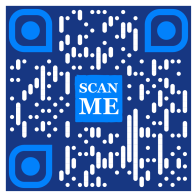
Pratinjau Kode QR
Colored QR code generated via ME-QR API

Kode QR nganggo pigura

Panjaluk URL
https://me-qr.com/api/v2/qr/link/create

Cara Panjaluk
POST

Kode
curl -X POST https://me-qr.com/api/v2/qr/link/create \
  -H "Content-Type: application/json" \
  -H "X-AUTH-TOKEN: YOUR_API_TOKEN" \
  -d '{
    "qrFieldsData": {
      "link": "https://example.com"
    },
    "format": "png",
    "qrOptions": {
      "logotype": "youTubeLogotype",
      "logotypeSize": 0.3,
      "logotypeMargin": 5,
      "logotypeHideBackground": true
    },
    "qrFrame": {
      "name": "frame1",
      "color": "ff0000",
      "backgroundColor": "#ffffff",
      "text": "Scan me!",
      "textColor": "#FFFFFF"
    }
  }'

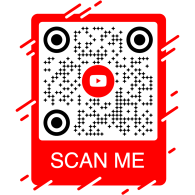
Pratinjau Kode QR
QR code with frame generated via ME-QR API

Kode QR API: API Generator QR kanggo macem-macem tujuan

API QR Code kuwi piranti sing ampuh sing dirancang kanggo nggawe Kode QR batch lan integrasi sing lancar menyang proses bisnis, sing ngaktifake otomatisasi liwat teknologi QR. API iki kabukten berperan penting kanggo nggampangake operasi, ningkatake efisiensi, lan nyedhiyakake solusi sing kuat kanggo bisnis sing pengin nggabungake Kode QR menyang alur kerja.

Conto penting saka fungsi API dituduhake liwat endpoint /api/qr/create/, sing ngidini sampeyan nggawe Kode QR kanthi pemrograman:

Post /api/qr/create/ Nggawe kode QR miturut jinis

Ngidini sampeyan nggawe kode QR nggunakake salah sawijining jinis sing kasedhiya ing me-qr. Saben panyuwunan bakal nggawe kode QR anyar.

Parameter

Ora ana parameter

Awak panjaluk
application/json
{
  "token": "string",
  "qrType": 1,
  "qrFieldsData": {
    "link": "https://example.com"
  },
  "entryId": null,
  "title": "Qr Code",
  "format": "png",
  "designType": "base",
  "qrFolderOptions": {
    "folderName": null,
    "subfolderName": null
  },
  "qrOptions": {
    "size": 300,
    "errorCorrectionLevel": "Q",
    "pattern": "square",
    "patternColor": "#000000",
    "patternBackground": "#ffffff",
    "cornetsOuter": "square",
    "cornetsOuterColor": "#000000",
    "cornetsInterior": "square",
    "cornetsInteriorColor": "#000000",
    "logotype": null,
    "logotypeSize": 0.3,
    "logotypeMargin": 0,
    "logotypeHideBackground": true,
    "gradientPattern": null,
    "gradientCornetsOuter": null,
    "gradientCornetsInterior": null,
    "gradientBackground": null
  },
  "qrFrame": {
    "name": "noFrame",
    "color": "#000000",
    "backgroundColor": "#ffffff",
    "text": "",
    "textSize": null,
    "textColor": "#9C3AAF",
    "textFont": "Roboto"
  }
}
Tanggapan
Kode Katrangan Pranala
default Ora ana pranala

Kontrol Lengkap API Generator QR

API Generator Me-QR nawakake kontrol lengkap babagan generasi Kode QR, nyedhiyakake macem-macem fitur kanggo nyetel Kode QR miturut kabutuhan khusus sampeyan:

Negara-negara API

Jupuk dhaptar negara sing didhukung kanggo API kode QR khusus

Get /api/v2/countries/ Daftar negara

Golekana dhaptar negara sing kasedhiya.

Parameter
jeneng Katrangan
country
string
(query)

Telusuri miturut jeneng negara.

Tanggapan
Kode Katrangan Pranala
200

Respon sing sukses

application/json
[
  {
    "id": 0,
    "name": "string"
  }
]
Ora ana pranala

Titik pungkasan iki ngidini sampeyan njupuk dhaptar negara sing kasedhiya, nggampangake lokalisasi lan kustomisasi adhedhasar pilihan geografis.

Kutha-kutha API

Akses dhaptar kutha sing didhukung kanggo nyetel rincian Kode QR kanthi luwih apik.

Get /api/v2/cities/ Daftar kutha

Golekana dhaptar kutha sing kasedhiya.

Parameter
jeneng Katrangan
country
string
(query)

Telusuri miturut jeneng negara.

Tanggapan
Kode Katrangan Pranala
200

Respon sing sukses

application/json
[
  {
    "id": 0,
    "name": "string"
  }
]
Ora ana pranala

Sampeyan bisa nggunakake fitur iki kanggo milih kutha tartamtu, ningkatake relevansi Kode QR kanggo kampanye khusus lokasi utawa panyebaran informasi.

Zona Wektu API

Golekana dhaptar zona wektu sing didhukung kanggo nggabungake informasi sing sensitif marang wektu ing Kode QR.

Get /api/v2/timezones/ Daftar zona wektu

Golekana dhaptar zona wektu sing kasedhiya.

Parameter
jeneng Katrangan
timezone
string
(query)

Telusuri miturut jeneng zona wektu.

Tanggapan
Kode Katrangan Pranala
200

Respon sing sukses

application/json
[
  {
    "id": 0,
    "name": "string"
  }
]
Ora ana pranala

Fungsi iki ngidini sampeyan nyelarasake konten Kode QR karo data khusus wektu, njamin relevansi lan ketepatan wektu.

Basa API

Akses dhaptar basa sing didhukung kanggo kustomisasi teks lan konten Kode QR.

Get /api/v2/languages/ Daftar basa

Golekana dhaptar basa sing kasedhiya.

Parameter
jeneng Katrangan
language
string
(query)

Telusuri miturut jeneng basa.

Tanggapan
Kode Katrangan Pranala
200

Respon sing sukses

application/json
[
  {
    "id": 0,
    "name": "string"
  }
]
Ora ana pranala

Sampeyan bisa nggunakake fitur iki kanggo nyukupi macem-macem pilihan basa, nggawe Kode QR luwih gampang diakses lan gampang digunakake ing konteks multibasa.

Fleksibilitas sing diwenehake dening fitur-fitur iki ndadekake sampeyan bisa nggawe API Kode QR dinamis sing disesuaikan karo wilayah, kutha, zona wektu, lan basa tartamtu, saengga nambah efektifitas strategi komunikasi lan interaksi berbasis QR sampeyan.

Jinis API Generator QR

API Generator Kode QR kita nawakake macem-macem jinis kanggo nggawe Kode QR, sing nyukupi macem-macem kabutuhan lan fungsi. Ayo dijlentrehake sawetara jinis kasebut kanthi rinci.

API Pembayaran Kode QR

API kode QR gratis kabukten migunani ing babagan pembayaran amarga sifate sing lancar lan efisien. API iki nyederhanakake transaksi, nambah keamanan, lan nyepetake pembayaran saben wulan Kode QR. Iki conto kode prasaja sing nduduhake panggunaane:

Post /api/v2/qr/payment/create API Pembayaran Kode QR
API Pembayaran Kode QR

API kode QR gratis kabukten migunani ing babagan pembayaran kanthi ngidini bisnis lan individu nggampangake transaksi. Kanthi nyematkan URL pembayaran menyang kode QR, pelanggan bisa kanthi cepet mindhai kode nganggo smartphone lan ngrampungake transaksi kanthi lancar.

Awak panjaluk application/json
{
  "qrFieldsData": {
    "link"*: "https://example.com/pay"
  }
}
Lapangan Jinis Dibutuhake Katrangan
link string($hostname) required URL kaca pambayaran

Gawe API Kode QR lan revolusi proses pembayaran sampeyan karo kita, ngowahi transaksi dadi pengalaman sing lancar lan efisien.

Gawe API Kode QR lan revolusi proses pembayaran sampeyan karo kita. Integrasikan transaksi sing aman lan efisien kanthi lancar menyang aplikasi sampeyan.

API Kode QR PayPal

Salah sawijining conto API Pembayaran Kode QR yaiku Kode QR PayPal. Misuwur minangka pimpinan ing pembayaran online, integrasi API PayPal nggampangake transaksi kanthi aman. Iki ilustrasi dhasar saka implementasine:

Post /api/v2/qr/paypal/create Kode QR PayPal API
Kode QR PayPal API

API Kode QR PayPal nggampangake integrasi pranala pembayaran PayPal menyang kode QR. Pangguna bisa mindhai kode QR supaya langsung diarahake menyang kaca pembayaran PayPal, saengga transaksi bisa cepet lan trep kanggo bisnis lan pelanggan.

Awak panjaluk application/json
{
  "qrFieldsData": {
    "link"*: "https://paypal.me/username"
  }
}
Lapangan Jinis Dibutuhake Katrangan
link string($hostname) required PayPal.me utawa URL pambayaran

Manfaatake PayPal QR Code API kanggo nyederhanakake lan nyepetake aliran pembayaran sampeyan, menehi pengalaman checkout modern kanggo pangguna sampeyan.

Tingkatake pengalaman pembayaran online sampeyan nganggo API Kode QR PayPal Me-QR. Integrasikan transaksi PayPal sing aman lan efisien kanthi gampang menyang aplikasi sampeyan.

Cara nggawe Kode QR WhatsApp liwat API

Kode QR WhatsApp API nduweni posisi sing unggul ing antarane API QR messenger. Nggunakake API iki nggampangake interaksi sing lancar kanthi ngaktifake akses cepet menyang WhatsApp, saengga dadi pimpinan ing ranah fungsi QR berbasis messenger. Iki contone:

Post /api/v2/qr/whatsapp/create API Kode QR WhatsApp
API Kode QR WhatsApp

API Kode QR WhatsApp ngidini sampeyan nggawe kode QR sing mbukak obrolan WhatsApp nganggo pesen sing wis diisi. Cukup wenehake nomer telpon lan pesen opsional — cocog kanggo dhukungan pelanggan, kampanye pemasaran, lan keterlibatan langsung.

Awak panjaluk application/json
{
  "qrFieldsData": {
    "phone"*: "+1234567890",
    "message"*: "Hello!"
  }
}
Lapangan Jinis Dibutuhake Katrangan
phone string required Nomer telpon panampa ing format internasional
message string required Teks pesen sing wis diisi sadurunge

Integrasikan WhatsApp QR Code API untuk mendorong obrolan langsung dan meningkatkan keterlibatan hanya dengan sekali pemindaian.

Nyambung karo pamirsa kanthi lancar liwat Kode QR WhatsApp. Aktifake akses cepet menyang obrolan mung nganggo pindai, nambah pengalaman olahpesen sampeyan.

Temokake luwih akeh jinis QR API nganggo Me-QR

QR code API gratis nawakake macem-macem jinis Generator QR Code API kanggo nyukupi kabutuhan sing maneka warna. Jelajahi jinis QR API lan conto kode sing luwih didhukung kanggo saben jinis:

Instagram

Nyambung karo profil Instagram nggunakake kode QR.

Post /api/v2/qr/instagram/create

Nggawe kode QR sing nyambung langsung menyang profil utawa kiriman Instagram.

Awak panjaluk application/json
{
  "qrFieldsData": {
    "link": "https://www.instagram.com/username"
  },
  "title": "Qr Code",
                        "format": "png",
                        "designType": "base",
                        "qrFolderOptions": {
                        "folderName": null,
                        "subfolderName": null
                        },
                        "qrOptions": {
                        "size": 300,
                        "errorCorrectionLevel": "Q",
                        "pattern": "square",
                        "patternColor": "#000000",
                        "patternBackground": "#ffffff",
                        "cornetsOuter": "square",
                        "cornetsOuterColor": "#000000",
                        "cornetsInterior": "square",
                        "cornetsInteriorColor": "#000000",
                        "logotype": null,
                        "logotypeSize": 0.3,
                        "logotypeMargin": 0,
                        "logotypeHideBackground": true,
                        "gradientPattern": null,
                        "gradientCornetsOuter": null,
                        "gradientCornetsInterior": null,
                        "gradientBackground": null
                        },
                        "qrFrame": {
                        "name": "noFrame",
                        "color": "#000000",
                        "backgroundColor": "#ffffff",
                        "text": "",
                        "textSize": null,
                        "textColor": "#9C3AAF",
                        "textFont": "Roboto"
                        }
                        }
Put /api/v2/qr/instagram/update/{entryUID}

Ngganti parameter data lan gaya kode QR.

Parameter

entryUIDpath  ID utawa kunci entri unik (kode QR)

Awak panjaluk application/json
{
  "qrFieldsData": {
    "link": "https://www.instagram.com/username"
  },
  "title": "Qr Code",
                        "format": "png",
                        "designType": "base",
                        "qrFolderOptions": {
                        "folderName": null,
                        "subfolderName": null
                        },
                        "qrOptions": {
                        "size": 300,
                        "errorCorrectionLevel": "Q",
                        "pattern": "square",
                        "patternColor": "#000000",
                        "patternBackground": "#ffffff",
                        "cornetsOuter": "square",
                        "cornetsOuterColor": "#000000",
                        "cornetsInterior": "square",
                        "cornetsInteriorColor": "#000000",
                        "logotype": null,
                        "logotypeSize": 0.3,
                        "logotypeMargin": 0,
                        "logotypeHideBackground": true,
                        "gradientPattern": null,
                        "gradientCornetsOuter": null,
                        "gradientCornetsInterior": null,
                        "gradientBackground": null
                        },
                        "qrFrame": {
                        "name": "noFrame",
                        "color": "#000000",
                        "backgroundColor": "#ffffff",
                        "text": "",
                        "textSize": null,
                        "textColor": "#9C3AAF",
                        "textFont": "Roboto"
                        }
                        }
Get /api/v2/qr/instagram/{entryUID}

Deleng data lan setelan kustomisasi utawa gambar kode QR sing digawe.

Parameter

entryUID path  ID utawa kunci entri unik (kode QR)

format query  Format gambar. Nilai sing kasedhiya: png, svg, jpg, jpeg, json. Standar: null

Tanggapan 200 application/json
{
  "qrFieldsData": {
    "link": "https://www.instagram.com/username"
  },
  "title": "Qr Code",
                        "format": "png",
                        "designType": "base",
                        "qrFolderOptions": {
                        "folderName": null,
                        "subfolderName": null
                        },
                        "qrOptions": {
                        "size": 300,
                        "errorCorrectionLevel": "Q",
                        "pattern": "square",
                        "patternColor": "#000000",
                        "patternBackground": "#ffffff",
                        "cornetsOuter": "square",
                        "cornetsOuterColor": "#000000",
                        "cornetsInterior": "square",
                        "cornetsInteriorColor": "#000000",
                        "logotype": null,
                        "logotypeSize": 0.3,
                        "logotypeMargin": 0,
                        "logotypeHideBackground": true,
                        "gradientPattern": null,
                        "gradientCornetsOuter": null,
                        "gradientCornetsInterior": null,
                        "gradientBackground": null
                        },
                        "qrFrame": {
                        "name": "noFrame",
                        "color": "#000000",
                        "backgroundColor": "#ffffff",
                        "text": "",
                        "textSize": null,
                        "textColor": "#9C3AAF",
                        "textFont": "Roboto"
                        }
                        }

Facebook

Pranala menyang profil utawa kaca Facebook liwat API liyane QR Code Generator.

Post /api/v2/qr/facebook/create

Nggawe kode QR sing nyambung menyang kaca, grup, utawa profil Facebook.

Awak panjaluk application/json
{
  "qrFieldsData": {
    "link": "https://www.facebook.com/pagename"
  },
  "title": "Qr Code",
                        "format": "png",
                        "designType": "base",
                        "qrFolderOptions": {
                        "folderName": null,
                        "subfolderName": null
                        },
                        "qrOptions": {
                        "size": 300,
                        "errorCorrectionLevel": "Q",
                        "pattern": "square",
                        "patternColor": "#000000",
                        "patternBackground": "#ffffff",
                        "cornetsOuter": "square",
                        "cornetsOuterColor": "#000000",
                        "cornetsInterior": "square",
                        "cornetsInteriorColor": "#000000",
                        "logotype": null,
                        "logotypeSize": 0.3,
                        "logotypeMargin": 0,
                        "logotypeHideBackground": true,
                        "gradientPattern": null,
                        "gradientCornetsOuter": null,
                        "gradientCornetsInterior": null,
                        "gradientBackground": null
                        },
                        "qrFrame": {
                        "name": "noFrame",
                        "color": "#000000",
                        "backgroundColor": "#ffffff",
                        "text": "",
                        "textSize": null,
                        "textColor": "#9C3AAF",
                        "textFont": "Roboto"
                        }
                        }
Put /api/v2/qr/facebook/update/{entryUID}

Ngganti parameter data lan gaya kode QR.

Parameter

entryUIDpath  ID utawa kunci entri unik (kode QR)

Awak panjaluk application/json
{
  "qrFieldsData": {
    "link": "https://www.facebook.com/pagename"
  },
  "title": "Qr Code",
                        "format": "png",
                        "designType": "base",
                        "qrFolderOptions": {
                        "folderName": null,
                        "subfolderName": null
                        },
                        "qrOptions": {
                        "size": 300,
                        "errorCorrectionLevel": "Q",
                        "pattern": "square",
                        "patternColor": "#000000",
                        "patternBackground": "#ffffff",
                        "cornetsOuter": "square",
                        "cornetsOuterColor": "#000000",
                        "cornetsInterior": "square",
                        "cornetsInteriorColor": "#000000",
                        "logotype": null,
                        "logotypeSize": 0.3,
                        "logotypeMargin": 0,
                        "logotypeHideBackground": true,
                        "gradientPattern": null,
                        "gradientCornetsOuter": null,
                        "gradientCornetsInterior": null,
                        "gradientBackground": null
                        },
                        "qrFrame": {
                        "name": "noFrame",
                        "color": "#000000",
                        "backgroundColor": "#ffffff",
                        "text": "",
                        "textSize": null,
                        "textColor": "#9C3AAF",
                        "textFont": "Roboto"
                        }
                        }
Get /api/v2/qr/facebook/{entryUID}

Deleng data lan setelan kustomisasi utawa gambar kode QR sing digawe.

Parameter

entryUID path  ID utawa kunci entri unik (kode QR)

format query  Format gambar. Nilai sing kasedhiya: png, svg, jpg, jpeg, json. Standar: null

Tanggapan 200 application/json
{
  "qrFieldsData": {
    "link": "https://www.facebook.com/pagename"
  },
  "title": "Qr Code",
                        "format": "png",
                        "designType": "base",
                        "qrFolderOptions": {
                        "folderName": null,
                        "subfolderName": null
                        },
                        "qrOptions": {
                        "size": 300,
                        "errorCorrectionLevel": "Q",
                        "pattern": "square",
                        "patternColor": "#000000",
                        "patternBackground": "#ffffff",
                        "cornetsOuter": "square",
                        "cornetsOuterColor": "#000000",
                        "cornetsInterior": "square",
                        "cornetsInteriorColor": "#000000",
                        "logotype": null,
                        "logotypeSize": 0.3,
                        "logotypeMargin": 0,
                        "logotypeHideBackground": true,
                        "gradientPattern": null,
                        "gradientCornetsOuter": null,
                        "gradientCornetsInterior": null,
                        "gradientBackground": null
                        },
                        "qrFrame": {
                        "name": "noFrame",
                        "color": "#000000",
                        "backgroundColor": "#ffffff",
                        "text": "",
                        "textSize": null,
                        "textColor": "#9C3AAF",
                        "textFont": "Roboto"
                        }
                        }

Twitter

Akses profil Twitter utawa tweet nganggo kode QR.

Post /api/v2/qr/twitter/create

Gawe kode QR sing ngarahake pangguna menyang profil utawa tweet Twitter/X.

Awak panjaluk application/json
{
  "qrFieldsData": {
    "link": "https://twitter.com/username"
  },
  "title": "Qr Code",
                        "format": "png",
                        "designType": "base",
                        "qrFolderOptions": {
                        "folderName": null,
                        "subfolderName": null
                        },
                        "qrOptions": {
                        "size": 300,
                        "errorCorrectionLevel": "Q",
                        "pattern": "square",
                        "patternColor": "#000000",
                        "patternBackground": "#ffffff",
                        "cornetsOuter": "square",
                        "cornetsOuterColor": "#000000",
                        "cornetsInterior": "square",
                        "cornetsInteriorColor": "#000000",
                        "logotype": null,
                        "logotypeSize": 0.3,
                        "logotypeMargin": 0,
                        "logotypeHideBackground": true,
                        "gradientPattern": null,
                        "gradientCornetsOuter": null,
                        "gradientCornetsInterior": null,
                        "gradientBackground": null
                        },
                        "qrFrame": {
                        "name": "noFrame",
                        "color": "#000000",
                        "backgroundColor": "#ffffff",
                        "text": "",
                        "textSize": null,
                        "textColor": "#9C3AAF",
                        "textFont": "Roboto"
                        }
                        }
Put /api/v2/qr/twitter/update/{entryUID}

Ngganti parameter data lan gaya kode QR.

Parameter

entryUIDpath  ID utawa kunci entri unik (kode QR)

Awak panjaluk application/json
{
  "qrFieldsData": {
    "link": "https://twitter.com/username"
  },
  "title": "Qr Code",
                        "format": "png",
                        "designType": "base",
                        "qrFolderOptions": {
                        "folderName": null,
                        "subfolderName": null
                        },
                        "qrOptions": {
                        "size": 300,
                        "errorCorrectionLevel": "Q",
                        "pattern": "square",
                        "patternColor": "#000000",
                        "patternBackground": "#ffffff",
                        "cornetsOuter": "square",
                        "cornetsOuterColor": "#000000",
                        "cornetsInterior": "square",
                        "cornetsInteriorColor": "#000000",
                        "logotype": null,
                        "logotypeSize": 0.3,
                        "logotypeMargin": 0,
                        "logotypeHideBackground": true,
                        "gradientPattern": null,
                        "gradientCornetsOuter": null,
                        "gradientCornetsInterior": null,
                        "gradientBackground": null
                        },
                        "qrFrame": {
                        "name": "noFrame",
                        "color": "#000000",
                        "backgroundColor": "#ffffff",
                        "text": "",
                        "textSize": null,
                        "textColor": "#9C3AAF",
                        "textFont": "Roboto"
                        }
                        }
Get /api/v2/qr/twitter/{entryUID}

Deleng data lan setelan kustomisasi utawa gambar kode QR sing digawe.

Parameter

entryUID path  ID utawa kunci entri unik (kode QR)

format query  Format gambar. Nilai sing kasedhiya: png, svg, jpg, jpeg, json. Standar: null

Tanggapan 200 application/json
{
  "qrFieldsData": {
    "link": "https://twitter.com/username"
  },
  "title": "Qr Code",
                        "format": "png",
                        "designType": "base",
                        "qrFolderOptions": {
                        "folderName": null,
                        "subfolderName": null
                        },
                        "qrOptions": {
                        "size": 300,
                        "errorCorrectionLevel": "Q",
                        "pattern": "square",
                        "patternColor": "#000000",
                        "patternBackground": "#ffffff",
                        "cornetsOuter": "square",
                        "cornetsOuterColor": "#000000",
                        "cornetsInterior": "square",
                        "cornetsInteriorColor": "#000000",
                        "logotype": null,
                        "logotypeSize": 0.3,
                        "logotypeMargin": 0,
                        "logotypeHideBackground": true,
                        "gradientPattern": null,
                        "gradientCornetsOuter": null,
                        "gradientCornetsInterior": null,
                        "gradientBackground": null
                        },
                        "qrFrame": {
                        "name": "noFrame",
                        "color": "#000000",
                        "backgroundColor": "#ffffff",
                        "text": "",
                        "textSize": null,
                        "textColor": "#9C3AAF",
                        "textFont": "Roboto"
                        }
                        }

TikTok

Temokake profil TikTok nggunakake kode QR.

Post /api/v2/qr/tiktok/create

Gawe kode QR sing nyambung menyang profil utawa video TikTok.

Awak panjaluk application/json
{
  "qrFieldsData": {
    "link": "https://www.tiktok.com/@username"
  },
  "title": "Qr Code",
                        "format": "png",
                        "designType": "base",
                        "qrFolderOptions": {
                        "folderName": null,
                        "subfolderName": null
                        },
                        "qrOptions": {
                        "size": 300,
                        "errorCorrectionLevel": "Q",
                        "pattern": "square",
                        "patternColor": "#000000",
                        "patternBackground": "#ffffff",
                        "cornetsOuter": "square",
                        "cornetsOuterColor": "#000000",
                        "cornetsInterior": "square",
                        "cornetsInteriorColor": "#000000",
                        "logotype": null,
                        "logotypeSize": 0.3,
                        "logotypeMargin": 0,
                        "logotypeHideBackground": true,
                        "gradientPattern": null,
                        "gradientCornetsOuter": null,
                        "gradientCornetsInterior": null,
                        "gradientBackground": null
                        },
                        "qrFrame": {
                        "name": "noFrame",
                        "color": "#000000",
                        "backgroundColor": "#ffffff",
                        "text": "",
                        "textSize": null,
                        "textColor": "#9C3AAF",
                        "textFont": "Roboto"
                        }
                        }
Put /api/v2/qr/tiktok/update/{entryUID}

Ngganti parameter data lan gaya kode QR.

Parameter

entryUIDpath  ID utawa kunci entri unik (kode QR)

Awak panjaluk application/json
{
  "qrFieldsData": {
    "link": "https://www.tiktok.com/@username"
  },
  "title": "Qr Code",
                        "format": "png",
                        "designType": "base",
                        "qrFolderOptions": {
                        "folderName": null,
                        "subfolderName": null
                        },
                        "qrOptions": {
                        "size": 300,
                        "errorCorrectionLevel": "Q",
                        "pattern": "square",
                        "patternColor": "#000000",
                        "patternBackground": "#ffffff",
                        "cornetsOuter": "square",
                        "cornetsOuterColor": "#000000",
                        "cornetsInterior": "square",
                        "cornetsInteriorColor": "#000000",
                        "logotype": null,
                        "logotypeSize": 0.3,
                        "logotypeMargin": 0,
                        "logotypeHideBackground": true,
                        "gradientPattern": null,
                        "gradientCornetsOuter": null,
                        "gradientCornetsInterior": null,
                        "gradientBackground": null
                        },
                        "qrFrame": {
                        "name": "noFrame",
                        "color": "#000000",
                        "backgroundColor": "#ffffff",
                        "text": "",
                        "textSize": null,
                        "textColor": "#9C3AAF",
                        "textFont": "Roboto"
                        }
                        }
Get /api/v2/qr/tiktok/{entryUID}

Deleng data lan setelan kustomisasi utawa gambar kode QR sing digawe.

Parameter

entryUID path  ID utawa kunci entri unik (kode QR)

format query  Format gambar. Nilai sing kasedhiya: png, svg, jpg, jpeg, json. Standar: null

Tanggapan 200 application/json
{
  "qrFieldsData": {
    "link": "https://www.tiktok.com/@username"
  },
  "title": "Qr Code",
                        "format": "png",
                        "designType": "base",
                        "qrFolderOptions": {
                        "folderName": null,
                        "subfolderName": null
                        },
                        "qrOptions": {
                        "size": 300,
                        "errorCorrectionLevel": "Q",
                        "pattern": "square",
                        "patternColor": "#000000",
                        "patternBackground": "#ffffff",
                        "cornetsOuter": "square",
                        "cornetsOuterColor": "#000000",
                        "cornetsInterior": "square",
                        "cornetsInteriorColor": "#000000",
                        "logotype": null,
                        "logotypeSize": 0.3,
                        "logotypeMargin": 0,
                        "logotypeHideBackground": true,
                        "gradientPattern": null,
                        "gradientCornetsOuter": null,
                        "gradientCornetsInterior": null,
                        "gradientBackground": null
                        },
                        "qrFrame": {
                        "name": "noFrame",
                        "color": "#000000",
                        "backgroundColor": "#ffffff",
                        "text": "",
                        "textSize": null,
                        "textColor": "#9C3AAF",
                        "textFont": "Roboto"
                        }
                        }

Snapchat

Nyambung karo profil liwat Snapchat QR.

Post /api/v2/qr/snapchat/create

Nggawe kode QR sing nyambung langsung menyang profil Snapchat.

Awak panjaluk application/json
{
  "qrFieldsData": {
    "link": "https://www.snapchat.com/add/username"
  },
  "title": "Qr Code",
                        "format": "png",
                        "designType": "base",
                        "qrFolderOptions": {
                        "folderName": null,
                        "subfolderName": null
                        },
                        "qrOptions": {
                        "size": 300,
                        "errorCorrectionLevel": "Q",
                        "pattern": "square",
                        "patternColor": "#000000",
                        "patternBackground": "#ffffff",
                        "cornetsOuter": "square",
                        "cornetsOuterColor": "#000000",
                        "cornetsInterior": "square",
                        "cornetsInteriorColor": "#000000",
                        "logotype": null,
                        "logotypeSize": 0.3,
                        "logotypeMargin": 0,
                        "logotypeHideBackground": true,
                        "gradientPattern": null,
                        "gradientCornetsOuter": null,
                        "gradientCornetsInterior": null,
                        "gradientBackground": null
                        },
                        "qrFrame": {
                        "name": "noFrame",
                        "color": "#000000",
                        "backgroundColor": "#ffffff",
                        "text": "",
                        "textSize": null,
                        "textColor": "#9C3AAF",
                        "textFont": "Roboto"
                        }
                        }
Put /api/v2/qr/snapchat/update/{entryUID}

Ngganti parameter data lan gaya kode QR.

Parameter

entryUIDpath  ID utawa kunci entri unik (kode QR)

Awak panjaluk application/json
{
  "qrFieldsData": {
    "link": "https://www.snapchat.com/add/username"
  },
  "title": "Qr Code",
                        "format": "png",
                        "designType": "base",
                        "qrFolderOptions": {
                        "folderName": null,
                        "subfolderName": null
                        },
                        "qrOptions": {
                        "size": 300,
                        "errorCorrectionLevel": "Q",
                        "pattern": "square",
                        "patternColor": "#000000",
                        "patternBackground": "#ffffff",
                        "cornetsOuter": "square",
                        "cornetsOuterColor": "#000000",
                        "cornetsInterior": "square",
                        "cornetsInteriorColor": "#000000",
                        "logotype": null,
                        "logotypeSize": 0.3,
                        "logotypeMargin": 0,
                        "logotypeHideBackground": true,
                        "gradientPattern": null,
                        "gradientCornetsOuter": null,
                        "gradientCornetsInterior": null,
                        "gradientBackground": null
                        },
                        "qrFrame": {
                        "name": "noFrame",
                        "color": "#000000",
                        "backgroundColor": "#ffffff",
                        "text": "",
                        "textSize": null,
                        "textColor": "#9C3AAF",
                        "textFont": "Roboto"
                        }
                        }
Get /api/v2/qr/snapchat/{entryUID}

Deleng data lan setelan kustomisasi utawa gambar kode QR sing digawe.

Parameter

entryUID path  ID utawa kunci entri unik (kode QR)

format query  Format gambar. Nilai sing kasedhiya: png, svg, jpg, jpeg, json. Standar: null

Tanggapan 200 application/json
{
  "qrFieldsData": {
    "link": "https://www.snapchat.com/add/username"
  },
  "title": "Qr Code",
                        "format": "png",
                        "designType": "base",
                        "qrFolderOptions": {
                        "folderName": null,
                        "subfolderName": null
                        },
                        "qrOptions": {
                        "size": 300,
                        "errorCorrectionLevel": "Q",
                        "pattern": "square",
                        "patternColor": "#000000",
                        "patternBackground": "#ffffff",
                        "cornetsOuter": "square",
                        "cornetsOuterColor": "#000000",
                        "cornetsInterior": "square",
                        "cornetsInteriorColor": "#000000",
                        "logotype": null,
                        "logotypeSize": 0.3,
                        "logotypeMargin": 0,
                        "logotypeHideBackground": true,
                        "gradientPattern": null,
                        "gradientCornetsOuter": null,
                        "gradientCornetsInterior": null,
                        "gradientBackground": null
                        },
                        "qrFrame": {
                        "name": "noFrame",
                        "color": "#000000",
                        "backgroundColor": "#ffffff",
                        "text": "",
                        "textSize": null,
                        "textColor": "#9C3AAF",
                        "textFont": "Roboto"
                        }
                        }

Telegram

Melu saluran utawa grup Telegram nggunakake kode QR.

Post /api/v2/qr/telegram/create

Gawe kode QR sing nyambung menyang saluran, bot, utawa kontak Telegram.

Awak panjaluk application/json
{
  "qrFieldsData": {
    "link": "https://t.me/username"
  },
  "title": "Qr Code",
                        "format": "png",
                        "designType": "base",
                        "qrFolderOptions": {
                        "folderName": null,
                        "subfolderName": null
                        },
                        "qrOptions": {
                        "size": 300,
                        "errorCorrectionLevel": "Q",
                        "pattern": "square",
                        "patternColor": "#000000",
                        "patternBackground": "#ffffff",
                        "cornetsOuter": "square",
                        "cornetsOuterColor": "#000000",
                        "cornetsInterior": "square",
                        "cornetsInteriorColor": "#000000",
                        "logotype": null,
                        "logotypeSize": 0.3,
                        "logotypeMargin": 0,
                        "logotypeHideBackground": true,
                        "gradientPattern": null,
                        "gradientCornetsOuter": null,
                        "gradientCornetsInterior": null,
                        "gradientBackground": null
                        },
                        "qrFrame": {
                        "name": "noFrame",
                        "color": "#000000",
                        "backgroundColor": "#ffffff",
                        "text": "",
                        "textSize": null,
                        "textColor": "#9C3AAF",
                        "textFont": "Roboto"
                        }
                        }
Put /api/v2/qr/telegram/update/{entryUID}

Ngganti parameter data lan gaya kode QR.

Parameter

entryUIDpath  ID utawa kunci entri unik (kode QR)

Awak panjaluk application/json
{
  "qrFieldsData": {
    "link": "https://t.me/username"
  },
  "title": "Qr Code",
                        "format": "png",
                        "designType": "base",
                        "qrFolderOptions": {
                        "folderName": null,
                        "subfolderName": null
                        },
                        "qrOptions": {
                        "size": 300,
                        "errorCorrectionLevel": "Q",
                        "pattern": "square",
                        "patternColor": "#000000",
                        "patternBackground": "#ffffff",
                        "cornetsOuter": "square",
                        "cornetsOuterColor": "#000000",
                        "cornetsInterior": "square",
                        "cornetsInteriorColor": "#000000",
                        "logotype": null,
                        "logotypeSize": 0.3,
                        "logotypeMargin": 0,
                        "logotypeHideBackground": true,
                        "gradientPattern": null,
                        "gradientCornetsOuter": null,
                        "gradientCornetsInterior": null,
                        "gradientBackground": null
                        },
                        "qrFrame": {
                        "name": "noFrame",
                        "color": "#000000",
                        "backgroundColor": "#ffffff",
                        "text": "",
                        "textSize": null,
                        "textColor": "#9C3AAF",
                        "textFont": "Roboto"
                        }
                        }
Get /api/v2/qr/telegram/{entryUID}

Deleng data lan setelan kustomisasi utawa gambar kode QR sing digawe.

Parameter

entryUID path  ID utawa kunci entri unik (kode QR)

format query  Format gambar. Nilai sing kasedhiya: png, svg, jpg, jpeg, json. Standar: null

Tanggapan 200 application/json
{
  "qrFieldsData": {
    "link": "https://t.me/username"
  },
  "title": "Qr Code",
                        "format": "png",
                        "designType": "base",
                        "qrFolderOptions": {
                        "folderName": null,
                        "subfolderName": null
                        },
                        "qrOptions": {
                        "size": 300,
                        "errorCorrectionLevel": "Q",
                        "pattern": "square",
                        "patternColor": "#000000",
                        "patternBackground": "#ffffff",
                        "cornetsOuter": "square",
                        "cornetsOuterColor": "#000000",
                        "cornetsInterior": "square",
                        "cornetsInteriorColor": "#000000",
                        "logotype": null,
                        "logotypeSize": 0.3,
                        "logotypeMargin": 0,
                        "logotypeHideBackground": true,
                        "gradientPattern": null,
                        "gradientCornetsOuter": null,
                        "gradientCornetsInterior": null,
                        "gradientBackground": null
                        },
                        "qrFrame": {
                        "name": "noFrame",
                        "color": "#000000",
                        "backgroundColor": "#ffffff",
                        "text": "",
                        "textSize": null,
                        "textColor": "#9C3AAF",
                        "textFont": "Roboto"
                        }
                        }

Spotify

Akses lagu, album, utawa artis Spotify tartamtu nggunakake kode QR.

Post /api/v2/qr/spotify/create

Gawe kode QR sing mbukak kaca trek, album, utawa artis Spotify.

Awak panjaluk application/json
{
  "qrFieldsData": {
    "link": "https://open.spotify.com/track/..."
  },
  "title": "Qr Code",
                        "format": "png",
                        "designType": "base",
                        "qrFolderOptions": {
                        "folderName": null,
                        "subfolderName": null
                        },
                        "qrOptions": {
                        "size": 300,
                        "errorCorrectionLevel": "Q",
                        "pattern": "square",
                        "patternColor": "#000000",
                        "patternBackground": "#ffffff",
                        "cornetsOuter": "square",
                        "cornetsOuterColor": "#000000",
                        "cornetsInterior": "square",
                        "cornetsInteriorColor": "#000000",
                        "logotype": null,
                        "logotypeSize": 0.3,
                        "logotypeMargin": 0,
                        "logotypeHideBackground": true,
                        "gradientPattern": null,
                        "gradientCornetsOuter": null,
                        "gradientCornetsInterior": null,
                        "gradientBackground": null
                        },
                        "qrFrame": {
                        "name": "noFrame",
                        "color": "#000000",
                        "backgroundColor": "#ffffff",
                        "text": "",
                        "textSize": null,
                        "textColor": "#9C3AAF",
                        "textFont": "Roboto"
                        }
                        }
Put /api/v2/qr/spotify/update/{entryUID}

Ngganti parameter data lan gaya kode QR.

Parameter

entryUIDpath  ID utawa kunci entri unik (kode QR)

Awak panjaluk application/json
{
  "qrFieldsData": {
    "link": "https://open.spotify.com/track/..."
  },
  "title": "Qr Code",
                        "format": "png",
                        "designType": "base",
                        "qrFolderOptions": {
                        "folderName": null,
                        "subfolderName": null
                        },
                        "qrOptions": {
                        "size": 300,
                        "errorCorrectionLevel": "Q",
                        "pattern": "square",
                        "patternColor": "#000000",
                        "patternBackground": "#ffffff",
                        "cornetsOuter": "square",
                        "cornetsOuterColor": "#000000",
                        "cornetsInterior": "square",
                        "cornetsInteriorColor": "#000000",
                        "logotype": null,
                        "logotypeSize": 0.3,
                        "logotypeMargin": 0,
                        "logotypeHideBackground": true,
                        "gradientPattern": null,
                        "gradientCornetsOuter": null,
                        "gradientCornetsInterior": null,
                        "gradientBackground": null
                        },
                        "qrFrame": {
                        "name": "noFrame",
                        "color": "#000000",
                        "backgroundColor": "#ffffff",
                        "text": "",
                        "textSize": null,
                        "textColor": "#9C3AAF",
                        "textFont": "Roboto"
                        }
                        }
Get /api/v2/qr/spotify/{entryUID}

Deleng data lan setelan kustomisasi utawa gambar kode QR sing digawe.

Parameter

entryUID path  ID utawa kunci entri unik (kode QR)

format query  Format gambar. Nilai sing kasedhiya: png, svg, jpg, jpeg, json. Standar: null

Tanggapan 200 application/json
{
  "qrFieldsData": {
    "link": "https://open.spotify.com/track/..."
  },
  "title": "Qr Code",
                        "format": "png",
                        "designType": "base",
                        "qrFolderOptions": {
                        "folderName": null,
                        "subfolderName": null
                        },
                        "qrOptions": {
                        "size": 300,
                        "errorCorrectionLevel": "Q",
                        "pattern": "square",
                        "patternColor": "#000000",
                        "patternBackground": "#ffffff",
                        "cornetsOuter": "square",
                        "cornetsOuterColor": "#000000",
                        "cornetsInterior": "square",
                        "cornetsInteriorColor": "#000000",
                        "logotype": null,
                        "logotypeSize": 0.3,
                        "logotypeMargin": 0,
                        "logotypeHideBackground": true,
                        "gradientPattern": null,
                        "gradientCornetsOuter": null,
                        "gradientCornetsInterior": null,
                        "gradientBackground": null
                        },
                        "qrFrame": {
                        "name": "noFrame",
                        "color": "#000000",
                        "backgroundColor": "#ffffff",
                        "text": "",
                        "textSize": null,
                        "textColor": "#9C3AAF",
                        "textFont": "Roboto"
                        }
                        }

Youtube

Nonton saluran utawa video YouTube nggunakake kode QR.

Post /api/v2/qr/youtube/create

Gawe kode QR sing nyambung menyang saluran utawa video YouTube.

Awak panjaluk application/json
{
  "qrFieldsData": {
    "link": "https://www.youtube.com/watch?v=dQw4w9WgXcQ"
  },
  "title": "Qr Code",
                        "format": "png",
                        "designType": "base",
                        "qrFolderOptions": {
                        "folderName": null,
                        "subfolderName": null
                        },
                        "qrOptions": {
                        "size": 300,
                        "errorCorrectionLevel": "Q",
                        "pattern": "square",
                        "patternColor": "#000000",
                        "patternBackground": "#ffffff",
                        "cornetsOuter": "square",
                        "cornetsOuterColor": "#000000",
                        "cornetsInterior": "square",
                        "cornetsInteriorColor": "#000000",
                        "logotype": null,
                        "logotypeSize": 0.3,
                        "logotypeMargin": 0,
                        "logotypeHideBackground": true,
                        "gradientPattern": null,
                        "gradientCornetsOuter": null,
                        "gradientCornetsInterior": null,
                        "gradientBackground": null
                        },
                        "qrFrame": {
                        "name": "noFrame",
                        "color": "#000000",
                        "backgroundColor": "#ffffff",
                        "text": "",
                        "textSize": null,
                        "textColor": "#9C3AAF",
                        "textFont": "Roboto"
                        }
                        }
Put /api/v2/qr/youtube/update/{entryUID}

Ngganti parameter data lan gaya kode QR.

Parameter

entryUIDpath  ID utawa kunci entri unik (kode QR)

Awak panjaluk application/json
{
  "qrFieldsData": {
    "link": "https://www.youtube.com/watch?v=dQw4w9WgXcQ"
  },
  "title": "Qr Code",
                        "format": "png",
                        "designType": "base",
                        "qrFolderOptions": {
                        "folderName": null,
                        "subfolderName": null
                        },
                        "qrOptions": {
                        "size": 300,
                        "errorCorrectionLevel": "Q",
                        "pattern": "square",
                        "patternColor": "#000000",
                        "patternBackground": "#ffffff",
                        "cornetsOuter": "square",
                        "cornetsOuterColor": "#000000",
                        "cornetsInterior": "square",
                        "cornetsInteriorColor": "#000000",
                        "logotype": null,
                        "logotypeSize": 0.3,
                        "logotypeMargin": 0,
                        "logotypeHideBackground": true,
                        "gradientPattern": null,
                        "gradientCornetsOuter": null,
                        "gradientCornetsInterior": null,
                        "gradientBackground": null
                        },
                        "qrFrame": {
                        "name": "noFrame",
                        "color": "#000000",
                        "backgroundColor": "#ffffff",
                        "text": "",
                        "textSize": null,
                        "textColor": "#9C3AAF",
                        "textFont": "Roboto"
                        }
                        }
Get /api/v2/qr/youtube/{entryUID}

Deleng data lan setelan kustomisasi utawa gambar kode QR sing digawe.

Parameter

entryUID path  ID utawa kunci entri unik (kode QR)

format query  Format gambar. Nilai sing kasedhiya: png, svg, jpg, jpeg, json. Standar: null

Tanggapan 200 application/json
{
  "qrFieldsData": {
    "link": "https://www.youtube.com/watch?v=dQw4w9WgXcQ"
  },
  "title": "Qr Code",
                        "format": "png",
                        "designType": "base",
                        "qrFolderOptions": {
                        "folderName": null,
                        "subfolderName": null
                        },
                        "qrOptions": {
                        "size": 300,
                        "errorCorrectionLevel": "Q",
                        "pattern": "square",
                        "patternColor": "#000000",
                        "patternBackground": "#ffffff",
                        "cornetsOuter": "square",
                        "cornetsOuterColor": "#000000",
                        "cornetsInterior": "square",
                        "cornetsInteriorColor": "#000000",
                        "logotype": null,
                        "logotypeSize": 0.3,
                        "logotypeMargin": 0,
                        "logotypeHideBackground": true,
                        "gradientPattern": null,
                        "gradientCornetsOuter": null,
                        "gradientCornetsInterior": null,
                        "gradientBackground": null
                        },
                        "qrFrame": {
                        "name": "noFrame",
                        "color": "#000000",
                        "backgroundColor": "#ffffff",
                        "text": "",
                        "textSize": null,
                        "textColor": "#9C3AAF",
                        "textFont": "Roboto"
                        }
                        }

Video

Seneng muter video ing piranti seluler nggunakake kode QR sing disematkan ing video.

Post /api/v2/qr/video/create

Gawe kode QR sing nyambung menyang sumber video online apa wae.

Awak panjaluk application/json
{
  "qrFieldsData": {
    "link": "https://example.com/video.mp4"
  },
  "title": "Qr Code",
                        "format": "png",
                        "designType": "base",
                        "qrFolderOptions": {
                        "folderName": null,
                        "subfolderName": null
                        },
                        "qrOptions": {
                        "size": 300,
                        "errorCorrectionLevel": "Q",
                        "pattern": "square",
                        "patternColor": "#000000",
                        "patternBackground": "#ffffff",
                        "cornetsOuter": "square",
                        "cornetsOuterColor": "#000000",
                        "cornetsInterior": "square",
                        "cornetsInteriorColor": "#000000",
                        "logotype": null,
                        "logotypeSize": 0.3,
                        "logotypeMargin": 0,
                        "logotypeHideBackground": true,
                        "gradientPattern": null,
                        "gradientCornetsOuter": null,
                        "gradientCornetsInterior": null,
                        "gradientBackground": null
                        },
                        "qrFrame": {
                        "name": "noFrame",
                        "color": "#000000",
                        "backgroundColor": "#ffffff",
                        "text": "",
                        "textSize": null,
                        "textColor": "#9C3AAF",
                        "textFont": "Roboto"
                        }
                        }
Put /api/v2/qr/video/update/{entryUID}

Ngganti parameter data lan gaya kode QR.

Parameter

entryUIDpath  ID utawa kunci entri unik (kode QR)

Awak panjaluk application/json
{
  "qrFieldsData": {
    "link": "https://example.com/video.mp4"
  },
  "title": "Qr Code",
                        "format": "png",
                        "designType": "base",
                        "qrFolderOptions": {
                        "folderName": null,
                        "subfolderName": null
                        },
                        "qrOptions": {
                        "size": 300,
                        "errorCorrectionLevel": "Q",
                        "pattern": "square",
                        "patternColor": "#000000",
                        "patternBackground": "#ffffff",
                        "cornetsOuter": "square",
                        "cornetsOuterColor": "#000000",
                        "cornetsInterior": "square",
                        "cornetsInteriorColor": "#000000",
                        "logotype": null,
                        "logotypeSize": 0.3,
                        "logotypeMargin": 0,
                        "logotypeHideBackground": true,
                        "gradientPattern": null,
                        "gradientCornetsOuter": null,
                        "gradientCornetsInterior": null,
                        "gradientBackground": null
                        },
                        "qrFrame": {
                        "name": "noFrame",
                        "color": "#000000",
                        "backgroundColor": "#ffffff",
                        "text": "",
                        "textSize": null,
                        "textColor": "#9C3AAF",
                        "textFont": "Roboto"
                        }
                        }
Get /api/v2/qr/video/{entryUID}

Deleng data lan setelan kustomisasi utawa gambar kode QR sing digawe.

Parameter

entryUID path  ID utawa kunci entri unik (kode QR)

format query  Format gambar. Nilai sing kasedhiya: png, svg, jpg, jpeg, json. Standar: null

Tanggapan 200 application/json
{
  "qrFieldsData": {
    "link": "https://example.com/video.mp4"
  },
  "title": "Qr Code",
                        "format": "png",
                        "designType": "base",
                        "qrFolderOptions": {
                        "folderName": null,
                        "subfolderName": null
                        },
                        "qrOptions": {
                        "size": 300,
                        "errorCorrectionLevel": "Q",
                        "pattern": "square",
                        "patternColor": "#000000",
                        "patternBackground": "#ffffff",
                        "cornetsOuter": "square",
                        "cornetsOuterColor": "#000000",
                        "cornetsInterior": "square",
                        "cornetsInteriorColor": "#000000",
                        "logotype": null,
                        "logotypeSize": 0.3,
                        "logotypeMargin": 0,
                        "logotypeHideBackground": true,
                        "gradientPattern": null,
                        "gradientCornetsOuter": null,
                        "gradientCornetsInterior": null,
                        "gradientBackground": null
                        },
                        "qrFrame": {
                        "name": "noFrame",
                        "color": "#000000",
                        "backgroundColor": "#ffffff",
                        "text": "",
                        "textSize": null,
                        "textColor": "#9C3AAF",
                        "textFont": "Roboto"
                        }
                        }

Etsy

Telusuri produk Etsy tartamtu nganggo kode QR.

Post /api/v2/qr/etsy/create

Gawe kode QR sing nyambung menyang toko utawa dhaptar produk Etsy.

Awak panjaluk application/json
{
  "qrFieldsData": {
    "link": "https://www.etsy.com/shop/storename"
  },
  "title": "Qr Code",
                        "format": "png",
                        "designType": "base",
                        "qrFolderOptions": {
                        "folderName": null,
                        "subfolderName": null
                        },
                        "qrOptions": {
                        "size": 300,
                        "errorCorrectionLevel": "Q",
                        "pattern": "square",
                        "patternColor": "#000000",
                        "patternBackground": "#ffffff",
                        "cornetsOuter": "square",
                        "cornetsOuterColor": "#000000",
                        "cornetsInterior": "square",
                        "cornetsInteriorColor": "#000000",
                        "logotype": null,
                        "logotypeSize": 0.3,
                        "logotypeMargin": 0,
                        "logotypeHideBackground": true,
                        "gradientPattern": null,
                        "gradientCornetsOuter": null,
                        "gradientCornetsInterior": null,
                        "gradientBackground": null
                        },
                        "qrFrame": {
                        "name": "noFrame",
                        "color": "#000000",
                        "backgroundColor": "#ffffff",
                        "text": "",
                        "textSize": null,
                        "textColor": "#9C3AAF",
                        "textFont": "Roboto"
                        }
                        }
Put /api/v2/qr/etsy/update/{entryUID}

Ngganti parameter data lan gaya kode QR.

Parameter

entryUIDpath  ID utawa kunci entri unik (kode QR)

Awak panjaluk application/json
{
  "qrFieldsData": {
    "link": "https://www.etsy.com/shop/storename"
  },
  "title": "Qr Code",
                        "format": "png",
                        "designType": "base",
                        "qrFolderOptions": {
                        "folderName": null,
                        "subfolderName": null
                        },
                        "qrOptions": {
                        "size": 300,
                        "errorCorrectionLevel": "Q",
                        "pattern": "square",
                        "patternColor": "#000000",
                        "patternBackground": "#ffffff",
                        "cornetsOuter": "square",
                        "cornetsOuterColor": "#000000",
                        "cornetsInterior": "square",
                        "cornetsInteriorColor": "#000000",
                        "logotype": null,
                        "logotypeSize": 0.3,
                        "logotypeMargin": 0,
                        "logotypeHideBackground": true,
                        "gradientPattern": null,
                        "gradientCornetsOuter": null,
                        "gradientCornetsInterior": null,
                        "gradientBackground": null
                        },
                        "qrFrame": {
                        "name": "noFrame",
                        "color": "#000000",
                        "backgroundColor": "#ffffff",
                        "text": "",
                        "textSize": null,
                        "textColor": "#9C3AAF",
                        "textFont": "Roboto"
                        }
                        }
Get /api/v2/qr/etsy/{entryUID}

Deleng data lan setelan kustomisasi utawa gambar kode QR sing digawe.

Parameter

entryUID path  ID utawa kunci entri unik (kode QR)

format query  Format gambar. Nilai sing kasedhiya: png, svg, jpg, jpeg, json. Standar: null

Tanggapan 200 application/json
{
  "qrFieldsData": {
    "link": "https://www.etsy.com/shop/storename"
  },
  "title": "Qr Code",
                        "format": "png",
                        "designType": "base",
                        "qrFolderOptions": {
                        "folderName": null,
                        "subfolderName": null
                        },
                        "qrOptions": {
                        "size": 300,
                        "errorCorrectionLevel": "Q",
                        "pattern": "square",
                        "patternColor": "#000000",
                        "patternBackground": "#ffffff",
                        "cornetsOuter": "square",
                        "cornetsOuterColor": "#000000",
                        "cornetsInterior": "square",
                        "cornetsInteriorColor": "#000000",
                        "logotype": null,
                        "logotypeSize": 0.3,
                        "logotypeMargin": 0,
                        "logotypeHideBackground": true,
                        "gradientPattern": null,
                        "gradientCornetsOuter": null,
                        "gradientCornetsInterior": null,
                        "gradientBackground": null
                        },
                        "qrFrame": {
                        "name": "noFrame",
                        "color": "#000000",
                        "backgroundColor": "#ffffff",
                        "text": "",
                        "textSize": null,
                        "textColor": "#9C3AAF",
                        "textFont": "Roboto"
                        }
                        }

Shaped

Gawe kode QR kanthi bentuk lan desain sing unik kanggo ningkatake branding.

Post /api/v2/qr/shaped/create

Gawe kode QR sing nyambung menyang sumber web apa wae kanthi desain sing digawe khusus.

Awak panjaluk application/json
{
  "qrFieldsData": {
    "link": "https://example.com"
  },
  "title": "Qr Code",
                        "format": "png",
                        "designType": "base",
                        "qrFolderOptions": {
                        "folderName": null,
                        "subfolderName": null
                        },
                        "qrOptions": {
                        "size": 300,
                        "errorCorrectionLevel": "Q",
                        "pattern": "square",
                        "patternColor": "#000000",
                        "patternBackground": "#ffffff",
                        "cornetsOuter": "square",
                        "cornetsOuterColor": "#000000",
                        "cornetsInterior": "square",
                        "cornetsInteriorColor": "#000000",
                        "logotype": null,
                        "logotypeSize": 0.3,
                        "logotypeMargin": 0,
                        "logotypeHideBackground": true,
                        "gradientPattern": null,
                        "gradientCornetsOuter": null,
                        "gradientCornetsInterior": null,
                        "gradientBackground": null
                        },
                        "qrFrame": {
                        "name": "noFrame",
                        "color": "#000000",
                        "backgroundColor": "#ffffff",
                        "text": "",
                        "textSize": null,
                        "textColor": "#9C3AAF",
                        "textFont": "Roboto"
                        }
                        }
Put /api/v2/qr/shaped/update/{entryUID}

Ngganti parameter data lan gaya kode QR.

Parameter

entryUIDpath  ID utawa kunci entri unik (kode QR)

Awak panjaluk application/json
{
  "qrFieldsData": {
    "link": "https://example.com"
  },
  "title": "Qr Code",
                        "format": "png",
                        "designType": "base",
                        "qrFolderOptions": {
                        "folderName": null,
                        "subfolderName": null
                        },
                        "qrOptions": {
                        "size": 300,
                        "errorCorrectionLevel": "Q",
                        "pattern": "square",
                        "patternColor": "#000000",
                        "patternBackground": "#ffffff",
                        "cornetsOuter": "square",
                        "cornetsOuterColor": "#000000",
                        "cornetsInterior": "square",
                        "cornetsInteriorColor": "#000000",
                        "logotype": null,
                        "logotypeSize": 0.3,
                        "logotypeMargin": 0,
                        "logotypeHideBackground": true,
                        "gradientPattern": null,
                        "gradientCornetsOuter": null,
                        "gradientCornetsInterior": null,
                        "gradientBackground": null
                        },
                        "qrFrame": {
                        "name": "noFrame",
                        "color": "#000000",
                        "backgroundColor": "#ffffff",
                        "text": "",
                        "textSize": null,
                        "textColor": "#9C3AAF",
                        "textFont": "Roboto"
                        }
                        }
Get /api/v2/qr/shaped/{entryUID}

Deleng data lan setelan kustomisasi utawa gambar kode QR sing digawe.

Parameter

entryUID path  ID utawa kunci entri unik (kode QR)

format query  Format gambar. Nilai sing kasedhiya: png, svg, jpg, jpeg, json. Standar: null

Tanggapan 200 application/json
{
  "qrFieldsData": {
    "link": "https://example.com"
  },
  "title": "Qr Code",
                        "format": "png",
                        "designType": "base",
                        "qrFolderOptions": {
                        "folderName": null,
                        "subfolderName": null
                        },
                        "qrOptions": {
                        "size": 300,
                        "errorCorrectionLevel": "Q",
                        "pattern": "square",
                        "patternColor": "#000000",
                        "patternBackground": "#ffffff",
                        "cornetsOuter": "square",
                        "cornetsOuterColor": "#000000",
                        "cornetsInterior": "square",
                        "cornetsInteriorColor": "#000000",
                        "logotype": null,
                        "logotypeSize": 0.3,
                        "logotypeMargin": 0,
                        "logotypeHideBackground": true,
                        "gradientPattern": null,
                        "gradientCornetsOuter": null,
                        "gradientCornetsInterior": null,
                        "gradientBackground": null
                        },
                        "qrFrame": {
                        "name": "noFrame",
                        "color": "#000000",
                        "backgroundColor": "#ffffff",
                        "text": "",
                        "textSize": null,
                        "textColor": "#9C3AAF",
                        "textFont": "Roboto"
                        }
                        }

GoogleSheets

Bukak spreadsheet GoogleSheets tartamtu langsung nganggo kode QR.

Post /api/v2/qr/google-sheets/create

Gawe kode QR sing nyambung menyang dokumen Google Sheets sing dienggo bareng.

Awak panjaluk application/json
{
  "qrFieldsData": {
    "link": "https://docs.google.com/spreadsheets/d/..."
  },
  "title": "Qr Code",
                        "format": "png",
                        "designType": "base",
                        "qrFolderOptions": {
                        "folderName": null,
                        "subfolderName": null
                        },
                        "qrOptions": {
                        "size": 300,
                        "errorCorrectionLevel": "Q",
                        "pattern": "square",
                        "patternColor": "#000000",
                        "patternBackground": "#ffffff",
                        "cornetsOuter": "square",
                        "cornetsOuterColor": "#000000",
                        "cornetsInterior": "square",
                        "cornetsInteriorColor": "#000000",
                        "logotype": null,
                        "logotypeSize": 0.3,
                        "logotypeMargin": 0,
                        "logotypeHideBackground": true,
                        "gradientPattern": null,
                        "gradientCornetsOuter": null,
                        "gradientCornetsInterior": null,
                        "gradientBackground": null
                        },
                        "qrFrame": {
                        "name": "noFrame",
                        "color": "#000000",
                        "backgroundColor": "#ffffff",
                        "text": "",
                        "textSize": null,
                        "textColor": "#9C3AAF",
                        "textFont": "Roboto"
                        }
                        }
Put /api/v2/qr/google-sheets/update/{entryUID}

Ngganti parameter data lan gaya kode QR.

Parameter

entryUIDpath  ID utawa kunci entri unik (kode QR)

Awak panjaluk application/json
{
  "qrFieldsData": {
    "link": "https://docs.google.com/spreadsheets/d/..."
  },
  "title": "Qr Code",
                        "format": "png",
                        "designType": "base",
                        "qrFolderOptions": {
                        "folderName": null,
                        "subfolderName": null
                        },
                        "qrOptions": {
                        "size": 300,
                        "errorCorrectionLevel": "Q",
                        "pattern": "square",
                        "patternColor": "#000000",
                        "patternBackground": "#ffffff",
                        "cornetsOuter": "square",
                        "cornetsOuterColor": "#000000",
                        "cornetsInterior": "square",
                        "cornetsInteriorColor": "#000000",
                        "logotype": null,
                        "logotypeSize": 0.3,
                        "logotypeMargin": 0,
                        "logotypeHideBackground": true,
                        "gradientPattern": null,
                        "gradientCornetsOuter": null,
                        "gradientCornetsInterior": null,
                        "gradientBackground": null
                        },
                        "qrFrame": {
                        "name": "noFrame",
                        "color": "#000000",
                        "backgroundColor": "#ffffff",
                        "text": "",
                        "textSize": null,
                        "textColor": "#9C3AAF",
                        "textFont": "Roboto"
                        }
                        }
Get /api/v2/qr/google-sheets/{entryUID}

Deleng data lan setelan kustomisasi utawa gambar kode QR sing digawe.

Parameter

entryUID path  ID utawa kunci entri unik (kode QR)

format query  Format gambar. Nilai sing kasedhiya: png, svg, jpg, jpeg, json. Standar: null

Tanggapan 200 application/json
{
  "qrFieldsData": {
    "link": "https://docs.google.com/spreadsheets/d/..."
  },
  "title": "Qr Code",
                        "format": "png",
                        "designType": "base",
                        "qrFolderOptions": {
                        "folderName": null,
                        "subfolderName": null
                        },
                        "qrOptions": {
                        "size": 300,
                        "errorCorrectionLevel": "Q",
                        "pattern": "square",
                        "patternColor": "#000000",
                        "patternBackground": "#ffffff",
                        "cornetsOuter": "square",
                        "cornetsOuterColor": "#000000",
                        "cornetsInterior": "square",
                        "cornetsInteriorColor": "#000000",
                        "logotype": null,
                        "logotypeSize": 0.3,
                        "logotypeMargin": 0,
                        "logotypeHideBackground": true,
                        "gradientPattern": null,
                        "gradientCornetsOuter": null,
                        "gradientCornetsInterior": null,
                        "gradientBackground": null
                        },
                        "qrFrame": {
                        "name": "noFrame",
                        "color": "#000000",
                        "backgroundColor": "#ffffff",
                        "text": "",
                        "textSize": null,
                        "textColor": "#9C3AAF",
                        "textFont": "Roboto"
                        }
                        }

GoogleDoc

Akses dokumen GoogleDocs tartamtu nggunakake kode QR.

Post /api/v2/qr/google-doc/create

Gawe kode QR sing mbukak dokumen Google Docs sing dienggo bareng.

Awak panjaluk application/json
{
  "qrFieldsData": {
    "link": "https://docs.google.com/document/d/..."
  },
  "title": "Qr Code",
                        "format": "png",
                        "designType": "base",
                        "qrFolderOptions": {
                        "folderName": null,
                        "subfolderName": null
                        },
                        "qrOptions": {
                        "size": 300,
                        "errorCorrectionLevel": "Q",
                        "pattern": "square",
                        "patternColor": "#000000",
                        "patternBackground": "#ffffff",
                        "cornetsOuter": "square",
                        "cornetsOuterColor": "#000000",
                        "cornetsInterior": "square",
                        "cornetsInteriorColor": "#000000",
                        "logotype": null,
                        "logotypeSize": 0.3,
                        "logotypeMargin": 0,
                        "logotypeHideBackground": true,
                        "gradientPattern": null,
                        "gradientCornetsOuter": null,
                        "gradientCornetsInterior": null,
                        "gradientBackground": null
                        },
                        "qrFrame": {
                        "name": "noFrame",
                        "color": "#000000",
                        "backgroundColor": "#ffffff",
                        "text": "",
                        "textSize": null,
                        "textColor": "#9C3AAF",
                        "textFont": "Roboto"
                        }
                        }
Put /api/v2/qr/google-doc/update/{entryUID}

Ngganti parameter data lan gaya kode QR.

Parameter

entryUIDpath  ID utawa kunci entri unik (kode QR)

Awak panjaluk application/json
{
  "qrFieldsData": {
    "link": "https://docs.google.com/document/d/..."
  },
  "title": "Qr Code",
                        "format": "png",
                        "designType": "base",
                        "qrFolderOptions": {
                        "folderName": null,
                        "subfolderName": null
                        },
                        "qrOptions": {
                        "size": 300,
                        "errorCorrectionLevel": "Q",
                        "pattern": "square",
                        "patternColor": "#000000",
                        "patternBackground": "#ffffff",
                        "cornetsOuter": "square",
                        "cornetsOuterColor": "#000000",
                        "cornetsInterior": "square",
                        "cornetsInteriorColor": "#000000",
                        "logotype": null,
                        "logotypeSize": 0.3,
                        "logotypeMargin": 0,
                        "logotypeHideBackground": true,
                        "gradientPattern": null,
                        "gradientCornetsOuter": null,
                        "gradientCornetsInterior": null,
                        "gradientBackground": null
                        },
                        "qrFrame": {
                        "name": "noFrame",
                        "color": "#000000",
                        "backgroundColor": "#ffffff",
                        "text": "",
                        "textSize": null,
                        "textColor": "#9C3AAF",
                        "textFont": "Roboto"
                        }
                        }
Get /api/v2/qr/google-doc/{entryUID}

Deleng data lan setelan kustomisasi utawa gambar kode QR sing digawe.

Parameter

entryUID path  ID utawa kunci entri unik (kode QR)

format query  Format gambar. Nilai sing kasedhiya: png, svg, jpg, jpeg, json. Standar: null

Tanggapan 200 application/json
{
  "qrFieldsData": {
    "link": "https://docs.google.com/document/d/..."
  },
  "title": "Qr Code",
                        "format": "png",
                        "designType": "base",
                        "qrFolderOptions": {
                        "folderName": null,
                        "subfolderName": null
                        },
                        "qrOptions": {
                        "size": 300,
                        "errorCorrectionLevel": "Q",
                        "pattern": "square",
                        "patternColor": "#000000",
                        "patternBackground": "#ffffff",
                        "cornetsOuter": "square",
                        "cornetsOuterColor": "#000000",
                        "cornetsInterior": "square",
                        "cornetsInteriorColor": "#000000",
                        "logotype": null,
                        "logotypeSize": 0.3,
                        "logotypeMargin": 0,
                        "logotypeHideBackground": true,
                        "gradientPattern": null,
                        "gradientCornetsOuter": null,
                        "gradientCornetsInterior": null,
                        "gradientBackground": null
                        },
                        "qrFrame": {
                        "name": "noFrame",
                        "color": "#000000",
                        "backgroundColor": "#ffffff",
                        "text": "",
                        "textSize": null,
                        "textColor": "#9C3AAF",
                        "textFont": "Roboto"
                        }
                        }

GoogleForms

Nindakake survey utawa kuis nggunakake kode QR sing ngarah menyang GoogleForms tartamtu.

Post /api/v2/qr/google-forms/create

Gawe kode QR sing nyambung menyang survey utawa kuis Google Forms.

Awak panjaluk application/json
{
  "qrFieldsData": {
    "link": "https://forms.google.com/..."
  },
  "title": "Qr Code",
                        "format": "png",
                        "designType": "base",
                        "qrFolderOptions": {
                        "folderName": null,
                        "subfolderName": null
                        },
                        "qrOptions": {
                        "size": 300,
                        "errorCorrectionLevel": "Q",
                        "pattern": "square",
                        "patternColor": "#000000",
                        "patternBackground": "#ffffff",
                        "cornetsOuter": "square",
                        "cornetsOuterColor": "#000000",
                        "cornetsInterior": "square",
                        "cornetsInteriorColor": "#000000",
                        "logotype": null,
                        "logotypeSize": 0.3,
                        "logotypeMargin": 0,
                        "logotypeHideBackground": true,
                        "gradientPattern": null,
                        "gradientCornetsOuter": null,
                        "gradientCornetsInterior": null,
                        "gradientBackground": null
                        },
                        "qrFrame": {
                        "name": "noFrame",
                        "color": "#000000",
                        "backgroundColor": "#ffffff",
                        "text": "",
                        "textSize": null,
                        "textColor": "#9C3AAF",
                        "textFont": "Roboto"
                        }
                        }
Put /api/v2/qr/google-forms/update/{entryUID}

Ngganti parameter data lan gaya kode QR.

Parameter

entryUIDpath  ID utawa kunci entri unik (kode QR)

Awak panjaluk application/json
{
  "qrFieldsData": {
    "link": "https://forms.google.com/..."
  },
  "title": "Qr Code",
                        "format": "png",
                        "designType": "base",
                        "qrFolderOptions": {
                        "folderName": null,
                        "subfolderName": null
                        },
                        "qrOptions": {
                        "size": 300,
                        "errorCorrectionLevel": "Q",
                        "pattern": "square",
                        "patternColor": "#000000",
                        "patternBackground": "#ffffff",
                        "cornetsOuter": "square",
                        "cornetsOuterColor": "#000000",
                        "cornetsInterior": "square",
                        "cornetsInteriorColor": "#000000",
                        "logotype": null,
                        "logotypeSize": 0.3,
                        "logotypeMargin": 0,
                        "logotypeHideBackground": true,
                        "gradientPattern": null,
                        "gradientCornetsOuter": null,
                        "gradientCornetsInterior": null,
                        "gradientBackground": null
                        },
                        "qrFrame": {
                        "name": "noFrame",
                        "color": "#000000",
                        "backgroundColor": "#ffffff",
                        "text": "",
                        "textSize": null,
                        "textColor": "#9C3AAF",
                        "textFont": "Roboto"
                        }
                        }
Get /api/v2/qr/google-forms/{entryUID}

Deleng data lan setelan kustomisasi utawa gambar kode QR sing digawe.

Parameter

entryUID path  ID utawa kunci entri unik (kode QR)

format query  Format gambar. Nilai sing kasedhiya: png, svg, jpg, jpeg, json. Standar: null

Tanggapan 200 application/json
{
  "qrFieldsData": {
    "link": "https://forms.google.com/..."
  },
  "title": "Qr Code",
                        "format": "png",
                        "designType": "base",
                        "qrFolderOptions": {
                        "folderName": null,
                        "subfolderName": null
                        },
                        "qrOptions": {
                        "size": 300,
                        "errorCorrectionLevel": "Q",
                        "pattern": "square",
                        "patternColor": "#000000",
                        "patternBackground": "#ffffff",
                        "cornetsOuter": "square",
                        "cornetsOuterColor": "#000000",
                        "cornetsInterior": "square",
                        "cornetsInteriorColor": "#000000",
                        "logotype": null,
                        "logotypeSize": 0.3,
                        "logotypeMargin": 0,
                        "logotypeHideBackground": true,
                        "gradientPattern": null,
                        "gradientCornetsOuter": null,
                        "gradientCornetsInterior": null,
                        "gradientBackground": null
                        },
                        "qrFrame": {
                        "name": "noFrame",
                        "color": "#000000",
                        "backgroundColor": "#ffffff",
                        "text": "",
                        "textSize": null,
                        "textColor": "#9C3AAF",
                        "textFont": "Roboto"
                        }
                        }

GoogleReview

Nuduhake ulasan Google Bisnisku nggunakake kode QR.

Post /api/v2/qr/google-review/create

Gawe kode QR sing ngarahake pelanggan supaya menehi ulasan Google kanggo bisnis sampeyan.

Awak panjaluk application/json
{
  "qrFieldsData": {
    "link": "https://g.page/your-business/review"
  },
  "title": "Qr Code",
                        "format": "png",
                        "designType": "base",
                        "qrFolderOptions": {
                        "folderName": null,
                        "subfolderName": null
                        },
                        "qrOptions": {
                        "size": 300,
                        "errorCorrectionLevel": "Q",
                        "pattern": "square",
                        "patternColor": "#000000",
                        "patternBackground": "#ffffff",
                        "cornetsOuter": "square",
                        "cornetsOuterColor": "#000000",
                        "cornetsInterior": "square",
                        "cornetsInteriorColor": "#000000",
                        "logotype": null,
                        "logotypeSize": 0.3,
                        "logotypeMargin": 0,
                        "logotypeHideBackground": true,
                        "gradientPattern": null,
                        "gradientCornetsOuter": null,
                        "gradientCornetsInterior": null,
                        "gradientBackground": null
                        },
                        "qrFrame": {
                        "name": "noFrame",
                        "color": "#000000",
                        "backgroundColor": "#ffffff",
                        "text": "",
                        "textSize": null,
                        "textColor": "#9C3AAF",
                        "textFont": "Roboto"
                        }
                        }
Put /api/v2/qr/google-review/update/{entryUID}

Ngganti parameter data lan gaya kode QR.

Parameter

entryUIDpath  ID utawa kunci entri unik (kode QR)

Awak panjaluk application/json
{
  "qrFieldsData": {
    "link": "https://g.page/your-business/review"
  },
  "title": "Qr Code",
                        "format": "png",
                        "designType": "base",
                        "qrFolderOptions": {
                        "folderName": null,
                        "subfolderName": null
                        },
                        "qrOptions": {
                        "size": 300,
                        "errorCorrectionLevel": "Q",
                        "pattern": "square",
                        "patternColor": "#000000",
                        "patternBackground": "#ffffff",
                        "cornetsOuter": "square",
                        "cornetsOuterColor": "#000000",
                        "cornetsInterior": "square",
                        "cornetsInteriorColor": "#000000",
                        "logotype": null,
                        "logotypeSize": 0.3,
                        "logotypeMargin": 0,
                        "logotypeHideBackground": true,
                        "gradientPattern": null,
                        "gradientCornetsOuter": null,
                        "gradientCornetsInterior": null,
                        "gradientBackground": null
                        },
                        "qrFrame": {
                        "name": "noFrame",
                        "color": "#000000",
                        "backgroundColor": "#ffffff",
                        "text": "",
                        "textSize": null,
                        "textColor": "#9C3AAF",
                        "textFont": "Roboto"
                        }
                        }
Get /api/v2/qr/google-review/{entryUID}

Deleng data lan setelan kustomisasi utawa gambar kode QR sing digawe.

Parameter

entryUID path  ID utawa kunci entri unik (kode QR)

format query  Format gambar. Nilai sing kasedhiya: png, svg, jpg, jpeg, json. Standar: null

Tanggapan 200 application/json
{
  "qrFieldsData": {
    "link": "https://g.page/your-business/review"
  },
  "title": "Qr Code",
                        "format": "png",
                        "designType": "base",
                        "qrFolderOptions": {
                        "folderName": null,
                        "subfolderName": null
                        },
                        "qrOptions": {
                        "size": 300,
                        "errorCorrectionLevel": "Q",
                        "pattern": "square",
                        "patternColor": "#000000",
                        "patternBackground": "#ffffff",
                        "cornetsOuter": "square",
                        "cornetsOuterColor": "#000000",
                        "cornetsInterior": "square",
                        "cornetsInteriorColor": "#000000",
                        "logotype": null,
                        "logotypeSize": 0.3,
                        "logotypeMargin": 0,
                        "logotypeHideBackground": true,
                        "gradientPattern": null,
                        "gradientCornetsOuter": null,
                        "gradientCornetsInterior": null,
                        "gradientBackground": null
                        },
                        "qrFrame": {
                        "name": "noFrame",
                        "color": "#000000",
                        "backgroundColor": "#ffffff",
                        "text": "",
                        "textSize": null,
                        "textColor": "#9C3AAF",
                        "textFont": "Roboto"
                        }
                        }

Kantor 365

Pranala menyang dokumen Microsoft Office 365 nggunakake kode QR.

Post /api/v2/qr/office365/create

Gawe kode QR sing nyambung menyang dokumen Microsoft Office 365 utawa sumber daya SharePoint.

Awak panjaluk application/json
{
  "qrFieldsData": {
    "link": "https://office365.com/..."
  },
  "title": "Qr Code",
                        "format": "png",
                        "designType": "base",
                        "qrFolderOptions": {
                        "folderName": null,
                        "subfolderName": null
                        },
                        "qrOptions": {
                        "size": 300,
                        "errorCorrectionLevel": "Q",
                        "pattern": "square",
                        "patternColor": "#000000",
                        "patternBackground": "#ffffff",
                        "cornetsOuter": "square",
                        "cornetsOuterColor": "#000000",
                        "cornetsInterior": "square",
                        "cornetsInteriorColor": "#000000",
                        "logotype": null,
                        "logotypeSize": 0.3,
                        "logotypeMargin": 0,
                        "logotypeHideBackground": true,
                        "gradientPattern": null,
                        "gradientCornetsOuter": null,
                        "gradientCornetsInterior": null,
                        "gradientBackground": null
                        },
                        "qrFrame": {
                        "name": "noFrame",
                        "color": "#000000",
                        "backgroundColor": "#ffffff",
                        "text": "",
                        "textSize": null,
                        "textColor": "#9C3AAF",
                        "textFont": "Roboto"
                        }
                        }
Put /api/v2/qr/office365/update/{entryUID}

Ngganti parameter data lan gaya kode QR.

Parameter

entryUIDpath  ID utawa kunci entri unik (kode QR)

Awak panjaluk application/json
{
  "qrFieldsData": {
    "link": "https://office365.com/..."
  },
  "title": "Qr Code",
                        "format": "png",
                        "designType": "base",
                        "qrFolderOptions": {
                        "folderName": null,
                        "subfolderName": null
                        },
                        "qrOptions": {
                        "size": 300,
                        "errorCorrectionLevel": "Q",
                        "pattern": "square",
                        "patternColor": "#000000",
                        "patternBackground": "#ffffff",
                        "cornetsOuter": "square",
                        "cornetsOuterColor": "#000000",
                        "cornetsInterior": "square",
                        "cornetsInteriorColor": "#000000",
                        "logotype": null,
                        "logotypeSize": 0.3,
                        "logotypeMargin": 0,
                        "logotypeHideBackground": true,
                        "gradientPattern": null,
                        "gradientCornetsOuter": null,
                        "gradientCornetsInterior": null,
                        "gradientBackground": null
                        },
                        "qrFrame": {
                        "name": "noFrame",
                        "color": "#000000",
                        "backgroundColor": "#ffffff",
                        "text": "",
                        "textSize": null,
                        "textColor": "#9C3AAF",
                        "textFont": "Roboto"
                        }
                        }
Get /api/v2/qr/office365/{entryUID}

Deleng data lan setelan kustomisasi utawa gambar kode QR sing digawe.

Parameter

entryUID path  ID utawa kunci entri unik (kode QR)

format query  Format gambar. Nilai sing kasedhiya: png, svg, jpg, jpeg, json. Standar: null

Tanggapan 200 application/json
{
  "qrFieldsData": {
    "link": "https://office365.com/..."
  },
  "title": "Qr Code",
                        "format": "png",
                        "designType": "base",
                        "qrFolderOptions": {
                        "folderName": null,
                        "subfolderName": null
                        },
                        "qrOptions": {
                        "size": 300,
                        "errorCorrectionLevel": "Q",
                        "pattern": "square",
                        "patternColor": "#000000",
                        "patternBackground": "#ffffff",
                        "cornetsOuter": "square",
                        "cornetsOuterColor": "#000000",
                        "cornetsInterior": "square",
                        "cornetsInteriorColor": "#000000",
                        "logotype": null,
                        "logotypeSize": 0.3,
                        "logotypeMargin": 0,
                        "logotypeHideBackground": true,
                        "gradientPattern": null,
                        "gradientCornetsOuter": null,
                        "gradientCornetsInterior": null,
                        "gradientBackground": null
                        },
                        "qrFrame": {
                        "name": "noFrame",
                        "color": "#000000",
                        "backgroundColor": "#ffffff",
                        "text": "",
                        "textSize": null,
                        "textColor": "#9C3AAF",
                        "textFont": "Roboto"
                        }
                        }

Email

Bukak email nalika kode QR dipindai, saengga pangguna bisa nulis pesen tanpa ngetik alamat.

Post /api/v2/qr/email/create

Gawe kode QR sing mbukak klien email nganggo panampa, subjek, lan isi pesen sing wis diisi sadurunge.

Awak panjaluk application/json
{
  "qrFieldsData": {
    "emailTo": "user@example.com",
    "subject": "Hello",
    "body": "Your message here"
  },
  "title": "Qr Code",
                        "format": "png",
                        "designType": "base",
                        "qrFolderOptions": {
                        "folderName": null,
                        "subfolderName": null
                        },
                        "qrOptions": {
                        "size": 300,
                        "errorCorrectionLevel": "Q",
                        "pattern": "square",
                        "patternColor": "#000000",
                        "patternBackground": "#ffffff",
                        "cornetsOuter": "square",
                        "cornetsOuterColor": "#000000",
                        "cornetsInterior": "square",
                        "cornetsInteriorColor": "#000000",
                        "logotype": null,
                        "logotypeSize": 0.3,
                        "logotypeMargin": 0,
                        "logotypeHideBackground": true,
                        "gradientPattern": null,
                        "gradientCornetsOuter": null,
                        "gradientCornetsInterior": null,
                        "gradientBackground": null
                        },
                        "qrFrame": {
                        "name": "noFrame",
                        "color": "#000000",
                        "backgroundColor": "#ffffff",
                        "text": "",
                        "textSize": null,
                        "textColor": "#9C3AAF",
                        "textFont": "Roboto"
                        }
                        }
Put /api/v2/qr/email/update/{entryUID}

Ngganti parameter data lan gaya kode QR.

Parameter

entryUIDpath  ID utawa kunci entri unik (kode QR)

Awak panjaluk application/json
{
  "qrFieldsData": {
    "emailTo": "user@example.com",
    "subject": "Hello",
    "body": "Your message here"
  },
  "title": "Qr Code",
                        "format": "png",
                        "designType": "base",
                        "qrFolderOptions": {
                        "folderName": null,
                        "subfolderName": null
                        },
                        "qrOptions": {
                        "size": 300,
                        "errorCorrectionLevel": "Q",
                        "pattern": "square",
                        "patternColor": "#000000",
                        "patternBackground": "#ffffff",
                        "cornetsOuter": "square",
                        "cornetsOuterColor": "#000000",
                        "cornetsInterior": "square",
                        "cornetsInteriorColor": "#000000",
                        "logotype": null,
                        "logotypeSize": 0.3,
                        "logotypeMargin": 0,
                        "logotypeHideBackground": true,
                        "gradientPattern": null,
                        "gradientCornetsOuter": null,
                        "gradientCornetsInterior": null,
                        "gradientBackground": null
                        },
                        "qrFrame": {
                        "name": "noFrame",
                        "color": "#000000",
                        "backgroundColor": "#ffffff",
                        "text": "",
                        "textSize": null,
                        "textColor": "#9C3AAF",
                        "textFont": "Roboto"
                        }
                        }
Get /api/v2/qr/email/{entryUID}

Deleng data lan setelan kustomisasi utawa gambar kode QR sing digawe.

Parameter

entryUID path  ID utawa kunci entri unik (kode QR)

format query  Format gambar. Nilai sing kasedhiya: png, svg, jpg, jpeg, json. Standar: null

Tanggapan 200 application/json
{
  "qrFieldsData": {
    "emailTo": "user@example.com",
    "subject": "Hello",
    "body": "Your message here"
  },
  "title": "Qr Code",
                        "format": "png",
                        "designType": "base",
                        "qrFolderOptions": {
                        "folderName": null,
                        "subfolderName": null
                        },
                        "qrOptions": {
                        "size": 300,
                        "errorCorrectionLevel": "Q",
                        "pattern": "square",
                        "patternColor": "#000000",
                        "patternBackground": "#ffffff",
                        "cornetsOuter": "square",
                        "cornetsOuterColor": "#000000",
                        "cornetsInterior": "square",
                        "cornetsInteriorColor": "#000000",
                        "logotype": null,
                        "logotypeSize": 0.3,
                        "logotypeMargin": 0,
                        "logotypeHideBackground": true,
                        "gradientPattern": null,
                        "gradientCornetsOuter": null,
                        "gradientCornetsInterior": null,
                        "gradientBackground": null
                        },
                        "qrFrame": {
                        "name": "noFrame",
                        "color": "#000000",
                        "backgroundColor": "#ffffff",
                        "text": "",
                        "textSize": null,
                        "textColor": "#9C3AAF",
                        "textFont": "Roboto"
                        }
                        }

Telpon

Telpon nomer telpon langsung nggunakake kode QR sing nyambung menyang nomer telpon.

Post /api/v2/qr/phone/create

Nggawe kode QR sing kanthi otomatis nelpon nomer telpon nalika dipindai.

Awak panjaluk application/json
{
  "qrFieldsData": {
    "phoneTo": "+1234567890"
  },
  "title": "Qr Code",
                        "format": "png",
                        "designType": "base",
                        "qrFolderOptions": {
                        "folderName": null,
                        "subfolderName": null
                        },
                        "qrOptions": {
                        "size": 300,
                        "errorCorrectionLevel": "Q",
                        "pattern": "square",
                        "patternColor": "#000000",
                        "patternBackground": "#ffffff",
                        "cornetsOuter": "square",
                        "cornetsOuterColor": "#000000",
                        "cornetsInterior": "square",
                        "cornetsInteriorColor": "#000000",
                        "logotype": null,
                        "logotypeSize": 0.3,
                        "logotypeMargin": 0,
                        "logotypeHideBackground": true,
                        "gradientPattern": null,
                        "gradientCornetsOuter": null,
                        "gradientCornetsInterior": null,
                        "gradientBackground": null
                        },
                        "qrFrame": {
                        "name": "noFrame",
                        "color": "#000000",
                        "backgroundColor": "#ffffff",
                        "text": "",
                        "textSize": null,
                        "textColor": "#9C3AAF",
                        "textFont": "Roboto"
                        }
                        }
Put /api/v2/qr/phone/update/{entryUID}

Ngganti parameter data lan gaya kode QR.

Parameter

entryUIDpath  ID utawa kunci entri unik (kode QR)

Awak panjaluk application/json
{
  "qrFieldsData": {
    "phoneTo": "+1234567890"
  },
  "title": "Qr Code",
                        "format": "png",
                        "designType": "base",
                        "qrFolderOptions": {
                        "folderName": null,
                        "subfolderName": null
                        },
                        "qrOptions": {
                        "size": 300,
                        "errorCorrectionLevel": "Q",
                        "pattern": "square",
                        "patternColor": "#000000",
                        "patternBackground": "#ffffff",
                        "cornetsOuter": "square",
                        "cornetsOuterColor": "#000000",
                        "cornetsInterior": "square",
                        "cornetsInteriorColor": "#000000",
                        "logotype": null,
                        "logotypeSize": 0.3,
                        "logotypeMargin": 0,
                        "logotypeHideBackground": true,
                        "gradientPattern": null,
                        "gradientCornetsOuter": null,
                        "gradientCornetsInterior": null,
                        "gradientBackground": null
                        },
                        "qrFrame": {
                        "name": "noFrame",
                        "color": "#000000",
                        "backgroundColor": "#ffffff",
                        "text": "",
                        "textSize": null,
                        "textColor": "#9C3AAF",
                        "textFont": "Roboto"
                        }
                        }
Get /api/v2/qr/phone/{entryUID}

Deleng data lan setelan kustomisasi utawa gambar kode QR sing digawe.

Parameter

entryUID path  ID utawa kunci entri unik (kode QR)

format query  Format gambar. Nilai sing kasedhiya: png, svg, jpg, jpeg, json. Standar: null

Tanggapan 200 application/json
{
  "qrFieldsData": {
    "phoneTo": "+1234567890"
  },
  "title": "Qr Code",
                        "format": "png",
                        "designType": "base",
                        "qrFolderOptions": {
                        "folderName": null,
                        "subfolderName": null
                        },
                        "qrOptions": {
                        "size": 300,
                        "errorCorrectionLevel": "Q",
                        "pattern": "square",
                        "patternColor": "#000000",
                        "patternBackground": "#ffffff",
                        "cornetsOuter": "square",
                        "cornetsOuterColor": "#000000",
                        "cornetsInterior": "square",
                        "cornetsInteriorColor": "#000000",
                        "logotype": null,
                        "logotypeSize": 0.3,
                        "logotypeMargin": 0,
                        "logotypeHideBackground": true,
                        "gradientPattern": null,
                        "gradientCornetsOuter": null,
                        "gradientCornetsInterior": null,
                        "gradientBackground": null
                        },
                        "qrFrame": {
                        "name": "noFrame",
                        "color": "#000000",
                        "backgroundColor": "#ffffff",
                        "text": "",
                        "textSize": null,
                        "textColor": "#9C3AAF",
                        "textFont": "Roboto"
                        }
                        }

WiFi

Nggawe kode QR kanggo jaringan Wi-Fi, kalebu SSID, sandhi, lan jinis keamanan.

Post /api/v2/qr/wifi/create

Gawe kode QR sing nyambungake pangguna menyang jaringan WiFi kanthi otomatis.

Awak panjaluk application/json
{
  "qrFieldsData": {
    "ssid": "NetworkName",
    "encryption": "wpa/wpa2",
    "password": "secret123"
  },
  "title": "Qr Code",
                        "format": "png",
                        "designType": "base",
                        "qrFolderOptions": {
                        "folderName": null,
                        "subfolderName": null
                        },
                        "qrOptions": {
                        "size": 300,
                        "errorCorrectionLevel": "Q",
                        "pattern": "square",
                        "patternColor": "#000000",
                        "patternBackground": "#ffffff",
                        "cornetsOuter": "square",
                        "cornetsOuterColor": "#000000",
                        "cornetsInterior": "square",
                        "cornetsInteriorColor": "#000000",
                        "logotype": null,
                        "logotypeSize": 0.3,
                        "logotypeMargin": 0,
                        "logotypeHideBackground": true,
                        "gradientPattern": null,
                        "gradientCornetsOuter": null,
                        "gradientCornetsInterior": null,
                        "gradientBackground": null
                        },
                        "qrFrame": {
                        "name": "noFrame",
                        "color": "#000000",
                        "backgroundColor": "#ffffff",
                        "text": "",
                        "textSize": null,
                        "textColor": "#9C3AAF",
                        "textFont": "Roboto"
                        }
                        }
Put /api/v2/qr/wifi/update/{entryUID}

Ngganti parameter data lan gaya kode QR.

Parameter

entryUIDpath  ID utawa kunci entri unik (kode QR)

Awak panjaluk application/json
{
  "qrFieldsData": {
    "ssid": "NetworkName",
    "encryption": "wpa/wpa2",
    "password": "secret123"
  },
  "title": "Qr Code",
                        "format": "png",
                        "designType": "base",
                        "qrFolderOptions": {
                        "folderName": null,
                        "subfolderName": null
                        },
                        "qrOptions": {
                        "size": 300,
                        "errorCorrectionLevel": "Q",
                        "pattern": "square",
                        "patternColor": "#000000",
                        "patternBackground": "#ffffff",
                        "cornetsOuter": "square",
                        "cornetsOuterColor": "#000000",
                        "cornetsInterior": "square",
                        "cornetsInteriorColor": "#000000",
                        "logotype": null,
                        "logotypeSize": 0.3,
                        "logotypeMargin": 0,
                        "logotypeHideBackground": true,
                        "gradientPattern": null,
                        "gradientCornetsOuter": null,
                        "gradientCornetsInterior": null,
                        "gradientBackground": null
                        },
                        "qrFrame": {
                        "name": "noFrame",
                        "color": "#000000",
                        "backgroundColor": "#ffffff",
                        "text": "",
                        "textSize": null,
                        "textColor": "#9C3AAF",
                        "textFont": "Roboto"
                        }
                        }
Get /api/v2/qr/wifi/{entryUID}

Deleng data lan setelan kustomisasi utawa gambar kode QR sing digawe.

Parameter

entryUID path  ID utawa kunci entri unik (kode QR)

format query  Format gambar. Nilai sing kasedhiya: png, svg, jpg, jpeg, json. Standar: null

Tanggapan 200 application/json
{
  "qrFieldsData": {
    "ssid": "NetworkName",
    "encryption": "wpa/wpa2",
    "password": "secret123"
  },
  "title": "Qr Code",
                        "format": "png",
                        "designType": "base",
                        "qrFolderOptions": {
                        "folderName": null,
                        "subfolderName": null
                        },
                        "qrOptions": {
                        "size": 300,
                        "errorCorrectionLevel": "Q",
                        "pattern": "square",
                        "patternColor": "#000000",
                        "patternBackground": "#ffffff",
                        "cornetsOuter": "square",
                        "cornetsOuterColor": "#000000",
                        "cornetsInterior": "square",
                        "cornetsInteriorColor": "#000000",
                        "logotype": null,
                        "logotypeSize": 0.3,
                        "logotypeMargin": 0,
                        "logotypeHideBackground": true,
                        "gradientPattern": null,
                        "gradientCornetsOuter": null,
                        "gradientCornetsInterior": null,
                        "gradientBackground": null
                        },
                        "qrFrame": {
                        "name": "noFrame",
                        "color": "#000000",
                        "backgroundColor": "#ffffff",
                        "text": "",
                        "textSize": null,
                        "textColor": "#9C3AAF",
                        "textFont": "Roboto"
                        }
                        }

Text

Nuduhake pesen utawa informasi nggunakake kode QR sing ngemot teks biasa.

Post /api/v2/qr/text/create

Nggawe kode QR sing nampilake teks biasa utawa konten HTML nalika dipindai.

Awak panjaluk application/json
{
  "qrFieldsData": {
    "text": "Your custom text here"
  },
  "title": "Qr Code",
                        "format": "png",
                        "designType": "base",
                        "qrFolderOptions": {
                        "folderName": null,
                        "subfolderName": null
                        },
                        "qrOptions": {
                        "size": 300,
                        "errorCorrectionLevel": "Q",
                        "pattern": "square",
                        "patternColor": "#000000",
                        "patternBackground": "#ffffff",
                        "cornetsOuter": "square",
                        "cornetsOuterColor": "#000000",
                        "cornetsInterior": "square",
                        "cornetsInteriorColor": "#000000",
                        "logotype": null,
                        "logotypeSize": 0.3,
                        "logotypeMargin": 0,
                        "logotypeHideBackground": true,
                        "gradientPattern": null,
                        "gradientCornetsOuter": null,
                        "gradientCornetsInterior": null,
                        "gradientBackground": null
                        },
                        "qrFrame": {
                        "name": "noFrame",
                        "color": "#000000",
                        "backgroundColor": "#ffffff",
                        "text": "",
                        "textSize": null,
                        "textColor": "#9C3AAF",
                        "textFont": "Roboto"
                        }
                        }
Put /api/v2/qr/text/update/{entryUID}

Ngganti parameter data lan gaya kode QR.

Parameter

entryUIDpath  ID utawa kunci entri unik (kode QR)

Awak panjaluk application/json
{
  "qrFieldsData": {
    "text": "Your custom text here"
  },
  "title": "Qr Code",
                        "format": "png",
                        "designType": "base",
                        "qrFolderOptions": {
                        "folderName": null,
                        "subfolderName": null
                        },
                        "qrOptions": {
                        "size": 300,
                        "errorCorrectionLevel": "Q",
                        "pattern": "square",
                        "patternColor": "#000000",
                        "patternBackground": "#ffffff",
                        "cornetsOuter": "square",
                        "cornetsOuterColor": "#000000",
                        "cornetsInterior": "square",
                        "cornetsInteriorColor": "#000000",
                        "logotype": null,
                        "logotypeSize": 0.3,
                        "logotypeMargin": 0,
                        "logotypeHideBackground": true,
                        "gradientPattern": null,
                        "gradientCornetsOuter": null,
                        "gradientCornetsInterior": null,
                        "gradientBackground": null
                        },
                        "qrFrame": {
                        "name": "noFrame",
                        "color": "#000000",
                        "backgroundColor": "#ffffff",
                        "text": "",
                        "textSize": null,
                        "textColor": "#9C3AAF",
                        "textFont": "Roboto"
                        }
                        }
Get /api/v2/qr/text/{entryUID}

Deleng data lan setelan kustomisasi utawa gambar kode QR sing digawe.

Parameter

entryUID path  ID utawa kunci entri unik (kode QR)

format query  Format gambar. Nilai sing kasedhiya: png, svg, jpg, jpeg, json. Standar: null

Tanggapan 200 application/json
{
  "qrFieldsData": {
    "text": "Your custom text here"
  },
  "title": "Qr Code",
                        "format": "png",
                        "designType": "base",
                        "qrFolderOptions": {
                        "folderName": null,
                        "subfolderName": null
                        },
                        "qrOptions": {
                        "size": 300,
                        "errorCorrectionLevel": "Q",
                        "pattern": "square",
                        "patternColor": "#000000",
                        "patternBackground": "#ffffff",
                        "cornetsOuter": "square",
                        "cornetsOuterColor": "#000000",
                        "cornetsInterior": "square",
                        "cornetsInteriorColor": "#000000",
                        "logotype": null,
                        "logotypeSize": 0.3,
                        "logotypeMargin": 0,
                        "logotypeHideBackground": true,
                        "gradientPattern": null,
                        "gradientCornetsOuter": null,
                        "gradientCornetsInterior": null,
                        "gradientBackground": null
                        },
                        "qrFrame": {
                        "name": "noFrame",
                        "color": "#000000",
                        "backgroundColor": "#ffffff",
                        "text": "",
                        "textSize": null,
                        "textColor": "#9C3AAF",
                        "textFont": "Roboto"
                        }
                        }

Map

Akses lokasi tartamtu, kayata alamat, landmark, utawa papan sing menarik, liwat API kanggo Kode QR.

Post /api/v2/qr/map/create

Gawe kode QR sing mbukak lokasi tartamtu ing Google Maps.

Awak panjaluk application/json
{
  "qrFieldsData": {
    "latitude": "48.8566",
    "longitude": "2.3522"
  },
  "title": "Qr Code",
                        "format": "png",
                        "designType": "base",
                        "qrFolderOptions": {
                        "folderName": null,
                        "subfolderName": null
                        },
                        "qrOptions": {
                        "size": 300,
                        "errorCorrectionLevel": "Q",
                        "pattern": "square",
                        "patternColor": "#000000",
                        "patternBackground": "#ffffff",
                        "cornetsOuter": "square",
                        "cornetsOuterColor": "#000000",
                        "cornetsInterior": "square",
                        "cornetsInteriorColor": "#000000",
                        "logotype": null,
                        "logotypeSize": 0.3,
                        "logotypeMargin": 0,
                        "logotypeHideBackground": true,
                        "gradientPattern": null,
                        "gradientCornetsOuter": null,
                        "gradientCornetsInterior": null,
                        "gradientBackground": null
                        },
                        "qrFrame": {
                        "name": "noFrame",
                        "color": "#000000",
                        "backgroundColor": "#ffffff",
                        "text": "",
                        "textSize": null,
                        "textColor": "#9C3AAF",
                        "textFont": "Roboto"
                        }
                        }
Put /api/v2/qr/map/update/{entryUID}

Ngganti parameter data lan gaya kode QR.

Parameter

entryUIDpath  ID utawa kunci entri unik (kode QR)

Awak panjaluk application/json
{
  "qrFieldsData": {
    "latitude": "48.8566",
    "longitude": "2.3522"
  },
  "title": "Qr Code",
                        "format": "png",
                        "designType": "base",
                        "qrFolderOptions": {
                        "folderName": null,
                        "subfolderName": null
                        },
                        "qrOptions": {
                        "size": 300,
                        "errorCorrectionLevel": "Q",
                        "pattern": "square",
                        "patternColor": "#000000",
                        "patternBackground": "#ffffff",
                        "cornetsOuter": "square",
                        "cornetsOuterColor": "#000000",
                        "cornetsInterior": "square",
                        "cornetsInteriorColor": "#000000",
                        "logotype": null,
                        "logotypeSize": 0.3,
                        "logotypeMargin": 0,
                        "logotypeHideBackground": true,
                        "gradientPattern": null,
                        "gradientCornetsOuter": null,
                        "gradientCornetsInterior": null,
                        "gradientBackground": null
                        },
                        "qrFrame": {
                        "name": "noFrame",
                        "color": "#000000",
                        "backgroundColor": "#ffffff",
                        "text": "",
                        "textSize": null,
                        "textColor": "#9C3AAF",
                        "textFont": "Roboto"
                        }
                        }
Get /api/v2/qr/map/{entryUID}

Deleng data lan setelan kustomisasi utawa gambar kode QR sing digawe.

Parameter

entryUID path  ID utawa kunci entri unik (kode QR)

format query  Format gambar. Nilai sing kasedhiya: png, svg, jpg, jpeg, json. Standar: null

Tanggapan 200 application/json
{
  "qrFieldsData": {
    "latitude": "48.8566",
    "longitude": "2.3522"
  },
  "title": "Qr Code",
                        "format": "png",
                        "designType": "base",
                        "qrFolderOptions": {
                        "folderName": null,
                        "subfolderName": null
                        },
                        "qrOptions": {
                        "size": 300,
                        "errorCorrectionLevel": "Q",
                        "pattern": "square",
                        "patternColor": "#000000",
                        "patternBackground": "#ffffff",
                        "cornetsOuter": "square",
                        "cornetsOuterColor": "#000000",
                        "cornetsInterior": "square",
                        "cornetsInteriorColor": "#000000",
                        "logotype": null,
                        "logotypeSize": 0.3,
                        "logotypeMargin": 0,
                        "logotypeHideBackground": true,
                        "gradientPattern": null,
                        "gradientCornetsOuter": null,
                        "gradientCornetsInterior": null,
                        "gradientBackground": null
                        },
                        "qrFrame": {
                        "name": "noFrame",
                        "color": "#000000",
                        "backgroundColor": "#ffffff",
                        "text": "",
                        "textSize": null,
                        "textColor": "#9C3AAF",
                        "textFont": "Roboto"
                        }
                        }

AppStore

Instal aplikasi App Store langsung kanthi mindhai kode QR masing-masing.

Post /api/v2/qr/store/create

Gawe kode QR cerdas sing bakal ngarahake menyang App Store utawa Google Play adhedhasar piranti pangguna.

Awak panjaluk application/json
{
  "qrFieldsData": {
    "iosLink": "https://apps.apple.com/app/...",
    "androidLink": "https://play.google.com/store/apps/..."
  },
  "title": "Qr Code",
                        "format": "png",
                        "designType": "base",
                        "qrFolderOptions": {
                        "folderName": null,
                        "subfolderName": null
                        },
                        "qrOptions": {
                        "size": 300,
                        "errorCorrectionLevel": "Q",
                        "pattern": "square",
                        "patternColor": "#000000",
                        "patternBackground": "#ffffff",
                        "cornetsOuter": "square",
                        "cornetsOuterColor": "#000000",
                        "cornetsInterior": "square",
                        "cornetsInteriorColor": "#000000",
                        "logotype": null,
                        "logotypeSize": 0.3,
                        "logotypeMargin": 0,
                        "logotypeHideBackground": true,
                        "gradientPattern": null,
                        "gradientCornetsOuter": null,
                        "gradientCornetsInterior": null,
                        "gradientBackground": null
                        },
                        "qrFrame": {
                        "name": "noFrame",
                        "color": "#000000",
                        "backgroundColor": "#ffffff",
                        "text": "",
                        "textSize": null,
                        "textColor": "#9C3AAF",
                        "textFont": "Roboto"
                        }
                        }
Put /api/v2/qr/store/update/{entryUID}

Ngganti parameter data lan gaya kode QR.

Parameter

entryUIDpath  ID utawa kunci entri unik (kode QR)

Awak panjaluk application/json
{
  "qrFieldsData": {
    "iosLink": "https://apps.apple.com/app/...",
    "androidLink": "https://play.google.com/store/apps/..."
  },
  "title": "Qr Code",
                        "format": "png",
                        "designType": "base",
                        "qrFolderOptions": {
                        "folderName": null,
                        "subfolderName": null
                        },
                        "qrOptions": {
                        "size": 300,
                        "errorCorrectionLevel": "Q",
                        "pattern": "square",
                        "patternColor": "#000000",
                        "patternBackground": "#ffffff",
                        "cornetsOuter": "square",
                        "cornetsOuterColor": "#000000",
                        "cornetsInterior": "square",
                        "cornetsInteriorColor": "#000000",
                        "logotype": null,
                        "logotypeSize": 0.3,
                        "logotypeMargin": 0,
                        "logotypeHideBackground": true,
                        "gradientPattern": null,
                        "gradientCornetsOuter": null,
                        "gradientCornetsInterior": null,
                        "gradientBackground": null
                        },
                        "qrFrame": {
                        "name": "noFrame",
                        "color": "#000000",
                        "backgroundColor": "#ffffff",
                        "text": "",
                        "textSize": null,
                        "textColor": "#9C3AAF",
                        "textFont": "Roboto"
                        }
                        }
Get /api/v2/qr/store/{entryUID}

Deleng data lan setelan kustomisasi utawa gambar kode QR sing digawe.

Parameter

entryUID path  ID utawa kunci entri unik (kode QR)

format query  Format gambar. Nilai sing kasedhiya: png, svg, jpg, jpeg, json. Standar: null

Tanggapan 200 application/json
{
  "qrFieldsData": {
    "iosLink": "https://apps.apple.com/app/...",
    "androidLink": "https://play.google.com/store/apps/..."
  },
  "title": "Qr Code",
                        "format": "png",
                        "designType": "base",
                        "qrFolderOptions": {
                        "folderName": null,
                        "subfolderName": null
                        },
                        "qrOptions": {
                        "size": 300,
                        "errorCorrectionLevel": "Q",
                        "pattern": "square",
                        "patternColor": "#000000",
                        "patternBackground": "#ffffff",
                        "cornetsOuter": "square",
                        "cornetsOuterColor": "#000000",
                        "cornetsInterior": "square",
                        "cornetsInteriorColor": "#000000",
                        "logotype": null,
                        "logotypeSize": 0.3,
                        "logotypeMargin": 0,
                        "logotypeHideBackground": true,
                        "gradientPattern": null,
                        "gradientCornetsOuter": null,
                        "gradientCornetsInterior": null,
                        "gradientBackground": null
                        },
                        "qrFrame": {
                        "name": "noFrame",
                        "color": "#000000",
                        "backgroundColor": "#ffffff",
                        "text": "",
                        "textSize": null,
                        "textColor": "#9C3AAF",
                        "textFont": "Roboto"
                        }
                        }

VCard

Nuduhake informasi kontak kanthi lancar nggunakake kode QR ing format VCard.

Post /api/v2/qr/vcard/create

Gawe kode QR kertu bisnis digital. Pangguna bisa nyimpen info kontak sampeyan langsung menyang telpon.

Awak panjaluk application/json
{
  "qrFieldsData": {
    "name": "John",
    "lastName": "Doe",
    "organization": "Acme Corp",
    "position": "CEO",
    "phones": [{ "phone": "+1234567890", "type": "mobile" }],
    "emails": [{ "email": "john@example.com" }],
    "websites": [{ "url": "https://example.com" }]
  },
  "title": "Qr Code",
                        "format": "png",
                        "designType": "base",
                        "qrFolderOptions": {
                        "folderName": null,
                        "subfolderName": null
                        },
                        "qrOptions": {
                        "size": 300,
                        "errorCorrectionLevel": "Q",
                        "pattern": "square",
                        "patternColor": "#000000",
                        "patternBackground": "#ffffff",
                        "cornetsOuter": "square",
                        "cornetsOuterColor": "#000000",
                        "cornetsInterior": "square",
                        "cornetsInteriorColor": "#000000",
                        "logotype": null,
                        "logotypeSize": 0.3,
                        "logotypeMargin": 0,
                        "logotypeHideBackground": true,
                        "gradientPattern": null,
                        "gradientCornetsOuter": null,
                        "gradientCornetsInterior": null,
                        "gradientBackground": null
                        },
                        "qrFrame": {
                        "name": "noFrame",
                        "color": "#000000",
                        "backgroundColor": "#ffffff",
                        "text": "",
                        "textSize": null,
                        "textColor": "#9C3AAF",
                        "textFont": "Roboto"
                        }
                        }
Put /api/v2/qr/vcard/update/{entryUID}

Ngganti parameter data lan gaya kode QR.

Parameter

entryUIDpath  ID utawa kunci entri unik (kode QR)

Awak panjaluk application/json
{
  "qrFieldsData": {
    "name": "John",
    "lastName": "Doe",
    "organization": "Acme Corp",
    "position": "CEO",
    "phones": [{ "phone": "+1234567890", "type": "mobile" }],
    "emails": [{ "email": "john@example.com" }],
    "websites": [{ "url": "https://example.com" }]
  },
  "title": "Qr Code",
                        "format": "png",
                        "designType": "base",
                        "qrFolderOptions": {
                        "folderName": null,
                        "subfolderName": null
                        },
                        "qrOptions": {
                        "size": 300,
                        "errorCorrectionLevel": "Q",
                        "pattern": "square",
                        "patternColor": "#000000",
                        "patternBackground": "#ffffff",
                        "cornetsOuter": "square",
                        "cornetsOuterColor": "#000000",
                        "cornetsInterior": "square",
                        "cornetsInteriorColor": "#000000",
                        "logotype": null,
                        "logotypeSize": 0.3,
                        "logotypeMargin": 0,
                        "logotypeHideBackground": true,
                        "gradientPattern": null,
                        "gradientCornetsOuter": null,
                        "gradientCornetsInterior": null,
                        "gradientBackground": null
                        },
                        "qrFrame": {
                        "name": "noFrame",
                        "color": "#000000",
                        "backgroundColor": "#ffffff",
                        "text": "",
                        "textSize": null,
                        "textColor": "#9C3AAF",
                        "textFont": "Roboto"
                        }
                        }
Get /api/v2/qr/vcard/{entryUID}

Deleng data lan setelan kustomisasi utawa gambar kode QR sing digawe.

Parameter

entryUID path  ID utawa kunci entri unik (kode QR)

format query  Format gambar. Nilai sing kasedhiya: png, svg, jpg, jpeg, json. Standar: null

Tanggapan 200 application/json
{
  "qrFieldsData": {
    "name": "John",
    "lastName": "Doe",
    "organization": "Acme Corp",
    "position": "CEO",
    "phones": [{ "phone": "+1234567890", "type": "mobile" }],
    "emails": [{ "email": "john@example.com" }],
    "websites": [{ "url": "https://example.com" }]
  },
  "title": "Qr Code",
                        "format": "png",
                        "designType": "base",
                        "qrFolderOptions": {
                        "folderName": null,
                        "subfolderName": null
                        },
                        "qrOptions": {
                        "size": 300,
                        "errorCorrectionLevel": "Q",
                        "pattern": "square",
                        "patternColor": "#000000",
                        "patternBackground": "#ffffff",
                        "cornetsOuter": "square",
                        "cornetsOuterColor": "#000000",
                        "cornetsInterior": "square",
                        "cornetsInteriorColor": "#000000",
                        "logotype": null,
                        "logotypeSize": 0.3,
                        "logotypeMargin": 0,
                        "logotypeHideBackground": true,
                        "gradientPattern": null,
                        "gradientCornetsOuter": null,
                        "gradientCornetsInterior": null,
                        "gradientBackground": null
                        },
                        "qrFrame": {
                        "name": "noFrame",
                        "color": "#000000",
                        "backgroundColor": "#ffffff",
                        "text": "",
                        "textSize": null,
                        "textColor": "#9C3AAF",
                        "textFont": "Roboto"
                        }
                        }

Image

Deleng gambar langsung ing piranti seluler nggunakake kode QR sing nyematkan gambar.

Post /api/v2/qr/gallery/create

Gawe kode QR sing mbukak galeri gambar. Unggah 1-20 gambar minangka base64 utawa wenehake URL.

Awak panjaluk application/json
{
  "qrFieldsData": {
    "images": [
      {
        "file": "https://example.com/photo.jpg",
        "fileName": "photo.jpg"
      }
    ]
  },
  "title": "Qr Code",
                        "format": "png",
                        "designType": "base",
                        "qrFolderOptions": {
                        "folderName": null,
                        "subfolderName": null
                        },
                        "qrOptions": {
                        "size": 300,
                        "errorCorrectionLevel": "Q",
                        "pattern": "square",
                        "patternColor": "#000000",
                        "patternBackground": "#ffffff",
                        "cornetsOuter": "square",
                        "cornetsOuterColor": "#000000",
                        "cornetsInterior": "square",
                        "cornetsInteriorColor": "#000000",
                        "logotype": null,
                        "logotypeSize": 0.3,
                        "logotypeMargin": 0,
                        "logotypeHideBackground": true,
                        "gradientPattern": null,
                        "gradientCornetsOuter": null,
                        "gradientCornetsInterior": null,
                        "gradientBackground": null
                        },
                        "qrFrame": {
                        "name": "noFrame",
                        "color": "#000000",
                        "backgroundColor": "#ffffff",
                        "text": "",
                        "textSize": null,
                        "textColor": "#9C3AAF",
                        "textFont": "Roboto"
                        }
                        }
Put /api/v2/qr/gallery/update/{entryUID}

Ngganti parameter data lan gaya kode QR.

Parameter

entryUIDpath  ID utawa kunci entri unik (kode QR)

Awak panjaluk application/json
{
  "qrFieldsData": {
    "images": [
      {
        "file": "https://example.com/photo.jpg",
        "fileName": "photo.jpg"
      }
    ]
  },
  "title": "Qr Code",
                        "format": "png",
                        "designType": "base",
                        "qrFolderOptions": {
                        "folderName": null,
                        "subfolderName": null
                        },
                        "qrOptions": {
                        "size": 300,
                        "errorCorrectionLevel": "Q",
                        "pattern": "square",
                        "patternColor": "#000000",
                        "patternBackground": "#ffffff",
                        "cornetsOuter": "square",
                        "cornetsOuterColor": "#000000",
                        "cornetsInterior": "square",
                        "cornetsInteriorColor": "#000000",
                        "logotype": null,
                        "logotypeSize": 0.3,
                        "logotypeMargin": 0,
                        "logotypeHideBackground": true,
                        "gradientPattern": null,
                        "gradientCornetsOuter": null,
                        "gradientCornetsInterior": null,
                        "gradientBackground": null
                        },
                        "qrFrame": {
                        "name": "noFrame",
                        "color": "#000000",
                        "backgroundColor": "#ffffff",
                        "text": "",
                        "textSize": null,
                        "textColor": "#9C3AAF",
                        "textFont": "Roboto"
                        }
                        }
Get /api/v2/qr/gallery/{entryUID}

Deleng data lan setelan kustomisasi utawa gambar kode QR sing digawe.

Parameter

entryUID path  ID utawa kunci entri unik (kode QR)

format query  Format gambar. Nilai sing kasedhiya: png, svg, jpg, jpeg, json. Standar: null

Tanggapan 200 application/json
{
  "qrFieldsData": {
    "images": [
      {
        "file": "https://example.com/photo.jpg",
        "fileName": "photo.jpg"
      }
    ]
  },
  "title": "Qr Code",
                        "format": "png",
                        "designType": "base",
                        "qrFolderOptions": {
                        "folderName": null,
                        "subfolderName": null
                        },
                        "qrOptions": {
                        "size": 300,
                        "errorCorrectionLevel": "Q",
                        "pattern": "square",
                        "patternColor": "#000000",
                        "patternBackground": "#ffffff",
                        "cornetsOuter": "square",
                        "cornetsOuterColor": "#000000",
                        "cornetsInterior": "square",
                        "cornetsInteriorColor": "#000000",
                        "logotype": null,
                        "logotypeSize": 0.3,
                        "logotypeMargin": 0,
                        "logotypeHideBackground": true,
                        "gradientPattern": null,
                        "gradientCornetsOuter": null,
                        "gradientCornetsInterior": null,
                        "gradientBackground": null
                        },
                        "qrFrame": {
                        "name": "noFrame",
                        "color": "#000000",
                        "backgroundColor": "#ffffff",
                        "text": "",
                        "textSize": null,
                        "textColor": "#9C3AAF",
                        "textFont": "Roboto"
                        }
                        }

File

Nuduhake file saka format apa wae kanthi nyematkan link download menyang kode QR kanggo akses seluler cepet.

Post /api/v2/qr/file/create

Gawe kode QR sing nyambung menyang file sing bisa diunduh. Wenehana minangka base64 utawa URL langsung.

Awak panjaluk application/json
{
  "qrFieldsData": {
    "file": "https://example.com/document.pdf",
    "fileName": "document.pdf"
  },
  "title": "Qr Code",
                        "format": "png",
                        "designType": "base",
                        "qrFolderOptions": {
                        "folderName": null,
                        "subfolderName": null
                        },
                        "qrOptions": {
                        "size": 300,
                        "errorCorrectionLevel": "Q",
                        "pattern": "square",
                        "patternColor": "#000000",
                        "patternBackground": "#ffffff",
                        "cornetsOuter": "square",
                        "cornetsOuterColor": "#000000",
                        "cornetsInterior": "square",
                        "cornetsInteriorColor": "#000000",
                        "logotype": null,
                        "logotypeSize": 0.3,
                        "logotypeMargin": 0,
                        "logotypeHideBackground": true,
                        "gradientPattern": null,
                        "gradientCornetsOuter": null,
                        "gradientCornetsInterior": null,
                        "gradientBackground": null
                        },
                        "qrFrame": {
                        "name": "noFrame",
                        "color": "#000000",
                        "backgroundColor": "#ffffff",
                        "text": "",
                        "textSize": null,
                        "textColor": "#9C3AAF",
                        "textFont": "Roboto"
                        }
                        }
Put /api/v2/qr/file/update/{entryUID}

Ngganti parameter data lan gaya kode QR.

Parameter

entryUIDpath  ID utawa kunci entri unik (kode QR)

Awak panjaluk application/json
{
  "qrFieldsData": {
    "file": "https://example.com/document.pdf",
    "fileName": "document.pdf"
  },
  "title": "Qr Code",
                        "format": "png",
                        "designType": "base",
                        "qrFolderOptions": {
                        "folderName": null,
                        "subfolderName": null
                        },
                        "qrOptions": {
                        "size": 300,
                        "errorCorrectionLevel": "Q",
                        "pattern": "square",
                        "patternColor": "#000000",
                        "patternBackground": "#ffffff",
                        "cornetsOuter": "square",
                        "cornetsOuterColor": "#000000",
                        "cornetsInterior": "square",
                        "cornetsInteriorColor": "#000000",
                        "logotype": null,
                        "logotypeSize": 0.3,
                        "logotypeMargin": 0,
                        "logotypeHideBackground": true,
                        "gradientPattern": null,
                        "gradientCornetsOuter": null,
                        "gradientCornetsInterior": null,
                        "gradientBackground": null
                        },
                        "qrFrame": {
                        "name": "noFrame",
                        "color": "#000000",
                        "backgroundColor": "#ffffff",
                        "text": "",
                        "textSize": null,
                        "textColor": "#9C3AAF",
                        "textFont": "Roboto"
                        }
                        }
Get /api/v2/qr/file/{entryUID}

Deleng data lan setelan kustomisasi utawa gambar kode QR sing digawe.

Parameter

entryUID path  ID utawa kunci entri unik (kode QR)

format query  Format gambar. Nilai sing kasedhiya: png, svg, jpg, jpeg, json. Standar: null

Tanggapan 200 application/json
{
  "qrFieldsData": {
    "file": "https://example.com/document.pdf",
    "fileName": "document.pdf"
  },
  "title": "Qr Code",
                        "format": "png",
                        "designType": "base",
                        "qrFolderOptions": {
                        "folderName": null,
                        "subfolderName": null
                        },
                        "qrOptions": {
                        "size": 300,
                        "errorCorrectionLevel": "Q",
                        "pattern": "square",
                        "patternColor": "#000000",
                        "patternBackground": "#ffffff",
                        "cornetsOuter": "square",
                        "cornetsOuterColor": "#000000",
                        "cornetsInterior": "square",
                        "cornetsInteriorColor": "#000000",
                        "logotype": null,
                        "logotypeSize": 0.3,
                        "logotypeMargin": 0,
                        "logotypeHideBackground": true,
                        "gradientPattern": null,
                        "gradientCornetsOuter": null,
                        "gradientCornetsInterior": null,
                        "gradientBackground": null
                        },
                        "qrFrame": {
                        "name": "noFrame",
                        "color": "#000000",
                        "backgroundColor": "#ffffff",
                        "text": "",
                        "textSize": null,
                        "textColor": "#9C3AAF",
                        "textFont": "Roboto"
                        }
                        }

PDF

Lebokake dokumen PDF menyang kode QR supaya gampang diakses ing piranti seluler.

Post /api/v2/qr/pdf/create

Gawe kode QR sing mbukak dokumen PDF ing browser nalika dipindai.

Awak panjaluk application/json
{
  "qrFieldsData": {
    "file": "https://example.com/document.pdf",
    "fileName": "document.pdf"
  },
  "title": "Qr Code",
                        "format": "png",
                        "designType": "base",
                        "qrFolderOptions": {
                        "folderName": null,
                        "subfolderName": null
                        },
                        "qrOptions": {
                        "size": 300,
                        "errorCorrectionLevel": "Q",
                        "pattern": "square",
                        "patternColor": "#000000",
                        "patternBackground": "#ffffff",
                        "cornetsOuter": "square",
                        "cornetsOuterColor": "#000000",
                        "cornetsInterior": "square",
                        "cornetsInteriorColor": "#000000",
                        "logotype": null,
                        "logotypeSize": 0.3,
                        "logotypeMargin": 0,
                        "logotypeHideBackground": true,
                        "gradientPattern": null,
                        "gradientCornetsOuter": null,
                        "gradientCornetsInterior": null,
                        "gradientBackground": null
                        },
                        "qrFrame": {
                        "name": "noFrame",
                        "color": "#000000",
                        "backgroundColor": "#ffffff",
                        "text": "",
                        "textSize": null,
                        "textColor": "#9C3AAF",
                        "textFont": "Roboto"
                        }
                        }
Put /api/v2/qr/pdf/update/{entryUID}

Ngganti parameter data lan gaya kode QR.

Parameter

entryUIDpath  ID utawa kunci entri unik (kode QR)

Awak panjaluk application/json
{
  "qrFieldsData": {
    "file": "https://example.com/document.pdf",
    "fileName": "document.pdf"
  },
  "title": "Qr Code",
                        "format": "png",
                        "designType": "base",
                        "qrFolderOptions": {
                        "folderName": null,
                        "subfolderName": null
                        },
                        "qrOptions": {
                        "size": 300,
                        "errorCorrectionLevel": "Q",
                        "pattern": "square",
                        "patternColor": "#000000",
                        "patternBackground": "#ffffff",
                        "cornetsOuter": "square",
                        "cornetsOuterColor": "#000000",
                        "cornetsInterior": "square",
                        "cornetsInteriorColor": "#000000",
                        "logotype": null,
                        "logotypeSize": 0.3,
                        "logotypeMargin": 0,
                        "logotypeHideBackground": true,
                        "gradientPattern": null,
                        "gradientCornetsOuter": null,
                        "gradientCornetsInterior": null,
                        "gradientBackground": null
                        },
                        "qrFrame": {
                        "name": "noFrame",
                        "color": "#000000",
                        "backgroundColor": "#ffffff",
                        "text": "",
                        "textSize": null,
                        "textColor": "#9C3AAF",
                        "textFont": "Roboto"
                        }
                        }
Get /api/v2/qr/pdf/{entryUID}

Deleng data lan setelan kustomisasi utawa gambar kode QR sing digawe.

Parameter

entryUID path  ID utawa kunci entri unik (kode QR)

format query  Format gambar. Nilai sing kasedhiya: png, svg, jpg, jpeg, json. Standar: null

Tanggapan 200 application/json
{
  "qrFieldsData": {
    "file": "https://example.com/document.pdf",
    "fileName": "document.pdf"
  },
  "title": "Qr Code",
                        "format": "png",
                        "designType": "base",
                        "qrFolderOptions": {
                        "folderName": null,
                        "subfolderName": null
                        },
                        "qrOptions": {
                        "size": 300,
                        "errorCorrectionLevel": "Q",
                        "pattern": "square",
                        "patternColor": "#000000",
                        "patternBackground": "#ffffff",
                        "cornetsOuter": "square",
                        "cornetsOuterColor": "#000000",
                        "cornetsInterior": "square",
                        "cornetsInteriorColor": "#000000",
                        "logotype": null,
                        "logotypeSize": 0.3,
                        "logotypeMargin": 0,
                        "logotypeHideBackground": true,
                        "gradientPattern": null,
                        "gradientCornetsOuter": null,
                        "gradientCornetsInterior": null,
                        "gradientBackground": null
                        },
                        "qrFrame": {
                        "name": "noFrame",
                        "color": "#000000",
                        "backgroundColor": "#ffffff",
                        "text": "",
                        "textSize": null,
                        "textColor": "#9C3AAF",
                        "textFont": "Roboto"
                        }
                        }

Audio

Seneng puter maneh audio ing piranti seluler nggunakake kode QR sing nyematkan file audio.

Post /api/v2/qr/audio/create

Gawe kode QR sing bisa muter file audio — cocok kanggo musik, podcast, utawa pesen swara.

Awak panjaluk application/json
{
  "qrFieldsData": {
    "file": "https://example.com/audio.mp3",
    "fileName": "audio.mp3"
  },
  "title": "Qr Code",
                        "format": "png",
                        "designType": "base",
                        "qrFolderOptions": {
                        "folderName": null,
                        "subfolderName": null
                        },
                        "qrOptions": {
                        "size": 300,
                        "errorCorrectionLevel": "Q",
                        "pattern": "square",
                        "patternColor": "#000000",
                        "patternBackground": "#ffffff",
                        "cornetsOuter": "square",
                        "cornetsOuterColor": "#000000",
                        "cornetsInterior": "square",
                        "cornetsInteriorColor": "#000000",
                        "logotype": null,
                        "logotypeSize": 0.3,
                        "logotypeMargin": 0,
                        "logotypeHideBackground": true,
                        "gradientPattern": null,
                        "gradientCornetsOuter": null,
                        "gradientCornetsInterior": null,
                        "gradientBackground": null
                        },
                        "qrFrame": {
                        "name": "noFrame",
                        "color": "#000000",
                        "backgroundColor": "#ffffff",
                        "text": "",
                        "textSize": null,
                        "textColor": "#9C3AAF",
                        "textFont": "Roboto"
                        }
                        }
Put /api/v2/qr/audio/update/{entryUID}

Ngganti parameter data lan gaya kode QR.

Parameter

entryUIDpath  ID utawa kunci entri unik (kode QR)

Awak panjaluk application/json
{
  "qrFieldsData": {
    "file": "https://example.com/audio.mp3",
    "fileName": "audio.mp3"
  },
  "title": "Qr Code",
                        "format": "png",
                        "designType": "base",
                        "qrFolderOptions": {
                        "folderName": null,
                        "subfolderName": null
                        },
                        "qrOptions": {
                        "size": 300,
                        "errorCorrectionLevel": "Q",
                        "pattern": "square",
                        "patternColor": "#000000",
                        "patternBackground": "#ffffff",
                        "cornetsOuter": "square",
                        "cornetsOuterColor": "#000000",
                        "cornetsInterior": "square",
                        "cornetsInteriorColor": "#000000",
                        "logotype": null,
                        "logotypeSize": 0.3,
                        "logotypeMargin": 0,
                        "logotypeHideBackground": true,
                        "gradientPattern": null,
                        "gradientCornetsOuter": null,
                        "gradientCornetsInterior": null,
                        "gradientBackground": null
                        },
                        "qrFrame": {
                        "name": "noFrame",
                        "color": "#000000",
                        "backgroundColor": "#ffffff",
                        "text": "",
                        "textSize": null,
                        "textColor": "#9C3AAF",
                        "textFont": "Roboto"
                        }
                        }
Get /api/v2/qr/audio/{entryUID}

Deleng data lan setelan kustomisasi utawa gambar kode QR sing digawe.

Parameter

entryUID path  ID utawa kunci entri unik (kode QR)

format query  Format gambar. Nilai sing kasedhiya: png, svg, jpg, jpeg, json. Standar: null

Tanggapan 200 application/json
{
  "qrFieldsData": {
    "file": "https://example.com/audio.mp3",
    "fileName": "audio.mp3"
  },
  "title": "Qr Code",
                        "format": "png",
                        "designType": "base",
                        "qrFolderOptions": {
                        "folderName": null,
                        "subfolderName": null
                        },
                        "qrOptions": {
                        "size": 300,
                        "errorCorrectionLevel": "Q",
                        "pattern": "square",
                        "patternColor": "#000000",
                        "patternBackground": "#ffffff",
                        "cornetsOuter": "square",
                        "cornetsOuterColor": "#000000",
                        "cornetsInterior": "square",
                        "cornetsInteriorColor": "#000000",
                        "logotype": null,
                        "logotypeSize": 0.3,
                        "logotypeMargin": 0,
                        "logotypeHideBackground": true,
                        "gradientPattern": null,
                        "gradientCornetsOuter": null,
                        "gradientCornetsInterior": null,
                        "gradientBackground": null
                        },
                        "qrFrame": {
                        "name": "noFrame",
                        "color": "#000000",
                        "backgroundColor": "#ffffff",
                        "text": "",
                        "textSize": null,
                        "textColor": "#9C3AAF",
                        "textFont": "Roboto"
                        }
                        }

PPTX

Presentasi PowerPoint bisa ditindakake kanthi gampang nganggo presentasi sing nyematkan kode QR.

Post /api/v2/qr/pptx/create

Gawe kode QR sing mbukak utawa ndownload presentasi PowerPoint nalika dipindai.

Awak panjaluk application/json
{
  "qrFieldsData": {
    "file": "https://example.com/presentation.pptx",
    "fileName": "presentation.pptx"
  },
  "title": "Qr Code",
                        "format": "png",
                        "designType": "base",
                        "qrFolderOptions": {
                        "folderName": null,
                        "subfolderName": null
                        },
                        "qrOptions": {
                        "size": 300,
                        "errorCorrectionLevel": "Q",
                        "pattern": "square",
                        "patternColor": "#000000",
                        "patternBackground": "#ffffff",
                        "cornetsOuter": "square",
                        "cornetsOuterColor": "#000000",
                        "cornetsInterior": "square",
                        "cornetsInteriorColor": "#000000",
                        "logotype": null,
                        "logotypeSize": 0.3,
                        "logotypeMargin": 0,
                        "logotypeHideBackground": true,
                        "gradientPattern": null,
                        "gradientCornetsOuter": null,
                        "gradientCornetsInterior": null,
                        "gradientBackground": null
                        },
                        "qrFrame": {
                        "name": "noFrame",
                        "color": "#000000",
                        "backgroundColor": "#ffffff",
                        "text": "",
                        "textSize": null,
                        "textColor": "#9C3AAF",
                        "textFont": "Roboto"
                        }
                        }
Put /api/v2/qr/pptx/update/{entryUID}

Ngganti parameter data lan gaya kode QR.

Parameter

entryUIDpath  ID utawa kunci entri unik (kode QR)

Awak panjaluk application/json
{
  "qrFieldsData": {
    "file": "https://example.com/presentation.pptx",
    "fileName": "presentation.pptx"
  },
  "title": "Qr Code",
                        "format": "png",
                        "designType": "base",
                        "qrFolderOptions": {
                        "folderName": null,
                        "subfolderName": null
                        },
                        "qrOptions": {
                        "size": 300,
                        "errorCorrectionLevel": "Q",
                        "pattern": "square",
                        "patternColor": "#000000",
                        "patternBackground": "#ffffff",
                        "cornetsOuter": "square",
                        "cornetsOuterColor": "#000000",
                        "cornetsInterior": "square",
                        "cornetsInteriorColor": "#000000",
                        "logotype": null,
                        "logotypeSize": 0.3,
                        "logotypeMargin": 0,
                        "logotypeHideBackground": true,
                        "gradientPattern": null,
                        "gradientCornetsOuter": null,
                        "gradientCornetsInterior": null,
                        "gradientBackground": null
                        },
                        "qrFrame": {
                        "name": "noFrame",
                        "color": "#000000",
                        "backgroundColor": "#ffffff",
                        "text": "",
                        "textSize": null,
                        "textColor": "#9C3AAF",
                        "textFont": "Roboto"
                        }
                        }
Get /api/v2/qr/pptx/{entryUID}

Deleng data lan setelan kustomisasi utawa gambar kode QR sing digawe.

Parameter

entryUID path  ID utawa kunci entri unik (kode QR)

format query  Format gambar. Nilai sing kasedhiya: png, svg, jpg, jpeg, json. Standar: null

Tanggapan 200 application/json
{
  "qrFieldsData": {
    "file": "https://example.com/presentation.pptx",
    "fileName": "presentation.pptx"
  },
  "title": "Qr Code",
                        "format": "png",
                        "designType": "base",
                        "qrFolderOptions": {
                        "folderName": null,
                        "subfolderName": null
                        },
                        "qrOptions": {
                        "size": 300,
                        "errorCorrectionLevel": "Q",
                        "pattern": "square",
                        "patternColor": "#000000",
                        "patternBackground": "#ffffff",
                        "cornetsOuter": "square",
                        "cornetsOuterColor": "#000000",
                        "cornetsInterior": "square",
                        "cornetsInteriorColor": "#000000",
                        "logotype": null,
                        "logotypeSize": 0.3,
                        "logotypeMargin": 0,
                        "logotypeHideBackground": true,
                        "gradientPattern": null,
                        "gradientCornetsOuter": null,
                        "gradientCornetsInterior": null,
                        "gradientBackground": null
                        },
                        "qrFrame": {
                        "name": "noFrame",
                        "color": "#000000",
                        "backgroundColor": "#ffffff",
                        "text": "",
                        "textSize": null,
                        "textColor": "#9C3AAF",
                        "textFont": "Roboto"
                        }
                        }

PCR

Nuduhake lan verifikasi asil tes PCR kanthi trep nggunakake Kode QR tes Covid.

Post /api/v2/qr/pcr/create

Gawe kode QR kanggo sertifikat kesehatan utawa kepatuhan nganggo proteksi sandhi lan tanggal kadaluwarsa.

Awak panjaluk application/json
{
  "qrFieldsData": {
    "file": "https://example.com/certificate.pdf",
    "fileName": "certificate.pdf",
    "expireDate": "2025-12-31",
    "password": "secret"
  },
  "title": "Qr Code",
                        "format": "png",
                        "designType": "base",
                        "qrFolderOptions": {
                        "folderName": null,
                        "subfolderName": null
                        },
                        "qrOptions": {
                        "size": 300,
                        "errorCorrectionLevel": "Q",
                        "pattern": "square",
                        "patternColor": "#000000",
                        "patternBackground": "#ffffff",
                        "cornetsOuter": "square",
                        "cornetsOuterColor": "#000000",
                        "cornetsInterior": "square",
                        "cornetsInteriorColor": "#000000",
                        "logotype": null,
                        "logotypeSize": 0.3,
                        "logotypeMargin": 0,
                        "logotypeHideBackground": true,
                        "gradientPattern": null,
                        "gradientCornetsOuter": null,
                        "gradientCornetsInterior": null,
                        "gradientBackground": null
                        },
                        "qrFrame": {
                        "name": "noFrame",
                        "color": "#000000",
                        "backgroundColor": "#ffffff",
                        "text": "",
                        "textSize": null,
                        "textColor": "#9C3AAF",
                        "textFont": "Roboto"
                        }
                        }
Put /api/v2/qr/pcr/update/{entryUID}

Ngganti parameter data lan gaya kode QR.

Parameter

entryUIDpath  ID utawa kunci entri unik (kode QR)

Awak panjaluk application/json
{
  "qrFieldsData": {
    "file": "https://example.com/certificate.pdf",
    "fileName": "certificate.pdf",
    "expireDate": "2025-12-31",
    "password": "secret"
  },
  "title": "Qr Code",
                        "format": "png",
                        "designType": "base",
                        "qrFolderOptions": {
                        "folderName": null,
                        "subfolderName": null
                        },
                        "qrOptions": {
                        "size": 300,
                        "errorCorrectionLevel": "Q",
                        "pattern": "square",
                        "patternColor": "#000000",
                        "patternBackground": "#ffffff",
                        "cornetsOuter": "square",
                        "cornetsOuterColor": "#000000",
                        "cornetsInterior": "square",
                        "cornetsInteriorColor": "#000000",
                        "logotype": null,
                        "logotypeSize": 0.3,
                        "logotypeMargin": 0,
                        "logotypeHideBackground": true,
                        "gradientPattern": null,
                        "gradientCornetsOuter": null,
                        "gradientCornetsInterior": null,
                        "gradientBackground": null
                        },
                        "qrFrame": {
                        "name": "noFrame",
                        "color": "#000000",
                        "backgroundColor": "#ffffff",
                        "text": "",
                        "textSize": null,
                        "textColor": "#9C3AAF",
                        "textFont": "Roboto"
                        }
                        }
Get /api/v2/qr/pcr/{entryUID}

Deleng data lan setelan kustomisasi utawa gambar kode QR sing digawe.

Parameter

entryUID path  ID utawa kunci entri unik (kode QR)

format query  Format gambar. Nilai sing kasedhiya: png, svg, jpg, jpeg, json. Standar: null

Tanggapan 200 application/json
{
  "qrFieldsData": {
    "file": "https://example.com/certificate.pdf",
    "fileName": "certificate.pdf",
    "expireDate": "2025-12-31",
    "password": "secret"
  },
  "title": "Qr Code",
                        "format": "png",
                        "designType": "base",
                        "qrFolderOptions": {
                        "folderName": null,
                        "subfolderName": null
                        },
                        "qrOptions": {
                        "size": 300,
                        "errorCorrectionLevel": "Q",
                        "pattern": "square",
                        "patternColor": "#000000",
                        "patternBackground": "#ffffff",
                        "cornetsOuter": "square",
                        "cornetsOuterColor": "#000000",
                        "cornetsInterior": "square",
                        "cornetsInteriorColor": "#000000",
                        "logotype": null,
                        "logotypeSize": 0.3,
                        "logotypeMargin": 0,
                        "logotypeHideBackground": true,
                        "gradientPattern": null,
                        "gradientCornetsOuter": null,
                        "gradientCornetsInterior": null,
                        "gradientBackground": null
                        },
                        "qrFrame": {
                        "name": "noFrame",
                        "color": "#000000",
                        "backgroundColor": "#ffffff",
                        "text": "",
                        "textSize": null,
                        "textColor": "#9C3AAF",
                        "textFont": "Roboto"
                        }
                        }

QR Code Generator API online nyedhiyakake macem-macem jinis QR API kanggo nyukupi macem-macem kabutuhan. Saka ngarahake pangguna menyang situs web, nuduhake informasi kontak, ngakses lokasi tartamtu, sesambungan karo profil media sosial, lan liya-liyane.

Tingkatake rutinitas sampeyan nganggo Me-QR API

Tingkatake gaweyan kode QR sampeyan menyang level sing luwih dhuwur nganggo API QR Code Generator, alat inovatif sing nyederhanakake lan nggampangake proses gaweyan kode QR. Fitur eksklusif iki, mung kasedhiya ing Paket Premium, nguatake para pangembang lan bisnis kanggo nggabungake gaweyan kode QR kanthi lancar menyang aplikasi lan alur kerja, nambah efisiensi lan produktivitas.

API ME-QR bisa diintegrasikake kanthi gampang karo sistem sing wis ana, saengga sampeyan bisa ngotomatisasi generasi kode QR lan kanthi gampang nyemat kode QR menyang aplikasi, situs web, lan alur kerja sampeyan. Iki ngilangi kebutuhan kanggo nggawe kode QR manual, ngirit wektu lan tenaga sing penting nalika njamin branding lan fungsi sing konsisten ing kabeh platform.

Kanthi kompatibilitas lintas platform ME-QR API, sing nyakup Android, iOS, lan Windows, sampeyan bisa nggawe kode QR saka ngendi wae lan ngintegrasikake kanthi lancar menyang aset digital sampeyan.

Rasakake kekuwatan API web QR Code lan tingkatake kemampuan nggawe kode QR sampeyan. Rasakake efisiensi lan produktivitas sing ora ana tandhingane sing ditawakake rencana Premium kita. Langganan dina iki lan wiwiti ngotomatisasi tugas nggawe kode QR sampeyan!

Pitakonan sing Sering Ditakoni