ME-QR / Codice QR API

Codice QR API

Desideri creare codici QR su larga scala? Integra la nostra API per la generazione di codici QR nella tua attività e automatizza i processi. Con l'API Me-QR hai a disposizione tutti i tipi di codici QR.

Genera il tuo primo codice QR in 10 secondi

Genera il tuo primo codice QR in pochi secondi con una singola richiesta API.

Codice
curl -X POST https://me-qr.com/api/v2/qr/link/create \
  -H "Content-Type: application/json" \
  -H "X-AUTH-TOKEN: YOUR_API_TOKEN" \
  -d '{
    "qrFieldsData": {
      "link": "https://example.com"
    },
    "format": "png",
    "designType": "base"
  }'
import requests

url = "https://me-qr.com/api/v2/qr/link/create"
headers = {
    "Content-Type": "application/json",
    "X-AUTH-TOKEN": "YOUR_API_TOKEN"
}
payload = {
    "qrFieldsData": {
        "link": "https://example.com"
    },
    "format": "png",
    "designType": "base"
}

response = requests.post(url, json=payload, headers=headers)
print(response.json())
const response = await fetch(
  'https://me-qr.com/api/v2/qr/link/create',
  {
    method: 'POST',
    headers: {
      'Content-Type': 'application/json',
      'X-AUTH-TOKEN': 'YOUR_API_TOKEN'
    },
    body: JSON.stringify({
      qrFieldsData: { link: 'https://example.com' },
      format: 'png',
      designType: 'base'
    })
  }
);

const data = await response.json();
console.log(data);

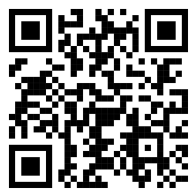
Anteprima del codice QR

QR code example generated via ME-QR API

Autenticazione e chiavi API

Utilizza una chiave API per autenticare le tue richieste.

Ottieni la tua chiave API

Lo trovi nella tua dashboard:

Dashboard Integrazioni chiavi API

Utilizzalo nella tua richiesta

Aggiungi la tua chiave API all'intestazione della richiesta:

Authorization: Bearer YOUR_API_KEY

Utilizzo, limiti e accesso

Tutto ciò che devi sapere sull'utilizzo, i limiti e l'accesso alle API.

Prezzi basati sull'utilizzo

Include fino a 10.000 codici QR al mese.

$0.005 / richiesta

Fino a 100.000 richieste

$0.0025 / richiesta

100k+ requests

Accesso API

Free

gratuito

3 chiavi API · Valide per 3 giorni

Premium

Premium

Chiavi API illimitate · Nessuna scadenza

Limiti API: ~1 richiesta/sec · 50 richieste/min (uguali per tutti i piani)

Contatta l'assistenza per abilitare funzionalità aggiuntive.

Parametri del codice QR

Definisci il contenuto, l'aspetto e l'output dei tuoi codici QR utilizzando i parametri disponibili.

Parametro Tipo Predefinita Descrizione
tokennecessario string token di accesso alla funzionalità API
qrType integer 1 Tipo di codice QR: 1=Link, 4=PDF, 5=Email, 7=VCard…
qrFieldsData object [] QR code content depending on the type (e.g. {"link": "https://…"})
title string "Qr Code" Titolo del codice QR visualizzato nella dashboard
format string "png" Formato di output: png, svg, jpg, jpeg, json
designType string "base" Tipo di design QR: base o grafica
qrFolderOptions object null Folder placement: {"folderName": "…", "subfolderName": "…"}
entryId integer null ID del codice QR esistente da aggiornare invece di crearne uno nuovo

Parametri di colore e forma

Definisci il contenuto, l'aspetto e l'output dei tuoi codici QR utilizzando i parametri disponibili.

Parametro Tipo Predefinita Descrizione
qrOptions
size integer 300 Dimensioni dell'immagine QR restituita in px
errorCorrectionLevel string "Q" Correzione degli errori: L, M, Q, H
pattern string "square" Stile a punti: quadrato, puntini, arrotondato, elegante, rombo, scintilla…
patternColor string "#000000" Color of QR dots
patternBackground string "#ffffff" Colore di sfondo del codice QR
cornetsOuter string "square" Stile dell'angolo esterno: quadrato, a pois, elegante, a ingranaggi, extra-arrotondato…
cornetsOuterColor string "#000000" Colore degli angoli esterni
cornetsInterior string "square" Stile dell'angolo interno: quadrato, punto, elegante, rombo, stella…
cornetsInteriorColor string "#000000" Colore degli angoli interni
logotype string null Logo centrale: enumerazione predefinita, URL o immagine base64
logotypeSize number 0.3 Coefficiente di dimensione del logo 0–1 (massimo consigliato 0,5)
logotypeMargin number 0 Margine del logo in px
logotypeHideBackground boolean true Nascondi i punti coperti dal logo
gradientPattern object null Sfumatura per i punti: {tipo, rotazione, colori[]}
gradientCornetsOuter object null Sfumatura per gli angoli esterni
gradientCornetsInterior object null Sfumatura per gli angoli interni
gradientBackground object null Sfumatura per lo sfondo
qrFrame
name string "noFrame" Design della cornice (oltre 200 opzioni o senza cornice)
color string "#000000" Colore della cornice
backgroundColor string "#ffffff" Colore di sfondo della cornice
text string "" Testo dell'etichetta della cornice (max 20 caratteri)
textSize integer null Dimensione del carattere in px (1–50)
textColor string "#9C3AAF" Colore del testo della cornice
textFont string "Roboto" Carattere: Arial, Roboto, Georgia, Verdana…

Esempi di richieste e risultati

Esplora esempi di richieste API e i codici QR che generano.

Codice QR di base

Richiesta di urto
https://me-qr.com/api/v2/qr/link/create

Metodo di richiesta
POST

Codice
curl -X POST https://me-qr.com/api/v2/qr/link/create \
  -H "Content-Type: application/json" \
  -H "X-AUTH-TOKEN: YOUR_API_TOKEN" \
  -d '{
    "qrFieldsData": {
      "link": "https://example.com"
    },
    "format": "png"
  }'

Anteprima del codice QR

Basic QR code generated via ME-QR API

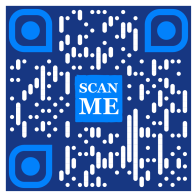
Codice QR con colori

Richiesta di urto
https://me-qr.com/api/v2/qr/link/create

Metodo di richiesta
POST

Codice
curl -X POST https://me-qr.com/api/v2/qr/link/create \
  -H "Content-Type: application/json" \
  -H "X-AUTH-TOKEN: YOUR_API_TOKEN" \
  -d '{
    "qrFieldsData": {
      "link": "https://example.com"
    },
    "format": "png",
    "qrOptions": {
      "patternColor": "#FFFFFF",
      "patternBackground": "#173782",
      "cornetsOuterColor": "#0281fb",
      "cornetsInteriorColor": "#0281fb"
    }
  }'

Anteprima del codice QR

Colored QR code generated via ME-QR API

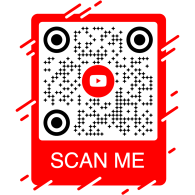
Codice QR con cornici

Richiesta di urto
https://me-qr.com/api/v2/qr/link/create

Metodo di richiesta
POST

Codice
curl -X POST https://me-qr.com/api/v2/qr/link/create \
  -H "Content-Type: application/json" \
  -H "X-AUTH-TOKEN: YOUR_API_TOKEN" \
  -d '{
    "qrFieldsData": {
      "link": "https://example.com"
    },
    "format": "png",
    "qrOptions": {
      "logotype": "youTubeLogotype",
      "logotypeSize": 0.3,
      "logotypeMargin": 5,
      "logotypeHideBackground": true
    },
    "qrFrame": {
      "name": "frame1",
      "color": "ff0000",
      "backgroundColor": "#ffffff",
      "text": "Scan me!",
      "textColor": "#FFFFFF"
    }
  }'

Anteprima del codice QR

QR code with frame generated via ME-QR API

API QR Code: API per la generazione di codici QR per diversi scopi.

API QR Code è un potente strumento progettato per la creazione in batch di codici QR e la loro perfetta integrazione nei processi aziendali, consentendo l'automazione tramite la tecnologia QR. Questa API si rivela fondamentale per semplificare le operazioni, migliorare l'efficienza e fornire una soluzione solida per le aziende che desiderano integrare i codici QR nei propri flussi di lavoro.

Un esempio significativo della funzionalità dell'API è dimostrato dall'endpoint /api/qr/create/, che consente di generare codici QR in modo programmatico:

Post /api/qr/create/ Crea codice QR per tipo

Consente di generare un codice QR utilizzando uno dei tipi disponibili su me-qr. Ogni richiesta genererà un nuovo codice QR.

Parametri

Nessun parametro

Corpo della richiesta
application/json
{
  "token": "string",
  "qrType": 1,
  "qrFieldsData": {
    "link": "https://example.com"
  },
  "entryId": null,
  "title": "Qr Code",
  "format": "png",
  "designType": "base",
  "qrFolderOptions": {
    "folderName": null,
    "subfolderName": null
  },
  "qrOptions": {
    "size": 300,
    "errorCorrectionLevel": "Q",
    "pattern": "square",
    "patternColor": "#000000",
    "patternBackground": "#ffffff",
    "cornetsOuter": "square",
    "cornetsOuterColor": "#000000",
    "cornetsInterior": "square",
    "cornetsInteriorColor": "#000000",
    "logotype": null,
    "logotypeSize": 0.3,
    "logotypeMargin": 0,
    "logotypeHideBackground": true,
    "gradientPattern": null,
    "gradientCornetsOuter": null,
    "gradientCornetsInterior": null,
    "gradientBackground": null
  },
  "qrFrame": {
    "name": "noFrame",
    "color": "#000000",
    "backgroundColor": "#ffffff",
    "text": "",
    "textSize": null,
    "textColor": "#9C3AAF",
    "textFont": "Roboto"
  }
}
Risposte
Codice Descrizione Collegamenti
default Nessun collegamento

Controllo completo dell'API del generatore di codici QR

L'API Me-QR Generator offre un controllo completo sulla generazione di codici QR, fornendoti una serie di funzionalità per personalizzare i codici QR in base alle tue esigenze specifiche:

Paesi API

Recupera un elenco dei paesi supportati per l'API dei codici QR personalizzati

Get /api/v2/countries/ Elenco dei paesi

Recupera l'elenco dei paesi disponibili.

Parametri
Nome Descrizione
country
string
(query)

Cerca per nome del paese.

Risposte
Codice Descrizione Collegamenti
200

Risposta positiva

application/json
[
  {
    "id": 0,
    "name": "string"
  }
]
Nessun collegamento

Questo endpoint consente di recuperare un elenco dei paesi disponibili, facilitando la localizzazione e la personalizzazione in base alle preferenze geografiche.

Città API

Consulta l'elenco delle città supportate per personalizzare i dettagli del codice QR.

Get /api/v2/cities/ Elenco delle città

Recupera l'elenco delle città disponibili.

Parametri
Nome Descrizione
country
string
(query)

Cerca per nome del paese.

Risposte
Codice Descrizione Collegamenti
200

Risposta positiva

application/json
[
  {
    "id": 0,
    "name": "string"
  }
]
Nessun collegamento

È possibile utilizzare questa funzione per selezionare città specifiche, aumentando la pertinenza dei codici QR per campagne geolocalizzate o per la diffusione di informazioni.

Fusi orari API

Ottieni un elenco dei fusi orari supportati per poter includere informazioni sensibili al tempo nei codici QR.

Get /api/v2/timezones/ Elenco dei fusi orari

Recupera l'elenco dei fusi orari disponibili.

Parametri
Nome Descrizione
timezone
string
(query)

Cerca per nome del fuso orario.

Risposte
Codice Descrizione Collegamenti
200

Risposta positiva

application/json
[
  {
    "id": 0,
    "name": "string"
  }
]
Nessun collegamento

Questa funzionalità consente di associare il contenuto del codice QR a dati specifici in base al tempo, garantendo pertinenza e tempestività.

Linguaggi API

Accedi all'elenco delle lingue supportate per la personalizzazione del testo e del contenuto dei codici QR.

Get /api/v2/languages/ Elenco delle lingue

Recupera l'elenco delle lingue disponibili.

Parametri
Nome Descrizione
language
string
(query)

Cerca per nome della lingua.

Risposte
Codice Descrizione Collegamenti
200

Risposta positiva

application/json
[
  {
    "id": 0,
    "name": "string"
  }
]
Nessun collegamento

È possibile utilizzare questa funzionalità per soddisfare diverse preferenze linguistiche, rendendo i codici QR più accessibili e facili da usare in contesti multilingue.

La flessibilità offerta da queste funzionalità consente di creare un'API per codici QR dinamica e personalizzata per specifiche regioni, città, fusi orari e lingue, migliorando così l'efficacia delle strategie di comunicazione e interazione basate sui codici QR.

Tipi di API del generatore di codici QR

La nostra API per la generazione di codici QR offre una vasta gamma di tipologie, adatte a diverse esigenze e funzionalità. Esploriamo alcune di queste tipologie nel dettaglio.

API di pagamento tramite codice QR

L'API gratuita per i codici QR si rivela preziosa nel settore dei pagamenti grazie alla sua natura semplice ed efficiente. Semplifica le transazioni, migliora la sicurezza e velocizza il pagamento mensile tramite QR Code. Ecco un semplice esempio di codice che ne dimostra l'utilizzo:

Post /api/v2/qr/payment/create API di pagamento tramite codice QR
API di pagamento tramite codice QR

L'API gratuita per i codici QR si rivela preziosa nel settore dei pagamenti, consentendo ad aziende e privati ​​di semplificare le transazioni. Incorporando un URL di pagamento in un codice QR, i clienti possono scansionarlo rapidamente con i propri smartphone e completare le transazioni senza intoppi.

Corpo della richiesta application/json
{
  "qrFieldsData": {
    "link"*: "https://example.com/pay"
  }
}
Campo Tipo Necessario Descrizione
link string($hostname) required URL della pagina di pagamento

Genera codici QR tramite API e rivoluziona i tuoi processi di pagamento con noi, trasformando le transazioni in esperienze fluide ed efficienti.

Genera codici QR tramite API e rivoluziona i tuoi processi di pagamento con noi. Integra transazioni sicure ed efficienti nelle tue applicazioni in modo semplice e immediato.

API del codice QR di PayPal

Un esempio lampante di API per pagamenti tramite codice QR è il codice QR di PayPal. Riconosciuto come leader nei pagamenti online, l'integrazione dell'API di PayPal semplifica e rende sicure le transazioni. Ecco un semplice esempio della sua implementazione:

Post /api/v2/qr/paypal/create Codice QR API di PayPal
Codice QR API di PayPal

L'API PayPal QR Code consente l'integrazione perfetta dei link di pagamento PayPal nei codici QR. Gli utenti possono scansionare il codice QR per essere reindirizzati istantaneamente a una pagina di pagamento PayPal, rendendo le transazioni rapide e convenienti sia per le aziende che per i clienti.

Corpo della richiesta application/json
{
  "qrFieldsData": {
    "link"*: "https://paypal.me/username"
  }
}
Campo Tipo Necessario Descrizione
link string($hostname) required PayPal.me o URL di pagamento

Sfrutta l'API del codice QR di PayPal per semplificare e velocizzare il flusso di pagamento, offrendo ai tuoi utenti un'esperienza di checkout moderna.

Migliora la tua esperienza di pagamento online con l'API per codici QR PayPal di Me-QR. Integra facilmente transazioni PayPal sicure ed efficienti nelle tue applicazioni.

Come generare un codice QR di WhatsApp tramite API

Il codice QR dell'API di WhatsApp occupa una posizione di rilievo tra le API di messaggistica basate su QR. Sfruttare questa API facilita un'interazione fluida consentendo un accesso rapido a WhatsApp, rendendola leader nel settore delle funzionalità QR per le app di messaggistica. Ecco un esempio:

Post /api/v2/qr/whatsapp/create API di WhatsApp per il codice QR
API di WhatsApp per il codice QR

L'API per i codici QR di WhatsApp consente di generare codici QR che aprono una conversazione WhatsApp con un messaggio precompilato. Basta fornire un numero di telefono e un messaggio facoltativo: ideale per l'assistenza clienti, le campagne di marketing e l'interazione immediata.

Corpo della richiesta application/json
{
  "qrFieldsData": {
    "phone"*: "+1234567890",
    "message"*: "Hello!"
  }
}
Campo Tipo Necessario Descrizione
phone string required Numero di telefono del destinatario in formato internazionale
message string required Testo del messaggio precompilato

Integra l'API del codice QR di WhatsApp per avviare conversazioni dirette e aumentare il coinvolgimento con una singola scansione.

Connettiti con il tuo pubblico senza interruzioni tramite il Codice QR di WhatsApp. Abilita l'accesso rapido alle conversazioni con una semplice scansione, migliorando la tua esperienza di messaggistica.

Scopri altri tipi di API QR con Me-QR

QR code API free offre una suite completa di tipi di generatori di codici QR per soddisfare diverse esigenze. Scopri i tipi di API QR supportati e gli esempi di codice per ciascuno:

Instagram

Connettiti ai profili Instagram utilizzando i codici QR.

Post /api/v2/qr/instagram/create

Genera un codice QR che rimanda direttamente a un profilo o a un post di Instagram.

Corpo della richiesta application/json
{
  "qrFieldsData": {
    "link": "https://www.instagram.com/username"
  },
  "title": "Qr Code",
                        "format": "png",
                        "designType": "base",
                        "qrFolderOptions": {
                        "folderName": null,
                        "subfolderName": null
                        },
                        "qrOptions": {
                        "size": 300,
                        "errorCorrectionLevel": "Q",
                        "pattern": "square",
                        "patternColor": "#000000",
                        "patternBackground": "#ffffff",
                        "cornetsOuter": "square",
                        "cornetsOuterColor": "#000000",
                        "cornetsInterior": "square",
                        "cornetsInteriorColor": "#000000",
                        "logotype": null,
                        "logotypeSize": 0.3,
                        "logotypeMargin": 0,
                        "logotypeHideBackground": true,
                        "gradientPattern": null,
                        "gradientCornetsOuter": null,
                        "gradientCornetsInterior": null,
                        "gradientBackground": null
                        },
                        "qrFrame": {
                        "name": "noFrame",
                        "color": "#000000",
                        "backgroundColor": "#ffffff",
                        "text": "",
                        "textSize": null,
                        "textColor": "#9C3AAF",
                        "textFont": "Roboto"
                        }
                        }
Put /api/v2/qr/instagram/update/{entryUID}

Modifica dei dati e dei parametri di stile del codice QR.

Parametri

entryUIDpath  ID o chiave di accesso univoca (codice QR)

Corpo della richiesta application/json
{
  "qrFieldsData": {
    "link": "https://www.instagram.com/username"
  },
  "title": "Qr Code",
                        "format": "png",
                        "designType": "base",
                        "qrFolderOptions": {
                        "folderName": null,
                        "subfolderName": null
                        },
                        "qrOptions": {
                        "size": 300,
                        "errorCorrectionLevel": "Q",
                        "pattern": "square",
                        "patternColor": "#000000",
                        "patternBackground": "#ffffff",
                        "cornetsOuter": "square",
                        "cornetsOuterColor": "#000000",
                        "cornetsInterior": "square",
                        "cornetsInteriorColor": "#000000",
                        "logotype": null,
                        "logotypeSize": 0.3,
                        "logotypeMargin": 0,
                        "logotypeHideBackground": true,
                        "gradientPattern": null,
                        "gradientCornetsOuter": null,
                        "gradientCornetsInterior": null,
                        "gradientBackground": null
                        },
                        "qrFrame": {
                        "name": "noFrame",
                        "color": "#000000",
                        "backgroundColor": "#ffffff",
                        "text": "",
                        "textSize": null,
                        "textColor": "#9C3AAF",
                        "textFont": "Roboto"
                        }
                        }
Get /api/v2/qr/instagram/{entryUID}

Visualizza i dati e le impostazioni di personalizzazione o l'immagine stessa del codice QR generato.

Parametri

entryUID path  ID o chiave di accesso univoca (codice QR)

format query  Formato immagine. Valori disponibili: png, svg, jpg, jpeg, json. Valore predefinito: null

Risposta 200 application/json
{
  "qrFieldsData": {
    "link": "https://www.instagram.com/username"
  },
  "title": "Qr Code",
                        "format": "png",
                        "designType": "base",
                        "qrFolderOptions": {
                        "folderName": null,
                        "subfolderName": null
                        },
                        "qrOptions": {
                        "size": 300,
                        "errorCorrectionLevel": "Q",
                        "pattern": "square",
                        "patternColor": "#000000",
                        "patternBackground": "#ffffff",
                        "cornetsOuter": "square",
                        "cornetsOuterColor": "#000000",
                        "cornetsInterior": "square",
                        "cornetsInteriorColor": "#000000",
                        "logotype": null,
                        "logotypeSize": 0.3,
                        "logotypeMargin": 0,
                        "logotypeHideBackground": true,
                        "gradientPattern": null,
                        "gradientCornetsOuter": null,
                        "gradientCornetsInterior": null,
                        "gradientBackground": null
                        },
                        "qrFrame": {
                        "name": "noFrame",
                        "color": "#000000",
                        "backgroundColor": "#ffffff",
                        "text": "",
                        "textSize": null,
                        "textColor": "#9C3AAF",
                        "textFont": "Roboto"
                        }
                        }

Facebook

Collegamento a profili o pagine Facebook tramite API REST di generazione di codici QR.

Post /api/v2/qr/facebook/create

Genera un codice QR che rimanda a una pagina, un gruppo o un profilo Facebook.

Corpo della richiesta application/json
{
  "qrFieldsData": {
    "link": "https://www.facebook.com/pagename"
  },
  "title": "Qr Code",
                        "format": "png",
                        "designType": "base",
                        "qrFolderOptions": {
                        "folderName": null,
                        "subfolderName": null
                        },
                        "qrOptions": {
                        "size": 300,
                        "errorCorrectionLevel": "Q",
                        "pattern": "square",
                        "patternColor": "#000000",
                        "patternBackground": "#ffffff",
                        "cornetsOuter": "square",
                        "cornetsOuterColor": "#000000",
                        "cornetsInterior": "square",
                        "cornetsInteriorColor": "#000000",
                        "logotype": null,
                        "logotypeSize": 0.3,
                        "logotypeMargin": 0,
                        "logotypeHideBackground": true,
                        "gradientPattern": null,
                        "gradientCornetsOuter": null,
                        "gradientCornetsInterior": null,
                        "gradientBackground": null
                        },
                        "qrFrame": {
                        "name": "noFrame",
                        "color": "#000000",
                        "backgroundColor": "#ffffff",
                        "text": "",
                        "textSize": null,
                        "textColor": "#9C3AAF",
                        "textFont": "Roboto"
                        }
                        }
Put /api/v2/qr/facebook/update/{entryUID}

Modifica dei dati e dei parametri di stile del codice QR.

Parametri

entryUIDpath  ID o chiave di accesso univoca (codice QR)

Corpo della richiesta application/json
{
  "qrFieldsData": {
    "link": "https://www.facebook.com/pagename"
  },
  "title": "Qr Code",
                        "format": "png",
                        "designType": "base",
                        "qrFolderOptions": {
                        "folderName": null,
                        "subfolderName": null
                        },
                        "qrOptions": {
                        "size": 300,
                        "errorCorrectionLevel": "Q",
                        "pattern": "square",
                        "patternColor": "#000000",
                        "patternBackground": "#ffffff",
                        "cornetsOuter": "square",
                        "cornetsOuterColor": "#000000",
                        "cornetsInterior": "square",
                        "cornetsInteriorColor": "#000000",
                        "logotype": null,
                        "logotypeSize": 0.3,
                        "logotypeMargin": 0,
                        "logotypeHideBackground": true,
                        "gradientPattern": null,
                        "gradientCornetsOuter": null,
                        "gradientCornetsInterior": null,
                        "gradientBackground": null
                        },
                        "qrFrame": {
                        "name": "noFrame",
                        "color": "#000000",
                        "backgroundColor": "#ffffff",
                        "text": "",
                        "textSize": null,
                        "textColor": "#9C3AAF",
                        "textFont": "Roboto"
                        }
                        }
Get /api/v2/qr/facebook/{entryUID}

Visualizza i dati e le impostazioni di personalizzazione o l'immagine stessa del codice QR generato.

Parametri

entryUID path  ID o chiave di accesso univoca (codice QR)

format query  Formato immagine. Valori disponibili: png, svg, jpg, jpeg, json. Valore predefinito: null

Risposta 200 application/json
{
  "qrFieldsData": {
    "link": "https://www.facebook.com/pagename"
  },
  "title": "Qr Code",
                        "format": "png",
                        "designType": "base",
                        "qrFolderOptions": {
                        "folderName": null,
                        "subfolderName": null
                        },
                        "qrOptions": {
                        "size": 300,
                        "errorCorrectionLevel": "Q",
                        "pattern": "square",
                        "patternColor": "#000000",
                        "patternBackground": "#ffffff",
                        "cornetsOuter": "square",
                        "cornetsOuterColor": "#000000",
                        "cornetsInterior": "square",
                        "cornetsInteriorColor": "#000000",
                        "logotype": null,
                        "logotypeSize": 0.3,
                        "logotypeMargin": 0,
                        "logotypeHideBackground": true,
                        "gradientPattern": null,
                        "gradientCornetsOuter": null,
                        "gradientCornetsInterior": null,
                        "gradientBackground": null
                        },
                        "qrFrame": {
                        "name": "noFrame",
                        "color": "#000000",
                        "backgroundColor": "#ffffff",
                        "text": "",
                        "textSize": null,
                        "textColor": "#9C3AAF",
                        "textFont": "Roboto"
                        }
                        }

Twitter

Accedi ai profili o ai tweet di Twitter tramite codici QR.

Post /api/v2/qr/twitter/create

Crea un codice QR che indirizzi gli utenti a un profilo Twitter/X o a un tweet.

Corpo della richiesta application/json
{
  "qrFieldsData": {
    "link": "https://twitter.com/username"
  },
  "title": "Qr Code",
                        "format": "png",
                        "designType": "base",
                        "qrFolderOptions": {
                        "folderName": null,
                        "subfolderName": null
                        },
                        "qrOptions": {
                        "size": 300,
                        "errorCorrectionLevel": "Q",
                        "pattern": "square",
                        "patternColor": "#000000",
                        "patternBackground": "#ffffff",
                        "cornetsOuter": "square",
                        "cornetsOuterColor": "#000000",
                        "cornetsInterior": "square",
                        "cornetsInteriorColor": "#000000",
                        "logotype": null,
                        "logotypeSize": 0.3,
                        "logotypeMargin": 0,
                        "logotypeHideBackground": true,
                        "gradientPattern": null,
                        "gradientCornetsOuter": null,
                        "gradientCornetsInterior": null,
                        "gradientBackground": null
                        },
                        "qrFrame": {
                        "name": "noFrame",
                        "color": "#000000",
                        "backgroundColor": "#ffffff",
                        "text": "",
                        "textSize": null,
                        "textColor": "#9C3AAF",
                        "textFont": "Roboto"
                        }
                        }
Put /api/v2/qr/twitter/update/{entryUID}

Modifica dei dati e dei parametri di stile del codice QR.

Parametri

entryUIDpath  ID o chiave di accesso univoca (codice QR)

Corpo della richiesta application/json
{
  "qrFieldsData": {
    "link": "https://twitter.com/username"
  },
  "title": "Qr Code",
                        "format": "png",
                        "designType": "base",
                        "qrFolderOptions": {
                        "folderName": null,
                        "subfolderName": null
                        },
                        "qrOptions": {
                        "size": 300,
                        "errorCorrectionLevel": "Q",
                        "pattern": "square",
                        "patternColor": "#000000",
                        "patternBackground": "#ffffff",
                        "cornetsOuter": "square",
                        "cornetsOuterColor": "#000000",
                        "cornetsInterior": "square",
                        "cornetsInteriorColor": "#000000",
                        "logotype": null,
                        "logotypeSize": 0.3,
                        "logotypeMargin": 0,
                        "logotypeHideBackground": true,
                        "gradientPattern": null,
                        "gradientCornetsOuter": null,
                        "gradientCornetsInterior": null,
                        "gradientBackground": null
                        },
                        "qrFrame": {
                        "name": "noFrame",
                        "color": "#000000",
                        "backgroundColor": "#ffffff",
                        "text": "",
                        "textSize": null,
                        "textColor": "#9C3AAF",
                        "textFont": "Roboto"
                        }
                        }
Get /api/v2/qr/twitter/{entryUID}

Visualizza i dati e le impostazioni di personalizzazione o l'immagine stessa del codice QR generato.

Parametri

entryUID path  ID o chiave di accesso univoca (codice QR)

format query  Formato immagine. Valori disponibili: png, svg, jpg, jpeg, json. Valore predefinito: null

Risposta 200 application/json
{
  "qrFieldsData": {
    "link": "https://twitter.com/username"
  },
  "title": "Qr Code",
                        "format": "png",
                        "designType": "base",
                        "qrFolderOptions": {
                        "folderName": null,
                        "subfolderName": null
                        },
                        "qrOptions": {
                        "size": 300,
                        "errorCorrectionLevel": "Q",
                        "pattern": "square",
                        "patternColor": "#000000",
                        "patternBackground": "#ffffff",
                        "cornetsOuter": "square",
                        "cornetsOuterColor": "#000000",
                        "cornetsInterior": "square",
                        "cornetsInteriorColor": "#000000",
                        "logotype": null,
                        "logotypeSize": 0.3,
                        "logotypeMargin": 0,
                        "logotypeHideBackground": true,
                        "gradientPattern": null,
                        "gradientCornetsOuter": null,
                        "gradientCornetsInterior": null,
                        "gradientBackground": null
                        },
                        "qrFrame": {
                        "name": "noFrame",
                        "color": "#000000",
                        "backgroundColor": "#ffffff",
                        "text": "",
                        "textSize": null,
                        "textColor": "#9C3AAF",
                        "textFont": "Roboto"
                        }
                        }

TikTok

Scopri i profili TikTok utilizzando i codici QR.

Post /api/v2/qr/tiktok/create

Genera un codice QR che rimanda a un profilo o a un video di TikTok.

Corpo della richiesta application/json
{
  "qrFieldsData": {
    "link": "https://www.tiktok.com/@username"
  },
  "title": "Qr Code",
                        "format": "png",
                        "designType": "base",
                        "qrFolderOptions": {
                        "folderName": null,
                        "subfolderName": null
                        },
                        "qrOptions": {
                        "size": 300,
                        "errorCorrectionLevel": "Q",
                        "pattern": "square",
                        "patternColor": "#000000",
                        "patternBackground": "#ffffff",
                        "cornetsOuter": "square",
                        "cornetsOuterColor": "#000000",
                        "cornetsInterior": "square",
                        "cornetsInteriorColor": "#000000",
                        "logotype": null,
                        "logotypeSize": 0.3,
                        "logotypeMargin": 0,
                        "logotypeHideBackground": true,
                        "gradientPattern": null,
                        "gradientCornetsOuter": null,
                        "gradientCornetsInterior": null,
                        "gradientBackground": null
                        },
                        "qrFrame": {
                        "name": "noFrame",
                        "color": "#000000",
                        "backgroundColor": "#ffffff",
                        "text": "",
                        "textSize": null,
                        "textColor": "#9C3AAF",
                        "textFont": "Roboto"
                        }
                        }
Put /api/v2/qr/tiktok/update/{entryUID}

Modifica dei dati e dei parametri di stile del codice QR.

Parametri

entryUIDpath  ID o chiave di accesso univoca (codice QR)

Corpo della richiesta application/json
{
  "qrFieldsData": {
    "link": "https://www.tiktok.com/@username"
  },
  "title": "Qr Code",
                        "format": "png",
                        "designType": "base",
                        "qrFolderOptions": {
                        "folderName": null,
                        "subfolderName": null
                        },
                        "qrOptions": {
                        "size": 300,
                        "errorCorrectionLevel": "Q",
                        "pattern": "square",
                        "patternColor": "#000000",
                        "patternBackground": "#ffffff",
                        "cornetsOuter": "square",
                        "cornetsOuterColor": "#000000",
                        "cornetsInterior": "square",
                        "cornetsInteriorColor": "#000000",
                        "logotype": null,
                        "logotypeSize": 0.3,
                        "logotypeMargin": 0,
                        "logotypeHideBackground": true,
                        "gradientPattern": null,
                        "gradientCornetsOuter": null,
                        "gradientCornetsInterior": null,
                        "gradientBackground": null
                        },
                        "qrFrame": {
                        "name": "noFrame",
                        "color": "#000000",
                        "backgroundColor": "#ffffff",
                        "text": "",
                        "textSize": null,
                        "textColor": "#9C3AAF",
                        "textFont": "Roboto"
                        }
                        }
Get /api/v2/qr/tiktok/{entryUID}

Visualizza i dati e le impostazioni di personalizzazione o l'immagine stessa del codice QR generato.

Parametri

entryUID path  ID o chiave di accesso univoca (codice QR)

format query  Formato immagine. Valori disponibili: png, svg, jpg, jpeg, json. Valore predefinito: null

Risposta 200 application/json
{
  "qrFieldsData": {
    "link": "https://www.tiktok.com/@username"
  },
  "title": "Qr Code",
                        "format": "png",
                        "designType": "base",
                        "qrFolderOptions": {
                        "folderName": null,
                        "subfolderName": null
                        },
                        "qrOptions": {
                        "size": 300,
                        "errorCorrectionLevel": "Q",
                        "pattern": "square",
                        "patternColor": "#000000",
                        "patternBackground": "#ffffff",
                        "cornetsOuter": "square",
                        "cornetsOuterColor": "#000000",
                        "cornetsInterior": "square",
                        "cornetsInteriorColor": "#000000",
                        "logotype": null,
                        "logotypeSize": 0.3,
                        "logotypeMargin": 0,
                        "logotypeHideBackground": true,
                        "gradientPattern": null,
                        "gradientCornetsOuter": null,
                        "gradientCornetsInterior": null,
                        "gradientBackground": null
                        },
                        "qrFrame": {
                        "name": "noFrame",
                        "color": "#000000",
                        "backgroundColor": "#ffffff",
                        "text": "",
                        "textSize": null,
                        "textColor": "#9C3AAF",
                        "textFont": "Roboto"
                        }
                        }

Snapchat

Connettiti con i profili tramite Snapchat QR.

Post /api/v2/qr/snapchat/create

Genera un codice QR che rimanda direttamente a un profilo Snapchat.

Corpo della richiesta application/json
{
  "qrFieldsData": {
    "link": "https://www.snapchat.com/add/username"
  },
  "title": "Qr Code",
                        "format": "png",
                        "designType": "base",
                        "qrFolderOptions": {
                        "folderName": null,
                        "subfolderName": null
                        },
                        "qrOptions": {
                        "size": 300,
                        "errorCorrectionLevel": "Q",
                        "pattern": "square",
                        "patternColor": "#000000",
                        "patternBackground": "#ffffff",
                        "cornetsOuter": "square",
                        "cornetsOuterColor": "#000000",
                        "cornetsInterior": "square",
                        "cornetsInteriorColor": "#000000",
                        "logotype": null,
                        "logotypeSize": 0.3,
                        "logotypeMargin": 0,
                        "logotypeHideBackground": true,
                        "gradientPattern": null,
                        "gradientCornetsOuter": null,
                        "gradientCornetsInterior": null,
                        "gradientBackground": null
                        },
                        "qrFrame": {
                        "name": "noFrame",
                        "color": "#000000",
                        "backgroundColor": "#ffffff",
                        "text": "",
                        "textSize": null,
                        "textColor": "#9C3AAF",
                        "textFont": "Roboto"
                        }
                        }
Put /api/v2/qr/snapchat/update/{entryUID}

Modifica dei dati e dei parametri di stile del codice QR.

Parametri

entryUIDpath  ID o chiave di accesso univoca (codice QR)

Corpo della richiesta application/json
{
  "qrFieldsData": {
    "link": "https://www.snapchat.com/add/username"
  },
  "title": "Qr Code",
                        "format": "png",
                        "designType": "base",
                        "qrFolderOptions": {
                        "folderName": null,
                        "subfolderName": null
                        },
                        "qrOptions": {
                        "size": 300,
                        "errorCorrectionLevel": "Q",
                        "pattern": "square",
                        "patternColor": "#000000",
                        "patternBackground": "#ffffff",
                        "cornetsOuter": "square",
                        "cornetsOuterColor": "#000000",
                        "cornetsInterior": "square",
                        "cornetsInteriorColor": "#000000",
                        "logotype": null,
                        "logotypeSize": 0.3,
                        "logotypeMargin": 0,
                        "logotypeHideBackground": true,
                        "gradientPattern": null,
                        "gradientCornetsOuter": null,
                        "gradientCornetsInterior": null,
                        "gradientBackground": null
                        },
                        "qrFrame": {
                        "name": "noFrame",
                        "color": "#000000",
                        "backgroundColor": "#ffffff",
                        "text": "",
                        "textSize": null,
                        "textColor": "#9C3AAF",
                        "textFont": "Roboto"
                        }
                        }
Get /api/v2/qr/snapchat/{entryUID}

Visualizza i dati e le impostazioni di personalizzazione o l'immagine stessa del codice QR generato.

Parametri

entryUID path  ID o chiave di accesso univoca (codice QR)

format query  Formato immagine. Valori disponibili: png, svg, jpg, jpeg, json. Valore predefinito: null

Risposta 200 application/json
{
  "qrFieldsData": {
    "link": "https://www.snapchat.com/add/username"
  },
  "title": "Qr Code",
                        "format": "png",
                        "designType": "base",
                        "qrFolderOptions": {
                        "folderName": null,
                        "subfolderName": null
                        },
                        "qrOptions": {
                        "size": 300,
                        "errorCorrectionLevel": "Q",
                        "pattern": "square",
                        "patternColor": "#000000",
                        "patternBackground": "#ffffff",
                        "cornetsOuter": "square",
                        "cornetsOuterColor": "#000000",
                        "cornetsInterior": "square",
                        "cornetsInteriorColor": "#000000",
                        "logotype": null,
                        "logotypeSize": 0.3,
                        "logotypeMargin": 0,
                        "logotypeHideBackground": true,
                        "gradientPattern": null,
                        "gradientCornetsOuter": null,
                        "gradientCornetsInterior": null,
                        "gradientBackground": null
                        },
                        "qrFrame": {
                        "name": "noFrame",
                        "color": "#000000",
                        "backgroundColor": "#ffffff",
                        "text": "",
                        "textSize": null,
                        "textColor": "#9C3AAF",
                        "textFont": "Roboto"
                        }
                        }

Telegram

Interagisci con canali o gruppi Telegram utilizzando i codici QR.

Post /api/v2/qr/telegram/create

Crea un codice QR che rimandi a un canale Telegram, a un bot o a un contatto.

Corpo della richiesta application/json
{
  "qrFieldsData": {
    "link": "https://t.me/username"
  },
  "title": "Qr Code",
                        "format": "png",
                        "designType": "base",
                        "qrFolderOptions": {
                        "folderName": null,
                        "subfolderName": null
                        },
                        "qrOptions": {
                        "size": 300,
                        "errorCorrectionLevel": "Q",
                        "pattern": "square",
                        "patternColor": "#000000",
                        "patternBackground": "#ffffff",
                        "cornetsOuter": "square",
                        "cornetsOuterColor": "#000000",
                        "cornetsInterior": "square",
                        "cornetsInteriorColor": "#000000",
                        "logotype": null,
                        "logotypeSize": 0.3,
                        "logotypeMargin": 0,
                        "logotypeHideBackground": true,
                        "gradientPattern": null,
                        "gradientCornetsOuter": null,
                        "gradientCornetsInterior": null,
                        "gradientBackground": null
                        },
                        "qrFrame": {
                        "name": "noFrame",
                        "color": "#000000",
                        "backgroundColor": "#ffffff",
                        "text": "",
                        "textSize": null,
                        "textColor": "#9C3AAF",
                        "textFont": "Roboto"
                        }
                        }
Put /api/v2/qr/telegram/update/{entryUID}

Modifica dei dati e dei parametri di stile del codice QR.

Parametri

entryUIDpath  ID o chiave di accesso univoca (codice QR)

Corpo della richiesta application/json
{
  "qrFieldsData": {
    "link": "https://t.me/username"
  },
  "title": "Qr Code",
                        "format": "png",
                        "designType": "base",
                        "qrFolderOptions": {
                        "folderName": null,
                        "subfolderName": null
                        },
                        "qrOptions": {
                        "size": 300,
                        "errorCorrectionLevel": "Q",
                        "pattern": "square",
                        "patternColor": "#000000",
                        "patternBackground": "#ffffff",
                        "cornetsOuter": "square",
                        "cornetsOuterColor": "#000000",
                        "cornetsInterior": "square",
                        "cornetsInteriorColor": "#000000",
                        "logotype": null,
                        "logotypeSize": 0.3,
                        "logotypeMargin": 0,
                        "logotypeHideBackground": true,
                        "gradientPattern": null,
                        "gradientCornetsOuter": null,
                        "gradientCornetsInterior": null,
                        "gradientBackground": null
                        },
                        "qrFrame": {
                        "name": "noFrame",
                        "color": "#000000",
                        "backgroundColor": "#ffffff",
                        "text": "",
                        "textSize": null,
                        "textColor": "#9C3AAF",
                        "textFont": "Roboto"
                        }
                        }
Get /api/v2/qr/telegram/{entryUID}

Visualizza i dati e le impostazioni di personalizzazione o l'immagine stessa del codice QR generato.

Parametri

entryUID path  ID o chiave di accesso univoca (codice QR)

format query  Formato immagine. Valori disponibili: png, svg, jpg, jpeg, json. Valore predefinito: null

Risposta 200 application/json
{
  "qrFieldsData": {
    "link": "https://t.me/username"
  },
  "title": "Qr Code",
                        "format": "png",
                        "designType": "base",
                        "qrFolderOptions": {
                        "folderName": null,
                        "subfolderName": null
                        },
                        "qrOptions": {
                        "size": 300,
                        "errorCorrectionLevel": "Q",
                        "pattern": "square",
                        "patternColor": "#000000",
                        "patternBackground": "#ffffff",
                        "cornetsOuter": "square",
                        "cornetsOuterColor": "#000000",
                        "cornetsInterior": "square",
                        "cornetsInteriorColor": "#000000",
                        "logotype": null,
                        "logotypeSize": 0.3,
                        "logotypeMargin": 0,
                        "logotypeHideBackground": true,
                        "gradientPattern": null,
                        "gradientCornetsOuter": null,
                        "gradientCornetsInterior": null,
                        "gradientBackground": null
                        },
                        "qrFrame": {
                        "name": "noFrame",
                        "color": "#000000",
                        "backgroundColor": "#ffffff",
                        "text": "",
                        "textSize": null,
                        "textColor": "#9C3AAF",
                        "textFont": "Roboto"
                        }
                        }

Spotify

Accedi a brani, album o artisti specifici su Spotify tramite codici QR.

Post /api/v2/qr/spotify/create

Genera un codice QR che apre la pagina di un brano, un album o un artista su Spotify.

Corpo della richiesta application/json
{
  "qrFieldsData": {
    "link": "https://open.spotify.com/track/..."
  },
  "title": "Qr Code",
                        "format": "png",
                        "designType": "base",
                        "qrFolderOptions": {
                        "folderName": null,
                        "subfolderName": null
                        },
                        "qrOptions": {
                        "size": 300,
                        "errorCorrectionLevel": "Q",
                        "pattern": "square",
                        "patternColor": "#000000",
                        "patternBackground": "#ffffff",
                        "cornetsOuter": "square",
                        "cornetsOuterColor": "#000000",
                        "cornetsInterior": "square",
                        "cornetsInteriorColor": "#000000",
                        "logotype": null,
                        "logotypeSize": 0.3,
                        "logotypeMargin": 0,
                        "logotypeHideBackground": true,
                        "gradientPattern": null,
                        "gradientCornetsOuter": null,
                        "gradientCornetsInterior": null,
                        "gradientBackground": null
                        },
                        "qrFrame": {
                        "name": "noFrame",
                        "color": "#000000",
                        "backgroundColor": "#ffffff",
                        "text": "",
                        "textSize": null,
                        "textColor": "#9C3AAF",
                        "textFont": "Roboto"
                        }
                        }
Put /api/v2/qr/spotify/update/{entryUID}

Modifica dei dati e dei parametri di stile del codice QR.

Parametri

entryUIDpath  ID o chiave di accesso univoca (codice QR)

Corpo della richiesta application/json
{
  "qrFieldsData": {
    "link": "https://open.spotify.com/track/..."
  },
  "title": "Qr Code",
                        "format": "png",
                        "designType": "base",
                        "qrFolderOptions": {
                        "folderName": null,
                        "subfolderName": null
                        },
                        "qrOptions": {
                        "size": 300,
                        "errorCorrectionLevel": "Q",
                        "pattern": "square",
                        "patternColor": "#000000",
                        "patternBackground": "#ffffff",
                        "cornetsOuter": "square",
                        "cornetsOuterColor": "#000000",
                        "cornetsInterior": "square",
                        "cornetsInteriorColor": "#000000",
                        "logotype": null,
                        "logotypeSize": 0.3,
                        "logotypeMargin": 0,
                        "logotypeHideBackground": true,
                        "gradientPattern": null,
                        "gradientCornetsOuter": null,
                        "gradientCornetsInterior": null,
                        "gradientBackground": null
                        },
                        "qrFrame": {
                        "name": "noFrame",
                        "color": "#000000",
                        "backgroundColor": "#ffffff",
                        "text": "",
                        "textSize": null,
                        "textColor": "#9C3AAF",
                        "textFont": "Roboto"
                        }
                        }
Get /api/v2/qr/spotify/{entryUID}

Visualizza i dati e le impostazioni di personalizzazione o l'immagine stessa del codice QR generato.

Parametri

entryUID path  ID o chiave di accesso univoca (codice QR)

format query  Formato immagine. Valori disponibili: png, svg, jpg, jpeg, json. Valore predefinito: null

Risposta 200 application/json
{
  "qrFieldsData": {
    "link": "https://open.spotify.com/track/..."
  },
  "title": "Qr Code",
                        "format": "png",
                        "designType": "base",
                        "qrFolderOptions": {
                        "folderName": null,
                        "subfolderName": null
                        },
                        "qrOptions": {
                        "size": 300,
                        "errorCorrectionLevel": "Q",
                        "pattern": "square",
                        "patternColor": "#000000",
                        "patternBackground": "#ffffff",
                        "cornetsOuter": "square",
                        "cornetsOuterColor": "#000000",
                        "cornetsInterior": "square",
                        "cornetsInteriorColor": "#000000",
                        "logotype": null,
                        "logotypeSize": 0.3,
                        "logotypeMargin": 0,
                        "logotypeHideBackground": true,
                        "gradientPattern": null,
                        "gradientCornetsOuter": null,
                        "gradientCornetsInterior": null,
                        "gradientBackground": null
                        },
                        "qrFrame": {
                        "name": "noFrame",
                        "color": "#000000",
                        "backgroundColor": "#ffffff",
                        "text": "",
                        "textSize": null,
                        "textColor": "#9C3AAF",
                        "textFont": "Roboto"
                        }
                        }

Youtube

Guarda canali o video su YouTube utilizzando i codici QR.

Post /api/v2/qr/youtube/create

Crea un codice QR che rimandi a un canale YouTube o a un video.

Corpo della richiesta application/json
{
  "qrFieldsData": {
    "link": "https://www.youtube.com/watch?v=dQw4w9WgXcQ"
  },
  "title": "Qr Code",
                        "format": "png",
                        "designType": "base",
                        "qrFolderOptions": {
                        "folderName": null,
                        "subfolderName": null
                        },
                        "qrOptions": {
                        "size": 300,
                        "errorCorrectionLevel": "Q",
                        "pattern": "square",
                        "patternColor": "#000000",
                        "patternBackground": "#ffffff",
                        "cornetsOuter": "square",
                        "cornetsOuterColor": "#000000",
                        "cornetsInterior": "square",
                        "cornetsInteriorColor": "#000000",
                        "logotype": null,
                        "logotypeSize": 0.3,
                        "logotypeMargin": 0,
                        "logotypeHideBackground": true,
                        "gradientPattern": null,
                        "gradientCornetsOuter": null,
                        "gradientCornetsInterior": null,
                        "gradientBackground": null
                        },
                        "qrFrame": {
                        "name": "noFrame",
                        "color": "#000000",
                        "backgroundColor": "#ffffff",
                        "text": "",
                        "textSize": null,
                        "textColor": "#9C3AAF",
                        "textFont": "Roboto"
                        }
                        }
Put /api/v2/qr/youtube/update/{entryUID}

Modifica dei dati e dei parametri di stile del codice QR.

Parametri

entryUIDpath  ID o chiave di accesso univoca (codice QR)

Corpo della richiesta application/json
{
  "qrFieldsData": {
    "link": "https://www.youtube.com/watch?v=dQw4w9WgXcQ"
  },
  "title": "Qr Code",
                        "format": "png",
                        "designType": "base",
                        "qrFolderOptions": {
                        "folderName": null,
                        "subfolderName": null
                        },
                        "qrOptions": {
                        "size": 300,
                        "errorCorrectionLevel": "Q",
                        "pattern": "square",
                        "patternColor": "#000000",
                        "patternBackground": "#ffffff",
                        "cornetsOuter": "square",
                        "cornetsOuterColor": "#000000",
                        "cornetsInterior": "square",
                        "cornetsInteriorColor": "#000000",
                        "logotype": null,
                        "logotypeSize": 0.3,
                        "logotypeMargin": 0,
                        "logotypeHideBackground": true,
                        "gradientPattern": null,
                        "gradientCornetsOuter": null,
                        "gradientCornetsInterior": null,
                        "gradientBackground": null
                        },
                        "qrFrame": {
                        "name": "noFrame",
                        "color": "#000000",
                        "backgroundColor": "#ffffff",
                        "text": "",
                        "textSize": null,
                        "textColor": "#9C3AAF",
                        "textFont": "Roboto"
                        }
                        }
Get /api/v2/qr/youtube/{entryUID}

Visualizza i dati e le impostazioni di personalizzazione o l'immagine stessa del codice QR generato.

Parametri

entryUID path  ID o chiave di accesso univoca (codice QR)

format query  Formato immagine. Valori disponibili: png, svg, jpg, jpeg, json. Valore predefinito: null

Risposta 200 application/json
{
  "qrFieldsData": {
    "link": "https://www.youtube.com/watch?v=dQw4w9WgXcQ"
  },
  "title": "Qr Code",
                        "format": "png",
                        "designType": "base",
                        "qrFolderOptions": {
                        "folderName": null,
                        "subfolderName": null
                        },
                        "qrOptions": {
                        "size": 300,
                        "errorCorrectionLevel": "Q",
                        "pattern": "square",
                        "patternColor": "#000000",
                        "patternBackground": "#ffffff",
                        "cornetsOuter": "square",
                        "cornetsOuterColor": "#000000",
                        "cornetsInterior": "square",
                        "cornetsInteriorColor": "#000000",
                        "logotype": null,
                        "logotypeSize": 0.3,
                        "logotypeMargin": 0,
                        "logotypeHideBackground": true,
                        "gradientPattern": null,
                        "gradientCornetsOuter": null,
                        "gradientCornetsInterior": null,
                        "gradientBackground": null
                        },
                        "qrFrame": {
                        "name": "noFrame",
                        "color": "#000000",
                        "backgroundColor": "#ffffff",
                        "text": "",
                        "textSize": null,
                        "textColor": "#9C3AAF",
                        "textFont": "Roboto"
                        }
                        }

Video

Goditi la riproduzione video su dispositivi mobili utilizzando i codici QR incorporati nei video.

Post /api/v2/qr/video/create

Genera un codice QR che si colleghi a qualsiasi risorsa video online.

Corpo della richiesta application/json
{
  "qrFieldsData": {
    "link": "https://example.com/video.mp4"
  },
  "title": "Qr Code",
                        "format": "png",
                        "designType": "base",
                        "qrFolderOptions": {
                        "folderName": null,
                        "subfolderName": null
                        },
                        "qrOptions": {
                        "size": 300,
                        "errorCorrectionLevel": "Q",
                        "pattern": "square",
                        "patternColor": "#000000",
                        "patternBackground": "#ffffff",
                        "cornetsOuter": "square",
                        "cornetsOuterColor": "#000000",
                        "cornetsInterior": "square",
                        "cornetsInteriorColor": "#000000",
                        "logotype": null,
                        "logotypeSize": 0.3,
                        "logotypeMargin": 0,
                        "logotypeHideBackground": true,
                        "gradientPattern": null,
                        "gradientCornetsOuter": null,
                        "gradientCornetsInterior": null,
                        "gradientBackground": null
                        },
                        "qrFrame": {
                        "name": "noFrame",
                        "color": "#000000",
                        "backgroundColor": "#ffffff",
                        "text": "",
                        "textSize": null,
                        "textColor": "#9C3AAF",
                        "textFont": "Roboto"
                        }
                        }
Put /api/v2/qr/video/update/{entryUID}

Modifica dei dati e dei parametri di stile del codice QR.

Parametri

entryUIDpath  ID o chiave di accesso univoca (codice QR)

Corpo della richiesta application/json
{
  "qrFieldsData": {
    "link": "https://example.com/video.mp4"
  },
  "title": "Qr Code",
                        "format": "png",
                        "designType": "base",
                        "qrFolderOptions": {
                        "folderName": null,
                        "subfolderName": null
                        },
                        "qrOptions": {
                        "size": 300,
                        "errorCorrectionLevel": "Q",
                        "pattern": "square",
                        "patternColor": "#000000",
                        "patternBackground": "#ffffff",
                        "cornetsOuter": "square",
                        "cornetsOuterColor": "#000000",
                        "cornetsInterior": "square",
                        "cornetsInteriorColor": "#000000",
                        "logotype": null,
                        "logotypeSize": 0.3,
                        "logotypeMargin": 0,
                        "logotypeHideBackground": true,
                        "gradientPattern": null,
                        "gradientCornetsOuter": null,
                        "gradientCornetsInterior": null,
                        "gradientBackground": null
                        },
                        "qrFrame": {
                        "name": "noFrame",
                        "color": "#000000",
                        "backgroundColor": "#ffffff",
                        "text": "",
                        "textSize": null,
                        "textColor": "#9C3AAF",
                        "textFont": "Roboto"
                        }
                        }
Get /api/v2/qr/video/{entryUID}

Visualizza i dati e le impostazioni di personalizzazione o l'immagine stessa del codice QR generato.

Parametri

entryUID path  ID o chiave di accesso univoca (codice QR)

format query  Formato immagine. Valori disponibili: png, svg, jpg, jpeg, json. Valore predefinito: null

Risposta 200 application/json
{
  "qrFieldsData": {
    "link": "https://example.com/video.mp4"
  },
  "title": "Qr Code",
                        "format": "png",
                        "designType": "base",
                        "qrFolderOptions": {
                        "folderName": null,
                        "subfolderName": null
                        },
                        "qrOptions": {
                        "size": 300,
                        "errorCorrectionLevel": "Q",
                        "pattern": "square",
                        "patternColor": "#000000",
                        "patternBackground": "#ffffff",
                        "cornetsOuter": "square",
                        "cornetsOuterColor": "#000000",
                        "cornetsInterior": "square",
                        "cornetsInteriorColor": "#000000",
                        "logotype": null,
                        "logotypeSize": 0.3,
                        "logotypeMargin": 0,
                        "logotypeHideBackground": true,
                        "gradientPattern": null,
                        "gradientCornetsOuter": null,
                        "gradientCornetsInterior": null,
                        "gradientBackground": null
                        },
                        "qrFrame": {
                        "name": "noFrame",
                        "color": "#000000",
                        "backgroundColor": "#ffffff",
                        "text": "",
                        "textSize": null,
                        "textColor": "#9C3AAF",
                        "textFont": "Roboto"
                        }
                        }

Etsy

Esplora prodotti specifici su Etsy utilizzando i codici QR.

Post /api/v2/qr/etsy/create

Crea un codice QR che rimandi a un negozio Etsy o alla pagina di un prodotto.

Corpo della richiesta application/json
{
  "qrFieldsData": {
    "link": "https://www.etsy.com/shop/storename"
  },
  "title": "Qr Code",
                        "format": "png",
                        "designType": "base",
                        "qrFolderOptions": {
                        "folderName": null,
                        "subfolderName": null
                        },
                        "qrOptions": {
                        "size": 300,
                        "errorCorrectionLevel": "Q",
                        "pattern": "square",
                        "patternColor": "#000000",
                        "patternBackground": "#ffffff",
                        "cornetsOuter": "square",
                        "cornetsOuterColor": "#000000",
                        "cornetsInterior": "square",
                        "cornetsInteriorColor": "#000000",
                        "logotype": null,
                        "logotypeSize": 0.3,
                        "logotypeMargin": 0,
                        "logotypeHideBackground": true,
                        "gradientPattern": null,
                        "gradientCornetsOuter": null,
                        "gradientCornetsInterior": null,
                        "gradientBackground": null
                        },
                        "qrFrame": {
                        "name": "noFrame",
                        "color": "#000000",
                        "backgroundColor": "#ffffff",
                        "text": "",
                        "textSize": null,
                        "textColor": "#9C3AAF",
                        "textFont": "Roboto"
                        }
                        }
Put /api/v2/qr/etsy/update/{entryUID}

Modifica dei dati e dei parametri di stile del codice QR.

Parametri

entryUIDpath  ID o chiave di accesso univoca (codice QR)

Corpo della richiesta application/json
{
  "qrFieldsData": {
    "link": "https://www.etsy.com/shop/storename"
  },
  "title": "Qr Code",
                        "format": "png",
                        "designType": "base",
                        "qrFolderOptions": {
                        "folderName": null,
                        "subfolderName": null
                        },
                        "qrOptions": {
                        "size": 300,
                        "errorCorrectionLevel": "Q",
                        "pattern": "square",
                        "patternColor": "#000000",
                        "patternBackground": "#ffffff",
                        "cornetsOuter": "square",
                        "cornetsOuterColor": "#000000",
                        "cornetsInterior": "square",
                        "cornetsInteriorColor": "#000000",
                        "logotype": null,
                        "logotypeSize": 0.3,
                        "logotypeMargin": 0,
                        "logotypeHideBackground": true,
                        "gradientPattern": null,
                        "gradientCornetsOuter": null,
                        "gradientCornetsInterior": null,
                        "gradientBackground": null
                        },
                        "qrFrame": {
                        "name": "noFrame",
                        "color": "#000000",
                        "backgroundColor": "#ffffff",
                        "text": "",
                        "textSize": null,
                        "textColor": "#9C3AAF",
                        "textFont": "Roboto"
                        }
                        }
Get /api/v2/qr/etsy/{entryUID}

Visualizza i dati e le impostazioni di personalizzazione o l'immagine stessa del codice QR generato.

Parametri

entryUID path  ID o chiave di accesso univoca (codice QR)

format query  Formato immagine. Valori disponibili: png, svg, jpg, jpeg, json. Valore predefinito: null

Risposta 200 application/json
{
  "qrFieldsData": {
    "link": "https://www.etsy.com/shop/storename"
  },
  "title": "Qr Code",
                        "format": "png",
                        "designType": "base",
                        "qrFolderOptions": {
                        "folderName": null,
                        "subfolderName": null
                        },
                        "qrOptions": {
                        "size": 300,
                        "errorCorrectionLevel": "Q",
                        "pattern": "square",
                        "patternColor": "#000000",
                        "patternBackground": "#ffffff",
                        "cornetsOuter": "square",
                        "cornetsOuterColor": "#000000",
                        "cornetsInterior": "square",
                        "cornetsInteriorColor": "#000000",
                        "logotype": null,
                        "logotypeSize": 0.3,
                        "logotypeMargin": 0,
                        "logotypeHideBackground": true,
                        "gradientPattern": null,
                        "gradientCornetsOuter": null,
                        "gradientCornetsInterior": null,
                        "gradientBackground": null
                        },
                        "qrFrame": {
                        "name": "noFrame",
                        "color": "#000000",
                        "backgroundColor": "#ffffff",
                        "text": "",
                        "textSize": null,
                        "textColor": "#9C3AAF",
                        "textFont": "Roboto"
                        }
                        }

Shaped

Genera codici QR con forme e design unici per rafforzare il tuo marchio.

Post /api/v2/qr/shaped/create

Genera un codice QR che si collega a qualsiasi risorsa web con un design personalizzato.

Corpo della richiesta application/json
{
  "qrFieldsData": {
    "link": "https://example.com"
  },
  "title": "Qr Code",
                        "format": "png",
                        "designType": "base",
                        "qrFolderOptions": {
                        "folderName": null,
                        "subfolderName": null
                        },
                        "qrOptions": {
                        "size": 300,
                        "errorCorrectionLevel": "Q",
                        "pattern": "square",
                        "patternColor": "#000000",
                        "patternBackground": "#ffffff",
                        "cornetsOuter": "square",
                        "cornetsOuterColor": "#000000",
                        "cornetsInterior": "square",
                        "cornetsInteriorColor": "#000000",
                        "logotype": null,
                        "logotypeSize": 0.3,
                        "logotypeMargin": 0,
                        "logotypeHideBackground": true,
                        "gradientPattern": null,
                        "gradientCornetsOuter": null,
                        "gradientCornetsInterior": null,
                        "gradientBackground": null
                        },
                        "qrFrame": {
                        "name": "noFrame",
                        "color": "#000000",
                        "backgroundColor": "#ffffff",
                        "text": "",
                        "textSize": null,
                        "textColor": "#9C3AAF",
                        "textFont": "Roboto"
                        }
                        }
Put /api/v2/qr/shaped/update/{entryUID}

Modifica dei dati e dei parametri di stile del codice QR.

Parametri

entryUIDpath  ID o chiave di accesso univoca (codice QR)

Corpo della richiesta application/json
{
  "qrFieldsData": {
    "link": "https://example.com"
  },
  "title": "Qr Code",
                        "format": "png",
                        "designType": "base",
                        "qrFolderOptions": {
                        "folderName": null,
                        "subfolderName": null
                        },
                        "qrOptions": {
                        "size": 300,
                        "errorCorrectionLevel": "Q",
                        "pattern": "square",
                        "patternColor": "#000000",
                        "patternBackground": "#ffffff",
                        "cornetsOuter": "square",
                        "cornetsOuterColor": "#000000",
                        "cornetsInterior": "square",
                        "cornetsInteriorColor": "#000000",
                        "logotype": null,
                        "logotypeSize": 0.3,
                        "logotypeMargin": 0,
                        "logotypeHideBackground": true,
                        "gradientPattern": null,
                        "gradientCornetsOuter": null,
                        "gradientCornetsInterior": null,
                        "gradientBackground": null
                        },
                        "qrFrame": {
                        "name": "noFrame",
                        "color": "#000000",
                        "backgroundColor": "#ffffff",
                        "text": "",
                        "textSize": null,
                        "textColor": "#9C3AAF",
                        "textFont": "Roboto"
                        }
                        }
Get /api/v2/qr/shaped/{entryUID}

Visualizza i dati e le impostazioni di personalizzazione o l'immagine stessa del codice QR generato.

Parametri

entryUID path  ID o chiave di accesso univoca (codice QR)

format query  Formato immagine. Valori disponibili: png, svg, jpg, jpeg, json. Valore predefinito: null

Risposta 200 application/json
{
  "qrFieldsData": {
    "link": "https://example.com"
  },
  "title": "Qr Code",
                        "format": "png",
                        "designType": "base",
                        "qrFolderOptions": {
                        "folderName": null,
                        "subfolderName": null
                        },
                        "qrOptions": {
                        "size": 300,
                        "errorCorrectionLevel": "Q",
                        "pattern": "square",
                        "patternColor": "#000000",
                        "patternBackground": "#ffffff",
                        "cornetsOuter": "square",
                        "cornetsOuterColor": "#000000",
                        "cornetsInterior": "square",
                        "cornetsInteriorColor": "#000000",
                        "logotype": null,
                        "logotypeSize": 0.3,
                        "logotypeMargin": 0,
                        "logotypeHideBackground": true,
                        "gradientPattern": null,
                        "gradientCornetsOuter": null,
                        "gradientCornetsInterior": null,
                        "gradientBackground": null
                        },
                        "qrFrame": {
                        "name": "noFrame",
                        "color": "#000000",
                        "backgroundColor": "#ffffff",
                        "text": "",
                        "textSize": null,
                        "textColor": "#9C3AAF",
                        "textFont": "Roboto"
                        }
                        }

Fogli Google

Apri direttamente specifici fogli di calcolo di Google Sheets utilizzando i codici QR.

Post /api/v2/qr/google-sheets/create

Crea un codice QR che rimandi a un documento Google Sheets condiviso.

Corpo della richiesta application/json
{
  "qrFieldsData": {
    "link": "https://docs.google.com/spreadsheets/d/..."
  },
  "title": "Qr Code",
                        "format": "png",
                        "designType": "base",
                        "qrFolderOptions": {
                        "folderName": null,
                        "subfolderName": null
                        },
                        "qrOptions": {
                        "size": 300,
                        "errorCorrectionLevel": "Q",
                        "pattern": "square",
                        "patternColor": "#000000",
                        "patternBackground": "#ffffff",
                        "cornetsOuter": "square",
                        "cornetsOuterColor": "#000000",
                        "cornetsInterior": "square",
                        "cornetsInteriorColor": "#000000",
                        "logotype": null,
                        "logotypeSize": 0.3,
                        "logotypeMargin": 0,
                        "logotypeHideBackground": true,
                        "gradientPattern": null,
                        "gradientCornetsOuter": null,
                        "gradientCornetsInterior": null,
                        "gradientBackground": null
                        },
                        "qrFrame": {
                        "name": "noFrame",
                        "color": "#000000",
                        "backgroundColor": "#ffffff",
                        "text": "",
                        "textSize": null,
                        "textColor": "#9C3AAF",
                        "textFont": "Roboto"
                        }
                        }
Put /api/v2/qr/google-sheets/update/{entryUID}

Modifica dei dati e dei parametri di stile del codice QR.

Parametri

entryUIDpath  ID o chiave di accesso univoca (codice QR)

Corpo della richiesta application/json
{
  "qrFieldsData": {
    "link": "https://docs.google.com/spreadsheets/d/..."
  },
  "title": "Qr Code",
                        "format": "png",
                        "designType": "base",
                        "qrFolderOptions": {
                        "folderName": null,
                        "subfolderName": null
                        },
                        "qrOptions": {
                        "size": 300,
                        "errorCorrectionLevel": "Q",
                        "pattern": "square",
                        "patternColor": "#000000",
                        "patternBackground": "#ffffff",
                        "cornetsOuter": "square",
                        "cornetsOuterColor": "#000000",
                        "cornetsInterior": "square",
                        "cornetsInteriorColor": "#000000",
                        "logotype": null,
                        "logotypeSize": 0.3,
                        "logotypeMargin": 0,
                        "logotypeHideBackground": true,
                        "gradientPattern": null,
                        "gradientCornetsOuter": null,
                        "gradientCornetsInterior": null,
                        "gradientBackground": null
                        },
                        "qrFrame": {
                        "name": "noFrame",
                        "color": "#000000",
                        "backgroundColor": "#ffffff",
                        "text": "",
                        "textSize": null,
                        "textColor": "#9C3AAF",
                        "textFont": "Roboto"
                        }
                        }
Get /api/v2/qr/google-sheets/{entryUID}

Visualizza i dati e le impostazioni di personalizzazione o l'immagine stessa del codice QR generato.

Parametri

entryUID path  ID o chiave di accesso univoca (codice QR)

format query  Formato immagine. Valori disponibili: png, svg, jpg, jpeg, json. Valore predefinito: null

Risposta 200 application/json
{
  "qrFieldsData": {
    "link": "https://docs.google.com/spreadsheets/d/..."
  },
  "title": "Qr Code",
                        "format": "png",
                        "designType": "base",
                        "qrFolderOptions": {
                        "folderName": null,
                        "subfolderName": null
                        },
                        "qrOptions": {
                        "size": 300,
                        "errorCorrectionLevel": "Q",
                        "pattern": "square",
                        "patternColor": "#000000",
                        "patternBackground": "#ffffff",
                        "cornetsOuter": "square",
                        "cornetsOuterColor": "#000000",
                        "cornetsInterior": "square",
                        "cornetsInteriorColor": "#000000",
                        "logotype": null,
                        "logotypeSize": 0.3,
                        "logotypeMargin": 0,
                        "logotypeHideBackground": true,
                        "gradientPattern": null,
                        "gradientCornetsOuter": null,
                        "gradientCornetsInterior": null,
                        "gradientBackground": null
                        },
                        "qrFrame": {
                        "name": "noFrame",
                        "color": "#000000",
                        "backgroundColor": "#ffffff",
                        "text": "",
                        "textSize": null,
                        "textColor": "#9C3AAF",
                        "textFont": "Roboto"
                        }
                        }

Documento Google

Accedi a specifici documenti Google Docs tramite codici QR.

Post /api/v2/qr/google-doc/create

Genera un codice QR che apre un documento Google Docs condiviso.

Corpo della richiesta application/json
{
  "qrFieldsData": {
    "link": "https://docs.google.com/document/d/..."
  },
  "title": "Qr Code",
                        "format": "png",
                        "designType": "base",
                        "qrFolderOptions": {
                        "folderName": null,
                        "subfolderName": null
                        },
                        "qrOptions": {
                        "size": 300,
                        "errorCorrectionLevel": "Q",
                        "pattern": "square",
                        "patternColor": "#000000",
                        "patternBackground": "#ffffff",
                        "cornetsOuter": "square",
                        "cornetsOuterColor": "#000000",
                        "cornetsInterior": "square",
                        "cornetsInteriorColor": "#000000",
                        "logotype": null,
                        "logotypeSize": 0.3,
                        "logotypeMargin": 0,
                        "logotypeHideBackground": true,
                        "gradientPattern": null,
                        "gradientCornetsOuter": null,
                        "gradientCornetsInterior": null,
                        "gradientBackground": null
                        },
                        "qrFrame": {
                        "name": "noFrame",
                        "color": "#000000",
                        "backgroundColor": "#ffffff",
                        "text": "",
                        "textSize": null,
                        "textColor": "#9C3AAF",
                        "textFont": "Roboto"
                        }
                        }
Put /api/v2/qr/google-doc/update/{entryUID}

Modifica dei dati e dei parametri di stile del codice QR.

Parametri

entryUIDpath  ID o chiave di accesso univoca (codice QR)

Corpo della richiesta application/json
{
  "qrFieldsData": {
    "link": "https://docs.google.com/document/d/..."
  },
  "title": "Qr Code",
                        "format": "png",
                        "designType": "base",
                        "qrFolderOptions": {
                        "folderName": null,
                        "subfolderName": null
                        },
                        "qrOptions": {
                        "size": 300,
                        "errorCorrectionLevel": "Q",
                        "pattern": "square",
                        "patternColor": "#000000",
                        "patternBackground": "#ffffff",
                        "cornetsOuter": "square",
                        "cornetsOuterColor": "#000000",
                        "cornetsInterior": "square",
                        "cornetsInteriorColor": "#000000",
                        "logotype": null,
                        "logotypeSize": 0.3,
                        "logotypeMargin": 0,
                        "logotypeHideBackground": true,
                        "gradientPattern": null,
                        "gradientCornetsOuter": null,
                        "gradientCornetsInterior": null,
                        "gradientBackground": null
                        },
                        "qrFrame": {
                        "name": "noFrame",
                        "color": "#000000",
                        "backgroundColor": "#ffffff",
                        "text": "",
                        "textSize": null,
                        "textColor": "#9C3AAF",
                        "textFont": "Roboto"
                        }
                        }
Get /api/v2/qr/google-doc/{entryUID}

Visualizza i dati e le impostazioni di personalizzazione o l'immagine stessa del codice QR generato.

Parametri

entryUID path  ID o chiave di accesso univoca (codice QR)

format query  Formato immagine. Valori disponibili: png, svg, jpg, jpeg, json. Valore predefinito: null

Risposta 200 application/json
{
  "qrFieldsData": {
    "link": "https://docs.google.com/document/d/..."
  },
  "title": "Qr Code",
                        "format": "png",
                        "designType": "base",
                        "qrFolderOptions": {
                        "folderName": null,
                        "subfolderName": null
                        },
                        "qrOptions": {
                        "size": 300,
                        "errorCorrectionLevel": "Q",
                        "pattern": "square",
                        "patternColor": "#000000",
                        "patternBackground": "#ffffff",
                        "cornetsOuter": "square",
                        "cornetsOuterColor": "#000000",
                        "cornetsInterior": "square",
                        "cornetsInteriorColor": "#000000",
                        "logotype": null,
                        "logotypeSize": 0.3,
                        "logotypeMargin": 0,
                        "logotypeHideBackground": true,
                        "gradientPattern": null,
                        "gradientCornetsOuter": null,
                        "gradientCornetsInterior": null,
                        "gradientBackground": null
                        },
                        "qrFrame": {
                        "name": "noFrame",
                        "color": "#000000",
                        "backgroundColor": "#ffffff",
                        "text": "",
                        "textSize": null,
                        "textColor": "#9C3AAF",
                        "textFont": "Roboto"
                        }
                        }

GoogleForms

Partecipa a sondaggi o quiz utilizzando codici QR che rimandano a specifici moduli Google.

Post /api/v2/qr/google-forms/create

Crea un codice QR che rimandi a un sondaggio o a un quiz di Google Moduli.

Corpo della richiesta application/json
{
  "qrFieldsData": {
    "link": "https://forms.google.com/..."
  },
  "title": "Qr Code",
                        "format": "png",
                        "designType": "base",
                        "qrFolderOptions": {
                        "folderName": null,
                        "subfolderName": null
                        },
                        "qrOptions": {
                        "size": 300,
                        "errorCorrectionLevel": "Q",
                        "pattern": "square",
                        "patternColor": "#000000",
                        "patternBackground": "#ffffff",
                        "cornetsOuter": "square",
                        "cornetsOuterColor": "#000000",
                        "cornetsInterior": "square",
                        "cornetsInteriorColor": "#000000",
                        "logotype": null,
                        "logotypeSize": 0.3,
                        "logotypeMargin": 0,
                        "logotypeHideBackground": true,
                        "gradientPattern": null,
                        "gradientCornetsOuter": null,
                        "gradientCornetsInterior": null,
                        "gradientBackground": null
                        },
                        "qrFrame": {
                        "name": "noFrame",
                        "color": "#000000",
                        "backgroundColor": "#ffffff",
                        "text": "",
                        "textSize": null,
                        "textColor": "#9C3AAF",
                        "textFont": "Roboto"
                        }
                        }
Put /api/v2/qr/google-forms/update/{entryUID}

Modifica dei dati e dei parametri di stile del codice QR.

Parametri

entryUIDpath  ID o chiave di accesso univoca (codice QR)

Corpo della richiesta application/json
{
  "qrFieldsData": {
    "link": "https://forms.google.com/..."
  },
  "title": "Qr Code",
                        "format": "png",
                        "designType": "base",
                        "qrFolderOptions": {
                        "folderName": null,
                        "subfolderName": null
                        },
                        "qrOptions": {
                        "size": 300,
                        "errorCorrectionLevel": "Q",
                        "pattern": "square",
                        "patternColor": "#000000",
                        "patternBackground": "#ffffff",
                        "cornetsOuter": "square",
                        "cornetsOuterColor": "#000000",
                        "cornetsInterior": "square",
                        "cornetsInteriorColor": "#000000",
                        "logotype": null,
                        "logotypeSize": 0.3,
                        "logotypeMargin": 0,
                        "logotypeHideBackground": true,
                        "gradientPattern": null,
                        "gradientCornetsOuter": null,
                        "gradientCornetsInterior": null,
                        "gradientBackground": null
                        },
                        "qrFrame": {
                        "name": "noFrame",
                        "color": "#000000",
                        "backgroundColor": "#ffffff",
                        "text": "",
                        "textSize": null,
                        "textColor": "#9C3AAF",
                        "textFont": "Roboto"
                        }
                        }
Get /api/v2/qr/google-forms/{entryUID}

Visualizza i dati e le impostazioni di personalizzazione o l'immagine stessa del codice QR generato.

Parametri

entryUID path  ID o chiave di accesso univoca (codice QR)

format query  Formato immagine. Valori disponibili: png, svg, jpg, jpeg, json. Valore predefinito: null

Risposta 200 application/json
{
  "qrFieldsData": {
    "link": "https://forms.google.com/..."
  },
  "title": "Qr Code",
                        "format": "png",
                        "designType": "base",
                        "qrFolderOptions": {
                        "folderName": null,
                        "subfolderName": null
                        },
                        "qrOptions": {
                        "size": 300,
                        "errorCorrectionLevel": "Q",
                        "pattern": "square",
                        "patternColor": "#000000",
                        "patternBackground": "#ffffff",
                        "cornetsOuter": "square",
                        "cornetsOuterColor": "#000000",
                        "cornetsInterior": "square",
                        "cornetsInteriorColor": "#000000",
                        "logotype": null,
                        "logotypeSize": 0.3,
                        "logotypeMargin": 0,
                        "logotypeHideBackground": true,
                        "gradientPattern": null,
                        "gradientCornetsOuter": null,
                        "gradientCornetsInterior": null,
                        "gradientBackground": null
                        },
                        "qrFrame": {
                        "name": "noFrame",
                        "color": "#000000",
                        "backgroundColor": "#ffffff",
                        "text": "",
                        "textSize": null,
                        "textColor": "#9C3AAF",
                        "textFont": "Roboto"
                        }
                        }

Recensione di Google

Condividi le recensioni di Google My Business utilizzando i codici QR.

Post /api/v2/qr/google-review/create

Genera un codice QR che indirizzi i clienti a lasciare una recensione su Google per la tua attività.

Corpo della richiesta application/json
{
  "qrFieldsData": {
    "link": "https://g.page/your-business/review"
  },
  "title": "Qr Code",
                        "format": "png",
                        "designType": "base",
                        "qrFolderOptions": {
                        "folderName": null,
                        "subfolderName": null
                        },
                        "qrOptions": {
                        "size": 300,
                        "errorCorrectionLevel": "Q",
                        "pattern": "square",
                        "patternColor": "#000000",
                        "patternBackground": "#ffffff",
                        "cornetsOuter": "square",
                        "cornetsOuterColor": "#000000",
                        "cornetsInterior": "square",
                        "cornetsInteriorColor": "#000000",
                        "logotype": null,
                        "logotypeSize": 0.3,
                        "logotypeMargin": 0,
                        "logotypeHideBackground": true,
                        "gradientPattern": null,
                        "gradientCornetsOuter": null,
                        "gradientCornetsInterior": null,
                        "gradientBackground": null
                        },
                        "qrFrame": {
                        "name": "noFrame",
                        "color": "#000000",
                        "backgroundColor": "#ffffff",
                        "text": "",
                        "textSize": null,
                        "textColor": "#9C3AAF",
                        "textFont": "Roboto"
                        }
                        }
Put /api/v2/qr/google-review/update/{entryUID}

Modifica dei dati e dei parametri di stile del codice QR.

Parametri

entryUIDpath  ID o chiave di accesso univoca (codice QR)

Corpo della richiesta application/json
{
  "qrFieldsData": {
    "link": "https://g.page/your-business/review"
  },
  "title": "Qr Code",
                        "format": "png",
                        "designType": "base",
                        "qrFolderOptions": {
                        "folderName": null,
                        "subfolderName": null
                        },
                        "qrOptions": {
                        "size": 300,
                        "errorCorrectionLevel": "Q",
                        "pattern": "square",
                        "patternColor": "#000000",
                        "patternBackground": "#ffffff",
                        "cornetsOuter": "square",
                        "cornetsOuterColor": "#000000",
                        "cornetsInterior": "square",
                        "cornetsInteriorColor": "#000000",
                        "logotype": null,
                        "logotypeSize": 0.3,
                        "logotypeMargin": 0,
                        "logotypeHideBackground": true,
                        "gradientPattern": null,
                        "gradientCornetsOuter": null,
                        "gradientCornetsInterior": null,
                        "gradientBackground": null
                        },
                        "qrFrame": {
                        "name": "noFrame",
                        "color": "#000000",
                        "backgroundColor": "#ffffff",
                        "text": "",
                        "textSize": null,
                        "textColor": "#9C3AAF",
                        "textFont": "Roboto"
                        }
                        }
Get /api/v2/qr/google-review/{entryUID}

Visualizza i dati e le impostazioni di personalizzazione o l'immagine stessa del codice QR generato.

Parametri

entryUID path  ID o chiave di accesso univoca (codice QR)

format query  Formato immagine. Valori disponibili: png, svg, jpg, jpeg, json. Valore predefinito: null

Risposta 200 application/json
{
  "qrFieldsData": {
    "link": "https://g.page/your-business/review"
  },
  "title": "Qr Code",
                        "format": "png",
                        "designType": "base",
                        "qrFolderOptions": {
                        "folderName": null,
                        "subfolderName": null
                        },
                        "qrOptions": {
                        "size": 300,
                        "errorCorrectionLevel": "Q",
                        "pattern": "square",
                        "patternColor": "#000000",
                        "patternBackground": "#ffffff",
                        "cornetsOuter": "square",
                        "cornetsOuterColor": "#000000",
                        "cornetsInterior": "square",
                        "cornetsInteriorColor": "#000000",
                        "logotype": null,
                        "logotypeSize": 0.3,
                        "logotypeMargin": 0,
                        "logotypeHideBackground": true,
                        "gradientPattern": null,
                        "gradientCornetsOuter": null,
                        "gradientCornetsInterior": null,
                        "gradientBackground": null
                        },
                        "qrFrame": {
                        "name": "noFrame",
                        "color": "#000000",
                        "backgroundColor": "#ffffff",
                        "text": "",
                        "textSize": null,
                        "textColor": "#9C3AAF",
                        "textFont": "Roboto"
                        }
                        }

Office365

Collegamento ai documenti di Microsoft Office 365 tramite codici QR.

Post /api/v2/qr/office365/create

Crea un codice QR che rimandi a un documento di Microsoft Office 365 o a una risorsa di SharePoint.

Corpo della richiesta application/json
{
  "qrFieldsData": {
    "link": "https://office365.com/..."
  },
  "title": "Qr Code",
                        "format": "png",
                        "designType": "base",
                        "qrFolderOptions": {
                        "folderName": null,
                        "subfolderName": null
                        },
                        "qrOptions": {
                        "size": 300,
                        "errorCorrectionLevel": "Q",
                        "pattern": "square",
                        "patternColor": "#000000",
                        "patternBackground": "#ffffff",
                        "cornetsOuter": "square",
                        "cornetsOuterColor": "#000000",
                        "cornetsInterior": "square",
                        "cornetsInteriorColor": "#000000",
                        "logotype": null,
                        "logotypeSize": 0.3,
                        "logotypeMargin": 0,
                        "logotypeHideBackground": true,
                        "gradientPattern": null,
                        "gradientCornetsOuter": null,
                        "gradientCornetsInterior": null,
                        "gradientBackground": null
                        },
                        "qrFrame": {
                        "name": "noFrame",
                        "color": "#000000",
                        "backgroundColor": "#ffffff",
                        "text": "",
                        "textSize": null,
                        "textColor": "#9C3AAF",
                        "textFont": "Roboto"
                        }
                        }
Put /api/v2/qr/office365/update/{entryUID}

Modifica dei dati e dei parametri di stile del codice QR.

Parametri

entryUIDpath  ID o chiave di accesso univoca (codice QR)

Corpo della richiesta application/json
{
  "qrFieldsData": {
    "link": "https://office365.com/..."
  },
  "title": "Qr Code",
                        "format": "png",
                        "designType": "base",
                        "qrFolderOptions": {
                        "folderName": null,
                        "subfolderName": null
                        },
                        "qrOptions": {
                        "size": 300,
                        "errorCorrectionLevel": "Q",
                        "pattern": "square",
                        "patternColor": "#000000",
                        "patternBackground": "#ffffff",
                        "cornetsOuter": "square",
                        "cornetsOuterColor": "#000000",
                        "cornetsInterior": "square",
                        "cornetsInteriorColor": "#000000",
                        "logotype": null,
                        "logotypeSize": 0.3,
                        "logotypeMargin": 0,
                        "logotypeHideBackground": true,
                        "gradientPattern": null,
                        "gradientCornetsOuter": null,
                        "gradientCornetsInterior": null,
                        "gradientBackground": null
                        },
                        "qrFrame": {
                        "name": "noFrame",
                        "color": "#000000",
                        "backgroundColor": "#ffffff",
                        "text": "",
                        "textSize": null,
                        "textColor": "#9C3AAF",
                        "textFont": "Roboto"
                        }
                        }
Get /api/v2/qr/office365/{entryUID}

Visualizza i dati e le impostazioni di personalizzazione o l'immagine stessa del codice QR generato.

Parametri

entryUID path  ID o chiave di accesso univoca (codice QR)

format query  Formato immagine. Valori disponibili: png, svg, jpg, jpeg, json. Valore predefinito: null

Risposta 200 application/json
{
  "qrFieldsData": {
    "link": "https://office365.com/..."
  },
  "title": "Qr Code",
                        "format": "png",
                        "designType": "base",
                        "qrFolderOptions": {
                        "folderName": null,
                        "subfolderName": null
                        },
                        "qrOptions": {
                        "size": 300,
                        "errorCorrectionLevel": "Q",
                        "pattern": "square",
                        "patternColor": "#000000",
                        "patternBackground": "#ffffff",
                        "cornetsOuter": "square",
                        "cornetsOuterColor": "#000000",
                        "cornetsInterior": "square",
                        "cornetsInteriorColor": "#000000",
                        "logotype": null,
                        "logotypeSize": 0.3,
                        "logotypeMargin": 0,
                        "logotypeHideBackground": true,
                        "gradientPattern": null,
                        "gradientCornetsOuter": null,
                        "gradientCornetsInterior": null,
                        "gradientBackground": null
                        },
                        "qrFrame": {
                        "name": "noFrame",
                        "color": "#000000",
                        "backgroundColor": "#ffffff",
                        "text": "",
                        "textSize": null,
                        "textColor": "#9C3AAF",
                        "textFont": "Roboto"
                        }
                        }

Email

Invia email automaticamente quando vengono scansionati i codici QR, consentendo agli utenti di comporre messaggi senza dover digitare l'indirizzo.

Post /api/v2/qr/email/create

Crea un codice QR che apra un client di posta elettronica con destinatario, oggetto e corpo del messaggio precompilati.

Corpo della richiesta application/json
{
  "qrFieldsData": {
    "emailTo": "user@example.com",
    "subject": "Hello",
    "body": "Your message here"
  },
  "title": "Qr Code",
                        "format": "png",
                        "designType": "base",
                        "qrFolderOptions": {
                        "folderName": null,
                        "subfolderName": null
                        },
                        "qrOptions": {
                        "size": 300,
                        "errorCorrectionLevel": "Q",
                        "pattern": "square",
                        "patternColor": "#000000",
                        "patternBackground": "#ffffff",
                        "cornetsOuter": "square",
                        "cornetsOuterColor": "#000000",
                        "cornetsInterior": "square",
                        "cornetsInteriorColor": "#000000",
                        "logotype": null,
                        "logotypeSize": 0.3,
                        "logotypeMargin": 0,
                        "logotypeHideBackground": true,
                        "gradientPattern": null,
                        "gradientCornetsOuter": null,
                        "gradientCornetsInterior": null,
                        "gradientBackground": null
                        },
                        "qrFrame": {
                        "name": "noFrame",
                        "color": "#000000",
                        "backgroundColor": "#ffffff",
                        "text": "",
                        "textSize": null,
                        "textColor": "#9C3AAF",
                        "textFont": "Roboto"
                        }
                        }
Put /api/v2/qr/email/update/{entryUID}

Modifica dei dati e dei parametri di stile del codice QR.

Parametri

entryUIDpath  ID o chiave di accesso univoca (codice QR)

Corpo della richiesta application/json
{
  "qrFieldsData": {
    "emailTo": "user@example.com",
    "subject": "Hello",
    "body": "Your message here"
  },
  "title": "Qr Code",
                        "format": "png",
                        "designType": "base",
                        "qrFolderOptions": {
                        "folderName": null,
                        "subfolderName": null
                        },
                        "qrOptions": {
                        "size": 300,
                        "errorCorrectionLevel": "Q",
                        "pattern": "square",
                        "patternColor": "#000000",
                        "patternBackground": "#ffffff",
                        "cornetsOuter": "square",
                        "cornetsOuterColor": "#000000",
                        "cornetsInterior": "square",
                        "cornetsInteriorColor": "#000000",
                        "logotype": null,
                        "logotypeSize": 0.3,
                        "logotypeMargin": 0,
                        "logotypeHideBackground": true,
                        "gradientPattern": null,
                        "gradientCornetsOuter": null,
                        "gradientCornetsInterior": null,
                        "gradientBackground": null
                        },
                        "qrFrame": {
                        "name": "noFrame",
                        "color": "#000000",
                        "backgroundColor": "#ffffff",
                        "text": "",
                        "textSize": null,
                        "textColor": "#9C3AAF",
                        "textFont": "Roboto"
                        }
                        }
Get /api/v2/qr/email/{entryUID}

Visualizza i dati e le impostazioni di personalizzazione o l'immagine stessa del codice QR generato.

Parametri

entryUID path  ID o chiave di accesso univoca (codice QR)

format query  Formato immagine. Valori disponibili: png, svg, jpg, jpeg, json. Valore predefinito: null

Risposta 200 application/json
{
  "qrFieldsData": {
    "emailTo": "user@example.com",
    "subject": "Hello",
    "body": "Your message here"
  },
  "title": "Qr Code",
                        "format": "png",
                        "designType": "base",
                        "qrFolderOptions": {
                        "folderName": null,
                        "subfolderName": null
                        },
                        "qrOptions": {
                        "size": 300,
                        "errorCorrectionLevel": "Q",
                        "pattern": "square",
                        "patternColor": "#000000",
                        "patternBackground": "#ffffff",
                        "cornetsOuter": "square",
                        "cornetsOuterColor": "#000000",
                        "cornetsInterior": "square",
                        "cornetsInteriorColor": "#000000",
                        "logotype": null,
                        "logotypeSize": 0.3,
                        "logotypeMargin": 0,
                        "logotypeHideBackground": true,
                        "gradientPattern": null,
                        "gradientCornetsOuter": null,
                        "gradientCornetsInterior": null,
                        "gradientBackground": null
                        },
                        "qrFrame": {
                        "name": "noFrame",
                        "color": "#000000",
                        "backgroundColor": "#ffffff",
                        "text": "",
                        "textSize": null,
                        "textColor": "#9C3AAF",
                        "textFont": "Roboto"
                        }
                        }

Telefono

Componi i numeri di telefono direttamente utilizzando i codici QR che rimandano ai numeri di telefono.

Post /api/v2/qr/phone/create

Genera un codice QR che, una volta scansionato, compone automaticamente un numero di telefono.

Corpo della richiesta application/json
{
  "qrFieldsData": {
    "phoneTo": "+1234567890"
  },
  "title": "Qr Code",
                        "format": "png",
                        "designType": "base",
                        "qrFolderOptions": {
                        "folderName": null,
                        "subfolderName": null
                        },
                        "qrOptions": {
                        "size": 300,
                        "errorCorrectionLevel": "Q",
                        "pattern": "square",
                        "patternColor": "#000000",
                        "patternBackground": "#ffffff",
                        "cornetsOuter": "square",
                        "cornetsOuterColor": "#000000",
                        "cornetsInterior": "square",
                        "cornetsInteriorColor": "#000000",
                        "logotype": null,
                        "logotypeSize": 0.3,
                        "logotypeMargin": 0,
                        "logotypeHideBackground": true,
                        "gradientPattern": null,
                        "gradientCornetsOuter": null,
                        "gradientCornetsInterior": null,
                        "gradientBackground": null
                        },
                        "qrFrame": {
                        "name": "noFrame",
                        "color": "#000000",
                        "backgroundColor": "#ffffff",
                        "text": "",
                        "textSize": null,
                        "textColor": "#9C3AAF",
                        "textFont": "Roboto"
                        }
                        }
Put /api/v2/qr/phone/update/{entryUID}

Modifica dei dati e dei parametri di stile del codice QR.

Parametri

entryUIDpath  ID o chiave di accesso univoca (codice QR)

Corpo della richiesta application/json
{
  "qrFieldsData": {
    "phoneTo": "+1234567890"
  },
  "title": "Qr Code",
                        "format": "png",
                        "designType": "base",
                        "qrFolderOptions": {
                        "folderName": null,
                        "subfolderName": null
                        },
                        "qrOptions": {
                        "size": 300,
                        "errorCorrectionLevel": "Q",
                        "pattern": "square",
                        "patternColor": "#000000",
                        "patternBackground": "#ffffff",
                        "cornetsOuter": "square",
                        "cornetsOuterColor": "#000000",
                        "cornetsInterior": "square",
                        "cornetsInteriorColor": "#000000",
                        "logotype": null,
                        "logotypeSize": 0.3,
                        "logotypeMargin": 0,
                        "logotypeHideBackground": true,
                        "gradientPattern": null,
                        "gradientCornetsOuter": null,
                        "gradientCornetsInterior": null,
                        "gradientBackground": null
                        },
                        "qrFrame": {
                        "name": "noFrame",
                        "color": "#000000",
                        "backgroundColor": "#ffffff",
                        "text": "",
                        "textSize": null,
                        "textColor": "#9C3AAF",
                        "textFont": "Roboto"
                        }
                        }
Get /api/v2/qr/phone/{entryUID}

Visualizza i dati e le impostazioni di personalizzazione o l'immagine stessa del codice QR generato.

Parametri

entryUID path  ID o chiave di accesso univoca (codice QR)

format query  Formato immagine. Valori disponibili: png, svg, jpg, jpeg, json. Valore predefinito: null

Risposta 200 application/json
{
  "qrFieldsData": {
    "phoneTo": "+1234567890"
  },
  "title": "Qr Code",
                        "format": "png",
                        "designType": "base",
                        "qrFolderOptions": {
                        "folderName": null,
                        "subfolderName": null
                        },
                        "qrOptions": {
                        "size": 300,
                        "errorCorrectionLevel": "Q",
                        "pattern": "square",
                        "patternColor": "#000000",
                        "patternBackground": "#ffffff",
                        "cornetsOuter": "square",
                        "cornetsOuterColor": "#000000",
                        "cornetsInterior": "square",
                        "cornetsInteriorColor": "#000000",
                        "logotype": null,
                        "logotypeSize": 0.3,
                        "logotypeMargin": 0,
                        "logotypeHideBackground": true,
                        "gradientPattern": null,
                        "gradientCornetsOuter": null,
                        "gradientCornetsInterior": null,
                        "gradientBackground": null
                        },
                        "qrFrame": {
                        "name": "noFrame",
                        "color": "#000000",
                        "backgroundColor": "#ffffff",
                        "text": "",
                        "textSize": null,
                        "textColor": "#9C3AAF",
                        "textFont": "Roboto"
                        }
                        }

WiFi

Genera codici QR per le reti Wi-Fi, inclusi SSID, password e tipo di sicurezza.

Post /api/v2/qr/wifi/create

Crea un codice QR che connetta automaticamente gli utenti a una rete WiFi.

Corpo della richiesta application/json
{
  "qrFieldsData": {
    "ssid": "NetworkName",
    "encryption": "wpa/wpa2",
    "password": "secret123"
  },
  "title": "Qr Code",
                        "format": "png",
                        "designType": "base",
                        "qrFolderOptions": {
                        "folderName": null,
                        "subfolderName": null
                        },
                        "qrOptions": {
                        "size": 300,
                        "errorCorrectionLevel": "Q",
                        "pattern": "square",
                        "patternColor": "#000000",
                        "patternBackground": "#ffffff",
                        "cornetsOuter": "square",
                        "cornetsOuterColor": "#000000",
                        "cornetsInterior": "square",
                        "cornetsInteriorColor": "#000000",
                        "logotype": null,
                        "logotypeSize": 0.3,
                        "logotypeMargin": 0,
                        "logotypeHideBackground": true,
                        "gradientPattern": null,
                        "gradientCornetsOuter": null,
                        "gradientCornetsInterior": null,
                        "gradientBackground": null
                        },
                        "qrFrame": {
                        "name": "noFrame",
                        "color": "#000000",
                        "backgroundColor": "#ffffff",
                        "text": "",
                        "textSize": null,
                        "textColor": "#9C3AAF",
                        "textFont": "Roboto"
                        }
                        }
Put /api/v2/qr/wifi/update/{entryUID}

Modifica dei dati e dei parametri di stile del codice QR.

Parametri

entryUIDpath  ID o chiave di accesso univoca (codice QR)

Corpo della richiesta application/json
{
  "qrFieldsData": {
    "ssid": "NetworkName",
    "encryption": "wpa/wpa2",
    "password": "secret123"
  },
  "title": "Qr Code",
                        "format": "png",
                        "designType": "base",
                        "qrFolderOptions": {
                        "folderName": null,
                        "subfolderName": null
                        },
                        "qrOptions": {
                        "size": 300,
                        "errorCorrectionLevel": "Q",
                        "pattern": "square",
                        "patternColor": "#000000",
                        "patternBackground": "#ffffff",
                        "cornetsOuter": "square",
                        "cornetsOuterColor": "#000000",
                        "cornetsInterior": "square",
                        "cornetsInteriorColor": "#000000",
                        "logotype": null,
                        "logotypeSize": 0.3,
                        "logotypeMargin": 0,
                        "logotypeHideBackground": true,
                        "gradientPattern": null,
                        "gradientCornetsOuter": null,
                        "gradientCornetsInterior": null,
                        "gradientBackground": null
                        },
                        "qrFrame": {
                        "name": "noFrame",
                        "color": "#000000",
                        "backgroundColor": "#ffffff",
                        "text": "",
                        "textSize": null,
                        "textColor": "#9C3AAF",
                        "textFont": "Roboto"
                        }
                        }
Get /api/v2/qr/wifi/{entryUID}

Visualizza i dati e le impostazioni di personalizzazione o l'immagine stessa del codice QR generato.

Parametri

entryUID path  ID o chiave di accesso univoca (codice QR)

format query  Formato immagine. Valori disponibili: png, svg, jpg, jpeg, json. Valore predefinito: null

Risposta 200 application/json
{
  "qrFieldsData": {
    "ssid": "NetworkName",
    "encryption": "wpa/wpa2",
    "password": "secret123"
  },
  "title": "Qr Code",
                        "format": "png",
                        "designType": "base",
                        "qrFolderOptions": {
                        "folderName": null,
                        "subfolderName": null
                        },
                        "qrOptions": {
                        "size": 300,
                        "errorCorrectionLevel": "Q",
                        "pattern": "square",
                        "patternColor": "#000000",
                        "patternBackground": "#ffffff",
                        "cornetsOuter": "square",
                        "cornetsOuterColor": "#000000",
                        "cornetsInterior": "square",
                        "cornetsInteriorColor": "#000000",
                        "logotype": null,
                        "logotypeSize": 0.3,
                        "logotypeMargin": 0,
                        "logotypeHideBackground": true,
                        "gradientPattern": null,
                        "gradientCornetsOuter": null,
                        "gradientCornetsInterior": null,
                        "gradientBackground": null
                        },
                        "qrFrame": {
                        "name": "noFrame",
                        "color": "#000000",
                        "backgroundColor": "#ffffff",
                        "text": "",
                        "textSize": null,
                        "textColor": "#9C3AAF",
                        "textFont": "Roboto"
                        }
                        }

Text

Condividi messaggi o informazioni utilizzando codici QR contenenti testo semplice.

Post /api/v2/qr/text/create

Genera un codice QR che, una volta scansionato, visualizzi testo semplice o contenuto HTML.

Corpo della richiesta application/json
{
  "qrFieldsData": {
    "text": "Your custom text here"
  },
  "title": "Qr Code",
                        "format": "png",
                        "designType": "base",
                        "qrFolderOptions": {
                        "folderName": null,
                        "subfolderName": null
                        },
                        "qrOptions": {
                        "size": 300,
                        "errorCorrectionLevel": "Q",
                        "pattern": "square",
                        "patternColor": "#000000",
                        "patternBackground": "#ffffff",
                        "cornetsOuter": "square",
                        "cornetsOuterColor": "#000000",
                        "cornetsInterior": "square",
                        "cornetsInteriorColor": "#000000",
                        "logotype": null,
                        "logotypeSize": 0.3,
                        "logotypeMargin": 0,
                        "logotypeHideBackground": true,
                        "gradientPattern": null,
                        "gradientCornetsOuter": null,
                        "gradientCornetsInterior": null,
                        "gradientBackground": null
                        },
                        "qrFrame": {
                        "name": "noFrame",
                        "color": "#000000",
                        "backgroundColor": "#ffffff",
                        "text": "",
                        "textSize": null,
                        "textColor": "#9C3AAF",
                        "textFont": "Roboto"
                        }
                        }
Put /api/v2/qr/text/update/{entryUID}

Modifica dei dati e dei parametri di stile del codice QR.

Parametri

entryUIDpath  ID o chiave di accesso univoca (codice QR)

Corpo della richiesta application/json
{
  "qrFieldsData": {
    "text": "Your custom text here"
  },
  "title": "Qr Code",
                        "format": "png",
                        "designType": "base",
                        "qrFolderOptions": {
                        "folderName": null,
                        "subfolderName": null
                        },
                        "qrOptions": {
                        "size": 300,
                        "errorCorrectionLevel": "Q",
                        "pattern": "square",
                        "patternColor": "#000000",
                        "patternBackground": "#ffffff",
                        "cornetsOuter": "square",
                        "cornetsOuterColor": "#000000",
                        "cornetsInterior": "square",
                        "cornetsInteriorColor": "#000000",
                        "logotype": null,
                        "logotypeSize": 0.3,
                        "logotypeMargin": 0,
                        "logotypeHideBackground": true,
                        "gradientPattern": null,
                        "gradientCornetsOuter": null,
                        "gradientCornetsInterior": null,
                        "gradientBackground": null
                        },
                        "qrFrame": {
                        "name": "noFrame",
                        "color": "#000000",
                        "backgroundColor": "#ffffff",
                        "text": "",
                        "textSize": null,
                        "textColor": "#9C3AAF",
                        "textFont": "Roboto"
                        }
                        }
Get /api/v2/qr/text/{entryUID}

Visualizza i dati e le impostazioni di personalizzazione o l'immagine stessa del codice QR generato.

Parametri

entryUID path  ID o chiave di accesso univoca (codice QR)

format query  Formato immagine. Valori disponibili: png, svg, jpg, jpeg, json. Valore predefinito: null

Risposta 200 application/json
{
  "qrFieldsData": {
    "text": "Your custom text here"
  },
  "title": "Qr Code",
                        "format": "png",
                        "designType": "base",
                        "qrFolderOptions": {
                        "folderName": null,
                        "subfolderName": null
                        },
                        "qrOptions": {
                        "size": 300,
                        "errorCorrectionLevel": "Q",
                        "pattern": "square",
                        "patternColor": "#000000",
                        "patternBackground": "#ffffff",
                        "cornetsOuter": "square",
                        "cornetsOuterColor": "#000000",
                        "cornetsInterior": "square",
                        "cornetsInteriorColor": "#000000",
                        "logotype": null,
                        "logotypeSize": 0.3,
                        "logotypeMargin": 0,
                        "logotypeHideBackground": true,
                        "gradientPattern": null,
                        "gradientCornetsOuter": null,
                        "gradientCornetsInterior": null,
                        "gradientBackground": null
                        },
                        "qrFrame": {
                        "name": "noFrame",
                        "color": "#000000",
                        "backgroundColor": "#ffffff",
                        "text": "",
                        "textSize": null,
                        "textColor": "#9C3AAF",
                        "textFont": "Roboto"
                        }
                        }

Map

Accedi a posizioni specifiche, come indirizzi, monumenti o punti di interesse, tramite API per codici QR.

Post /api/v2/qr/map/create

Crea un codice QR che apra una posizione specifica su Google Maps.

Corpo della richiesta application/json
{
  "qrFieldsData": {
    "latitude": "48.8566",
    "longitude": "2.3522"
  },
  "title": "Qr Code",
                        "format": "png",
                        "designType": "base",
                        "qrFolderOptions": {
                        "folderName": null,
                        "subfolderName": null
                        },
                        "qrOptions": {
                        "size": 300,
                        "errorCorrectionLevel": "Q",
                        "pattern": "square",
                        "patternColor": "#000000",
                        "patternBackground": "#ffffff",
                        "cornetsOuter": "square",
                        "cornetsOuterColor": "#000000",
                        "cornetsInterior": "square",
                        "cornetsInteriorColor": "#000000",
                        "logotype": null,
                        "logotypeSize": 0.3,
                        "logotypeMargin": 0,
                        "logotypeHideBackground": true,
                        "gradientPattern": null,
                        "gradientCornetsOuter": null,
                        "gradientCornetsInterior": null,
                        "gradientBackground": null
                        },
                        "qrFrame": {
                        "name": "noFrame",
                        "color": "#000000",
                        "backgroundColor": "#ffffff",
                        "text": "",
                        "textSize": null,
                        "textColor": "#9C3AAF",
                        "textFont": "Roboto"
                        }
                        }
Put /api/v2/qr/map/update/{entryUID}

Modifica dei dati e dei parametri di stile del codice QR.

Parametri

entryUIDpath  ID o chiave di accesso univoca (codice QR)

Corpo della richiesta application/json
{
  "qrFieldsData": {
    "latitude": "48.8566",
    "longitude": "2.3522"
  },
  "title": "Qr Code",
                        "format": "png",
                        "designType": "base",
                        "qrFolderOptions": {
                        "folderName": null,
                        "subfolderName": null
                        },
                        "qrOptions": {
                        "size": 300,
                        "errorCorrectionLevel": "Q",
                        "pattern": "square",
                        "patternColor": "#000000",
                        "patternBackground": "#ffffff",
                        "cornetsOuter": "square",
                        "cornetsOuterColor": "#000000",
                        "cornetsInterior": "square",
                        "cornetsInteriorColor": "#000000",
                        "logotype": null,
                        "logotypeSize": 0.3,
                        "logotypeMargin": 0,
                        "logotypeHideBackground": true,
                        "gradientPattern": null,
                        "gradientCornetsOuter": null,
                        "gradientCornetsInterior": null,
                        "gradientBackground": null
                        },
                        "qrFrame": {
                        "name": "noFrame",
                        "color": "#000000",
                        "backgroundColor": "#ffffff",
                        "text": "",
                        "textSize": null,
                        "textColor": "#9C3AAF",
                        "textFont": "Roboto"
                        }
                        }
Get /api/v2/qr/map/{entryUID}

Visualizza i dati e le impostazioni di personalizzazione o l'immagine stessa del codice QR generato.

Parametri

entryUID path  ID o chiave di accesso univoca (codice QR)

format query  Formato immagine. Valori disponibili: png, svg, jpg, jpeg, json. Valore predefinito: null

Risposta 200 application/json
{
  "qrFieldsData": {
    "latitude": "48.8566",
    "longitude": "2.3522"
  },
  "title": "Qr Code",
                        "format": "png",
                        "designType": "base",
                        "qrFolderOptions": {
                        "folderName": null,
                        "subfolderName": null
                        },
                        "qrOptions": {
                        "size": 300,
                        "errorCorrectionLevel": "Q",
                        "pattern": "square",
                        "patternColor": "#000000",
                        "patternBackground": "#ffffff",
                        "cornetsOuter": "square",
                        "cornetsOuterColor": "#000000",
                        "cornetsInterior": "square",
                        "cornetsInteriorColor": "#000000",
                        "logotype": null,
                        "logotypeSize": 0.3,
                        "logotypeMargin": 0,
                        "logotypeHideBackground": true,
                        "gradientPattern": null,
                        "gradientCornetsOuter": null,
                        "gradientCornetsInterior": null,
                        "gradientBackground": null
                        },
                        "qrFrame": {
                        "name": "noFrame",
                        "color": "#000000",
                        "backgroundColor": "#ffffff",
                        "text": "",
                        "textSize": null,
                        "textColor": "#9C3AAF",
                        "textFont": "Roboto"
                        }
                        }

App Store

Installa le app dell'App Store direttamente scansionando i rispettivi codici QR.

Post /api/v2/qr/store/create

Genera un codice QR intelligente che reindirizza all'App Store o a Google Play in base al dispositivo dell'utente.

Corpo della richiesta application/json
{
  "qrFieldsData": {
    "iosLink": "https://apps.apple.com/app/...",
    "androidLink": "https://play.google.com/store/apps/..."
  },
  "title": "Qr Code",
                        "format": "png",
                        "designType": "base",
                        "qrFolderOptions": {
                        "folderName": null,
                        "subfolderName": null
                        },
                        "qrOptions": {
                        "size": 300,
                        "errorCorrectionLevel": "Q",
                        "pattern": "square",
                        "patternColor": "#000000",
                        "patternBackground": "#ffffff",
                        "cornetsOuter": "square",
                        "cornetsOuterColor": "#000000",
                        "cornetsInterior": "square",
                        "cornetsInteriorColor": "#000000",
                        "logotype": null,
                        "logotypeSize": 0.3,
                        "logotypeMargin": 0,
                        "logotypeHideBackground": true,
                        "gradientPattern": null,
                        "gradientCornetsOuter": null,
                        "gradientCornetsInterior": null,
                        "gradientBackground": null
                        },
                        "qrFrame": {
                        "name": "noFrame",
                        "color": "#000000",
                        "backgroundColor": "#ffffff",
                        "text": "",
                        "textSize": null,
                        "textColor": "#9C3AAF",
                        "textFont": "Roboto"
                        }
                        }
Put /api/v2/qr/store/update/{entryUID}

Modifica dei dati e dei parametri di stile del codice QR.

Parametri

entryUIDpath  ID o chiave di accesso univoca (codice QR)

Corpo della richiesta application/json
{
  "qrFieldsData": {
    "iosLink": "https://apps.apple.com/app/...",
    "androidLink": "https://play.google.com/store/apps/..."
  },
  "title": "Qr Code",
                        "format": "png",
                        "designType": "base",
                        "qrFolderOptions": {
                        "folderName": null,
                        "subfolderName": null
                        },
                        "qrOptions": {
                        "size": 300,
                        "errorCorrectionLevel": "Q",
                        "pattern": "square",
                        "patternColor": "#000000",
                        "patternBackground": "#ffffff",
                        "cornetsOuter": "square",
                        "cornetsOuterColor": "#000000",
                        "cornetsInterior": "square",
                        "cornetsInteriorColor": "#000000",
                        "logotype": null,
                        "logotypeSize": 0.3,
                        "logotypeMargin": 0,
                        "logotypeHideBackground": true,
                        "gradientPattern": null,
                        "gradientCornetsOuter": null,
                        "gradientCornetsInterior": null,
                        "gradientBackground": null
                        },
                        "qrFrame": {
                        "name": "noFrame",
                        "color": "#000000",
                        "backgroundColor": "#ffffff",
                        "text": "",
                        "textSize": null,
                        "textColor": "#9C3AAF",
                        "textFont": "Roboto"
                        }
                        }
Get /api/v2/qr/store/{entryUID}

Visualizza i dati e le impostazioni di personalizzazione o l'immagine stessa del codice QR generato.

Parametri

entryUID path  ID o chiave di accesso univoca (codice QR)

format query  Formato immagine. Valori disponibili: png, svg, jpg, jpeg, json. Valore predefinito: null

Risposta 200 application/json
{
  "qrFieldsData": {
    "iosLink": "https://apps.apple.com/app/...",
    "androidLink": "https://play.google.com/store/apps/..."
  },
  "title": "Qr Code",
                        "format": "png",
                        "designType": "base",
                        "qrFolderOptions": {
                        "folderName": null,
                        "subfolderName": null
                        },
                        "qrOptions": {
                        "size": 300,
                        "errorCorrectionLevel": "Q",
                        "pattern": "square",
                        "patternColor": "#000000",
                        "patternBackground": "#ffffff",
                        "cornetsOuter": "square",
                        "cornetsOuterColor": "#000000",
                        "cornetsInterior": "square",
                        "cornetsInteriorColor": "#000000",
                        "logotype": null,
                        "logotypeSize": 0.3,
                        "logotypeMargin": 0,
                        "logotypeHideBackground": true,
                        "gradientPattern": null,
                        "gradientCornetsOuter": null,
                        "gradientCornetsInterior": null,
                        "gradientBackground": null
                        },
                        "qrFrame": {
                        "name": "noFrame",
                        "color": "#000000",
                        "backgroundColor": "#ffffff",
                        "text": "",
                        "textSize": null,
                        "textColor": "#9C3AAF",
                        "textFont": "Roboto"
                        }
                        }

VCard

Condividi facilmente le informazioni di contatto utilizzando i codici QR in formato VCard.

Post /api/v2/qr/vcard/create

Crea un codice QR per il tuo biglietto da visita digitale. Gli utenti potranno salvare le tue informazioni di contatto direttamente sul proprio telefono.

Corpo della richiesta application/json
{
  "qrFieldsData": {
    "name": "John",
    "lastName": "Doe",
    "organization": "Acme Corp",
    "position": "CEO",
    "phones": [{ "phone": "+1234567890", "type": "mobile" }],
    "emails": [{ "email": "john@example.com" }],
    "websites": [{ "url": "https://example.com" }]
  },
  "title": "Qr Code",
                        "format": "png",
                        "designType": "base",
                        "qrFolderOptions": {
                        "folderName": null,
                        "subfolderName": null
                        },
                        "qrOptions": {
                        "size": 300,
                        "errorCorrectionLevel": "Q",
                        "pattern": "square",
                        "patternColor": "#000000",
                        "patternBackground": "#ffffff",
                        "cornetsOuter": "square",
                        "cornetsOuterColor": "#000000",
                        "cornetsInterior": "square",
                        "cornetsInteriorColor": "#000000",
                        "logotype": null,
                        "logotypeSize": 0.3,
                        "logotypeMargin": 0,
                        "logotypeHideBackground": true,
                        "gradientPattern": null,
                        "gradientCornetsOuter": null,
                        "gradientCornetsInterior": null,
                        "gradientBackground": null
                        },
                        "qrFrame": {
                        "name": "noFrame",
                        "color": "#000000",
                        "backgroundColor": "#ffffff",
                        "text": "",
                        "textSize": null,
                        "textColor": "#9C3AAF",
                        "textFont": "Roboto"
                        }
                        }
Put /api/v2/qr/vcard/update/{entryUID}

Modifica dei dati e dei parametri di stile del codice QR.

Parametri

entryUIDpath  ID o chiave di accesso univoca (codice QR)

Corpo della richiesta application/json
{
  "qrFieldsData": {
    "name": "John",
    "lastName": "Doe",
    "organization": "Acme Corp",
    "position": "CEO",
    "phones": [{ "phone": "+1234567890", "type": "mobile" }],
    "emails": [{ "email": "john@example.com" }],
    "websites": [{ "url": "https://example.com" }]
  },
  "title": "Qr Code",
                        "format": "png",
                        "designType": "base",
                        "qrFolderOptions": {
                        "folderName": null,
                        "subfolderName": null
                        },
                        "qrOptions": {
                        "size": 300,
                        "errorCorrectionLevel": "Q",
                        "pattern": "square",
                        "patternColor": "#000000",
                        "patternBackground": "#ffffff",
                        "cornetsOuter": "square",
                        "cornetsOuterColor": "#000000",
                        "cornetsInterior": "square",
                        "cornetsInteriorColor": "#000000",
                        "logotype": null,
                        "logotypeSize": 0.3,
                        "logotypeMargin": 0,
                        "logotypeHideBackground": true,
                        "gradientPattern": null,
                        "gradientCornetsOuter": null,
                        "gradientCornetsInterior": null,
                        "gradientBackground": null
                        },
                        "qrFrame": {
                        "name": "noFrame",
                        "color": "#000000",
                        "backgroundColor": "#ffffff",
                        "text": "",
                        "textSize": null,
                        "textColor": "#9C3AAF",
                        "textFont": "Roboto"
                        }
                        }
Get /api/v2/qr/vcard/{entryUID}

Visualizza i dati e le impostazioni di personalizzazione o l'immagine stessa del codice QR generato.

Parametri

entryUID path  ID o chiave di accesso univoca (codice QR)

format query  Formato immagine. Valori disponibili: png, svg, jpg, jpeg, json. Valore predefinito: null

Risposta 200 application/json
{
  "qrFieldsData": {
    "name": "John",
    "lastName": "Doe",
    "organization": "Acme Corp",
    "position": "CEO",
    "phones": [{ "phone": "+1234567890", "type": "mobile" }],
    "emails": [{ "email": "john@example.com" }],
    "websites": [{ "url": "https://example.com" }]
  },
  "title": "Qr Code",
                        "format": "png",
                        "designType": "base",
                        "qrFolderOptions": {
                        "folderName": null,
                        "subfolderName": null
                        },
                        "qrOptions": {
                        "size": 300,
                        "errorCorrectionLevel": "Q",
                        "pattern": "square",
                        "patternColor": "#000000",
                        "patternBackground": "#ffffff",
                        "cornetsOuter": "square",
                        "cornetsOuterColor": "#000000",
                        "cornetsInterior": "square",
                        "cornetsInteriorColor": "#000000",
                        "logotype": null,
                        "logotypeSize": 0.3,
                        "logotypeMargin": 0,
                        "logotypeHideBackground": true,
                        "gradientPattern": null,
                        "gradientCornetsOuter": null,
                        "gradientCornetsInterior": null,
                        "gradientBackground": null
                        },
                        "qrFrame": {
                        "name": "noFrame",
                        "color": "#000000",
                        "backgroundColor": "#ffffff",
                        "text": "",
                        "textSize": null,
                        "textColor": "#9C3AAF",
                        "textFont": "Roboto"
                        }
                        }

Image

Visualizza le immagini direttamente sui dispositivi mobili utilizzando i codici QR che incorporano le immagini.

Post /api/v2/qr/gallery/create

Genera un codice QR che apre una galleria di immagini. Carica da 1 a 20 immagini in formato base64 o fornisci gli URL.

Corpo della richiesta application/json
{
  "qrFieldsData": {
    "images": [
      {
        "file": "https://example.com/photo.jpg",
        "fileName": "photo.jpg"
      }
    ]
  },
  "title": "Qr Code",
                        "format": "png",
                        "designType": "base",
                        "qrFolderOptions": {
                        "folderName": null,
                        "subfolderName": null
                        },
                        "qrOptions": {
                        "size": 300,
                        "errorCorrectionLevel": "Q",
                        "pattern": "square",
                        "patternColor": "#000000",
                        "patternBackground": "#ffffff",
                        "cornetsOuter": "square",
                        "cornetsOuterColor": "#000000",
                        "cornetsInterior": "square",
                        "cornetsInteriorColor": "#000000",
                        "logotype": null,
                        "logotypeSize": 0.3,
                        "logotypeMargin": 0,
                        "logotypeHideBackground": true,
                        "gradientPattern": null,
                        "gradientCornetsOuter": null,
                        "gradientCornetsInterior": null,
                        "gradientBackground": null
                        },
                        "qrFrame": {
                        "name": "noFrame",
                        "color": "#000000",
                        "backgroundColor": "#ffffff",
                        "text": "",
                        "textSize": null,
                        "textColor": "#9C3AAF",
                        "textFont": "Roboto"
                        }
                        }
Put /api/v2/qr/gallery/update/{entryUID}

Modifica dei dati e dei parametri di stile del codice QR.

Parametri

entryUIDpath  ID o chiave di accesso univoca (codice QR)

Corpo della richiesta application/json
{
  "qrFieldsData": {
    "images": [
      {
        "file": "https://example.com/photo.jpg",
        "fileName": "photo.jpg"
      }
    ]
  },
  "title": "Qr Code",
                        "format": "png",
                        "designType": "base",
                        "qrFolderOptions": {
                        "folderName": null,
                        "subfolderName": null
                        },
                        "qrOptions": {
                        "size": 300,
                        "errorCorrectionLevel": "Q",
                        "pattern": "square",
                        "patternColor": "#000000",
                        "patternBackground": "#ffffff",
                        "cornetsOuter": "square",
                        "cornetsOuterColor": "#000000",
                        "cornetsInterior": "square",
                        "cornetsInteriorColor": "#000000",
                        "logotype": null,
                        "logotypeSize": 0.3,
                        "logotypeMargin": 0,
                        "logotypeHideBackground": true,
                        "gradientPattern": null,
                        "gradientCornetsOuter": null,
                        "gradientCornetsInterior": null,
                        "gradientBackground": null
                        },
                        "qrFrame": {
                        "name": "noFrame",
                        "color": "#000000",
                        "backgroundColor": "#ffffff",
                        "text": "",
                        "textSize": null,
                        "textColor": "#9C3AAF",
                        "textFont": "Roboto"
                        }
                        }
Get /api/v2/qr/gallery/{entryUID}

Visualizza i dati e le impostazioni di personalizzazione o l'immagine stessa del codice QR generato.

Parametri

entryUID path  ID o chiave di accesso univoca (codice QR)

format query  Formato immagine. Valori disponibili: png, svg, jpg, jpeg, json. Valore predefinito: null

Risposta 200 application/json
{
  "qrFieldsData": {
    "images": [
      {
        "file": "https://example.com/photo.jpg",
        "fileName": "photo.jpg"
      }
    ]
  },
  "title": "Qr Code",
                        "format": "png",
                        "designType": "base",
                        "qrFolderOptions": {
                        "folderName": null,
                        "subfolderName": null
                        },
                        "qrOptions": {
                        "size": 300,
                        "errorCorrectionLevel": "Q",
                        "pattern": "square",
                        "patternColor": "#000000",
                        "patternBackground": "#ffffff",
                        "cornetsOuter": "square",
                        "cornetsOuterColor": "#000000",
                        "cornetsInterior": "square",
                        "cornetsInteriorColor": "#000000",
                        "logotype": null,
                        "logotypeSize": 0.3,
                        "logotypeMargin": 0,
                        "logotypeHideBackground": true,
                        "gradientPattern": null,
                        "gradientCornetsOuter": null,
                        "gradientCornetsInterior": null,
                        "gradientBackground": null
                        },
                        "qrFrame": {
                        "name": "noFrame",
                        "color": "#000000",
                        "backgroundColor": "#ffffff",
                        "text": "",
                        "textSize": null,
                        "textColor": "#9C3AAF",
                        "textFont": "Roboto"
                        }
                        }

File

Condividi file di qualsiasi formato incorporando un link per il download in un codice QR per un accesso immediato da dispositivo mobile.

Post /api/v2/qr/file/create

Genera un codice QR che rimandi a un file scaricabile. Forniscilo in formato base64 o come URL diretto.

Corpo della richiesta application/json
{
  "qrFieldsData": {
    "file": "https://example.com/document.pdf",
    "fileName": "document.pdf"
  },
  "title": "Qr Code",
                        "format": "png",
                        "designType": "base",
                        "qrFolderOptions": {
                        "folderName": null,
                        "subfolderName": null
                        },
                        "qrOptions": {
                        "size": 300,
                        "errorCorrectionLevel": "Q",
                        "pattern": "square",
                        "patternColor": "#000000",
                        "patternBackground": "#ffffff",
                        "cornetsOuter": "square",
                        "cornetsOuterColor": "#000000",
                        "cornetsInterior": "square",
                        "cornetsInteriorColor": "#000000",
                        "logotype": null,
                        "logotypeSize": 0.3,
                        "logotypeMargin": 0,
                        "logotypeHideBackground": true,
                        "gradientPattern": null,
                        "gradientCornetsOuter": null,
                        "gradientCornetsInterior": null,
                        "gradientBackground": null
                        },
                        "qrFrame": {
                        "name": "noFrame",
                        "color": "#000000",
                        "backgroundColor": "#ffffff",
                        "text": "",
                        "textSize": null,
                        "textColor": "#9C3AAF",
                        "textFont": "Roboto"
                        }
                        }
Put /api/v2/qr/file/update/{entryUID}

Modifica dei dati e dei parametri di stile del codice QR.

Parametri

entryUIDpath  ID o chiave di accesso univoca (codice QR)

Corpo della richiesta application/json
{
  "qrFieldsData": {
    "file": "https://example.com/document.pdf",
    "fileName": "document.pdf"
  },
  "title": "Qr Code",
                        "format": "png",
                        "designType": "base",
                        "qrFolderOptions": {
                        "folderName": null,
                        "subfolderName": null
                        },
                        "qrOptions": {
                        "size": 300,
                        "errorCorrectionLevel": "Q",
                        "pattern": "square",
                        "patternColor": "#000000",
                        "patternBackground": "#ffffff",
                        "cornetsOuter": "square",
                        "cornetsOuterColor": "#000000",
                        "cornetsInterior": "square",
                        "cornetsInteriorColor": "#000000",
                        "logotype": null,
                        "logotypeSize": 0.3,
                        "logotypeMargin": 0,
                        "logotypeHideBackground": true,
                        "gradientPattern": null,
                        "gradientCornetsOuter": null,
                        "gradientCornetsInterior": null,
                        "gradientBackground": null
                        },
                        "qrFrame": {
                        "name": "noFrame",
                        "color": "#000000",
                        "backgroundColor": "#ffffff",
                        "text": "",
                        "textSize": null,
                        "textColor": "#9C3AAF",
                        "textFont": "Roboto"
                        }
                        }
Get /api/v2/qr/file/{entryUID}

Visualizza i dati e le impostazioni di personalizzazione o l'immagine stessa del codice QR generato.

Parametri

entryUID path  ID o chiave di accesso univoca (codice QR)

format query  Formato immagine. Valori disponibili: png, svg, jpg, jpeg, json. Valore predefinito: null

Risposta 200 application/json
{
  "qrFieldsData": {
    "file": "https://example.com/document.pdf",
    "fileName": "document.pdf"
  },
  "title": "Qr Code",
                        "format": "png",
                        "designType": "base",
                        "qrFolderOptions": {
                        "folderName": null,
                        "subfolderName": null
                        },
                        "qrOptions": {
                        "size": 300,
                        "errorCorrectionLevel": "Q",
                        "pattern": "square",
                        "patternColor": "#000000",
                        "patternBackground": "#ffffff",
                        "cornetsOuter": "square",
                        "cornetsOuterColor": "#000000",
                        "cornetsInterior": "square",
                        "cornetsInteriorColor": "#000000",
                        "logotype": null,
                        "logotypeSize": 0.3,
                        "logotypeMargin": 0,
                        "logotypeHideBackground": true,
                        "gradientPattern": null,
                        "gradientCornetsOuter": null,
                        "gradientCornetsInterior": null,
                        "gradientBackground": null
                        },
                        "qrFrame": {
                        "name": "noFrame",
                        "color": "#000000",
                        "backgroundColor": "#ffffff",
                        "text": "",
                        "textSize": null,
                        "textColor": "#9C3AAF",
                        "textFont": "Roboto"
                        }
                        }

PDF

Incorpora i documenti PDF nei codici QR per un facile accesso sui dispositivi mobili.

Post /api/v2/qr/pdf/create

Crea un codice QR che, una volta scansionato, apra un documento PDF nel browser.

Corpo della richiesta application/json
{
  "qrFieldsData": {
    "file": "https://example.com/document.pdf",
    "fileName": "document.pdf"
  },
  "title": "Qr Code",
                        "format": "png",
                        "designType": "base",
                        "qrFolderOptions": {
                        "folderName": null,
                        "subfolderName": null
                        },
                        "qrOptions": {
                        "size": 300,
                        "errorCorrectionLevel": "Q",
                        "pattern": "square",
                        "patternColor": "#000000",
                        "patternBackground": "#ffffff",
                        "cornetsOuter": "square",
                        "cornetsOuterColor": "#000000",
                        "cornetsInterior": "square",
                        "cornetsInteriorColor": "#000000",
                        "logotype": null,
                        "logotypeSize": 0.3,
                        "logotypeMargin": 0,
                        "logotypeHideBackground": true,
                        "gradientPattern": null,
                        "gradientCornetsOuter": null,
                        "gradientCornetsInterior": null,
                        "gradientBackground": null
                        },
                        "qrFrame": {
                        "name": "noFrame",
                        "color": "#000000",
                        "backgroundColor": "#ffffff",
                        "text": "",
                        "textSize": null,
                        "textColor": "#9C3AAF",
                        "textFont": "Roboto"
                        }
                        }
Put /api/v2/qr/pdf/update/{entryUID}

Modifica dei dati e dei parametri di stile del codice QR.

Parametri

entryUIDpath  ID o chiave di accesso univoca (codice QR)

Corpo della richiesta application/json
{
  "qrFieldsData": {
    "file": "https://example.com/document.pdf",
    "fileName": "document.pdf"
  },
  "title": "Qr Code",
                        "format": "png",
                        "designType": "base",
                        "qrFolderOptions": {
                        "folderName": null,
                        "subfolderName": null
                        },
                        "qrOptions": {
                        "size": 300,
                        "errorCorrectionLevel": "Q",
                        "pattern": "square",
                        "patternColor": "#000000",
                        "patternBackground": "#ffffff",
                        "cornetsOuter": "square",
                        "cornetsOuterColor": "#000000",
                        "cornetsInterior": "square",
                        "cornetsInteriorColor": "#000000",
                        "logotype": null,
                        "logotypeSize": 0.3,
                        "logotypeMargin": 0,
                        "logotypeHideBackground": true,
                        "gradientPattern": null,
                        "gradientCornetsOuter": null,
                        "gradientCornetsInterior": null,
                        "gradientBackground": null
                        },
                        "qrFrame": {
                        "name": "noFrame",
                        "color": "#000000",
                        "backgroundColor": "#ffffff",
                        "text": "",
                        "textSize": null,
                        "textColor": "#9C3AAF",
                        "textFont": "Roboto"
                        }
                        }
Get /api/v2/qr/pdf/{entryUID}

Visualizza i dati e le impostazioni di personalizzazione o l'immagine stessa del codice QR generato.

Parametri

entryUID path  ID o chiave di accesso univoca (codice QR)

format query  Formato immagine. Valori disponibili: png, svg, jpg, jpeg, json. Valore predefinito: null

Risposta 200 application/json
{
  "qrFieldsData": {
    "file": "https://example.com/document.pdf",
    "fileName": "document.pdf"
  },
  "title": "Qr Code",
                        "format": "png",
                        "designType": "base",
                        "qrFolderOptions": {
                        "folderName": null,
                        "subfolderName": null
                        },
                        "qrOptions": {
                        "size": 300,
                        "errorCorrectionLevel": "Q",
                        "pattern": "square",
                        "patternColor": "#000000",
                        "patternBackground": "#ffffff",
                        "cornetsOuter": "square",
                        "cornetsOuterColor": "#000000",
                        "cornetsInterior": "square",
                        "cornetsInteriorColor": "#000000",
                        "logotype": null,
                        "logotypeSize": 0.3,
                        "logotypeMargin": 0,
                        "logotypeHideBackground": true,
                        "gradientPattern": null,
                        "gradientCornetsOuter": null,
                        "gradientCornetsInterior": null,
                        "gradientBackground": null
                        },
                        "qrFrame": {
                        "name": "noFrame",
                        "color": "#000000",
                        "backgroundColor": "#ffffff",
                        "text": "",
                        "textSize": null,
                        "textColor": "#9C3AAF",
                        "textFont": "Roboto"
                        }
                        }

Audio

Goditi la riproduzione audio sui dispositivi mobili utilizzando i codici QR che incorporano i file audio.

Post /api/v2/qr/audio/create

Genera un codice QR che riproduce un file audio: perfetto per musica, podcast o messaggi vocali.

Corpo della richiesta application/json
{
  "qrFieldsData": {
    "file": "https://example.com/audio.mp3",
    "fileName": "audio.mp3"
  },
  "title": "Qr Code",
                        "format": "png",
                        "designType": "base",
                        "qrFolderOptions": {
                        "folderName": null,
                        "subfolderName": null
                        },
                        "qrOptions": {
                        "size": 300,
                        "errorCorrectionLevel": "Q",
                        "pattern": "square",
                        "patternColor": "#000000",
                        "patternBackground": "#ffffff",
                        "cornetsOuter": "square",
                        "cornetsOuterColor": "#000000",
                        "cornetsInterior": "square",
                        "cornetsInteriorColor": "#000000",
                        "logotype": null,
                        "logotypeSize": 0.3,
                        "logotypeMargin": 0,
                        "logotypeHideBackground": true,
                        "gradientPattern": null,
                        "gradientCornetsOuter": null,
                        "gradientCornetsInterior": null,
                        "gradientBackground": null
                        },
                        "qrFrame": {
                        "name": "noFrame",
                        "color": "#000000",
                        "backgroundColor": "#ffffff",
                        "text": "",
                        "textSize": null,
                        "textColor": "#9C3AAF",
                        "textFont": "Roboto"
                        }
                        }
Put /api/v2/qr/audio/update/{entryUID}

Modifica dei dati e dei parametri di stile del codice QR.

Parametri

entryUIDpath  ID o chiave di accesso univoca (codice QR)

Corpo della richiesta application/json
{
  "qrFieldsData": {
    "file": "https://example.com/audio.mp3",
    "fileName": "audio.mp3"
  },
  "title": "Qr Code",
                        "format": "png",
                        "designType": "base",
                        "qrFolderOptions": {
                        "folderName": null,
                        "subfolderName": null
                        },
                        "qrOptions": {
                        "size": 300,
                        "errorCorrectionLevel": "Q",
                        "pattern": "square",
                        "patternColor": "#000000",
                        "patternBackground": "#ffffff",
                        "cornetsOuter": "square",
                        "cornetsOuterColor": "#000000",
                        "cornetsInterior": "square",
                        "cornetsInteriorColor": "#000000",
                        "logotype": null,
                        "logotypeSize": 0.3,
                        "logotypeMargin": 0,
                        "logotypeHideBackground": true,
                        "gradientPattern": null,
                        "gradientCornetsOuter": null,
                        "gradientCornetsInterior": null,
                        "gradientBackground": null
                        },
                        "qrFrame": {
                        "name": "noFrame",
                        "color": "#000000",
                        "backgroundColor": "#ffffff",
                        "text": "",
                        "textSize": null,
                        "textColor": "#9C3AAF",
                        "textFont": "Roboto"
                        }
                        }
Get /api/v2/qr/audio/{entryUID}

Visualizza i dati e le impostazioni di personalizzazione o l'immagine stessa del codice QR generato.

Parametri

entryUID path  ID o chiave di accesso univoca (codice QR)

format query  Formato immagine. Valori disponibili: png, svg, jpg, jpeg, json. Valore predefinito: null

Risposta 200 application/json
{
  "qrFieldsData": {
    "file": "https://example.com/audio.mp3",
    "fileName": "audio.mp3"
  },
  "title": "Qr Code",
                        "format": "png",
                        "designType": "base",
                        "qrFolderOptions": {
                        "folderName": null,
                        "subfolderName": null
                        },
                        "qrOptions": {
                        "size": 300,
                        "errorCorrectionLevel": "Q",
                        "pattern": "square",
                        "patternColor": "#000000",
                        "patternBackground": "#ffffff",
                        "cornetsOuter": "square",
                        "cornetsOuterColor": "#000000",
                        "cornetsInterior": "square",
                        "cornetsInteriorColor": "#000000",
                        "logotype": null,
                        "logotypeSize": 0.3,
                        "logotypeMargin": 0,
                        "logotypeHideBackground": true,
                        "gradientPattern": null,
                        "gradientCornetsOuter": null,
                        "gradientCornetsInterior": null,
                        "gradientBackground": null
                        },
                        "qrFrame": {
                        "name": "noFrame",
                        "color": "#000000",
                        "backgroundColor": "#ffffff",
                        "text": "",
                        "textSize": null,
                        "textColor": "#9C3AAF",
                        "textFont": "Roboto"
                        }
                        }

PPTX

Realizza presentazioni PowerPoint senza sforzo grazie alla possibilità di incorporare codici QR.

Post /api/v2/qr/pptx/create

Crea un codice QR che, una volta scansionato, apra o scarichi una presentazione PowerPoint.

Corpo della richiesta application/json
{
  "qrFieldsData": {
    "file": "https://example.com/presentation.pptx",
    "fileName": "presentation.pptx"
  },
  "title": "Qr Code",
                        "format": "png",
                        "designType": "base",
                        "qrFolderOptions": {
                        "folderName": null,
                        "subfolderName": null
                        },
                        "qrOptions": {
                        "size": 300,
                        "errorCorrectionLevel": "Q",
                        "pattern": "square",
                        "patternColor": "#000000",
                        "patternBackground": "#ffffff",
                        "cornetsOuter": "square",
                        "cornetsOuterColor": "#000000",
                        "cornetsInterior": "square",
                        "cornetsInteriorColor": "#000000",
                        "logotype": null,
                        "logotypeSize": 0.3,
                        "logotypeMargin": 0,
                        "logotypeHideBackground": true,
                        "gradientPattern": null,
                        "gradientCornetsOuter": null,
                        "gradientCornetsInterior": null,
                        "gradientBackground": null
                        },
                        "qrFrame": {
                        "name": "noFrame",
                        "color": "#000000",
                        "backgroundColor": "#ffffff",
                        "text": "",
                        "textSize": null,
                        "textColor": "#9C3AAF",
                        "textFont": "Roboto"
                        }
                        }
Put /api/v2/qr/pptx/update/{entryUID}

Modifica dei dati e dei parametri di stile del codice QR.

Parametri

entryUIDpath  ID o chiave di accesso univoca (codice QR)

Corpo della richiesta application/json
{
  "qrFieldsData": {
    "file": "https://example.com/presentation.pptx",
    "fileName": "presentation.pptx"
  },
  "title": "Qr Code",
                        "format": "png",
                        "designType": "base",
                        "qrFolderOptions": {
                        "folderName": null,
                        "subfolderName": null
                        },
                        "qrOptions": {
                        "size": 300,
                        "errorCorrectionLevel": "Q",
                        "pattern": "square",
                        "patternColor": "#000000",
                        "patternBackground": "#ffffff",
                        "cornetsOuter": "square",
                        "cornetsOuterColor": "#000000",
                        "cornetsInterior": "square",
                        "cornetsInteriorColor": "#000000",
                        "logotype": null,
                        "logotypeSize": 0.3,
                        "logotypeMargin": 0,
                        "logotypeHideBackground": true,
                        "gradientPattern": null,
                        "gradientCornetsOuter": null,
                        "gradientCornetsInterior": null,
                        "gradientBackground": null
                        },
                        "qrFrame": {
                        "name": "noFrame",
                        "color": "#000000",
                        "backgroundColor": "#ffffff",
                        "text": "",
                        "textSize": null,
                        "textColor": "#9C3AAF",
                        "textFont": "Roboto"
                        }
                        }
Get /api/v2/qr/pptx/{entryUID}

Visualizza i dati e le impostazioni di personalizzazione o l'immagine stessa del codice QR generato.

Parametri

entryUID path  ID o chiave di accesso univoca (codice QR)

format query  Formato immagine. Valori disponibili: png, svg, jpg, jpeg, json. Valore predefinito: null

Risposta 200 application/json
{
  "qrFieldsData": {
    "file": "https://example.com/presentation.pptx",
    "fileName": "presentation.pptx"
  },
  "title": "Qr Code",
                        "format": "png",
                        "designType": "base",
                        "qrFolderOptions": {
                        "folderName": null,
                        "subfolderName": null
                        },
                        "qrOptions": {
                        "size": 300,
                        "errorCorrectionLevel": "Q",
                        "pattern": "square",
                        "patternColor": "#000000",
                        "patternBackground": "#ffffff",
                        "cornetsOuter": "square",
                        "cornetsOuterColor": "#000000",
                        "cornetsInterior": "square",
                        "cornetsInteriorColor": "#000000",
                        "logotype": null,
                        "logotypeSize": 0.3,
                        "logotypeMargin": 0,
                        "logotypeHideBackground": true,
                        "gradientPattern": null,
                        "gradientCornetsOuter": null,
                        "gradientCornetsInterior": null,
                        "gradientBackground": null
                        },
                        "qrFrame": {
                        "name": "noFrame",
                        "color": "#000000",
                        "backgroundColor": "#ffffff",
                        "text": "",
                        "textSize": null,
                        "textColor": "#9C3AAF",
                        "textFont": "Roboto"
                        }
                        }

PCR

Condividi e verifica comodamente i risultati del test PCR utilizzando il Codice QR per i test Covid.

Post /api/v2/qr/pcr/create

Genera un codice QR per un certificato sanitario o di conformità con protezione tramite password e data di scadenza.

Corpo della richiesta application/json
{
  "qrFieldsData": {
    "file": "https://example.com/certificate.pdf",
    "fileName": "certificate.pdf",
    "expireDate": "2025-12-31",
    "password": "secret"
  },
  "title": "Qr Code",
                        "format": "png",
                        "designType": "base",
                        "qrFolderOptions": {
                        "folderName": null,
                        "subfolderName": null
                        },
                        "qrOptions": {
                        "size": 300,
                        "errorCorrectionLevel": "Q",
                        "pattern": "square",
                        "patternColor": "#000000",
                        "patternBackground": "#ffffff",
                        "cornetsOuter": "square",
                        "cornetsOuterColor": "#000000",
                        "cornetsInterior": "square",
                        "cornetsInteriorColor": "#000000",
                        "logotype": null,
                        "logotypeSize": 0.3,
                        "logotypeMargin": 0,
                        "logotypeHideBackground": true,
                        "gradientPattern": null,
                        "gradientCornetsOuter": null,
                        "gradientCornetsInterior": null,
                        "gradientBackground": null
                        },
                        "qrFrame": {
                        "name": "noFrame",
                        "color": "#000000",
                        "backgroundColor": "#ffffff",
                        "text": "",
                        "textSize": null,
                        "textColor": "#9C3AAF",
                        "textFont": "Roboto"
                        }
                        }
Put /api/v2/qr/pcr/update/{entryUID}

Modifica dei dati e dei parametri di stile del codice QR.

Parametri

entryUIDpath  ID o chiave di accesso univoca (codice QR)

Corpo della richiesta application/json
{
  "qrFieldsData": {
    "file": "https://example.com/certificate.pdf",
    "fileName": "certificate.pdf",
    "expireDate": "2025-12-31",
    "password": "secret"
  },
  "title": "Qr Code",
                        "format": "png",
                        "designType": "base",
                        "qrFolderOptions": {
                        "folderName": null,
                        "subfolderName": null
                        },
                        "qrOptions": {
                        "size": 300,
                        "errorCorrectionLevel": "Q",
                        "pattern": "square",
                        "patternColor": "#000000",
                        "patternBackground": "#ffffff",
                        "cornetsOuter": "square",
                        "cornetsOuterColor": "#000000",
                        "cornetsInterior": "square",
                        "cornetsInteriorColor": "#000000",
                        "logotype": null,
                        "logotypeSize": 0.3,
                        "logotypeMargin": 0,
                        "logotypeHideBackground": true,
                        "gradientPattern": null,
                        "gradientCornetsOuter": null,
                        "gradientCornetsInterior": null,
                        "gradientBackground": null
                        },
                        "qrFrame": {
                        "name": "noFrame",
                        "color": "#000000",
                        "backgroundColor": "#ffffff",
                        "text": "",
                        "textSize": null,
                        "textColor": "#9C3AAF",
                        "textFont": "Roboto"
                        }
                        }
Get /api/v2/qr/pcr/{entryUID}

Visualizza i dati e le impostazioni di personalizzazione o l'immagine stessa del codice QR generato.

Parametri

entryUID path  ID o chiave di accesso univoca (codice QR)

format query  Formato immagine. Valori disponibili: png, svg, jpg, jpeg, json. Valore predefinito: null

Risposta 200 application/json
{
  "qrFieldsData": {
    "file": "https://example.com/certificate.pdf",
    "fileName": "certificate.pdf",
    "expireDate": "2025-12-31",
    "password": "secret"
  },
  "title": "Qr Code",
                        "format": "png",
                        "designType": "base",
                        "qrFolderOptions": {
                        "folderName": null,
                        "subfolderName": null
                        },
                        "qrOptions": {
                        "size": 300,
                        "errorCorrectionLevel": "Q",
                        "pattern": "square",
                        "patternColor": "#000000",
                        "patternBackground": "#ffffff",
                        "cornetsOuter": "square",
                        "cornetsOuterColor": "#000000",
                        "cornetsInterior": "square",
                        "cornetsInteriorColor": "#000000",
                        "logotype": null,
                        "logotypeSize": 0.3,
                        "logotypeMargin": 0,
                        "logotypeHideBackground": true,
                        "gradientPattern": null,
                        "gradientCornetsOuter": null,
                        "gradientCornetsInterior": null,
                        "gradientBackground": null
                        },
                        "qrFrame": {
                        "name": "noFrame",
                        "color": "#000000",
                        "backgroundColor": "#ffffff",
                        "text": "",
                        "textSize": null,
                        "textColor": "#9C3AAF",
                        "textFont": "Roboto"
                        }
                        }

L'API online per la generazione di codici QR offre una vasta gamma di tipologie di codici QR per soddisfare diverse esigenze. Si va dall'indirizzare gli utenti a siti web, alla condivisione di informazioni di contatto, all'accesso a posizioni specifiche, all'interazione con i profili dei social media e molto altro ancora.

Migliora la tua routine con l'API Me-QR.

Porta la creazione dei tuoi codici QR a un livello superiore con il nostro Generatore di codici QR API, uno strumento innovativo che semplifica e ottimizza i processi di generazione dei codici QR. Questa funzionalità esclusiva, disponibile solo con il nostro piano Premium, consente a sviluppatori e aziende di integrare senza problemi la creazione di codici QR nelle proprie applicazioni e flussi di lavoro, migliorando efficienza e produttività.

L'API ME-QR si integra facilmente con i tuoi sistemi esistenti, consentendoti di automatizzare la generazione di codici QR e di incorporarli senza sforzo nelle tue applicazioni, siti web e flussi di lavoro. Questo elimina la necessità di creare manualmente i codici QR, facendoti risparmiare tempo e fatica preziosi e garantendo al contempo coerenza di branding e funzionalità su tutte le piattaforme.

Grazie alla compatibilità multipiattaforma dell'API ME-QR, che comprende Android, iOS e Windows, puoi creare codici QR ovunque ti trovi e integrarli senza problemi nelle tue risorse digitali.

Sfrutta la potenza dell'API web per i codici QR e migliora le tue capacità di creazione di codici QR. Scopri l'efficienza e la produttività senza pari offerte dal nostro piano Premium. Abbonati oggi stesso e inizia ad automatizzare le tue attività di generazione di codici QR!

Domande frequenti