ME-QR / API QR-code

API QR-code

Wilt u op grote schaal QR-codes genereren? Integreer onze QR-codegenerator-API in uw bedrijf en automatiseer processen. Alle QR-codetypen zijn beschikbaar met de Me-QR API.

Genereer je eerste QR-code in 10 seconden.

Genereer binnen enkele seconden uw eerste QR-code met één enkele API-aanvraag.

Code
curl -X POST https://me-qr.com/api/v2/qr/link/create \
  -H "Content-Type: application/json" \
  -H "X-AUTH-TOKEN: YOUR_API_TOKEN" \
  -d '{
    "qrFieldsData": {
      "link": "https://example.com"
    },
    "format": "png",
    "designType": "base"
  }'
import requests

url = "https://me-qr.com/api/v2/qr/link/create"
headers = {
    "Content-Type": "application/json",
    "X-AUTH-TOKEN": "YOUR_API_TOKEN"
}
payload = {
    "qrFieldsData": {
        "link": "https://example.com"
    },
    "format": "png",
    "designType": "base"
}

response = requests.post(url, json=payload, headers=headers)
print(response.json())
const response = await fetch(
  'https://me-qr.com/api/v2/qr/link/create',
  {
    method: 'POST',
    headers: {
      'Content-Type': 'application/json',
      'X-AUTH-TOKEN': 'YOUR_API_TOKEN'
    },
    body: JSON.stringify({
      qrFieldsData: { link: 'https://example.com' },
      format: 'png',
      designType: 'base'
    })
  }
);

const data = await response.json();
console.log(data);

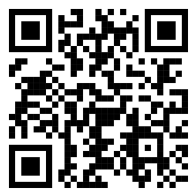
QR-codevoorbeeld
QR code example generated via ME-QR API

Authenticatie en API-sleutels

Gebruik een API-sleutel om uw verzoeken te authenticeren.

Vraag uw API-sleutel aan

Je vindt het in je dashboard:

Dashboard Integraties API-sleutels

Gebruik het in je verzoek.

Voeg uw API-sleutel toe aan de requestheader:

Authorization: Bearer YOUR_API_KEY

Gebruik, limieten en toegang

Alles wat je moet weten over API-gebruik, limieten en toegang.

Gebruiksafhankelijke prijsstelling

Inclusief tot 10.000 QR-codes per maand.

$0.005 / verzoek

Tot wel 100.000 aanvragen

$0.0025 / verzoek

100k+ requests

API Toegang

Free

gratis

3 API-sleutels · Geldig voor 3 dagen

Premium

Premium

Onbeperkt aantal API-sleutels · Geen vervaldatum

API-limieten: ~1 verzoek/sec · 50 verzoeken/min (gelijk voor alle abonnementen)

Neem contact op met de supportafdeling om extra gebruiksmogelijkheden in te schakelen.

QR-codeparameters

Definieer de inhoud, het uiterlijk en de uitvoer van uw QR-codes met behulp van de beschikbare parameters.

Parameter Type Standaard Beschrijving
tokenvereist string API-functionaliteit toegangstoken
qrType integer 1 QR-type: 1=Link, 4=PDF, 5=E-mail, 7=VCard…
qrFieldsData object [] QR code content depending on the type (e.g. {"link": "https://…"})
title string "Qr Code" De titel van de QR-code wordt weergegeven in het dashboard.
format string "png" Uitvoerformaat: png, svg, jpg, jpeg, json
designType string "base" QR-ontwerptype: standaard of kunstzinnig
qrFolderOptions object null Folder placement: {"folderName": "…", "subfolderName": "…"}
entryId integer null ID van bestaande QR-code bijwerken in plaats van een nieuwe aan te maken

Kleur- en vormparameters

Definieer de inhoud, het uiterlijk en de uitvoer van uw QR-codes met behulp van de beschikbare parameters.

Parameter Type Standaard Beschrijving
qrOptions
size integer 300 Grootte van de geretourneerde QR-code in pixels
errorCorrectionLevel string "Q" Foutcorrectie: L, M, Q, H
pattern string "square" Stippenstijl: vierkant, stippen, afgerond, elegant, ruitvormig, sprankelend…
patternColor string "#000000" Color of QR dots
patternBackground string "#ffffff" Achtergrondkleur van de QR-code
cornetsOuter string "square" Stijl van de buitenhoek: vierkant, stip, elegant, tandwiel, extra afgerond…
cornetsOuterColor string "#000000" Kleur van de buitenhoeken
cornetsInterior string "square" Stijl voor de binnenhoek: vierkant, stippellijn, elegant, ruit, ster…
cornetsInteriorColor string "#000000" Kleur van de binnenhoeken
logotype string null Centraal logo: vooraf gedefinieerde enum, URL of base64-afbeelding
logotypeSize number 0.3 Coëfficiënt voor logogrootte 0–1 (maximaal aanbevolen 0,5)
logotypeMargin number 0 Logo-marge in px
logotypeHideBackground boolean true Verberg de stippen die door het logo worden bedekt
gradientPattern object null Gradiënt voor stippen: {type, rotatie, kleuren[]}
gradientCornetsOuter object null Gradiënt voor buitenhoeken
gradientCornetsInterior object null Gradiënt voor binnenhoeken
gradientBackground object null Gradiënt voor achtergrond
qrFrame
name string "noFrame" Frameontwerp (meer dan 200 opties of geen frame)
color string "#000000" Kleur van het frame
backgroundColor string "#ffffff" Achtergrondkleur van het kader
text string "" Tekst voor het kaderlabel (max. 20 tekens)
textSize integer null Lettergrootte in pixels (1–50)
textColor string "#9C3AAF" Tekstkleur in kader
textFont string "Roboto" Lettertype: Arial, Roboto, Georgia, Verdana...

Voorbeelden van verzoeken en resultaten

Bekijk voorbeelden van API-verzoeken en de QR-codes die ze genereren.

Basis QR-code

Aanvraag-URL
https://me-qr.com/api/v2/qr/link/create

Verzoekmethode
POST

Code
curl -X POST https://me-qr.com/api/v2/qr/link/create \
  -H "Content-Type: application/json" \
  -H "X-AUTH-TOKEN: YOUR_API_TOKEN" \
  -d '{
    "qrFieldsData": {
      "link": "https://example.com"
    },
    "format": "png"
  }'

QR-codevoorbeeld
Basic QR code generated via ME-QR API

QR-code met kleuren

Aanvraag-URL
https://me-qr.com/api/v2/qr/link/create

Verzoekmethode
POST

Code
curl -X POST https://me-qr.com/api/v2/qr/link/create \
  -H "Content-Type: application/json" \
  -H "X-AUTH-TOKEN: YOUR_API_TOKEN" \
  -d '{
    "qrFieldsData": {
      "link": "https://example.com"
    },
    "format": "png",
    "qrOptions": {
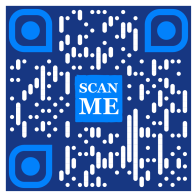
      "patternColor": "#FFFFFF",
      "patternBackground": "#173782",
      "cornetsOuterColor": "#0281fb",
      "cornetsInteriorColor": "#0281fb"
    }
  }'

QR-codevoorbeeld
Colored QR code generated via ME-QR API

QR-code met kaders

Aanvraag-URL
https://me-qr.com/api/v2/qr/link/create

Verzoekmethode
POST

Code
curl -X POST https://me-qr.com/api/v2/qr/link/create \
  -H "Content-Type: application/json" \
  -H "X-AUTH-TOKEN: YOUR_API_TOKEN" \
  -d '{
    "qrFieldsData": {
      "link": "https://example.com"
    },
    "format": "png",
    "qrOptions": {
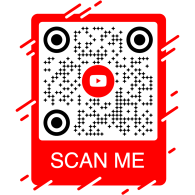
      "logotype": "youTubeLogotype",
      "logotypeSize": 0.3,
      "logotypeMargin": 5,
      "logotypeHideBackground": true
    },
    "qrFrame": {
      "name": "frame1",
      "color": "ff0000",
      "backgroundColor": "#ffffff",
      "text": "Scan me!",
      "textColor": "#FFFFFF"
    }
  }'

QR-codevoorbeeld
QR code with frame generated via ME-QR API

API QR-code: QR-codegenerator-API voor diverse doeleinden

API QR Code is een krachtige tool voor het批量 aanmaken van QR-codes en naadloze integratie in bedrijfsprocessen, waardoor automatisering via QR-technologie mogelijk wordt. Deze API is essentieel voor het stroomlijnen van processen, het verbeteren van de efficiëntie en het bieden van een robuuste oplossing voor bedrijven die QR-codes in hun workflows willen integreren.

Een treffend voorbeeld van de functionaliteit van de API wordt gedemonstreerd door het eindpunt /api/qr/create/, waarmee u programmatisch QR-codes kunt genereren:

Post /api/qr/create/ Maak een QR-code door te typen

Hiermee kunt u een QR-code genereren met behulp van een van de beschikbare typen op me-qr. Elke aanvraag genereert een nieuwe QR-code.

Parameters

Geen parameters

Verzoektekst
application/json
{
  "token": "string",
  "qrType": 1,
  "qrFieldsData": {
    "link": "https://example.com"
  },
  "entryId": null,
  "title": "Qr Code",
  "format": "png",
  "designType": "base",
  "qrFolderOptions": {
    "folderName": null,
    "subfolderName": null
  },
  "qrOptions": {
    "size": 300,
    "errorCorrectionLevel": "Q",
    "pattern": "square",
    "patternColor": "#000000",
    "patternBackground": "#ffffff",
    "cornetsOuter": "square",
    "cornetsOuterColor": "#000000",
    "cornetsInterior": "square",
    "cornetsInteriorColor": "#000000",
    "logotype": null,
    "logotypeSize": 0.3,
    "logotypeMargin": 0,
    "logotypeHideBackground": true,
    "gradientPattern": null,
    "gradientCornetsOuter": null,
    "gradientCornetsInterior": null,
    "gradientBackground": null
  },
  "qrFrame": {
    "name": "noFrame",
    "color": "#000000",
    "backgroundColor": "#ffffff",
    "text": "",
    "textSize": null,
    "textColor": "#9C3AAF",
    "textFont": "Roboto"
  }
}
Reacties
Code Beschrijving Links
default Geen links

Volledige controle over de QR-generator-API

De Me-QR Generator API biedt uitgebreide controle over het genereren van QR-codes en geeft u een scala aan functies om QR-codes aan uw specifieke behoeften aan te passen:

API-landen

Een lijst ophalen van ondersteunde landen voor de aangepaste QR-code-API

Get /api/v2/countries/ Lijst van landen

Haal de lijst met beschikbare landen op.

Parameters
Naam Beschrijving
country
string
(query)

Zoeken op landnaam.

Reacties
Code Beschrijving Links
200

Succesvolle reactie

application/json
[
  {
    "id": 0,
    "name": "string"
  }
]
Geen links

Via dit eindpunt kunt u een lijst met beschikbare landen ophalen, waardoor lokalisatie en aanpassing op basis van geografische voorkeuren mogelijk wordt.

API-steden

Raadpleeg een lijst met ondersteunde steden om de details van de QR-code te verfijnen.

Get /api/v2/cities/ Lijst van steden

Haal de lijst met beschikbare steden op.

Parameters
Naam Beschrijving
country
string
(query)

Zoeken op landnaam.

Reacties
Code Beschrijving Links
200

Succesvolle reactie

application/json
[
  {
    "id": 0,
    "name": "string"
  }
]
Geen links

Met deze functie kunt u specifieke steden selecteren, waardoor QR-codes relevanter worden voor locatiegebonden campagnes of informatieverspreiding.

API-tijdzones

Vraag een lijst op met ondersteunde tijdzones om tijdgevoelige informatie in QR-codes op te nemen.

Get /api/v2/timezones/ Lijst met tijdzones

Vraag de lijst met beschikbare tijdzones op.

Parameters
Naam Beschrijving
timezone
string
(query)

Zoeken op tijdzonenaam.

Reacties
Code Beschrijving Links
200

Succesvolle reactie

application/json
[
  {
    "id": 0,
    "name": "string"
  }
]
Geen links

Met deze functionaliteit kunt u de inhoud van QR-codes afstemmen op tijdgebonden gegevens, waardoor relevantie en actualiteit worden gewaarborgd.

API-talen

Bekijk een lijst met ondersteunde talen voor het aanpassen van de tekst en inhoud van QR-codes.

Get /api/v2/languages/ Lijst van talen

De lijst met beschikbare talen ophalen.

Parameters
Naam Beschrijving
language
string
(query)

Zoeken op taalnaam.

Reacties
Code Beschrijving Links
200

Succesvolle reactie

application/json
[
  {
    "id": 0,
    "name": "string"
  }
]
Geen links

Je kunt deze functie gebruiken om tegemoet te komen aan diverse taalvoorkeuren, waardoor QR-codes toegankelijker en gebruiksvriendelijker worden in meertalige contexten.

De flexibiliteit die deze functies bieden, stelt u in staat een dynamische QR-code-API te creëren die is afgestemd op specifieke regio's, steden, tijdzones en talen, waardoor de effectiviteit van uw op QR-codes gebaseerde communicatie- en interactiestrategieën wordt vergroot.

API-typen voor QR-generatoren

Onze QR-codegenerator-API biedt een breed scala aan typen voor het genereren van QR-codes, die inspelen op diverse behoeften en functionaliteiten. Laten we enkele van deze typen eens nader bekijken.

QR-code betaal-API

De gratis QR-code API is waardevol voor betalingen vanwege de naadloze en efficiënte werking. Het vereenvoudigt transacties, verbetert de beveiliging en versnelt de maandelijkse betalingen via QR-code. Hier is een eenvoudig codevoorbeeld dat het gebruik ervan demonstreert:

Post /api/v2/qr/payment/create QR-code betaal-API
QR-code betaal-API

De gratis QR-code API is waardevol voor betalingen, omdat bedrijven en particulieren hiermee transacties kunnen stroomlijnen. Door een betaal-URL in een QR-code te integreren, kunnen klanten de code snel scannen met hun smartphone en transacties probleemloos voltooien.

Verzoektekst application/json
{
  "qrFieldsData": {
    "link"*: "https://example.com/pay"
  }
}
Veld Type Vereist Beschrijving
link string($hostname) required URL van de betaalpagina

Genereer QR-codes met onze API en revolutioneer uw betalingsprocessen, waardoor transacties naadloos en efficiënt verlopen.

Genereer QR-codes met onze API en revolutioneer uw betalingsprocessen. Integreer veilige en efficiënte transacties naadloos in uw applicaties.

PayPal QR-code API

Een goed voorbeeld van een QR-code betaal-API is de PayPal QR-code. PayPal staat bekend als een leider in online betalingen en de API-integratie stroomlijnt transacties op een veilige manier. Hier is een eenvoudige illustratie van de implementatie:

Post /api/v2/qr/paypal/create QR-code PayPal API
QR-code PayPal API

De PayPal QR Code API maakt een naadloze integratie van PayPal-betaallinks in QR-codes mogelijk. Gebruikers kunnen de QR-code scannen en worden direct doorgestuurd naar een PayPal-betaalpagina, waardoor transacties snel en gemakkelijk verlopen voor zowel bedrijven als klanten.

Verzoektekst application/json
{
  "qrFieldsData": {
    "link"*: "https://paypal.me/username"
  }
}
Veld Type Vereist Beschrijving
link string($hostname) required PayPal.me of betaal-URL

Gebruik de PayPal QR-code API om uw betalingsproces te vereenvoudigen en te versnellen, en bied uw gebruikers een moderne afrekenervaring.

Verbeter uw online betaalervaring met de PayPal QR-code API van Me-QR. Integreer moeiteloos veilige en efficiënte PayPal-transacties in uw applicaties.

Hoe genereer je een WhatsApp QR-code via de API?

De QR-code-API van WhatsApp neemt een vooraanstaande positie in onder de QR-API's van berichtenapps. Door gebruik te maken van deze API verloopt de interactie soepel en krijgt WhatsApp snel toegang, waardoor het een leider is op het gebied van QR-functionaliteiten voor berichtenapps. Hier is een voorbeeld:

Post /api/v2/qr/whatsapp/create QR-code WhatsApp API
QR-code WhatsApp API

Met de WhatsApp QR Code API kun je QR-codes genereren die een WhatsApp-gesprek openen met een vooraf ingevuld bericht. Je hoeft alleen maar een telefoonnummer en een optioneel bericht op te geven – ideaal voor klantenservice, marketingcampagnes en directe interactie.

Verzoektekst application/json
{
  "qrFieldsData": {
    "phone"*: "+1234567890",
    "message"*: "Hello!"
  }
}
Veld Type Vereist Beschrijving
phone string required Telefoonnummer van de ontvanger in internationaal formaat.
message string required Vooraf ingevulde berichttekst

Integreer de WhatsApp QR-code API om directe gesprekken te stimuleren en de betrokkenheid te vergroten met één enkele scan.

Maak naadloos contact met je publiek via WhatsApp QR-code. Krijg snel toegang tot gesprekken met slechts één scan en verbeter zo je berichtenervaring.

Ontdek meer soorten QR API's met Me-QR.

QR code API free biedt een uitgebreide reeks QR-code API-generatoren om aan diverse behoeften te voldoen. Ontdek de meest ondersteunde QR API-typen en codevoorbeelden voor elk type:

Instagram

Maak verbinding met Instagram-profielen via QR-codes.

Post /api/v2/qr/instagram/create

Genereer een QR-code die direct linkt naar een Instagram-profiel of -bericht.

Verzoektekst application/json
{
  "qrFieldsData": {
    "link": "https://www.instagram.com/username"
  },
  "title": "Qr Code",
                        "format": "png",
                        "designType": "base",
                        "qrFolderOptions": {
                        "folderName": null,
                        "subfolderName": null
                        },
                        "qrOptions": {
                        "size": 300,
                        "errorCorrectionLevel": "Q",
                        "pattern": "square",
                        "patternColor": "#000000",
                        "patternBackground": "#ffffff",
                        "cornetsOuter": "square",
                        "cornetsOuterColor": "#000000",
                        "cornetsInterior": "square",
                        "cornetsInteriorColor": "#000000",
                        "logotype": null,
                        "logotypeSize": 0.3,
                        "logotypeMargin": 0,
                        "logotypeHideBackground": true,
                        "gradientPattern": null,
                        "gradientCornetsOuter": null,
                        "gradientCornetsInterior": null,
                        "gradientBackground": null
                        },
                        "qrFrame": {
                        "name": "noFrame",
                        "color": "#000000",
                        "backgroundColor": "#ffffff",
                        "text": "",
                        "textSize": null,
                        "textColor": "#9C3AAF",
                        "textFont": "Roboto"
                        }
                        }
Put /api/v2/qr/instagram/update/{entryUID}

De gegevens en stijlparameters van een QR-code wijzigen.

Parameters

entryUIDpath  ID of unieke toegangssleutel (QR-code)

Verzoektekst application/json
{
  "qrFieldsData": {
    "link": "https://www.instagram.com/username"
  },
  "title": "Qr Code",
                        "format": "png",
                        "designType": "base",
                        "qrFolderOptions": {
                        "folderName": null,
                        "subfolderName": null
                        },
                        "qrOptions": {
                        "size": 300,
                        "errorCorrectionLevel": "Q",
                        "pattern": "square",
                        "patternColor": "#000000",
                        "patternBackground": "#ffffff",
                        "cornetsOuter": "square",
                        "cornetsOuterColor": "#000000",
                        "cornetsInterior": "square",
                        "cornetsInteriorColor": "#000000",
                        "logotype": null,
                        "logotypeSize": 0.3,
                        "logotypeMargin": 0,
                        "logotypeHideBackground": true,
                        "gradientPattern": null,
                        "gradientCornetsOuter": null,
                        "gradientCornetsInterior": null,
                        "gradientBackground": null
                        },
                        "qrFrame": {
                        "name": "noFrame",
                        "color": "#000000",
                        "backgroundColor": "#ffffff",
                        "text": "",
                        "textSize": null,
                        "textColor": "#9C3AAF",
                        "textFont": "Roboto"
                        }
                        }
Get /api/v2/qr/instagram/{entryUID}

Bekijk de gegevens en aanpassingsinstellingen of de afbeelding zelf van de gegenereerde QR-code.

Parameters

entryUID path  ID of unieke toegangssleutel (QR-code)

format query  Afbeeldingsformaat. Beschikbare waarden: png, svg, jpg, jpeg, json. Standaard: null

Reactie 200 application/json
{
  "qrFieldsData": {
    "link": "https://www.instagram.com/username"
  },
  "title": "Qr Code",
                        "format": "png",
                        "designType": "base",
                        "qrFolderOptions": {
                        "folderName": null,
                        "subfolderName": null
                        },
                        "qrOptions": {
                        "size": 300,
                        "errorCorrectionLevel": "Q",
                        "pattern": "square",
                        "patternColor": "#000000",
                        "patternBackground": "#ffffff",
                        "cornetsOuter": "square",
                        "cornetsOuterColor": "#000000",
                        "cornetsInterior": "square",
                        "cornetsInteriorColor": "#000000",
                        "logotype": null,
                        "logotypeSize": 0.3,
                        "logotypeMargin": 0,
                        "logotypeHideBackground": true,
                        "gradientPattern": null,
                        "gradientCornetsOuter": null,
                        "gradientCornetsInterior": null,
                        "gradientBackground": null
                        },
                        "qrFrame": {
                        "name": "noFrame",
                        "color": "#000000",
                        "backgroundColor": "#ffffff",
                        "text": "",
                        "textSize": null,
                        "textColor": "#9C3AAF",
                        "textFont": "Roboto"
                        }
                        }

Facebook

Link naar Facebook-profielen of -pagina's via de QR-codegenerator (REST API).

Post /api/v2/qr/facebook/create

Genereer een QR-code die linkt naar een Facebookpagina, -groep of -profiel.

Verzoektekst application/json
{
  "qrFieldsData": {
    "link": "https://www.facebook.com/pagename"
  },
  "title": "Qr Code",
                        "format": "png",
                        "designType": "base",
                        "qrFolderOptions": {
                        "folderName": null,
                        "subfolderName": null
                        },
                        "qrOptions": {
                        "size": 300,
                        "errorCorrectionLevel": "Q",
                        "pattern": "square",
                        "patternColor": "#000000",
                        "patternBackground": "#ffffff",
                        "cornetsOuter": "square",
                        "cornetsOuterColor": "#000000",
                        "cornetsInterior": "square",
                        "cornetsInteriorColor": "#000000",
                        "logotype": null,
                        "logotypeSize": 0.3,
                        "logotypeMargin": 0,
                        "logotypeHideBackground": true,
                        "gradientPattern": null,
                        "gradientCornetsOuter": null,
                        "gradientCornetsInterior": null,
                        "gradientBackground": null
                        },
                        "qrFrame": {
                        "name": "noFrame",
                        "color": "#000000",
                        "backgroundColor": "#ffffff",
                        "text": "",
                        "textSize": null,
                        "textColor": "#9C3AAF",
                        "textFont": "Roboto"
                        }
                        }
Put /api/v2/qr/facebook/update/{entryUID}

De gegevens en stijlparameters van een QR-code wijzigen.

Parameters

entryUIDpath  ID of unieke toegangssleutel (QR-code)

Verzoektekst application/json
{
  "qrFieldsData": {
    "link": "https://www.facebook.com/pagename"
  },
  "title": "Qr Code",
                        "format": "png",
                        "designType": "base",
                        "qrFolderOptions": {
                        "folderName": null,
                        "subfolderName": null
                        },
                        "qrOptions": {
                        "size": 300,
                        "errorCorrectionLevel": "Q",
                        "pattern": "square",
                        "patternColor": "#000000",
                        "patternBackground": "#ffffff",
                        "cornetsOuter": "square",
                        "cornetsOuterColor": "#000000",
                        "cornetsInterior": "square",
                        "cornetsInteriorColor": "#000000",
                        "logotype": null,
                        "logotypeSize": 0.3,
                        "logotypeMargin": 0,
                        "logotypeHideBackground": true,
                        "gradientPattern": null,
                        "gradientCornetsOuter": null,
                        "gradientCornetsInterior": null,
                        "gradientBackground": null
                        },
                        "qrFrame": {
                        "name": "noFrame",
                        "color": "#000000",
                        "backgroundColor": "#ffffff",
                        "text": "",
                        "textSize": null,
                        "textColor": "#9C3AAF",
                        "textFont": "Roboto"
                        }
                        }
Get /api/v2/qr/facebook/{entryUID}

Bekijk de gegevens en aanpassingsinstellingen of de afbeelding zelf van de gegenereerde QR-code.

Parameters

entryUID path  ID of unieke toegangssleutel (QR-code)

format query  Afbeeldingsformaat. Beschikbare waarden: png, svg, jpg, jpeg, json. Standaard: null

Reactie 200 application/json
{
  "qrFieldsData": {
    "link": "https://www.facebook.com/pagename"
  },
  "title": "Qr Code",
                        "format": "png",
                        "designType": "base",
                        "qrFolderOptions": {
                        "folderName": null,
                        "subfolderName": null
                        },
                        "qrOptions": {
                        "size": 300,
                        "errorCorrectionLevel": "Q",
                        "pattern": "square",
                        "patternColor": "#000000",
                        "patternBackground": "#ffffff",
                        "cornetsOuter": "square",
                        "cornetsOuterColor": "#000000",
                        "cornetsInterior": "square",
                        "cornetsInteriorColor": "#000000",
                        "logotype": null,
                        "logotypeSize": 0.3,
                        "logotypeMargin": 0,
                        "logotypeHideBackground": true,
                        "gradientPattern": null,
                        "gradientCornetsOuter": null,
                        "gradientCornetsInterior": null,
                        "gradientBackground": null
                        },
                        "qrFrame": {
                        "name": "noFrame",
                        "color": "#000000",
                        "backgroundColor": "#ffffff",
                        "text": "",
                        "textSize": null,
                        "textColor": "#9C3AAF",
                        "textFont": "Roboto"
                        }
                        }

Twitter

Bekijk Twitterprofielen of tweets met QR-codes.

Post /api/v2/qr/twitter/create

Maak een QR-code die gebruikers doorverwijst naar een Twitter/X-profiel of -tweet.

Verzoektekst application/json
{
  "qrFieldsData": {
    "link": "https://twitter.com/username"
  },
  "title": "Qr Code",
                        "format": "png",
                        "designType": "base",
                        "qrFolderOptions": {
                        "folderName": null,
                        "subfolderName": null
                        },
                        "qrOptions": {
                        "size": 300,
                        "errorCorrectionLevel": "Q",
                        "pattern": "square",
                        "patternColor": "#000000",
                        "patternBackground": "#ffffff",
                        "cornetsOuter": "square",
                        "cornetsOuterColor": "#000000",
                        "cornetsInterior": "square",
                        "cornetsInteriorColor": "#000000",
                        "logotype": null,
                        "logotypeSize": 0.3,
                        "logotypeMargin": 0,
                        "logotypeHideBackground": true,
                        "gradientPattern": null,
                        "gradientCornetsOuter": null,
                        "gradientCornetsInterior": null,
                        "gradientBackground": null
                        },
                        "qrFrame": {
                        "name": "noFrame",
                        "color": "#000000",
                        "backgroundColor": "#ffffff",
                        "text": "",
                        "textSize": null,
                        "textColor": "#9C3AAF",
                        "textFont": "Roboto"
                        }
                        }
Put /api/v2/qr/twitter/update/{entryUID}

De gegevens en stijlparameters van een QR-code wijzigen.

Parameters

entryUIDpath  ID of unieke toegangssleutel (QR-code)

Verzoektekst application/json
{
  "qrFieldsData": {
    "link": "https://twitter.com/username"
  },
  "title": "Qr Code",
                        "format": "png",
                        "designType": "base",
                        "qrFolderOptions": {
                        "folderName": null,
                        "subfolderName": null
                        },
                        "qrOptions": {
                        "size": 300,
                        "errorCorrectionLevel": "Q",
                        "pattern": "square",
                        "patternColor": "#000000",
                        "patternBackground": "#ffffff",
                        "cornetsOuter": "square",
                        "cornetsOuterColor": "#000000",
                        "cornetsInterior": "square",
                        "cornetsInteriorColor": "#000000",
                        "logotype": null,
                        "logotypeSize": 0.3,
                        "logotypeMargin": 0,
                        "logotypeHideBackground": true,
                        "gradientPattern": null,
                        "gradientCornetsOuter": null,
                        "gradientCornetsInterior": null,
                        "gradientBackground": null
                        },
                        "qrFrame": {
                        "name": "noFrame",
                        "color": "#000000",
                        "backgroundColor": "#ffffff",
                        "text": "",
                        "textSize": null,
                        "textColor": "#9C3AAF",
                        "textFont": "Roboto"
                        }
                        }
Get /api/v2/qr/twitter/{entryUID}

Bekijk de gegevens en aanpassingsinstellingen of de afbeelding zelf van de gegenereerde QR-code.

Parameters

entryUID path  ID of unieke toegangssleutel (QR-code)

format query  Afbeeldingsformaat. Beschikbare waarden: png, svg, jpg, jpeg, json. Standaard: null

Reactie 200 application/json
{
  "qrFieldsData": {
    "link": "https://twitter.com/username"
  },
  "title": "Qr Code",
                        "format": "png",
                        "designType": "base",
                        "qrFolderOptions": {
                        "folderName": null,
                        "subfolderName": null
                        },
                        "qrOptions": {
                        "size": 300,
                        "errorCorrectionLevel": "Q",
                        "pattern": "square",
                        "patternColor": "#000000",
                        "patternBackground": "#ffffff",
                        "cornetsOuter": "square",
                        "cornetsOuterColor": "#000000",
                        "cornetsInterior": "square",
                        "cornetsInteriorColor": "#000000",
                        "logotype": null,
                        "logotypeSize": 0.3,
                        "logotypeMargin": 0,
                        "logotypeHideBackground": true,
                        "gradientPattern": null,
                        "gradientCornetsOuter": null,
                        "gradientCornetsInterior": null,
                        "gradientBackground": null
                        },
                        "qrFrame": {
                        "name": "noFrame",
                        "color": "#000000",
                        "backgroundColor": "#ffffff",
                        "text": "",
                        "textSize": null,
                        "textColor": "#9C3AAF",
                        "textFont": "Roboto"
                        }
                        }

TikTok

Ontdek TikTok-profielen met behulp van QR-codes.

Post /api/v2/qr/tiktok/create

Genereer een QR-code die linkt naar een TikTok-profiel of -video.

Verzoektekst application/json
{
  "qrFieldsData": {
    "link": "https://www.tiktok.com/@username"
  },
  "title": "Qr Code",
                        "format": "png",
                        "designType": "base",
                        "qrFolderOptions": {
                        "folderName": null,
                        "subfolderName": null
                        },
                        "qrOptions": {
                        "size": 300,
                        "errorCorrectionLevel": "Q",
                        "pattern": "square",
                        "patternColor": "#000000",
                        "patternBackground": "#ffffff",
                        "cornetsOuter": "square",
                        "cornetsOuterColor": "#000000",
                        "cornetsInterior": "square",
                        "cornetsInteriorColor": "#000000",
                        "logotype": null,
                        "logotypeSize": 0.3,
                        "logotypeMargin": 0,
                        "logotypeHideBackground": true,
                        "gradientPattern": null,
                        "gradientCornetsOuter": null,
                        "gradientCornetsInterior": null,
                        "gradientBackground": null
                        },
                        "qrFrame": {
                        "name": "noFrame",
                        "color": "#000000",
                        "backgroundColor": "#ffffff",
                        "text": "",
                        "textSize": null,
                        "textColor": "#9C3AAF",
                        "textFont": "Roboto"
                        }
                        }
Put /api/v2/qr/tiktok/update/{entryUID}

De gegevens en stijlparameters van een QR-code wijzigen.

Parameters

entryUIDpath  ID of unieke toegangssleutel (QR-code)

Verzoektekst application/json
{
  "qrFieldsData": {
    "link": "https://www.tiktok.com/@username"
  },
  "title": "Qr Code",
                        "format": "png",
                        "designType": "base",
                        "qrFolderOptions": {
                        "folderName": null,
                        "subfolderName": null
                        },
                        "qrOptions": {
                        "size": 300,
                        "errorCorrectionLevel": "Q",
                        "pattern": "square",
                        "patternColor": "#000000",
                        "patternBackground": "#ffffff",
                        "cornetsOuter": "square",
                        "cornetsOuterColor": "#000000",
                        "cornetsInterior": "square",
                        "cornetsInteriorColor": "#000000",
                        "logotype": null,
                        "logotypeSize": 0.3,
                        "logotypeMargin": 0,
                        "logotypeHideBackground": true,
                        "gradientPattern": null,
                        "gradientCornetsOuter": null,
                        "gradientCornetsInterior": null,
                        "gradientBackground": null
                        },
                        "qrFrame": {
                        "name": "noFrame",
                        "color": "#000000",
                        "backgroundColor": "#ffffff",
                        "text": "",
                        "textSize": null,
                        "textColor": "#9C3AAF",
                        "textFont": "Roboto"
                        }
                        }
Get /api/v2/qr/tiktok/{entryUID}

Bekijk de gegevens en aanpassingsinstellingen of de afbeelding zelf van de gegenereerde QR-code.

Parameters

entryUID path  ID of unieke toegangssleutel (QR-code)

format query  Afbeeldingsformaat. Beschikbare waarden: png, svg, jpg, jpeg, json. Standaard: null

Reactie 200 application/json
{
  "qrFieldsData": {
    "link": "https://www.tiktok.com/@username"
  },
  "title": "Qr Code",
                        "format": "png",
                        "designType": "base",
                        "qrFolderOptions": {
                        "folderName": null,
                        "subfolderName": null
                        },
                        "qrOptions": {
                        "size": 300,
                        "errorCorrectionLevel": "Q",
                        "pattern": "square",
                        "patternColor": "#000000",
                        "patternBackground": "#ffffff",
                        "cornetsOuter": "square",
                        "cornetsOuterColor": "#000000",
                        "cornetsInterior": "square",
                        "cornetsInteriorColor": "#000000",
                        "logotype": null,
                        "logotypeSize": 0.3,
                        "logotypeMargin": 0,
                        "logotypeHideBackground": true,
                        "gradientPattern": null,
                        "gradientCornetsOuter": null,
                        "gradientCornetsInterior": null,
                        "gradientBackground": null
                        },
                        "qrFrame": {
                        "name": "noFrame",
                        "color": "#000000",
                        "backgroundColor": "#ffffff",
                        "text": "",
                        "textSize": null,
                        "textColor": "#9C3AAF",
                        "textFont": "Roboto"
                        }
                        }

Snapchat

Maak verbinding met profielen via Snapchat QR.

Post /api/v2/qr/snapchat/create

Genereer een QR-code die direct naar een Snapchat-profiel linkt.

Verzoektekst application/json
{
  "qrFieldsData": {
    "link": "https://www.snapchat.com/add/username"
  },
  "title": "Qr Code",
                        "format": "png",
                        "designType": "base",
                        "qrFolderOptions": {
                        "folderName": null,
                        "subfolderName": null
                        },
                        "qrOptions": {
                        "size": 300,
                        "errorCorrectionLevel": "Q",
                        "pattern": "square",
                        "patternColor": "#000000",
                        "patternBackground": "#ffffff",
                        "cornetsOuter": "square",
                        "cornetsOuterColor": "#000000",
                        "cornetsInterior": "square",
                        "cornetsInteriorColor": "#000000",
                        "logotype": null,
                        "logotypeSize": 0.3,
                        "logotypeMargin": 0,
                        "logotypeHideBackground": true,
                        "gradientPattern": null,
                        "gradientCornetsOuter": null,
                        "gradientCornetsInterior": null,
                        "gradientBackground": null
                        },
                        "qrFrame": {
                        "name": "noFrame",
                        "color": "#000000",
                        "backgroundColor": "#ffffff",
                        "text": "",
                        "textSize": null,
                        "textColor": "#9C3AAF",
                        "textFont": "Roboto"
                        }
                        }
Put /api/v2/qr/snapchat/update/{entryUID}

De gegevens en stijlparameters van een QR-code wijzigen.

Parameters

entryUIDpath  ID of unieke toegangssleutel (QR-code)

Verzoektekst application/json
{
  "qrFieldsData": {
    "link": "https://www.snapchat.com/add/username"
  },
  "title": "Qr Code",
                        "format": "png",
                        "designType": "base",
                        "qrFolderOptions": {
                        "folderName": null,
                        "subfolderName": null
                        },
                        "qrOptions": {
                        "size": 300,
                        "errorCorrectionLevel": "Q",
                        "pattern": "square",
                        "patternColor": "#000000",
                        "patternBackground": "#ffffff",
                        "cornetsOuter": "square",
                        "cornetsOuterColor": "#000000",
                        "cornetsInterior": "square",
                        "cornetsInteriorColor": "#000000",
                        "logotype": null,
                        "logotypeSize": 0.3,
                        "logotypeMargin": 0,
                        "logotypeHideBackground": true,
                        "gradientPattern": null,
                        "gradientCornetsOuter": null,
                        "gradientCornetsInterior": null,
                        "gradientBackground": null
                        },
                        "qrFrame": {
                        "name": "noFrame",
                        "color": "#000000",
                        "backgroundColor": "#ffffff",
                        "text": "",
                        "textSize": null,
                        "textColor": "#9C3AAF",
                        "textFont": "Roboto"
                        }
                        }
Get /api/v2/qr/snapchat/{entryUID}

Bekijk de gegevens en aanpassingsinstellingen of de afbeelding zelf van de gegenereerde QR-code.

Parameters

entryUID path  ID of unieke toegangssleutel (QR-code)

format query  Afbeeldingsformaat. Beschikbare waarden: png, svg, jpg, jpeg, json. Standaard: null

Reactie 200 application/json
{
  "qrFieldsData": {
    "link": "https://www.snapchat.com/add/username"
  },
  "title": "Qr Code",
                        "format": "png",
                        "designType": "base",
                        "qrFolderOptions": {
                        "folderName": null,
                        "subfolderName": null
                        },
                        "qrOptions": {
                        "size": 300,
                        "errorCorrectionLevel": "Q",
                        "pattern": "square",
                        "patternColor": "#000000",
                        "patternBackground": "#ffffff",
                        "cornetsOuter": "square",
                        "cornetsOuterColor": "#000000",
                        "cornetsInterior": "square",
                        "cornetsInteriorColor": "#000000",
                        "logotype": null,
                        "logotypeSize": 0.3,
                        "logotypeMargin": 0,
                        "logotypeHideBackground": true,
                        "gradientPattern": null,
                        "gradientCornetsOuter": null,
                        "gradientCornetsInterior": null,
                        "gradientBackground": null
                        },
                        "qrFrame": {
                        "name": "noFrame",
                        "color": "#000000",
                        "backgroundColor": "#ffffff",
                        "text": "",
                        "textSize": null,
                        "textColor": "#9C3AAF",
                        "textFont": "Roboto"
                        }
                        }

Telegram

Communiceer met Telegram-kanalen of -groepen via QR-codes.

Post /api/v2/qr/telegram/create

Maak een QR-code aan die linkt naar een Telegram-kanaal, -bot of -contactpersoon.

Verzoektekst application/json
{
  "qrFieldsData": {
    "link": "https://t.me/username"
  },
  "title": "Qr Code",
                        "format": "png",
                        "designType": "base",
                        "qrFolderOptions": {
                        "folderName": null,
                        "subfolderName": null
                        },
                        "qrOptions": {
                        "size": 300,
                        "errorCorrectionLevel": "Q",
                        "pattern": "square",
                        "patternColor": "#000000",
                        "patternBackground": "#ffffff",
                        "cornetsOuter": "square",
                        "cornetsOuterColor": "#000000",
                        "cornetsInterior": "square",
                        "cornetsInteriorColor": "#000000",
                        "logotype": null,
                        "logotypeSize": 0.3,
                        "logotypeMargin": 0,
                        "logotypeHideBackground": true,
                        "gradientPattern": null,
                        "gradientCornetsOuter": null,
                        "gradientCornetsInterior": null,
                        "gradientBackground": null
                        },
                        "qrFrame": {
                        "name": "noFrame",
                        "color": "#000000",
                        "backgroundColor": "#ffffff",
                        "text": "",
                        "textSize": null,
                        "textColor": "#9C3AAF",
                        "textFont": "Roboto"
                        }
                        }
Put /api/v2/qr/telegram/update/{entryUID}

De gegevens en stijlparameters van een QR-code wijzigen.

Parameters

entryUIDpath  ID of unieke toegangssleutel (QR-code)

Verzoektekst application/json
{
  "qrFieldsData": {
    "link": "https://t.me/username"
  },
  "title": "Qr Code",
                        "format": "png",
                        "designType": "base",
                        "qrFolderOptions": {
                        "folderName": null,
                        "subfolderName": null
                        },
                        "qrOptions": {
                        "size": 300,
                        "errorCorrectionLevel": "Q",
                        "pattern": "square",
                        "patternColor": "#000000",
                        "patternBackground": "#ffffff",
                        "cornetsOuter": "square",
                        "cornetsOuterColor": "#000000",
                        "cornetsInterior": "square",
                        "cornetsInteriorColor": "#000000",
                        "logotype": null,
                        "logotypeSize": 0.3,
                        "logotypeMargin": 0,
                        "logotypeHideBackground": true,
                        "gradientPattern": null,
                        "gradientCornetsOuter": null,
                        "gradientCornetsInterior": null,
                        "gradientBackground": null
                        },
                        "qrFrame": {
                        "name": "noFrame",
                        "color": "#000000",
                        "backgroundColor": "#ffffff",
                        "text": "",
                        "textSize": null,
                        "textColor": "#9C3AAF",
                        "textFont": "Roboto"
                        }
                        }
Get /api/v2/qr/telegram/{entryUID}

Bekijk de gegevens en aanpassingsinstellingen of de afbeelding zelf van de gegenereerde QR-code.

Parameters

entryUID path  ID of unieke toegangssleutel (QR-code)

format query  Afbeeldingsformaat. Beschikbare waarden: png, svg, jpg, jpeg, json. Standaard: null

Reactie 200 application/json
{
  "qrFieldsData": {
    "link": "https://t.me/username"
  },
  "title": "Qr Code",
                        "format": "png",
                        "designType": "base",
                        "qrFolderOptions": {
                        "folderName": null,
                        "subfolderName": null
                        },
                        "qrOptions": {
                        "size": 300,
                        "errorCorrectionLevel": "Q",
                        "pattern": "square",
                        "patternColor": "#000000",
                        "patternBackground": "#ffffff",
                        "cornetsOuter": "square",
                        "cornetsOuterColor": "#000000",
                        "cornetsInterior": "square",
                        "cornetsInteriorColor": "#000000",
                        "logotype": null,
                        "logotypeSize": 0.3,
                        "logotypeMargin": 0,
                        "logotypeHideBackground": true,
                        "gradientPattern": null,
                        "gradientCornetsOuter": null,
                        "gradientCornetsInterior": null,
                        "gradientBackground": null
                        },
                        "qrFrame": {
                        "name": "noFrame",
                        "color": "#000000",
                        "backgroundColor": "#ffffff",
                        "text": "",
                        "textSize": null,
                        "textColor": "#9C3AAF",
                        "textFont": "Roboto"
                        }
                        }

Spotify

Krijg toegang tot specifieke Spotify-nummers, -albums of -artiesten met behulp van QR-codes.

Post /api/v2/qr/spotify/create

Genereer een QR-code die een Spotify-pagina opent voor een nummer, album of artiest.

Verzoektekst application/json
{
  "qrFieldsData": {
    "link": "https://open.spotify.com/track/..."
  },
  "title": "Qr Code",
                        "format": "png",
                        "designType": "base",
                        "qrFolderOptions": {
                        "folderName": null,
                        "subfolderName": null
                        },
                        "qrOptions": {
                        "size": 300,
                        "errorCorrectionLevel": "Q",
                        "pattern": "square",
                        "patternColor": "#000000",
                        "patternBackground": "#ffffff",
                        "cornetsOuter": "square",
                        "cornetsOuterColor": "#000000",
                        "cornetsInterior": "square",
                        "cornetsInteriorColor": "#000000",
                        "logotype": null,
                        "logotypeSize": 0.3,
                        "logotypeMargin": 0,
                        "logotypeHideBackground": true,
                        "gradientPattern": null,
                        "gradientCornetsOuter": null,
                        "gradientCornetsInterior": null,
                        "gradientBackground": null
                        },
                        "qrFrame": {
                        "name": "noFrame",
                        "color": "#000000",
                        "backgroundColor": "#ffffff",
                        "text": "",
                        "textSize": null,
                        "textColor": "#9C3AAF",
                        "textFont": "Roboto"
                        }
                        }
Put /api/v2/qr/spotify/update/{entryUID}

De gegevens en stijlparameters van een QR-code wijzigen.

Parameters

entryUIDpath  ID of unieke toegangssleutel (QR-code)

Verzoektekst application/json
{
  "qrFieldsData": {
    "link": "https://open.spotify.com/track/..."
  },
  "title": "Qr Code",
                        "format": "png",
                        "designType": "base",
                        "qrFolderOptions": {
                        "folderName": null,
                        "subfolderName": null
                        },
                        "qrOptions": {
                        "size": 300,
                        "errorCorrectionLevel": "Q",
                        "pattern": "square",
                        "patternColor": "#000000",
                        "patternBackground": "#ffffff",
                        "cornetsOuter": "square",
                        "cornetsOuterColor": "#000000",
                        "cornetsInterior": "square",
                        "cornetsInteriorColor": "#000000",
                        "logotype": null,
                        "logotypeSize": 0.3,
                        "logotypeMargin": 0,
                        "logotypeHideBackground": true,
                        "gradientPattern": null,
                        "gradientCornetsOuter": null,
                        "gradientCornetsInterior": null,
                        "gradientBackground": null
                        },
                        "qrFrame": {
                        "name": "noFrame",
                        "color": "#000000",
                        "backgroundColor": "#ffffff",
                        "text": "",
                        "textSize": null,
                        "textColor": "#9C3AAF",
                        "textFont": "Roboto"
                        }
                        }
Get /api/v2/qr/spotify/{entryUID}

Bekijk de gegevens en aanpassingsinstellingen of de afbeelding zelf van de gegenereerde QR-code.

Parameters

entryUID path  ID of unieke toegangssleutel (QR-code)

format query  Afbeeldingsformaat. Beschikbare waarden: png, svg, jpg, jpeg, json. Standaard: null

Reactie 200 application/json
{
  "qrFieldsData": {
    "link": "https://open.spotify.com/track/..."
  },
  "title": "Qr Code",
                        "format": "png",
                        "designType": "base",
                        "qrFolderOptions": {
                        "folderName": null,
                        "subfolderName": null
                        },
                        "qrOptions": {
                        "size": 300,
                        "errorCorrectionLevel": "Q",
                        "pattern": "square",
                        "patternColor": "#000000",
                        "patternBackground": "#ffffff",
                        "cornetsOuter": "square",
                        "cornetsOuterColor": "#000000",
                        "cornetsInterior": "square",
                        "cornetsInteriorColor": "#000000",
                        "logotype": null,
                        "logotypeSize": 0.3,
                        "logotypeMargin": 0,
                        "logotypeHideBackground": true,
                        "gradientPattern": null,
                        "gradientCornetsOuter": null,
                        "gradientCornetsInterior": null,
                        "gradientBackground": null
                        },
                        "qrFrame": {
                        "name": "noFrame",
                        "color": "#000000",
                        "backgroundColor": "#ffffff",
                        "text": "",
                        "textSize": null,
                        "textColor": "#9C3AAF",
                        "textFont": "Roboto"
                        }
                        }

Youtube

Bekijk YouTube-kanalen of -video's met behulp van QR-codes.

Post /api/v2/qr/youtube/create

Maak een QR-code die linkt naar een YouTube-kanaal of -video.

Verzoektekst application/json
{
  "qrFieldsData": {
    "link": "https://www.youtube.com/watch?v=dQw4w9WgXcQ"
  },
  "title": "Qr Code",
                        "format": "png",
                        "designType": "base",
                        "qrFolderOptions": {
                        "folderName": null,
                        "subfolderName": null
                        },
                        "qrOptions": {
                        "size": 300,
                        "errorCorrectionLevel": "Q",
                        "pattern": "square",
                        "patternColor": "#000000",
                        "patternBackground": "#ffffff",
                        "cornetsOuter": "square",
                        "cornetsOuterColor": "#000000",
                        "cornetsInterior": "square",
                        "cornetsInteriorColor": "#000000",
                        "logotype": null,
                        "logotypeSize": 0.3,
                        "logotypeMargin": 0,
                        "logotypeHideBackground": true,
                        "gradientPattern": null,
                        "gradientCornetsOuter": null,
                        "gradientCornetsInterior": null,
                        "gradientBackground": null
                        },
                        "qrFrame": {
                        "name": "noFrame",
                        "color": "#000000",
                        "backgroundColor": "#ffffff",
                        "text": "",
                        "textSize": null,
                        "textColor": "#9C3AAF",
                        "textFont": "Roboto"
                        }
                        }
Put /api/v2/qr/youtube/update/{entryUID}

De gegevens en stijlparameters van een QR-code wijzigen.

Parameters

entryUIDpath  ID of unieke toegangssleutel (QR-code)

Verzoektekst application/json
{
  "qrFieldsData": {
    "link": "https://www.youtube.com/watch?v=dQw4w9WgXcQ"
  },
  "title": "Qr Code",
                        "format": "png",
                        "designType": "base",
                        "qrFolderOptions": {
                        "folderName": null,
                        "subfolderName": null
                        },
                        "qrOptions": {
                        "size": 300,
                        "errorCorrectionLevel": "Q",
                        "pattern": "square",
                        "patternColor": "#000000",
                        "patternBackground": "#ffffff",
                        "cornetsOuter": "square",
                        "cornetsOuterColor": "#000000",
                        "cornetsInterior": "square",
                        "cornetsInteriorColor": "#000000",
                        "logotype": null,
                        "logotypeSize": 0.3,
                        "logotypeMargin": 0,
                        "logotypeHideBackground": true,
                        "gradientPattern": null,
                        "gradientCornetsOuter": null,
                        "gradientCornetsInterior": null,
                        "gradientBackground": null
                        },
                        "qrFrame": {
                        "name": "noFrame",
                        "color": "#000000",
                        "backgroundColor": "#ffffff",
                        "text": "",
                        "textSize": null,
                        "textColor": "#9C3AAF",
                        "textFont": "Roboto"
                        }
                        }
Get /api/v2/qr/youtube/{entryUID}

Bekijk de gegevens en aanpassingsinstellingen of de afbeelding zelf van de gegenereerde QR-code.

Parameters

entryUID path  ID of unieke toegangssleutel (QR-code)

format query  Afbeeldingsformaat. Beschikbare waarden: png, svg, jpg, jpeg, json. Standaard: null

Reactie 200 application/json
{
  "qrFieldsData": {
    "link": "https://www.youtube.com/watch?v=dQw4w9WgXcQ"
  },
  "title": "Qr Code",
                        "format": "png",
                        "designType": "base",
                        "qrFolderOptions": {
                        "folderName": null,
                        "subfolderName": null
                        },
                        "qrOptions": {
                        "size": 300,
                        "errorCorrectionLevel": "Q",
                        "pattern": "square",
                        "patternColor": "#000000",
                        "patternBackground": "#ffffff",
                        "cornetsOuter": "square",
                        "cornetsOuterColor": "#000000",
                        "cornetsInterior": "square",
                        "cornetsInteriorColor": "#000000",
                        "logotype": null,
                        "logotypeSize": 0.3,
                        "logotypeMargin": 0,
                        "logotypeHideBackground": true,
                        "gradientPattern": null,
                        "gradientCornetsOuter": null,
                        "gradientCornetsInterior": null,
                        "gradientBackground": null
                        },
                        "qrFrame": {
                        "name": "noFrame",
                        "color": "#000000",
                        "backgroundColor": "#ffffff",
                        "text": "",
                        "textSize": null,
                        "textColor": "#9C3AAF",
                        "textFont": "Roboto"
                        }
                        }

Video

Geniet van het afspelen van video's op mobiele apparaten met behulp van QR-codes die in video's zijn ingebed.

Post /api/v2/qr/video/create

Genereer een QR-code die linkt naar een online videobron naar keuze.

Verzoektekst application/json
{
  "qrFieldsData": {
    "link": "https://example.com/video.mp4"
  },
  "title": "Qr Code",
                        "format": "png",
                        "designType": "base",
                        "qrFolderOptions": {
                        "folderName": null,
                        "subfolderName": null
                        },
                        "qrOptions": {
                        "size": 300,
                        "errorCorrectionLevel": "Q",
                        "pattern": "square",
                        "patternColor": "#000000",
                        "patternBackground": "#ffffff",
                        "cornetsOuter": "square",
                        "cornetsOuterColor": "#000000",
                        "cornetsInterior": "square",
                        "cornetsInteriorColor": "#000000",
                        "logotype": null,
                        "logotypeSize": 0.3,
                        "logotypeMargin": 0,
                        "logotypeHideBackground": true,
                        "gradientPattern": null,
                        "gradientCornetsOuter": null,
                        "gradientCornetsInterior": null,
                        "gradientBackground": null
                        },
                        "qrFrame": {
                        "name": "noFrame",
                        "color": "#000000",
                        "backgroundColor": "#ffffff",
                        "text": "",
                        "textSize": null,
                        "textColor": "#9C3AAF",
                        "textFont": "Roboto"
                        }
                        }
Put /api/v2/qr/video/update/{entryUID}

De gegevens en stijlparameters van een QR-code wijzigen.

Parameters

entryUIDpath  ID of unieke toegangssleutel (QR-code)

Verzoektekst application/json
{
  "qrFieldsData": {
    "link": "https://example.com/video.mp4"
  },
  "title": "Qr Code",
                        "format": "png",
                        "designType": "base",
                        "qrFolderOptions": {
                        "folderName": null,
                        "subfolderName": null
                        },
                        "qrOptions": {
                        "size": 300,
                        "errorCorrectionLevel": "Q",
                        "pattern": "square",
                        "patternColor": "#000000",
                        "patternBackground": "#ffffff",
                        "cornetsOuter": "square",
                        "cornetsOuterColor": "#000000",
                        "cornetsInterior": "square",
                        "cornetsInteriorColor": "#000000",
                        "logotype": null,
                        "logotypeSize": 0.3,
                        "logotypeMargin": 0,
                        "logotypeHideBackground": true,
                        "gradientPattern": null,
                        "gradientCornetsOuter": null,
                        "gradientCornetsInterior": null,
                        "gradientBackground": null
                        },
                        "qrFrame": {
                        "name": "noFrame",
                        "color": "#000000",
                        "backgroundColor": "#ffffff",
                        "text": "",
                        "textSize": null,
                        "textColor": "#9C3AAF",
                        "textFont": "Roboto"
                        }
                        }
Get /api/v2/qr/video/{entryUID}

Bekijk de gegevens en aanpassingsinstellingen of de afbeelding zelf van de gegenereerde QR-code.

Parameters

entryUID path  ID of unieke toegangssleutel (QR-code)

format query  Afbeeldingsformaat. Beschikbare waarden: png, svg, jpg, jpeg, json. Standaard: null

Reactie 200 application/json
{
  "qrFieldsData": {
    "link": "https://example.com/video.mp4"
  },
  "title": "Qr Code",
                        "format": "png",
                        "designType": "base",
                        "qrFolderOptions": {
                        "folderName": null,
                        "subfolderName": null
                        },
                        "qrOptions": {
                        "size": 300,
                        "errorCorrectionLevel": "Q",
                        "pattern": "square",
                        "patternColor": "#000000",
                        "patternBackground": "#ffffff",
                        "cornetsOuter": "square",
                        "cornetsOuterColor": "#000000",
                        "cornetsInterior": "square",
                        "cornetsInteriorColor": "#000000",
                        "logotype": null,
                        "logotypeSize": 0.3,
                        "logotypeMargin": 0,
                        "logotypeHideBackground": true,
                        "gradientPattern": null,
                        "gradientCornetsOuter": null,
                        "gradientCornetsInterior": null,
                        "gradientBackground": null
                        },
                        "qrFrame": {
                        "name": "noFrame",
                        "color": "#000000",
                        "backgroundColor": "#ffffff",
                        "text": "",
                        "textSize": null,
                        "textColor": "#9C3AAF",
                        "textFont": "Roboto"
                        }
                        }

Etsy

Zoek specifieke Etsy-producten met behulp van QR-codes.

Post /api/v2/qr/etsy/create

Maak een QR-code aan die linkt naar een Etsy-winkel of productpagina.

Verzoektekst application/json
{
  "qrFieldsData": {
    "link": "https://www.etsy.com/shop/storename"
  },
  "title": "Qr Code",
                        "format": "png",
                        "designType": "base",
                        "qrFolderOptions": {
                        "folderName": null,
                        "subfolderName": null
                        },
                        "qrOptions": {
                        "size": 300,
                        "errorCorrectionLevel": "Q",
                        "pattern": "square",
                        "patternColor": "#000000",
                        "patternBackground": "#ffffff",
                        "cornetsOuter": "square",
                        "cornetsOuterColor": "#000000",
                        "cornetsInterior": "square",
                        "cornetsInteriorColor": "#000000",
                        "logotype": null,
                        "logotypeSize": 0.3,
                        "logotypeMargin": 0,
                        "logotypeHideBackground": true,
                        "gradientPattern": null,
                        "gradientCornetsOuter": null,
                        "gradientCornetsInterior": null,
                        "gradientBackground": null
                        },
                        "qrFrame": {
                        "name": "noFrame",
                        "color": "#000000",
                        "backgroundColor": "#ffffff",
                        "text": "",
                        "textSize": null,
                        "textColor": "#9C3AAF",
                        "textFont": "Roboto"
                        }
                        }
Put /api/v2/qr/etsy/update/{entryUID}

De gegevens en stijlparameters van een QR-code wijzigen.

Parameters

entryUIDpath  ID of unieke toegangssleutel (QR-code)

Verzoektekst application/json
{
  "qrFieldsData": {
    "link": "https://www.etsy.com/shop/storename"
  },
  "title": "Qr Code",
                        "format": "png",
                        "designType": "base",
                        "qrFolderOptions": {
                        "folderName": null,
                        "subfolderName": null
                        },
                        "qrOptions": {
                        "size": 300,
                        "errorCorrectionLevel": "Q",
                        "pattern": "square",
                        "patternColor": "#000000",
                        "patternBackground": "#ffffff",
                        "cornetsOuter": "square",
                        "cornetsOuterColor": "#000000",
                        "cornetsInterior": "square",
                        "cornetsInteriorColor": "#000000",
                        "logotype": null,
                        "logotypeSize": 0.3,
                        "logotypeMargin": 0,
                        "logotypeHideBackground": true,
                        "gradientPattern": null,
                        "gradientCornetsOuter": null,
                        "gradientCornetsInterior": null,
                        "gradientBackground": null
                        },
                        "qrFrame": {
                        "name": "noFrame",
                        "color": "#000000",
                        "backgroundColor": "#ffffff",
                        "text": "",
                        "textSize": null,
                        "textColor": "#9C3AAF",
                        "textFont": "Roboto"
                        }
                        }
Get /api/v2/qr/etsy/{entryUID}

Bekijk de gegevens en aanpassingsinstellingen of de afbeelding zelf van de gegenereerde QR-code.

Parameters

entryUID path  ID of unieke toegangssleutel (QR-code)

format query  Afbeeldingsformaat. Beschikbare waarden: png, svg, jpg, jpeg, json. Standaard: null

Reactie 200 application/json
{
  "qrFieldsData": {
    "link": "https://www.etsy.com/shop/storename"
  },
  "title": "Qr Code",
                        "format": "png",
                        "designType": "base",
                        "qrFolderOptions": {
                        "folderName": null,
                        "subfolderName": null
                        },
                        "qrOptions": {
                        "size": 300,
                        "errorCorrectionLevel": "Q",
                        "pattern": "square",
                        "patternColor": "#000000",
                        "patternBackground": "#ffffff",
                        "cornetsOuter": "square",
                        "cornetsOuterColor": "#000000",
                        "cornetsInterior": "square",
                        "cornetsInteriorColor": "#000000",
                        "logotype": null,
                        "logotypeSize": 0.3,
                        "logotypeMargin": 0,
                        "logotypeHideBackground": true,
                        "gradientPattern": null,
                        "gradientCornetsOuter": null,
                        "gradientCornetsInterior": null,
                        "gradientBackground": null
                        },
                        "qrFrame": {
                        "name": "noFrame",
                        "color": "#000000",
                        "backgroundColor": "#ffffff",
                        "text": "",
                        "textSize": null,
                        "textColor": "#9C3AAF",
                        "textFont": "Roboto"
                        }
                        }

Shaped

Genereer QR-codes met unieke vormen en ontwerpen om uw merkbekendheid te vergroten.

Post /api/v2/qr/shaped/create

Genereer een QR-code met een aangepast ontwerp die linkt naar elke gewenste webpagina.

Verzoektekst application/json
{
  "qrFieldsData": {
    "link": "https://example.com"
  },
  "title": "Qr Code",
                        "format": "png",
                        "designType": "base",
                        "qrFolderOptions": {
                        "folderName": null,
                        "subfolderName": null
                        },
                        "qrOptions": {
                        "size": 300,
                        "errorCorrectionLevel": "Q",
                        "pattern": "square",
                        "patternColor": "#000000",
                        "patternBackground": "#ffffff",
                        "cornetsOuter": "square",
                        "cornetsOuterColor": "#000000",
                        "cornetsInterior": "square",
                        "cornetsInteriorColor": "#000000",
                        "logotype": null,
                        "logotypeSize": 0.3,
                        "logotypeMargin": 0,
                        "logotypeHideBackground": true,
                        "gradientPattern": null,
                        "gradientCornetsOuter": null,
                        "gradientCornetsInterior": null,
                        "gradientBackground": null
                        },
                        "qrFrame": {
                        "name": "noFrame",
                        "color": "#000000",
                        "backgroundColor": "#ffffff",
                        "text": "",
                        "textSize": null,
                        "textColor": "#9C3AAF",
                        "textFont": "Roboto"
                        }
                        }
Put /api/v2/qr/shaped/update/{entryUID}

De gegevens en stijlparameters van een QR-code wijzigen.

Parameters

entryUIDpath  ID of unieke toegangssleutel (QR-code)

Verzoektekst application/json
{
  "qrFieldsData": {
    "link": "https://example.com"
  },
  "title": "Qr Code",
                        "format": "png",
                        "designType": "base",
                        "qrFolderOptions": {
                        "folderName": null,
                        "subfolderName": null
                        },
                        "qrOptions": {
                        "size": 300,
                        "errorCorrectionLevel": "Q",
                        "pattern": "square",
                        "patternColor": "#000000",
                        "patternBackground": "#ffffff",
                        "cornetsOuter": "square",
                        "cornetsOuterColor": "#000000",
                        "cornetsInterior": "square",
                        "cornetsInteriorColor": "#000000",
                        "logotype": null,
                        "logotypeSize": 0.3,
                        "logotypeMargin": 0,
                        "logotypeHideBackground": true,
                        "gradientPattern": null,
                        "gradientCornetsOuter": null,
                        "gradientCornetsInterior": null,
                        "gradientBackground": null
                        },
                        "qrFrame": {
                        "name": "noFrame",
                        "color": "#000000",
                        "backgroundColor": "#ffffff",
                        "text": "",
                        "textSize": null,
                        "textColor": "#9C3AAF",
                        "textFont": "Roboto"
                        }
                        }
Get /api/v2/qr/shaped/{entryUID}

Bekijk de gegevens en aanpassingsinstellingen of de afbeelding zelf van de gegenereerde QR-code.

Parameters

entryUID path  ID of unieke toegangssleutel (QR-code)

format query  Afbeeldingsformaat. Beschikbare waarden: png, svg, jpg, jpeg, json. Standaard: null

Reactie 200 application/json
{
  "qrFieldsData": {
    "link": "https://example.com"
  },
  "title": "Qr Code",
                        "format": "png",
                        "designType": "base",
                        "qrFolderOptions": {
                        "folderName": null,
                        "subfolderName": null
                        },
                        "qrOptions": {
                        "size": 300,
                        "errorCorrectionLevel": "Q",
                        "pattern": "square",
                        "patternColor": "#000000",
                        "patternBackground": "#ffffff",
                        "cornetsOuter": "square",
                        "cornetsOuterColor": "#000000",
                        "cornetsInterior": "square",
                        "cornetsInteriorColor": "#000000",
                        "logotype": null,
                        "logotypeSize": 0.3,
                        "logotypeMargin": 0,
                        "logotypeHideBackground": true,
                        "gradientPattern": null,
                        "gradientCornetsOuter": null,
                        "gradientCornetsInterior": null,
                        "gradientBackground": null
                        },
                        "qrFrame": {
                        "name": "noFrame",
                        "color": "#000000",
                        "backgroundColor": "#ffffff",
                        "text": "",
                        "textSize": null,
                        "textColor": "#9C3AAF",
                        "textFont": "Roboto"
                        }
                        }

Google Sheets

Open specifieke Google Sheets-spreadsheets direct met behulp van QR-codes.

Post /api/v2/qr/google-sheets/create

Maak een QR-code die linkt naar een gedeeld Google Sheets-document.

Verzoektekst application/json
{
  "qrFieldsData": {
    "link": "https://docs.google.com/spreadsheets/d/..."
  },
  "title": "Qr Code",
                        "format": "png",
                        "designType": "base",
                        "qrFolderOptions": {
                        "folderName": null,
                        "subfolderName": null
                        },
                        "qrOptions": {
                        "size": 300,
                        "errorCorrectionLevel": "Q",
                        "pattern": "square",
                        "patternColor": "#000000",
                        "patternBackground": "#ffffff",
                        "cornetsOuter": "square",
                        "cornetsOuterColor": "#000000",
                        "cornetsInterior": "square",
                        "cornetsInteriorColor": "#000000",
                        "logotype": null,
                        "logotypeSize": 0.3,
                        "logotypeMargin": 0,
                        "logotypeHideBackground": true,
                        "gradientPattern": null,
                        "gradientCornetsOuter": null,
                        "gradientCornetsInterior": null,
                        "gradientBackground": null
                        },
                        "qrFrame": {
                        "name": "noFrame",
                        "color": "#000000",
                        "backgroundColor": "#ffffff",
                        "text": "",
                        "textSize": null,
                        "textColor": "#9C3AAF",
                        "textFont": "Roboto"
                        }
                        }
Put /api/v2/qr/google-sheets/update/{entryUID}

De gegevens en stijlparameters van een QR-code wijzigen.

Parameters

entryUIDpath  ID of unieke toegangssleutel (QR-code)

Verzoektekst application/json
{
  "qrFieldsData": {
    "link": "https://docs.google.com/spreadsheets/d/..."
  },
  "title": "Qr Code",
                        "format": "png",
                        "designType": "base",
                        "qrFolderOptions": {
                        "folderName": null,
                        "subfolderName": null
                        },
                        "qrOptions": {
                        "size": 300,
                        "errorCorrectionLevel": "Q",
                        "pattern": "square",
                        "patternColor": "#000000",
                        "patternBackground": "#ffffff",
                        "cornetsOuter": "square",
                        "cornetsOuterColor": "#000000",
                        "cornetsInterior": "square",
                        "cornetsInteriorColor": "#000000",
                        "logotype": null,
                        "logotypeSize": 0.3,
                        "logotypeMargin": 0,
                        "logotypeHideBackground": true,
                        "gradientPattern": null,
                        "gradientCornetsOuter": null,
                        "gradientCornetsInterior": null,
                        "gradientBackground": null
                        },
                        "qrFrame": {
                        "name": "noFrame",
                        "color": "#000000",
                        "backgroundColor": "#ffffff",
                        "text": "",
                        "textSize": null,
                        "textColor": "#9C3AAF",
                        "textFont": "Roboto"
                        }
                        }
Get /api/v2/qr/google-sheets/{entryUID}

Bekijk de gegevens en aanpassingsinstellingen of de afbeelding zelf van de gegenereerde QR-code.

Parameters

entryUID path  ID of unieke toegangssleutel (QR-code)

format query  Afbeeldingsformaat. Beschikbare waarden: png, svg, jpg, jpeg, json. Standaard: null

Reactie 200 application/json
{
  "qrFieldsData": {
    "link": "https://docs.google.com/spreadsheets/d/..."
  },
  "title": "Qr Code",
                        "format": "png",
                        "designType": "base",
                        "qrFolderOptions": {
                        "folderName": null,
                        "subfolderName": null
                        },
                        "qrOptions": {
                        "size": 300,
                        "errorCorrectionLevel": "Q",
                        "pattern": "square",
                        "patternColor": "#000000",
                        "patternBackground": "#ffffff",
                        "cornetsOuter": "square",
                        "cornetsOuterColor": "#000000",
                        "cornetsInterior": "square",
                        "cornetsInteriorColor": "#000000",
                        "logotype": null,
                        "logotypeSize": 0.3,
                        "logotypeMargin": 0,
                        "logotypeHideBackground": true,
                        "gradientPattern": null,
                        "gradientCornetsOuter": null,
                        "gradientCornetsInterior": null,
                        "gradientBackground": null
                        },
                        "qrFrame": {
                        "name": "noFrame",
                        "color": "#000000",
                        "backgroundColor": "#ffffff",
                        "text": "",
                        "textSize": null,
                        "textColor": "#9C3AAF",
                        "textFont": "Roboto"
                        }
                        }

Google Doc

Open specifieke Google Docs-documenten met behulp van QR-codes.

Post /api/v2/qr/google-doc/create

Genereer een QR-code die een gedeeld Google Docs-document opent.

Verzoektekst application/json
{
  "qrFieldsData": {
    "link": "https://docs.google.com/document/d/..."
  },
  "title": "Qr Code",
                        "format": "png",
                        "designType": "base",
                        "qrFolderOptions": {
                        "folderName": null,
                        "subfolderName": null
                        },
                        "qrOptions": {
                        "size": 300,
                        "errorCorrectionLevel": "Q",
                        "pattern": "square",
                        "patternColor": "#000000",
                        "patternBackground": "#ffffff",
                        "cornetsOuter": "square",
                        "cornetsOuterColor": "#000000",
                        "cornetsInterior": "square",
                        "cornetsInteriorColor": "#000000",
                        "logotype": null,
                        "logotypeSize": 0.3,
                        "logotypeMargin": 0,
                        "logotypeHideBackground": true,
                        "gradientPattern": null,
                        "gradientCornetsOuter": null,
                        "gradientCornetsInterior": null,
                        "gradientBackground": null
                        },
                        "qrFrame": {
                        "name": "noFrame",
                        "color": "#000000",
                        "backgroundColor": "#ffffff",
                        "text": "",
                        "textSize": null,
                        "textColor": "#9C3AAF",
                        "textFont": "Roboto"
                        }
                        }
Put /api/v2/qr/google-doc/update/{entryUID}

De gegevens en stijlparameters van een QR-code wijzigen.

Parameters

entryUIDpath  ID of unieke toegangssleutel (QR-code)

Verzoektekst application/json
{
  "qrFieldsData": {
    "link": "https://docs.google.com/document/d/..."
  },
  "title": "Qr Code",
                        "format": "png",
                        "designType": "base",
                        "qrFolderOptions": {
                        "folderName": null,
                        "subfolderName": null
                        },
                        "qrOptions": {
                        "size": 300,
                        "errorCorrectionLevel": "Q",
                        "pattern": "square",
                        "patternColor": "#000000",
                        "patternBackground": "#ffffff",
                        "cornetsOuter": "square",
                        "cornetsOuterColor": "#000000",
                        "cornetsInterior": "square",
                        "cornetsInteriorColor": "#000000",
                        "logotype": null,
                        "logotypeSize": 0.3,
                        "logotypeMargin": 0,
                        "logotypeHideBackground": true,
                        "gradientPattern": null,
                        "gradientCornetsOuter": null,
                        "gradientCornetsInterior": null,
                        "gradientBackground": null
                        },
                        "qrFrame": {
                        "name": "noFrame",
                        "color": "#000000",
                        "backgroundColor": "#ffffff",
                        "text": "",
                        "textSize": null,
                        "textColor": "#9C3AAF",
                        "textFont": "Roboto"
                        }
                        }
Get /api/v2/qr/google-doc/{entryUID}

Bekijk de gegevens en aanpassingsinstellingen of de afbeelding zelf van de gegenereerde QR-code.

Parameters

entryUID path  ID of unieke toegangssleutel (QR-code)

format query  Afbeeldingsformaat. Beschikbare waarden: png, svg, jpg, jpeg, json. Standaard: null

Reactie 200 application/json
{
  "qrFieldsData": {
    "link": "https://docs.google.com/document/d/..."
  },
  "title": "Qr Code",
                        "format": "png",
                        "designType": "base",
                        "qrFolderOptions": {
                        "folderName": null,
                        "subfolderName": null
                        },
                        "qrOptions": {
                        "size": 300,
                        "errorCorrectionLevel": "Q",
                        "pattern": "square",
                        "patternColor": "#000000",
                        "patternBackground": "#ffffff",
                        "cornetsOuter": "square",
                        "cornetsOuterColor": "#000000",
                        "cornetsInterior": "square",
                        "cornetsInteriorColor": "#000000",
                        "logotype": null,
                        "logotypeSize": 0.3,
                        "logotypeMargin": 0,
                        "logotypeHideBackground": true,
                        "gradientPattern": null,
                        "gradientCornetsOuter": null,
                        "gradientCornetsInterior": null,
                        "gradientBackground": null
                        },
                        "qrFrame": {
                        "name": "noFrame",
                        "color": "#000000",
                        "backgroundColor": "#ffffff",
                        "text": "",
                        "textSize": null,
                        "textColor": "#9C3AAF",
                        "textFont": "Roboto"
                        }
                        }

GoogleForms

Doe mee aan enquêtes of quizzen met behulp van QR-codes die naar specifieke Google Forms leiden.

Post /api/v2/qr/google-forms/create

Maak een QR-code aan die linkt naar een enquête of quiz in Google Forms.

Verzoektekst application/json
{
  "qrFieldsData": {
    "link": "https://forms.google.com/..."
  },
  "title": "Qr Code",
                        "format": "png",
                        "designType": "base",
                        "qrFolderOptions": {
                        "folderName": null,
                        "subfolderName": null
                        },
                        "qrOptions": {
                        "size": 300,
                        "errorCorrectionLevel": "Q",
                        "pattern": "square",
                        "patternColor": "#000000",
                        "patternBackground": "#ffffff",
                        "cornetsOuter": "square",
                        "cornetsOuterColor": "#000000",
                        "cornetsInterior": "square",
                        "cornetsInteriorColor": "#000000",
                        "logotype": null,
                        "logotypeSize": 0.3,
                        "logotypeMargin": 0,
                        "logotypeHideBackground": true,
                        "gradientPattern": null,
                        "gradientCornetsOuter": null,
                        "gradientCornetsInterior": null,
                        "gradientBackground": null
                        },
                        "qrFrame": {
                        "name": "noFrame",
                        "color": "#000000",
                        "backgroundColor": "#ffffff",
                        "text": "",
                        "textSize": null,
                        "textColor": "#9C3AAF",
                        "textFont": "Roboto"
                        }
                        }
Put /api/v2/qr/google-forms/update/{entryUID}

De gegevens en stijlparameters van een QR-code wijzigen.

Parameters

entryUIDpath  ID of unieke toegangssleutel (QR-code)

Verzoektekst application/json
{
  "qrFieldsData": {
    "link": "https://forms.google.com/..."
  },
  "title": "Qr Code",
                        "format": "png",
                        "designType": "base",
                        "qrFolderOptions": {
                        "folderName": null,
                        "subfolderName": null
                        },
                        "qrOptions": {
                        "size": 300,
                        "errorCorrectionLevel": "Q",
                        "pattern": "square",
                        "patternColor": "#000000",
                        "patternBackground": "#ffffff",
                        "cornetsOuter": "square",
                        "cornetsOuterColor": "#000000",
                        "cornetsInterior": "square",
                        "cornetsInteriorColor": "#000000",
                        "logotype": null,
                        "logotypeSize": 0.3,
                        "logotypeMargin": 0,
                        "logotypeHideBackground": true,
                        "gradientPattern": null,
                        "gradientCornetsOuter": null,
                        "gradientCornetsInterior": null,
                        "gradientBackground": null
                        },
                        "qrFrame": {
                        "name": "noFrame",
                        "color": "#000000",
                        "backgroundColor": "#ffffff",
                        "text": "",
                        "textSize": null,
                        "textColor": "#9C3AAF",
                        "textFont": "Roboto"
                        }
                        }
Get /api/v2/qr/google-forms/{entryUID}

Bekijk de gegevens en aanpassingsinstellingen of de afbeelding zelf van de gegenereerde QR-code.

Parameters

entryUID path  ID of unieke toegangssleutel (QR-code)

format query  Afbeeldingsformaat. Beschikbare waarden: png, svg, jpg, jpeg, json. Standaard: null

Reactie 200 application/json
{
  "qrFieldsData": {
    "link": "https://forms.google.com/..."
  },
  "title": "Qr Code",
                        "format": "png",
                        "designType": "base",
                        "qrFolderOptions": {
                        "folderName": null,
                        "subfolderName": null
                        },
                        "qrOptions": {
                        "size": 300,
                        "errorCorrectionLevel": "Q",
                        "pattern": "square",
                        "patternColor": "#000000",
                        "patternBackground": "#ffffff",
                        "cornetsOuter": "square",
                        "cornetsOuterColor": "#000000",
                        "cornetsInterior": "square",
                        "cornetsInteriorColor": "#000000",
                        "logotype": null,
                        "logotypeSize": 0.3,
                        "logotypeMargin": 0,
                        "logotypeHideBackground": true,
                        "gradientPattern": null,
                        "gradientCornetsOuter": null,
                        "gradientCornetsInterior": null,
                        "gradientBackground": null
                        },
                        "qrFrame": {
                        "name": "noFrame",
                        "color": "#000000",
                        "backgroundColor": "#ffffff",
                        "text": "",
                        "textSize": null,
                        "textColor": "#9C3AAF",
                        "textFont": "Roboto"
                        }
                        }

GoogleReview

Deel Google Mijn Bedrijf-recensies met behulp van QR-codes.

Post /api/v2/qr/google-review/create

Genereer een QR-code waarmee klanten een Google-recensie voor uw bedrijf kunnen achterlaten.

Verzoektekst application/json
{
  "qrFieldsData": {
    "link": "https://g.page/your-business/review"
  },
  "title": "Qr Code",
                        "format": "png",
                        "designType": "base",
                        "qrFolderOptions": {
                        "folderName": null,
                        "subfolderName": null
                        },
                        "qrOptions": {
                        "size": 300,
                        "errorCorrectionLevel": "Q",
                        "pattern": "square",
                        "patternColor": "#000000",
                        "patternBackground": "#ffffff",
                        "cornetsOuter": "square",
                        "cornetsOuterColor": "#000000",
                        "cornetsInterior": "square",
                        "cornetsInteriorColor": "#000000",
                        "logotype": null,
                        "logotypeSize": 0.3,
                        "logotypeMargin": 0,
                        "logotypeHideBackground": true,
                        "gradientPattern": null,
                        "gradientCornetsOuter": null,
                        "gradientCornetsInterior": null,
                        "gradientBackground": null
                        },
                        "qrFrame": {
                        "name": "noFrame",
                        "color": "#000000",
                        "backgroundColor": "#ffffff",
                        "text": "",
                        "textSize": null,
                        "textColor": "#9C3AAF",
                        "textFont": "Roboto"
                        }
                        }
Put /api/v2/qr/google-review/update/{entryUID}

De gegevens en stijlparameters van een QR-code wijzigen.

Parameters

entryUIDpath  ID of unieke toegangssleutel (QR-code)

Verzoektekst application/json
{
  "qrFieldsData": {
    "link": "https://g.page/your-business/review"
  },
  "title": "Qr Code",
                        "format": "png",
                        "designType": "base",
                        "qrFolderOptions": {
                        "folderName": null,
                        "subfolderName": null
                        },
                        "qrOptions": {
                        "size": 300,
                        "errorCorrectionLevel": "Q",
                        "pattern": "square",
                        "patternColor": "#000000",
                        "patternBackground": "#ffffff",
                        "cornetsOuter": "square",
                        "cornetsOuterColor": "#000000",
                        "cornetsInterior": "square",
                        "cornetsInteriorColor": "#000000",
                        "logotype": null,
                        "logotypeSize": 0.3,
                        "logotypeMargin": 0,
                        "logotypeHideBackground": true,
                        "gradientPattern": null,
                        "gradientCornetsOuter": null,
                        "gradientCornetsInterior": null,
                        "gradientBackground": null
                        },
                        "qrFrame": {
                        "name": "noFrame",
                        "color": "#000000",
                        "backgroundColor": "#ffffff",
                        "text": "",
                        "textSize": null,
                        "textColor": "#9C3AAF",
                        "textFont": "Roboto"
                        }
                        }
Get /api/v2/qr/google-review/{entryUID}

Bekijk de gegevens en aanpassingsinstellingen of de afbeelding zelf van de gegenereerde QR-code.

Parameters

entryUID path  ID of unieke toegangssleutel (QR-code)

format query  Afbeeldingsformaat. Beschikbare waarden: png, svg, jpg, jpeg, json. Standaard: null

Reactie 200 application/json
{
  "qrFieldsData": {
    "link": "https://g.page/your-business/review"
  },
  "title": "Qr Code",
                        "format": "png",
                        "designType": "base",
                        "qrFolderOptions": {
                        "folderName": null,
                        "subfolderName": null
                        },
                        "qrOptions": {
                        "size": 300,
                        "errorCorrectionLevel": "Q",
                        "pattern": "square",
                        "patternColor": "#000000",
                        "patternBackground": "#ffffff",
                        "cornetsOuter": "square",
                        "cornetsOuterColor": "#000000",
                        "cornetsInterior": "square",
                        "cornetsInteriorColor": "#000000",
                        "logotype": null,
                        "logotypeSize": 0.3,
                        "logotypeMargin": 0,
                        "logotypeHideBackground": true,
                        "gradientPattern": null,
                        "gradientCornetsOuter": null,
                        "gradientCornetsInterior": null,
                        "gradientBackground": null
                        },
                        "qrFrame": {
                        "name": "noFrame",
                        "color": "#000000",
                        "backgroundColor": "#ffffff",
                        "text": "",
                        "textSize": null,
                        "textColor": "#9C3AAF",
                        "textFont": "Roboto"
                        }
                        }

Office365

Link naar Microsoft Office 365-documenten met behulp van QR-codes.

Post /api/v2/qr/office365/create

Maak een QR-code die linkt naar een Microsoft Office 365-document of een SharePoint-bron.

Verzoektekst application/json
{
  "qrFieldsData": {
    "link": "https://office365.com/..."
  },
  "title": "Qr Code",
                        "format": "png",
                        "designType": "base",
                        "qrFolderOptions": {
                        "folderName": null,
                        "subfolderName": null
                        },
                        "qrOptions": {
                        "size": 300,
                        "errorCorrectionLevel": "Q",
                        "pattern": "square",
                        "patternColor": "#000000",
                        "patternBackground": "#ffffff",
                        "cornetsOuter": "square",
                        "cornetsOuterColor": "#000000",
                        "cornetsInterior": "square",
                        "cornetsInteriorColor": "#000000",
                        "logotype": null,
                        "logotypeSize": 0.3,
                        "logotypeMargin": 0,
                        "logotypeHideBackground": true,
                        "gradientPattern": null,
                        "gradientCornetsOuter": null,
                        "gradientCornetsInterior": null,
                        "gradientBackground": null
                        },
                        "qrFrame": {
                        "name": "noFrame",
                        "color": "#000000",
                        "backgroundColor": "#ffffff",
                        "text": "",
                        "textSize": null,
                        "textColor": "#9C3AAF",
                        "textFont": "Roboto"
                        }
                        }
Put /api/v2/qr/office365/update/{entryUID}

De gegevens en stijlparameters van een QR-code wijzigen.

Parameters

entryUIDpath  ID of unieke toegangssleutel (QR-code)

Verzoektekst application/json
{
  "qrFieldsData": {
    "link": "https://office365.com/..."
  },
  "title": "Qr Code",
                        "format": "png",
                        "designType": "base",
                        "qrFolderOptions": {
                        "folderName": null,
                        "subfolderName": null
                        },
                        "qrOptions": {
                        "size": 300,
                        "errorCorrectionLevel": "Q",
                        "pattern": "square",
                        "patternColor": "#000000",
                        "patternBackground": "#ffffff",
                        "cornetsOuter": "square",
                        "cornetsOuterColor": "#000000",
                        "cornetsInterior": "square",
                        "cornetsInteriorColor": "#000000",
                        "logotype": null,
                        "logotypeSize": 0.3,
                        "logotypeMargin": 0,
                        "logotypeHideBackground": true,
                        "gradientPattern": null,
                        "gradientCornetsOuter": null,
                        "gradientCornetsInterior": null,
                        "gradientBackground": null
                        },
                        "qrFrame": {
                        "name": "noFrame",
                        "color": "#000000",
                        "backgroundColor": "#ffffff",
                        "text": "",
                        "textSize": null,
                        "textColor": "#9C3AAF",
                        "textFont": "Roboto"
                        }
                        }
Get /api/v2/qr/office365/{entryUID}

Bekijk de gegevens en aanpassingsinstellingen of de afbeelding zelf van de gegenereerde QR-code.

Parameters

entryUID path  ID of unieke toegangssleutel (QR-code)

format query  Afbeeldingsformaat. Beschikbare waarden: png, svg, jpg, jpeg, json. Standaard: null

Reactie 200 application/json
{
  "qrFieldsData": {
    "link": "https://office365.com/..."
  },
  "title": "Qr Code",
                        "format": "png",
                        "designType": "base",
                        "qrFolderOptions": {
                        "folderName": null,
                        "subfolderName": null
                        },
                        "qrOptions": {
                        "size": 300,
                        "errorCorrectionLevel": "Q",
                        "pattern": "square",
                        "patternColor": "#000000",
                        "patternBackground": "#ffffff",
                        "cornetsOuter": "square",
                        "cornetsOuterColor": "#000000",
                        "cornetsInterior": "square",
                        "cornetsInteriorColor": "#000000",
                        "logotype": null,
                        "logotypeSize": 0.3,
                        "logotypeMargin": 0,
                        "logotypeHideBackground": true,
                        "gradientPattern": null,
                        "gradientCornetsOuter": null,
                        "gradientCornetsInterior": null,
                        "gradientBackground": null
                        },
                        "qrFrame": {
                        "name": "noFrame",
                        "color": "#000000",
                        "backgroundColor": "#ffffff",
                        "text": "",
                        "textSize": null,
                        "textColor": "#9C3AAF",
                        "textFont": "Roboto"
                        }
                        }

Email

E-mails worden automatisch verzonden wanneer QR-codes worden gescand, waardoor gebruikers berichten kunnen opstellen zonder het adres in te typen.

Post /api/v2/qr/email/create

Maak een QR-code die een e-mailprogramma opent met vooraf ingevulde ontvanger, onderwerp en berichttekst.

Verzoektekst application/json
{
  "qrFieldsData": {
    "emailTo": "user@example.com",
    "subject": "Hello",
    "body": "Your message here"
  },
  "title": "Qr Code",
                        "format": "png",
                        "designType": "base",
                        "qrFolderOptions": {
                        "folderName": null,
                        "subfolderName": null
                        },
                        "qrOptions": {
                        "size": 300,
                        "errorCorrectionLevel": "Q",
                        "pattern": "square",
                        "patternColor": "#000000",
                        "patternBackground": "#ffffff",
                        "cornetsOuter": "square",
                        "cornetsOuterColor": "#000000",
                        "cornetsInterior": "square",
                        "cornetsInteriorColor": "#000000",
                        "logotype": null,
                        "logotypeSize": 0.3,
                        "logotypeMargin": 0,
                        "logotypeHideBackground": true,
                        "gradientPattern": null,
                        "gradientCornetsOuter": null,
                        "gradientCornetsInterior": null,
                        "gradientBackground": null
                        },
                        "qrFrame": {
                        "name": "noFrame",
                        "color": "#000000",
                        "backgroundColor": "#ffffff",
                        "text": "",
                        "textSize": null,
                        "textColor": "#9C3AAF",
                        "textFont": "Roboto"
                        }
                        }
Put /api/v2/qr/email/update/{entryUID}

De gegevens en stijlparameters van een QR-code wijzigen.

Parameters

entryUIDpath  ID of unieke toegangssleutel (QR-code)

Verzoektekst application/json
{
  "qrFieldsData": {
    "emailTo": "user@example.com",
    "subject": "Hello",
    "body": "Your message here"
  },
  "title": "Qr Code",
                        "format": "png",
                        "designType": "base",
                        "qrFolderOptions": {
                        "folderName": null,
                        "subfolderName": null
                        },
                        "qrOptions": {
                        "size": 300,
                        "errorCorrectionLevel": "Q",
                        "pattern": "square",
                        "patternColor": "#000000",
                        "patternBackground": "#ffffff",
                        "cornetsOuter": "square",
                        "cornetsOuterColor": "#000000",
                        "cornetsInterior": "square",
                        "cornetsInteriorColor": "#000000",
                        "logotype": null,
                        "logotypeSize": 0.3,
                        "logotypeMargin": 0,
                        "logotypeHideBackground": true,
                        "gradientPattern": null,
                        "gradientCornetsOuter": null,
                        "gradientCornetsInterior": null,
                        "gradientBackground": null
                        },
                        "qrFrame": {
                        "name": "noFrame",
                        "color": "#000000",
                        "backgroundColor": "#ffffff",
                        "text": "",
                        "textSize": null,
                        "textColor": "#9C3AAF",
                        "textFont": "Roboto"
                        }
                        }
Get /api/v2/qr/email/{entryUID}

Bekijk de gegevens en aanpassingsinstellingen of de afbeelding zelf van de gegenereerde QR-code.

Parameters

entryUID path  ID of unieke toegangssleutel (QR-code)

format query  Afbeeldingsformaat. Beschikbare waarden: png, svg, jpg, jpeg, json. Standaard: null

Reactie 200 application/json
{
  "qrFieldsData": {
    "emailTo": "user@example.com",
    "subject": "Hello",
    "body": "Your message here"
  },
  "title": "Qr Code",
                        "format": "png",
                        "designType": "base",
                        "qrFolderOptions": {
                        "folderName": null,
                        "subfolderName": null
                        },
                        "qrOptions": {
                        "size": 300,
                        "errorCorrectionLevel": "Q",
                        "pattern": "square",
                        "patternColor": "#000000",
                        "patternBackground": "#ffffff",
                        "cornetsOuter": "square",
                        "cornetsOuterColor": "#000000",
                        "cornetsInterior": "square",
                        "cornetsInteriorColor": "#000000",
                        "logotype": null,
                        "logotypeSize": 0.3,
                        "logotypeMargin": 0,
                        "logotypeHideBackground": true,
                        "gradientPattern": null,
                        "gradientCornetsOuter": null,
                        "gradientCornetsInterior": null,
                        "gradientBackground": null
                        },
                        "qrFrame": {
                        "name": "noFrame",
                        "color": "#000000",
                        "backgroundColor": "#ffffff",
                        "text": "",
                        "textSize": null,
                        "textColor": "#9C3AAF",
                        "textFont": "Roboto"
                        }
                        }

Telefoon

Bel rechtstreeks naar telefoonnummers via QR-codes die naar telefoonnummers linken.

Post /api/v2/qr/phone/create

Genereer een QR-code die automatisch een telefoonnummer belt wanneer deze wordt gescand.

Verzoektekst application/json
{
  "qrFieldsData": {
    "phoneTo": "+1234567890"
  },
  "title": "Qr Code",
                        "format": "png",
                        "designType": "base",
                        "qrFolderOptions": {
                        "folderName": null,
                        "subfolderName": null
                        },
                        "qrOptions": {
                        "size": 300,
                        "errorCorrectionLevel": "Q",
                        "pattern": "square",
                        "patternColor": "#000000",
                        "patternBackground": "#ffffff",
                        "cornetsOuter": "square",
                        "cornetsOuterColor": "#000000",
                        "cornetsInterior": "square",
                        "cornetsInteriorColor": "#000000",
                        "logotype": null,
                        "logotypeSize": 0.3,
                        "logotypeMargin": 0,
                        "logotypeHideBackground": true,
                        "gradientPattern": null,
                        "gradientCornetsOuter": null,
                        "gradientCornetsInterior": null,
                        "gradientBackground": null
                        },
                        "qrFrame": {
                        "name": "noFrame",
                        "color": "#000000",
                        "backgroundColor": "#ffffff",
                        "text": "",
                        "textSize": null,
                        "textColor": "#9C3AAF",
                        "textFont": "Roboto"
                        }
                        }
Put /api/v2/qr/phone/update/{entryUID}

De gegevens en stijlparameters van een QR-code wijzigen.

Parameters

entryUIDpath  ID of unieke toegangssleutel (QR-code)

Verzoektekst application/json
{
  "qrFieldsData": {
    "phoneTo": "+1234567890"
  },
  "title": "Qr Code",
                        "format": "png",
                        "designType": "base",
                        "qrFolderOptions": {
                        "folderName": null,
                        "subfolderName": null
                        },
                        "qrOptions": {
                        "size": 300,
                        "errorCorrectionLevel": "Q",
                        "pattern": "square",
                        "patternColor": "#000000",
                        "patternBackground": "#ffffff",
                        "cornetsOuter": "square",
                        "cornetsOuterColor": "#000000",
                        "cornetsInterior": "square",
                        "cornetsInteriorColor": "#000000",
                        "logotype": null,
                        "logotypeSize": 0.3,
                        "logotypeMargin": 0,
                        "logotypeHideBackground": true,
                        "gradientPattern": null,
                        "gradientCornetsOuter": null,
                        "gradientCornetsInterior": null,
                        "gradientBackground": null
                        },
                        "qrFrame": {
                        "name": "noFrame",
                        "color": "#000000",
                        "backgroundColor": "#ffffff",
                        "text": "",
                        "textSize": null,
                        "textColor": "#9C3AAF",
                        "textFont": "Roboto"
                        }
                        }
Get /api/v2/qr/phone/{entryUID}

Bekijk de gegevens en aanpassingsinstellingen of de afbeelding zelf van de gegenereerde QR-code.

Parameters

entryUID path  ID of unieke toegangssleutel (QR-code)

format query  Afbeeldingsformaat. Beschikbare waarden: png, svg, jpg, jpeg, json. Standaard: null

Reactie 200 application/json
{
  "qrFieldsData": {
    "phoneTo": "+1234567890"
  },
  "title": "Qr Code",
                        "format": "png",
                        "designType": "base",
                        "qrFolderOptions": {
                        "folderName": null,
                        "subfolderName": null
                        },
                        "qrOptions": {
                        "size": 300,
                        "errorCorrectionLevel": "Q",
                        "pattern": "square",
                        "patternColor": "#000000",
                        "patternBackground": "#ffffff",
                        "cornetsOuter": "square",
                        "cornetsOuterColor": "#000000",
                        "cornetsInterior": "square",
                        "cornetsInteriorColor": "#000000",
                        "logotype": null,
                        "logotypeSize": 0.3,
                        "logotypeMargin": 0,
                        "logotypeHideBackground": true,
                        "gradientPattern": null,
                        "gradientCornetsOuter": null,
                        "gradientCornetsInterior": null,
                        "gradientBackground": null
                        },
                        "qrFrame": {
                        "name": "noFrame",
                        "color": "#000000",
                        "backgroundColor": "#ffffff",
                        "text": "",
                        "textSize": null,
                        "textColor": "#9C3AAF",
                        "textFont": "Roboto"
                        }
                        }

WiFi

Genereer QR-codes voor wifi-netwerken, inclusief SSID, wachtwoord en beveiligingstype.

Post /api/v2/qr/wifi/create

Maak een QR-code aan waarmee gebruikers automatisch verbinding kunnen maken met een wifi-netwerk.

Verzoektekst application/json
{
  "qrFieldsData": {
    "ssid": "NetworkName",
    "encryption": "wpa/wpa2",
    "password": "secret123"
  },
  "title": "Qr Code",
                        "format": "png",
                        "designType": "base",
                        "qrFolderOptions": {
                        "folderName": null,
                        "subfolderName": null
                        },
                        "qrOptions": {
                        "size": 300,
                        "errorCorrectionLevel": "Q",
                        "pattern": "square",
                        "patternColor": "#000000",
                        "patternBackground": "#ffffff",
                        "cornetsOuter": "square",
                        "cornetsOuterColor": "#000000",
                        "cornetsInterior": "square",
                        "cornetsInteriorColor": "#000000",
                        "logotype": null,
                        "logotypeSize": 0.3,
                        "logotypeMargin": 0,
                        "logotypeHideBackground": true,
                        "gradientPattern": null,
                        "gradientCornetsOuter": null,
                        "gradientCornetsInterior": null,
                        "gradientBackground": null
                        },
                        "qrFrame": {
                        "name": "noFrame",
                        "color": "#000000",
                        "backgroundColor": "#ffffff",
                        "text": "",
                        "textSize": null,
                        "textColor": "#9C3AAF",
                        "textFont": "Roboto"
                        }
                        }
Put /api/v2/qr/wifi/update/{entryUID}

De gegevens en stijlparameters van een QR-code wijzigen.

Parameters

entryUIDpath  ID of unieke toegangssleutel (QR-code)

Verzoektekst application/json
{
  "qrFieldsData": {
    "ssid": "NetworkName",
    "encryption": "wpa/wpa2",
    "password": "secret123"
  },
  "title": "Qr Code",
                        "format": "png",
                        "designType": "base",
                        "qrFolderOptions": {
                        "folderName": null,
                        "subfolderName": null
                        },
                        "qrOptions": {
                        "size": 300,
                        "errorCorrectionLevel": "Q",
                        "pattern": "square",
                        "patternColor": "#000000",
                        "patternBackground": "#ffffff",
                        "cornetsOuter": "square",
                        "cornetsOuterColor": "#000000",
                        "cornetsInterior": "square",
                        "cornetsInteriorColor": "#000000",
                        "logotype": null,
                        "logotypeSize": 0.3,
                        "logotypeMargin": 0,
                        "logotypeHideBackground": true,
                        "gradientPattern": null,
                        "gradientCornetsOuter": null,
                        "gradientCornetsInterior": null,
                        "gradientBackground": null
                        },
                        "qrFrame": {
                        "name": "noFrame",
                        "color": "#000000",
                        "backgroundColor": "#ffffff",
                        "text": "",
                        "textSize": null,
                        "textColor": "#9C3AAF",
                        "textFont": "Roboto"
                        }
                        }
Get /api/v2/qr/wifi/{entryUID}

Bekijk de gegevens en aanpassingsinstellingen of de afbeelding zelf van de gegenereerde QR-code.

Parameters

entryUID path  ID of unieke toegangssleutel (QR-code)

format query  Afbeeldingsformaat. Beschikbare waarden: png, svg, jpg, jpeg, json. Standaard: null

Reactie 200 application/json
{
  "qrFieldsData": {
    "ssid": "NetworkName",
    "encryption": "wpa/wpa2",
    "password": "secret123"
  },
  "title": "Qr Code",
                        "format": "png",
                        "designType": "base",
                        "qrFolderOptions": {
                        "folderName": null,
                        "subfolderName": null
                        },
                        "qrOptions": {
                        "size": 300,
                        "errorCorrectionLevel": "Q",
                        "pattern": "square",
                        "patternColor": "#000000",
                        "patternBackground": "#ffffff",
                        "cornetsOuter": "square",
                        "cornetsOuterColor": "#000000",
                        "cornetsInterior": "square",
                        "cornetsInteriorColor": "#000000",
                        "logotype": null,
                        "logotypeSize": 0.3,
                        "logotypeMargin": 0,
                        "logotypeHideBackground": true,
                        "gradientPattern": null,
                        "gradientCornetsOuter": null,
                        "gradientCornetsInterior": null,
                        "gradientBackground": null
                        },
                        "qrFrame": {
                        "name": "noFrame",
                        "color": "#000000",
                        "backgroundColor": "#ffffff",
                        "text": "",
                        "textSize": null,
                        "textColor": "#9C3AAF",
                        "textFont": "Roboto"
                        }
                        }

Text

Deel berichten of informatie met behulp van QR-codes die platte tekst bevatten.

Post /api/v2/qr/text/create

Genereer een QR-code die bij het scannen platte tekst of HTML-inhoud weergeeft.

Verzoektekst application/json
{
  "qrFieldsData": {
    "text": "Your custom text here"
  },
  "title": "Qr Code",
                        "format": "png",
                        "designType": "base",
                        "qrFolderOptions": {
                        "folderName": null,
                        "subfolderName": null
                        },
                        "qrOptions": {
                        "size": 300,
                        "errorCorrectionLevel": "Q",
                        "pattern": "square",
                        "patternColor": "#000000",
                        "patternBackground": "#ffffff",
                        "cornetsOuter": "square",
                        "cornetsOuterColor": "#000000",
                        "cornetsInterior": "square",
                        "cornetsInteriorColor": "#000000",
                        "logotype": null,
                        "logotypeSize": 0.3,
                        "logotypeMargin": 0,
                        "logotypeHideBackground": true,
                        "gradientPattern": null,
                        "gradientCornetsOuter": null,
                        "gradientCornetsInterior": null,
                        "gradientBackground": null
                        },
                        "qrFrame": {
                        "name": "noFrame",
                        "color": "#000000",
                        "backgroundColor": "#ffffff",
                        "text": "",
                        "textSize": null,
                        "textColor": "#9C3AAF",
                        "textFont": "Roboto"
                        }
                        }
Put /api/v2/qr/text/update/{entryUID}

De gegevens en stijlparameters van een QR-code wijzigen.

Parameters

entryUIDpath  ID of unieke toegangssleutel (QR-code)

Verzoektekst application/json
{
  "qrFieldsData": {
    "text": "Your custom text here"
  },
  "title": "Qr Code",
                        "format": "png",
                        "designType": "base",
                        "qrFolderOptions": {
                        "folderName": null,
                        "subfolderName": null
                        },
                        "qrOptions": {
                        "size": 300,
                        "errorCorrectionLevel": "Q",
                        "pattern": "square",
                        "patternColor": "#000000",
                        "patternBackground": "#ffffff",
                        "cornetsOuter": "square",
                        "cornetsOuterColor": "#000000",
                        "cornetsInterior": "square",
                        "cornetsInteriorColor": "#000000",
                        "logotype": null,
                        "logotypeSize": 0.3,
                        "logotypeMargin": 0,
                        "logotypeHideBackground": true,
                        "gradientPattern": null,
                        "gradientCornetsOuter": null,
                        "gradientCornetsInterior": null,
                        "gradientBackground": null
                        },
                        "qrFrame": {
                        "name": "noFrame",
                        "color": "#000000",
                        "backgroundColor": "#ffffff",
                        "text": "",
                        "textSize": null,
                        "textColor": "#9C3AAF",
                        "textFont": "Roboto"
                        }
                        }
Get /api/v2/qr/text/{entryUID}

Bekijk de gegevens en aanpassingsinstellingen of de afbeelding zelf van de gegenereerde QR-code.

Parameters

entryUID path  ID of unieke toegangssleutel (QR-code)

format query  Afbeeldingsformaat. Beschikbare waarden: png, svg, jpg, jpeg, json. Standaard: null

Reactie 200 application/json
{
  "qrFieldsData": {
    "text": "Your custom text here"
  },
  "title": "Qr Code",
                        "format": "png",
                        "designType": "base",
                        "qrFolderOptions": {
                        "folderName": null,
                        "subfolderName": null
                        },
                        "qrOptions": {
                        "size": 300,
                        "errorCorrectionLevel": "Q",
                        "pattern": "square",
                        "patternColor": "#000000",
                        "patternBackground": "#ffffff",
                        "cornetsOuter": "square",
                        "cornetsOuterColor": "#000000",
                        "cornetsInterior": "square",
                        "cornetsInteriorColor": "#000000",
                        "logotype": null,
                        "logotypeSize": 0.3,
                        "logotypeMargin": 0,
                        "logotypeHideBackground": true,
                        "gradientPattern": null,
                        "gradientCornetsOuter": null,
                        "gradientCornetsInterior": null,
                        "gradientBackground": null
                        },
                        "qrFrame": {
                        "name": "noFrame",
                        "color": "#000000",
                        "backgroundColor": "#ffffff",
                        "text": "",
                        "textSize": null,
                        "textColor": "#9C3AAF",
                        "textFont": "Roboto"
                        }
                        }

Map

Krijg via de API voor QR-code toegang tot specifieke locaties, zoals adressen, bezienswaardigheden of interessante plaatsen.

Post /api/v2/qr/map/create

Maak een QR-code die een specifieke locatie in Google Maps opent.

Verzoektekst application/json
{
  "qrFieldsData": {
    "latitude": "48.8566",
    "longitude": "2.3522"
  },
  "title": "Qr Code",
                        "format": "png",
                        "designType": "base",
                        "qrFolderOptions": {
                        "folderName": null,
                        "subfolderName": null
                        },
                        "qrOptions": {
                        "size": 300,
                        "errorCorrectionLevel": "Q",
                        "pattern": "square",
                        "patternColor": "#000000",
                        "patternBackground": "#ffffff",
                        "cornetsOuter": "square",
                        "cornetsOuterColor": "#000000",
                        "cornetsInterior": "square",
                        "cornetsInteriorColor": "#000000",
                        "logotype": null,
                        "logotypeSize": 0.3,
                        "logotypeMargin": 0,
                        "logotypeHideBackground": true,
                        "gradientPattern": null,
                        "gradientCornetsOuter": null,
                        "gradientCornetsInterior": null,
                        "gradientBackground": null
                        },
                        "qrFrame": {
                        "name": "noFrame",
                        "color": "#000000",
                        "backgroundColor": "#ffffff",
                        "text": "",
                        "textSize": null,
                        "textColor": "#9C3AAF",
                        "textFont": "Roboto"
                        }
                        }
Put /api/v2/qr/map/update/{entryUID}

De gegevens en stijlparameters van een QR-code wijzigen.

Parameters

entryUIDpath  ID of unieke toegangssleutel (QR-code)

Verzoektekst application/json
{
  "qrFieldsData": {
    "latitude": "48.8566",
    "longitude": "2.3522"
  },
  "title": "Qr Code",
                        "format": "png",
                        "designType": "base",
                        "qrFolderOptions": {
                        "folderName": null,
                        "subfolderName": null
                        },
                        "qrOptions": {
                        "size": 300,
                        "errorCorrectionLevel": "Q",
                        "pattern": "square",
                        "patternColor": "#000000",
                        "patternBackground": "#ffffff",
                        "cornetsOuter": "square",
                        "cornetsOuterColor": "#000000",
                        "cornetsInterior": "square",
                        "cornetsInteriorColor": "#000000",
                        "logotype": null,
                        "logotypeSize": 0.3,
                        "logotypeMargin": 0,
                        "logotypeHideBackground": true,
                        "gradientPattern": null,
                        "gradientCornetsOuter": null,
                        "gradientCornetsInterior": null,
                        "gradientBackground": null
                        },
                        "qrFrame": {
                        "name": "noFrame",
                        "color": "#000000",
                        "backgroundColor": "#ffffff",
                        "text": "",
                        "textSize": null,
                        "textColor": "#9C3AAF",
                        "textFont": "Roboto"
                        }
                        }
Get /api/v2/qr/map/{entryUID}

Bekijk de gegevens en aanpassingsinstellingen of de afbeelding zelf van de gegenereerde QR-code.

Parameters

entryUID path  ID of unieke toegangssleutel (QR-code)

format query  Afbeeldingsformaat. Beschikbare waarden: png, svg, jpg, jpeg, json. Standaard: null

Reactie 200 application/json
{
  "qrFieldsData": {
    "latitude": "48.8566",
    "longitude": "2.3522"
  },
  "title": "Qr Code",
                        "format": "png",
                        "designType": "base",
                        "qrFolderOptions": {
                        "folderName": null,
                        "subfolderName": null
                        },
                        "qrOptions": {
                        "size": 300,
                        "errorCorrectionLevel": "Q",
                        "pattern": "square",
                        "patternColor": "#000000",
                        "patternBackground": "#ffffff",
                        "cornetsOuter": "square",
                        "cornetsOuterColor": "#000000",
                        "cornetsInterior": "square",
                        "cornetsInteriorColor": "#000000",
                        "logotype": null,
                        "logotypeSize": 0.3,
                        "logotypeMargin": 0,
                        "logotypeHideBackground": true,
                        "gradientPattern": null,
                        "gradientCornetsOuter": null,
                        "gradientCornetsInterior": null,
                        "gradientBackground": null
                        },
                        "qrFrame": {
                        "name": "noFrame",
                        "color": "#000000",
                        "backgroundColor": "#ffffff",
                        "text": "",
                        "textSize": null,
                        "textColor": "#9C3AAF",
                        "textFont": "Roboto"
                        }
                        }

AppStore

Installeer apps uit de App Store direct door de bijbehorende QR-codes te scannen.

Post /api/v2/qr/store/create

Genereer een slimme QR-code die doorverwijst naar de App Store of Google Play, afhankelijk van het apparaat van de gebruiker.

Verzoektekst application/json
{
  "qrFieldsData": {
    "iosLink": "https://apps.apple.com/app/...",
    "androidLink": "https://play.google.com/store/apps/..."
  },
  "title": "Qr Code",
                        "format": "png",
                        "designType": "base",
                        "qrFolderOptions": {
                        "folderName": null,
                        "subfolderName": null
                        },
                        "qrOptions": {
                        "size": 300,
                        "errorCorrectionLevel": "Q",
                        "pattern": "square",
                        "patternColor": "#000000",
                        "patternBackground": "#ffffff",
                        "cornetsOuter": "square",
                        "cornetsOuterColor": "#000000",
                        "cornetsInterior": "square",
                        "cornetsInteriorColor": "#000000",
                        "logotype": null,
                        "logotypeSize": 0.3,
                        "logotypeMargin": 0,
                        "logotypeHideBackground": true,
                        "gradientPattern": null,
                        "gradientCornetsOuter": null,
                        "gradientCornetsInterior": null,
                        "gradientBackground": null
                        },
                        "qrFrame": {
                        "name": "noFrame",
                        "color": "#000000",
                        "backgroundColor": "#ffffff",
                        "text": "",
                        "textSize": null,
                        "textColor": "#9C3AAF",
                        "textFont": "Roboto"
                        }
                        }
Put /api/v2/qr/store/update/{entryUID}

De gegevens en stijlparameters van een QR-code wijzigen.

Parameters

entryUIDpath  ID of unieke toegangssleutel (QR-code)

Verzoektekst application/json
{
  "qrFieldsData": {
    "iosLink": "https://apps.apple.com/app/...",
    "androidLink": "https://play.google.com/store/apps/..."
  },
  "title": "Qr Code",
                        "format": "png",
                        "designType": "base",
                        "qrFolderOptions": {
                        "folderName": null,
                        "subfolderName": null
                        },
                        "qrOptions": {
                        "size": 300,
                        "errorCorrectionLevel": "Q",
                        "pattern": "square",
                        "patternColor": "#000000",
                        "patternBackground": "#ffffff",
                        "cornetsOuter": "square",
                        "cornetsOuterColor": "#000000",
                        "cornetsInterior": "square",
                        "cornetsInteriorColor": "#000000",
                        "logotype": null,
                        "logotypeSize": 0.3,
                        "logotypeMargin": 0,
                        "logotypeHideBackground": true,
                        "gradientPattern": null,
                        "gradientCornetsOuter": null,
                        "gradientCornetsInterior": null,
                        "gradientBackground": null
                        },
                        "qrFrame": {
                        "name": "noFrame",
                        "color": "#000000",
                        "backgroundColor": "#ffffff",
                        "text": "",
                        "textSize": null,
                        "textColor": "#9C3AAF",
                        "textFont": "Roboto"
                        }
                        }
Get /api/v2/qr/store/{entryUID}

Bekijk de gegevens en aanpassingsinstellingen of de afbeelding zelf van de gegenereerde QR-code.

Parameters

entryUID path  ID of unieke toegangssleutel (QR-code)

format query  Afbeeldingsformaat. Beschikbare waarden: png, svg, jpg, jpeg, json. Standaard: null

Reactie 200 application/json
{
  "qrFieldsData": {
    "iosLink": "https://apps.apple.com/app/...",
    "androidLink": "https://play.google.com/store/apps/..."
  },
  "title": "Qr Code",
                        "format": "png",
                        "designType": "base",
                        "qrFolderOptions": {
                        "folderName": null,
                        "subfolderName": null
                        },
                        "qrOptions": {
                        "size": 300,
                        "errorCorrectionLevel": "Q",
                        "pattern": "square",
                        "patternColor": "#000000",
                        "patternBackground": "#ffffff",
                        "cornetsOuter": "square",
                        "cornetsOuterColor": "#000000",
                        "cornetsInterior": "square",
                        "cornetsInteriorColor": "#000000",
                        "logotype": null,
                        "logotypeSize": 0.3,
                        "logotypeMargin": 0,
                        "logotypeHideBackground": true,
                        "gradientPattern": null,
                        "gradientCornetsOuter": null,
                        "gradientCornetsInterior": null,
                        "gradientBackground": null
                        },
                        "qrFrame": {
                        "name": "noFrame",
                        "color": "#000000",
                        "backgroundColor": "#ffffff",
                        "text": "",
                        "textSize": null,
                        "textColor": "#9C3AAF",
                        "textFont": "Roboto"
                        }
                        }

VCard

Deel contactgegevens eenvoudig met behulp van QR-codes in VCard-formaat.

Post /api/v2/qr/vcard/create

Maak een QR-code voor je digitale visitekaartje. Gebruikers kunnen je contactgegevens direct op hun telefoon opslaan.

Verzoektekst application/json
{
  "qrFieldsData": {
    "name": "John",
    "lastName": "Doe",
    "organization": "Acme Corp",
    "position": "CEO",
    "phones": [{ "phone": "+1234567890", "type": "mobile" }],
    "emails": [{ "email": "john@example.com" }],
    "websites": [{ "url": "https://example.com" }]
  },
  "title": "Qr Code",
                        "format": "png",
                        "designType": "base",
                        "qrFolderOptions": {
                        "folderName": null,
                        "subfolderName": null
                        },
                        "qrOptions": {
                        "size": 300,
                        "errorCorrectionLevel": "Q",
                        "pattern": "square",
                        "patternColor": "#000000",
                        "patternBackground": "#ffffff",
                        "cornetsOuter": "square",
                        "cornetsOuterColor": "#000000",
                        "cornetsInterior": "square",
                        "cornetsInteriorColor": "#000000",
                        "logotype": null,
                        "logotypeSize": 0.3,
                        "logotypeMargin": 0,
                        "logotypeHideBackground": true,
                        "gradientPattern": null,
                        "gradientCornetsOuter": null,
                        "gradientCornetsInterior": null,
                        "gradientBackground": null
                        },
                        "qrFrame": {
                        "name": "noFrame",
                        "color": "#000000",
                        "backgroundColor": "#ffffff",
                        "text": "",
                        "textSize": null,
                        "textColor": "#9C3AAF",
                        "textFont": "Roboto"
                        }
                        }
Put /api/v2/qr/vcard/update/{entryUID}

De gegevens en stijlparameters van een QR-code wijzigen.

Parameters

entryUIDpath  ID of unieke toegangssleutel (QR-code)

Verzoektekst application/json
{
  "qrFieldsData": {
    "name": "John",
    "lastName": "Doe",
    "organization": "Acme Corp",
    "position": "CEO",
    "phones": [{ "phone": "+1234567890", "type": "mobile" }],
    "emails": [{ "email": "john@example.com" }],
    "websites": [{ "url": "https://example.com" }]
  },
  "title": "Qr Code",
                        "format": "png",
                        "designType": "base",
                        "qrFolderOptions": {
                        "folderName": null,
                        "subfolderName": null
                        },
                        "qrOptions": {
                        "size": 300,
                        "errorCorrectionLevel": "Q",
                        "pattern": "square",
                        "patternColor": "#000000",
                        "patternBackground": "#ffffff",
                        "cornetsOuter": "square",
                        "cornetsOuterColor": "#000000",
                        "cornetsInterior": "square",
                        "cornetsInteriorColor": "#000000",
                        "logotype": null,
                        "logotypeSize": 0.3,
                        "logotypeMargin": 0,
                        "logotypeHideBackground": true,
                        "gradientPattern": null,
                        "gradientCornetsOuter": null,
                        "gradientCornetsInterior": null,
                        "gradientBackground": null
                        },
                        "qrFrame": {
                        "name": "noFrame",
                        "color": "#000000",
                        "backgroundColor": "#ffffff",
                        "text": "",
                        "textSize": null,
                        "textColor": "#9C3AAF",
                        "textFont": "Roboto"
                        }
                        }
Get /api/v2/qr/vcard/{entryUID}

Bekijk de gegevens en aanpassingsinstellingen of de afbeelding zelf van de gegenereerde QR-code.

Parameters

entryUID path  ID of unieke toegangssleutel (QR-code)

format query  Afbeeldingsformaat. Beschikbare waarden: png, svg, jpg, jpeg, json. Standaard: null

Reactie 200 application/json
{
  "qrFieldsData": {
    "name": "John",
    "lastName": "Doe",
    "organization": "Acme Corp",
    "position": "CEO",
    "phones": [{ "phone": "+1234567890", "type": "mobile" }],
    "emails": [{ "email": "john@example.com" }],
    "websites": [{ "url": "https://example.com" }]
  },
  "title": "Qr Code",
                        "format": "png",
                        "designType": "base",
                        "qrFolderOptions": {
                        "folderName": null,
                        "subfolderName": null
                        },
                        "qrOptions": {
                        "size": 300,
                        "errorCorrectionLevel": "Q",
                        "pattern": "square",
                        "patternColor": "#000000",
                        "patternBackground": "#ffffff",
                        "cornetsOuter": "square",
                        "cornetsOuterColor": "#000000",
                        "cornetsInterior": "square",
                        "cornetsInteriorColor": "#000000",
                        "logotype": null,
                        "logotypeSize": 0.3,
                        "logotypeMargin": 0,
                        "logotypeHideBackground": true,
                        "gradientPattern": null,
                        "gradientCornetsOuter": null,
                        "gradientCornetsInterior": null,
                        "gradientBackground": null
                        },
                        "qrFrame": {
                        "name": "noFrame",
                        "color": "#000000",
                        "backgroundColor": "#ffffff",
                        "text": "",
                        "textSize": null,
                        "textColor": "#9C3AAF",
                        "textFont": "Roboto"
                        }
                        }

Image

Bekijk afbeeldingen direct op mobiele apparaten met behulp van QR-codes waarin afbeeldingen zijn ingesloten.

Post /api/v2/qr/gallery/create

Genereer een QR-code die een fotogalerij opent. Upload 1 tot 20 afbeeldingen als base64-codering of geef URL's op.

Verzoektekst application/json
{
  "qrFieldsData": {
    "images": [
      {
        "file": "https://example.com/photo.jpg",
        "fileName": "photo.jpg"
      }
    ]
  },
  "title": "Qr Code",
                        "format": "png",
                        "designType": "base",
                        "qrFolderOptions": {
                        "folderName": null,
                        "subfolderName": null
                        },
                        "qrOptions": {
                        "size": 300,
                        "errorCorrectionLevel": "Q",
                        "pattern": "square",
                        "patternColor": "#000000",
                        "patternBackground": "#ffffff",
                        "cornetsOuter": "square",
                        "cornetsOuterColor": "#000000",
                        "cornetsInterior": "square",
                        "cornetsInteriorColor": "#000000",
                        "logotype": null,
                        "logotypeSize": 0.3,
                        "logotypeMargin": 0,
                        "logotypeHideBackground": true,
                        "gradientPattern": null,
                        "gradientCornetsOuter": null,
                        "gradientCornetsInterior": null,
                        "gradientBackground": null
                        },
                        "qrFrame": {
                        "name": "noFrame",
                        "color": "#000000",
                        "backgroundColor": "#ffffff",
                        "text": "",
                        "textSize": null,
                        "textColor": "#9C3AAF",
                        "textFont": "Roboto"
                        }
                        }
Put /api/v2/qr/gallery/update/{entryUID}

De gegevens en stijlparameters van een QR-code wijzigen.

Parameters

entryUIDpath  ID of unieke toegangssleutel (QR-code)

Verzoektekst application/json
{
  "qrFieldsData": {
    "images": [
      {
        "file": "https://example.com/photo.jpg",
        "fileName": "photo.jpg"
      }
    ]
  },
  "title": "Qr Code",
                        "format": "png",
                        "designType": "base",
                        "qrFolderOptions": {
                        "folderName": null,
                        "subfolderName": null
                        },
                        "qrOptions": {
                        "size": 300,
                        "errorCorrectionLevel": "Q",
                        "pattern": "square",
                        "patternColor": "#000000",
                        "patternBackground": "#ffffff",
                        "cornetsOuter": "square",
                        "cornetsOuterColor": "#000000",
                        "cornetsInterior": "square",
                        "cornetsInteriorColor": "#000000",
                        "logotype": null,
                        "logotypeSize": 0.3,
                        "logotypeMargin": 0,
                        "logotypeHideBackground": true,
                        "gradientPattern": null,
                        "gradientCornetsOuter": null,
                        "gradientCornetsInterior": null,
                        "gradientBackground": null
                        },
                        "qrFrame": {
                        "name": "noFrame",
                        "color": "#000000",
                        "backgroundColor": "#ffffff",
                        "text": "",
                        "textSize": null,
                        "textColor": "#9C3AAF",
                        "textFont": "Roboto"
                        }
                        }
Get /api/v2/qr/gallery/{entryUID}

Bekijk de gegevens en aanpassingsinstellingen of de afbeelding zelf van de gegenereerde QR-code.

Parameters

entryUID path  ID of unieke toegangssleutel (QR-code)

format query  Afbeeldingsformaat. Beschikbare waarden: png, svg, jpg, jpeg, json. Standaard: null

Reactie 200 application/json
{
  "qrFieldsData": {
    "images": [
      {
        "file": "https://example.com/photo.jpg",
        "fileName": "photo.jpg"
      }
    ]
  },
  "title": "Qr Code",
                        "format": "png",
                        "designType": "base",
                        "qrFolderOptions": {
                        "folderName": null,
                        "subfolderName": null
                        },
                        "qrOptions": {
                        "size": 300,
                        "errorCorrectionLevel": "Q",
                        "pattern": "square",
                        "patternColor": "#000000",
                        "patternBackground": "#ffffff",
                        "cornetsOuter": "square",
                        "cornetsOuterColor": "#000000",
                        "cornetsInterior": "square",
                        "cornetsInteriorColor": "#000000",
                        "logotype": null,
                        "logotypeSize": 0.3,
                        "logotypeMargin": 0,
                        "logotypeHideBackground": true,
                        "gradientPattern": null,
                        "gradientCornetsOuter": null,
                        "gradientCornetsInterior": null,
                        "gradientBackground": null
                        },
                        "qrFrame": {
                        "name": "noFrame",
                        "color": "#000000",
                        "backgroundColor": "#ffffff",
                        "text": "",
                        "textSize": null,
                        "textColor": "#9C3AAF",
                        "textFont": "Roboto"
                        }
                        }

File

Deel bestanden van elk formaat door een downloadlink in een QR-code te plaatsen voor directe toegang via mobiele apparaten.

Post /api/v2/qr/file/create

Genereer een QR-code die linkt naar een downloadbaar bestand. Geef de code op als base64-codering of als een directe URL.

Verzoektekst application/json
{
  "qrFieldsData": {
    "file": "https://example.com/document.pdf",
    "fileName": "document.pdf"
  },
  "title": "Qr Code",
                        "format": "png",
                        "designType": "base",
                        "qrFolderOptions": {
                        "folderName": null,
                        "subfolderName": null
                        },
                        "qrOptions": {
                        "size": 300,
                        "errorCorrectionLevel": "Q",
                        "pattern": "square",
                        "patternColor": "#000000",
                        "patternBackground": "#ffffff",
                        "cornetsOuter": "square",
                        "cornetsOuterColor": "#000000",
                        "cornetsInterior": "square",
                        "cornetsInteriorColor": "#000000",
                        "logotype": null,
                        "logotypeSize": 0.3,
                        "logotypeMargin": 0,
                        "logotypeHideBackground": true,
                        "gradientPattern": null,
                        "gradientCornetsOuter": null,
                        "gradientCornetsInterior": null,
                        "gradientBackground": null
                        },
                        "qrFrame": {
                        "name": "noFrame",
                        "color": "#000000",
                        "backgroundColor": "#ffffff",
                        "text": "",
                        "textSize": null,
                        "textColor": "#9C3AAF",
                        "textFont": "Roboto"
                        }
                        }
Put /api/v2/qr/file/update/{entryUID}

De gegevens en stijlparameters van een QR-code wijzigen.

Parameters

entryUIDpath  ID of unieke toegangssleutel (QR-code)

Verzoektekst application/json
{
  "qrFieldsData": {
    "file": "https://example.com/document.pdf",
    "fileName": "document.pdf"
  },
  "title": "Qr Code",
                        "format": "png",
                        "designType": "base",
                        "qrFolderOptions": {
                        "folderName": null,
                        "subfolderName": null
                        },
                        "qrOptions": {
                        "size": 300,
                        "errorCorrectionLevel": "Q",
                        "pattern": "square",
                        "patternColor": "#000000",
                        "patternBackground": "#ffffff",
                        "cornetsOuter": "square",
                        "cornetsOuterColor": "#000000",
                        "cornetsInterior": "square",
                        "cornetsInteriorColor": "#000000",
                        "logotype": null,
                        "logotypeSize": 0.3,
                        "logotypeMargin": 0,
                        "logotypeHideBackground": true,
                        "gradientPattern": null,
                        "gradientCornetsOuter": null,
                        "gradientCornetsInterior": null,
                        "gradientBackground": null
                        },
                        "qrFrame": {
                        "name": "noFrame",
                        "color": "#000000",
                        "backgroundColor": "#ffffff",
                        "text": "",
                        "textSize": null,
                        "textColor": "#9C3AAF",
                        "textFont": "Roboto"
                        }
                        }
Get /api/v2/qr/file/{entryUID}

Bekijk de gegevens en aanpassingsinstellingen of de afbeelding zelf van de gegenereerde QR-code.

Parameters

entryUID path  ID of unieke toegangssleutel (QR-code)

format query  Afbeeldingsformaat. Beschikbare waarden: png, svg, jpg, jpeg, json. Standaard: null

Reactie 200 application/json
{
  "qrFieldsData": {
    "file": "https://example.com/document.pdf",
    "fileName": "document.pdf"
  },
  "title": "Qr Code",
                        "format": "png",
                        "designType": "base",
                        "qrFolderOptions": {
                        "folderName": null,
                        "subfolderName": null
                        },
                        "qrOptions": {
                        "size": 300,
                        "errorCorrectionLevel": "Q",
                        "pattern": "square",
                        "patternColor": "#000000",
                        "patternBackground": "#ffffff",
                        "cornetsOuter": "square",
                        "cornetsOuterColor": "#000000",
                        "cornetsInterior": "square",
                        "cornetsInteriorColor": "#000000",
                        "logotype": null,
                        "logotypeSize": 0.3,
                        "logotypeMargin": 0,
                        "logotypeHideBackground": true,
                        "gradientPattern": null,
                        "gradientCornetsOuter": null,
                        "gradientCornetsInterior": null,
                        "gradientBackground": null
                        },
                        "qrFrame": {
                        "name": "noFrame",
                        "color": "#000000",
                        "backgroundColor": "#ffffff",
                        "text": "",
                        "textSize": null,
                        "textColor": "#9C3AAF",
                        "textFont": "Roboto"
                        }
                        }

PDF

Integreer PDF-documenten in QR-codes voor gemakkelijke toegang op mobiele apparaten.

Post /api/v2/qr/pdf/create

Maak een QR-code die, wanneer gescand, een PDF-document in de browser opent.

Verzoektekst application/json
{
  "qrFieldsData": {
    "file": "https://example.com/document.pdf",
    "fileName": "document.pdf"
  },
  "title": "Qr Code",
                        "format": "png",
                        "designType": "base",
                        "qrFolderOptions": {
                        "folderName": null,
                        "subfolderName": null
                        },
                        "qrOptions": {
                        "size": 300,
                        "errorCorrectionLevel": "Q",
                        "pattern": "square",
                        "patternColor": "#000000",
                        "patternBackground": "#ffffff",
                        "cornetsOuter": "square",
                        "cornetsOuterColor": "#000000",
                        "cornetsInterior": "square",
                        "cornetsInteriorColor": "#000000",
                        "logotype": null,
                        "logotypeSize": 0.3,
                        "logotypeMargin": 0,
                        "logotypeHideBackground": true,
                        "gradientPattern": null,
                        "gradientCornetsOuter": null,
                        "gradientCornetsInterior": null,
                        "gradientBackground": null
                        },
                        "qrFrame": {
                        "name": "noFrame",
                        "color": "#000000",
                        "backgroundColor": "#ffffff",
                        "text": "",
                        "textSize": null,
                        "textColor": "#9C3AAF",
                        "textFont": "Roboto"
                        }
                        }
Put /api/v2/qr/pdf/update/{entryUID}

De gegevens en stijlparameters van een QR-code wijzigen.

Parameters

entryUIDpath  ID of unieke toegangssleutel (QR-code)

Verzoektekst application/json
{
  "qrFieldsData": {
    "file": "https://example.com/document.pdf",
    "fileName": "document.pdf"
  },
  "title": "Qr Code",
                        "format": "png",
                        "designType": "base",
                        "qrFolderOptions": {
                        "folderName": null,
                        "subfolderName": null
                        },
                        "qrOptions": {
                        "size": 300,
                        "errorCorrectionLevel": "Q",
                        "pattern": "square",
                        "patternColor": "#000000",
                        "patternBackground": "#ffffff",
                        "cornetsOuter": "square",
                        "cornetsOuterColor": "#000000",
                        "cornetsInterior": "square",
                        "cornetsInteriorColor": "#000000",
                        "logotype": null,
                        "logotypeSize": 0.3,
                        "logotypeMargin": 0,
                        "logotypeHideBackground": true,
                        "gradientPattern": null,
                        "gradientCornetsOuter": null,
                        "gradientCornetsInterior": null,
                        "gradientBackground": null
                        },
                        "qrFrame": {
                        "name": "noFrame",
                        "color": "#000000",
                        "backgroundColor": "#ffffff",
                        "text": "",
                        "textSize": null,
                        "textColor": "#9C3AAF",
                        "textFont": "Roboto"
                        }
                        }
Get /api/v2/qr/pdf/{entryUID}

Bekijk de gegevens en aanpassingsinstellingen of de afbeelding zelf van de gegenereerde QR-code.

Parameters

entryUID path  ID of unieke toegangssleutel (QR-code)

format query  Afbeeldingsformaat. Beschikbare waarden: png, svg, jpg, jpeg, json. Standaard: null

Reactie 200 application/json
{
  "qrFieldsData": {
    "file": "https://example.com/document.pdf",
    "fileName": "document.pdf"
  },
  "title": "Qr Code",
                        "format": "png",
                        "designType": "base",
                        "qrFolderOptions": {
                        "folderName": null,
                        "subfolderName": null
                        },
                        "qrOptions": {
                        "size": 300,
                        "errorCorrectionLevel": "Q",
                        "pattern": "square",
                        "patternColor": "#000000",
                        "patternBackground": "#ffffff",
                        "cornetsOuter": "square",
                        "cornetsOuterColor": "#000000",
                        "cornetsInterior": "square",
                        "cornetsInteriorColor": "#000000",
                        "logotype": null,
                        "logotypeSize": 0.3,
                        "logotypeMargin": 0,
                        "logotypeHideBackground": true,
                        "gradientPattern": null,
                        "gradientCornetsOuter": null,
                        "gradientCornetsInterior": null,
                        "gradientBackground": null
                        },
                        "qrFrame": {
                        "name": "noFrame",
                        "color": "#000000",
                        "backgroundColor": "#ffffff",
                        "text": "",
                        "textSize": null,
                        "textColor": "#9C3AAF",
                        "textFont": "Roboto"
                        }
                        }

Audio

Geniet van audioweergave op mobiele apparaten met behulp van QR-codes waarin audiobestanden zijn ingesloten.

Post /api/v2/qr/audio/create

Genereer een QR-code die een audiobestand afspeelt — perfect voor muziek, podcasts of spraakberichten.

Verzoektekst application/json
{
  "qrFieldsData": {
    "file": "https://example.com/audio.mp3",
    "fileName": "audio.mp3"
  },
  "title": "Qr Code",
                        "format": "png",
                        "designType": "base",
                        "qrFolderOptions": {
                        "folderName": null,
                        "subfolderName": null
                        },
                        "qrOptions": {
                        "size": 300,
                        "errorCorrectionLevel": "Q",
                        "pattern": "square",
                        "patternColor": "#000000",
                        "patternBackground": "#ffffff",
                        "cornetsOuter": "square",
                        "cornetsOuterColor": "#000000",
                        "cornetsInterior": "square",
                        "cornetsInteriorColor": "#000000",
                        "logotype": null,
                        "logotypeSize": 0.3,
                        "logotypeMargin": 0,
                        "logotypeHideBackground": true,
                        "gradientPattern": null,
                        "gradientCornetsOuter": null,
                        "gradientCornetsInterior": null,
                        "gradientBackground": null
                        },
                        "qrFrame": {
                        "name": "noFrame",
                        "color": "#000000",
                        "backgroundColor": "#ffffff",
                        "text": "",
                        "textSize": null,
                        "textColor": "#9C3AAF",
                        "textFont": "Roboto"
                        }
                        }
Put /api/v2/qr/audio/update/{entryUID}

De gegevens en stijlparameters van een QR-code wijzigen.

Parameters

entryUIDpath  ID of unieke toegangssleutel (QR-code)

Verzoektekst application/json
{
  "qrFieldsData": {
    "file": "https://example.com/audio.mp3",
    "fileName": "audio.mp3"
  },
  "title": "Qr Code",
                        "format": "png",
                        "designType": "base",
                        "qrFolderOptions": {
                        "folderName": null,
                        "subfolderName": null
                        },
                        "qrOptions": {
                        "size": 300,
                        "errorCorrectionLevel": "Q",
                        "pattern": "square",
                        "patternColor": "#000000",
                        "patternBackground": "#ffffff",
                        "cornetsOuter": "square",
                        "cornetsOuterColor": "#000000",
                        "cornetsInterior": "square",
                        "cornetsInteriorColor": "#000000",
                        "logotype": null,
                        "logotypeSize": 0.3,
                        "logotypeMargin": 0,
                        "logotypeHideBackground": true,
                        "gradientPattern": null,
                        "gradientCornetsOuter": null,
                        "gradientCornetsInterior": null,
                        "gradientBackground": null
                        },
                        "qrFrame": {
                        "name": "noFrame",
                        "color": "#000000",
                        "backgroundColor": "#ffffff",
                        "text": "",
                        "textSize": null,
                        "textColor": "#9C3AAF",
                        "textFont": "Roboto"
                        }
                        }
Get /api/v2/qr/audio/{entryUID}

Bekijk de gegevens en aanpassingsinstellingen of de afbeelding zelf van de gegenereerde QR-code.

Parameters

entryUID path  ID of unieke toegangssleutel (QR-code)

format query  Afbeeldingsformaat. Beschikbare waarden: png, svg, jpg, jpeg, json. Standaard: null

Reactie 200 application/json
{
  "qrFieldsData": {
    "file": "https://example.com/audio.mp3",
    "fileName": "audio.mp3"
  },
  "title": "Qr Code",
                        "format": "png",
                        "designType": "base",
                        "qrFolderOptions": {
                        "folderName": null,
                        "subfolderName": null
                        },
                        "qrOptions": {
                        "size": 300,
                        "errorCorrectionLevel": "Q",
                        "pattern": "square",
                        "patternColor": "#000000",
                        "patternBackground": "#ffffff",
                        "cornetsOuter": "square",
                        "cornetsOuterColor": "#000000",
                        "cornetsInterior": "square",
                        "cornetsInteriorColor": "#000000",
                        "logotype": null,
                        "logotypeSize": 0.3,
                        "logotypeMargin": 0,
                        "logotypeHideBackground": true,
                        "gradientPattern": null,
                        "gradientCornetsOuter": null,
                        "gradientCornetsInterior": null,
                        "gradientBackground": null
                        },
                        "qrFrame": {
                        "name": "noFrame",
                        "color": "#000000",
                        "backgroundColor": "#ffffff",
                        "text": "",
                        "textSize": null,
                        "textColor": "#9C3AAF",
                        "textFont": "Roboto"
                        }
                        }

PPTX

Presenteer PowerPoint-presentaties moeiteloos met behulp van QR-codes.

Post /api/v2/qr/pptx/create

Maak een QR-code die een PowerPoint-presentatie opent of downloadt wanneer deze wordt gescand.

Verzoektekst application/json
{
  "qrFieldsData": {
    "file": "https://example.com/presentation.pptx",
    "fileName": "presentation.pptx"
  },
  "title": "Qr Code",
                        "format": "png",
                        "designType": "base",
                        "qrFolderOptions": {
                        "folderName": null,
                        "subfolderName": null
                        },
                        "qrOptions": {
                        "size": 300,
                        "errorCorrectionLevel": "Q",
                        "pattern": "square",
                        "patternColor": "#000000",
                        "patternBackground": "#ffffff",
                        "cornetsOuter": "square",
                        "cornetsOuterColor": "#000000",
                        "cornetsInterior": "square",
                        "cornetsInteriorColor": "#000000",
                        "logotype": null,
                        "logotypeSize": 0.3,
                        "logotypeMargin": 0,
                        "logotypeHideBackground": true,
                        "gradientPattern": null,
                        "gradientCornetsOuter": null,
                        "gradientCornetsInterior": null,
                        "gradientBackground": null
                        },
                        "qrFrame": {
                        "name": "noFrame",
                        "color": "#000000",
                        "backgroundColor": "#ffffff",
                        "text": "",
                        "textSize": null,
                        "textColor": "#9C3AAF",
                        "textFont": "Roboto"
                        }
                        }
Put /api/v2/qr/pptx/update/{entryUID}

De gegevens en stijlparameters van een QR-code wijzigen.

Parameters

entryUIDpath  ID of unieke toegangssleutel (QR-code)

Verzoektekst application/json
{
  "qrFieldsData": {
    "file": "https://example.com/presentation.pptx",
    "fileName": "presentation.pptx"
  },
  "title": "Qr Code",
                        "format": "png",
                        "designType": "base",
                        "qrFolderOptions": {
                        "folderName": null,
                        "subfolderName": null
                        },
                        "qrOptions": {
                        "size": 300,
                        "errorCorrectionLevel": "Q",
                        "pattern": "square",
                        "patternColor": "#000000",
                        "patternBackground": "#ffffff",
                        "cornetsOuter": "square",
                        "cornetsOuterColor": "#000000",
                        "cornetsInterior": "square",
                        "cornetsInteriorColor": "#000000",
                        "logotype": null,
                        "logotypeSize": 0.3,
                        "logotypeMargin": 0,
                        "logotypeHideBackground": true,
                        "gradientPattern": null,
                        "gradientCornetsOuter": null,
                        "gradientCornetsInterior": null,
                        "gradientBackground": null
                        },
                        "qrFrame": {
                        "name": "noFrame",
                        "color": "#000000",
                        "backgroundColor": "#ffffff",
                        "text": "",
                        "textSize": null,
                        "textColor": "#9C3AAF",
                        "textFont": "Roboto"
                        }
                        }
Get /api/v2/qr/pptx/{entryUID}

Bekijk de gegevens en aanpassingsinstellingen of de afbeelding zelf van de gegenereerde QR-code.

Parameters

entryUID path  ID of unieke toegangssleutel (QR-code)

format query  Afbeeldingsformaat. Beschikbare waarden: png, svg, jpg, jpeg, json. Standaard: null

Reactie 200 application/json
{
  "qrFieldsData": {
    "file": "https://example.com/presentation.pptx",
    "fileName": "presentation.pptx"
  },
  "title": "Qr Code",
                        "format": "png",
                        "designType": "base",
                        "qrFolderOptions": {
                        "folderName": null,
                        "subfolderName": null
                        },
                        "qrOptions": {
                        "size": 300,
                        "errorCorrectionLevel": "Q",
                        "pattern": "square",
                        "patternColor": "#000000",
                        "patternBackground": "#ffffff",
                        "cornetsOuter": "square",
                        "cornetsOuterColor": "#000000",
                        "cornetsInterior": "square",
                        "cornetsInteriorColor": "#000000",
                        "logotype": null,
                        "logotypeSize": 0.3,
                        "logotypeMargin": 0,
                        "logotypeHideBackground": true,
                        "gradientPattern": null,
                        "gradientCornetsOuter": null,
                        "gradientCornetsInterior": null,
                        "gradientBackground": null
                        },
                        "qrFrame": {
                        "name": "noFrame",
                        "color": "#000000",
                        "backgroundColor": "#ffffff",
                        "text": "",
                        "textSize": null,
                        "textColor": "#9C3AAF",
                        "textFont": "Roboto"
                        }
                        }

PCR

Deel en verifieer de resultaten van uw PCR-test eenvoudig met behulp van de QR-code voor COVID-testen.

Post /api/v2/qr/pcr/create

Genereer een QR-code voor een gezondheids- of nalevingscertificaat met wachtwoordbeveiliging en vervaldatum.

Verzoektekst application/json
{
  "qrFieldsData": {
    "file": "https://example.com/certificate.pdf",
    "fileName": "certificate.pdf",
    "expireDate": "2025-12-31",
    "password": "secret"
  },
  "title": "Qr Code",
                        "format": "png",
                        "designType": "base",
                        "qrFolderOptions": {
                        "folderName": null,
                        "subfolderName": null
                        },
                        "qrOptions": {
                        "size": 300,
                        "errorCorrectionLevel": "Q",
                        "pattern": "square",
                        "patternColor": "#000000",
                        "patternBackground": "#ffffff",
                        "cornetsOuter": "square",
                        "cornetsOuterColor": "#000000",
                        "cornetsInterior": "square",
                        "cornetsInteriorColor": "#000000",
                        "logotype": null,
                        "logotypeSize": 0.3,
                        "logotypeMargin": 0,
                        "logotypeHideBackground": true,
                        "gradientPattern": null,
                        "gradientCornetsOuter": null,
                        "gradientCornetsInterior": null,
                        "gradientBackground": null
                        },
                        "qrFrame": {
                        "name": "noFrame",
                        "color": "#000000",
                        "backgroundColor": "#ffffff",
                        "text": "",
                        "textSize": null,
                        "textColor": "#9C3AAF",
                        "textFont": "Roboto"
                        }
                        }
Put /api/v2/qr/pcr/update/{entryUID}

De gegevens en stijlparameters van een QR-code wijzigen.

Parameters

entryUIDpath  ID of unieke toegangssleutel (QR-code)

Verzoektekst application/json
{
  "qrFieldsData": {
    "file": "https://example.com/certificate.pdf",
    "fileName": "certificate.pdf",
    "expireDate": "2025-12-31",
    "password": "secret"
  },
  "title": "Qr Code",
                        "format": "png",
                        "designType": "base",
                        "qrFolderOptions": {
                        "folderName": null,
                        "subfolderName": null
                        },
                        "qrOptions": {
                        "size": 300,
                        "errorCorrectionLevel": "Q",
                        "pattern": "square",
                        "patternColor": "#000000",
                        "patternBackground": "#ffffff",
                        "cornetsOuter": "square",
                        "cornetsOuterColor": "#000000",
                        "cornetsInterior": "square",
                        "cornetsInteriorColor": "#000000",
                        "logotype": null,
                        "logotypeSize": 0.3,
                        "logotypeMargin": 0,
                        "logotypeHideBackground": true,
                        "gradientPattern": null,
                        "gradientCornetsOuter": null,
                        "gradientCornetsInterior": null,
                        "gradientBackground": null
                        },
                        "qrFrame": {
                        "name": "noFrame",
                        "color": "#000000",
                        "backgroundColor": "#ffffff",
                        "text": "",
                        "textSize": null,
                        "textColor": "#9C3AAF",
                        "textFont": "Roboto"
                        }
                        }
Get /api/v2/qr/pcr/{entryUID}

Bekijk de gegevens en aanpassingsinstellingen of de afbeelding zelf van de gegenereerde QR-code.

Parameters

entryUID path  ID of unieke toegangssleutel (QR-code)

format query  Afbeeldingsformaat. Beschikbare waarden: png, svg, jpg, jpeg, json. Standaard: null

Reactie 200 application/json
{
  "qrFieldsData": {
    "file": "https://example.com/certificate.pdf",
    "fileName": "certificate.pdf",
    "expireDate": "2025-12-31",
    "password": "secret"
  },
  "title": "Qr Code",
                        "format": "png",
                        "designType": "base",
                        "qrFolderOptions": {
                        "folderName": null,
                        "subfolderName": null
                        },
                        "qrOptions": {
                        "size": 300,
                        "errorCorrectionLevel": "Q",
                        "pattern": "square",
                        "patternColor": "#000000",
                        "patternBackground": "#ffffff",
                        "cornetsOuter": "square",
                        "cornetsOuterColor": "#000000",
                        "cornetsInterior": "square",
                        "cornetsInteriorColor": "#000000",
                        "logotype": null,
                        "logotypeSize": 0.3,
                        "logotypeMargin": 0,
                        "logotypeHideBackground": true,
                        "gradientPattern": null,
                        "gradientCornetsOuter": null,
                        "gradientCornetsInterior": null,
                        "gradientBackground": null
                        },
                        "qrFrame": {
                        "name": "noFrame",
                        "color": "#000000",
                        "backgroundColor": "#ffffff",
                        "text": "",
                        "textSize": null,
                        "textColor": "#9C3AAF",
                        "textFont": "Roboto"
                        }
                        }

De online QR-codegenerator-API biedt een breed scala aan QR-codetypen om aan diverse behoeften te voldoen. Van het doorverwijzen van gebruikers naar websites, het delen van contactgegevens, het openen van specifieke locaties, het communiceren met sociale mediaprofielen en nog veel meer.

Verbeter je dagelijkse routine met de Me-QR API.

Breng het maken van QR-codes naar een geheel nieuw niveau met onze API QR Code Generator, een baanbrekende tool die het genereren van QR-codes vereenvoudigt en stroomlijnt. Deze exclusieve functie, alleen beschikbaar in ons Premium-abonnement, stelt ontwikkelaars en bedrijven in staat om het maken van QR-codes naadloos te integreren in hun applicaties en workflows, waardoor de efficiëntie en productiviteit worden verhoogd.

De ME-QR API integreert moeiteloos met uw bestaande systemen, waardoor u het genereren van QR-codes kunt automatiseren en QR-codes eenvoudig kunt integreren in uw applicaties, websites en workflows. Dit maakt het handmatig aanmaken van QR-codes overbodig, waardoor u waardevolle tijd en moeite bespaart en tegelijkertijd zorgt voor consistente branding en functionaliteit op alle platforms.

Dankzij de platformonafhankelijke compatibiliteit van ME-QR API met Android, iOS en Windows kunt u overal QR-codes maken en deze naadloos integreren in uw digitale assets.

Benut de kracht van de QR Code web API en til uw mogelijkheden voor het maken van QR-codes naar een hoger niveau. Ervaar de ongeëvenaarde efficiëntie en productiviteit die ons Premium-abonnement biedt. Abonneer u vandaag nog en begin met het automatiseren van uw QR-codegeneratie!

Veelgestelde vragen