ME-QR / API QR kodu
Büyük ölçekte QR kodları oluşturmak mı istiyorsunuz? QR kod oluşturucu API'mizi işletmenize entegre edin ve süreçleri otomatikleştirin. Me-QR API ile tüm QR kod türleri kullanımınıza sunulur.
Tek bir API isteğiyle saniyeler içinde ilk QR kodunuzu oluşturun.
curl -X POST https://me-qr.com/api/v2/qr/link/create \
-H "Content-Type: application/json" \
-H "X-AUTH-TOKEN: YOUR_API_TOKEN" \
-d '{
"qrFieldsData": {
"link": "https://example.com"
},
"format": "png",
"designType": "base"
}'
import requests
url = "https://me-qr.com/api/v2/qr/link/create"
headers = {
"Content-Type": "application/json",
"X-AUTH-TOKEN": "YOUR_API_TOKEN"
}
payload = {
"qrFieldsData": {
"link": "https://example.com"
},
"format": "png",
"designType": "base"
}
response = requests.post(url, json=payload, headers=headers)
print(response.json())
const response = await fetch(
'https://me-qr.com/api/v2/qr/link/create',
{
method: 'POST',
headers: {
'Content-Type': 'application/json',
'X-AUTH-TOKEN': 'YOUR_API_TOKEN'
},
body: JSON.stringify({
qrFieldsData: { link: 'https://example.com' },
format: 'png',
designType: 'base'
})
}
);
const data = await response.json();
console.log(data);
İsteklerinizi doğrulamak için bir API anahtarı kullanın.
Kontrol panelinizde bulabilirsiniz:
API anahtarınızı istek başlığına ekleyin:
Authorization: Bearer YOUR_API_KEY
API kullanımı, limitleri ve erişimi hakkında bilmeniz gereken her şey.
Ayda en fazla 10.000 QR kodu içerir.
$0.005 / rica etmek
100.000'e kadar istek
$0.0025 / rica etmek
100k+ requests
özgür
3 API anahtarı · 3 gün geçerli
prim
Sınırsız API anahtarı · Son kullanma tarihi yok
API limitleri: ~1 istek/saniye · 50 istek/dakika (tüm planlar için aynı)
Ek kullanım seçeneklerini etkinleştirmek için destek ekibiyle iletişime geçin.
Mevcut parametreleri kullanarak QR kodlarınızın içeriğini, görünümünü ve çıktısını tanımlayın.
| Parametre | Tip | Varsayılan | Tanım |
|---|---|---|---|
| tokengerekli | string | — | API işlevselliği erişim belirteci |
| qrType | integer | 1 | QR türü: 1=Bağlantı, 4=PDF, 5=E-posta, 7=VCard… |
| qrFieldsData | object | [] | QR code content depending on the type (e.g. {"link": "https://…"}) |
| title | string | "Qr Code" | Kontrol panelinde gösterilen QR kodunun başlığı |
| format | string | "png" | Çıktı formatı: png, svg, jpg, jpeg, json |
| designType | string | "base" | QR tasarım türü: temel veya sanat |
| qrFolderOptions | object | null | Folder placement: {"folderName": "…", "subfolderName": "…"} |
| entryId | integer | null | Yeni bir QR kodu oluşturmak yerine mevcut QR kodunun kimliğini güncellemek. |
Mevcut parametreleri kullanarak QR kodlarınızın içeriğini, görünümünü ve çıktısını tanımlayın.
| Parametre | Tip | Varsayılan | Tanım |
|---|---|---|---|
| qrOptions | |||
| size | integer | 300 | Döndürülen QR görüntüsünün boyutu (piksel cinsinden) |
| errorCorrectionLevel | string | "Q" | Hata düzeltme: L, M, Q, H |
| pattern | string | "square" | Nokta stili: kare, noktalı, yuvarlak, şık, eşkenar dörtgen, ışıltılı… |
| patternColor | string | "#000000" | QR noktalarının rengi |
| patternBackground | string | "#ffffff" | QR kodunun arka plan rengi |
| cornetsOuter | string | "square" | Dış köşe stili: kare, noktalı, şık, dişli, ekstra yuvarlak… |
| cornetsOuterColor | string | "#000000" | Dış köşelerin rengi |
| cornetsInterior | string | "square" | İç köşe stili: kare, noktalı, şık, eşkenar dörtgen, yıldız… |
| cornetsInteriorColor | string | "#000000" | İç köşelerin rengi |
| logotype | string | null | Merkez logosu: önceden tanımlanmış enum, URL veya base64 görseli |
| logotypeSize | number | 0.3 | Logo boyut katsayısı 0–1 (önerilen maksimum değer 0,5) |
| logotypeMargin | number | 0 | Logo kenar boşluğu (piksel cinsinden) |
| logotypeHideBackground | boolean | true | Logo tarafından örtülen noktaları gizle |
| gradientPattern | object | null | Noktalar için gradyan: {tür, döndürme, renkler[]} |
| gradientCornetsOuter | object | null | Dış köşeler için gradyan |
| gradientCornetsInterior | object | null | İç köşeler için gradyan |
| gradientBackground | object | null | Arka plan için gradyan |
| qrFrame | |||
| name | string | "noFrame" | Çerçeve tasarımı (200'den fazla seçenek veya çerçevesiz) |
| color | string | "#000000" | Çerçeve rengi |
| backgroundColor | string | "#ffffff" | Çerçeve arka plan rengi |
| text | string | "" | Çerçeve etiketi metni (en fazla 20 karakter) |
| textSize | integer | null | Yazı tipi boyutu piksel cinsinden (1–50) |
| textColor | string | "#9C3AAF" | Çerçeve metin rengi |
| textFont | string | "Roboto" | Yazı Tipi: Arial, Roboto, Georgia, Verdana… |
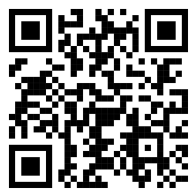
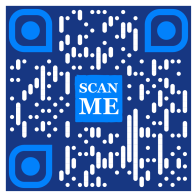
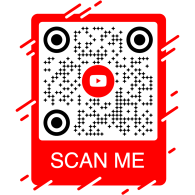
Örnek API isteklerini ve bunların oluşturduğu QR kodlarını inceleyin.
curl -X POST https://me-qr.com/api/v2/qr/link/create \
-H "Content-Type: application/json" \
-H "X-AUTH-TOKEN: YOUR_API_TOKEN" \
-d '{
"qrFieldsData": {
"link": "https://example.com"
},
"format": "png"
}'
curl -X POST https://me-qr.com/api/v2/qr/link/create \
-H "Content-Type: application/json" \
-H "X-AUTH-TOKEN: YOUR_API_TOKEN" \
-d '{
"qrFieldsData": {
"link": "https://example.com"
},
"format": "png",
"qrOptions": {
"patternColor": "#FFFFFF",
"patternBackground": "#173782",
"cornetsOuterColor": "#0281fb",
"cornetsInteriorColor": "#0281fb"
}
}'
curl -X POST https://me-qr.com/api/v2/qr/link/create \
-H "Content-Type: application/json" \
-H "X-AUTH-TOKEN: YOUR_API_TOKEN" \
-d '{
"qrFieldsData": {
"link": "https://example.com"
},
"format": "png",
"qrOptions": {
"logotype": "youTubeLogotype",
"logotypeSize": 0.3,
"logotypeMargin": 5,
"logotypeHideBackground": true
},
"qrFrame": {
"name": "frame1",
"color": "ff0000",
"backgroundColor": "#ffffff",
"text": "Scan me!",
"textColor": "#FFFFFF"
}
}'
API QR Code, toplu QR kod oluşturma ve iş süreçlerine sorunsuz entegrasyon için tasarlanmış güçlü bir araçtır ve QR teknolojisi aracılığıyla otomasyonu mümkün kılar. Bu API, operasyonları kolaylaştırmada, verimliliği artırmada ve QR kodlarını iş akışlarına dahil etmek isteyen işletmeler için sağlam bir çözüm sunmada çok önemli bir rol oynar.
API'nin işlevselliğinin dikkate değer bir örneği, QR kodlarını programatik olarak oluşturmanıza olanak tanıyan /api/qr/create/ uç noktası aracılığıyla gösterilmektedir:
me-qr'de bulunan türlerden birini kullanarak QR kodu oluşturmanıza olanak tanır. Her istek yeni bir QR kodu oluşturacaktır.
Parametre yok
{
"token": "string",
"qrType": 1,
"qrFieldsData": {
"link": "https://example.com"
},
"entryId": null,
"title": "Qr Code",
"format": "png",
"designType": "base",
"qrFolderOptions": {
"folderName": null,
"subfolderName": null
},
"qrOptions": {
"size": 300,
"errorCorrectionLevel": "Q",
"pattern": "square",
"patternColor": "#000000",
"patternBackground": "#ffffff",
"cornetsOuter": "square",
"cornetsOuterColor": "#000000",
"cornetsInterior": "square",
"cornetsInteriorColor": "#000000",
"logotype": null,
"logotypeSize": 0.3,
"logotypeMargin": 0,
"logotypeHideBackground": true,
"gradientPattern": null,
"gradientCornetsOuter": null,
"gradientCornetsInterior": null,
"gradientBackground": null
},
"qrFrame": {
"name": "noFrame",
"color": "#000000",
"backgroundColor": "#ffffff",
"text": "",
"textSize": null,
"textColor": "#9C3AAF",
"textFont": "Roboto"
}
}
| Kod | Tanım | Bağlantılar |
|---|---|---|
| default | — | Bağlantı yok. |
Me-QR Generator API, QR kod oluşturma üzerinde kapsamlı kontrol sağlayarak, QR kodlarını özel ihtiyaçlarınıza göre uyarlamanıza olanak tanıyan bir dizi özellik sunar:
Özel QR kod API'si için desteklenen ülkelerin listesini alın.
Mevcut ülkelerin listesini alın.
| İsim | Tanım |
|---|---|
|
country
string
(query)
|
Ülke adına göre arama yap. |
| Kod | Tanım | Bağlantılar |
|---|---|---|
| 200 | Başarılı yanıt application/json
[
{
"id": 0,
"name": "string"
}
]
|
Bağlantı yok. |
Bu uç nokta, mevcut ülkelerin listesini almanızı sağlayarak coğrafi tercihlere dayalı yerelleştirme ve özelleştirmeyi kolaylaştırır.
QR kod detaylarını hassaslaştırmak için desteklenen şehirler listesine erişin.
Mevcut şehirlerin listesini alın.
| İsim | Tanım |
|---|---|
|
country
string
(query)
|
Ülke adına göre arama yap. |
| Kod | Tanım | Bağlantılar |
|---|---|---|
| 200 | Başarılı yanıt application/json
[
{
"id": 0,
"name": "string"
}
]
|
Bağlantı yok. |
Bu özelliği kullanarak belirli şehirleri seçebilir ve böylece QR kodlarının konuma özgü kampanyalar veya bilgi yayımı için önemini artırabilirsiniz.
QR kodlarına zamana duyarlı bilgiler eklemek için desteklenen saat dilimlerinin listesini edinin.
Mevcut saat dilimlerinin listesini alın.
| İsim | Tanım |
|---|---|
|
timezone
string
(query)
|
Saat dilimi adına göre arama yapın. |
| Kod | Tanım | Bağlantılar |
|---|---|---|
| 200 | Başarılı yanıt application/json
[
{
"id": 0,
"name": "string"
}
]
|
Bağlantı yok. |
Bu özellik, QR kod içeriğini zamana özgü verilerle hizalamanıza olanak tanıyarak, içeriğin güncelliğini ve uygunluğunu sağlar.
QR kod metni ve içerik özelleştirmesi için desteklenen dillerin listesine erişin.
Mevcut dillerin listesini alın.
| İsim | Tanım |
|---|---|
|
language
string
(query)
|
Dil adına göre arama yap. |
| Kod | Tanım | Bağlantılar |
|---|---|---|
| 200 | Başarılı yanıt application/json
[
{
"id": 0,
"name": "string"
}
]
|
Bağlantı yok. |
Bu özelliği kullanarak farklı dil tercihlerine hitap edebilir, QR kodlarını çok dilli ortamlarda daha erişilebilir ve kullanıcı dostu hale getirebilirsiniz.
Bu özelliklerin sağladığı esneklik, belirli bölgelere, şehirlere, saat dilimlerine ve dillere uyarlanmış dinamik bir QR Kod API'si oluşturmanıza olanak tanıyarak QR tabanlı iletişim ve etkileşim stratejilerinizin etkinliğini artırır.
QR Kod Oluşturucu API'miz, çeşitli ihtiyaç ve işlevlere hitap eden çok çeşitli QR kod oluşturma türleri sunmaktadır. Gelin bu türlerden bazılarını ayrıntılı olarak inceleyelim.
Ücretsiz QR kod API'si, sorunsuz ve verimli yapısı sayesinde ödemeler alanında oldukça değerli olduğunu kanıtlıyor. İşlemleri basitleştiriyor, güvenliği artırıyor ve QR kodlu aylık ödemeyi hızlandırıyor. İşte kullanımını gösteren basit bir kod örneği:
Ücretsiz QR kod API'si, işletmelerin ve bireylerin işlemleri kolaylaştırmasına olanak tanıyarak ödeme alanında büyük değer taşıyor. Bir ödeme URL'sini QR koduna yerleştirerek, müşteriler kodu akıllı telefonlarıyla hızlıca tarayabilir ve işlemleri sorunsuz bir şekilde tamamlayabilirler.
{
"qrFieldsData": {
"link"*: "https://example.com/pay"
}
}
| Alan | Tip | Gerekli | Tanım |
|---|---|---|---|
| link | string($hostname) | required | Ödeme sayfası URL'si |
QR Kod API'si oluşturun ve bizimle ödeme süreçlerinizde devrim yaratın, işlemleri sorunsuz ve verimli deneyimlere dönüştürün.
QR Kod API'si oluşturun ve bizimle ödeme süreçlerinizde devrim yaratın. Güvenli ve verimli işlemleri uygulamalarınıza sorunsuz bir şekilde entegre edin.
QR Kod Ödeme API'sinin örnek bir örneği PayPal QR kodu'dur. Çevrimiçi ödemelerde lider olarak bilinen PayPal'ın API entegrasyonu, işlemleri güvenli bir şekilde kolaylaştırır. İşte uygulamasının temel bir örneği:
PayPal QR Kod API'si, PayPal ödeme bağlantılarının QR kodlarına sorunsuz bir şekilde entegre edilmesini sağlar. Kullanıcılar QR kodunu tarayarak anında PayPal ödeme sayfasına yönlendirilebilir; bu da hem işletmeler hem de müşteriler için işlemleri hızlı ve kullanışlı hale getirir.
{
"qrFieldsData": {
"link"*: "https://paypal.me/username"
}
}
| Alan | Tip | Gerekli | Tanım |
|---|---|---|---|
| link | string($hostname) | required | PayPal.me veya ödeme URL'si |
PayPal QR Kod API'sinden yararlanarak ödeme akışınızı basitleştirin ve hızlandırın, kullanıcılarınıza modern bir ödeme deneyimi sunun.
Me-QR'ın PayPal QR Kod API'si ile çevrimiçi ödeme deneyiminizi bir üst seviyeye taşıyın. Güvenli ve verimli PayPal işlemlerini uygulamalarınıza zahmetsizce entegre edin.
Logolu QR Kod Oluşturucu API'si, popülerliği nedeniyle öne çıkıyor. Bu özellik, kullanıcıların Logolu QR sağlayarak logolarını QR kod tasarımına yerleştirmelerini sağlıyor. Marka tanınırlığı ve özelleştirme için tercih edilen bir seçenektir:
Logo QR Kod API'si, herhangi bir URL'ye bağlantı veren QR kodları oluşturmanıza olanak tanır; bu da marka sayfaları, portföyler veya açılış sayfaları için mükemmeldir. Hedef URL'nizi yerleştirin ve kitlenize şık ve taranabilir bir deneyim sunun.
{
"qrFieldsData": {
"link"*: "https://example.com"
}
}
| Alan | Tip | Gerekli | Tanım |
|---|---|---|---|
| link | string($hostname) | required | Hedef URL'si |
Logo QR Kod API'sini kullanarak, marka bilinirliğini QR teknolojisinin rahatlığıyla birleştirerek herhangi bir destinasyona zahmetsizce bağlantı kurabilirsiniz.
Ücretsiz QR Kod Oluşturucu API'si ile markanızı her taramaya entegre edin. Marka bilinirliğinizi artırın ve gömülü logolarla QR kodlarını zahmetsizce özelleştirin.
WhatsApp API QR kodu, mesajlaşma uygulamalarının QR API'leri arasında seçkin bir konuma sahiptir. Bu API'den yararlanmak, WhatsApp'a hızlı erişim sağlayarak sorunsuz etkileşimi kolaylaştırır ve mesajlaşma uygulamalarına dayalı QR işlevleri alanında lider konumdadır. İşte bir örnek:
WhatsApp QR Kod API'si, önceden doldurulmuş bir mesajla WhatsApp konuşması açan QR kodları oluşturmanıza olanak tanır. Sadece bir telefon numarası ve isteğe bağlı bir mesaj girmeniz yeterlidir; müşteri desteği, pazarlama kampanyaları ve anlık etkileşim için idealdir.
{
"qrFieldsData": {
"phone"*: "+1234567890",
"message"*: "Hello!"
}
}
| Alan | Tip | Gerekli | Tanım |
|---|---|---|---|
| phone | string | required | Alıcı telefon numarası (uluslararası formatta) |
| message | string | required | Önceden doldurulmuş mesaj metni |
WhatsApp QR Kod API'sini entegre ederek tek bir tarama ile doğrudan iletişimi teşvik edin ve etkileşimi artırın.
WhatsApp QR Kodu ile kitlenizle sorunsuz bir şekilde bağlantı kurun. Tek bir tarama ile konuşmalara hızlı erişim sağlayarak mesajlaşma deneyiminizi geliştirin.
QR kod API'si, çeşitli ihtiyaçları karşılamak için kapsamlı bir QR Kod API Oluşturucu türleri paketi sunar. Desteklenen QR API türlerini ve her biri için kod örneklerini keşfedin:
Kullanıcıları herhangi bir URL'ye yönlendiren QR kodları oluşturun.
Tarandığında herhangi bir URL'ye yönlendiren bir QR kodu oluşturun.
{
"qrFieldsData": {
"link": "https://example.com"
},
"title": "Qr Code",
"format": "png",
"designType": "base",
"qrFolderOptions": {
"folderName": null,
"subfolderName": null
},
"qrOptions": {
"size": 300,
"errorCorrectionLevel": "Q",
"pattern": "square",
"patternColor": "#000000",
"patternBackground": "#ffffff",
"cornetsOuter": "square",
"cornetsOuterColor": "#000000",
"cornetsInterior": "square",
"cornetsInteriorColor": "#000000",
"logotype": null,
"logotypeSize": 0.3,
"logotypeMargin": 0,
"logotypeHideBackground": true,
"gradientPattern": null,
"gradientCornetsOuter": null,
"gradientCornetsInterior": null,
"gradientBackground": null
},
"qrFrame": {
"name": "noFrame",
"color": "#000000",
"backgroundColor": "#ffffff",
"text": "",
"textSize": null,
"textColor": "#9C3AAF",
"textFont": "Roboto"
}
}
QR kodunun veri ve stil parametrelerini değiştirme.
entryUIDpath Kimlik veya benzersiz giriş anahtarı (QR kodu)
{
"qrFieldsData": {
"link": "https://example.com"
},
"title": "Qr Code",
"format": "png",
"designType": "base",
"qrFolderOptions": {
"folderName": null,
"subfolderName": null
},
"qrOptions": {
"size": 300,
"errorCorrectionLevel": "Q",
"pattern": "square",
"patternColor": "#000000",
"patternBackground": "#ffffff",
"cornetsOuter": "square",
"cornetsOuterColor": "#000000",
"cornetsInterior": "square",
"cornetsInteriorColor": "#000000",
"logotype": null,
"logotypeSize": 0.3,
"logotypeMargin": 0,
"logotypeHideBackground": true,
"gradientPattern": null,
"gradientCornetsOuter": null,
"gradientCornetsInterior": null,
"gradientBackground": null
},
"qrFrame": {
"name": "noFrame",
"color": "#000000",
"backgroundColor": "#ffffff",
"text": "",
"textSize": null,
"textColor": "#9C3AAF",
"textFont": "Roboto"
}
}
Oluşturulan QR kodunun verilerini, özelleştirme ayarlarını veya doğrudan görüntüsünü inceleyin.
entryUID path Kimlik veya benzersiz giriş anahtarı (QR kodu)
format query Görüntü formatı. Kullanılabilir değerler: png, svg, jpg, jpeg, json. Varsayılan: null
{
"qrFieldsData": {
"link": "https://example.com"
},
"title": "Qr Code",
"format": "png",
"designType": "base",
"qrFolderOptions": {
"folderName": null,
"subfolderName": null
},
"qrOptions": {
"size": 300,
"errorCorrectionLevel": "Q",
"pattern": "square",
"patternColor": "#000000",
"patternBackground": "#ffffff",
"cornetsOuter": "square",
"cornetsOuterColor": "#000000",
"cornetsInterior": "square",
"cornetsInteriorColor": "#000000",
"logotype": null,
"logotypeSize": 0.3,
"logotypeMargin": 0,
"logotypeHideBackground": true,
"gradientPattern": null,
"gradientCornetsOuter": null,
"gradientCornetsInterior": null,
"gradientBackground": null
},
"qrFrame": {
"name": "noFrame",
"color": "#000000",
"backgroundColor": "#ffffff",
"text": "",
"textSize": null,
"textColor": "#9C3AAF",
"textFont": "Roboto"
}
}
QR kodlarını kullanarak Instagram profilleriyle bağlantı kurun.
Doğrudan bir Instagram profiline veya gönderisine bağlantı veren bir QR kodu oluşturun.
{
"qrFieldsData": {
"link": "https://www.instagram.com/username"
},
"title": "Qr Code",
"format": "png",
"designType": "base",
"qrFolderOptions": {
"folderName": null,
"subfolderName": null
},
"qrOptions": {
"size": 300,
"errorCorrectionLevel": "Q",
"pattern": "square",
"patternColor": "#000000",
"patternBackground": "#ffffff",
"cornetsOuter": "square",
"cornetsOuterColor": "#000000",
"cornetsInterior": "square",
"cornetsInteriorColor": "#000000",
"logotype": null,
"logotypeSize": 0.3,
"logotypeMargin": 0,
"logotypeHideBackground": true,
"gradientPattern": null,
"gradientCornetsOuter": null,
"gradientCornetsInterior": null,
"gradientBackground": null
},
"qrFrame": {
"name": "noFrame",
"color": "#000000",
"backgroundColor": "#ffffff",
"text": "",
"textSize": null,
"textColor": "#9C3AAF",
"textFont": "Roboto"
}
}
QR kodunun veri ve stil parametrelerini değiştirme.
entryUIDpath Kimlik veya benzersiz giriş anahtarı (QR kodu)
{
"qrFieldsData": {
"link": "https://www.instagram.com/username"
},
"title": "Qr Code",
"format": "png",
"designType": "base",
"qrFolderOptions": {
"folderName": null,
"subfolderName": null
},
"qrOptions": {
"size": 300,
"errorCorrectionLevel": "Q",
"pattern": "square",
"patternColor": "#000000",
"patternBackground": "#ffffff",
"cornetsOuter": "square",
"cornetsOuterColor": "#000000",
"cornetsInterior": "square",
"cornetsInteriorColor": "#000000",
"logotype": null,
"logotypeSize": 0.3,
"logotypeMargin": 0,
"logotypeHideBackground": true,
"gradientPattern": null,
"gradientCornetsOuter": null,
"gradientCornetsInterior": null,
"gradientBackground": null
},
"qrFrame": {
"name": "noFrame",
"color": "#000000",
"backgroundColor": "#ffffff",
"text": "",
"textSize": null,
"textColor": "#9C3AAF",
"textFont": "Roboto"
}
}
Oluşturulan QR kodunun verilerini, özelleştirme ayarlarını veya doğrudan görüntüsünü inceleyin.
entryUID path Kimlik veya benzersiz giriş anahtarı (QR kodu)
format query Görüntü formatı. Kullanılabilir değerler: png, svg, jpg, jpeg, json. Varsayılan: null
{
"qrFieldsData": {
"link": "https://www.instagram.com/username"
},
"title": "Qr Code",
"format": "png",
"designType": "base",
"qrFolderOptions": {
"folderName": null,
"subfolderName": null
},
"qrOptions": {
"size": 300,
"errorCorrectionLevel": "Q",
"pattern": "square",
"patternColor": "#000000",
"patternBackground": "#ffffff",
"cornetsOuter": "square",
"cornetsOuterColor": "#000000",
"cornetsInterior": "square",
"cornetsInteriorColor": "#000000",
"logotype": null,
"logotypeSize": 0.3,
"logotypeMargin": 0,
"logotypeHideBackground": true,
"gradientPattern": null,
"gradientCornetsOuter": null,
"gradientCornetsInterior": null,
"gradientBackground": null
},
"qrFrame": {
"name": "noFrame",
"color": "#000000",
"backgroundColor": "#ffffff",
"text": "",
"textSize": null,
"textColor": "#9C3AAF",
"textFont": "Roboto"
}
}
QR Kod Oluşturucu REST API'si aracılığıyla Facebook profillerine veya sayfalarına bağlantı verin.
Bir Facebook sayfasına, grubuna veya profiline bağlantı veren bir QR kodu oluşturun.
{
"qrFieldsData": {
"link": "https://www.facebook.com/pagename"
},
"title": "Qr Code",
"format": "png",
"designType": "base",
"qrFolderOptions": {
"folderName": null,
"subfolderName": null
},
"qrOptions": {
"size": 300,
"errorCorrectionLevel": "Q",
"pattern": "square",
"patternColor": "#000000",
"patternBackground": "#ffffff",
"cornetsOuter": "square",
"cornetsOuterColor": "#000000",
"cornetsInterior": "square",
"cornetsInteriorColor": "#000000",
"logotype": null,
"logotypeSize": 0.3,
"logotypeMargin": 0,
"logotypeHideBackground": true,
"gradientPattern": null,
"gradientCornetsOuter": null,
"gradientCornetsInterior": null,
"gradientBackground": null
},
"qrFrame": {
"name": "noFrame",
"color": "#000000",
"backgroundColor": "#ffffff",
"text": "",
"textSize": null,
"textColor": "#9C3AAF",
"textFont": "Roboto"
}
}
QR kodunun veri ve stil parametrelerini değiştirme.
entryUIDpath Kimlik veya benzersiz giriş anahtarı (QR kodu)
{
"qrFieldsData": {
"link": "https://www.facebook.com/pagename"
},
"title": "Qr Code",
"format": "png",
"designType": "base",
"qrFolderOptions": {
"folderName": null,
"subfolderName": null
},
"qrOptions": {
"size": 300,
"errorCorrectionLevel": "Q",
"pattern": "square",
"patternColor": "#000000",
"patternBackground": "#ffffff",
"cornetsOuter": "square",
"cornetsOuterColor": "#000000",
"cornetsInterior": "square",
"cornetsInteriorColor": "#000000",
"logotype": null,
"logotypeSize": 0.3,
"logotypeMargin": 0,
"logotypeHideBackground": true,
"gradientPattern": null,
"gradientCornetsOuter": null,
"gradientCornetsInterior": null,
"gradientBackground": null
},
"qrFrame": {
"name": "noFrame",
"color": "#000000",
"backgroundColor": "#ffffff",
"text": "",
"textSize": null,
"textColor": "#9C3AAF",
"textFont": "Roboto"
}
}
Oluşturulan QR kodunun verilerini, özelleştirme ayarlarını veya doğrudan görüntüsünü inceleyin.
entryUID path Kimlik veya benzersiz giriş anahtarı (QR kodu)
format query Görüntü formatı. Kullanılabilir değerler: png, svg, jpg, jpeg, json. Varsayılan: null
{
"qrFieldsData": {
"link": "https://www.facebook.com/pagename"
},
"title": "Qr Code",
"format": "png",
"designType": "base",
"qrFolderOptions": {
"folderName": null,
"subfolderName": null
},
"qrOptions": {
"size": 300,
"errorCorrectionLevel": "Q",
"pattern": "square",
"patternColor": "#000000",
"patternBackground": "#ffffff",
"cornetsOuter": "square",
"cornetsOuterColor": "#000000",
"cornetsInterior": "square",
"cornetsInteriorColor": "#000000",
"logotype": null,
"logotypeSize": 0.3,
"logotypeMargin": 0,
"logotypeHideBackground": true,
"gradientPattern": null,
"gradientCornetsOuter": null,
"gradientCornetsInterior": null,
"gradientBackground": null
},
"qrFrame": {
"name": "noFrame",
"color": "#000000",
"backgroundColor": "#ffffff",
"text": "",
"textSize": null,
"textColor": "#9C3AAF",
"textFont": "Roboto"
}
}
QR kodları kullanarak Twitter profillerine veya tweetlere erişin.
Kullanıcıları bir Twitter/X profiline veya tweet'ine yönlendiren bir QR kodu oluşturun.
{
"qrFieldsData": {
"link": "https://twitter.com/username"
},
"title": "Qr Code",
"format": "png",
"designType": "base",
"qrFolderOptions": {
"folderName": null,
"subfolderName": null
},
"qrOptions": {
"size": 300,
"errorCorrectionLevel": "Q",
"pattern": "square",
"patternColor": "#000000",
"patternBackground": "#ffffff",
"cornetsOuter": "square",
"cornetsOuterColor": "#000000",
"cornetsInterior": "square",
"cornetsInteriorColor": "#000000",
"logotype": null,
"logotypeSize": 0.3,
"logotypeMargin": 0,
"logotypeHideBackground": true,
"gradientPattern": null,
"gradientCornetsOuter": null,
"gradientCornetsInterior": null,
"gradientBackground": null
},
"qrFrame": {
"name": "noFrame",
"color": "#000000",
"backgroundColor": "#ffffff",
"text": "",
"textSize": null,
"textColor": "#9C3AAF",
"textFont": "Roboto"
}
}
QR kodunun veri ve stil parametrelerini değiştirme.
entryUIDpath Kimlik veya benzersiz giriş anahtarı (QR kodu)
{
"qrFieldsData": {
"link": "https://twitter.com/username"
},
"title": "Qr Code",
"format": "png",
"designType": "base",
"qrFolderOptions": {
"folderName": null,
"subfolderName": null
},
"qrOptions": {
"size": 300,
"errorCorrectionLevel": "Q",
"pattern": "square",
"patternColor": "#000000",
"patternBackground": "#ffffff",
"cornetsOuter": "square",
"cornetsOuterColor": "#000000",
"cornetsInterior": "square",
"cornetsInteriorColor": "#000000",
"logotype": null,
"logotypeSize": 0.3,
"logotypeMargin": 0,
"logotypeHideBackground": true,
"gradientPattern": null,
"gradientCornetsOuter": null,
"gradientCornetsInterior": null,
"gradientBackground": null
},
"qrFrame": {
"name": "noFrame",
"color": "#000000",
"backgroundColor": "#ffffff",
"text": "",
"textSize": null,
"textColor": "#9C3AAF",
"textFont": "Roboto"
}
}
Oluşturulan QR kodunun verilerini, özelleştirme ayarlarını veya doğrudan görüntüsünü inceleyin.
entryUID path Kimlik veya benzersiz giriş anahtarı (QR kodu)
format query Görüntü formatı. Kullanılabilir değerler: png, svg, jpg, jpeg, json. Varsayılan: null
{
"qrFieldsData": {
"link": "https://twitter.com/username"
},
"title": "Qr Code",
"format": "png",
"designType": "base",
"qrFolderOptions": {
"folderName": null,
"subfolderName": null
},
"qrOptions": {
"size": 300,
"errorCorrectionLevel": "Q",
"pattern": "square",
"patternColor": "#000000",
"patternBackground": "#ffffff",
"cornetsOuter": "square",
"cornetsOuterColor": "#000000",
"cornetsInterior": "square",
"cornetsInteriorColor": "#000000",
"logotype": null,
"logotypeSize": 0.3,
"logotypeMargin": 0,
"logotypeHideBackground": true,
"gradientPattern": null,
"gradientCornetsOuter": null,
"gradientCornetsInterior": null,
"gradientBackground": null
},
"qrFrame": {
"name": "noFrame",
"color": "#000000",
"backgroundColor": "#ffffff",
"text": "",
"textSize": null,
"textColor": "#9C3AAF",
"textFont": "Roboto"
}
}
QR kodlarını kullanarak TikTok profillerini keşfedin.
TikTok profiline veya videosuna bağlantı veren bir QR kodu oluşturun.
{
"qrFieldsData": {
"link": "https://www.tiktok.com/@username"
},
"title": "Qr Code",
"format": "png",
"designType": "base",
"qrFolderOptions": {
"folderName": null,
"subfolderName": null
},
"qrOptions": {
"size": 300,
"errorCorrectionLevel": "Q",
"pattern": "square",
"patternColor": "#000000",
"patternBackground": "#ffffff",
"cornetsOuter": "square",
"cornetsOuterColor": "#000000",
"cornetsInterior": "square",
"cornetsInteriorColor": "#000000",
"logotype": null,
"logotypeSize": 0.3,
"logotypeMargin": 0,
"logotypeHideBackground": true,
"gradientPattern": null,
"gradientCornetsOuter": null,
"gradientCornetsInterior": null,
"gradientBackground": null
},
"qrFrame": {
"name": "noFrame",
"color": "#000000",
"backgroundColor": "#ffffff",
"text": "",
"textSize": null,
"textColor": "#9C3AAF",
"textFont": "Roboto"
}
}
QR kodunun veri ve stil parametrelerini değiştirme.
entryUIDpath Kimlik veya benzersiz giriş anahtarı (QR kodu)
{
"qrFieldsData": {
"link": "https://www.tiktok.com/@username"
},
"title": "Qr Code",
"format": "png",
"designType": "base",
"qrFolderOptions": {
"folderName": null,
"subfolderName": null
},
"qrOptions": {
"size": 300,
"errorCorrectionLevel": "Q",
"pattern": "square",
"patternColor": "#000000",
"patternBackground": "#ffffff",
"cornetsOuter": "square",
"cornetsOuterColor": "#000000",
"cornetsInterior": "square",
"cornetsInteriorColor": "#000000",
"logotype": null,
"logotypeSize": 0.3,
"logotypeMargin": 0,
"logotypeHideBackground": true,
"gradientPattern": null,
"gradientCornetsOuter": null,
"gradientCornetsInterior": null,
"gradientBackground": null
},
"qrFrame": {
"name": "noFrame",
"color": "#000000",
"backgroundColor": "#ffffff",
"text": "",
"textSize": null,
"textColor": "#9C3AAF",
"textFont": "Roboto"
}
}
Oluşturulan QR kodunun verilerini, özelleştirme ayarlarını veya doğrudan görüntüsünü inceleyin.
entryUID path Kimlik veya benzersiz giriş anahtarı (QR kodu)
format query Görüntü formatı. Kullanılabilir değerler: png, svg, jpg, jpeg, json. Varsayılan: null
{
"qrFieldsData": {
"link": "https://www.tiktok.com/@username"
},
"title": "Qr Code",
"format": "png",
"designType": "base",
"qrFolderOptions": {
"folderName": null,
"subfolderName": null
},
"qrOptions": {
"size": 300,
"errorCorrectionLevel": "Q",
"pattern": "square",
"patternColor": "#000000",
"patternBackground": "#ffffff",
"cornetsOuter": "square",
"cornetsOuterColor": "#000000",
"cornetsInterior": "square",
"cornetsInteriorColor": "#000000",
"logotype": null,
"logotypeSize": 0.3,
"logotypeMargin": 0,
"logotypeHideBackground": true,
"gradientPattern": null,
"gradientCornetsOuter": null,
"gradientCornetsInterior": null,
"gradientBackground": null
},
"qrFrame": {
"name": "noFrame",
"color": "#000000",
"backgroundColor": "#ffffff",
"text": "",
"textSize": null,
"textColor": "#9C3AAF",
"textFont": "Roboto"
}
}
Snapchat QR aracılığıyla profillerle bağlantı kurun.
Snapchat profiline doğrudan bağlantı veren bir QR kodu oluşturun.
{
"qrFieldsData": {
"link": "https://www.snapchat.com/add/username"
},
"title": "Qr Code",
"format": "png",
"designType": "base",
"qrFolderOptions": {
"folderName": null,
"subfolderName": null
},
"qrOptions": {
"size": 300,
"errorCorrectionLevel": "Q",
"pattern": "square",
"patternColor": "#000000",
"patternBackground": "#ffffff",
"cornetsOuter": "square",
"cornetsOuterColor": "#000000",
"cornetsInterior": "square",
"cornetsInteriorColor": "#000000",
"logotype": null,
"logotypeSize": 0.3,
"logotypeMargin": 0,
"logotypeHideBackground": true,
"gradientPattern": null,
"gradientCornetsOuter": null,
"gradientCornetsInterior": null,
"gradientBackground": null
},
"qrFrame": {
"name": "noFrame",
"color": "#000000",
"backgroundColor": "#ffffff",
"text": "",
"textSize": null,
"textColor": "#9C3AAF",
"textFont": "Roboto"
}
}
QR kodunun veri ve stil parametrelerini değiştirme.
entryUIDpath Kimlik veya benzersiz giriş anahtarı (QR kodu)
{
"qrFieldsData": {
"link": "https://www.snapchat.com/add/username"
},
"title": "Qr Code",
"format": "png",
"designType": "base",
"qrFolderOptions": {
"folderName": null,
"subfolderName": null
},
"qrOptions": {
"size": 300,
"errorCorrectionLevel": "Q",
"pattern": "square",
"patternColor": "#000000",
"patternBackground": "#ffffff",
"cornetsOuter": "square",
"cornetsOuterColor": "#000000",
"cornetsInterior": "square",
"cornetsInteriorColor": "#000000",
"logotype": null,
"logotypeSize": 0.3,
"logotypeMargin": 0,
"logotypeHideBackground": true,
"gradientPattern": null,
"gradientCornetsOuter": null,
"gradientCornetsInterior": null,
"gradientBackground": null
},
"qrFrame": {
"name": "noFrame",
"color": "#000000",
"backgroundColor": "#ffffff",
"text": "",
"textSize": null,
"textColor": "#9C3AAF",
"textFont": "Roboto"
}
}
Oluşturulan QR kodunun verilerini, özelleştirme ayarlarını veya doğrudan görüntüsünü inceleyin.
entryUID path Kimlik veya benzersiz giriş anahtarı (QR kodu)
format query Görüntü formatı. Kullanılabilir değerler: png, svg, jpg, jpeg, json. Varsayılan: null
{
"qrFieldsData": {
"link": "https://www.snapchat.com/add/username"
},
"title": "Qr Code",
"format": "png",
"designType": "base",
"qrFolderOptions": {
"folderName": null,
"subfolderName": null
},
"qrOptions": {
"size": 300,
"errorCorrectionLevel": "Q",
"pattern": "square",
"patternColor": "#000000",
"patternBackground": "#ffffff",
"cornetsOuter": "square",
"cornetsOuterColor": "#000000",
"cornetsInterior": "square",
"cornetsInteriorColor": "#000000",
"logotype": null,
"logotypeSize": 0.3,
"logotypeMargin": 0,
"logotypeHideBackground": true,
"gradientPattern": null,
"gradientCornetsOuter": null,
"gradientCornetsInterior": null,
"gradientBackground": null
},
"qrFrame": {
"name": "noFrame",
"color": "#000000",
"backgroundColor": "#ffffff",
"text": "",
"textSize": null,
"textColor": "#9C3AAF",
"textFont": "Roboto"
}
}
QR kodlarını kullanarak Telegram kanalları veya gruplarıyla etkileşim kurun.
Telegram kanalına, bota veya kişiye bağlantı veren bir QR kodu oluşturun.
{
"qrFieldsData": {
"link": "https://t.me/username"
},
"title": "Qr Code",
"format": "png",
"designType": "base",
"qrFolderOptions": {
"folderName": null,
"subfolderName": null
},
"qrOptions": {
"size": 300,
"errorCorrectionLevel": "Q",
"pattern": "square",
"patternColor": "#000000",
"patternBackground": "#ffffff",
"cornetsOuter": "square",
"cornetsOuterColor": "#000000",
"cornetsInterior": "square",
"cornetsInteriorColor": "#000000",
"logotype": null,
"logotypeSize": 0.3,
"logotypeMargin": 0,
"logotypeHideBackground": true,
"gradientPattern": null,
"gradientCornetsOuter": null,
"gradientCornetsInterior": null,
"gradientBackground": null
},
"qrFrame": {
"name": "noFrame",
"color": "#000000",
"backgroundColor": "#ffffff",
"text": "",
"textSize": null,
"textColor": "#9C3AAF",
"textFont": "Roboto"
}
}
QR kodunun veri ve stil parametrelerini değiştirme.
entryUIDpath Kimlik veya benzersiz giriş anahtarı (QR kodu)
{
"qrFieldsData": {
"link": "https://t.me/username"
},
"title": "Qr Code",
"format": "png",
"designType": "base",
"qrFolderOptions": {
"folderName": null,
"subfolderName": null
},
"qrOptions": {
"size": 300,
"errorCorrectionLevel": "Q",
"pattern": "square",
"patternColor": "#000000",
"patternBackground": "#ffffff",
"cornetsOuter": "square",
"cornetsOuterColor": "#000000",
"cornetsInterior": "square",
"cornetsInteriorColor": "#000000",
"logotype": null,
"logotypeSize": 0.3,
"logotypeMargin": 0,
"logotypeHideBackground": true,
"gradientPattern": null,
"gradientCornetsOuter": null,
"gradientCornetsInterior": null,
"gradientBackground": null
},
"qrFrame": {
"name": "noFrame",
"color": "#000000",
"backgroundColor": "#ffffff",
"text": "",
"textSize": null,
"textColor": "#9C3AAF",
"textFont": "Roboto"
}
}
Oluşturulan QR kodunun verilerini, özelleştirme ayarlarını veya doğrudan görüntüsünü inceleyin.
entryUID path Kimlik veya benzersiz giriş anahtarı (QR kodu)
format query Görüntü formatı. Kullanılabilir değerler: png, svg, jpg, jpeg, json. Varsayılan: null
{
"qrFieldsData": {
"link": "https://t.me/username"
},
"title": "Qr Code",
"format": "png",
"designType": "base",
"qrFolderOptions": {
"folderName": null,
"subfolderName": null
},
"qrOptions": {
"size": 300,
"errorCorrectionLevel": "Q",
"pattern": "square",
"patternColor": "#000000",
"patternBackground": "#ffffff",
"cornetsOuter": "square",
"cornetsOuterColor": "#000000",
"cornetsInterior": "square",
"cornetsInteriorColor": "#000000",
"logotype": null,
"logotypeSize": 0.3,
"logotypeMargin": 0,
"logotypeHideBackground": true,
"gradientPattern": null,
"gradientCornetsOuter": null,
"gradientCornetsInterior": null,
"gradientBackground": null
},
"qrFrame": {
"name": "noFrame",
"color": "#000000",
"backgroundColor": "#ffffff",
"text": "",
"textSize": null,
"textColor": "#9C3AAF",
"textFont": "Roboto"
}
}
QR kodlarını kullanarak Spotify'daki belirli şarkılara, albümlere veya sanatçılara erişin.
Spotify'da bir şarkı, albüm veya sanatçı sayfasına yönlendiren bir QR kodu oluşturun.
{
"qrFieldsData": {
"link": "https://open.spotify.com/track/..."
},
"title": "Qr Code",
"format": "png",
"designType": "base",
"qrFolderOptions": {
"folderName": null,
"subfolderName": null
},
"qrOptions": {
"size": 300,
"errorCorrectionLevel": "Q",
"pattern": "square",
"patternColor": "#000000",
"patternBackground": "#ffffff",
"cornetsOuter": "square",
"cornetsOuterColor": "#000000",
"cornetsInterior": "square",
"cornetsInteriorColor": "#000000",
"logotype": null,
"logotypeSize": 0.3,
"logotypeMargin": 0,
"logotypeHideBackground": true,
"gradientPattern": null,
"gradientCornetsOuter": null,
"gradientCornetsInterior": null,
"gradientBackground": null
},
"qrFrame": {
"name": "noFrame",
"color": "#000000",
"backgroundColor": "#ffffff",
"text": "",
"textSize": null,
"textColor": "#9C3AAF",
"textFont": "Roboto"
}
}
QR kodunun veri ve stil parametrelerini değiştirme.
entryUIDpath Kimlik veya benzersiz giriş anahtarı (QR kodu)
{
"qrFieldsData": {
"link": "https://open.spotify.com/track/..."
},
"title": "Qr Code",
"format": "png",
"designType": "base",
"qrFolderOptions": {
"folderName": null,
"subfolderName": null
},
"qrOptions": {
"size": 300,
"errorCorrectionLevel": "Q",
"pattern": "square",
"patternColor": "#000000",
"patternBackground": "#ffffff",
"cornetsOuter": "square",
"cornetsOuterColor": "#000000",
"cornetsInterior": "square",
"cornetsInteriorColor": "#000000",
"logotype": null,
"logotypeSize": 0.3,
"logotypeMargin": 0,
"logotypeHideBackground": true,
"gradientPattern": null,
"gradientCornetsOuter": null,
"gradientCornetsInterior": null,
"gradientBackground": null
},
"qrFrame": {
"name": "noFrame",
"color": "#000000",
"backgroundColor": "#ffffff",
"text": "",
"textSize": null,
"textColor": "#9C3AAF",
"textFont": "Roboto"
}
}
Oluşturulan QR kodunun verilerini, özelleştirme ayarlarını veya doğrudan görüntüsünü inceleyin.
entryUID path Kimlik veya benzersiz giriş anahtarı (QR kodu)
format query Görüntü formatı. Kullanılabilir değerler: png, svg, jpg, jpeg, json. Varsayılan: null
{
"qrFieldsData": {
"link": "https://open.spotify.com/track/..."
},
"title": "Qr Code",
"format": "png",
"designType": "base",
"qrFolderOptions": {
"folderName": null,
"subfolderName": null
},
"qrOptions": {
"size": 300,
"errorCorrectionLevel": "Q",
"pattern": "square",
"patternColor": "#000000",
"patternBackground": "#ffffff",
"cornetsOuter": "square",
"cornetsOuterColor": "#000000",
"cornetsInterior": "square",
"cornetsInteriorColor": "#000000",
"logotype": null,
"logotypeSize": 0.3,
"logotypeMargin": 0,
"logotypeHideBackground": true,
"gradientPattern": null,
"gradientCornetsOuter": null,
"gradientCornetsInterior": null,
"gradientBackground": null
},
"qrFrame": {
"name": "noFrame",
"color": "#000000",
"backgroundColor": "#ffffff",
"text": "",
"textSize": null,
"textColor": "#9C3AAF",
"textFont": "Roboto"
}
}
QR kodlarını kullanarak YouTube kanallarını veya videolarını izleyin.
Bir YouTube kanalına veya videosuna bağlantı veren bir QR kodu oluşturun.
{
"qrFieldsData": {
"link": "https://www.youtube.com/watch?v=dQw4w9WgXcQ"
},
"title": "Qr Code",
"format": "png",
"designType": "base",
"qrFolderOptions": {
"folderName": null,
"subfolderName": null
},
"qrOptions": {
"size": 300,
"errorCorrectionLevel": "Q",
"pattern": "square",
"patternColor": "#000000",
"patternBackground": "#ffffff",
"cornetsOuter": "square",
"cornetsOuterColor": "#000000",
"cornetsInterior": "square",
"cornetsInteriorColor": "#000000",
"logotype": null,
"logotypeSize": 0.3,
"logotypeMargin": 0,
"logotypeHideBackground": true,
"gradientPattern": null,
"gradientCornetsOuter": null,
"gradientCornetsInterior": null,
"gradientBackground": null
},
"qrFrame": {
"name": "noFrame",
"color": "#000000",
"backgroundColor": "#ffffff",
"text": "",
"textSize": null,
"textColor": "#9C3AAF",
"textFont": "Roboto"
}
}
QR kodunun veri ve stil parametrelerini değiştirme.
entryUIDpath Kimlik veya benzersiz giriş anahtarı (QR kodu)
{
"qrFieldsData": {
"link": "https://www.youtube.com/watch?v=dQw4w9WgXcQ"
},
"title": "Qr Code",
"format": "png",
"designType": "base",
"qrFolderOptions": {
"folderName": null,
"subfolderName": null
},
"qrOptions": {
"size": 300,
"errorCorrectionLevel": "Q",
"pattern": "square",
"patternColor": "#000000",
"patternBackground": "#ffffff",
"cornetsOuter": "square",
"cornetsOuterColor": "#000000",
"cornetsInterior": "square",
"cornetsInteriorColor": "#000000",
"logotype": null,
"logotypeSize": 0.3,
"logotypeMargin": 0,
"logotypeHideBackground": true,
"gradientPattern": null,
"gradientCornetsOuter": null,
"gradientCornetsInterior": null,
"gradientBackground": null
},
"qrFrame": {
"name": "noFrame",
"color": "#000000",
"backgroundColor": "#ffffff",
"text": "",
"textSize": null,
"textColor": "#9C3AAF",
"textFont": "Roboto"
}
}
Oluşturulan QR kodunun verilerini, özelleştirme ayarlarını veya doğrudan görüntüsünü inceleyin.
entryUID path Kimlik veya benzersiz giriş anahtarı (QR kodu)
format query Görüntü formatı. Kullanılabilir değerler: png, svg, jpg, jpeg, json. Varsayılan: null
{
"qrFieldsData": {
"link": "https://www.youtube.com/watch?v=dQw4w9WgXcQ"
},
"title": "Qr Code",
"format": "png",
"designType": "base",
"qrFolderOptions": {
"folderName": null,
"subfolderName": null
},
"qrOptions": {
"size": 300,
"errorCorrectionLevel": "Q",
"pattern": "square",
"patternColor": "#000000",
"patternBackground": "#ffffff",
"cornetsOuter": "square",
"cornetsOuterColor": "#000000",
"cornetsInterior": "square",
"cornetsInteriorColor": "#000000",
"logotype": null,
"logotypeSize": 0.3,
"logotypeMargin": 0,
"logotypeHideBackground": true,
"gradientPattern": null,
"gradientCornetsOuter": null,
"gradientCornetsInterior": null,
"gradientBackground": null
},
"qrFrame": {
"name": "noFrame",
"color": "#000000",
"backgroundColor": "#ffffff",
"text": "",
"textSize": null,
"textColor": "#9C3AAF",
"textFont": "Roboto"
}
}
Videolara yerleştirilmiş QR kodlarını kullanarak mobil cihazlarınızda video oynatmanın keyfini çıkarın.
Herhangi bir çevrimiçi video kaynağına bağlantı veren bir QR kodu oluşturun.
{
"qrFieldsData": {
"link": "https://example.com/video.mp4"
},
"title": "Qr Code",
"format": "png",
"designType": "base",
"qrFolderOptions": {
"folderName": null,
"subfolderName": null
},
"qrOptions": {
"size": 300,
"errorCorrectionLevel": "Q",
"pattern": "square",
"patternColor": "#000000",
"patternBackground": "#ffffff",
"cornetsOuter": "square",
"cornetsOuterColor": "#000000",
"cornetsInterior": "square",
"cornetsInteriorColor": "#000000",
"logotype": null,
"logotypeSize": 0.3,
"logotypeMargin": 0,
"logotypeHideBackground": true,
"gradientPattern": null,
"gradientCornetsOuter": null,
"gradientCornetsInterior": null,
"gradientBackground": null
},
"qrFrame": {
"name": "noFrame",
"color": "#000000",
"backgroundColor": "#ffffff",
"text": "",
"textSize": null,
"textColor": "#9C3AAF",
"textFont": "Roboto"
}
}
QR kodunun veri ve stil parametrelerini değiştirme.
entryUIDpath Kimlik veya benzersiz giriş anahtarı (QR kodu)
{
"qrFieldsData": {
"link": "https://example.com/video.mp4"
},
"title": "Qr Code",
"format": "png",
"designType": "base",
"qrFolderOptions": {
"folderName": null,
"subfolderName": null
},
"qrOptions": {
"size": 300,
"errorCorrectionLevel": "Q",
"pattern": "square",
"patternColor": "#000000",
"patternBackground": "#ffffff",
"cornetsOuter": "square",
"cornetsOuterColor": "#000000",
"cornetsInterior": "square",
"cornetsInteriorColor": "#000000",
"logotype": null,
"logotypeSize": 0.3,
"logotypeMargin": 0,
"logotypeHideBackground": true,
"gradientPattern": null,
"gradientCornetsOuter": null,
"gradientCornetsInterior": null,
"gradientBackground": null
},
"qrFrame": {
"name": "noFrame",
"color": "#000000",
"backgroundColor": "#ffffff",
"text": "",
"textSize": null,
"textColor": "#9C3AAF",
"textFont": "Roboto"
}
}
Oluşturulan QR kodunun verilerini, özelleştirme ayarlarını veya doğrudan görüntüsünü inceleyin.
entryUID path Kimlik veya benzersiz giriş anahtarı (QR kodu)
format query Görüntü formatı. Kullanılabilir değerler: png, svg, jpg, jpeg, json. Varsayılan: null
{
"qrFieldsData": {
"link": "https://example.com/video.mp4"
},
"title": "Qr Code",
"format": "png",
"designType": "base",
"qrFolderOptions": {
"folderName": null,
"subfolderName": null
},
"qrOptions": {
"size": 300,
"errorCorrectionLevel": "Q",
"pattern": "square",
"patternColor": "#000000",
"patternBackground": "#ffffff",
"cornetsOuter": "square",
"cornetsOuterColor": "#000000",
"cornetsInterior": "square",
"cornetsInteriorColor": "#000000",
"logotype": null,
"logotypeSize": 0.3,
"logotypeMargin": 0,
"logotypeHideBackground": true,
"gradientPattern": null,
"gradientCornetsOuter": null,
"gradientCornetsInterior": null,
"gradientBackground": null
},
"qrFrame": {
"name": "noFrame",
"color": "#000000",
"backgroundColor": "#ffffff",
"text": "",
"textSize": null,
"textColor": "#9C3AAF",
"textFont": "Roboto"
}
}
QR kodlarını kullanarak belirli Etsy ürünlerine göz atın.
Etsy mağazasına veya ürün listesine bağlantı veren bir QR kodu oluşturun.
{
"qrFieldsData": {
"link": "https://www.etsy.com/shop/storename"
},
"title": "Qr Code",
"format": "png",
"designType": "base",
"qrFolderOptions": {
"folderName": null,
"subfolderName": null
},
"qrOptions": {
"size": 300,
"errorCorrectionLevel": "Q",
"pattern": "square",
"patternColor": "#000000",
"patternBackground": "#ffffff",
"cornetsOuter": "square",
"cornetsOuterColor": "#000000",
"cornetsInterior": "square",
"cornetsInteriorColor": "#000000",
"logotype": null,
"logotypeSize": 0.3,
"logotypeMargin": 0,
"logotypeHideBackground": true,
"gradientPattern": null,
"gradientCornetsOuter": null,
"gradientCornetsInterior": null,
"gradientBackground": null
},
"qrFrame": {
"name": "noFrame",
"color": "#000000",
"backgroundColor": "#ffffff",
"text": "",
"textSize": null,
"textColor": "#9C3AAF",
"textFont": "Roboto"
}
}
QR kodunun veri ve stil parametrelerini değiştirme.
entryUIDpath Kimlik veya benzersiz giriş anahtarı (QR kodu)
{
"qrFieldsData": {
"link": "https://www.etsy.com/shop/storename"
},
"title": "Qr Code",
"format": "png",
"designType": "base",
"qrFolderOptions": {
"folderName": null,
"subfolderName": null
},
"qrOptions": {
"size": 300,
"errorCorrectionLevel": "Q",
"pattern": "square",
"patternColor": "#000000",
"patternBackground": "#ffffff",
"cornetsOuter": "square",
"cornetsOuterColor": "#000000",
"cornetsInterior": "square",
"cornetsInteriorColor": "#000000",
"logotype": null,
"logotypeSize": 0.3,
"logotypeMargin": 0,
"logotypeHideBackground": true,
"gradientPattern": null,
"gradientCornetsOuter": null,
"gradientCornetsInterior": null,
"gradientBackground": null
},
"qrFrame": {
"name": "noFrame",
"color": "#000000",
"backgroundColor": "#ffffff",
"text": "",
"textSize": null,
"textColor": "#9C3AAF",
"textFont": "Roboto"
}
}
Oluşturulan QR kodunun verilerini, özelleştirme ayarlarını veya doğrudan görüntüsünü inceleyin.
entryUID path Kimlik veya benzersiz giriş anahtarı (QR kodu)
format query Görüntü formatı. Kullanılabilir değerler: png, svg, jpg, jpeg, json. Varsayılan: null
{
"qrFieldsData": {
"link": "https://www.etsy.com/shop/storename"
},
"title": "Qr Code",
"format": "png",
"designType": "base",
"qrFolderOptions": {
"folderName": null,
"subfolderName": null
},
"qrOptions": {
"size": 300,
"errorCorrectionLevel": "Q",
"pattern": "square",
"patternColor": "#000000",
"patternBackground": "#ffffff",
"cornetsOuter": "square",
"cornetsOuterColor": "#000000",
"cornetsInterior": "square",
"cornetsInteriorColor": "#000000",
"logotype": null,
"logotypeSize": 0.3,
"logotypeMargin": 0,
"logotypeHideBackground": true,
"gradientPattern": null,
"gradientCornetsOuter": null,
"gradientCornetsInterior": null,
"gradientBackground": null
},
"qrFrame": {
"name": "noFrame",
"color": "#000000",
"backgroundColor": "#ffffff",
"text": "",
"textSize": null,
"textColor": "#9C3AAF",
"textFont": "Roboto"
}
}
Marka bilinirliğinizi artırmak için benzersiz şekil ve tasarımlara sahip QR kodları oluşturun.
Özel şekilli bir tasarımla herhangi bir web kaynağına bağlantı veren bir QR kodu oluşturun.
{
"qrFieldsData": {
"link": "https://example.com"
},
"title": "Qr Code",
"format": "png",
"designType": "base",
"qrFolderOptions": {
"folderName": null,
"subfolderName": null
},
"qrOptions": {
"size": 300,
"errorCorrectionLevel": "Q",
"pattern": "square",
"patternColor": "#000000",
"patternBackground": "#ffffff",
"cornetsOuter": "square",
"cornetsOuterColor": "#000000",
"cornetsInterior": "square",
"cornetsInteriorColor": "#000000",
"logotype": null,
"logotypeSize": 0.3,
"logotypeMargin": 0,
"logotypeHideBackground": true,
"gradientPattern": null,
"gradientCornetsOuter": null,
"gradientCornetsInterior": null,
"gradientBackground": null
},
"qrFrame": {
"name": "noFrame",
"color": "#000000",
"backgroundColor": "#ffffff",
"text": "",
"textSize": null,
"textColor": "#9C3AAF",
"textFont": "Roboto"
}
}
QR kodunun veri ve stil parametrelerini değiştirme.
entryUIDpath Kimlik veya benzersiz giriş anahtarı (QR kodu)
{
"qrFieldsData": {
"link": "https://example.com"
},
"title": "Qr Code",
"format": "png",
"designType": "base",
"qrFolderOptions": {
"folderName": null,
"subfolderName": null
},
"qrOptions": {
"size": 300,
"errorCorrectionLevel": "Q",
"pattern": "square",
"patternColor": "#000000",
"patternBackground": "#ffffff",
"cornetsOuter": "square",
"cornetsOuterColor": "#000000",
"cornetsInterior": "square",
"cornetsInteriorColor": "#000000",
"logotype": null,
"logotypeSize": 0.3,
"logotypeMargin": 0,
"logotypeHideBackground": true,
"gradientPattern": null,
"gradientCornetsOuter": null,
"gradientCornetsInterior": null,
"gradientBackground": null
},
"qrFrame": {
"name": "noFrame",
"color": "#000000",
"backgroundColor": "#ffffff",
"text": "",
"textSize": null,
"textColor": "#9C3AAF",
"textFont": "Roboto"
}
}
Oluşturulan QR kodunun verilerini, özelleştirme ayarlarını veya doğrudan görüntüsünü inceleyin.
entryUID path Kimlik veya benzersiz giriş anahtarı (QR kodu)
format query Görüntü formatı. Kullanılabilir değerler: png, svg, jpg, jpeg, json. Varsayılan: null
{
"qrFieldsData": {
"link": "https://example.com"
},
"title": "Qr Code",
"format": "png",
"designType": "base",
"qrFolderOptions": {
"folderName": null,
"subfolderName": null
},
"qrOptions": {
"size": 300,
"errorCorrectionLevel": "Q",
"pattern": "square",
"patternColor": "#000000",
"patternBackground": "#ffffff",
"cornetsOuter": "square",
"cornetsOuterColor": "#000000",
"cornetsInterior": "square",
"cornetsInteriorColor": "#000000",
"logotype": null,
"logotypeSize": 0.3,
"logotypeMargin": 0,
"logotypeHideBackground": true,
"gradientPattern": null,
"gradientCornetsOuter": null,
"gradientCornetsInterior": null,
"gradientBackground": null
},
"qrFrame": {
"name": "noFrame",
"color": "#000000",
"backgroundColor": "#ffffff",
"text": "",
"textSize": null,
"textColor": "#9C3AAF",
"textFont": "Roboto"
}
}
QR kodlarını kullanarak belirli Google Sheets elektronik tablolarını doğrudan açın.
Paylaşılan bir Google Sheets belgesine bağlantı veren bir QR kodu oluşturun.
{
"qrFieldsData": {
"link": "https://docs.google.com/spreadsheets/d/..."
},
"title": "Qr Code",
"format": "png",
"designType": "base",
"qrFolderOptions": {
"folderName": null,
"subfolderName": null
},
"qrOptions": {
"size": 300,
"errorCorrectionLevel": "Q",
"pattern": "square",
"patternColor": "#000000",
"patternBackground": "#ffffff",
"cornetsOuter": "square",
"cornetsOuterColor": "#000000",
"cornetsInterior": "square",
"cornetsInteriorColor": "#000000",
"logotype": null,
"logotypeSize": 0.3,
"logotypeMargin": 0,
"logotypeHideBackground": true,
"gradientPattern": null,
"gradientCornetsOuter": null,
"gradientCornetsInterior": null,
"gradientBackground": null
},
"qrFrame": {
"name": "noFrame",
"color": "#000000",
"backgroundColor": "#ffffff",
"text": "",
"textSize": null,
"textColor": "#9C3AAF",
"textFont": "Roboto"
}
}
QR kodunun veri ve stil parametrelerini değiştirme.
entryUIDpath Kimlik veya benzersiz giriş anahtarı (QR kodu)
{
"qrFieldsData": {
"link": "https://docs.google.com/spreadsheets/d/..."
},
"title": "Qr Code",
"format": "png",
"designType": "base",
"qrFolderOptions": {
"folderName": null,
"subfolderName": null
},
"qrOptions": {
"size": 300,
"errorCorrectionLevel": "Q",
"pattern": "square",
"patternColor": "#000000",
"patternBackground": "#ffffff",
"cornetsOuter": "square",
"cornetsOuterColor": "#000000",
"cornetsInterior": "square",
"cornetsInteriorColor": "#000000",
"logotype": null,
"logotypeSize": 0.3,
"logotypeMargin": 0,
"logotypeHideBackground": true,
"gradientPattern": null,
"gradientCornetsOuter": null,
"gradientCornetsInterior": null,
"gradientBackground": null
},
"qrFrame": {
"name": "noFrame",
"color": "#000000",
"backgroundColor": "#ffffff",
"text": "",
"textSize": null,
"textColor": "#9C3AAF",
"textFont": "Roboto"
}
}
Oluşturulan QR kodunun verilerini, özelleştirme ayarlarını veya doğrudan görüntüsünü inceleyin.
entryUID path Kimlik veya benzersiz giriş anahtarı (QR kodu)
format query Görüntü formatı. Kullanılabilir değerler: png, svg, jpg, jpeg, json. Varsayılan: null
{
"qrFieldsData": {
"link": "https://docs.google.com/spreadsheets/d/..."
},
"title": "Qr Code",
"format": "png",
"designType": "base",
"qrFolderOptions": {
"folderName": null,
"subfolderName": null
},
"qrOptions": {
"size": 300,
"errorCorrectionLevel": "Q",
"pattern": "square",
"patternColor": "#000000",
"patternBackground": "#ffffff",
"cornetsOuter": "square",
"cornetsOuterColor": "#000000",
"cornetsInterior": "square",
"cornetsInteriorColor": "#000000",
"logotype": null,
"logotypeSize": 0.3,
"logotypeMargin": 0,
"logotypeHideBackground": true,
"gradientPattern": null,
"gradientCornetsOuter": null,
"gradientCornetsInterior": null,
"gradientBackground": null
},
"qrFrame": {
"name": "noFrame",
"color": "#000000",
"backgroundColor": "#ffffff",
"text": "",
"textSize": null,
"textColor": "#9C3AAF",
"textFont": "Roboto"
}
}
QR kodlarını kullanarak belirli Google Docs belgelerine erişin.
Paylaşılan bir Google Dokümanlar belgesini açan bir QR kodu oluşturun.
{
"qrFieldsData": {
"link": "https://docs.google.com/document/d/..."
},
"title": "Qr Code",
"format": "png",
"designType": "base",
"qrFolderOptions": {
"folderName": null,
"subfolderName": null
},
"qrOptions": {
"size": 300,
"errorCorrectionLevel": "Q",
"pattern": "square",
"patternColor": "#000000",
"patternBackground": "#ffffff",
"cornetsOuter": "square",
"cornetsOuterColor": "#000000",
"cornetsInterior": "square",
"cornetsInteriorColor": "#000000",
"logotype": null,
"logotypeSize": 0.3,
"logotypeMargin": 0,
"logotypeHideBackground": true,
"gradientPattern": null,
"gradientCornetsOuter": null,
"gradientCornetsInterior": null,
"gradientBackground": null
},
"qrFrame": {
"name": "noFrame",
"color": "#000000",
"backgroundColor": "#ffffff",
"text": "",
"textSize": null,
"textColor": "#9C3AAF",
"textFont": "Roboto"
}
}
QR kodunun veri ve stil parametrelerini değiştirme.
entryUIDpath Kimlik veya benzersiz giriş anahtarı (QR kodu)
{
"qrFieldsData": {
"link": "https://docs.google.com/document/d/..."
},
"title": "Qr Code",
"format": "png",
"designType": "base",
"qrFolderOptions": {
"folderName": null,
"subfolderName": null
},
"qrOptions": {
"size": 300,
"errorCorrectionLevel": "Q",
"pattern": "square",
"patternColor": "#000000",
"patternBackground": "#ffffff",
"cornetsOuter": "square",
"cornetsOuterColor": "#000000",
"cornetsInterior": "square",
"cornetsInteriorColor": "#000000",
"logotype": null,
"logotypeSize": 0.3,
"logotypeMargin": 0,
"logotypeHideBackground": true,
"gradientPattern": null,
"gradientCornetsOuter": null,
"gradientCornetsInterior": null,
"gradientBackground": null
},
"qrFrame": {
"name": "noFrame",
"color": "#000000",
"backgroundColor": "#ffffff",
"text": "",
"textSize": null,
"textColor": "#9C3AAF",
"textFont": "Roboto"
}
}
Oluşturulan QR kodunun verilerini, özelleştirme ayarlarını veya doğrudan görüntüsünü inceleyin.
entryUID path Kimlik veya benzersiz giriş anahtarı (QR kodu)
format query Görüntü formatı. Kullanılabilir değerler: png, svg, jpg, jpeg, json. Varsayılan: null
{
"qrFieldsData": {
"link": "https://docs.google.com/document/d/..."
},
"title": "Qr Code",
"format": "png",
"designType": "base",
"qrFolderOptions": {
"folderName": null,
"subfolderName": null
},
"qrOptions": {
"size": 300,
"errorCorrectionLevel": "Q",
"pattern": "square",
"patternColor": "#000000",
"patternBackground": "#ffffff",
"cornetsOuter": "square",
"cornetsOuterColor": "#000000",
"cornetsInterior": "square",
"cornetsInteriorColor": "#000000",
"logotype": null,
"logotypeSize": 0.3,
"logotypeMargin": 0,
"logotypeHideBackground": true,
"gradientPattern": null,
"gradientCornetsOuter": null,
"gradientCornetsInterior": null,
"gradientBackground": null
},
"qrFrame": {
"name": "noFrame",
"color": "#000000",
"backgroundColor": "#ffffff",
"text": "",
"textSize": null,
"textColor": "#9C3AAF",
"textFont": "Roboto"
}
}
QR kodlarını kullanarak belirli Google Formlarına yönlendiren anketlere veya testlere katılın.
Google Formlar anketine veya sınavına bağlantı veren bir QR kodu oluşturun.
{
"qrFieldsData": {
"link": "https://forms.google.com/..."
},
"title": "Qr Code",
"format": "png",
"designType": "base",
"qrFolderOptions": {
"folderName": null,
"subfolderName": null
},
"qrOptions": {
"size": 300,
"errorCorrectionLevel": "Q",
"pattern": "square",
"patternColor": "#000000",
"patternBackground": "#ffffff",
"cornetsOuter": "square",
"cornetsOuterColor": "#000000",
"cornetsInterior": "square",
"cornetsInteriorColor": "#000000",
"logotype": null,
"logotypeSize": 0.3,
"logotypeMargin": 0,
"logotypeHideBackground": true,
"gradientPattern": null,
"gradientCornetsOuter": null,
"gradientCornetsInterior": null,
"gradientBackground": null
},
"qrFrame": {
"name": "noFrame",
"color": "#000000",
"backgroundColor": "#ffffff",
"text": "",
"textSize": null,
"textColor": "#9C3AAF",
"textFont": "Roboto"
}
}
QR kodunun veri ve stil parametrelerini değiştirme.
entryUIDpath Kimlik veya benzersiz giriş anahtarı (QR kodu)
{
"qrFieldsData": {
"link": "https://forms.google.com/..."
},
"title": "Qr Code",
"format": "png",
"designType": "base",
"qrFolderOptions": {
"folderName": null,
"subfolderName": null
},
"qrOptions": {
"size": 300,
"errorCorrectionLevel": "Q",
"pattern": "square",
"patternColor": "#000000",
"patternBackground": "#ffffff",
"cornetsOuter": "square",
"cornetsOuterColor": "#000000",
"cornetsInterior": "square",
"cornetsInteriorColor": "#000000",
"logotype": null,
"logotypeSize": 0.3,
"logotypeMargin": 0,
"logotypeHideBackground": true,
"gradientPattern": null,
"gradientCornetsOuter": null,
"gradientCornetsInterior": null,
"gradientBackground": null
},
"qrFrame": {
"name": "noFrame",
"color": "#000000",
"backgroundColor": "#ffffff",
"text": "",
"textSize": null,
"textColor": "#9C3AAF",
"textFont": "Roboto"
}
}
Oluşturulan QR kodunun verilerini, özelleştirme ayarlarını veya doğrudan görüntüsünü inceleyin.
entryUID path Kimlik veya benzersiz giriş anahtarı (QR kodu)
format query Görüntü formatı. Kullanılabilir değerler: png, svg, jpg, jpeg, json. Varsayılan: null
{
"qrFieldsData": {
"link": "https://forms.google.com/..."
},
"title": "Qr Code",
"format": "png",
"designType": "base",
"qrFolderOptions": {
"folderName": null,
"subfolderName": null
},
"qrOptions": {
"size": 300,
"errorCorrectionLevel": "Q",
"pattern": "square",
"patternColor": "#000000",
"patternBackground": "#ffffff",
"cornetsOuter": "square",
"cornetsOuterColor": "#000000",
"cornetsInterior": "square",
"cornetsInteriorColor": "#000000",
"logotype": null,
"logotypeSize": 0.3,
"logotypeMargin": 0,
"logotypeHideBackground": true,
"gradientPattern": null,
"gradientCornetsOuter": null,
"gradientCornetsInterior": null,
"gradientBackground": null
},
"qrFrame": {
"name": "noFrame",
"color": "#000000",
"backgroundColor": "#ffffff",
"text": "",
"textSize": null,
"textColor": "#9C3AAF",
"textFont": "Roboto"
}
}
Google My Business yorumlarını QR kodlarını kullanarak paylaşın.
Müşterileri işletmeniz için Google yorumu bırakmaya yönlendiren bir QR kodu oluşturun.
{
"qrFieldsData": {
"link": "https://g.page/your-business/review"
},
"title": "Qr Code",
"format": "png",
"designType": "base",
"qrFolderOptions": {
"folderName": null,
"subfolderName": null
},
"qrOptions": {
"size": 300,
"errorCorrectionLevel": "Q",
"pattern": "square",
"patternColor": "#000000",
"patternBackground": "#ffffff",
"cornetsOuter": "square",
"cornetsOuterColor": "#000000",
"cornetsInterior": "square",
"cornetsInteriorColor": "#000000",
"logotype": null,
"logotypeSize": 0.3,
"logotypeMargin": 0,
"logotypeHideBackground": true,
"gradientPattern": null,
"gradientCornetsOuter": null,
"gradientCornetsInterior": null,
"gradientBackground": null
},
"qrFrame": {
"name": "noFrame",
"color": "#000000",
"backgroundColor": "#ffffff",
"text": "",
"textSize": null,
"textColor": "#9C3AAF",
"textFont": "Roboto"
}
}
QR kodunun veri ve stil parametrelerini değiştirme.
entryUIDpath Kimlik veya benzersiz giriş anahtarı (QR kodu)
{
"qrFieldsData": {
"link": "https://g.page/your-business/review"
},
"title": "Qr Code",
"format": "png",
"designType": "base",
"qrFolderOptions": {
"folderName": null,
"subfolderName": null
},
"qrOptions": {
"size": 300,
"errorCorrectionLevel": "Q",
"pattern": "square",
"patternColor": "#000000",
"patternBackground": "#ffffff",
"cornetsOuter": "square",
"cornetsOuterColor": "#000000",
"cornetsInterior": "square",
"cornetsInteriorColor": "#000000",
"logotype": null,
"logotypeSize": 0.3,
"logotypeMargin": 0,
"logotypeHideBackground": true,
"gradientPattern": null,
"gradientCornetsOuter": null,
"gradientCornetsInterior": null,
"gradientBackground": null
},
"qrFrame": {
"name": "noFrame",
"color": "#000000",
"backgroundColor": "#ffffff",
"text": "",
"textSize": null,
"textColor": "#9C3AAF",
"textFont": "Roboto"
}
}
Oluşturulan QR kodunun verilerini, özelleştirme ayarlarını veya doğrudan görüntüsünü inceleyin.
entryUID path Kimlik veya benzersiz giriş anahtarı (QR kodu)
format query Görüntü formatı. Kullanılabilir değerler: png, svg, jpg, jpeg, json. Varsayılan: null
{
"qrFieldsData": {
"link": "https://g.page/your-business/review"
},
"title": "Qr Code",
"format": "png",
"designType": "base",
"qrFolderOptions": {
"folderName": null,
"subfolderName": null
},
"qrOptions": {
"size": 300,
"errorCorrectionLevel": "Q",
"pattern": "square",
"patternColor": "#000000",
"patternBackground": "#ffffff",
"cornetsOuter": "square",
"cornetsOuterColor": "#000000",
"cornetsInterior": "square",
"cornetsInteriorColor": "#000000",
"logotype": null,
"logotypeSize": 0.3,
"logotypeMargin": 0,
"logotypeHideBackground": true,
"gradientPattern": null,
"gradientCornetsOuter": null,
"gradientCornetsInterior": null,
"gradientBackground": null
},
"qrFrame": {
"name": "noFrame",
"color": "#000000",
"backgroundColor": "#ffffff",
"text": "",
"textSize": null,
"textColor": "#9C3AAF",
"textFont": "Roboto"
}
}
QR kodları kullanarak Microsoft Office 365 belgelerine bağlantı verin.
Microsoft Office 365 belgesine veya SharePoint kaynağına bağlantı veren bir QR kodu oluşturun.
{
"qrFieldsData": {
"link": "https://office365.com/..."
},
"title": "Qr Code",
"format": "png",
"designType": "base",
"qrFolderOptions": {
"folderName": null,
"subfolderName": null
},
"qrOptions": {
"size": 300,
"errorCorrectionLevel": "Q",
"pattern": "square",
"patternColor": "#000000",
"patternBackground": "#ffffff",
"cornetsOuter": "square",
"cornetsOuterColor": "#000000",
"cornetsInterior": "square",
"cornetsInteriorColor": "#000000",
"logotype": null,
"logotypeSize": 0.3,
"logotypeMargin": 0,
"logotypeHideBackground": true,
"gradientPattern": null,
"gradientCornetsOuter": null,
"gradientCornetsInterior": null,
"gradientBackground": null
},
"qrFrame": {
"name": "noFrame",
"color": "#000000",
"backgroundColor": "#ffffff",
"text": "",
"textSize": null,
"textColor": "#9C3AAF",
"textFont": "Roboto"
}
}
QR kodunun veri ve stil parametrelerini değiştirme.
entryUIDpath Kimlik veya benzersiz giriş anahtarı (QR kodu)
{
"qrFieldsData": {
"link": "https://office365.com/..."
},
"title": "Qr Code",
"format": "png",
"designType": "base",
"qrFolderOptions": {
"folderName": null,
"subfolderName": null
},
"qrOptions": {
"size": 300,
"errorCorrectionLevel": "Q",
"pattern": "square",
"patternColor": "#000000",
"patternBackground": "#ffffff",
"cornetsOuter": "square",
"cornetsOuterColor": "#000000",
"cornetsInterior": "square",
"cornetsInteriorColor": "#000000",
"logotype": null,
"logotypeSize": 0.3,
"logotypeMargin": 0,
"logotypeHideBackground": true,
"gradientPattern": null,
"gradientCornetsOuter": null,
"gradientCornetsInterior": null,
"gradientBackground": null
},
"qrFrame": {
"name": "noFrame",
"color": "#000000",
"backgroundColor": "#ffffff",
"text": "",
"textSize": null,
"textColor": "#9C3AAF",
"textFont": "Roboto"
}
}
Oluşturulan QR kodunun verilerini, özelleştirme ayarlarını veya doğrudan görüntüsünü inceleyin.
entryUID path Kimlik veya benzersiz giriş anahtarı (QR kodu)
format query Görüntü formatı. Kullanılabilir değerler: png, svg, jpg, jpeg, json. Varsayılan: null
{
"qrFieldsData": {
"link": "https://office365.com/..."
},
"title": "Qr Code",
"format": "png",
"designType": "base",
"qrFolderOptions": {
"folderName": null,
"subfolderName": null
},
"qrOptions": {
"size": 300,
"errorCorrectionLevel": "Q",
"pattern": "square",
"patternColor": "#000000",
"patternBackground": "#ffffff",
"cornetsOuter": "square",
"cornetsOuterColor": "#000000",
"cornetsInterior": "square",
"cornetsInteriorColor": "#000000",
"logotype": null,
"logotypeSize": 0.3,
"logotypeMargin": 0,
"logotypeHideBackground": true,
"gradientPattern": null,
"gradientCornetsOuter": null,
"gradientCornetsInterior": null,
"gradientBackground": null
},
"qrFrame": {
"name": "noFrame",
"color": "#000000",
"backgroundColor": "#ffffff",
"text": "",
"textSize": null,
"textColor": "#9C3AAF",
"textFont": "Roboto"
}
}
QR kodları tarandığında e-posta gönderimi başlatılır, böylece kullanıcılar adres yazmadan mesaj oluşturabilirler.
Alıcı, konu ve mesaj içeriği önceden doldurulmuş bir e-posta istemcisi açan bir QR kodu oluşturun.
{
"qrFieldsData": {
"emailTo": "user@example.com",
"subject": "Hello",
"body": "Your message here"
},
"title": "Qr Code",
"format": "png",
"designType": "base",
"qrFolderOptions": {
"folderName": null,
"subfolderName": null
},
"qrOptions": {
"size": 300,
"errorCorrectionLevel": "Q",
"pattern": "square",
"patternColor": "#000000",
"patternBackground": "#ffffff",
"cornetsOuter": "square",
"cornetsOuterColor": "#000000",
"cornetsInterior": "square",
"cornetsInteriorColor": "#000000",
"logotype": null,
"logotypeSize": 0.3,
"logotypeMargin": 0,
"logotypeHideBackground": true,
"gradientPattern": null,
"gradientCornetsOuter": null,
"gradientCornetsInterior": null,
"gradientBackground": null
},
"qrFrame": {
"name": "noFrame",
"color": "#000000",
"backgroundColor": "#ffffff",
"text": "",
"textSize": null,
"textColor": "#9C3AAF",
"textFont": "Roboto"
}
}
QR kodunun veri ve stil parametrelerini değiştirme.
entryUIDpath Kimlik veya benzersiz giriş anahtarı (QR kodu)
{
"qrFieldsData": {
"emailTo": "user@example.com",
"subject": "Hello",
"body": "Your message here"
},
"title": "Qr Code",
"format": "png",
"designType": "base",
"qrFolderOptions": {
"folderName": null,
"subfolderName": null
},
"qrOptions": {
"size": 300,
"errorCorrectionLevel": "Q",
"pattern": "square",
"patternColor": "#000000",
"patternBackground": "#ffffff",
"cornetsOuter": "square",
"cornetsOuterColor": "#000000",
"cornetsInterior": "square",
"cornetsInteriorColor": "#000000",
"logotype": null,
"logotypeSize": 0.3,
"logotypeMargin": 0,
"logotypeHideBackground": true,
"gradientPattern": null,
"gradientCornetsOuter": null,
"gradientCornetsInterior": null,
"gradientBackground": null
},
"qrFrame": {
"name": "noFrame",
"color": "#000000",
"backgroundColor": "#ffffff",
"text": "",
"textSize": null,
"textColor": "#9C3AAF",
"textFont": "Roboto"
}
}
Oluşturulan QR kodunun verilerini, özelleştirme ayarlarını veya doğrudan görüntüsünü inceleyin.
entryUID path Kimlik veya benzersiz giriş anahtarı (QR kodu)
format query Görüntü formatı. Kullanılabilir değerler: png, svg, jpg, jpeg, json. Varsayılan: null
{
"qrFieldsData": {
"emailTo": "user@example.com",
"subject": "Hello",
"body": "Your message here"
},
"title": "Qr Code",
"format": "png",
"designType": "base",
"qrFolderOptions": {
"folderName": null,
"subfolderName": null
},
"qrOptions": {
"size": 300,
"errorCorrectionLevel": "Q",
"pattern": "square",
"patternColor": "#000000",
"patternBackground": "#ffffff",
"cornetsOuter": "square",
"cornetsOuterColor": "#000000",
"cornetsInterior": "square",
"cornetsInteriorColor": "#000000",
"logotype": null,
"logotypeSize": 0.3,
"logotypeMargin": 0,
"logotypeHideBackground": true,
"gradientPattern": null,
"gradientCornetsOuter": null,
"gradientCornetsInterior": null,
"gradientBackground": null
},
"qrFrame": {
"name": "noFrame",
"color": "#000000",
"backgroundColor": "#ffffff",
"text": "",
"textSize": null,
"textColor": "#9C3AAF",
"textFont": "Roboto"
}
}
Telefon numaralarına bağlantı veren QR kodlarını kullanarak doğrudan telefon numaralarını arayın.
Tarandığında otomatik olarak telefon numarasını arayan bir QR kodu oluşturun.
{
"qrFieldsData": {
"phoneTo": "+1234567890"
},
"title": "Qr Code",
"format": "png",
"designType": "base",
"qrFolderOptions": {
"folderName": null,
"subfolderName": null
},
"qrOptions": {
"size": 300,
"errorCorrectionLevel": "Q",
"pattern": "square",
"patternColor": "#000000",
"patternBackground": "#ffffff",
"cornetsOuter": "square",
"cornetsOuterColor": "#000000",
"cornetsInterior": "square",
"cornetsInteriorColor": "#000000",
"logotype": null,
"logotypeSize": 0.3,
"logotypeMargin": 0,
"logotypeHideBackground": true,
"gradientPattern": null,
"gradientCornetsOuter": null,
"gradientCornetsInterior": null,
"gradientBackground": null
},
"qrFrame": {
"name": "noFrame",
"color": "#000000",
"backgroundColor": "#ffffff",
"text": "",
"textSize": null,
"textColor": "#9C3AAF",
"textFont": "Roboto"
}
}
QR kodunun veri ve stil parametrelerini değiştirme.
entryUIDpath Kimlik veya benzersiz giriş anahtarı (QR kodu)
{
"qrFieldsData": {
"phoneTo": "+1234567890"
},
"title": "Qr Code",
"format": "png",
"designType": "base",
"qrFolderOptions": {
"folderName": null,
"subfolderName": null
},
"qrOptions": {
"size": 300,
"errorCorrectionLevel": "Q",
"pattern": "square",
"patternColor": "#000000",
"patternBackground": "#ffffff",
"cornetsOuter": "square",
"cornetsOuterColor": "#000000",
"cornetsInterior": "square",
"cornetsInteriorColor": "#000000",
"logotype": null,
"logotypeSize": 0.3,
"logotypeMargin": 0,
"logotypeHideBackground": true,
"gradientPattern": null,
"gradientCornetsOuter": null,
"gradientCornetsInterior": null,
"gradientBackground": null
},
"qrFrame": {
"name": "noFrame",
"color": "#000000",
"backgroundColor": "#ffffff",
"text": "",
"textSize": null,
"textColor": "#9C3AAF",
"textFont": "Roboto"
}
}
Oluşturulan QR kodunun verilerini, özelleştirme ayarlarını veya doğrudan görüntüsünü inceleyin.
entryUID path Kimlik veya benzersiz giriş anahtarı (QR kodu)
format query Görüntü formatı. Kullanılabilir değerler: png, svg, jpg, jpeg, json. Varsayılan: null
{
"qrFieldsData": {
"phoneTo": "+1234567890"
},
"title": "Qr Code",
"format": "png",
"designType": "base",
"qrFolderOptions": {
"folderName": null,
"subfolderName": null
},
"qrOptions": {
"size": 300,
"errorCorrectionLevel": "Q",
"pattern": "square",
"patternColor": "#000000",
"patternBackground": "#ffffff",
"cornetsOuter": "square",
"cornetsOuterColor": "#000000",
"cornetsInterior": "square",
"cornetsInteriorColor": "#000000",
"logotype": null,
"logotypeSize": 0.3,
"logotypeMargin": 0,
"logotypeHideBackground": true,
"gradientPattern": null,
"gradientCornetsOuter": null,
"gradientCornetsInterior": null,
"gradientBackground": null
},
"qrFrame": {
"name": "noFrame",
"color": "#000000",
"backgroundColor": "#ffffff",
"text": "",
"textSize": null,
"textColor": "#9C3AAF",
"textFont": "Roboto"
}
}
SSID, parola ve güvenlik türü de dahil olmak üzere Wi-Fi ağları için QR kodları oluşturun.
Kullanıcıları otomatik olarak bir WiFi ağına bağlayan bir QR kodu oluşturun.
{
"qrFieldsData": {
"ssid": "NetworkName",
"encryption": "wpa/wpa2",
"password": "secret123"
},
"title": "Qr Code",
"format": "png",
"designType": "base",
"qrFolderOptions": {
"folderName": null,
"subfolderName": null
},
"qrOptions": {
"size": 300,
"errorCorrectionLevel": "Q",
"pattern": "square",
"patternColor": "#000000",
"patternBackground": "#ffffff",
"cornetsOuter": "square",
"cornetsOuterColor": "#000000",
"cornetsInterior": "square",
"cornetsInteriorColor": "#000000",
"logotype": null,
"logotypeSize": 0.3,
"logotypeMargin": 0,
"logotypeHideBackground": true,
"gradientPattern": null,
"gradientCornetsOuter": null,
"gradientCornetsInterior": null,
"gradientBackground": null
},
"qrFrame": {
"name": "noFrame",
"color": "#000000",
"backgroundColor": "#ffffff",
"text": "",
"textSize": null,
"textColor": "#9C3AAF",
"textFont": "Roboto"
}
}
QR kodunun veri ve stil parametrelerini değiştirme.
entryUIDpath Kimlik veya benzersiz giriş anahtarı (QR kodu)
{
"qrFieldsData": {
"ssid": "NetworkName",
"encryption": "wpa/wpa2",
"password": "secret123"
},
"title": "Qr Code",
"format": "png",
"designType": "base",
"qrFolderOptions": {
"folderName": null,
"subfolderName": null
},
"qrOptions": {
"size": 300,
"errorCorrectionLevel": "Q",
"pattern": "square",
"patternColor": "#000000",
"patternBackground": "#ffffff",
"cornetsOuter": "square",
"cornetsOuterColor": "#000000",
"cornetsInterior": "square",
"cornetsInteriorColor": "#000000",
"logotype": null,
"logotypeSize": 0.3,
"logotypeMargin": 0,
"logotypeHideBackground": true,
"gradientPattern": null,
"gradientCornetsOuter": null,
"gradientCornetsInterior": null,
"gradientBackground": null
},
"qrFrame": {
"name": "noFrame",
"color": "#000000",
"backgroundColor": "#ffffff",
"text": "",
"textSize": null,
"textColor": "#9C3AAF",
"textFont": "Roboto"
}
}
Oluşturulan QR kodunun verilerini, özelleştirme ayarlarını veya doğrudan görüntüsünü inceleyin.
entryUID path Kimlik veya benzersiz giriş anahtarı (QR kodu)
format query Görüntü formatı. Kullanılabilir değerler: png, svg, jpg, jpeg, json. Varsayılan: null
{
"qrFieldsData": {
"ssid": "NetworkName",
"encryption": "wpa/wpa2",
"password": "secret123"
},
"title": "Qr Code",
"format": "png",
"designType": "base",
"qrFolderOptions": {
"folderName": null,
"subfolderName": null
},
"qrOptions": {
"size": 300,
"errorCorrectionLevel": "Q",
"pattern": "square",
"patternColor": "#000000",
"patternBackground": "#ffffff",
"cornetsOuter": "square",
"cornetsOuterColor": "#000000",
"cornetsInterior": "square",
"cornetsInteriorColor": "#000000",
"logotype": null,
"logotypeSize": 0.3,
"logotypeMargin": 0,
"logotypeHideBackground": true,
"gradientPattern": null,
"gradientCornetsOuter": null,
"gradientCornetsInterior": null,
"gradientBackground": null
},
"qrFrame": {
"name": "noFrame",
"color": "#000000",
"backgroundColor": "#ffffff",
"text": "",
"textSize": null,
"textColor": "#9C3AAF",
"textFont": "Roboto"
}
}
Düz metin içeren QR kodlarını kullanarak mesaj veya bilgi paylaşın.
Tarandığında düz metin veya HTML içeriği görüntüleyen bir QR kodu oluşturun.
{
"qrFieldsData": {
"text": "Your custom text here"
},
"title": "Qr Code",
"format": "png",
"designType": "base",
"qrFolderOptions": {
"folderName": null,
"subfolderName": null
},
"qrOptions": {
"size": 300,
"errorCorrectionLevel": "Q",
"pattern": "square",
"patternColor": "#000000",
"patternBackground": "#ffffff",
"cornetsOuter": "square",
"cornetsOuterColor": "#000000",
"cornetsInterior": "square",
"cornetsInteriorColor": "#000000",
"logotype": null,
"logotypeSize": 0.3,
"logotypeMargin": 0,
"logotypeHideBackground": true,
"gradientPattern": null,
"gradientCornetsOuter": null,
"gradientCornetsInterior": null,
"gradientBackground": null
},
"qrFrame": {
"name": "noFrame",
"color": "#000000",
"backgroundColor": "#ffffff",
"text": "",
"textSize": null,
"textColor": "#9C3AAF",
"textFont": "Roboto"
}
}
QR kodunun veri ve stil parametrelerini değiştirme.
entryUIDpath Kimlik veya benzersiz giriş anahtarı (QR kodu)
{
"qrFieldsData": {
"text": "Your custom text here"
},
"title": "Qr Code",
"format": "png",
"designType": "base",
"qrFolderOptions": {
"folderName": null,
"subfolderName": null
},
"qrOptions": {
"size": 300,
"errorCorrectionLevel": "Q",
"pattern": "square",
"patternColor": "#000000",
"patternBackground": "#ffffff",
"cornetsOuter": "square",
"cornetsOuterColor": "#000000",
"cornetsInterior": "square",
"cornetsInteriorColor": "#000000",
"logotype": null,
"logotypeSize": 0.3,
"logotypeMargin": 0,
"logotypeHideBackground": true,
"gradientPattern": null,
"gradientCornetsOuter": null,
"gradientCornetsInterior": null,
"gradientBackground": null
},
"qrFrame": {
"name": "noFrame",
"color": "#000000",
"backgroundColor": "#ffffff",
"text": "",
"textSize": null,
"textColor": "#9C3AAF",
"textFont": "Roboto"
}
}
Oluşturulan QR kodunun verilerini, özelleştirme ayarlarını veya doğrudan görüntüsünü inceleyin.
entryUID path Kimlik veya benzersiz giriş anahtarı (QR kodu)
format query Görüntü formatı. Kullanılabilir değerler: png, svg, jpg, jpeg, json. Varsayılan: null
{
"qrFieldsData": {
"text": "Your custom text here"
},
"title": "Qr Code",
"format": "png",
"designType": "base",
"qrFolderOptions": {
"folderName": null,
"subfolderName": null
},
"qrOptions": {
"size": 300,
"errorCorrectionLevel": "Q",
"pattern": "square",
"patternColor": "#000000",
"patternBackground": "#ffffff",
"cornetsOuter": "square",
"cornetsOuterColor": "#000000",
"cornetsInterior": "square",
"cornetsInteriorColor": "#000000",
"logotype": null,
"logotypeSize": 0.3,
"logotypeMargin": 0,
"logotypeHideBackground": true,
"gradientPattern": null,
"gradientCornetsOuter": null,
"gradientCornetsInterior": null,
"gradientBackground": null
},
"qrFrame": {
"name": "noFrame",
"color": "#000000",
"backgroundColor": "#ffffff",
"text": "",
"textSize": null,
"textColor": "#9C3AAF",
"textFont": "Roboto"
}
}
QR kod API'si aracılığıyla adresler, önemli yerler veya ilgi noktaları gibi belirli konumlara erişin.
Google Haritalar'da belirli bir konumu açan bir QR kodu oluşturun.
{
"qrFieldsData": {
"latitude": "48.8566",
"longitude": "2.3522"
},
"title": "Qr Code",
"format": "png",
"designType": "base",
"qrFolderOptions": {
"folderName": null,
"subfolderName": null
},
"qrOptions": {
"size": 300,
"errorCorrectionLevel": "Q",
"pattern": "square",
"patternColor": "#000000",
"patternBackground": "#ffffff",
"cornetsOuter": "square",
"cornetsOuterColor": "#000000",
"cornetsInterior": "square",
"cornetsInteriorColor": "#000000",
"logotype": null,
"logotypeSize": 0.3,
"logotypeMargin": 0,
"logotypeHideBackground": true,
"gradientPattern": null,
"gradientCornetsOuter": null,
"gradientCornetsInterior": null,
"gradientBackground": null
},
"qrFrame": {
"name": "noFrame",
"color": "#000000",
"backgroundColor": "#ffffff",
"text": "",
"textSize": null,
"textColor": "#9C3AAF",
"textFont": "Roboto"
}
}
QR kodunun veri ve stil parametrelerini değiştirme.
entryUIDpath Kimlik veya benzersiz giriş anahtarı (QR kodu)
{
"qrFieldsData": {
"latitude": "48.8566",
"longitude": "2.3522"
},
"title": "Qr Code",
"format": "png",
"designType": "base",
"qrFolderOptions": {
"folderName": null,
"subfolderName": null
},
"qrOptions": {
"size": 300,
"errorCorrectionLevel": "Q",
"pattern": "square",
"patternColor": "#000000",
"patternBackground": "#ffffff",
"cornetsOuter": "square",
"cornetsOuterColor": "#000000",
"cornetsInterior": "square",
"cornetsInteriorColor": "#000000",
"logotype": null,
"logotypeSize": 0.3,
"logotypeMargin": 0,
"logotypeHideBackground": true,
"gradientPattern": null,
"gradientCornetsOuter": null,
"gradientCornetsInterior": null,
"gradientBackground": null
},
"qrFrame": {
"name": "noFrame",
"color": "#000000",
"backgroundColor": "#ffffff",
"text": "",
"textSize": null,
"textColor": "#9C3AAF",
"textFont": "Roboto"
}
}
Oluşturulan QR kodunun verilerini, özelleştirme ayarlarını veya doğrudan görüntüsünü inceleyin.
entryUID path Kimlik veya benzersiz giriş anahtarı (QR kodu)
format query Görüntü formatı. Kullanılabilir değerler: png, svg, jpg, jpeg, json. Varsayılan: null
{
"qrFieldsData": {
"latitude": "48.8566",
"longitude": "2.3522"
},
"title": "Qr Code",
"format": "png",
"designType": "base",
"qrFolderOptions": {
"folderName": null,
"subfolderName": null
},
"qrOptions": {
"size": 300,
"errorCorrectionLevel": "Q",
"pattern": "square",
"patternColor": "#000000",
"patternBackground": "#ffffff",
"cornetsOuter": "square",
"cornetsOuterColor": "#000000",
"cornetsInterior": "square",
"cornetsInteriorColor": "#000000",
"logotype": null,
"logotypeSize": 0.3,
"logotypeMargin": 0,
"logotypeHideBackground": true,
"gradientPattern": null,
"gradientCornetsOuter": null,
"gradientCornetsInterior": null,
"gradientBackground": null
},
"qrFrame": {
"name": "noFrame",
"color": "#000000",
"backgroundColor": "#ffffff",
"text": "",
"textSize": null,
"textColor": "#9C3AAF",
"textFont": "Roboto"
}
}
App Store uygulamalarını ilgili QR kodlarını tarayarak doğrudan yükleyin.
Kullanıcının cihazına bağlı olarak App Store veya Google Play'e yönlendiren akıllı bir QR kodu oluşturun.
{
"qrFieldsData": {
"iosLink": "https://apps.apple.com/app/...",
"androidLink": "https://play.google.com/store/apps/..."
},
"title": "Qr Code",
"format": "png",
"designType": "base",
"qrFolderOptions": {
"folderName": null,
"subfolderName": null
},
"qrOptions": {
"size": 300,
"errorCorrectionLevel": "Q",
"pattern": "square",
"patternColor": "#000000",
"patternBackground": "#ffffff",
"cornetsOuter": "square",
"cornetsOuterColor": "#000000",
"cornetsInterior": "square",
"cornetsInteriorColor": "#000000",
"logotype": null,
"logotypeSize": 0.3,
"logotypeMargin": 0,
"logotypeHideBackground": true,
"gradientPattern": null,
"gradientCornetsOuter": null,
"gradientCornetsInterior": null,
"gradientBackground": null
},
"qrFrame": {
"name": "noFrame",
"color": "#000000",
"backgroundColor": "#ffffff",
"text": "",
"textSize": null,
"textColor": "#9C3AAF",
"textFont": "Roboto"
}
}
QR kodunun veri ve stil parametrelerini değiştirme.
entryUIDpath Kimlik veya benzersiz giriş anahtarı (QR kodu)
{
"qrFieldsData": {
"iosLink": "https://apps.apple.com/app/...",
"androidLink": "https://play.google.com/store/apps/..."
},
"title": "Qr Code",
"format": "png",
"designType": "base",
"qrFolderOptions": {
"folderName": null,
"subfolderName": null
},
"qrOptions": {
"size": 300,
"errorCorrectionLevel": "Q",
"pattern": "square",
"patternColor": "#000000",
"patternBackground": "#ffffff",
"cornetsOuter": "square",
"cornetsOuterColor": "#000000",
"cornetsInterior": "square",
"cornetsInteriorColor": "#000000",
"logotype": null,
"logotypeSize": 0.3,
"logotypeMargin": 0,
"logotypeHideBackground": true,
"gradientPattern": null,
"gradientCornetsOuter": null,
"gradientCornetsInterior": null,
"gradientBackground": null
},
"qrFrame": {
"name": "noFrame",
"color": "#000000",
"backgroundColor": "#ffffff",
"text": "",
"textSize": null,
"textColor": "#9C3AAF",
"textFont": "Roboto"
}
}
Oluşturulan QR kodunun verilerini, özelleştirme ayarlarını veya doğrudan görüntüsünü inceleyin.
entryUID path Kimlik veya benzersiz giriş anahtarı (QR kodu)
format query Görüntü formatı. Kullanılabilir değerler: png, svg, jpg, jpeg, json. Varsayılan: null
{
"qrFieldsData": {
"iosLink": "https://apps.apple.com/app/...",
"androidLink": "https://play.google.com/store/apps/..."
},
"title": "Qr Code",
"format": "png",
"designType": "base",
"qrFolderOptions": {
"folderName": null,
"subfolderName": null
},
"qrOptions": {
"size": 300,
"errorCorrectionLevel": "Q",
"pattern": "square",
"patternColor": "#000000",
"patternBackground": "#ffffff",
"cornetsOuter": "square",
"cornetsOuterColor": "#000000",
"cornetsInterior": "square",
"cornetsInteriorColor": "#000000",
"logotype": null,
"logotypeSize": 0.3,
"logotypeMargin": 0,
"logotypeHideBackground": true,
"gradientPattern": null,
"gradientCornetsOuter": null,
"gradientCornetsInterior": null,
"gradientBackground": null
},
"qrFrame": {
"name": "noFrame",
"color": "#000000",
"backgroundColor": "#ffffff",
"text": "",
"textSize": null,
"textColor": "#9C3AAF",
"textFont": "Roboto"
}
}
VCard formatındaki QR kodlarını kullanarak iletişim bilgilerini sorunsuz bir şekilde paylaşın.
Dijital bir kartvizit QR kodu oluşturun. Kullanıcılar iletişim bilgilerinizi doğrudan telefonlarına kaydedebilirler.
{
"qrFieldsData": {
"name": "John",
"lastName": "Doe",
"organization": "Acme Corp",
"position": "CEO",
"phones": [{ "phone": "+1234567890", "type": "mobile" }],
"emails": [{ "email": "john@example.com" }],
"websites": [{ "url": "https://example.com" }]
},
"title": "Qr Code",
"format": "png",
"designType": "base",
"qrFolderOptions": {
"folderName": null,
"subfolderName": null
},
"qrOptions": {
"size": 300,
"errorCorrectionLevel": "Q",
"pattern": "square",
"patternColor": "#000000",
"patternBackground": "#ffffff",
"cornetsOuter": "square",
"cornetsOuterColor": "#000000",
"cornetsInterior": "square",
"cornetsInteriorColor": "#000000",
"logotype": null,
"logotypeSize": 0.3,
"logotypeMargin": 0,
"logotypeHideBackground": true,
"gradientPattern": null,
"gradientCornetsOuter": null,
"gradientCornetsInterior": null,
"gradientBackground": null
},
"qrFrame": {
"name": "noFrame",
"color": "#000000",
"backgroundColor": "#ffffff",
"text": "",
"textSize": null,
"textColor": "#9C3AAF",
"textFont": "Roboto"
}
}
QR kodunun veri ve stil parametrelerini değiştirme.
entryUIDpath Kimlik veya benzersiz giriş anahtarı (QR kodu)
{
"qrFieldsData": {
"name": "John",
"lastName": "Doe",
"organization": "Acme Corp",
"position": "CEO",
"phones": [{ "phone": "+1234567890", "type": "mobile" }],
"emails": [{ "email": "john@example.com" }],
"websites": [{ "url": "https://example.com" }]
},
"title": "Qr Code",
"format": "png",
"designType": "base",
"qrFolderOptions": {
"folderName": null,
"subfolderName": null
},
"qrOptions": {
"size": 300,
"errorCorrectionLevel": "Q",
"pattern": "square",
"patternColor": "#000000",
"patternBackground": "#ffffff",
"cornetsOuter": "square",
"cornetsOuterColor": "#000000",
"cornetsInterior": "square",
"cornetsInteriorColor": "#000000",
"logotype": null,
"logotypeSize": 0.3,
"logotypeMargin": 0,
"logotypeHideBackground": true,
"gradientPattern": null,
"gradientCornetsOuter": null,
"gradientCornetsInterior": null,
"gradientBackground": null
},
"qrFrame": {
"name": "noFrame",
"color": "#000000",
"backgroundColor": "#ffffff",
"text": "",
"textSize": null,
"textColor": "#9C3AAF",
"textFont": "Roboto"
}
}
Oluşturulan QR kodunun verilerini, özelleştirme ayarlarını veya doğrudan görüntüsünü inceleyin.
entryUID path Kimlik veya benzersiz giriş anahtarı (QR kodu)
format query Görüntü formatı. Kullanılabilir değerler: png, svg, jpg, jpeg, json. Varsayılan: null
{
"qrFieldsData": {
"name": "John",
"lastName": "Doe",
"organization": "Acme Corp",
"position": "CEO",
"phones": [{ "phone": "+1234567890", "type": "mobile" }],
"emails": [{ "email": "john@example.com" }],
"websites": [{ "url": "https://example.com" }]
},
"title": "Qr Code",
"format": "png",
"designType": "base",
"qrFolderOptions": {
"folderName": null,
"subfolderName": null
},
"qrOptions": {
"size": 300,
"errorCorrectionLevel": "Q",
"pattern": "square",
"patternColor": "#000000",
"patternBackground": "#ffffff",
"cornetsOuter": "square",
"cornetsOuterColor": "#000000",
"cornetsInterior": "square",
"cornetsInteriorColor": "#000000",
"logotype": null,
"logotypeSize": 0.3,
"logotypeMargin": 0,
"logotypeHideBackground": true,
"gradientPattern": null,
"gradientCornetsOuter": null,
"gradientCornetsInterior": null,
"gradientBackground": null
},
"qrFrame": {
"name": "noFrame",
"color": "#000000",
"backgroundColor": "#ffffff",
"text": "",
"textSize": null,
"textColor": "#9C3AAF",
"textFont": "Roboto"
}
}
Görselleri QR kodları kullanarak doğrudan mobil cihazlarda görüntüleyin.
Resim galerisini açan bir QR kodu oluşturun. 1-20 adet resmi base64 formatında yükleyin veya URL'lerini sağlayın.
{
"qrFieldsData": {
"images": [
{
"file": "https://example.com/photo.jpg",
"fileName": "photo.jpg"
}
]
},
"title": "Qr Code",
"format": "png",
"designType": "base",
"qrFolderOptions": {
"folderName": null,
"subfolderName": null
},
"qrOptions": {
"size": 300,
"errorCorrectionLevel": "Q",
"pattern": "square",
"patternColor": "#000000",
"patternBackground": "#ffffff",
"cornetsOuter": "square",
"cornetsOuterColor": "#000000",
"cornetsInterior": "square",
"cornetsInteriorColor": "#000000",
"logotype": null,
"logotypeSize": 0.3,
"logotypeMargin": 0,
"logotypeHideBackground": true,
"gradientPattern": null,
"gradientCornetsOuter": null,
"gradientCornetsInterior": null,
"gradientBackground": null
},
"qrFrame": {
"name": "noFrame",
"color": "#000000",
"backgroundColor": "#ffffff",
"text": "",
"textSize": null,
"textColor": "#9C3AAF",
"textFont": "Roboto"
}
}
QR kodunun veri ve stil parametrelerini değiştirme.
entryUIDpath Kimlik veya benzersiz giriş anahtarı (QR kodu)
{
"qrFieldsData": {
"images": [
{
"file": "https://example.com/photo.jpg",
"fileName": "photo.jpg"
}
]
},
"title": "Qr Code",
"format": "png",
"designType": "base",
"qrFolderOptions": {
"folderName": null,
"subfolderName": null
},
"qrOptions": {
"size": 300,
"errorCorrectionLevel": "Q",
"pattern": "square",
"patternColor": "#000000",
"patternBackground": "#ffffff",
"cornetsOuter": "square",
"cornetsOuterColor": "#000000",
"cornetsInterior": "square",
"cornetsInteriorColor": "#000000",
"logotype": null,
"logotypeSize": 0.3,
"logotypeMargin": 0,
"logotypeHideBackground": true,
"gradientPattern": null,
"gradientCornetsOuter": null,
"gradientCornetsInterior": null,
"gradientBackground": null
},
"qrFrame": {
"name": "noFrame",
"color": "#000000",
"backgroundColor": "#ffffff",
"text": "",
"textSize": null,
"textColor": "#9C3AAF",
"textFont": "Roboto"
}
}
Oluşturulan QR kodunun verilerini, özelleştirme ayarlarını veya doğrudan görüntüsünü inceleyin.
entryUID path Kimlik veya benzersiz giriş anahtarı (QR kodu)
format query Görüntü formatı. Kullanılabilir değerler: png, svg, jpg, jpeg, json. Varsayılan: null
{
"qrFieldsData": {
"images": [
{
"file": "https://example.com/photo.jpg",
"fileName": "photo.jpg"
}
]
},
"title": "Qr Code",
"format": "png",
"designType": "base",
"qrFolderOptions": {
"folderName": null,
"subfolderName": null
},
"qrOptions": {
"size": 300,
"errorCorrectionLevel": "Q",
"pattern": "square",
"patternColor": "#000000",
"patternBackground": "#ffffff",
"cornetsOuter": "square",
"cornetsOuterColor": "#000000",
"cornetsInterior": "square",
"cornetsInteriorColor": "#000000",
"logotype": null,
"logotypeSize": 0.3,
"logotypeMargin": 0,
"logotypeHideBackground": true,
"gradientPattern": null,
"gradientCornetsOuter": null,
"gradientCornetsInterior": null,
"gradientBackground": null
},
"qrFrame": {
"name": "noFrame",
"color": "#000000",
"backgroundColor": "#ffffff",
"text": "",
"textSize": null,
"textColor": "#9C3AAF",
"textFont": "Roboto"
}
}
Çeşitli web sitelerine bağlantı veren QR kodlarını kullanarak tek bir tarama ile birden fazla URL'ye erişin.
Birden fazla özel bağlantı ve sosyal medya butonu içeren, markanıza özel bir açılış sayfasına yönlendiren bir QR kodu oluşturun.
{
"qrFieldsData": {
"title": "My Links",
"description": "All my important links",
"backgroundColor": "#2F6BFD",
"links": [{ "title": "My Website", "url": "https://example.com" }],
"socials": []
},
"title": "Qr Code",
"format": "png",
"designType": "base",
"qrFolderOptions": {
"folderName": null,
"subfolderName": null
},
"qrOptions": {
"size": 300,
"errorCorrectionLevel": "Q",
"pattern": "square",
"patternColor": "#000000",
"patternBackground": "#ffffff",
"cornetsOuter": "square",
"cornetsOuterColor": "#000000",
"cornetsInterior": "square",
"cornetsInteriorColor": "#000000",
"logotype": null,
"logotypeSize": 0.3,
"logotypeMargin": 0,
"logotypeHideBackground": true,
"gradientPattern": null,
"gradientCornetsOuter": null,
"gradientCornetsInterior": null,
"gradientBackground": null
},
"qrFrame": {
"name": "noFrame",
"color": "#000000",
"backgroundColor": "#ffffff",
"text": "",
"textSize": null,
"textColor": "#9C3AAF",
"textFont": "Roboto"
}
}
QR kodunun veri ve stil parametrelerini değiştirme.
entryUIDpath Kimlik veya benzersiz giriş anahtarı (QR kodu)
{
"qrFieldsData": {
"title": "My Links",
"description": "All my important links",
"backgroundColor": "#2F6BFD",
"links": [{ "title": "My Website", "url": "https://example.com" }],
"socials": []
},
"title": "Qr Code",
"format": "png",
"designType": "base",
"qrFolderOptions": {
"folderName": null,
"subfolderName": null
},
"qrOptions": {
"size": 300,
"errorCorrectionLevel": "Q",
"pattern": "square",
"patternColor": "#000000",
"patternBackground": "#ffffff",
"cornetsOuter": "square",
"cornetsOuterColor": "#000000",
"cornetsInterior": "square",
"cornetsInteriorColor": "#000000",
"logotype": null,
"logotypeSize": 0.3,
"logotypeMargin": 0,
"logotypeHideBackground": true,
"gradientPattern": null,
"gradientCornetsOuter": null,
"gradientCornetsInterior": null,
"gradientBackground": null
},
"qrFrame": {
"name": "noFrame",
"color": "#000000",
"backgroundColor": "#ffffff",
"text": "",
"textSize": null,
"textColor": "#9C3AAF",
"textFont": "Roboto"
}
}
Oluşturulan QR kodunun verilerini, özelleştirme ayarlarını veya doğrudan görüntüsünü inceleyin.
entryUID path Kimlik veya benzersiz giriş anahtarı (QR kodu)
format query Görüntü formatı. Kullanılabilir değerler: png, svg, jpg, jpeg, json. Varsayılan: null
{
"qrFieldsData": {
"title": "My Links",
"description": "All my important links",
"backgroundColor": "#2F6BFD",
"links": [{ "title": "My Website", "url": "https://example.com" }],
"socials": []
},
"title": "Qr Code",
"format": "png",
"designType": "base",
"qrFolderOptions": {
"folderName": null,
"subfolderName": null
},
"qrOptions": {
"size": 300,
"errorCorrectionLevel": "Q",
"pattern": "square",
"patternColor": "#000000",
"patternBackground": "#ffffff",
"cornetsOuter": "square",
"cornetsOuterColor": "#000000",
"cornetsInterior": "square",
"cornetsInteriorColor": "#000000",
"logotype": null,
"logotypeSize": 0.3,
"logotypeMargin": 0,
"logotypeHideBackground": true,
"gradientPattern": null,
"gradientCornetsOuter": null,
"gradientCornetsInterior": null,
"gradientBackground": null
},
"qrFrame": {
"name": "noFrame",
"color": "#000000",
"backgroundColor": "#ffffff",
"text": "",
"textSize": null,
"textColor": "#9C3AAF",
"textFont": "Roboto"
}
}
Herhangi bir formatta dosyaları, anında mobil erişim için bir QR koduna indirme bağlantısı yerleştirerek paylaşın.
İndirilebilir bir dosyaya bağlantı veren bir QR kodu oluşturun. Kodu base64 formatında veya doğrudan URL olarak sağlayın.
{
"qrFieldsData": {
"file": "https://example.com/document.pdf",
"fileName": "document.pdf"
},
"title": "Qr Code",
"format": "png",
"designType": "base",
"qrFolderOptions": {
"folderName": null,
"subfolderName": null
},
"qrOptions": {
"size": 300,
"errorCorrectionLevel": "Q",
"pattern": "square",
"patternColor": "#000000",
"patternBackground": "#ffffff",
"cornetsOuter": "square",
"cornetsOuterColor": "#000000",
"cornetsInterior": "square",
"cornetsInteriorColor": "#000000",
"logotype": null,
"logotypeSize": 0.3,
"logotypeMargin": 0,
"logotypeHideBackground": true,
"gradientPattern": null,
"gradientCornetsOuter": null,
"gradientCornetsInterior": null,
"gradientBackground": null
},
"qrFrame": {
"name": "noFrame",
"color": "#000000",
"backgroundColor": "#ffffff",
"text": "",
"textSize": null,
"textColor": "#9C3AAF",
"textFont": "Roboto"
}
}
QR kodunun veri ve stil parametrelerini değiştirme.
entryUIDpath Kimlik veya benzersiz giriş anahtarı (QR kodu)
{
"qrFieldsData": {
"file": "https://example.com/document.pdf",
"fileName": "document.pdf"
},
"title": "Qr Code",
"format": "png",
"designType": "base",
"qrFolderOptions": {
"folderName": null,
"subfolderName": null
},
"qrOptions": {
"size": 300,
"errorCorrectionLevel": "Q",
"pattern": "square",
"patternColor": "#000000",
"patternBackground": "#ffffff",
"cornetsOuter": "square",
"cornetsOuterColor": "#000000",
"cornetsInterior": "square",
"cornetsInteriorColor": "#000000",
"logotype": null,
"logotypeSize": 0.3,
"logotypeMargin": 0,
"logotypeHideBackground": true,
"gradientPattern": null,
"gradientCornetsOuter": null,
"gradientCornetsInterior": null,
"gradientBackground": null
},
"qrFrame": {
"name": "noFrame",
"color": "#000000",
"backgroundColor": "#ffffff",
"text": "",
"textSize": null,
"textColor": "#9C3AAF",
"textFont": "Roboto"
}
}
Oluşturulan QR kodunun verilerini, özelleştirme ayarlarını veya doğrudan görüntüsünü inceleyin.
entryUID path Kimlik veya benzersiz giriş anahtarı (QR kodu)
format query Görüntü formatı. Kullanılabilir değerler: png, svg, jpg, jpeg, json. Varsayılan: null
{
"qrFieldsData": {
"file": "https://example.com/document.pdf",
"fileName": "document.pdf"
},
"title": "Qr Code",
"format": "png",
"designType": "base",
"qrFolderOptions": {
"folderName": null,
"subfolderName": null
},
"qrOptions": {
"size": 300,
"errorCorrectionLevel": "Q",
"pattern": "square",
"patternColor": "#000000",
"patternBackground": "#ffffff",
"cornetsOuter": "square",
"cornetsOuterColor": "#000000",
"cornetsInterior": "square",
"cornetsInteriorColor": "#000000",
"logotype": null,
"logotypeSize": 0.3,
"logotypeMargin": 0,
"logotypeHideBackground": true,
"gradientPattern": null,
"gradientCornetsOuter": null,
"gradientCornetsInterior": null,
"gradientBackground": null
},
"qrFrame": {
"name": "noFrame",
"color": "#000000",
"backgroundColor": "#ffffff",
"text": "",
"textSize": null,
"textColor": "#9C3AAF",
"textFont": "Roboto"
}
}
PDF belgelerini QR kodlarına yerleştirerek mobil cihazlardan kolay erişim sağlayın.
Tarandığında tarayıcıda bir PDF belgesi açan bir QR kodu oluşturun.
{
"qrFieldsData": {
"file": "https://example.com/document.pdf",
"fileName": "document.pdf"
},
"title": "Qr Code",
"format": "png",
"designType": "base",
"qrFolderOptions": {
"folderName": null,
"subfolderName": null
},
"qrOptions": {
"size": 300,
"errorCorrectionLevel": "Q",
"pattern": "square",
"patternColor": "#000000",
"patternBackground": "#ffffff",
"cornetsOuter": "square",
"cornetsOuterColor": "#000000",
"cornetsInterior": "square",
"cornetsInteriorColor": "#000000",
"logotype": null,
"logotypeSize": 0.3,
"logotypeMargin": 0,
"logotypeHideBackground": true,
"gradientPattern": null,
"gradientCornetsOuter": null,
"gradientCornetsInterior": null,
"gradientBackground": null
},
"qrFrame": {
"name": "noFrame",
"color": "#000000",
"backgroundColor": "#ffffff",
"text": "",
"textSize": null,
"textColor": "#9C3AAF",
"textFont": "Roboto"
}
}
QR kodunun veri ve stil parametrelerini değiştirme.
entryUIDpath Kimlik veya benzersiz giriş anahtarı (QR kodu)
{
"qrFieldsData": {
"file": "https://example.com/document.pdf",
"fileName": "document.pdf"
},
"title": "Qr Code",
"format": "png",
"designType": "base",
"qrFolderOptions": {
"folderName": null,
"subfolderName": null
},
"qrOptions": {
"size": 300,
"errorCorrectionLevel": "Q",
"pattern": "square",
"patternColor": "#000000",
"patternBackground": "#ffffff",
"cornetsOuter": "square",
"cornetsOuterColor": "#000000",
"cornetsInterior": "square",
"cornetsInteriorColor": "#000000",
"logotype": null,
"logotypeSize": 0.3,
"logotypeMargin": 0,
"logotypeHideBackground": true,
"gradientPattern": null,
"gradientCornetsOuter": null,
"gradientCornetsInterior": null,
"gradientBackground": null
},
"qrFrame": {
"name": "noFrame",
"color": "#000000",
"backgroundColor": "#ffffff",
"text": "",
"textSize": null,
"textColor": "#9C3AAF",
"textFont": "Roboto"
}
}
Oluşturulan QR kodunun verilerini, özelleştirme ayarlarını veya doğrudan görüntüsünü inceleyin.
entryUID path Kimlik veya benzersiz giriş anahtarı (QR kodu)
format query Görüntü formatı. Kullanılabilir değerler: png, svg, jpg, jpeg, json. Varsayılan: null
{
"qrFieldsData": {
"file": "https://example.com/document.pdf",
"fileName": "document.pdf"
},
"title": "Qr Code",
"format": "png",
"designType": "base",
"qrFolderOptions": {
"folderName": null,
"subfolderName": null
},
"qrOptions": {
"size": 300,
"errorCorrectionLevel": "Q",
"pattern": "square",
"patternColor": "#000000",
"patternBackground": "#ffffff",
"cornetsOuter": "square",
"cornetsOuterColor": "#000000",
"cornetsInterior": "square",
"cornetsInteriorColor": "#000000",
"logotype": null,
"logotypeSize": 0.3,
"logotypeMargin": 0,
"logotypeHideBackground": true,
"gradientPattern": null,
"gradientCornetsOuter": null,
"gradientCornetsInterior": null,
"gradientBackground": null
},
"qrFrame": {
"name": "noFrame",
"color": "#000000",
"backgroundColor": "#ffffff",
"text": "",
"textSize": null,
"textColor": "#9C3AAF",
"textFont": "Roboto"
}
}
QR kodlarını kullanarak ses dosyalarına erişerek mobil cihazlarınızda ses oynatmanın keyfini çıkarın.
Ses dosyası oynatan bir QR kodu oluşturun — müzik, podcast veya sesli mesajlar için mükemmel.
{
"qrFieldsData": {
"file": "https://example.com/audio.mp3",
"fileName": "audio.mp3"
},
"title": "Qr Code",
"format": "png",
"designType": "base",
"qrFolderOptions": {
"folderName": null,
"subfolderName": null
},
"qrOptions": {
"size": 300,
"errorCorrectionLevel": "Q",
"pattern": "square",
"patternColor": "#000000",
"patternBackground": "#ffffff",
"cornetsOuter": "square",
"cornetsOuterColor": "#000000",
"cornetsInterior": "square",
"cornetsInteriorColor": "#000000",
"logotype": null,
"logotypeSize": 0.3,
"logotypeMargin": 0,
"logotypeHideBackground": true,
"gradientPattern": null,
"gradientCornetsOuter": null,
"gradientCornetsInterior": null,
"gradientBackground": null
},
"qrFrame": {
"name": "noFrame",
"color": "#000000",
"backgroundColor": "#ffffff",
"text": "",
"textSize": null,
"textColor": "#9C3AAF",
"textFont": "Roboto"
}
}
QR kodunun veri ve stil parametrelerini değiştirme.
entryUIDpath Kimlik veya benzersiz giriş anahtarı (QR kodu)
{
"qrFieldsData": {
"file": "https://example.com/audio.mp3",
"fileName": "audio.mp3"
},
"title": "Qr Code",
"format": "png",
"designType": "base",
"qrFolderOptions": {
"folderName": null,
"subfolderName": null
},
"qrOptions": {
"size": 300,
"errorCorrectionLevel": "Q",
"pattern": "square",
"patternColor": "#000000",
"patternBackground": "#ffffff",
"cornetsOuter": "square",
"cornetsOuterColor": "#000000",
"cornetsInterior": "square",
"cornetsInteriorColor": "#000000",
"logotype": null,
"logotypeSize": 0.3,
"logotypeMargin": 0,
"logotypeHideBackground": true,
"gradientPattern": null,
"gradientCornetsOuter": null,
"gradientCornetsInterior": null,
"gradientBackground": null
},
"qrFrame": {
"name": "noFrame",
"color": "#000000",
"backgroundColor": "#ffffff",
"text": "",
"textSize": null,
"textColor": "#9C3AAF",
"textFont": "Roboto"
}
}
Oluşturulan QR kodunun verilerini, özelleştirme ayarlarını veya doğrudan görüntüsünü inceleyin.
entryUID path Kimlik veya benzersiz giriş anahtarı (QR kodu)
format query Görüntü formatı. Kullanılabilir değerler: png, svg, jpg, jpeg, json. Varsayılan: null
{
"qrFieldsData": {
"file": "https://example.com/audio.mp3",
"fileName": "audio.mp3"
},
"title": "Qr Code",
"format": "png",
"designType": "base",
"qrFolderOptions": {
"folderName": null,
"subfolderName": null
},
"qrOptions": {
"size": 300,
"errorCorrectionLevel": "Q",
"pattern": "square",
"patternColor": "#000000",
"patternBackground": "#ffffff",
"cornetsOuter": "square",
"cornetsOuterColor": "#000000",
"cornetsInterior": "square",
"cornetsInteriorColor": "#000000",
"logotype": null,
"logotypeSize": 0.3,
"logotypeMargin": 0,
"logotypeHideBackground": true,
"gradientPattern": null,
"gradientCornetsOuter": null,
"gradientCornetsInterior": null,
"gradientBackground": null
},
"qrFrame": {
"name": "noFrame",
"color": "#000000",
"backgroundColor": "#ffffff",
"text": "",
"textSize": null,
"textColor": "#9C3AAF",
"textFont": "Roboto"
}
}
QR kod yerleştirme özelliğiyle PowerPoint sunumlarınızı zahmetsizce gerçekleştirin.
Tarandığında PowerPoint sunumunu açan veya indiren bir QR kodu oluşturun.
{
"qrFieldsData": {
"file": "https://example.com/presentation.pptx",
"fileName": "presentation.pptx"
},
"title": "Qr Code",
"format": "png",
"designType": "base",
"qrFolderOptions": {
"folderName": null,
"subfolderName": null
},
"qrOptions": {
"size": 300,
"errorCorrectionLevel": "Q",
"pattern": "square",
"patternColor": "#000000",
"patternBackground": "#ffffff",
"cornetsOuter": "square",
"cornetsOuterColor": "#000000",
"cornetsInterior": "square",
"cornetsInteriorColor": "#000000",
"logotype": null,
"logotypeSize": 0.3,
"logotypeMargin": 0,
"logotypeHideBackground": true,
"gradientPattern": null,
"gradientCornetsOuter": null,
"gradientCornetsInterior": null,
"gradientBackground": null
},
"qrFrame": {
"name": "noFrame",
"color": "#000000",
"backgroundColor": "#ffffff",
"text": "",
"textSize": null,
"textColor": "#9C3AAF",
"textFont": "Roboto"
}
}
QR kodunun veri ve stil parametrelerini değiştirme.
entryUIDpath Kimlik veya benzersiz giriş anahtarı (QR kodu)
{
"qrFieldsData": {
"file": "https://example.com/presentation.pptx",
"fileName": "presentation.pptx"
},
"title": "Qr Code",
"format": "png",
"designType": "base",
"qrFolderOptions": {
"folderName": null,
"subfolderName": null
},
"qrOptions": {
"size": 300,
"errorCorrectionLevel": "Q",
"pattern": "square",
"patternColor": "#000000",
"patternBackground": "#ffffff",
"cornetsOuter": "square",
"cornetsOuterColor": "#000000",
"cornetsInterior": "square",
"cornetsInteriorColor": "#000000",
"logotype": null,
"logotypeSize": 0.3,
"logotypeMargin": 0,
"logotypeHideBackground": true,
"gradientPattern": null,
"gradientCornetsOuter": null,
"gradientCornetsInterior": null,
"gradientBackground": null
},
"qrFrame": {
"name": "noFrame",
"color": "#000000",
"backgroundColor": "#ffffff",
"text": "",
"textSize": null,
"textColor": "#9C3AAF",
"textFont": "Roboto"
}
}
Oluşturulan QR kodunun verilerini, özelleştirme ayarlarını veya doğrudan görüntüsünü inceleyin.
entryUID path Kimlik veya benzersiz giriş anahtarı (QR kodu)
format query Görüntü formatı. Kullanılabilir değerler: png, svg, jpg, jpeg, json. Varsayılan: null
{
"qrFieldsData": {
"file": "https://example.com/presentation.pptx",
"fileName": "presentation.pptx"
},
"title": "Qr Code",
"format": "png",
"designType": "base",
"qrFolderOptions": {
"folderName": null,
"subfolderName": null
},
"qrOptions": {
"size": 300,
"errorCorrectionLevel": "Q",
"pattern": "square",
"patternColor": "#000000",
"patternBackground": "#ffffff",
"cornetsOuter": "square",
"cornetsOuterColor": "#000000",
"cornetsInterior": "square",
"cornetsInteriorColor": "#000000",
"logotype": null,
"logotypeSize": 0.3,
"logotypeMargin": 0,
"logotypeHideBackground": true,
"gradientPattern": null,
"gradientCornetsOuter": null,
"gradientCornetsInterior": null,
"gradientBackground": null
},
"qrFrame": {
"name": "noFrame",
"color": "#000000",
"backgroundColor": "#ffffff",
"text": "",
"textSize": null,
"textColor": "#9C3AAF",
"textFont": "Roboto"
}
}
Covid testi QR kodunu kullanarak PCR test sonuçlarını kolayca paylaşın ve doğrulayın.
Şifre korumalı ve son kullanma tarihi olan bir sağlık veya uyumluluk sertifikası için QR kodu oluşturun.
{
"qrFieldsData": {
"file": "https://example.com/certificate.pdf",
"fileName": "certificate.pdf",
"expireDate": "2025-12-31",
"password": "secret"
},
"title": "Qr Code",
"format": "png",
"designType": "base",
"qrFolderOptions": {
"folderName": null,
"subfolderName": null
},
"qrOptions": {
"size": 300,
"errorCorrectionLevel": "Q",
"pattern": "square",
"patternColor": "#000000",
"patternBackground": "#ffffff",
"cornetsOuter": "square",
"cornetsOuterColor": "#000000",
"cornetsInterior": "square",
"cornetsInteriorColor": "#000000",
"logotype": null,
"logotypeSize": 0.3,
"logotypeMargin": 0,
"logotypeHideBackground": true,
"gradientPattern": null,
"gradientCornetsOuter": null,
"gradientCornetsInterior": null,
"gradientBackground": null
},
"qrFrame": {
"name": "noFrame",
"color": "#000000",
"backgroundColor": "#ffffff",
"text": "",
"textSize": null,
"textColor": "#9C3AAF",
"textFont": "Roboto"
}
}
QR kodunun veri ve stil parametrelerini değiştirme.
entryUIDpath Kimlik veya benzersiz giriş anahtarı (QR kodu)
{
"qrFieldsData": {
"file": "https://example.com/certificate.pdf",
"fileName": "certificate.pdf",
"expireDate": "2025-12-31",
"password": "secret"
},
"title": "Qr Code",
"format": "png",
"designType": "base",
"qrFolderOptions": {
"folderName": null,
"subfolderName": null
},
"qrOptions": {
"size": 300,
"errorCorrectionLevel": "Q",
"pattern": "square",
"patternColor": "#000000",
"patternBackground": "#ffffff",
"cornetsOuter": "square",
"cornetsOuterColor": "#000000",
"cornetsInterior": "square",
"cornetsInteriorColor": "#000000",
"logotype": null,
"logotypeSize": 0.3,
"logotypeMargin": 0,
"logotypeHideBackground": true,
"gradientPattern": null,
"gradientCornetsOuter": null,
"gradientCornetsInterior": null,
"gradientBackground": null
},
"qrFrame": {
"name": "noFrame",
"color": "#000000",
"backgroundColor": "#ffffff",
"text": "",
"textSize": null,
"textColor": "#9C3AAF",
"textFont": "Roboto"
}
}
Oluşturulan QR kodunun verilerini, özelleştirme ayarlarını veya doğrudan görüntüsünü inceleyin.
entryUID path Kimlik veya benzersiz giriş anahtarı (QR kodu)
format query Görüntü formatı. Kullanılabilir değerler: png, svg, jpg, jpeg, json. Varsayılan: null
{
"qrFieldsData": {
"file": "https://example.com/certificate.pdf",
"fileName": "certificate.pdf",
"expireDate": "2025-12-31",
"password": "secret"
},
"title": "Qr Code",
"format": "png",
"designType": "base",
"qrFolderOptions": {
"folderName": null,
"subfolderName": null
},
"qrOptions": {
"size": 300,
"errorCorrectionLevel": "Q",
"pattern": "square",
"patternColor": "#000000",
"patternBackground": "#ffffff",
"cornetsOuter": "square",
"cornetsOuterColor": "#000000",
"cornetsInterior": "square",
"cornetsInteriorColor": "#000000",
"logotype": null,
"logotypeSize": 0.3,
"logotypeMargin": 0,
"logotypeHideBackground": true,
"gradientPattern": null,
"gradientCornetsOuter": null,
"gradientCornetsInterior": null,
"gradientBackground": null
},
"qrFrame": {
"name": "noFrame",
"color": "#000000",
"backgroundColor": "#ffffff",
"text": "",
"textSize": null,
"textColor": "#9C3AAF",
"textFont": "Roboto"
}
}
Çevrimiçi QR Kod Oluşturucu API'si, çeşitli ihtiyaçları karşılamak için çok çeşitli QR API türleri sunar. Kullanıcıları web sitelerine yönlendirmekten, iletişim bilgilerini paylaşmaya, belirli konumlara erişmeye, sosyal medya profilleriyle etkileşime geçmeye ve daha fazlasına kadar birçok işlevi yerine getirir.
QR kod oluşturma süreçlerinizi basitleştiren ve kolaylaştıran çığır açan bir araç olan API QR Kod Oluşturucumuz ile QR kod oluşturma deneyiminizi yepyeni bir seviyeye taşıyın. Yalnızca Premium planımızda bulunan bu özel özellik, geliştiricilerin ve işletmelerin QR kod oluşturmayı uygulamalarına ve iş akışlarına sorunsuz bir şekilde entegre etmelerini sağlayarak verimliliği ve üretkenliği artırır.
ME-QR API, mevcut sistemlerinizle zahmetsizce entegre olarak QR kod oluşturmayı otomatikleştirmenize ve QR kodlarını uygulamalarınıza, web sitelerinize ve iş akışlarınıza kolayca yerleştirmenize olanak tanır. Bu, manuel QR kod oluşturma ihtiyacını ortadan kaldırarak değerli zaman ve emekten tasarruf etmenizi sağlarken, tüm platformlarda tutarlı marka ve işlevsellik sağlar.
ME-QR API'nin Android, iOS ve Windows'u kapsayan platformlar arası uyumluluğu sayesinde, QR kodlarını her yerden oluşturabilir ve dijital varlıklarınıza sorunsuz bir şekilde entegre edebilirsiniz.
QR Kod web API'sinin gücünü kucaklayın ve QR kod oluşturma yeteneklerinizi bir üst seviyeye taşıyın. Premium planımızın sunduğu eşsiz verimlilik ve üretkenliği deneyimleyin. Hemen abone olun ve QR kod oluşturma görevlerinizi otomatikleştirmeye başlayın!
Öncelikle Me-QR'da bir hesap oluşturmanız gerekiyor. Kayıt olduktan sonra, benzersiz API Anahtarınızı oluşturmak için Hesap Kontrol Panelinize gidin. Çağrılarınızı doğrulamak için HTTP isteklerinizin Yetkilendirme başlığında bu anahtarı kullanın.
API'ımız, yüksek performans ve profesyonel kullanım için tasarlanmış premium bir özelliktir. API uç noktalarına erişmek ve bunları iş akışınıza entegre etmek için Premium Planlarımızdan birine abone olmanız gerekir.
Evet, tüm kullanıcılar için istikrarı sağlamak amacıyla hız sınırlaması uyguluyoruz. Belirli sınır, Premium abonelik seviyenize bağlıdır. Standart seviyeler genellikle dakikada 50'ye kadar istek hakkı tanırken, Kurumsal planlar daha yüksek sınırlar sunar.
Kesinlikle. API, otomasyon için özel olarak tasarlanmıştır. Biletler, envanter veya kişiselleştirilmiş pazarlama kampanyaları için binlerce benzersiz QR kodunu dakikalar içinde oluşturmak üzere programatik olarak birden fazla istek gönderebilirsiniz.
Evet. API aracılığıyla oluşturulan her dinamik QR kodu otomatik olarak analiz izleme özelliğini içerir. Tarama verilerini (konum, cihaz türü, zaman) web kontrol panelimiz üzerinden veya belirli analiz API uç noktalarını kullanarak alabilirsiniz.
Aboneliğinizin süresi dolarsa, API anahtarınız devre dışı bırakılacak ve yeni kod oluşturamayacaksınız. Ancak, daha önce oluşturulmuş Dinamik kodlar, eski planınızın şartlarını karşıladıkları sürece aktif kalacaktır.