ME-QR / Qr Code Marketing Tools
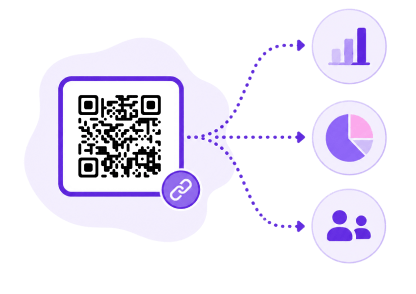
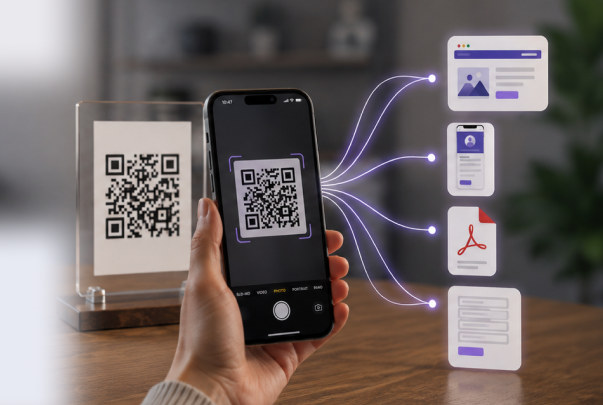
QR codes are one of the most effective ways to connect offline and online experiences. Traditionally, a QR code sends every user to the same destination, such as a website, landing page, app, PDF file, or online form. While this works for many campaigns, marketers often need more flexibility in how QR traffic is directed and measured.
Article Plan
Geo Targeting, Traffic Targeting, and UTM Tracking are included with Premium plans. You can personalize user experiences based on device type or location, test different landing pages, and monitor campaign performance through external analytics platforms, turning a simple QR code into a more powerful marketing tool.
Whether you're promoting a mobile app, running international campaigns, or tracking offline advertising performance, ME-QR helps you control how users interact with your QR codes and where they go after every scan.
A QR code redirect to a website is the standard way most QR codes work. When a user scans the code, they are automatically directed to a single destination URL, such as a website, landing page, online menu, form, file, or mobile app. ME-QR provides reliable QR code redirect functionality for all dynamic QR codes, making it easy to connect users with content shared through a QR Code Link, PDF QR Code, or other digital experiences.
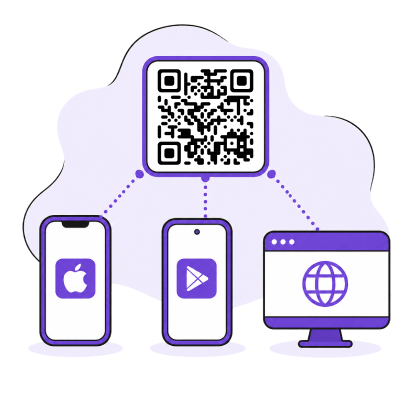
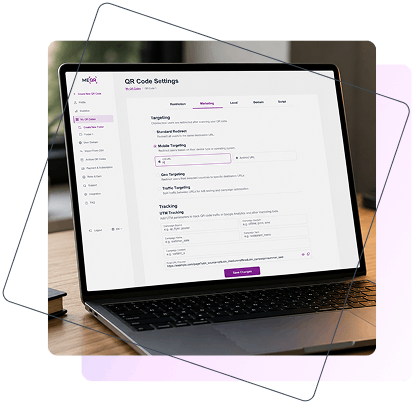
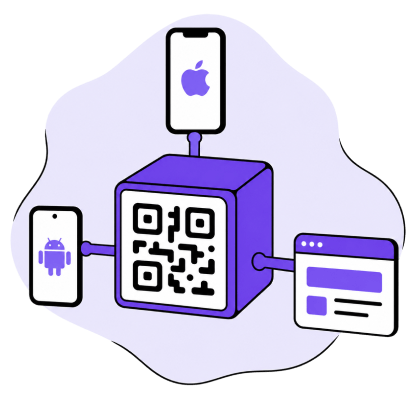
Mobile Targeting allows you to redirect users based on their device or operating system. iPhone users can be sent directly to the App Store, Android users to Google Play, and desktop visitors to a separate webpage. This helps create a smoother user experience and is especially useful for app promotion, digital product launches, and campaigns using an App Store QR Code.
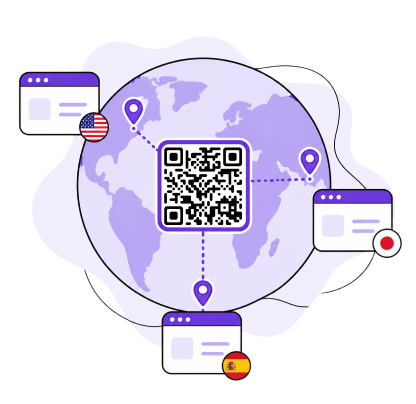
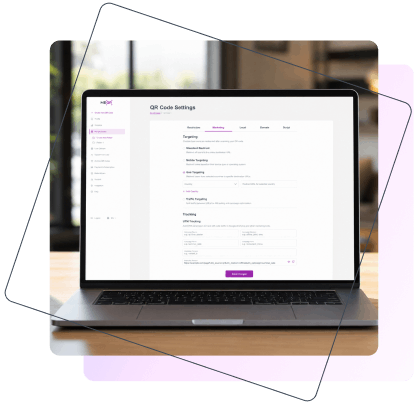
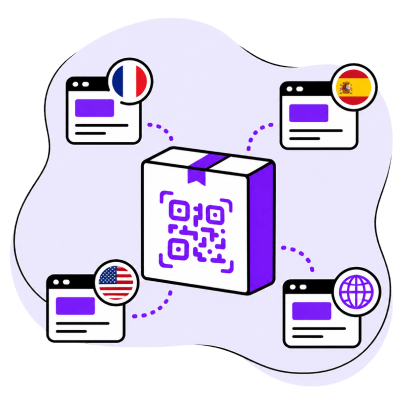
Geo Targeting allows businesses to redirect users to different destinations based on their country or region. This feature is ideal for international campaigns, regional promotions, and multilingual websites. With a multilingual QR code, users can automatically access content in their preferred language without manual selection. This is especially useful when working with a QR code generator for multilingual landing pages or analyzing QR code usage by country to improve localization strategies.
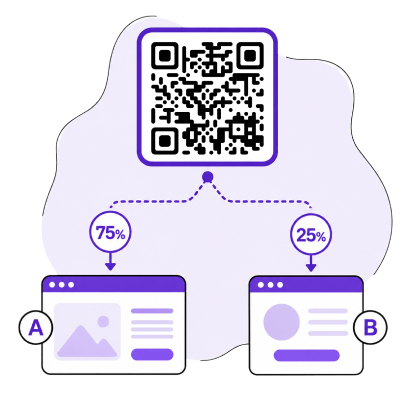
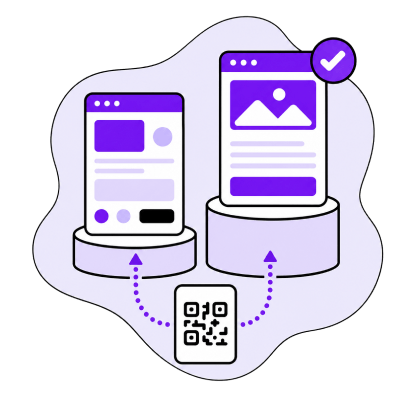
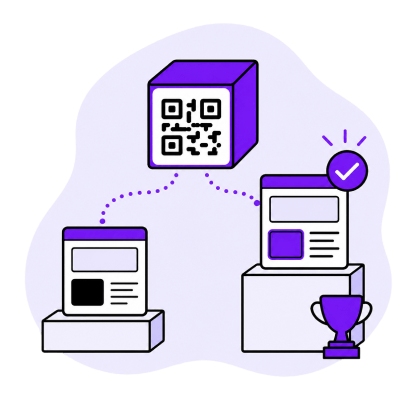
Traffic Targeting makes it possible to split QR code traffic between multiple destinations using a custom percentage distribution. For example, 75% of users can be directed to your main landing page, while 25% visit a test version. This feature is widely used for A/B testing, allowing marketers to compare landing pages, offers, and campaign messages without creating additional QR codes. It works particularly well with dynamic QR Codes, where destinations can be updated without reprinting marketing materials.
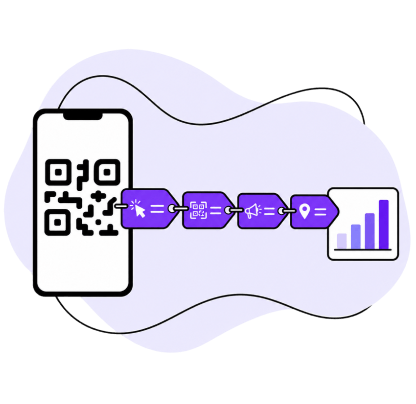
UTM Tracking automatically adds tracking parameters to your destination URL, making it easier to measure campaign performance across analytics platforms. An UTM QR code helps identify where scans originate, while QR code UTM tracking provides clear insights into traffic sources, campaigns, and marketing channels. This allows businesses to connect QR code scans with Google Analytics, CRM systems, and other tools to better understand user behavior and campaign performance.
![]()
![]()
At ME-QR, we see QR codes as more than a simple way to share a link. Modern businesses need tools that help personalize customer journeys, test marketing strategies, and measure results with precision. That’s why we created Marketing Tools — a set of advanced features that gives users greater control over QR code traffic and helps turn every scan into a meaningful business opportunity.
Ivan Melnychuk CEO of Me Team
Mobile Targeting allows businesses to create device-based QR code experiences that automatically adapt to the user’s operating system or device type. Instead of sending every visitor to the same destination, ME-QR detects the platform and redirects users to the most relevant page, creating a smoother experience and reducing unnecessary steps. Whether promoting a mobile app, distributing software, or sharing platform-specific content, it ensures users reach the right destination through a single dynamic QR code.
When a user scans a QR code, ME-QR automatically identifies the device or operating system being used. Based on the redirect rules configured in your account, the system selects the appropriate destination URL and redirects the user instantly.
This process happens in the background without requiring any manual actions from the visitor. Users are taken directly to the content intended for their platform, creating a faster and more personalized experience.
Because Mobile Targeting is built on dynamic QR code technology, redirect destinations can be updated at any time without changing or reprinting the QR code itself. This makes it easy to adapt campaigns as products, landing pages, or promotional strategies evolve.
One of the most common use cases for Mobile Targeting is app promotion. Instead of creating separate QR codes for different operating systems, businesses can use a single QR code for all users.
For example:
This approach simplifies marketing materials while ensuring that every visitor reaches the most relevant destination. Users do not need to choose their platform manually, which helps reduce friction and can improve app installation rates.
Mobile Targeting is particularly useful for software companies, startups, SaaS products, and businesses launching new mobile applications across multiple platforms.
Mobile Targeting can be applied across a wide range of digital marketing and customer engagement scenarios.
Software Download Distribution
Businesses offering desktop and mobile software can automatically direct users to the correct download page. Windows, macOS, Android, and iOS users can all receive platform-specific installation options through a single QR code.
Mobile and Desktop Landing Pages
Different devices often require different user experiences. Mobile visitors can be redirected to mobile-optimized landing pages, while desktop users can access more detailed versions designed for larger screens.
Platform-Specific Content
Some content is intended only for specific operating systems or devices. Mobile Targeting makes it easy to deliver platform-specific tutorials, documentation, downloads, or support resources.
SaaS Product Onboarding
Software providers can guide users to onboarding flows tailored to their device. Mobile users may receive app installation instructions, while desktop visitors can access web-based dashboards or account setup pages.
Mobile Commerce Campaigns
E-commerce businesses can create dedicated shopping experiences for mobile users while directing desktop visitors to alternative product pages, catalogs, or promotional offers.
Mobile Targeting helps businesses improve campaign performance while creating more relevant experiences for users across different devices.
With ME-QR Mobile Targeting, businesses can deliver personalized user journeys, simplify multi-platform campaigns, and ensure every user reaches the right destination from a single scan.
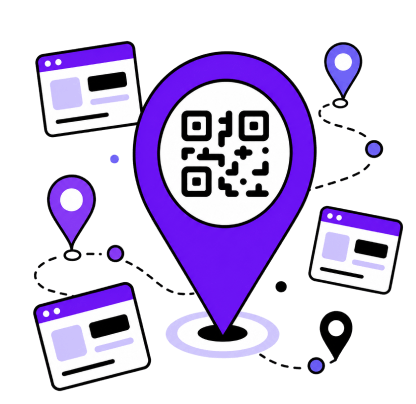
Geo Targeting helps businesses deliver location-specific experiences through a single QR code. Instead of sending all users to the same page, ME-QR automatically detects the visitor’s country and redirects them to the most relevant destination, enabling localized content, language versions, promotions, and product information without manual selection. This simplifies campaign management for international businesses while improving user experience, as visitors immediately access content tailored to their region, making marketing more relevant and effective.
When a user scans a QR code, ME-QR identifies the country associated with the visitor’s location. Based on predefined rules, the system redirects the user to a specific URL assigned to that country or region.
This process happens automatically and requires no additional input from the user. Businesses can manage multiple localized destinations through a single dynamic QR code, making it easier to support international audiences without creating separate QR codes for every market.
Because Geo Targeting uses dynamic QR code technology, redirect rules and destination URLs can be updated at any time without replacing existing QR codes.
Geo Targeting is particularly useful for businesses operating across multiple countries.
For example, an international brand places a single QR code on its product packaging
This approach creates a seamless experience for customers while reducing the complexity of managing multiple QR codes across international markets.
Geo Targeting can support a wide variety of localization and regional marketing strategies.
Local Pricing and Currency
Businesses can display prices in the user's local currency and provide region-specific product information. This helps reduce confusion and improves purchasing confidence.
Regional Promotions
Marketing campaigns often vary by location. Geo Targeting allows companies to promote different discounts, seasonal offers, or promotional campaigns depending on the user's country or region.
Local Office Contacts
Global organizations can direct users to the nearest office, support center, or regional contact page based on location. This ensures customers receive relevant contact information immediately.
Restaurant Chain Menus
Restaurant groups operating in multiple regions can use one QR code while displaying different menus, pricing structures, or available products based on location.
Localized Product Instructions
Manufacturers can automatically provide instructions, manuals, warranty details, or regulatory information in the language most appropriate for the user's country.
Geo Targeting helps businesses create more personalized and efficient customer experiences while simplifying international campaign management.
Whether managing multilingual websites, global product launches, or regional promotions, Geo Targeting ensures every user receives the most relevant experience for their location.
Traffic Targeting gives businesses greater control over how QR code traffic is distributed between multiple destinations. Instead of sending every user to the same page, ME-QR allows you to split traffic based on custom percentage rules and automatically direct visitors to different URLs. This is especially useful for A/B testing, conversion optimization, and marketing experiments, as it enables businesses to compare performance and make data-driven decisions without creating additional QR codes.
Traffic Targeting allows you to assign percentages to multiple destination URLs. When a user scans the QR code, ME-QR automatically determines which destination should receive the visitor based on the configured distribution settings.
For example, you may decide that half of all users should visit one landing page while the remaining traffic is directed to an alternative version. The process is fully automated and works through a single dynamic QR code.
Because destinations can be updated at any time, businesses can continuously test, optimize, and refine campaigns without changing their printed QR codes.
One of the most popular applications of Traffic Targeting is landing page testing.
A company wants to compare two versions of a marketing page:
After collecting enough traffic, the company can compare metrics such as conversions, purchases, registrations, or engagement rates. The better-performing page can then become the primary destination for future traffic. This approach allows businesses to make decisions based on actual user behavior rather than assumptions.
Traffic Targeting can support a wide range of optimization and testing strategies.
Headline Testing
Compare different page headlines to determine which version attracts more attention and generates stronger engagement.
Offer Comparison
Test multiple promotional offers, discounts, or product bundles to identify the option that delivers the highest conversion rate.
CTA Testing
Experiment with different call-to-action buttons, messaging, or page layouts to understand what motivates users to take action.
Landing Page Design Testing
Compare visual layouts, content structures, and user experiences to determine which design performs better.
Partner Lead Distribution
Companies working with multiple partners can divide incoming leads according to predetermined percentages and distribute traffic more efficiently.
Gradual Product Rollouts
Businesses can launch new landing pages, websites, or experiences to a portion of their audience before deploying them to all users.
Traffic Targeting helps businesses improve campaign performance through continuous testing and optimization.
With Traffic Targeting, a single QR code becomes a powerful tool for testing, experimentation, and performance optimization.
Traffic Targeting gives businesses greater control over how QR code traffic is distributed between multiple destinations. Instead of sending every user to the same page, ME-QR allows you to split traffic based on custom percentage rules and automatically direct visitors to different URLs. This is especially useful for A/B testing, conversion optimization, and marketing experiments, as it enables businesses to compare performance and make data-driven decisions without creating additional QR codes.
A destination URL is assigned to the QR code during setup. Every person who scans the code is sent to that same webpage, file, application, or online resource.
Unlike advanced targeting options, Standard Redirect does not apply any additional rules based on device type, country, or traffic distribution. This makes it an ideal solution for campaigns where all users should receive the same information.
Standard Redirect is available for all dynamic QR codes and can be updated whenever needed without changing the QR code itself.
Standard Redirect remains one of the most widely used QR code functions across industries because of its simplicity and flexibility.
Restaurant Menus
Restaurants can place QR codes on tables, packaging, or promotional materials that instantly open a digital menu for customers.
Company Websites
Businesses often use QR codes to direct visitors to their corporate website, product pages, service information, or contact details.
Product Catalogs
Retailers and manufacturers can connect printed materials with online catalogs, allowing customers to browse products and specifications.
Registration Forms
QR codes simplify access to event registration forms, surveys, applications, and lead generation pages.
Event Pages
Event organizers can provide quick access to schedules, ticket information, speaker details, venue maps, and event updates.
Files And Documentation
Users can instantly open PDFs, brochures, manuals, presentations, reports, and other downloadable resources.
Social Media Profiles
Businesses and creators can direct visitors to social media accounts to increase followers, engagement, and brand visibility.
Although it is the simplest targeting option, Standard Redirect remains highly effective for many marketing and communication needs.
Standard Redirect is a simple and dependable way to connect offline materials with digital content through QR codes.
Creating a QR code is only part of a successful marketing strategy. To understand which campaigns, materials, and placements generate results, businesses need accurate tracking and reporting. UTM Tracking bridges the gap between offline QR code scans and digital analytics platforms by allowing marketers to add UTM parameters directly to QR code destinations. This makes it easier to identify traffic sources, measure campaign effectiveness, and evaluate user behavior after each scan.
UTM parameters are tracking tags added to a URL that provide additional information about where traffic originates. When a user scans a QR code and visits a website, these parameters are passed to analytics platforms such as Google Analytics and other reporting systems.
The most commonly used parameters include:
By using these parameters, businesses gain deeper visibility into the performance of their QR code campaigns.
When creating a QR code, users can add UTM values directly within the ME-QR interface. The platform automatically generates the final tracking URL and attaches the selected parameters.
After a QR code is scanned, analytics systems receive the UTM data together with the visit information. This allows marketers to see exactly where traffic originated and how users interact with their website after scanning.
Because UTM Tracking works with dynamic QR codes, campaign settings can be updated whenever necessary without replacing existing QR codes.
Imagine a company launching a summer promotion using QR codes across multiple offline marketing channels.
The same campaign QR code appears:
Without tracking, all visits would appear as generic website traffic. With UTM Tracking, each placement can be measured individually.
Marketers can identify which location generates the most scans, website visits, leads, or purchases and allocate future budgets more effectively.
A typical tracking URL may include parameters such as:
This information helps analytics platforms clearly categorize traffic and attribute results to the correct campaign source.
UTM Tracking supports a wide variety of marketing measurement strategies.
Compare Advertising Channels
Measure performance across flyers, posters, packaging, print advertising, direct mail, and other promotional materials.
Analyze Individual Placements
Determine which specific store, location, event, or advertising placement generates the strongest results.
Evaluate Offline Marketing Performance
Connect offline QR code activity with online analytics and understand how traditional marketing contributes to digital conversions.
Track Creative Variations
Compare different QR code designs, messages, offers, or promotional materials within the same campaign.
Improve Marketing Attribution
Gain clearer visibility into customer acquisition paths and understand which marketing efforts influence conversions.
UTM Tracking transforms QR codes into measurable marketing assets by providing detailed campaign insights.
By combining QR codes with UTM Tracking, businesses gain deeper insights into customer behavior and campaign performance beyond simple scan counts.
Advanced QR code marketing features in ME-QR are designed to be simple to configure, even for users without technical experience. In just a few steps, you can create a QR code, define targeting rules, add tracking parameters, and start collecting performance data from your campaigns.
This section explains how to set up different redirect types and enable analytics using UTM parameters.
Start by selecting a QR code type that supports a link-based destination. Enter your primary URL, which will be used as the default fallback destination for all users.
This ensures that even without additional targeting rules, every scan leads to a working page or resource.
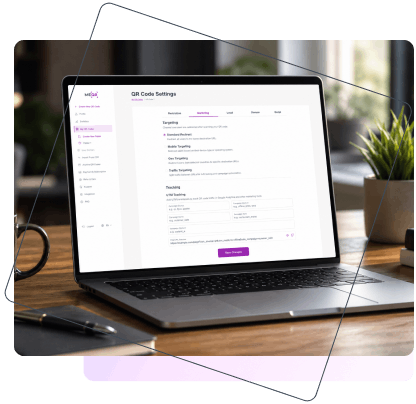
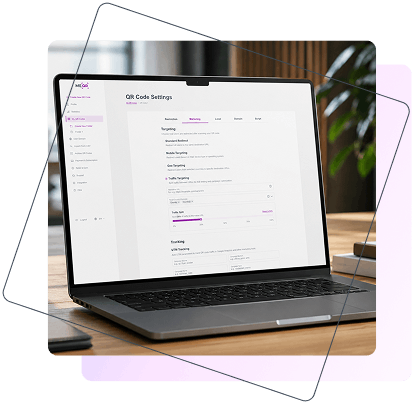
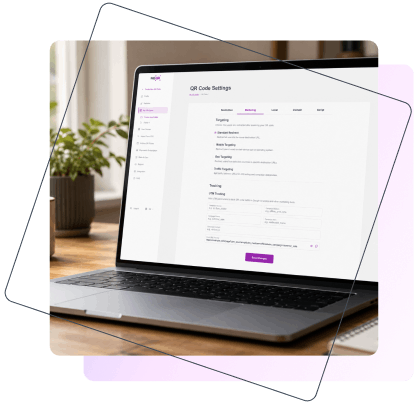
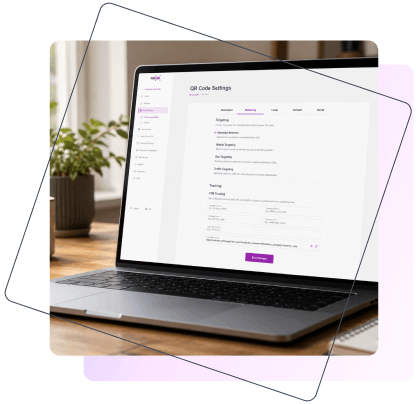
After creating the QR code, open the Targeting configuration panel. Here you can choose the type of redirect logic that fits your campaign:
Each option allows you to control how users are directed based on different conditions such as device, location, or traffic distribution.
Depending on the selected targeting method, you can define specific rules for user redirection.
For example:
These rules allow you to manage complex marketing logic within a single QR code, making campaigns more flexible and scalable.
To track campaign performance, fill in the required UTM fields:
ME-QR automatically generates the final tracking URL with all parameters included, ensuring accurate data collection in analytics tools such as Google Analytics and CRM systems.
Before launching your campaign, scan the QR code to verify that all redirect rules are working correctly. Check that users are being directed to the appropriate destinations based on device, location, or traffic settings.
Testing helps ensure a smooth user experience and prevents incorrect redirects in live campaigns.
Once everything is configured and tested, download your QR code and place it across your marketing materials. It can be used on packaging, flyers, posters, websites, presentations, or any other digital and offline channels.
Since ME-QR uses dynamic QR codes, you can always update destinations and tracking settings later without reprinting the code.
In this section, interface screenshots should be included for each key step, especially:
A QR code can do much more than simply redirect users to a webpage. With ME-QR Marketing Tools, custom redirect logic lets you define rules that determine where users go after scanning based on device type, location, or campaign settings. You can personalize user journeys, run A/B tests, deliver location-specific content, and track campaign performance across multiple analytics platforms.
Upgrade to Premium to unlock Mobile Targeting, Geo Targeting, Traffic Targeting, and UTM Tracking, and gain greater control over how your QR code traffic is managed and measured.

QR Code Marketing Tools are advanced features that help businesses manage QR code traffic more effectively. Instead of sending every user to the same destination, these tools allow you to redirect visitors based on device type or location, run A/B tests, and track campaign performance through analytics platforms. They help turn QR codes into a more flexible marketing channel.
Mobile Targeting allows businesses to direct users to different destinations depending on their device or operating system. For example, iPhone users can be redirected to the App Store, Android users to Google Play, and desktop visitors to a website. This creates a smoother user experience and can help improve conversions for app promotion campaigns.
Geo Targeting redirects users to different URLs based on their country or geographic location. This feature is useful for multilingual websites, international businesses, and regional marketing campaigns. Instead of showing the same content to everyone, businesses can automatically display localized pages, offers, or language versions that are more relevant to each visitor.
Traffic Targeting is designed for A/B testing and campaign optimization. It allows you to split QR code traffic between two or more destinations using a selected percentage. For example, 75% of users can visit the main landing page while 25% are directed to an alternative version. This helps businesses compare performance and make data-driven marketing decisions.
UTM Tracking adds campaign parameters to the destination URL so that visits from QR codes can be identified in Google Analytics and other reporting tools. Marketers can see which campaigns, materials, or traffic sources generate the most engagement, helping them measure the effectiveness of both online and offline marketing activities.
You have free unlimited updates and premium support on each package.
Free
$0 / Month
Forever Free
Lite
/ Month
Billed Monthly
Premium
/ Month
Billed Monthly
Free
$0 / Month
Forever Free
Lite
/ Month
You save / year
Billed Yearly
Premium
/ Month
You save / year
Billed Yearly
Plans Benefits
You save
up to 45% on Yearly Plan
Created QR Codes
Scanning QR codes
Life time of QR Codes
Trackable QR Codes
Multi-User Access
Folders
QR Codes Samples
Email After Each Scan
Analytics
Analytics History (in years)
File Storage
Advertising
Free
$0 / Month
Forever Free
10 000
Unlimited
Unlimited
Unlimited
Unlimited
Unlimited
1
100 MB
All QR codes with ads
Was This Article Helpful?
Click on a star to rate it!

Thank you for your vote!

Average Rating: 0/5 Votes: 0
Be the first to rate this post!
Tech entrepreneur & digital strategist with over 9 years of experience in backend development and more than 5 years in executive leadership. Education Software and Web developer. More than 20 years of experience in software and web development.
View LinkedIn Profile