
QR Code Generator For Google Docs
Welcome to ME-QR, the premier QR code solution provider. Are you looking to streamline your Google Docs experience?
Look no further!
With QR codes, accessing and sharing your Google Docs has never been easier.
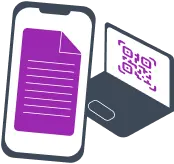
Why Do You Need QR Codes for Google Docs?
QR codes offer a myriad of advantages when it comes to managing your Google Docs:
-
 Quick access to documents: With a simple scan, users can instantly access their Google Docs, eliminating the need to search through folders or manually enter URLs.
 -
Easy sharing: QR codes simplify the sharing process by allowing you to generate a code that can be easily distributed to collaborators or shared on various platforms.
-
Improved efficiency: By eliminating the tedious process of manually sharing links or granting access permissions, QR codes streamline collaboration, saving you time and effort.
How to Make a QR Code for a Google Doc?
Creating a QR code for your Google Doc is a breeze with ME-QR's user-friendly platform. Follow these steps:
-
1Visit ME-QR's website and select the QR code generator for Google Docs.
-
2Provide the link or URL of your Google Doc.
-
3Customize the design of your QR code to reflect your style and preferences.
-
4Generate your QR code and download it for immediate use.
Start enhancing collaboration and simplifying document access with ME-QR's convenient QR code generation for Google Docs. Get started today and experience the seamless integration of QR codes into your workflow.
Example of Use
QR codes for Google Docs open up endless possibilities for innovative uses, such as:

Presentations and Posters:
Embed QR codes in presentations or posters to enable viewers to access supplementary materials or related documents effortlessly.

Educational Settings:
Teachers can incorporate QR codes in assignments, handouts, or textbooks to provide quick access to study guides, additional resources, or online quizzes.

Conferences and Events:
Enhance attendee experience by sharing event schedules, session materials, or speaker bios through QR codes placed on event materials.
Why Choose ME-QR for QR Code Generation for Google Docs?
ME-QR offers a range of advantages when it comes to generating QR codes for Google Docs:
-
 Versatile QR Code Solutions: ME-QR's expertise extends beyond Google Docs to include App Store & Play Market QR codes and QR codes for Google Maps and more.
 -
 User-Friendly Interface: ME-QR's platform is designed to be intuitive and easy to navigate, ensuring a seamless experience for users of all levels of technical expertise.
 -
 Customizable QR Code Designs: Personalize your Wi-Fi QR codes with various customization options, including colors, logos, and backgrounds, to align with your brand or preferences.
 -
 Reliable Support: ME-QR offers dedicated support to address any questions or concerns you may have, ensuring a smooth and successful QR code generation process.
Create Your QR Code for Google Docs with ME-QR
Ready to simplify your Google Docs workflow? Generate your personalized QR code for Google Docs with ME-QR today! Empower collaboration, save time, and unlock the full potential of your documents. Don't miss out on this opportunity to enhance your Google Docs experience.
No, that is the beauty of this solution. Since the QR code links to the document's URL, any changes you make within Google Docs are reflected instantly when someone scans the code. You don't need to print a new QR code every time you fix a typo or add a new paragraph.
The QR code acts as a bridge to your file, but the access level is still managed within your Google Drive settings. You can set the document to "Anyone with the link can view," "comment," or "edit," giving you full control over your privacy even after the code is distributed.
Yes, by using a Dynamic QR code from ME-QR, educators can access analytics to see the total number of scans. This is a great way to gauge student engagement and confirm whether the class has accessed the necessary study materials or digital handouts.
Absolutely. ME-QR allows you to embed your logo in the center of the code and change the color scheme. This not only looks professional but also signals to employees or clients that the document they are about to access is official and secure.
ME-QR uses high-level encryption for the redirection process. However, the ultimate security depends on your Google settings. We recommend using "Restricted" access where only specific email addresses can open the file after scanning the code for maximum confidentiality.
Was This Article Helpful?
Click on a star to rate it!
Thank you for your vote!

Be the first to rate this post!














