
LINE QR Codes
Looking to connect with customers on LINE? Whether you're running a business, managing customer relationships, or organizing events, our LINE QR code generator makes it simple to bridge the gap between offline and online communication. Create professional QR codes that link directly to your LINE profile, payment options, contact cards, text messages, and more in just seconds.
What Are QR Codes for LINE?
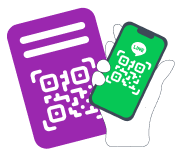
A LINE QR code is a scannable code that provides instant access to your LINE account or business information. Instead of manually typing contact details or searching for accounts, users simply scan the code with their smartphone camera and instantly connect with you on LINE. This makes customer engagement faster, easier, and more effective.
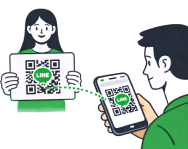
Using LINE QR codes streamlines communication for both businesses and customers. No more sharing phone numbers, typing long URLs, or navigating through complicated menus. Just scan and start chatting. It's perfect for retail stores, restaurants, professional services, and anyone looking to build their LINE contact database efficiently.
How to Use a Line QR code?
Business Networking and Professional Services
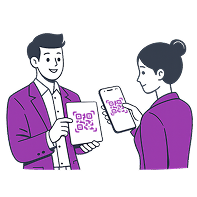
LINE QR codes revolutionize how professionals share contact information. Instead of handing out traditional business cards that often get lost or forgotten, you can display your LINE web QR code at networking events, conferences, or meetings. When someone scans it, they instantly have access to your full contact details through business card LINE QR code format, including your name, company, phone number, email, and social media QR code links. This is particularly valuable for sales teams, consultants, real estate agents, and anyone who relies on building professional relationships.
LINE ID QR code generator lets you share comprehensive business contact information in one scan. It's perfect for trade shows, conferences, professional introductions, and client meetings where you want to make a lasting impression without the hassle of traditional paper business cards.
Retail Stores and E-Commerce
For retail businesses, LINE app QR codes create seamless customer connections. Place QR codes at your point of sale, on product packaging, or in store windows to let customers reach you instantly. When customers scan your code, they can ask questions about products, get exclusive offers, or receive personalized shopping assistance through LINE chat. This transforms casual shoppers into engaged contacts and builds a valuable customer database for future marketing campaigns and promotions.
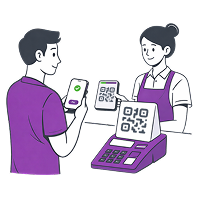
LINE Profile and Chat QR Code directs customers straight to your LINE Official Account for immediate conversations. Use it for customer service inquiries, real-time support, building your contact list, event registrations, and store promotions.
Restaurants and Hospitality
The food service industry benefits tremendously from LINE QR codes. Restaurants can use QR codes for contactless ordering, sharing digital menus, collecting customer feedback, or managing reservations. Place QR codes on table tents so diners can view your menu, place orders, or request service directly through LINE. This reduces wait times, improves customer satisfaction, and creates opportunities for post-visit engagement like special offers or loyalty programs.
LINE art QR code helps share visual content instantly, making it ideal for displaying digital menus, product catalogs, promotional materials, event photos, and marketing campaigns without printing costs.
Payment and Transactions
LINE mobile Pay QR codes enable fast, secure, and contactless payments. Customers can complete purchases by simply scanning your payment QR code with their LINE app, making checkout faster and more convenient. This is especially useful for small businesses, market vendors, service providers, and anyone looking to offer modern payment options without expensive equipment. LINE Pay QR code works seamlessly and provides transaction records for both you and your customers.
Create a QR code for Line Pay and enable seamless transactions for retail stores, restaurants, cafes, service providers, and e-commerce businesses looking to offer convenient contactless payment options.
Healthcare and Wellness Services
Medical practices, clinics, beauty centers, and wellness providers use QR code LINE to simplify appointment booking, share health tips, send prescription reminders, and provide telehealth consultations. Patients appreciate the convenience of reaching their healthcare provider through familiar LINE messaging rather than playing phone tag or waiting in long queues. This improves patient satisfaction and makes healthcare more accessible.
LINE Email QR Code creates a pre-filled email message for collecting customer feedback, handling support tickets, newsletter signups, marketing campaigns, and professional correspondence efficiently.
Events and Customer Engagement
LINE website QR codes are excellent for event management and customer engagement initiatives. Use them for event registrations, sharing event schedules, distributing promotional materials, or collecting attendee information. Display QR codes on event posters, tickets, or signage to make it easy for people to get event details, connect with organizers, or share content with friends. The instant connection helps build buzz and keeps attendees engaged before, during, and after your event.

Text Messages and Quick Communication
Sometimes you need to send a specific message quickly without typing. QR code on LINE in short message allows you to create codes that open LINE with a pre-filled message ready to send. This is perfect for customer feedback forms, survey responses, contest entries, or any situation where you want customers to send a specific text with minimal effort.
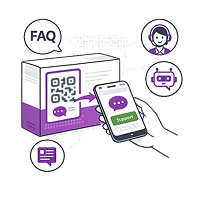
LINE Text Message QR Code opens LINE with a pre-written message, making it easy for customers to send feedback, respond to surveys, participate in contests, request information, or engage with marketing campaigns. Just scan a LINE QR code from picture and tap send—no typing required.
How to Create QR Code for LINE?
Creating a LINE app QR code is straightforward and takes just a few minutes. Our QR code LINE generator supports multiple QR code types to match your specific business needs. Here's how to get started:
-
1
Choose Your QR Code Type – Select the format that fits your needs: Profile and Chat for customer conversations, LINE business card QR code for contact sharing, Payment for LINE Pay transactions, Email for pre-filled messages, Image for visual content, or Text Message for quick customer responses.
-
2
Enter Your Information – Input the details required for your chosen QR code type. For profile codes, you'll need your ID LINE QR code link. For vCard codes, add your business contact details. Payment codes require a LINE Payment link, while email and image QR codes need the recipient address or image URL.
-
3
Generate Line QR picture – Click the "Customize & Download QR" button, and the system will instantly produce a scannable new LINE QR code ready for use.
-
4
Customize Your Design – Adjust colors, add your logo, or modify the style to match your brand identity while maintaining perfect scannability.
-
5
Test Before Launch – Always scan your QR code on multiple devices to ensure it links correctly to the LINE QR code URL and provides the expected user experience.
-
6
Download and Deploy – Save your QR code in JPG, SVG, or PDF format and start sharing it across digital and physical platforms.
Why Choose ME-QR Code Generator – LINE?
Our generator for LINE QR codes stands out as the top choice for businesses and professionals looking to maximize their LINE presence. Here's what makes it special:
-

Dynamic QR Codes – Update your information anytime without reprinting. Need to change your LINE ID, update contact details, or modify linked content? No problem. With dynamic codes, you edit the destination while keeping the same QR code image. This saves money on reprinting and ensures your codes never become outdated.
-

Trackable and Analytics-Ready – See exactly how your QR codes perform. Monitor scan counts, track when and where people scan your codes, and understand which marketing materials drive the most engagement. This data helps you optimize your strategy and measure return on investment for your LINE marketing efforts.
-

Multiple QR Code Types – Create profile codes, payment codes, LINE ID QR code, email codes, and image codes all from the same platform. You don't need separate tools for different purposes. This simplifies your workflow and keeps all your LINE QR codes organized in one place.
-

Custom Branding Options – Design QR codes that match your visual identity. Add your LINE QR code logo, adjust colors, modify patterns, and create a QR code from your LINE ID that looks professional and on-brand. Custom-designed codes get more scans because they look intentional and trustworthy rather than generic.
-

Easy Sharing and Deployment – Download in multiple formats suitable for print materials, digital displays, social media, websites, or email campaigns. The codes work perfectly whether displayed on a billboard or a smartphone screen.
If you're serious about using LINE for business communication, a well-designed QR code is essential. Our generator provides everything you need to create professional codes that drive customer engagement and build your contact database. The best part is how simple it is to get started—you can have your first LINE QR code ready in minutes.
So why wait? Create a LINE QR code today and discover how easy it is to connect with customers on their preferred messaging platform. QR codes transform how businesses communicate, and LINE is one of the most powerful channels available in Asia and beyond.
FAQ
A LINE QR code is a scannable code that provides instant access to your LINE account, contact information, or business profile. Instead of manually typing LINE IDs or phone numbers, users simply scan the code with their smartphone camera to connect with you instantly. LINE QR codes work for personal accounts, Official Accounts, group chats, payments, and sharing various types of content.
ME-QR offers powerful features that LINE's default QR codes don't provide. You get dynamic QR codes that can be edited anytime without reprinting, detailed analytics showing scan counts and locations, custom branding with your logo and colors, multiple format downloads (PNG, SVG, PDF), and support for all LINE QR types in one place. Plus, our codes work perfectly with LINE while giving you professional control and insights that help grow your business more effectively.
You can get a basic QR code directly in the LINE app by going to "Add Friends" and tapping "My QR Code." However, if you need a professional-looking code with your branding, our ME-QR generator offers QR customization options like adding your logo, changing colors, and choosing different formats. You can also create specialized codes for payments, contact cards, or pre-filled messages—all in one place.
Open the LINE app, tap "Add Friends" from the home screen, then select the QR code icon at the top. Point your camera at any LINE QR code and it will automatically scan and connect you. It works with all LINE QR codes, whether they're from the LINE app or generated through services like ME-QR.
When creating your QR code with ME-QR, you can customize how it looks to match your brand or needs. Add your company logo in the center, change the color scheme to match your visual identity, and adjust the design style while keeping it scannable. The customization happens during generation — you design it once, and anyone can scan it normally with their LINE app or other QR scanner without any special setup needed.
Was This Article Helpful?
Click on a star to rate it!
Thank you for your vote!

Be the first to rate this post!














