ప్రతి మార్కెటర్ ఉపయోగించాల్సిన అగ్రశ్రేణి QR కోడ్ జనరేటర్లు
లింక్, వీడియో లేదా చిత్రం కోసం QR కోడ్ను సృష్టించడానికి - దిగువ బటన్పై క్లిక్ చేయండి.

- మార్కెటింగ్ ప్రచారాల కోసం విక్రయదారులు క్యూఆర్ కోడ్లను ఎందుకు ఉపయోగిస్తారు
- మార్కెటింగ్ కోసం QR కోడ్లను ఉపయోగించడం వల్ల కలిగే ప్రయోజనాలు
- మార్కెటర్ల కోసం క్యూఆర్ కోడ్ జనరేటర్లను మేము ఎలా పరీక్షించాము
- మార్కెటింగ్ జనరేటర్ల కోసం QR కోడ్ల పోలిక పట్టిక
- మార్కెటింగ్ ప్లాట్ఫారమ్ కోసం సరైన QR కోడ్లను ఎంచుకోవడం
- మార్కెటింగ్ కోసం క్యూఆర్ కోడ్ల రకాలు
- మార్కెటింగ్ కోసం QR కోడ్లను ఎలా ఉపయోగించాలి
- మార్కెటింగ్ కోసం QR కోడ్లను ఉపయోగించే ఉత్తమ పద్ధతులు
- ముగింపు
-
ప్రతి మార్కెటర్ ఉపయోగించాల్సిన అగ్రశ్రేణి QR కోడ్ జనరేటర్ల గురించి తరచుగా అడిగే ప్రశ్నలు
- మార్కెటింగ్ కోసం క్యూఆర్ కోడ్లను సమర్థవంతంగా ఎలా ఉపయోగించాలి?
- మార్కెటింగ్ కోసం ట్రాక్ చేయగల క్యూఆర్ కోడ్లను దేనికి ఉపయోగిస్తారు?
- మార్కెటర్లు ఆఫ్లైన్ మార్కెటింగ్ ప్రచారాల కోసం క్యూఆర్ కోడ్లను ఎక్కడ ఉంచగలరు?
- రిటైల్ మార్కెటింగ్ కోసం దుకాణాలు క్యూఆర్ కోడ్లను ఎలా ఉపయోగించగలవు?
- స్థానిక మార్కెటింగ్ కోసం క్యూఆర్ కోడ్లు చిన్న వ్యాపారాలకు ఉపయోగపడతాయా?
- మార్కెటర్లకు ఏ QR కోడ్ జనరేటర్ ఉత్తమమైనది?
మార్కెటింగ్ కోసం క్యూఆర్ కోడ్లు పోస్టర్లపై ఉండే సాధారణ లింక్ల స్థాయిని దాటి చాలా ముందుకు వెళ్ళాయి. మార్కెటర్ల కోసం, అవి ఇప్పుడు ఆఫ్లైన్ దృష్టికి మరియు ఆన్లైన్ చర్యకు మధ్య ఒక ఆచరణాత్మక వారధిగా పనిచేస్తాయి: ఒక వ్యక్తి ఉత్పత్తి లేబుల్, ఫ్లైయర్, ఈవెంట్ బ్యానర్, మెనూ, ప్యాకేజీ లేదా రియల్ ఎస్టేట్ సైన్ను చూసి, కోడ్ను స్కాన్ చేసి, ప్రచారం ప్రకారం వెళ్లాల్సిన ప్రదేశానికి కచ్చితంగా చేరుకుంటారు.
అత్యుత్తమ QR కోడ్ ప్లాట్ఫారమ్లు కేవలం ఒక చతురస్రాకార చిత్రాన్ని రూపొందించడం కంటే ఎక్కువ పనులను చేయడానికి బృందాలకు సహాయపడతాయి. అవి ప్రచార గమ్యస్థానాలను సవరించడం, బ్రాండింగ్ను జోడించడం, విభిన్న ప్లేస్మెంట్లను పరీక్షించడం మరియు ముద్రిత లేదా భౌతిక సామగ్రితో ప్రజలు ఎలా సంకర్షణ చెందుతారో అర్థం చేసుకోవడాన్ని సులభతరం చేస్తాయి. రిటైల్ ప్రమోలు, స్థానిక ప్రకటనలు, సోషల్ మీడియా వృద్ధి, యాప్ ఇన్స్టాల్లు, లీడ్ సేకరణ మరియు ప్రచార రిపోర్టింగ్ వంటి వాటికి ఇది చాలా ముఖ్యం.
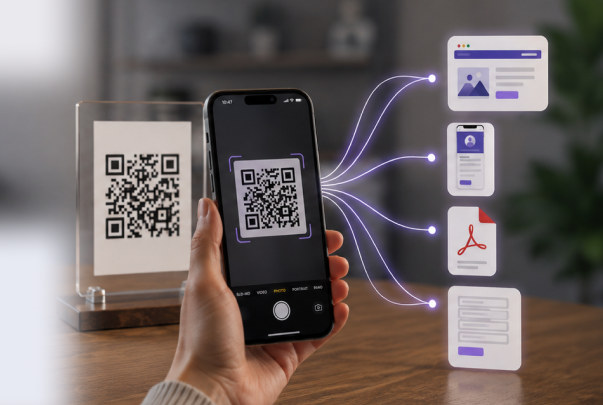
ME-QR వంటి సాధనం ఈ వర్క్ఫ్లోకి సరిపోతుంది, ఎందుకంటే మార్కెటర్లకు తరచుగా ఒకే చోట అనేక QR ఫార్మాట్లు అవసరం అవుతాయి: లింకులు, PDFలు, కాంటాక్ట్ కార్డ్లు, యాప్ పేజీలు, సోషల్ ప్రొఫైల్లు, మరియు లాంచ్ తర్వాత సర్దుబాటు చేయగల డైనమిక్ కోడ్లు. సరైన జెనరేటర్ సమయాన్ని ఆదా చేస్తుంది, క్యాంపెయిన్లను ఫ్లెక్సిబుల్గా ఉంచుతుంది, మరియు ప్రతి స్కాన్ను కొలవగల మార్కెటింగ్ చర్యగా మార్చడంలో సహాయపడుతుంది.

మార్కెటింగ్ ప్రచారాల కోసం విక్రయదారులు క్యూఆర్ కోడ్లను ఎందుకు ఉపయోగిస్తారు
విక్రయదారులకు క్యూఆర్ కోడ్లు ఉపయోగకరంగా ఉంటాయి, ఎందుకంటే అవి ఆసక్తికి మరియు చర్యకు మధ్య మార్గాన్ని తగ్గిస్తాయి. ప్రజలను URL టైప్ చేయమని, బ్రాండ్ కోసం వెతకమని లేదా తర్వాత ప్రోమోను గుర్తుంచుకోమని అడగడానికి బదులుగా, ఒక స్కాన్ వారిని నేరుగా సరైన పేజీకి తీసుకువెళుతుంది.
సాధారణ వినియోగ సందర్భాలు:
- వినియోగదారులను ఫ్లైయర్లు, పోస్టర్లు మరియు ప్యాకేజింగ్ నుండి ప్రచార ల్యాండింగ్ పేజీలకు పంపడం;
- ప్రింట్ ప్రకటనలను ఉత్పత్తి పేజీలు, తగ్గింపు ఆఫర్లు లేదా ఈవెంట్ రిజిస్ట్రేషన్లతో అనుసంధానించడం;
- ప్రజలను సోషల్ మీడియా ప్రొఫైల్లు, యాప్ పేజీలు లేదా సమీక్ష ఫారమ్లకు మార్గనిర్దేశం చేయడం;
- భౌతిక సామగ్రిని తిరిగి ముద్రించకుండా ప్రచార లింక్లను నవీకరించడం;
- స్కాన్ డేటా ద్వారా ఆఫ్లైన్ ప్లేస్మెంట్లు ఎలా పని చేస్తాయో కొలవడం;
- దుకాణాల ముందు లేదా ముద్రిత మెనుల నుండి స్థానిక ప్రమోషన్లను సులభంగా యాక్సెస్ చేసేలా చేయడం.
రోజువారీ ప్రచార పనుల కోసం ME-QR వంటి సాధనాలు ఇక్కడే ఉపయోగపడతాయి. ఒక మార్కెటర్ ల్యాండింగ్ పేజీ కోసం ఒక సులభమైన URL QR కోడ్ను సృష్టించవచ్చు, ఆపై ప్రచారాలను ట్రాక్ చేయడం, సవరించడం లేదా విభిన్న ఛానెల్ల కోసం అనేక QR ఫార్మాట్లు అవసరమైనప్పుడు విస్తృత మార్కెటింగ్ ఫీచర్లను ఉపయోగించవచ్చు.
తదుపరి దశకు కేవలం ఒక్క సెకను సమయం పట్టినప్పుడు, ప్రజలు ఒక ప్రచారంతో సంకర్షణ చెందడానికి చాలా ఎక్కువ అవకాశం ఉంటుంది. ముఖ్యంగా మొబైల్ పరికరాలలో, పొడవైన చిరునామాను చేతితో టైప్ చేయడం కంటే, త్వరితగతిన స్కాన్ చేయడం సులభంగా అనిపిస్తుంది. దుకాణాలు, రెస్టారెంట్లు, ఈవెంట్లు, ప్యాకేజింగ్ మరియు బహిరంగ ప్రకటనలలో మార్కెటింగ్ ప్రచారాల కోసం క్యూఆర్ కోడ్లు నిరంతరం కనిపిస్తూ ఉండటానికి ఇది ఒక ప్రధాన కారణం.
మార్కెటింగ్ కోసం QR కోడ్లను ఉపయోగించడం వల్ల కలిగే ప్రయోజనాలు
QR కోడ్ల యొక్క అత్యంత బలమైన విలువ కేవలం స్కాన్ చేయడంలోనే కాకుండా, దాని తర్వాత జరిగే ప్రక్రియలో కూడా ఉంది. ఒక మార్కెటర్ భౌతిక టచ్పాయింట్ను డిజిటల్ ప్రయాణంతో అనుసంధానించి, ఆ తర్వాత ఆ ప్లేస్మెంట్ నిజంగా పనిచేసిందో లేదో తనిఖీ చేయవచ్చు.
మార్కెటింగ్ కోసం ట్రాక్ చేయగల QR కోడ్లు ఫలితాలను కొలవడంలో సహాయపడతాయి
మార్కెటింగ్ కోసం ట్రాక్ చేయగల QR కోడ్లతో , ఒక కోడ్ను ఎంత మంది స్కాన్ చేశారో, ఎప్పుడు స్కాన్ చేశారో, మరియు ఏ ప్రచార సామగ్రి ఆ స్పందనకు దారితీసిందో బృందాలు చూడగలవు. పోస్టర్లు, ఫ్లైయర్లు, ప్యాకేజింగ్ మరియు ఈవెంట్ స్టాండ్ల అంతటా ఒకే ప్రచారం జరుగుతున్నప్పుడు ఇది ప్రత్యేకంగా ఉపయోగపడుతుంది.
ఇక్కడ ME-QR ఉపయోగపడుతుంది, ఎందుకంటే మార్కెటర్లు డైనమిక్ QR కోడ్లు మరియు స్కాన్ గణాంకాలతో ఒకే చోట పని చేయవచ్చు. ముద్రించిన ప్రచారం బాగా పనిచేసిందా లేదా అని ఊహించడానికి బదులుగా, వారు ఫలితాలను పోల్చి, మరింత విశ్వాసంతో తదుపరి ప్లేస్మెంట్ను సర్దుబాటు చేసుకోవచ్చు.
స్థానిక మార్కెటింగ్ కోసం క్యూఆర్ కోడ్లు వినియోగదారులను మరింత చేరువ చేస్తాయి
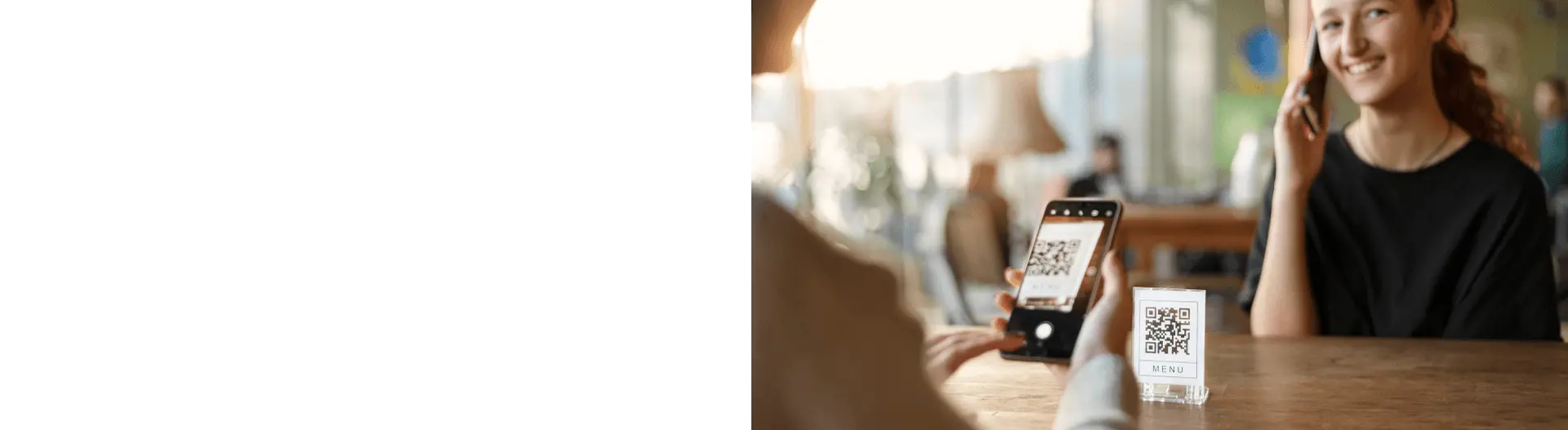
స్థానిక వ్యాపారాలకు తరచుగా వీధి రద్దీని నిజమైన వ్యాపారంగా మార్చడానికి ఒక వేగవంతమైన మార్గం అవసరం ఉంటుంది. కిటికీ స్టిక్కర్, మెనూ, రసీదు, ఫ్లైయర్ లేదా టేబుల్ టెంట్పై ఉండే క్యూఆర్ కోడ్ ప్రజలను డిస్కౌంట్, బుకింగ్ పేజీ, రివ్యూ ఫారం లేదా మ్యాప్ లొకేషన్కు తీసుకువెళ్లగలదు.
ఉదాహరణకు, ఒక సెలూన్ రిసెప్షన్ డెస్క్ దగ్గర క్యూఆర్ కోడ్ను ఉంచి, సందర్శకులను బుకింగ్ పేజీకి పంపవచ్చు . ఒక కేఫ్ సీజనల్ ఆఫర్ను ప్రచారం చేయడానికి ముద్రించిన మెనూపై దానిని ఉపయోగించవచ్చు. దీనివల్ల, సంక్లిష్టమైన ఏర్పాటు లేకుండా త్వరిత ఫలితాలు అవసరమయ్యే చిన్న ప్రచారాల కోసం, స్థానిక మార్కెటింగ్ కొరకు క్యూఆర్ కోడ్లు ఆచరణాత్మకంగా ఉంటాయి.

రియల్ ఎస్టేట్ మార్కెటింగ్ కోసం క్యూఆర్ కోడ్లు ఆస్తి ప్రచారాన్ని సులభతరం చేస్తాయి
రియల్ ఎస్టేట్ ప్రచారాలు తరచుగా సమయం మీద ఆధారపడి ఉంటాయి. ఒక వ్యక్తి ప్రాపర్టీ సైన్ను చూసి, ఆ ప్రదేశాన్ని ఇష్టపడి, వెంటనే వివరాలు తెలుసుకోవాలనుకుంటారు. రియల్ ఎస్టేట్ మార్కెటింగ్ కోసం క్యూఆర్ కోడ్లతో , ఏజెంట్లు కొనుగోలుదారులను లిస్టింగ్లు, ఫోటో గ్యాలరీలు, వర్చువల్ టూర్లు, కాంటాక్ట్ ఫారమ్లు లేదా ఓపెన్ హౌస్ పేజీలకు పంపగలరు.
ఇక్కడే ప్రత్యేకమైన రియల్ ఎస్టేట్ క్యూఆర్ విధానం బాగా పనిచేస్తుంది. ముద్రించిన సైన్ లేదా బ్రోచర్పై చాలా ఎక్కువ టెక్స్ట్ను ఇరికించడానికి బదులుగా, ఈ కోడ్ కొనుగోలుదారులకు స్పష్టమైన తదుపరి దశను అందిస్తుంది, అదే సమయంలో ముద్రిత సామగ్రి సరళంగా ఉంటుంది.
సోషల్ మరియు యాప్ ప్రచారాలు మరింత ప్రత్యక్షంగా మారుతున్నాయి
సోషల్ ఆడియన్స్ను పెంచుకోవడం లేదా ఒక యాప్ను ప్రమోట్ చేయడం లక్ష్యంగా ఉన్నప్పుడు కూడా క్యూఆర్ కోడ్లు బాగా పనిచేస్తాయి. ఒక క్యాంపెయిన్, వినియోగదారులను మాన్యువల్గా వెతకమని అడగకుండా, వారిని నేరుగా టిక్టాక్ ప్రొఫైల్కు, యాప్ డౌన్లోడ్ పేజీకి లేదా సోషల్ లింక్ల జాబితాకు పంపగలదు.
టిక్టాక్ , ప్లే మార్కెట్ / యాప్ స్టోర్ ద్వారా యాప్ పేజీలకు , లేదా మొబైల్ సందర్శకుల కోసం నిర్మించిన ప్రచార ల్యాండింగ్ పేజీకి దారితీయగలదు .
మార్కెటర్ల కోసం క్యూఆర్ కోడ్ జనరేటర్లను మేము ఎలా పరీక్షించాము
ప్రతీ క్యూఆర్ కోడ్ ప్లాట్ఫారమ్ మార్కెటింగ్ పని కోసమే నిర్మించబడలేదు. కొన్ని టూల్స్ త్వరితగతిన స్టాటిక్ కోడ్ను రూపొందించడానికి బాగుంటాయి, మరికొన్ని అనలిటిక్స్, డైనమిక్ ఎడిటింగ్, బ్రాండింగ్ మరియు క్యాంపెయిన్ నిర్వహణపై దృష్టి పెడతాయి. వాటిని నిష్పక్షపాతంగా పోల్చడానికి, మార్కెటర్లు తమ రోజువారీ క్యాంపెయిన్ల సమయంలో వాస్తవంగా ఉపయోగించే ఫీచర్లను మేము పరిశీలించాము.

మూల్యాంకనం ఈ ప్రమాణాలపై దృష్టి సారించింది:
- విక్రయదారులకు మరియు చిన్న బృందాలకు ఉపయోగించడానికి సులభం.
- డైనమిక్ క్యూఆర్ కోడ్లు మరియు సవరించదగిన గమ్యస్థానాలకు మద్దతు.
- విశ్లేషణ మరియు స్కాన్ ట్రాకింగ్ ఎంపికలు.
- డిజైన్ అనుకూలీకరణ మరియు బ్రాండింగ్ సాధనాలు.
- ప్రింట్ మరియు డిజిటల్ ప్రచారాల కోసం ఎగుమతి నాణ్యత.
- విభిన్న ప్రచార ఫార్మాట్లకు అనువుగా ఉండే సౌలభ్యం.
వాస్తవ పరిస్థితులలో ఈ సాధనాలు ఎలా పనిచేస్తాయో అర్థం చేసుకోవడానికి, మేము వాటిని అనేక సాధారణ మార్కెటింగ్ సందర్భాల ద్వారా పరీక్షించాము:
- ల్యాండింగ్ పేజీలు, ప్రమోషన్లు మరియు సోషల్ మీడియా ప్రచారాల కోసం QR కోడ్లను సృష్టించారు;
- ప్రచురించిన తర్వాత లింక్లను సవరించవచ్చో లేదో పరీక్షించారు;
- వివిధ పరికరాలలో మొబైల్ స్కానింగ్ వేగాన్ని తనిఖీ చేసారు;
- విశ్లేషణల డాష్బోర్డ్లు మరియు స్కాన్ గణాంకాలను సమీక్షించారు;
- రంగులు, ఫ్రేమ్లు మరియు లోగోల వంటి అనుకూలీకరణ లక్షణాలను పోల్చారు;
- ముద్రణ సామగ్రి, ప్యాకేజింగ్ మరియు ఆన్లైన్ ప్రకటనల కోసం ఎగుమతి ఫార్మాట్లను పరీక్షించడం జరిగింది.
ME-QR వర్క్ఫ్లోలోని ఈ భాగానికి ప్రత్యేకంగా బాగా సరిపోతుంది, ఎందుకంటే ఇది వివిధ రకాల QR కోడ్లను ఒకే డాష్బోర్డ్లోకి తీసుకువస్తుంది. అనేక ఛానెళ్లలో మార్కెటింగ్ కోసం QR కోడ్లను ఉపయోగించడంపై దృష్టి సారించిన మార్కెటర్లకు, ఒక క్యాంపెయిన్కు ఒకే సమయంలో లింకులు, యాప్ పేజీలు, PDF ఫైళ్లు, కాంటాక్ట్ కార్డ్లు లేదా సోషల్ డెస్టినేషన్లు అవసరమైనప్పుడు, టూల్స్ మధ్య మారాల్సిన అవసరం తగ్గుతుంది .
మార్కెటింగ్ జనరేటర్ల కోసం QR కోడ్ల పోలిక పట్టిక
ఒక మంచి QR జనరేటర్, మార్కెటర్లు వాస్తవంగా పనిచేసే విధానానికి సరిపోలాలి: త్వరితగతిన ప్రారంభించడం, చక్కని డిజైన్, సవరించగలిగే లింకులు, స్కాన్ ట్రాకింగ్, మరియు విభిన్న ప్రచార లక్ష్యాల కోసం తగినన్ని QR రకాలు ఉండాలి. ఒక్కసారి ఉపయోగించే మెటీరియల్స్ కోసం స్టాటిక్ కోడ్లు సరిపోవచ్చు, కానీ పెద్ద ప్రచారాలకు సాధారణంగా డైనమిక్ ఎడిటింగ్ మరియు అనలిటిక్స్ అవసరం.
ME-QR ఇక్కడ అగ్రస్థానానికి అర్హమైనది, ఎందుకంటే ఇది బ్రాండెడ్ కోడ్ల నుండి ప్రచార ట్రాకింగ్ మరియు విభిన్న కంటెంట్ ఫార్మాట్ల వరకు అనేక ఆచరణాత్మక మార్కెటింగ్ అవసరాలను ఒకే ప్లాట్ఫారమ్లో కవర్ చేస్తుంది. ఉదాహరణకు, మార్కెటర్లు బహుళ-గమ్యస్థాన ప్రచారాల కోసం కస్టమ్ URL పేజీలను ఉపయోగించవచ్చు లేదా బ్రాండ్ మెటీరియల్స్కు సరిపోయేలా QR కోడ్లకు లోగోను జోడించవచ్చు.
|
ప్లాట్ఫారమ్
|
డైనమిక్ క్యూఆర్ కోడ్లు
|
విశ్లేషణలు
|
కస్టమ్ డిజైన్
|
కస్టమ్ డిజైన్
|
ఉత్తమమైనది
|
|
ME-QR
|
అవును |
అవును
|
అవును
|
అవును
|
మార్కెటింగ్ ప్రచారాలు, వ్యాపార ఉపయోగం, బ్రాండెడ్ క్యూఆర్ కోడ్లు, విశ్లేషణలు
|
|
ఫ్లోకోడ్
|
అవును |
అవును
|
అవును
|
లిమిటెడ్
|
బ్రాండ్ ప్రచారాలు, ఈవెంట్లు, ఆఫ్లైన్ ప్రకటనలు
|
|
బీకన్స్టాక్
|
అవును
|
అవును
|
అవును
|
ట్రయల్ / పరిమితం
|
ఎంటర్ప్రైజ్ ప్రచారాలు మరియు అధునాతన ట్రాకింగ్
|
|
స్కాన్యోవా
|
అవును | అవును |
అవును
|
ట్రయల్ / పరిమితం
|
ఏజెన్సీలు, వ్యాపార ప్రచారాలు, సవరించదగిన QR కోడ్లు
|
|
యూనికోడ్
|
అవును
|
అవును
|
అవును
|
ట్రయల్ / పరిమితం
|
పెద్ద జట్లు, భద్రతపై దృష్టి సారించిన ప్రచారాలు
|
|
బిట్లీ క్యూఆర్ కోడ్లు
|
అవును
|
అవును
|
ప్రాథమిక
|
లిమిటెడ్
|
లింక్ నిర్వహణ మరియు చిన్న ప్రచార URLలు
|
|
కాన్వా క్యూఆర్ కోడ్ జనరేటర్
|
లిమిటెడ్
|
లేదు / పరిమితం
|
అవును
|
అవును
|
సరళమైన దృశ్య సామగ్రి మరియు శీఘ్రమైన డిజైన్లు
|
|
అడోబ్ ఎక్స్ప్రెస్ క్యూఆర్ కోడ్ జనరేటర్
|
లిమిటెడ్
|
లేదు / పరిమితం
|
అవును
|
అవును
|
ప్రాథమిక బ్రాండెడ్ గ్రాఫిక్స్ మరియు సామాజిక విజువల్స్
|
|
క్యూఆర్ కోడ్ జనరేటర్
|
అవును
|
ప్రాథమిక
|
ప్రాథమిక
|
అవును
|
సాధారణ ఉపయోగం కోసం సులభమైన QR సృష్టి
|
|
షాపిఫై క్యూఆర్ కోడ్ జనరేటర్
|
లిమిటెడ్
|
లేదు / పరిమితం
|
ప్రాథమిక
|
అవును
|
ఇ-కామర్స్ స్టోర్లు మరియు ఉత్పత్తి లింకులు
|
|
హోవర్కోడ్
|
అవును
|
అవును
|
అవును
|
లిమిటెడ్
|
చిన్న వ్యాపార ప్రచారాలు మరియు బ్రాండెడ్ QR కోడ్లు
|
మార్కెటింగ్ ప్లాట్ఫారమ్ కోసం సరైన QR కోడ్లను ఎంచుకోవడం
విభిన్న ప్రచారాలకు విభిన్న QR సాధనాలు అవసరం. కొన్ని ప్లాట్ఫారమ్లు త్వరిత దృశ్యమాన సామగ్రికి మరింత అనుకూలంగా ఉంటాయి, అయితే మరికొన్ని విశ్లేషణలు, డైనమిక్ ఎడిటింగ్ మరియు దీర్ఘకాలిక ప్రచార నిర్వహణపై దృష్టి పెడతాయి.
ఒకేసారి అనేక ప్రచారాలను నిర్వహించే మార్కెటర్లకు, ఒకే వర్క్స్పేస్లో బహుళ QR ఫార్మాట్లు, బ్రాండెడ్ అనుకూలీకరణ, స్కాన్ ట్రాకింగ్ మరియు సౌకర్యవంతమైన గమ్యస్థాన నిర్వహణకు మద్దతు ఇచ్చే ప్లాట్ఫారమ్ను ఎంచుకోవడం సాధారణంగా మరింత ఆచరణాత్మకం.
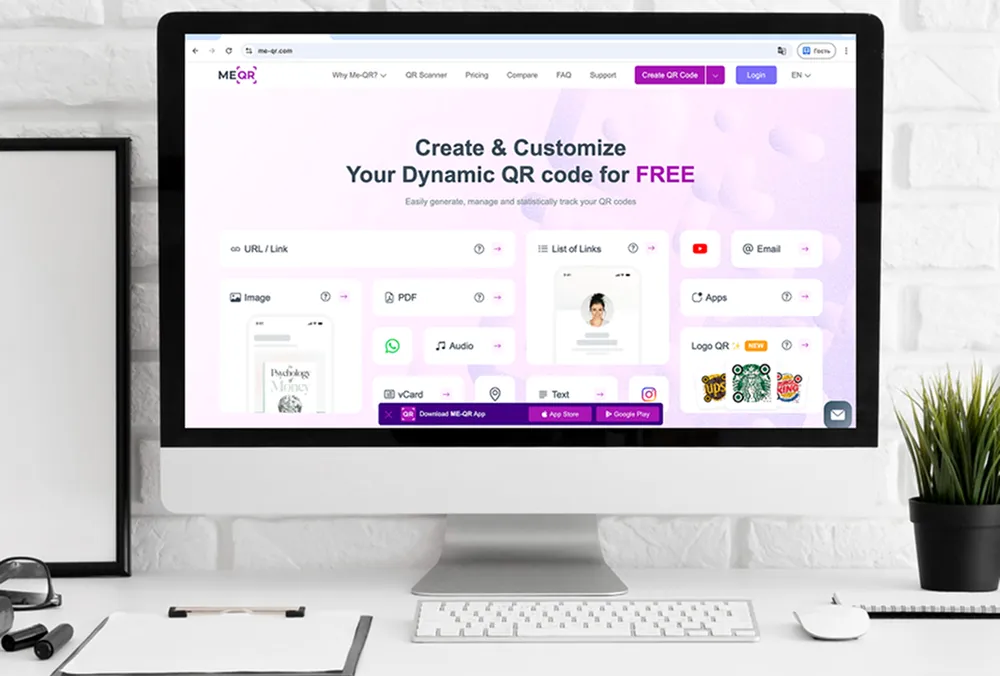
1. ME-QR
ప్రాథమిక QR ఇమేజ్ కంటే ఎక్కువ అవసరమయ్యే మార్కెటర్లకు ME-QR ఒక ఆచరణాత్మక ఎంపిక. ఇది డైనమిక్ QR కోడ్లు, స్కాన్ ట్రాకింగ్, బ్రాండెడ్ డిజైన్ మరియు అనేక రకాల కంటెంట్కు మద్దతు ఇస్తుంది. అందువల్ల ప్రింట్, రిటైల్, ఈవెంట్లు, రియల్ ఎస్టేట్ మరియు సోషల్ మీడియా వంటి మార్కెటింగ్ ప్రచారాల కోసం QR కోడ్లు ఉపయోగకరంగా ఉంటాయి .
ఒక క్యాంపెయిన్లో ఒకేసారి అనేక గమ్యస్థానాలను ఉపయోగించినప్పుడు ఈ ప్లాట్ఫారమ్ ప్రత్యేకంగా సౌకర్యవంతంగా ఉంటుంది. ఒక మార్కెటర్ వేర్వేరు టూల్స్ మధ్య మారకుండానే ల్యాండింగ్ పేజీలు, vCard కాంటాక్ట్లు, డాక్యుమెంట్లు, యాప్ పేజీలు మరియు సోషల్ మీడియా ప్రొఫైల్ల కోసం QR కోడ్లను సృష్టించవచ్చు .
ప్రధాన లక్షణాలు:
- డైనమిక్ మరియు స్టాటిక్ క్యూఆర్ కోడ్లు;
- స్కాన్ విశ్లేషణలు;
- అనుకూల రంగులు, ఫ్రేమ్లు మరియు లోగో ఎంపికలు;
- మార్కెటింగ్ మరియు వ్యాపారం కోసం బహుళ QR కోడ్ రకాలు;
- లింకులు, ఫైళ్లు, కాంటాక్ట్లు, యాప్లు మరియు సోషల్ మీడియా పేజీలకు మద్దతు.
ప్రయోజనాలు:
- విభిన్న ప్రచార లక్ష్యాల కోసం విస్తృత శ్రేణి QR కోడ్ రకాలు;
- ప్రారంభించిన తర్వాత డైనమిక్ క్యూఆర్ కోడ్లను సవరించవచ్చు;
- అంతర్నిర్మిత స్కాన్ విశ్లేషణలు ప్రచార పనితీరును పోల్చడానికి సహాయపడతాయి;
- బ్రాండింగ్ ఎంపికలు QR కోడ్లను ముద్రిత మరియు డిజిటల్ మెటీరియల్స్కు సరిపోయేలా చేస్తాయి;
- లింకులు, డాక్యుమెంట్లు, కాంటాక్ట్లు, యాప్లు మరియు సోషల్ మీడియా పేజీలకు అనువైనది.
ప్రతికూలతలు:
- ఒకే ఒక సులభమైన కోడ్ అవసరమయ్యే వినియోగదారులకు, QR రకాల సంఖ్య చాలా ఎక్కువగా అనిపించవచ్చు;
- ఉత్తమ ఫలితాల కోసం, ప్రారంభించే ముందు గమ్యస్థాన పేజీని మరియు స్కాన్ ప్లేస్మెంట్ను పరీక్షించడం అవసరం.

2. Flowcode
ఫ్లోకోడ్ను ప్రధానంగా బ్రాండెడ్ ప్రచారాలు, ఈవెంట్లు మరియు సృష్టికర్త-కేంద్రీకృత ప్రమోషన్ల కోసం ఉపయోగిస్తారు. దీని దృష్టి ఎక్కువగా దృశ్యపరమైనది, కాబట్టి పోస్టర్లు, ప్యాకేజింగ్, సమావేశాలు లేదా సోషల్ ప్రచారాల కోసం QR కోడ్లు అవసరమయ్యే బృందాలకు ఇది సరిపోతుంది.
ప్రధాన లక్షణాలు:
- డైనమిక్ క్యూఆర్ కోడ్లు;
- ప్రచార విశ్లేషణలు;
- కస్టమ్ డిజైన్ సాధనాలు;
- మొబైల్-కేంద్రీకృత QR అనుభవం.
ప్రయోజనాలు:
- ఈవెంట్ మరియు క్రియేటర్ ప్రచారాలకు ఉపయోగపడుతుంది;
- డిజైన్ అనుకూలీకరణను కలిగి ఉంటుంది.
ప్రతికూలతలు:
- తక్కువ ప్లాన్లలో కొన్ని అధునాతన ఫీచర్లు పరిమితంగా ఉంటాయి;
- ME-QRతో పోలిస్తే తక్కువ QR కంటెంట్ ఫార్మాట్లు.

3. Beaconstac
బీకన్స్టాక్ ఎంటర్ప్రైజ్ క్యూఆర్ క్యాంపెయిన్లు, అనలిటిక్స్ మరియు ఇంటిగ్రేషన్లపై దృష్టి పెడుతుంది. ఇది అనేక విభాగాలు, ప్రదేశాలు లేదా దీర్ఘకాలిక క్యాంపెయిన్లలో క్యూఆర్ కోడ్లను నిర్వహించే పెద్ద బృందాలకు మరింత అనుకూలంగా ఉంటుంది.
ప్రధాన లక్షణాలు:
- డైనమిక్ క్యూఆర్ నిర్వహణ;
- విశ్లేషణల డాష్బోర్డ్;
- API మరియు ఇంటిగ్రేషన్ మద్దతు;
- జట్టు నిర్వహణ ఫీచర్లు.
ప్రయోజనాలు:
- పెద్ద కంపెనీలకు అనువైనది;
- అధునాతన రిపోర్టింగ్ సాధనాలను కలిగి ఉంటుంది.
ప్రతికూలతలు:
- చిన్న జట్లకు ప్రారంభకులకు అంత అనుకూలం కాదు;
- చిన్న వ్యాపారాలకు ధరలు అధికంగా అనిపించవచ్చు.

4. Scanova
స్కాన్యోవా ప్రధానంగా సవరించగలిగే క్యూఆర్ కోడ్లు మరియు ప్రాథమిక ప్రచార ట్రాకింగ్ కోసం ఉపయోగించబడుతుంది. ముద్రిత సామగ్రిని పంపిణీ చేసిన తర్వాత లింక్లను నవీకరించాల్సిన వ్యాపారాలకు ఇది సరిపోతుంది.
ప్రధాన లక్షణాలు:
- డైనమిక్ క్యూఆర్ కోడ్లు;
- స్కాన్ విశ్లేషణలు;
- QR అనుకూలీకరణ;
- ముద్రణ సామగ్రి కోసం ఎగుమతి ఫార్మాట్లు.
ప్రయోజనాలు:
- సవరించదగిన ప్రచార లింక్లకు మద్దతు ఇస్తుంది;
- ప్రాథమిక విశ్లేషణ సాధనాలను కలిగి ఉంటుంది.
ప్రతికూలతలు:
- అనేక ఫీచర్లు చెల్లింపు ప్లాన్లలో మాత్రమే అందుబాటులో ఉంటాయి;
- ME-QRతో పోలిస్తే తక్కువ QR కంటెంట్ ఫార్మాట్లు.

5. Uniqode
యూనికోడ్ విశ్లేషణలు మరియు బృంద నిర్వహణ సాధనాలతో పెద్ద వ్యాపార ప్రచారాలపై దృష్టి పెడుతుంది. ఈ ప్లాట్ఫారమ్ నిర్మాణాత్మక కార్యప్రవాహాలు మరియు సంస్థాగత వినియోగానికి ఎక్కువగా అనుకూలంగా ఉంటుంది.
ప్రధాన లక్షణాలు:
- డైనమిక్ క్యూఆర్ కోడ్లు;
- విశ్లేషణల డాష్బోర్డ్;
- జట్టు నిర్వహణ;
- ఇంటిగ్రేషన్ మద్దతు.
ప్రయోజనాలు:
- పెద్ద జట్లకు అనువైనది;
- ప్రచార నివేదన సాధనాలను కలిగి ఉంటుంది.
ప్రతికూలతలు:
- సాధారణ ప్రచారాలకు అంత సౌకర్యవంతం కాదు;
- సరళమైన ప్లాట్ఫారమ్లతో పోలిస్తే అధిక ధర.
6. Bitly QR కోడ్లు
బిట్లీ క్యూఆర్ కోడ్లు ప్రధానంగా షార్ట్-లింక్ నిర్వహణ మరియు ప్రాథమిక క్యూఆర్ ట్రాకింగ్కు సంబంధించినవి. ఇప్పటికే ఉన్న బిట్లీ క్యాంపెయిన్లలో క్యూఆర్ కోడ్లు భాగంగా ఉన్నప్పుడు వీటిని సాధారణంగా ఉపయోగిస్తారు.
ప్రధాన లక్షణాలు:
- లింక్ ఆధారిత QR కోడ్లు;
- స్కాన్ ట్రాకింగ్;
- బ్రాండెడ్ షార్ట్ లింకులు;
- సులభమైన QR జనరేషన్.
ప్రయోజనాలు:
- బిట్లీ లింక్లతో సులభమైన అనుసంధానం;
- చిన్న URL ప్రచారాలకు ఉపయోగపడుతుంది.
ప్రతికూలతలు:
- పరిమిత QR కోడ్ రకాలు;
- విస్తృత మార్కెటింగ్ ప్రచారాలకు తక్కువ అనువైనది.

7. Canva QR కోడ్ జనరేటర్
కాన్వా క్యూఆర్ కోడ్ జనరేటర్ ప్రధానంగా పోస్టర్లు లేదా సోషల్ గ్రాఫిక్స్ వంటి దృశ్యమాన సామగ్రిలో క్యూఆర్ కోడ్లను జోడించడానికి ఉపయోగించబడుతుంది. దీని దృష్టి ప్రచారాలను ట్రాక్ చేయడం కంటే డిజైన్పై ఎక్కువగా ఉంటుంది.
ప్రధాన లక్షణాలు:
- డిజైన్ల లోపల QR జనరేషన్;
- డ్రాగ్-అండ్-డ్రాప్ ఎడిటర్;
- మార్కెటింగ్ టెంప్లేట్లు;
- వేగవంతమైన ఎగుమతి.
ప్రయోజనాలు:
- దృశ్య అమరికలకు అనుకూలమైనది;
- సరళమైన సృష్టి ప్రక్రియ.
ప్రతికూలతలు:
- పరిమిత విశ్లేషణలు;
- మార్కెటింగ్ కోసం ట్రాక్ చేయగల క్యూఆర్ కోడ్లకు కొన్ని ఎంపికలు ఉన్నాయి .
8. Adobe Express QR కోడ్ జనరేటర్
Adobe Express QR కోడ్ జనరేటర్ను ప్రధానంగా సాధారణ ప్రచార విజువల్స్ మరియు QR ఇంటిగ్రేషన్తో కూడిన బ్రాండెడ్ గ్రాఫిక్స్ కోసం ఉపయోగిస్తారు.
ప్రధాన లక్షణాలు:
- QR జనరేషన్;
- గ్రాఫిక్ టెంప్లేట్లు;
- బ్రాండింగ్ అనుకూలీకరణ;
- ఎగుమతి సాధనాలు.
ప్రయోజనాలు:
- ప్రాథమిక ప్రచార సామగ్రికి పనిచేస్తుంది;
- సరళమైన ఇంటర్ఫేస్.
ప్రతికూలతలు:
- పరిమిత ప్రచార విశ్లేషణలు;
- బహుళ-ఫార్మాట్ QR వర్క్ఫ్లోలపై దృష్టి సారించలేదు.

9. The QR Code Generator
QR కోడ్ జనరేటర్ అనేది అధునాతన మార్కెటింగ్ సాధనాలు లేకుండా ప్రామాణిక QR కోడ్లను రూపొందించడానికి ఒక ప్రాథమిక పరిష్కారం.
ప్రధాన లక్షణాలు:
- స్టాటిక్ క్యూఆర్ కోడ్లు;
- ప్రాథమిక అనుకూలీకరణ;
- సాధారణ QR ఫార్మాట్లు;
- త్వరిత ఉత్పత్తి.
ప్రయోజనాలు:
- వేగవంతమైన సెటప్;
- ప్రారంభకులకు అనుకూలమైన ఇంటర్ఫేస్.
ప్రతికూలతలు:
- పరిమిత విశ్లేషణ మరియు సవరణ;
- ME-QR కంటే తక్కువ మార్కెటింగ్ ఫీచర్లు.
10. Shopify QR కోడ్ జనరేటర్
Shopify QR కోడ్ జనరేటర్ ప్రధానంగా తమ ఉత్పత్తులు లేదా కలెక్షన్ పేజీలతో QR కోడ్లను అనుసంధానించాలనుకునే ఆన్లైన్ స్టోర్ల కోసం ఉద్దేశించబడింది.
ప్రధాన లక్షణాలు:
- ఉత్పత్తి పేజీ QR కోడ్లు;
- షాపిఫై అనుసంధానం;
- సులభమైన ఎగుమతి;
- రిటైల్-కేంద్రీకృత వినియోగం.
ప్రయోజనాలు:
- షాపిఫై స్టోర్లకు ఉపయోగపడుతుంది;
- సులభమైన ఉత్పత్తి అనుసంధానం.
ప్రతికూలతలు:
- పరిమిత బాహ్య ఇ-కామర్స్ వినియోగం;
- విస్తృత బహుళ-ఛానల్ ప్రచారాలకు తగినది కాదు.

11. Hovercode
హోవర్కోడ్ చిన్న వ్యాపార ప్రచారాల కోసం బ్రాండెడ్ క్యూఆర్ కోడ్లు మరియు సులభమైన స్కాన్ ట్రాకింగ్పై దృష్టి పెడుతుంది.
ప్రధాన లక్షణాలు:
- డైనమిక్ క్యూఆర్ కోడ్లు;
- స్కాన్ విశ్లేషణలు;
- బ్రాండింగ్ సాధనాలు;
- QR అనుకూలీకరణ.
ప్రయోజనాలు:
- ప్రాథమిక ట్రాకింగ్ సాధనాలను కలిగి ఉంటుంది;
- బ్రాండెడ్ క్యూఆర్ కోడ్లకు మద్దతు ఇస్తుంది.
ప్రతికూలతలు:
- ME-QRతో పోలిస్తే తక్కువ QR ఫార్మాట్లు;
- ప్రచారంలో మరింత పరిమితమైన వెసులుబాటు.
మార్కెటింగ్ కోసం క్యూఆర్ కోడ్ల రకాలు
విభిన్న ప్రచారాలకు విభిన్న QR ఫార్మాట్లు అవసరం. ఒక ఉత్పత్తి లేబుల్, రియల్ ఎస్టేట్ సైన్, రెస్టారెంట్ మెనూ మరియు సోషల్ మీడియా పోస్టర్పై ఉన్న కోడ్ ఎల్లప్పుడూ ఒకే రకమైన పేజీకి దారితీయకూడదు. అందుకే ME-QR మార్కెటర్లకు ఉపయోగపడుతుంది: ఇది ప్రతి ప్రచారాన్ని ఒకే సాధారణ లింక్లోకి బలవంతంగా మార్చకుండా, బృందాలు తమ ప్రచార లక్ష్యానికి తగిన QR ఫార్మాట్ను ఎంచుకోవడానికి వీలు కల్పిస్తుంది.
ప్రచార నవీకరణల కోసం డైనమిక్ క్యూఆర్ కోడ్లు
ప్రచారం ప్రారంభించిన తర్వాత దాని వివరాలు మారే అవకాశం ఉన్నప్పుడు డైనమిక్ క్యూఆర్ కోడ్లు ఉపయోగపడతాయి. ఒక మార్కెటర్ కోడ్ను ఒక్కసారి ప్రింట్ చేసి, ఆ తర్వాత పోస్టర్లు, ఫ్లైయర్లు, ప్యాకేజింగ్ లేదా ఈవెంట్ సామగ్రిని మార్చకుండానే గమ్యాన్ని అప్డేట్ చేయవచ్చు.
ఇది సీజనల్ ఆఫర్లు, పరిమిత-కాల ల్యాండింగ్ పేజీలు, ఈవెంట్ షెడ్యూల్లు మరియు A/B టెస్టింగ్ కోసం ఉపయోగపడుతుంది. మార్కెటింగ్ ప్రచారాల కోసం QR కోడ్లతో పనిచేసే బృందాలకు , డైనమిక్ ఎడిటింగ్ సమయాన్ని మరియు ప్రింట్ ఖర్చులను రెండింటినీ ఆదా చేస్తుంది.
ప్రేక్షకుల వృద్ధి కోసం సోషల్ మీడియా క్యూఆర్ కోడ్లు
సోషల్ మీడియా క్యూఆర్ కోడ్లు ప్రజలను ఆఫ్లైన్ మెటీరియల్స్ నుండి ఆన్లైన్ ప్రొఫైల్లకు వేగంగా తరలించడంలో సహాయపడతాయి. ఒక పోస్టర్, టేబుల్ కార్డ్, ప్రొడక్ట్ ఇన్సర్ట్ లేదా ఈవెంట్ బ్యానర్ వినియోగదారులను నేరుగా ఇన్స్టాగ్రామ్, ఫేస్బుక్, టెలిగ్రామ్ లేదా పూర్తి సోషల్ ప్రొఫైల్ హబ్కు పంపగలవు.
ME-QRతో, మార్కెటర్లు ప్రచారాన్ని బట్టి Instagram , Facebook , Telegram లేదా విస్తృత సోషల్ మీడియా పేజీ కోసం కోడ్లను సృష్టించవచ్చు . ఇది ఉత్పత్తి ఆవిష్కరణలు, ఇన్ఫ్లుయెన్సర్ ప్రమోలు మరియు స్థానిక బ్రాండ్ అవగాహన కోసం బాగా పనిచేస్తుంది.
ఉత్పత్తి పేజీలు మరియు ఆఫర్ల కోసం రిటైల్ క్యూఆర్ కోడ్లు
రిటైల్ ప్రచారాలకు తరచుగా కొనుగోలుదారులను ఉత్పత్తి వివరాలు, డిస్కౌంట్లు, లాయల్టీ పేజీలు లేదా సమీక్షలతో వేగంగా అనుసంధానించే మార్గం అవసరం. ఇక్కడే రిటైల్ మార్కెటింగ్ కోసం క్యూఆర్ కోడ్లను ఎలా ఉపయోగించాలనేది ఆచరణాత్మకంగా మారుతుంది: కోడ్ను ఉత్పత్తి దగ్గర, ప్యాకేజీపై, షెల్ఫ్ ట్యాగ్పై లేదా రసీదుపై ఉంచండి.
ఆన్లైన్ స్టోర్లు మరియు ఉత్పత్తి ప్రచారాల కోసం, ఇ-కామర్స్ క్యూఆర్ కోడ్లు కొనుగోలుదారులను ఉత్పత్తి పేజీలకు, ప్రత్యేక ఆఫర్లకు లేదా చెక్అవుట్కు సంబంధించిన కంటెంట్కు మార్గనిర్దేశం చేయగలవు. స్కాన్ చేసినప్పుడు, అది కొనుగోలుదారుడి ప్రస్తుత సమయానికి సరిపోయే పేజీకి దారితీయాలి: స్టోర్లోని ఉత్పత్తి వివరాలు, చెక్అవుట్ సమీపంలోని డిస్కౌంట్ పేజీలు లేదా కొనుగోలు తర్వాత సమీక్షలు.
సేల్స్ టీమ్ల కోసం సంప్రదింపు క్యూఆర్ కోడ్లు
ముద్రించిన బిజినెస్ కార్డ్లు కాలం చెల్లకుండానే, సేల్స్ బృందాలు సంప్రదింపు వివరాలను పంచుకోవడానికి క్యూఆర్ కోడ్లను ఉపయోగించవచ్చు. ఒక్క స్కాన్తో సెకన్ల వ్యవధిలో ఫోన్ నంబర్, ఇమెయిల్, మెసెంజర్ లేదా కాంటాక్ట్ కార్డ్ను తెరవవచ్చు.
ఈ ఫార్మాట్ ట్రేడ్ షోలు, సంప్రదింపులు, రియల్ ఎస్టేట్ వీక్షణలు మరియు వ్యాపార సమావేశాలలో ఉపయోగపడుతుంది. ఉదాహరణకు, తదుపరి సంప్రదింపులను సులభతరం చేయడమే ప్రధాన లక్ష్యంగా ఉన్నప్పుడు, ఒక సేల్స్ మేనేజర్ ఫోన్ కాల్ క్యూఆర్ కోడ్ను ఉపయోగించవచ్చు .
పత్రం మరియు కంటెంట్ క్యూఆర్ కోడ్లు
కొన్ని ప్రచారాలకు కేవలం లింక్ను పంచడం కంటే ఎక్కువ అవసరం ఉంటుంది. విక్రయదారులు వినియోగదారులను బ్రోచర్లు, మెనూలు, కేటలాగ్లు, ఉత్పత్తి సూచనలు, ధరల జాబితాలు లేదా ప్రజెంటేషన్ మెటీరియల్స్కు పంపించాల్సి రావచ్చు.
ఈ సందర్భాలలో, QR కోడ్ ఒక సాధారణ వెబ్పేజీకి బదులుగా ఒక ఫైల్ లేదా టెక్స్ట్ కంటెంట్కు దారితీయగలదు. ME-QR టెక్స్ట్ వంటి ఫార్మాట్లకు మద్దతు ఇస్తుంది , ఇవి పూర్తి ల్యాండింగ్ పేజీ అవసరం లేని చిన్న సూచనలు, సాధారణ సందేశాలు లేదా ప్రచార వివరాల కోసం ఉపయోగపడతాయి.
మార్కెటింగ్ కోసం QR కోడ్లను ఎలా ఉపయోగించాలి
దాని చుట్టూ ఉన్న ప్రచారం అస్పష్టంగా అనిపిస్తే, చక్కగా రూపొందించిన QR కోడ్ కూడా పెద్దగా సహాయపడదు. కోడ్ ఎంత ముఖ్యమో, దానిని ఉంచే ప్రదేశం, గమ్యస్థాన పేజీ మరియు సమయం కూడా అంతే ముఖ్యం. స్కాన్ చేయడం అనేది ఒక అదనపు చర్యలా కాకుండా, సహజమైన తదుపరి దశలా అనిపించినప్పుడు మార్కెటర్లు సాధారణంగా మెరుగైన ఫలితాలను పొందుతారు.
దశ 1. స్పష్టమైన ప్రచార లక్ష్యాన్ని నిర్దేశించుకోండి
కోడ్ను సృష్టించే ముందు, స్కాన్ ఏమి సాధించాలో నిర్ణయించుకోండి. కొన్ని ప్రచారాలు వెబ్సైట్ ట్రాఫిక్పై దృష్టి సారిస్తే, మరికొన్ని యాప్ ఇన్స్టాల్లు, బుకింగ్లు, కొనుగోళ్లు, సోషల్ ఫాలోలు లేదా లీడ్ సేకరణను లక్ష్యంగా చేసుకుంటాయి.
మార్కెటింగ్ కోసం క్యూఆర్ కోడ్లను ఎక్కడ ఉపయోగించాలో నిర్ణయించడంలో కూడా ఇది సహాయపడుతుంది . ఒక రెస్టారెంట్ వాటిని మెనూలు మరియు టేబుళ్లపై ఉంచవచ్చు, అయితే ఒక రిటైల్ బ్రాండ్ ప్యాకేజింగ్, షెల్ఫ్ ట్యాగ్లు లేదా విండో పోస్టర్లను ఉపయోగించవచ్చు.
దశ 2. సరైన QR కోడ్ రకాన్ని ఎంచుకోండి
విభిన్న లక్ష్యాలకు విభిన్న QR ఫార్మాట్లు అవసరం. ఒక ఉత్పత్తి ప్రచారానికి ల్యాండింగ్ పేజీ అవసరం కావచ్చు, అయితే ఒక ఈవెంట్ ప్రచారానికి సోషల్ లింక్లు, రిజిస్ట్రేషన్ ఫారం లేదా సంప్రదింపు వివరాలు మరింత బాగా పనిచేస్తాయి.
ఇక్కడ ME-QR ఉపయోగకరంగా ఉంటుంది, ఎందుకంటే విక్రయదారులు అన్నింటినీ వేర్వేరు సాధనాల ద్వారా సృష్టించడానికి బదులుగా, ఒకే ప్లాట్ఫారమ్లోనే లింకులు, ఫైళ్లు, సోషల్ పేజీలు, యాప్ డౌన్లోడ్లు, కాంటాక్ట్ కార్డ్లు మరియు ఇతర ఫార్మాట్ల మధ్య ఎంచుకోవచ్చు.
దశ 3. మొబైల్-స్నేహపూర్వక గమ్యస్థానాన్ని సృష్టించండి
చాలా మంది వినియోగదారులు తమ ఫోన్ల నుండి QR కోడ్లను స్కాన్ చేస్తారు, కాబట్టి గమ్యస్థాన పేజీ త్వరగా లోడ్ అవ్వాలి మరియు చిన్న స్క్రీన్లపై కూడా సులభంగా నావిగేట్ చేయడానికి వీలుగా ఉండాలి.
ఒక క్యాంపెయిన్ సుదీర్ఘమైన ఫారమ్కు, నెమ్మదైన పేజీకి లేదా గందరగోళమైన లేఅవుట్కు దారితీస్తే, ప్రజలు తరచుగా ఆ చర్యను పూర్తి చేయకుండానే వెళ్ళిపోతారు. QR ప్లేస్మెంట్ బాగా పనిచేసినప్పటికీ, ఇది కన్వర్షన్ రేట్లను ప్రభావితం చేస్తుంది.
దశ 4. బ్రాండింగ్ మరియు స్పష్టమైన CTAని జోడించండి
స్కాన్ చేసిన తర్వాత ఏమి జరుగుతుందో ప్రజలకు అర్థమైనప్పుడు QR కోడ్ సాధారణంగా మెరుగ్గా పనిచేస్తుంది. “మెనూను చూడండి,” “డిస్కౌంట్ పొందండి,” లేదా “ఉత్పత్తి పేజీని తెరవండి” వంటి చిన్న CTA, వినియోగదారులకు దానితో ఇంటరాక్ట్ అవ్వడానికి ఒక కారణాన్ని ఇస్తుంది.
బ్రాండెడ్ రంగులు లేదా లోగోలు కూడా కోడ్ ప్యాకేజింగ్, పోస్టర్లు, ఈవెంట్ స్టాండ్లు లేదా ముద్రిత ప్రకటన సామగ్రిలో సహజంగా ఇమిడిపోవడానికి సహాయపడతాయి.
5వ దశ. స్కాన్లను ట్రాక్ చేయండి మరియు ప్రచారాన్ని మెరుగుపరచండి
క్యాంపెయిన్ ట్రాకింగ్, ఏ ప్లేస్మెంట్లు ఫలితాలనిస్తున్నాయో, వేటిని పట్టించుకోవడం లేదో అర్థం చేసుకోవడానికి మార్కెటర్లకు సహాయపడుతుంది. కేవలం ప్రింటెడ్ URL మీద ఆధారపడకుండా, మార్కెటింగ్ కోసం QR కోడ్లను ఉపయోగించడం వల్ల కలిగే అతిపెద్ద ప్రయోజనాల్లో ఇది ఒకటి .
స్కాన్ అనలిటిక్స్తో, మార్కెటర్లు ఊహలకు బదులుగా వాస్తవ పరస్పర చర్య డేటాను ఉపయోగించి లొకేషన్లు, ప్రచార సామగ్రి లేదా ప్రేక్షకుల ప్రవర్తనను పోల్చి, భవిష్యత్ ప్రచారాలను సర్దుబాటు చేసుకోవచ్చు.
మార్కెటింగ్ కోసం QR కోడ్లను ఉపయోగించే ఉత్తమ పద్ధతులు
ఒక QR క్యాంపెయిన్ను పట్టించుకోకుండా వదిలేస్తారా లేదా స్కాన్ చేస్తారా అనేది తరచుగా చిన్న చిన్న వివరాలే నిర్ణయిస్తాయి. దానిని ఉంచే స్థానం, డిజైన్, పేజీ వేగం మరియు సందేశం వంటివన్నీ, నిజ జీవితంలో ప్రజలు ఆ కోడ్తో ఎలా వ్యవహరిస్తారనే దానిపై ప్రభావం చూపుతాయి.
- స్కాన్ చేయడానికి సహజంగా అనిపించే చోట QR కోడ్లను ఉంచండి.
- స్కాన్ చేసిన తర్వాత వినియోగదారులకు ఏమి లభిస్తుందో వివరించే ఒక చిన్న CTAని జోడించండి.
- ప్రచురించే ముందు QR కోడ్ను వివిధ మొబైల్ పరికరాలలో పరీక్షించండి.
- భవిష్యత్తులో అప్డేట్లు అవసరమయ్యే క్యాంపెయిన్ల కోసం డైనమిక్ క్యూఆర్ కోడ్లను ఉపయోగించండి.
- QR డిజైన్ను బ్రాండ్ శైలి మరియు ప్రచార సామగ్రికి అనుగుణంగా మార్చండి.
- ప్రచారాల స్థానం మరియు సమయాన్ని మెరుగుపరచడానికి స్కాన్ విశ్లేషణలను క్రమం తప్పకుండా సమీక్షించండి.
ఈ దశలను అనుసరించే మార్కెటర్లు సాధారణంగా మార్కెటింగ్ కోసం ట్రాక్ చేయగల QR కోడ్ల నుండి ఎక్కువ విలువను పొందుతారు , ఎందుకంటే వారు కేవలం ఇంప్రెషన్లు లేదా ప్రింటెడ్ రీచ్పై ఆధారపడకుండా, వాస్తవానికి ఎంగేజ్మెంట్ను ఏది నడిపిస్తుందో చూడగలరు.
ఒకే చోట చాలా ఎక్కువ క్యూఆర్ కోడ్లతో వినియోగదారులపై భారం పడకుండా ఉండటానికి కూడా ఇది సహాయపడుతుంది. ఒకే పోస్టర్, మెనూ, ప్యాకేజీ లేదా ఫ్లైయర్పై పోటీపడే అనేక స్కాన్ ఎంపికల కంటే, ఒకే స్పష్టమైన చర్య తరచుగా మెరుగ్గా పనిచేస్తుంది.
ముగింపు
మార్కెటింగ్ కోసం క్యూఆర్ కోడ్లు ఇకపై కేవలం సాధారణ వెబ్సైట్ లింక్లకే పరిమితం కాలేదు. బ్రాండ్లు ఇప్పుడు వాటిని ఉత్పత్తి ప్రమోషన్లు, స్థానిక ప్రకటనలు, సోషల్ మీడియా వృద్ధి, లీడ్ సేకరణ, యాప్ డౌన్లోడ్లు, ఈవెంట్ ప్రచారాలు మరియు డిజిటల్, భౌతిక ఛానెళ్లలో కస్టమర్లతో అనుబంధం కోసం ఉపయోగిస్తున్నాయి.
మార్కెటర్లు కేవలం QR ఇమేజ్ను మాత్రమే కాకుండా, అంతకంటే ఎక్కువ విషయాలను నిర్వహించడంలో సహాయపడే ప్లాట్ఫారమ్లే అత్యంత ఉపయోగకరమైనవి. డైనమిక్ ఎడిటింగ్, అనలిటిక్స్, బ్రాండింగ్ టూల్స్ మరియు విభిన్న QR ఫార్మాట్లకు మద్దతు వంటివి క్యాంపెయిన్లను ప్రారంభించడం, పరీక్షించడం మరియు కాలక్రమేణా మెరుగుపరచడం సులభతరం చేస్తాయి.
ME-QR ప్రత్యేకంగా నిలుస్తుంది, ఎందుకంటే ఇది లింకులు, ఫైళ్లు, కాంటాక్ట్లు, యాప్లు లేదా సోషల్ క్యాంపెయిన్ల కోసం మార్కెటర్లను అనేక సాధనాల మధ్య మారేలా బలవంతం చేయకుండా, ఈ ఫీచర్లన్నింటినీ ఒకే చోట మిళితం చేస్తుంది. మార్కెటింగ్ క్యాంపెయిన్ల కోసం క్యూఆర్ కోడ్లతో పనిచేసే బృందాలకు , ఆ సౌలభ్యం రోజువారీ క్యాంపెయిన్ నిర్వహణను చాలా సులభతరం చేస్తుంది.
ప్రతి మార్కెటర్ ఉపయోగించాల్సిన అగ్రశ్రేణి QR కోడ్ జనరేటర్ల గురించి తరచుగా అడిగే ప్రశ్నలు
ఒక స్పష్టమైన లక్ష్యంతో ప్రారంభించండి: వినియోగదారులను ల్యాండింగ్ పేజీ, ఆఫర్, యాప్ పేజీ, బుకింగ్ ఫారం లేదా సోషల్ ప్రొఫైల్కు పంపండి. ఆ తర్వాత, స్కాన్ చేయడానికి సహజంగా అనిపించే చోట QR కోడ్ను ఉంచండి మరియు గమ్యస్థాన పేజీ మొబైల్లో బాగా పనిచేస్తుందని నిర్ధారించుకోండి.