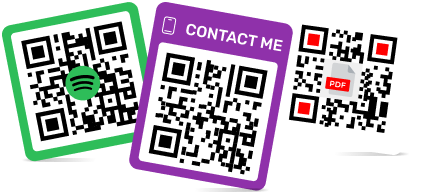
เครื่องมือสร้างคิวอาร์โค้ดที่ดีที่สุดที่นักการตลาดทุกคนควรใช้
เพื่อสร้างคิวอาร์โค้ดสำหรับลิงก์ วิดีโอ หรือรูปภาพ ให้คลิกที่ปุ่มด้านล่าง

- เหตุใดนักการตลาดจึงใช้คิวอาร์โค้ดในแคมเปญการตลาด
- ประโยชน์ของการใช้คิวอาร์โค้ดในการทำการตลาด
- เราทดสอบโปรแกรมสร้างคิวอาร์โค้ดสำหรับนักการตลาดอย่างไร
- ตารางเปรียบเทียบ QR Code สำหรับเครื่องมือสร้างการตลาด
- การเลือกใช้รหัส QR ที่เหมาะสมสำหรับแพลตฟอร์มการตลาด
- ประเภทของคิวอาร์โค้ดสำหรับการตลาด
- วิธีใช้คิวอาร์โค้ดเพื่อการตลาด
- วิธีการใช้คิวอาร์โค้ดเพื่อการตลาดตามหลักปฏิบัติที่ดีที่สุด
- บทสรุป
-
คำถามที่พบบ่อยเกี่ยวกับโปรแกรมสร้างคิวอาร์โค้ดที่ดีที่สุดที่นักการตลาดทุกคนควรใช้
- วิธีการใช้คิวอาร์โค้ดเพื่อการตลาดอย่างมีประสิทธิภาพ?
- รหัส QR ที่สามารถติดตามได้สำหรับการตลาดใช้เพื่ออะไร?
- นักการตลาดสามารถวางคิวอาร์โค้ดสำหรับแคมเปญการตลาดแบบออฟไลน์ได้ที่ไหนบ้าง?
- ร้านค้าสามารถใช้คิวอาร์โค้ดในการทำการตลาดค้าปลีกได้อย่างไร?
- รหัส QR สำหรับการตลาดในท้องถิ่นมีประโยชน์สำหรับธุรกิจขนาดเล็กหรือไม่?
- โปรแกรมสร้างคิวอาร์โค้ดตัวไหนดีที่สุดสำหรับนักการตลาด?
รหัส QR สำหรับการตลาดได้ก้าวไปไกลกว่าการเป็นเพียงลิงก์บนโปสเตอร์แล้ว สำหรับนักการตลาด รหัส QR ทำหน้าที่เป็นสะพานเชื่อมระหว่างการดึงดูดความสนใจในโลกออฟไลน์และการกระทำในโลกออนไลน์ได้อย่างมีประสิทธิภาพ กล่าวคือ เมื่อบุคคลเห็นฉลากผลิตภัณฑ์ ใบปลิว แบนเนอร์งานอีเวนต์ เมนู บรรจุภัณฑ์ หรือป้ายอสังหาริมทรัพย์ สแกนรหัส และนำพวกเขาไปยังจุดที่แคมเปญต้องการได้อย่างตรงจุด
แพลตฟอร์มสร้างคิวอาร์โค้ดที่ดีที่สุดจะช่วยให้ทีมงานทำได้มากกว่าแค่สร้างภาพสี่เหลี่ยมจัตุรัส พวกเขายังช่วยให้แก้ไขปลายทางของแคมเปญ เพิ่มแบรนด์ ทดสอบตำแหน่งการวางต่างๆ และเข้าใจปฏิสัมพันธ์ของผู้คนกับสื่อสิ่งพิมพ์หรือสื่อทางกายภาพได้ง่ายขึ้น ซึ่งสิ่งนี้มีความสำคัญต่อโปรโมชั่นค้าปลีก การโฆษณาในท้องถิ่น การเติบโตของโซเชียลมีเดีย การติดตั้งแอป การรวบรวมข้อมูลลูกค้าเป้าหมาย และการรายงานแคมเปญ
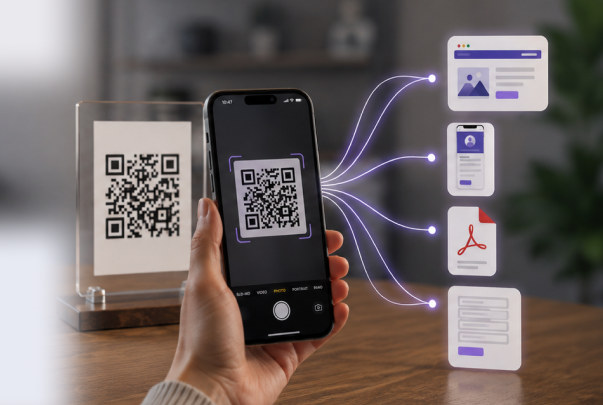
เครื่องมืออย่าง ME-QR เหมาะกับขั้นตอนการทำงานนี้ เพราะนักการตลาดมักต้องการ QR Code หลายรูปแบบในที่เดียว เช่น ลิงก์, PDF, นามบัตร, หน้าแอป, โปรไฟล์โซเชียล และโค้ดแบบไดนามิกที่สามารถปรับเปลี่ยนได้หลังการเปิดตัว เครื่องมือสร้าง QR Code ที่เหมาะสมจะช่วยประหยัดเวลา ทำให้แคมเปญมีความยืดหยุ่น และช่วยให้ทุกการสแกนกลายเป็นกิจกรรมทางการตลาดที่วัดผลได้

เหตุใดนักการตลาดจึงใช้คิวอาร์โค้ดในแคมเปญการตลาด
สำหรับนักการตลาดแล้ว รหัส QR มีประโยชน์เพราะช่วยลดขั้นตอนระหว่างความสนใจและการลงมือทำ แทนที่จะให้ผู้คนพิมพ์ URL ค้นหาแบรนด์ หรือจำโปรโมชั่นในภายหลัง การสแกนเพียงครั้งเดียวก็สามารถนำพวกเขาไปยังหน้าเว็บที่ถูกต้องได้โดยตรง
ตัวอย่างการใช้งานทั่วไป ได้แก่:
- ส่งผู้ใช้จากใบปลิว โปสเตอร์ และบรรจุภัณฑ์ไปยังหน้า Landing Page ของแคมเปญ;
- เชื่อมโยงโฆษณาในสิ่งพิมพ์กับหน้าสินค้า ข้อเสนอส่วนลด หรือการลงทะเบียนเข้าร่วมกิจกรรม;
- ชี้แนะผู้คนไปยังโปรไฟล์โซเชียลมีเดีย หน้าแอป หรือแบบฟอร์มรีวิว;
- อัปเดตลิงก์แคมเปญโดยไม่ต้องพิมพ์เอกสารใหม่
- วัดประสิทธิภาพของการวางโฆษณาแบบออฟไลน์ผ่านข้อมูลการสแกน
- ทำให้การเข้าถึงโปรโมชั่นท้องถิ่นง่ายขึ้น ไม่ว่าจะเป็นจากหน้าร้านหรือเมนูที่พิมพ์ออกมา
นี่คือเหตุผลที่เครื่องมืออย่าง ME-QR มีประโยชน์สำหรับการทำงานแคมเปญในแต่ละวัน นักการตลาดสามารถสร้าง รหัส QR URL แบบง่ายๆ สำหรับหน้า Landing Page จากนั้นใช้ คุณสมบัติ การตลาด ที่หลากหลายมากขึ้น เมื่อแคมเปญต้องการการติดตาม การแก้ไข หรือรูปแบบ QR หลายรูปแบบสำหรับช่องทางต่างๆ
ผู้คนมีแนวโน้มที่จะมีส่วนร่วมกับแคมเปญมากขึ้นเมื่อขั้นตอนต่อไปใช้เวลาเพียงแค่หนึ่งวินาที การสแกนอย่างรวดเร็วรู้สึกง่ายกว่าการพิมพ์ที่อยู่ยาวๆ ด้วยตนเอง โดยเฉพาะอย่างยิ่งบนอุปกรณ์เคลื่อนที่ นั่นเป็นหนึ่งในเหตุผลหลักที่รหัส QR สำหรับแคมเปญการตลาดจึงยังคงปรากฏให้เห็นในร้านค้า ร้านอาหาร งานอีเวนต์ บรรจุภัณฑ์ และป้ายโฆษณากลางแจ้ง
ประโยชน์ของการใช้คิวอาร์โค้ดในการทำการตลาด
คุณค่าที่สำคัญที่สุดของคิวอาร์โค้ดไม่ได้อยู่ที่การสแกนเพียงอย่างเดียว แต่ยังอยู่ที่สิ่งที่เกิดขึ้นหลังจากนั้นด้วย นักการตลาดสามารถเชื่อมโยงจุดสัมผัสทางกายภาพกับการเดินทางดิจิทัล จากนั้นตรวจสอบว่าการวางตำแหน่งนั้นได้ผลจริงหรือไม่
รหัส QR ที่ติดตามได้สำหรับการตลาด ช่วยให้วัดผลลัพธ์ได้
ด้วยรหัส QR ที่ติดตามได้สำหรับการตลาดทีมงานสามารถดูได้ว่ามีคนสแกนรหัสไปกี่คน สแกนเมื่อไหร่ และสื่อการตลาดใดที่ทำให้เกิดการมีปฏิสัมพันธ์นั้น สิ่งนี้มีประโยชน์อย่างยิ่งเมื่อแคมเปญเดียวกันนั้นดำเนินการในรูปแบบโปสเตอร์ ใบปลิว บรรจุภัณฑ์ และบูธในงานอีเวนต์
ME-QR มีประโยชน์ในกรณีนี้ เพราะนักการตลาดสามารถทำงานกับรหัส QR แบบไดนามิกและสถิติการสแกนได้ในที่เดียว แทนที่จะคาดเดาว่าแคมเปญโฆษณาแบบสิ่งพิมพ์ประสบความสำเร็จหรือไม่ พวกเขาสามารถเปรียบเทียบผลลัพธ์และปรับการวางตำแหน่งครั้งต่อไปได้อย่างมั่นใจมากขึ้น
รหัส QR สำหรับการตลาดท้องถิ่น ช่วยดึงดูดลูกค้าให้ใกล้ชิดยิ่งขึ้น
ธุรกิจท้องถิ่นมักต้องการวิธีที่รวดเร็วในการเปลี่ยนผู้คนที่สัญจรไปมาบนถนนให้เป็นการกระทำที่แท้จริง รหัส QR บนสติกเกอร์ติดกระจก เมนู ใบเสร็จ ใบปลิว หรือป้ายตั้งโต๊ะ สามารถนำผู้คนไปยังส่วนลด หน้าการจอง แบบฟอร์มรีวิว หรือตำแหน่งที่ตั้งบนแผนที่ได้
ตัวอย่างเช่น ร้านเสริมสวยสามารถวางคิวอาร์โค้ดไว้ใกล้เคาน์เตอร์ต้อนรับและส่งลูกค้าไปยังการจองร้านกาแฟสามารถใช้คิวอาร์โค้ดบนเมนูที่พิมพ์ออกมาเพื่อโปรโมตโปรโมชั่นตามฤดูกาล ทำให้คิวอาร์โค้ดมีประโยชน์สำหรับการตลาดในท้องถิ่นโดยเฉพาะแคมเปญขนาดเล็กที่ต้องการผลลัพธ์รวดเร็วโดยไม่ต้องตั้งค่าที่ซับซ้อน

รหัส QR สำหรับการตลาดอสังหาริมทรัพย์ ช่วยให้การโปรโมตอสังหาริมทรัพย์ง่ายขึ้น
การทำการตลาดอสังหาริมทรัพย์มักขึ้นอยู่กับจังหวะเวลา เมื่อคนเห็นป้ายประกาศขายบ้าน ชอบทำเล และต้องการรายละเอียดทันที ด้วยการใช้คิวอาร์โค้ดในการทำการตลาดอสังหาริมทรัพย์ตัวแทนสามารถส่งผู้ซื้อไปยังรายการประกาศขาย รูปภาพในแกลเลอรี่ ทัวร์เสมือนจริง แบบฟอร์มติดต่อ หรือหน้าเพจเปิดบ้านได้
นี่คือเหตุผลที่ การใช้ QR Code อสังหาริมทรัพย์ โดยเฉพาะ จึงได้ผลดี แทนที่จะใส่ข้อความมากเกินไปในป้ายหรือโบรชัวร์ที่พิมพ์ออกมา โค้ดจะช่วยให้ผู้ซื้อสามารถดำเนินการขั้นตอนต่อไปได้อย่างชัดเจน ในขณะที่เอกสารสิ่งพิมพ์ยังคงเรียบง่าย
แคมเปญโซเชียลมีเดียและแอปพลิเคชันเข้าถึงได้โดยตรงมากขึ้น
รหัส QR ยังใช้งานได้ดีเมื่อเป้าหมายคือการขยายฐานผู้ติดตามในโซเชียลมีเดียหรือโปรโมตแอปพลิเคชัน แคมเปญสามารถส่งผู้ใช้ไปยังโปรไฟล์ TikTok หน้าดาวน์โหลดแอป หรือรายการลิงก์โซเชียลได้โดยตรง แทนที่จะให้พวกเขาค้นหาด้วยตนเอง
สำหรับการเปิดตัวผลิตภัณฑ์ แคมเปญอินฟลูเอนเซอร์ และการโปรโมทกิจกรรมต่างๆ โค้ด QR จะช่วยลดขั้นตอนเพิ่มเติมได้หลายอย่าง โค้ด QR สามารถนำไปยังTikTokหน้าแอปผ่านPlay Market / App Storeหรือหน้า Landing Page ของแคมเปญที่สร้างขึ้นสำหรับผู้เข้าชมบนมือถือได้
เราทดสอบโปรแกรมสร้างคิวอาร์โค้ดสำหรับนักการตลาดอย่างไร
ไม่ใช่ทุกแพลตฟอร์มสร้างคิวอาร์โค้ดจะถูกสร้างมาเพื่อการตลาดเสมอไป บางเครื่องมือเหมาะสำหรับการสร้างโค้ดแบบคงที่อย่างรวดเร็ว ในขณะที่บางเครื่องมือเน้นไปที่การวิเคราะห์ การแก้ไขแบบไดนามิก การสร้างแบรนด์ และการจัดการแคมเปญ เพื่อเปรียบเทียบอย่างยุติธรรม เราจึงพิจารณาจากคุณสมบัติที่นักการตลาดใช้จริงในแคมเปญประจำวัน

การประเมินมุ่งเน้นที่เกณฑ์เหล่านี้:
- ใช้งานง่ายสำหรับนักการตลาดและทีมขนาดเล็ก
- รองรับคิวอาร์โค้ดแบบไดนามิกและปลายทางที่แก้ไขได้
- ตัวเลือกการวิเคราะห์และการติดตามการสแกน
- เครื่องมือปรับแต่งดีไซน์และเครื่องมือสร้างแบรนด์
- คุณภาพระดับส่งออกสำหรับการพิมพ์และแคมเปญดิจิทัล
- ความยืดหยุ่นสำหรับรูปแบบแคมเปญที่หลากหลาย
เพื่อให้เข้าใจว่าเครื่องมือเหล่านี้ทำงานได้ดีเพียงใดในสถานการณ์จริง เราจึงทดสอบเครื่องมือเหล่านี้ผ่านสถานการณ์ทางการตลาดทั่วไปหลายสถานการณ์:
- สร้างคิวอาร์โค้ดสำหรับหน้า Landing Page โปรโมชั่น และแคมเปญบนโซเชียลมีเดีย
- ทดสอบว่าสามารถแก้ไขลิงก์หลังจากเผยแพร่แล้วได้หรือไม่
- ตรวจสอบความเร็วในการสแกนบนมือถือบนอุปกรณ์ต่างๆ
- ตรวจสอบแดชบอร์ดวิเคราะห์และสถิติการสแกนแล้ว
- เปรียบเทียบคุณสมบัติการปรับแต่งต่างๆ เช่น สี กรอบ และโลโก้;
- ทดสอบรูปแบบการส่งออกสำหรับสื่อสิ่งพิมพ์ บรรจุภัณฑ์ และโฆษณาออนไลน์
ME-QR เหมาะกับขั้นตอนการทำงานส่วนนี้เป็นอย่างดี เพราะรวบรวม QR Code ประเภทต่างๆ ไว้ในแดชบอร์ดเดียว สำหรับนักการตลาดที่เน้นการใช้ QR Code ในการทำการตลาดผ่านหลายช่องทาง นั่นหมายความว่าไม่ต้องสลับไปมาระหว่างเครื่องมือมากนัก เมื่อแคมเปญต้องการลิงก์ หน้าแอป ไฟล์PDFบัตรข้อมูลติดต่อ หรือปลายทางโซเชียลมีเดียพร้อมกัน
ตารางเปรียบเทียบ QR Code สำหรับเครื่องมือสร้างการตลาด
เครื่องมือสร้าง QR Code ที่ดีควรสอดคล้องกับวิธีการทำงานของนักการตลาด: เปิดใช้งานได้อย่างรวดเร็ว ดีไซน์เรียบง่าย ลิงก์แก้ไขได้ ติดตามการสแกน และมี QR Code หลายประเภทเพียงพอสำหรับเป้าหมายแคมเปญที่แตกต่างกัน โค้ดแบบคงที่อาจเพียงพอสำหรับสื่อที่ใช้เพียงครั้งเดียว แต่แคมเปญขนาดใหญ่โดยทั่วไปต้องการการแก้ไขแบบไดนามิกและการวิเคราะห์ข้อมูล
ME-QR สมควรได้รับตำแหน่งสูงสุดในที่นี้ เพราะครอบคลุมความต้องการด้านการตลาดที่ใช้งานได้จริงมากมายในแพลตฟอร์มเดียว ตั้งแต่รหัสที่มีแบรนด์ไปจนถึงการติดตามแคมเปญและรูปแบบเนื้อหาที่หลากหลาย ตัวอย่างเช่น นักการตลาดสามารถใช้ หน้า URL แบบกำหนดเองสำหรับแคมเปญที่มีปลายทางหลายแห่ง หรือเพิ่มโลโก้เพื่อให้รหัส QR เข้ากับสื่อของแบรนด์ได้
|
แพลตฟอร์ม
|
รหัส QR แบบไดนามิก
|
การวิเคราะห์
|
ออกแบบตามสั่ง
|
ออกแบบตามสั่ง
|
เหมาะสำหรับ
|
|
เม-คิวอาร์
|
ใช่ |
ใช่
|
ใช่
|
ใช่
|
แคมเปญการตลาด, การใช้งานทางธุรกิจ, รหัส QR ที่มีตราสินค้า, การวิเคราะห์ข้อมูล
|
|
โฟลว์โค้ด
|
ใช่ |
ใช่
|
ใช่
|
จำกัด
|
แคมเปญการตลาด, กิจกรรม, โฆษณาออฟไลน์
|
|
บีคอนสแตค
|
ใช่
|
ใช่
|
ใช่
|
รุ่นทดลอง / จำกัด
|
แคมเปญระดับองค์กรและการติดตามขั้นสูง
|
|
สกาโนวา
|
ใช่ | ใช่ |
ใช่
|
รุ่นทดลอง / จำกัด
|
เอเจนซี่, แคมเปญธุรกิจ, รหัส QR ที่แก้ไขได้
|
|
ยูนิโคด
|
ใช่
|
ใช่
|
ใช่
|
รุ่นทดลอง / จำกัด
|
ทีมขนาดใหญ่ขึ้น แคมเปญที่เน้นด้านความปลอดภัย
|
|
รหัส QR ของ Bitly
|
ใช่
|
ใช่
|
พื้นฐาน
|
จำกัด
|
การจัดการลิงก์และ URL แคมเปญแบบสั้น
|
|
เครื่องมือสร้างคิวอาร์โค้ดของ Canva
|
จำกัด
|
ไม่มี / จำกัด
|
ใช่
|
ใช่
|
สื่อภาพที่เรียบง่ายและการออกแบบที่รวดเร็ว
|
|
โปรแกรมสร้างคิวอาร์โค้ด Adobe Express
|
จำกัด
|
ไม่มี / จำกัด
|
ใช่
|
ใช่
|
กราฟิกแบรนด์พื้นฐานและภาพประกอบสำหรับโซเชียลมีเดีย
|
|
เครื่องสร้างรหัส QR
|
ใช่
|
พื้นฐาน
|
พื้นฐาน
|
ใช่
|
สร้าง QR Code อย่างง่ายสำหรับการใช้งานทั่วไป
|
|
เครื่องมือสร้างคิวอาร์โค้ดสำหรับ Shopify
|
จำกัด
|
ไม่มี / จำกัด
|
พื้นฐาน
|
ใช่
|
ร้านค้าอีคอมเมิร์ซและลิงก์สินค้า
|
|
โค้ดการวางเมาส์เหนือภาพ
|
ใช่
|
ใช่
|
ใช่
|
จำกัด
|
แคมเปญสำหรับธุรกิจขนาดเล็กและคิวอาร์โค้ดที่มีแบรนด์
|
การเลือกใช้รหัส QR ที่เหมาะสมสำหรับแพลตฟอร์มการตลาด
แคมเปญที่แตกต่างกันต้องการเครื่องมือ QR ที่แตกต่างกัน แพลตฟอร์มบางแห่งเหมาะสำหรับสื่อภาพที่รวดเร็ว ในขณะที่บางแห่งเน้นการวิเคราะห์ การแก้ไขแบบไดนามิก และการจัดการแคมเปญระยะยาว
สำหรับนักการตลาดที่ดำเนินแคมเปญหลายแคมเปญพร้อมกัน การเลือกแพลตฟอร์มที่รองรับรูปแบบ QR หลายรูปแบบ การปรับแต่งแบรนด์ การติดตามการสแกน และการจัดการปลายทางที่ยืดหยุ่นภายในพื้นที่ทำงานเดียว มักจะสะดวกกว่า
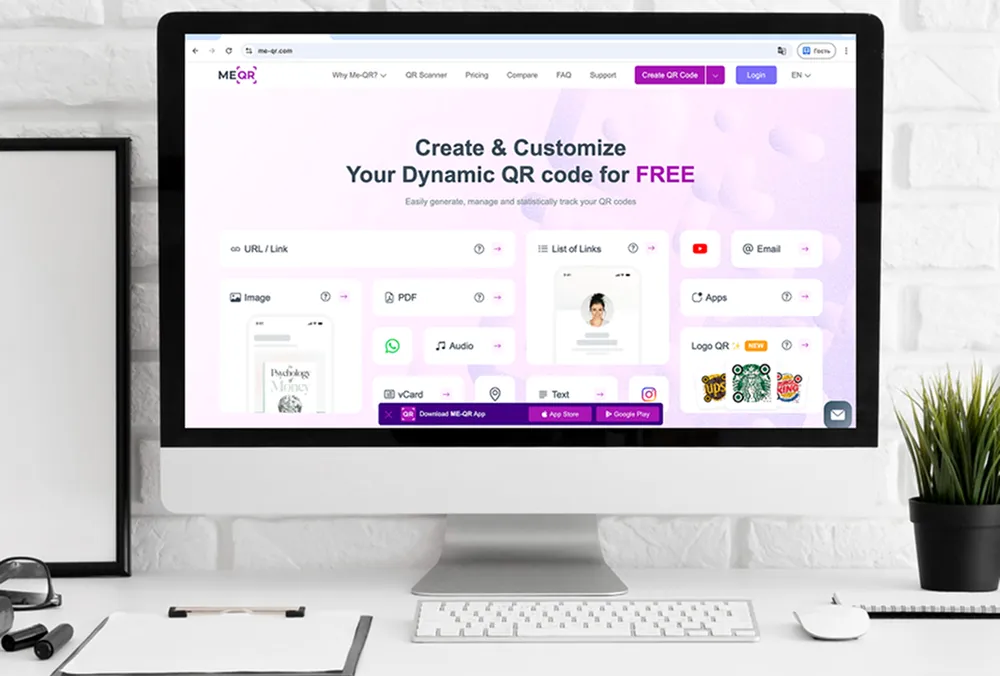
1. ME-QR
ME-QR เป็นตัวเลือกที่ใช้งานได้จริงสำหรับนักการตลาดที่ต้องการมากกว่าแค่ภาพ QR ทั่วไป มันรองรับรหัส QR แบบไดนามิก การติดตามการสแกน การออกแบบที่มีแบรนด์ และเนื้อหาหลายประเภท ทำให้มีประโยชน์สำหรับรหัส QR ในแคมเปญการตลาดต่างๆ ทั้งสิ่งพิมพ์ ร้านค้าปลีก งานอีเวนต์ อสังหาริมทรัพย์ และโซเชียลมีเดีย
แพลตฟอร์มนี้สะดวกเป็นพิเศษเมื่อแคมเปญใช้หลายปลายทางพร้อมกัน นักการตลาดสามารถสร้างคิวอาร์โค้ดสำหรับหน้า Landing Page, ข้อมูลติดต่อในรูปแบบ vCard , เอกสาร, หน้าแอป และ โปรไฟล์ โซเชียลมีเดีย ได้ โดยไม่ต้องสลับไปมาระหว่างเครื่องมือต่างๆ
คุณสมบัติหลัก:
- รหัส QR แบบไดนามิกและแบบคงที่;
- การวิเคราะห์การสแกน;
- สามารถปรับแต่งสี กรอบ และโลโก้ได้ตามต้องการ
- QR Code หลายประเภทสำหรับการตลาดและธุรกิจ;
- รองรับลิงก์ ไฟล์ รายชื่อติดต่อ แอป และหน้าโซเชียลมีเดีย
ข้อดี:
- มีรหัส QR หลากหลายประเภทให้เลือกใช้สำหรับวัตถุประสงค์ของแคมเปญต่างๆ
- สามารถแก้ไขคิวอาร์โค้ดแบบไดนามิกได้หลังจากเปิดใช้งานแล้ว
- ระบบวิเคราะห์การสแกนในตัวช่วยให้สามารถเปรียบเทียบประสิทธิภาพของแคมเปญได้
- ตัวเลือกการสร้างแบรนด์ทำให้คิวอาร์โค้ดเหมาะสำหรับสื่อสิ่งพิมพ์และสื่อดิจิทัล
- เหมาะสำหรับลิงก์ เอกสาร รายชื่อติดต่อ แอปพลิเคชัน และหน้าโซเชียลมีเดีย
ข้อเสีย:
- จำนวนประเภทของ QR Code อาจดูหลากหลายเกินไปสำหรับผู้ใช้ที่ต้องการเพียงรหัสแบบง่ายๆ รหัสเดียว
- เพื่อให้ได้ผลลัพธ์ที่ดีที่สุด ควรทดสอบหน้าเว็บปลายทางและตำแหน่งการสแกนก่อนเปิดใช้งานจริง

2. Flowcode
Flowcode ส่วนใหญ่ใช้สำหรับแคมเปญสร้างแบรนด์ งานอีเวนต์ และโปรโมชั่นที่เน้นครีเอเตอร์ โดยเน้นด้านภาพเป็นหลัก จึงเหมาะสำหรับทีมที่ต้องการคิวอาร์โค้ดสำหรับโปสเตอร์ บรรจุภัณฑ์ งานประชุม หรือแคมเปญโซเชียลมีเดีย
คุณสมบัติหลัก:
- รหัส QR แบบไดนามิก;
- การวิเคราะห์ข้อมูลแคมเปญ;
- เครื่องมือออกแบบที่กำหนดเอง;
- ประสบการณ์การใช้ QR Code ที่เน้นการใช้งานบนมือถือ
ข้อดี:
- เหมาะสำหรับแคมเปญกิจกรรมและแคมเปญสำหรับครีเอเตอร์
- รวมถึงการปรับแต่งดีไซน์
ข้อเสีย:
- ฟีเจอร์ขั้นสูงบางอย่างมีจำกัดในแพ็กเกจราคาต่ำกว่า
- มีรูปแบบเนื้อหา QR น้อยกว่าเมื่อเทียบกับ ME-QR

3. Beaconstac
Beaconstac มุ่งเน้นไปที่แคมเปญ QR ระดับองค์กร การวิเคราะห์ และการผสานรวม เหมาะสำหรับทีมขนาดใหญ่ที่จัดการรหัส QR ในหลายแผนก หลายสถานที่ หรือแคมเปญระยะยาว
คุณสมบัติหลัก:
- การจัดการ QR แบบไดนามิก;
- แดชบอร์ดวิเคราะห์ข้อมูล;
- การสนับสนุน API และการบูรณาการ;
- คุณสมบัติการจัดการทีม
ข้อดี:
- เหมาะสำหรับบริษัทขนาดใหญ่
- รวมถึงเครื่องมือสร้างรายงานขั้นสูง
ข้อเสีย:
- ไม่ค่อยเหมาะสำหรับทีมขนาดเล็กที่เพิ่งเริ่มต้น
- ราคาอาจดูสูงไปสำหรับธุรกิจขนาดเล็ก

4. Scanova
Scanova ใช้สำหรับสร้าง QR Code ที่แก้ไขได้และติดตามแคมเปญขั้นพื้นฐานเป็นหลัก เหมาะสำหรับธุรกิจที่ต้องการอัปเดตลิงก์หลังจากแจกจ่ายสื่อสิ่งพิมพ์ไปแล้ว
คุณสมบัติหลัก:
- รหัส QR แบบไดนามิก;
- การวิเคราะห์การสแกน;
- การปรับแต่ง QR Code;
- รูปแบบไฟล์ส่งออกสำหรับวัสดุสิ่งพิมพ์
ข้อดี:
- รองรับการแก้ไขลิงก์แคมเปญ;
- รวมถึงเครื่องมือวิเคราะห์ข้อมูลพื้นฐาน
ข้อเสีย:
- ฟีเจอร์หลายอย่างมีให้บริการเฉพาะในแพ็กเกจแบบชำระเงินเท่านั้น
- มีรูปแบบเนื้อหา QR น้อยกว่าเมื่อเทียบกับ ME-QR

5. Uniqode
Uniqode มุ่งเน้นไปที่แคมเปญธุรกิจขนาดใหญ่ พร้อมเครื่องมือวิเคราะห์และบริหารจัดการทีม แพลตฟอร์มนี้เหมาะสำหรับเวิร์กโฟลว์ที่มีโครงสร้างและการใช้งานในระดับองค์กรมากกว่า
คุณสมบัติหลัก:
- รหัส QR แบบไดนามิก;
- แดชบอร์ดวิเคราะห์ข้อมูล;
- การบริหารทีม;
- การสนับสนุนการบูรณาการ
ข้อดี:
- เหมาะสำหรับทีมขนาดใหญ่
- รวมถึงเครื่องมือรายงานผลการรณรงค์หาเสียง
ข้อเสีย:
- ไม่ค่อยสะดวกสำหรับแคมเปญที่ไม่ซับซ้อน
- ราคาสูงกว่าเมื่อเทียบกับแพลตฟอร์มที่เรียบง่ายกว่า
6. รหัส QR ของ Bitly
รหัส QR ของ Bitly ส่วนใหญ่เกี่ยวข้องกับการจัดการลิงก์สั้นและการติดตาม QR ขั้นพื้นฐาน โดยทั่วไปจะใช้เมื่อรหัส QR เป็นส่วนหนึ่งของแคมเปญ Bitly ที่มีอยู่แล้ว
คุณสมบัติหลัก:
- รหัส QR ที่ใช้ลิงก์;
- การติดตามการสแกน;
- ลิงก์สั้นที่มีตราสินค้า;
- การสร้าง QR Code อย่างง่าย
ข้อดี:
- ผสานรวมเข้ากับลิงก์ Bitly ได้อย่างง่ายดาย
- เหมาะสำหรับแคมเปญที่มี URL สั้นๆ
ข้อเสีย:
- มีข้อจำกัดเกี่ยวกับประเภทของคิวอาร์โค้ด
- มีความยืดหยุ่นน้อยกว่าสำหรับการทำการตลาดในวงกว้าง

7. โปรแกรมสร้างคิวอาร์โค้ดของ Canva
โปรแกรมสร้างคิวอาร์โค้ดของ Canva ใช้สำหรับเพิ่มคิวอาร์โค้ดลงในสื่อภาพ เช่น โปสเตอร์ หรือกราฟิกสำหรับโซเชียลมีเดีย โดยเน้นที่การออกแบบมากกว่าการติดตามผลแคมเปญ
คุณสมบัติหลัก:
- การสร้าง QR Code ภายในงานออกแบบ;
- โปรแกรมแก้ไขแบบลากและวาง;
- แม่แบบการตลาด;
- ส่งออกรวดเร็ว
ข้อดี:
- สะดวกสำหรับการจัดวางภาพ;
- ขั้นตอนการสร้างที่ง่าย
ข้อเสีย:
- การวิเคราะห์ข้อมูลมีจำกัด;
- มีตัวเลือกน้อยมากสำหรับรหัส QR ที่สามารถติดตามได้สำหรับการตลาด
8. โปรแกรมสร้างรหัส QR ของ Adobe Express
โปรแกรมสร้างคิวอาร์โค้ด Adobe Express ส่วนใหญ่ใช้สำหรับสร้างภาพโปรโมชั่นแบบง่ายๆ และกราฟิกแบรนด์ที่มีการผสานคิวอาร์โค้ดเข้าไปด้วย
คุณสมบัติหลัก:
- การสร้างคิวอาร์โค้ด;
- แม่แบบกราฟิก;
- การปรับแต่งแบรนด์;
- เครื่องมือส่งออก
ข้อดี:
- เหมาะสำหรับงานสื่อประชาสัมพันธ์พื้นฐาน
- อินเทอร์เฟซเรียบง่าย
ข้อเสีย:
- การวิเคราะห์แคมเปญมีข้อจำกัด
- ไม่ได้เน้นที่ขั้นตอนการทำงานของ QR Code หลายรูปแบบ

9. The QR Code Generator
โปรแกรมสร้างคิวอาร์โค้ดนี้เป็นโซลูชันพื้นฐานสำหรับการสร้างคิวอาร์โค้ดมาตรฐาน โดยไม่ต้องใช้เครื่องมือการตลาดขั้นสูง
คุณสมบัติหลัก:
- รหัส QR แบบคงที่;
- การปรับแต่งขั้นพื้นฐาน;
- รูปแบบ QR ทั่วไป;
- สร้างได้อย่างรวดเร็ว
ข้อดี:
- ติดตั้งรวดเร็ว;
- อินเทอร์เฟซที่ใช้งานง่ายสำหรับผู้เริ่มต้น
ข้อเสีย:
- การวิเคราะห์และแก้ไขข้อมูลมีจำกัด;
- มีฟีเจอร์ด้านการตลาดน้อยกว่า ME-QR
10. โปรแกรมสร้างคิวอาร์โค้ดสำหรับ Shopify
เครื่องมือสร้างคิวอาร์โค้ดสำหรับ Shopify นั้นมุ่งเป้าไปที่ร้านค้าออนไลน์ที่ต้องการเชื่อมโยงคิวอาร์โค้ดกับหน้าสินค้าหรือหน้าคอลเลกชันเป็นหลัก
คุณสมบัติหลัก:
- รหัส QR ในหน้าสินค้า;
- การผสานรวม Shopify;
- การส่งออกอย่างง่าย;
- การใช้งานที่เน้นด้านการค้าปลีก
ข้อดี:
- เหมาะสำหรับร้านค้า Shopify;
- การเชื่อมโยงผลิตภัณฑ์ทำได้ง่าย
ข้อเสีย:
- การใช้งานภายนอกอีคอมเมิร์ซมีข้อจำกัด
- ไม่เหมาะสำหรับแคมเปญการตลาดแบบหลายช่องทางในวงกว้าง

11. Hovercode
Hovercode เน้นการสร้างคิวอาร์โค้ดที่มีแบรนด์ และระบบติดตามการสแกนแบบง่าย สำหรับแคมเปญธุรกิจขนาดเล็ก
คุณสมบัติหลัก:
- รหัส QR แบบไดนามิก;
- การวิเคราะห์การสแกน;
- เครื่องมือสร้างแบรนด์;
- การปรับแต่ง QR Code
ข้อดี:
- รวมถึงเครื่องมือติดตามพื้นฐาน;
- รองรับคิวอาร์โค้ดที่มีตราสินค้า
ข้อเสีย:
- มีรูปแบบ QR น้อยกว่าเมื่อเทียบกับ ME-QR;
- ความยืดหยุ่นของแคมเปญมีจำกัดมากขึ้น
ประเภทของคิวอาร์โค้ดสำหรับการตลาด
แคมเปญที่แตกต่างกันต้องการรูปแบบ QR ที่แตกต่างกัน โค้ดบนฉลากผลิตภัณฑ์ ป้ายโฆษณาอสังหาริมทรัพย์ เมนูอาหาร และโปสเตอร์บนโซเชียลมีเดีย ไม่ควรนำไปสู่หน้าเว็บประเภทเดียวกันเสมอไป นั่นคือเหตุผลที่ ME-QR มีประโยชน์สำหรับนักการตลาด เพราะช่วยให้ทีมเลือกรูปแบบ QR ที่เหมาะสมสำหรับเป้าหมายของแคมเปญได้อย่างแม่นยำ แทนที่จะบังคับให้ทุกแคมเปญใช้ลิงก์แบบง่ายๆ
รหัส QR แบบไดนามิกสำหรับการอัปเดตแคมเปญ
รหัส QR แบบไดนามิกมีประโยชน์เมื่อรายละเอียดของแคมเปญอาจเปลี่ยนแปลงหลังจากเปิดตัวแล้ว นักการตลาดสามารถพิมพ์รหัสเพียงครั้งเดียว จากนั้นอัปเดตปลายทางในภายหลังโดยไม่ต้องเปลี่ยนโปสเตอร์ ใบปลิว บรรจุภัณฑ์ หรือวัสดุสำหรับงานอีเวนต์ทั้งหมด
ฟังก์ชันนี้มีประโยชน์สำหรับข้อเสนอตามฤดูกาล หน้า Landing Page ที่จำกัดเวลา ตารางกิจกรรม และการทดสอบ A/B สำหรับทีมที่ใช้QR Code ในแคมเปญการตลาดการแก้ไขแบบไดนามิกสามารถช่วยประหยัดทั้งเวลาและค่าใช้จ่ายในการพิมพ์ได้
รหัส QR บนโซเชียลมีเดียเพื่อการขยายฐานผู้ชม
รหัส QR บนโซเชียลมีเดียช่วยให้ผู้คนเปลี่ยนจากสื่อออฟไลน์ไปสู่โปรไฟล์ออนไลน์ได้เร็วขึ้น โปสเตอร์ การ์ดตั้งโต๊ะ เอกสารแทรกในสินค้า หรือแบนเนอร์งานอีเวนต์ สามารถส่งผู้ใช้ไปยัง Instagram, Facebook, Telegram หรือศูนย์รวมโปรไฟล์โซเชียลทั้งหมดได้โดยตรง
ด้วย ME-QR นักการตลาดสามารถสร้างโค้ดสำหรับInstagram , Facebook , Telegramหรือเพจโซเชียลมีเดียอื่นๆ ได้ตามแคมเปญ ซึ่งเหมาะสำหรับงานเปิดตัวผลิตภัณฑ์ โปรโมชั่นผ่านอินฟลูเอนเซอร์ และการสร้างการรับรู้แบรนด์ในระดับท้องถิ่น
รหัส QR สำหรับหน้าสินค้าและโปรโมชั่นในธุรกิจค้าปลีก
แคมเปญการขายปลีกมักต้องการวิธีที่รวดเร็วในการเชื่อมต่อผู้ซื้อกับรายละเอียดสินค้า ส่วนลด หน้าสะสมแต้ม หรือรีวิว ซึ่งการใช้คิวอาร์โค้ดในการทำการตลาดค้าปลีกจึงมีประโยชน์อย่างยิ่ง: วางคิวอาร์โค้ดไว้ใกล้ตัวสินค้า บนบรรจุภัณฑ์ บนป้ายราคา หรือบนใบเสร็จรับเงิน
สำหรับร้านค้าออนไลน์และแคมเปญสินค้า รหัส QR อีคอมเมิร์ซสามารถนำทางผู้ซื้อไปยังหน้าสินค้า ข้อเสนอพิเศษ หรือเนื้อหาที่เกี่ยวข้องกับการชำระเงินได้ การสแกนควรนำไปยังหน้าที่ตรงกับความต้องการของผู้ซื้อในขณะนั้น เช่น รายละเอียดสินค้าในร้านค้า หน้าส่วนลดใกล้ขั้นตอนการชำระเงิน หรือรีวิวหลังการซื้อ
รหัส QR สำหรับติดต่อทีมขาย
ทีมขายสามารถใช้คิวอาร์โค้ดเพื่อแชร์ข้อมูลติดต่อโดยไม่ต้องใช้บัตรนามบัตรที่พิมพ์ออกมาซึ่งอาจล้าสมัยได้ การสแกนเพียงครั้งเดียวสามารถเปิดหมายเลขโทรศัพท์ อีเมล โปรแกรมแชท หรือบัตรติดต่อได้ภายในไม่กี่วินาที
รูปแบบนี้มีประโยชน์ในงานแสดงสินค้า การให้คำปรึกษา การชมอสังหาริมทรัพย์ และการประชุมทางธุรกิจ ตัวอย่างเช่น ผู้จัดการฝ่ายขายสามารถใช้ รหัส QR การโทรศัพท์เมื่อเป้าหมายหลักคือการทำให้การติดต่อติดตามผลทำได้ง่ายขึ้น
รหัส QR สำหรับเอกสารและเนื้อหา
แคมเปญการตลาดบางแคมเปญอาจต้องการแชร์ข้อมูลมากกว่าแค่ลิงก์ นักการตลาดอาจต้องส่งผู้ใช้ไปยังโบรชัวร์ เมนู แคตตาล็อก คู่มือการใช้งานผลิตภัณฑ์ รายการราคา หรือเอกสารประกอบการนำเสนอ
ในกรณีเหล่านี้ คิวอาร์โค้ดสามารถนำไปยังไฟล์หรือเนื้อหาข้อความแทนที่จะเป็นเว็บเพจทั่วไปได้ ME-QR รองรับรูปแบบต่างๆ เช่นข้อความซึ่งสามารถใช้ได้กับคำแนะนำสั้นๆ ข้อความง่ายๆ หรือรายละเอียดแคมเปญที่ไม่จำเป็นต้องมีหน้า Landing Page เต็มรูป แบบ
วิธีใช้คิวอาร์โค้ดเพื่อการตลาด
แม้แต่คิวอาร์โค้ดที่ออกแบบมาอย่างดีก็อาจไม่ช่วยอะไรมากนักหากแคมเปญที่เกี่ยวข้องดูไม่ชัดเจน ตำแหน่ง การเลือกหน้าเว็บปลายทาง และจังหวะเวลา มีความสำคัญไม่แพ้ตัวโค้ดเอง นักการตลาดมักจะได้ผลลัพธ์ที่ดีกว่าเมื่อการสแกนรู้สึกเหมือนเป็นขั้นตอนต่อไปที่เป็นธรรมชาติ แทนที่จะเป็นการกระทำเพิ่มเติม
ขั้นตอนที่ 1. กำหนดเป้าหมายแคมเปญให้ชัดเจน
ก่อนสร้างโค้ด ให้ตัดสินใจก่อนว่าการสแกนนั้นควรบรรลุเป้าหมายอะไร แคมเปญบางอย่างเน้นที่การเข้าชมเว็บไซต์ ในขณะที่บางแคมเปญมุ่งเป้าไปที่การติดตั้งแอป การจอง การซื้อ การติดตามบนโซเชียลมีเดีย หรือการรวบรวมข้อมูลลูกค้าเป้าหมาย
สิ่งนี้ยังช่วยในการกำหนดว่าควรใช้คิวอาร์โค้ดในการทำการตลาดที่ใดร้านอาหารอาจวางไว้บนเมนูและบนโต๊ะอาหาร ในขณะที่แบรนด์ค้าปลีกอาจใช้บนบรรจุภัณฑ์ ป้ายราคา หรือโปสเตอร์ติดหน้าต่าง
ขั้นตอนที่ 2. เลือกประเภท QR Code ที่เหมาะสม
เป้าหมายที่แตกต่างกันย่อมต้องการรูปแบบ QR ที่แตกต่างกัน การโปรโมตสินค้าอาจต้องการหน้า Landing Page ในขณะที่แคมเปญกิจกรรมอาจได้ผลดีกว่าด้วยลิงก์โซเชียลมีเดีย แบบฟอร์มลงทะเบียน หรือรายละเอียดการติดต่อ
ME-QR มีประโยชน์ในกรณีนี้ เพราะนักการตลาดสามารถเลือกใช้ลิงก์ ไฟล์ หน้าโซเชียลมีเดีย การดาวน์โหลดแอป บัตรข้อมูลติดต่อ และรูปแบบอื่นๆ ได้ภายในแพลตฟอร์มเดียว แทนที่จะสร้างทุกอย่างผ่านเครื่องมือแยกต่างหาก
ขั้นตอนที่ 3 สร้างปลายทางที่เหมาะกับมือถือ
ผู้ใช้ส่วนใหญ่สแกนคิวอาร์โค้ดจากโทรศัพท์มือถือ ดังนั้นหน้าเว็บปลายทางจึงควรโหลดได้อย่างรวดเร็วและใช้งานง่ายแม้ในหน้าจอขนาดเล็ก
หากแคมเปญนำไปสู่แบบฟอร์มยาว หน้าเว็บโหลดช้า หรือมีรูปแบบที่ซับซ้อน ผู้คนมักจะออกจากเว็บไซต์ก่อนที่จะดำเนินการให้เสร็จสิ้น ซึ่งส่งผลต่ออัตราการแปลงแม้ว่าการวางคิวอาร์โค้ดจะทำงานได้ดีก็ตาม
ขั้นตอนที่ 4. เพิ่มโลโก้แบรนด์และคำกระตุ้นการตัดสินใจที่ชัดเจน
โดยทั่วไปแล้ว รหัส QR จะมีประสิทธิภาพดีกว่าเมื่อผู้คนเข้าใจว่าจะเกิดอะไรขึ้นหลังจากสแกน คำกระตุ้นการตัดสินใจสั้นๆ เช่น “ดูเมนู” “รับส่วนลด” หรือ “เปิดหน้าสินค้า” จะช่วยให้ผู้ใช้มีเหตุผลในการโต้ตอบกับรหัส QR นั้น
สีหรือโลโก้ของแบรนด์ยังช่วยให้รหัสสินค้ากลมกลืนกับบรรจุภัณฑ์ โปสเตอร์ บูธจัดงาน หรือสื่อโฆษณาที่พิมพ์ออกมาได้อย่างเป็นธรรมชาติ
ขั้นตอนที่ 5. ติดตามการสแกนและปรับปรุงแคมเปญ
การติดตามแคมเปญช่วยให้นักการตลาดเข้าใจว่าตำแหน่งการวางโฆษณาใดให้ผลลัพธ์ที่ดี และตำแหน่งใดถูกมองข้าม นี่คือหนึ่งในข้อได้เปรียบที่สำคัญที่สุดของการใช้คิวอาร์โค้ดในการทำการตลาดแทนที่จะพึ่งพาเฉพาะ URL ที่พิมพ์ออกมาเพียงอย่างเดียว
ด้วยการวิเคราะห์ข้อมูลจากการสแกน นักการตลาดสามารถเปรียบเทียบสถานที่ สื่อโฆษณา หรือพฤติกรรมของกลุ่มเป้าหมาย และปรับแคมเปญในอนาคตโดยใช้ข้อมูลการโต้ตอบจริงแทนการคาดเดา
วิธีการใช้คิวอาร์โค้ดเพื่อการตลาดตามหลักปฏิบัติที่ดีที่สุด
รายละเอียดเล็กๆ น้อยๆ มักเป็นตัวตัดสินว่าแคมเปญ QR จะถูกมองข้ามหรือถูกสแกน ตำแหน่ง การออกแบบ ความเร็วในการโหลดหน้าเว็บ และข้อความ ล้วนมีอิทธิพลต่อวิธีการที่ผู้คนโต้ตอบกับโค้ดในสถานการณ์จริง
- วางคิวอาร์โค้ดในจุดที่การสแกนทำได้ง่ายและเป็นธรรมชาติ
- เพิ่มคำกระตุ้นการตัดสินใจ (CTA) สั้นๆ ที่อธิบายว่าผู้ใช้จะได้รับอะไรหลังจากสแกน
- ทดสอบคิวอาร์โค้ดบนอุปกรณ์มือถือต่างๆ ก่อนเผยแพร่
- ใช้คิวอาร์โค้ดแบบไดนามิกสำหรับแคมเปญที่อาจต้องมีการอัปเดตในอนาคต
- ออกแบบ QR Code ให้สอดคล้องกับสไตล์ของแบรนด์และสื่อประชาสัมพันธ์ของแคมเปญ
- ตรวจสอบข้อมูลวิเคราะห์การสแกนอย่างสม่ำเสมอเพื่อปรับปรุงการวางตำแหน่งและการกำหนดเวลาของแคมเปญ
นักการตลาดที่ทำตามขั้นตอนเหล่านี้มักจะได้รับประโยชน์มากขึ้นจากการใช้คิวอาร์โค้ดที่ติดตามได้ในการทำการตลาดเพราะพวกเขาสามารถเห็นได้ว่าอะไรคือสิ่งที่กระตุ้นการมีส่วนร่วมอย่างแท้จริง แทนที่จะพึ่งพาเพียงแค่จำนวนการแสดงผลหรือการเข้าถึงจากสื่อสิ่งพิมพ์เท่านั้น
นอกจากนี้ยังช่วยหลีกเลี่ยงการทำให้ผู้ใช้รู้สึกสับสนด้วยรหัส QR จำนวนมากในที่เดียว การมีตัวเลือกการสแกนที่ชัดเจนเพียงอย่างเดียวมักจะได้ผลดีกว่าการมีตัวเลือกการสแกนหลายแบบที่แข่งขันกันบนโปสเตอร์ เมนู บรรจุภัณฑ์ หรือใบปลิวเดียวกัน
บทสรุป
รหัส QR สำหรับการตลาดไม่ได้จำกัดอยู่แค่เพียงลิงก์เว็บไซต์อีกต่อไปแล้ว ปัจจุบันแบรนด์ต่างๆ ใช้รหัส QR สำหรับการโปรโมทสินค้า การโฆษณาในท้องถิ่น การขยายฐานผู้ติดตามบนโซเชียลมีเดีย การรวบรวมข้อมูลลูกค้า การดาวน์โหลดแอป แคมเปญกิจกรรม และการมีส่วนร่วมกับลูกค้าทั้งในช่องทางดิจิทัลและช่องทางทางกายภาพ
แพลตฟอร์มที่มีประโยชน์ที่สุดคือแพลตฟอร์มที่ช่วยให้นักการตลาดจัดการได้มากกว่าแค่ภาพ QR เพียงอย่างเดียว การแก้ไขแบบไดนามิก การวิเคราะห์ เครื่องมือสร้างแบรนด์ และการรองรับรูปแบบ QR ที่หลากหลาย ทำให้การเปิดตัว ทดสอบ และปรับปรุงแคมเปญทำได้ง่ายขึ้นเมื่อเวลาผ่านไป
ME-QR โดดเด่นเพราะรวมคุณสมบัติเหล่านี้ไว้ในที่เดียว โดยไม่ต้องบังคับให้นักการตลาดต้องสลับไปมาระหว่างเครื่องมือหลายอย่างสำหรับลิงก์ ไฟล์ รายชื่อติดต่อ แอป หรือแคมเปญโซเชียล สำหรับทีมที่ทำงานกับรหัส QR สำหรับแคมเปญการตลาดความยืดหยุ่นนี้ทำให้การจัดการแคมเปญในแต่ละวันง่ายขึ้นมาก
คำถามที่พบบ่อยเกี่ยวกับโปรแกรมสร้างคิวอาร์โค้ดที่ดีที่สุดที่นักการตลาดทุกคนควรใช้
เริ่มต้นด้วยเป้าหมายที่ชัดเจนเพียงข้อเดียว: นำผู้ใช้ไปยังหน้า Landing Page, ข้อเสนอ, หน้าแอป, แบบฟอร์มการจอง หรือโปรไฟล์โซเชียล จากนั้นวางรหัส QR ในตำแหน่งที่สแกนได้ง่าย และตรวจสอบให้แน่ใจว่าหน้าปลายทางใช้งานได้ดีบนมือถือ