How to Auto-Expire and Limit QR Code Scans for Time-Sensitive Campaigns
To create a QR code for a link, video or picture - click on the button below.


- Why Use Expiration Dates and Scan Limits?
- Static vs. Dynamic Technology for Time-Sensitive Campaigns
- The Two Primary Expiration Methods in ME-QR
- Step-by-Step: Setting Up Expiration and Scan Limits in ME-QR
- Managing the Post-Expiration Experience
- Real-World Use Cases for Time-Sensitive Campaigns
- Why ME-QR is the Ideal Solution for Marketing Campaigns
- Take Full Control of Your Campaign Lifecycle with ME-QR
- Frequently Asked Questions
Running a promo discount, a flash sale, or a private event access link requires precise control over your campaign lifecycle. There is nothing more damaging to customer trust than a consumer scanning a flyer or billboard only to encounter an outdated offer or a dead link error page.
While ME-QR serves as an unlimited QR code generator for high-volume enterprise needs, modern marketers also require automated controls to limit offer availability. By combining strict scheduling rules with dynamic redirection logic, you can protect your brand reputation, drive urgency, and manage campaign lifecycles effortlessly.
Whether you are printing custom vouchers for marketing initiatives or managing digital passes in physical retail locations, setting automated limits ensures your audience always sees relevant, timely content.

Why Use Expiration Dates and Scan Limits?
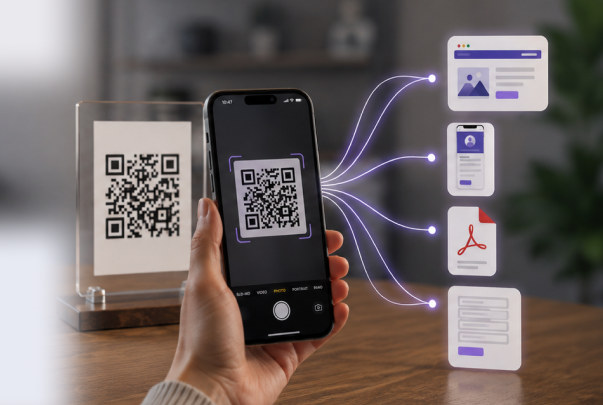
Managing offline-to-online customer journeys requires preventing broken customer experiences. Static print materials cannot be unprinted, but dynamic technology allows you to control what happens after a user scans your code.
1. Driving Urgency and Scarcity (FOMO)
Marketing campaigns backed by strict deadlines or limited availability yield higher conversion rates. When prospects know a coupon expires on a specific date or is capped at 100 uses, they are far more likely to act immediately rather than pushing the action off for later.
2. Protecting Brand Trust and Preventing Broken Links
An expired campaign that leads to a generic 404 page or an invalid checkout code signals poor digital management. Automated expiration rules allow you to set an alternative destination page (such as a "Promotion Ended" sign-up form or your latest seasonal collection), maintaining a professional experience.
3. Preventing Unauthorized Duplication & Fair Usage
For ticketing, exclusive venue access, or high-value promotional giveaways, allowing unrestricted scans creates a risk of abuse. Setting a specific QR code scan limit or creating a one time use QR code generator setup ensures that offers cannot be shared endlessly on public deal forums or social channels.
Static vs. Dynamic Technology for Time-Sensitive Campaigns
To manage expiration logic effectively, you must understand the underlying technical difference between code types:
|
Feature |
Static QR Codes (Free / Permanent) |
Dynamic QR Codes (ME-QR Advanced) |
|
Data Encoding |
Embedded directly in the pixel pattern |
Routed through a dynamic redirection URL |
|
Expiration Control |
❌ Impossible (Permanent destination) |
✅ Full support (Time & scan-count rules) |
|
Destination Updates |
❌ Requires reprinting new media |
✅ Update destination anytime without reprinting |
|
Scan Analytics |
❌ No scan-level analytics |
✅ Full tracking (OS, location, scan counts) |
|
Post-Expiration Action |
❌ Displays broken link or dead page |
✅ Custom expiration message or automatic redirect |
Static codes act like physical flyers—once printed, they cannot be updated remotely. By utilizing a trackable QR code generator such as ME-QR, dynamic scans pass through an intelligent routing system, allowing our servers to evaluate expiration conditions before delivering the user to their final destination.
The Two Primary Expiration Methods in ME-QR
ME-QR provides two flexible, independent triggers to automate when a code stops sending traffic to its original destination. You can enable either rule individually or combine both for maximum control.
1. Time-Based Limits (QR code expiration date)
Time-based automation allows setting a target QR code expiration date, precise hour, and preferred time zone to automatically conclude your campaign to shut down.
- Best For: Seasonal sales, holiday promotions, midnight flash sales, or conference signage that should go dark when the event closes.
- How It Works: The code functions normally up until your chosen timestamp. The second that deadline passes, any subsequent scan automatically triggers your designated post-expiration rule.
2. Usage-Based Limits (QR code scan limit)
Applying a QR code scan limit deactivates the link once it hits a pre-set threshold of overall engagement.
- Best For: "First 100 customers get a free gift" promotions, single-use access passes, or private beta testing invites.
- How It Works: ME-QR tracks total interactions in real time. Once your set threshold is reached, the system closes the original link and activates your fallback response.
Step-by-Step: Setting Up Expiration and Scan Limits in ME-QR
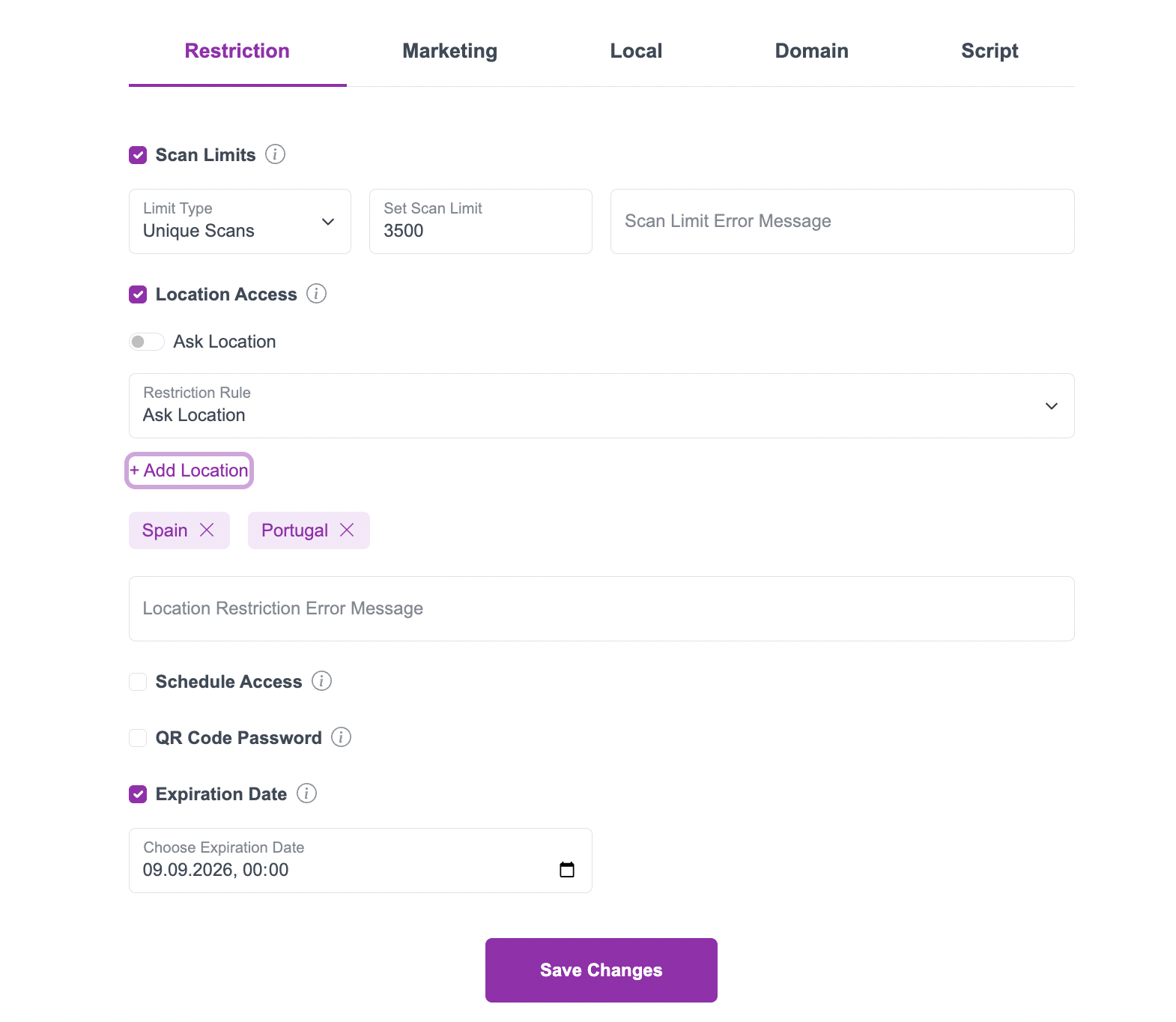
Creating a dynamic QR code expiration rule inside your ME-QR dashboard requires no technical development:
- Create a Dynamic Code: Log in to ME-QR and choose your desired format—such as a custom web URL, a downloadable PDF document, or a direct link for an Amazon storefront.
- Access Expiration Settings: Locate the Expiration / Limits menu option inside your dashboard for that specific code.
- Configure Time Limits: Enable date scheduling and select your exact QR code expiration date, hour, and local time zone.
- Configure Scan Limits: Check the scan cap box and set your maximum limit if you require a one time QR code generator or capped access pass.
- Configure Post-Expiry Actions: Decide if scanners encounter a tailored expiration notice or be automatically redirected to a fresh landing page URL.
- Save & Deploy: Save your settings. Your printed code remains live, while ME-QR manages the lifecycle in the background.

Managing the Post-Expiration Experience
What happens when a user scans an expired code is just as important as the campaign itself. ME-QR offers two primary post-expiration actions:
Option A: Custom Expiration Message
Display a branded notification directly on screen (e.g., "This flash sale ended on Friday at Midnight. Check out our official social channels to catch future promotions!"). This delivers a clear, honest answer without leaving the visitor confused by a blank page.
Option B: Automatic Target Redirection
Instead of showing a terminal message, automatically redirect post-expiration traffic to an active destination—such as your homepage, a registration form for the next event, or a general catalog. This ensures you never waste physical foot traffic.
Real-World Use Cases for Time-Sensitive Campaigns
|
Industry / Scenario |
Campaign Goal |
Expiration Strategy Applied |
|
Retail Flash Sales |
Drive instant weekend store visits |
Set a strict QR code expiration date for Sunday at 11:59 PM. |
|
Event Ticketing |
Prevent ticket sharing or reuse |
Configure a one time use QR code generator setting per ticket pass. |
|
Dining Specials |
Update tableside digital menus |
Use time scheduling to switch automatically between breakfast and lunch pages in restaurants. |
|
Limited Product Launches |
Offer VIP access to the first 500 scans |
Enable a 500-scan cap, then redirect remaining traffic to a waitlist form. |
|
Trade Show Signage |
Collect leads during event hours |
Set the code to expire at the close of the exhibition, redirecting post-event scans to a recap page. |
Why ME-QR is the Ideal Solution for Marketing Campaigns
When choosing an expiring QR code generator, businesses need both flexibility for short-term activations and reliability for long-term collateral.
ME-QR combines enterprise-grade analytics with total campaign freedom:
- Uncapped Scan Volume: ME-QR serves as a free QR code generator with unlimited scans for long-term campaigns for ongoing branding, corporate signage, or permanent menu displays.
- Full Campaign Control: Turn limits on or off whenever needed. If you decide to extend a promo, simply update the expiry settings in your dashboard—no reprinting required.
- Comprehensive Analytics: Track engagement trends before and after limits trigger using a trackable QR code generator free platform.
- Flexible Platform Options: Whether you want to create trackable QR code campaigns for social channels or need a free trackable QR code generator for print media, ME-QR supports over 30 dynamic data types.

Take Full Control of Your Campaign Lifecycle with ME-QR
Never let an outdated promotion or a broken link compromise your customer experience again. By combining dynamic tracking with automated expiration dates and scan-count limits, you keep your marketing agile, measurable, and accurate.
Ready to launch your next time-sensitive promotion? Build your dynamic code with ME-QR today!
Frequently Asked Questions
No. Static codes encode destination data directly into the physical pattern. They cannot expire or redirect automatically. To utilize expiration rules or scan limits, you must use dynamic codes from a QR code generator free unlimited service like ME-QR.