Best QR Code Tools to Collect Google Reviews and Customer Feedback
To create a QR code for a link, video or picture - click on the button below.


- Why Customer Feedback and Google Reviews Matter for Local Businesses
- Benefits of Customer Feedback Management
- How We Evaluated Customer Feedback Tools
- Testing Methodology
- Comparison of QR Code and Customer Feedback Software
- Best QR Code Tools for Google Reviews
- Types of Customer Feedback Tools
- How to Collect Google Reviews with ME-QR
- Best Practices for Customer Feedback Automation
- Conclusion
-
Frequently Asked Questions
- How to collect Google reviews from customers?
- What is the best customer feedback tool for local businesses?
- How does a customer feedback system improve business performance?
- How can QR codes support customer feedback management?
- What is a customer feedback loop?
- Why do branded QR codes receive more scans?
Online reviews influence purchasing decisions before customers ever visit a business. A company with hundreds of recent five-star reviews usually earns more trust than one with only a handful of outdated comments. That is why more businesses are looking for practical ways to collect Google reviews without making the process complicated for customers.
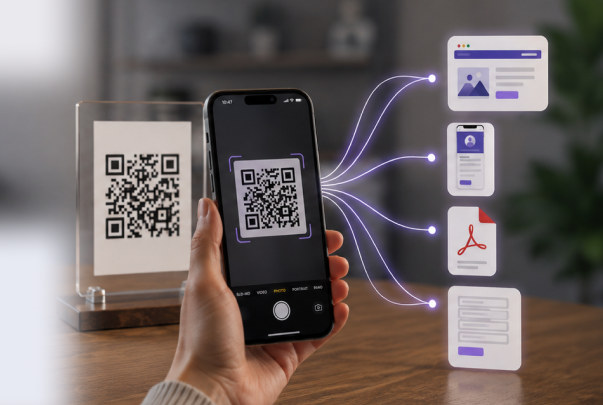
QR codes have become one of the simplest ways to connect an offline experience with an online review. A customer can finish a meal, complete a purchase, or check out of a hotel, scan a code, and arrive directly at the Google review page within moments. The fewer steps involved, the more likely people are to leave feedback.
The right QR code platform does more than generate a link. It can become part of a broader customer feedback strategy by helping businesses personalize review QR codes, track scan performance, and manage review campaigns. Features such as branded QR codes, recognizable logos, and clear calls to action encourage more customers to leave reviews while keeping the experience simple.

Why Customer Feedback and Google Reviews Matter for Local Businesses
Most local businesses aren't losing customers over bad products or weak service. They struggle because potential customers cannot easily see the experiences of previous buyers. A consistent flow of recent reviews builds credibility, improves visibility in local search results, and gives new customers more confidence when choosing between similar businesses.
Businesses that actively ask for reviews also gain a better understanding of what customers actually think. That feedback often surfaces problems while they are still small, before they turn into a pattern other customers notice too.
Key reasons to invest in a strong customer feedback system include:
- making it easier for customers to leave reviews immediately after their visit;
- improving local SEO as fresh Google reviews keep coming in;
- identifying recurring customer concerns before they affect reputation;
- building trust with future customers through authentic experiences;
- collecting insights that support long-term business decisions.
Collecting reviews should never feel like extra work for customers. A QR code placed on a receipt, menu, product packaging, or checkout counter removes unnecessary steps and sends people directly to the review page. Many businesses also combine QR codes with a simple URL destination so the same code can be updated later if the review link changes.
A five-star rating means little if nobody is tracking why three customers mentioned slow service this month. Businesses need a structured customer feedback management process that helps organize comments, identify recurring trends, and respond before small issues become larger reputation problems. In that way, every review contributes not only to a stronger rating but also to a better customer experience.
Benefits of Customer Feedback Management
Collecting reviews is only the beginning. Businesses gain the most value when every review becomes part of a process that helps improve service, strengthen customer relationships, and attract new buyers. A well-organized customer feedback management strategy turns individual comments into practical business decisions.
Collect More Google Reviews
Many customers are happy to leave a review, but only if it doesn't feel like a chore. Asking someone to search for a business on Google Maps, find the correct listing, and then open the review page creates unnecessary friction.
A QR code removes those extra steps. After scanning, customers land directly on the review screen, making it much easier to collect Google reviews. Businesses that use a branded QR code with a recognizable Google logo and a simple call to action often see higher participation because customers immediately understand what the code is for.
Build a Better Customer Feedback Loop
A review should not be the final step in the customer journey. Every comment creates an opportunity to improve products, adjust services, or recognize what customers already appreciate.
For example, if several reviews mention slow delivery during the same week, that pattern becomes visible much sooner than waiting for monthly reports. Closing the customer feedback loop means acting on that information, making improvements, and encouraging customers to share new experiences after changes have been made.

Improve Customer Feedback Analysis
Reading reviews one by one works when a business receives only a few comments each month. As the number grows, spotting trends takes more than reading comments one at a time.
Looking at reviews as a group makes recurring themes easier to recognize. Businesses can quickly see whether customers keep mentioning delivery times, product quality, or customer support instead of reacting to isolated comments. Those insights help prioritize improvements based on real customer experiences rather than assumptions.
Turn Reviews into Marketing Assets
Positive reviews influence far more than star ratings. They help potential customers decide whether they can trust a business before making contact or placing an order.
Reviews earn their place in a broader marketing strategy once businesses collect and respond to them consistently. Over time, they become proof that future customers can check before choosing where to spend their money.
How We Evaluated Customer Feedback Tools
Not every QR code platform is equally effective for collecting reviews. Some simply generate a QR code, while others help businesses customize the experience, monitor performance, and improve review collection over time.
To compare the platforms fairly, we focused on the features that matter most to businesses trying to collect Google reviews while building a reliable customer feedback system.
Our evaluation covered five key areas:
- Ease of creating a Google review QR code.
- QR code customization and branding.
- Analytics and scan tracking.
- Support for dynamic QR codes.
- Overall usability for local businesses.
Testing Methodology
Rather than comparing feature lists, we tested each platform using the same review collection workflow.
- Created a QR code that linked directly to a Google review page.
- Customized the design with branding elements where available.
- Checked whether the destination could be updated without replacing printed QR codes.
- Reviewed scan statistics and reporting capabilities.
- Compared how quickly a complete review campaign could be launched.
The biggest difference appeared after the QR code had already been printed. Some platforms treated the job as finished once the code was generated, while others continued supporting review campaigns through analytics, branding, and dynamic updates.

Comparison of QR Code and Customer Feedback Software
Businesses often compare QR code generators by price or appearance. In practice, branding options, dynamic editing, and analytics usually have a much greater impact once review requests become part of everyday customer interactions.
ME-QR ranks at the top because it combines QR code generation with branding, dynamic editing, and analytics. A static Google review link becomes a campaign that can continue to evolve—the printed QR code stays the same while its destination, branding, or campaign settings can be updated whenever the business needs to make a change.
|
Platform |
Google Review QR |
Dynamic QR |
Analytics |
Branding |
Best For |
|
ME-QR |
Yes |
Yes |
Yes |
Yes |
Businesses building long-term review campaigns |
|
Uniqode |
Yes |
Yes |
Yes |
Yes |
Medium and large businesses |
|
Scanova |
Yes |
Yes |
Yes |
Limited |
Marketing campaigns |
|
Flowcode |
Yes |
Yes |
Yes |
Yes |
Events and customer engagement |
|
Beaconstac |
Yes |
Yes |
Advanced |
Yes |
Enterprise deployments |
|
QR.io |
Yes |
Yes |
Basic |
Yes |
Small businesses |
|
QRStuff |
Yes |
No |
No |
Limited |
Simple QR generation |
|
Bitly QR Codes |
Yes |
Yes |
Basic |
Limited |
Link management |
|
ReviewCard |
Yes |
Limited |
No |
Basic |
Google review cards |
|
TapTag |
Yes |
No |
No |
Basic |
NFC review stands |
Businesses rarely stop after collecting their first hundred reviews. As review requests become part of daily operations, they benefit from a platform that supports branding, analytics, and future campaign updates without requiring a new QR code every time something changes.
Best QR Code Tools for Google Reviews
A simple QR generator and a complete review platform solve different problems. Some tools create a QR code in seconds, while others help businesses build an ongoing customer feedback strategy with branding, analytics, and campaign management that continues delivering value as more reviews come in.
ME-QR
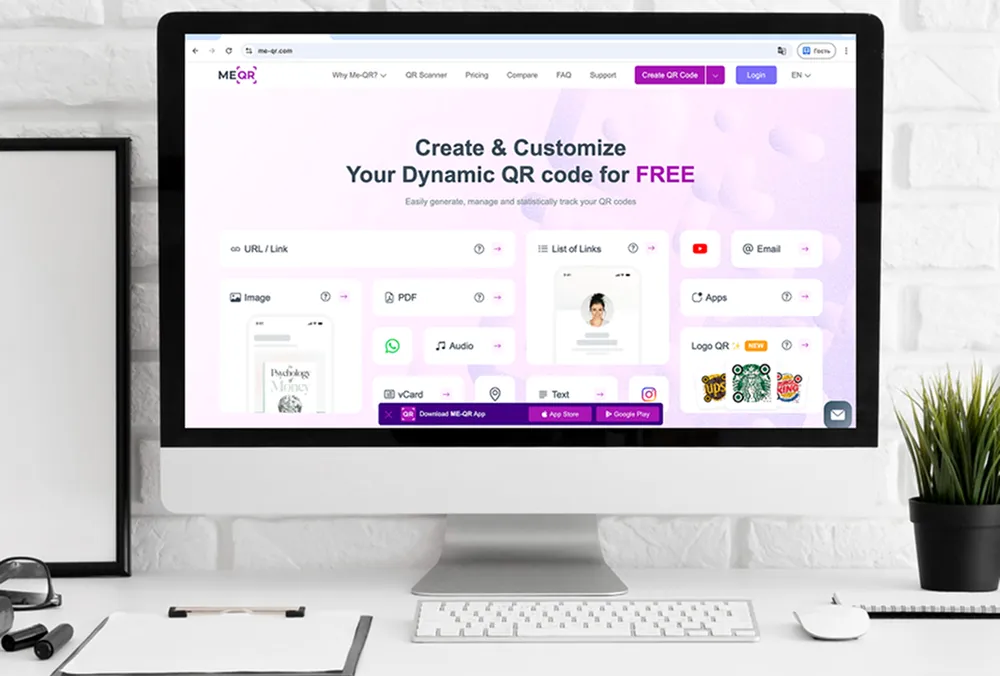
ME-QR is built for businesses that want more than a direct link to Google Reviews. It allows companies to create branded review QR codes, add a recognizable logo, and place a clear call to action such as "Leave us a review." Because the QR code can remain dynamic, businesses can update campaign settings without replacing printed materials.
The platform also supports many other QR code types, making it useful beyond review collection. A restaurant may use one QR code for Google Reviews, another for menus, and another for promotions—all managed from the same dashboard.
Key Features
- Google Review QR codes;
- Dynamic QR code editing;
- Custom branding and logo support;
- Scan analytics;
- Multiple QR code types.
Pros
- Built to keep working as review campaigns grow;
- Supports branded QR codes with CTAs;
- Dynamic editing without reprinting;
- Useful beyond review collection.
Cons
- Advanced features require registration;
- Some branding and analytics features are available on paid plans.
Uniqode
Uniqode focuses on businesses managing several locations or multiple customer touchpoints. Teams can organize review campaigns, monitor scan activity, and maintain a consistent QR experience across different branches.
Key Features
- Dynamic QR codes;
- Team collaboration;
- Analytics dashboard.
Pros
- Well suited for multi-location businesses;
- Centralized campaign management.
Cons
- More functionality than many small businesses require;
- Higher pricing than simpler alternatives.
Scanova
Scanova is designed around campaign management rather than one-time QR generation. Businesses can organize review campaigns, edit destinations, and monitor performance without replacing printed QR codes.
Key Features
- Dynamic QR codes;
- Campaign organization;
- Scan analytics.
Pros
- Easy campaign updates;
- Clear management interface.
Cons
- Limited branding on lower plans;
- Full analytics require higher-tier subscriptions.
Flowcode
Flowcode emphasizes visual presentation and customer engagement. Businesses often use it for events, retail promotions, and review campaigns where branded QR codes play an important role.
Key Features
- Dynamic QR codes;
- Branded designs;
- Analytics.
Pros
- Strong visual customization;
- Good fit for customer-facing campaigns.
Cons
- Some customization features require premium plans;
- Less focused on review management specifically.

Beaconstac
Beaconstac is aimed at organizations that need detailed reporting and broad integration options. It fits companies already running large customer engagement programs, not businesses looking for a straightforward Google Reviews QR code.
Key Features
- Dynamic QR management;
- Advanced analytics;
- Enterprise integrations.
Pros
- Detailed reporting;
- Scales well across larger organizations.
Cons
- Higher learning curve;
- More expensive than most alternatives.
QR.io
QR.io is a straightforward platform for businesses that want to launch QR-based review campaigns without spending much time on setup. It supports dynamic QR codes and basic customization, making it suitable for cafés, salons, and local stores that primarily want customers to reach a Google review page.
Key Features
- Dynamic QR codes;
- Basic branding options;
- Editable destinations.
Pros
- Quick to set up;
- Easy for small businesses to manage.
Cons
- Analytics are less detailed than business-focused QR platforms;
- Fewer campaign management features.

QRStuff
QRStuff is built around quick QR code generation and supports a wide range of content formats. It works well when businesses need a simple QR code for occasional review requests but do not require campaign tracking or advanced reporting.
Key Features
- Multiple QR code formats;
- Static QR codes;
- Basic customization.
Pros
- Easy to use;
- Supports many QR content types.
Cons
- No built-in analytics;
- Limited flexibility after QR codes are printed.

Bitly QR Codes
Bitly extends its link management platform with QR code generation. Businesses already using Bitly to shorten and track links may find it convenient to keep review requests in the same ecosystem.
Key Features
- QR code generation;
- Link management;
- Basic analytics.
Pros
- Convenient for existing Bitly users;
- Link editing without replacing QR codes.
Cons
- Review collection is only one part of the platform;
- Branding options are more limited than platforms built specifically for QR review campaigns.

ReviewCard
ReviewCard skips the general QR platform approach entirely and focuses on one task: helping businesses move customers from printed cards or tabletop displays to a Google review page with as little effort as possible.
Key Features
- Google Review QR codes;
- Review cards;
- Simple setup.
Pros
- Purpose-built for review collection;
- Easy for in-store use.
Cons
- Narrow feature set;
- Limited reporting capabilities.

TapTag
TapTag combines NFC products with QR codes, allowing customers to leave reviews by either scanning a QR code or tapping a compatible phone. This approach is often used in restaurants, hotels, and service businesses where review requests happen face to face.
Key Features
- NFC support;
- Google Review QR codes;
- Physical review stands.
Pros
- Offers two ways to access the review page;
- Suitable for physical locations.
Cons
- Requires dedicated NFC products;
- Less flexible than software-first QR platforms.
Types of Customer Feedback Tools
Not every review request follows the same path. Some businesses only need a direct Google review link, while others collect detailed surveys, product feedback, or post-purchase responses. Choosing the right format depends on what information the business wants to receive and how customers interact with it.
Google Review QR Codes
A Google review QR code cuts the review process down to a single scan. Customers do not have to type the business name into a search bar or scroll through similar listings to find the correct profile.
This approach works especially well in restaurants, cafés, retail stores, clinics, and service businesses where customers are already on-site. A branded QR code with a recognizable Google logo and a clear CTA usually receives more scans than a plain black-and-white code.
Customer Feedback Surveys
Not every customer comment belongs on Google. Businesses often need more detailed responses about products, delivery, or customer service before asking someone to leave a public review.
A survey linked through a simple URL allows businesses to ask targeted customer feedback questions, collect suggestions, and identify recurring issues before they affect online ratings.
Review Landing Pages
Some businesses prefer sending customers to a dedicated landing page rather than directly to Google Reviews. That page can explain why reviews matter, offer several review platforms, or present different actions depending on the customer's experience.
A landing page also makes it easier to combine Google Reviews with website feedback, social media, or additional support resources in one place.
Automated Review Requests
A review request does not have to begin and end with a printed QR code. Many businesses combine QR codes with follow-up emails, SMS messages, or messaging apps so customers can choose the most convenient way to respond.
For example, a restaurant might place a QR code right on the receipt while also sending a thank-you message after an online order. A single review campaign can include printed materials, email requests, and a follow-up through WhatsApp, giving customers several opportunities to share feedback without feeling pressured.
Offline Feedback Collection
Not every business interacts with customers online first. Hotels, dental clinics, fitness centers, and retail stores often receive the best response by asking for reviews immediately after the service has been completed.
A QR code placed near the checkout, reception desk, or exit catches customers while the visit is still on their mind. That moment usually produces more responses than waiting several days before sending a review request.
How to Collect Google Reviews with ME-QR
Generating a QR code is only the first step. The goal is to make leaving a review feel simple, recognizable, and trustworthy while giving businesses the flexibility to improve campaigns over time.
Step 1. Copy Your Google Review Link
Open your Google Business Profile and copy the direct link that takes customers to the review page. This ensures every scan leads to the correct destination without asking customers to search manually.
Step 2. Create Your QR Code
Paste the review link into ME-QR and generate a QR code. Choosing a dynamic QR code makes it easier to update things later if the review page or campaign changes.
Step 3. Customize the Design
Make the QR code instantly recognizable by adding a Google-style logo and a short CTA such as "Leave us a review" or "Tell us about your experience." Customers are more likely to scan a code when its purpose is immediately clear.
Step 4. Place It Where Customers Will See It
Print the QR code on receipts, table tents, restaurant menus, product packaging, invoices, or point-of-sale displays. The best moment to ask for feedback is usually immediately after a positive customer experience.
Step 5. Monitor Results and Improve
Track scan activity, compare different placements, and adjust review campaigns over time. Small changes—such as moving the QR code to a more visible location or rewriting the CTA—can noticeably increase response rates.

Best Practices for Customer Feedback Automation
The easier it is to leave feedback, the more customers will actually do it. Successful review campaigns focus on removing friction instead of repeatedly asking people to write a review.
- Ask for feedback while the experience is still fresh.
- Make the review page available with a single scan.
- Use branded QR codes that customers recognize immediately.
- Keep your call to action short and specific.
- Monitor review trends instead of focusing on individual comments.
- Respond to every review, positive or negative, without exception.
Collecting reviews is not only about increasing a star rating. Every review also helps businesses understand customer expectations, improve service quality, and strengthen their online reputation over time.
Businesses that pair QR codes with a habit of reading and acting on feedback gradually turn review collection into part of everyday operations rather than treating it as a one-time marketing campaign.
Conclusion
Google reviews influence how customers discover, compare, and trust local businesses. A simple review process usually wins over a persistent request because customers respond to convenience, not repetition. QR codes shorten the path between a positive experience and a published review, making it easier for customers to share feedback before small details begin to fade.
The best customer feedback tools do more than generate QR codes. They help businesses organize review requests, monitor performance, improve campaigns, and learn from the information customers share. Over time, those insights become just as valuable as the reviews themselves.
ME-QR brings these capabilities together in one platform. Businesses can create branded Google review QR codes, customize them with recognizable designs, monitor scan activity, and continue improving campaigns without replacing printed materials.
Frequently Asked Questions
The easiest approach is to remove as many steps as possible. A QR code that opens the Google review page directly allows customers to leave feedback immediately after visiting your business, without searching for your profile first.