
QR Code Templates

Product QR Code Generator
Create a Product QR Code to connect physical products with digital information. With ME-QR, you can generate a QR code for your product page, product details, instructions, certificates, and other useful content that customers can access with a smartphone scan.
A Product QR Code helps businesses provide customers with instant access to product information and create a better interaction between offline products and online experiences. You can use your existing GTIN information to create a QR code connected to your product content. ME-QR does not generate official product numbers or assign GTIN codes.
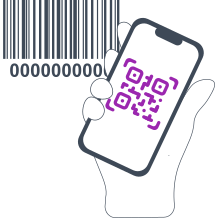
What is a Product QR Code?
A Product QR Code is a two-dimensional QR code designed to provide quick access to information about a product. Unlike traditional QR codes and barcodes, Product QR Codes can connect users to much more detailed information, including product pages, descriptions, manuals, certificates, videos, and other digital content.
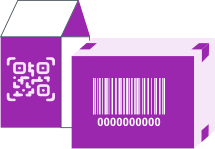
Businesses use product QR codes on packaging, labels, advertisements, and promotional materials to help customers learn more about products without searching manually.
A Product QR Code can be used for:
-

sharing product information;
-
linking customers to product pages;
-
providing digital manuals and instructions;
-
displaying certificates and additional documentation;
-
providing access to digital product information and passport-related content;
-
connecting physical products with online content.
ME-QR allows you to create a QR code using your existing product information. Please note that ME-QR does not generate official GTIN, EAN, or UPC numbers. These product identifiers must already exist before creating a QR code.
How Does a Product QR Code Work?
Creating and using a Product QR Code is a simple process:
-
1
Use your existing GTIN code and choose whether to redirect users to the product page or display text information.
-
2
Generate a QR code connected to your product content.
-
3
Add the QR code to product packaging, labels, websites, or marketing materials.
-
4
Customers scan the code using a smartphone and instantly access the provided information.
A QR code for product information helps businesses make products more interactive and provides customers with convenient access to digital content.

Key Features of the Product QR Code Generator by ME-QR
-

Trackable Product QR Codes
Monitor how customers interact with your QR codes. ME-QR analytics allow you to view scan activity, including the number of scans, locations, and other useful insights.
-

Free Product QR Code Creation
Create a product QR code free of charge and test how QR technology can improve customer communication and product engagement.
-
Custom QR Code Design
Customize your QR codes to match your brand style. Add colors, logos, and design elements to make your QR code recognizable and attractive.
-

Unlimited Scans
Your QR codes remain available without scan limitations, allowing customers to access product information whenever they need it.
-

Dynamic QR Code Management
Update linked information without creating a new QR code. This makes Product QR Codes convenient for products that require regularly updated content.
Benefits of Using Product QR Codes
Product QR Codes help businesses improve customer experience and provide additional value beyond traditional product labeling.
-
Easy Access to Product Information
Customers can quickly access product details, instructions, specifications, and other useful information by scanning a QR code.
-
Better Customer Experience
A QR code for product information creates a direct connection between customers and brands, making it easier to provide support and additional content.
-
Support for Digital Product Passports
QR codes can be used to provide access to digital product information, including product characteristics, sustainability details, documentation, and lifecycle information.
-
Product Authentication Opportunities
QR codes can help businesses provide access to product verification pages or authenticity-related information. QR codes can support transparency and help customers access trusted information about products.
-
Marketing Opportunities
Product QR codes can be placed on packaging, printed materials, advertisements, and promotional campaigns to connect offline interactions with digital experiences.
How to Create a Product QR Code with ME-QR?
Creating a Product QR Code with ME-QR takes only a few simple steps. Use your existing GTIN information to generate a QR code that connects customers with your product details or product page.
-
1
Enter Your GTIN Code. Add your existing GTIN code in the generator. GTIN is a product identifier that helps connect your QR code with specific product information.
Please note that ME-QR does not generate or assign official GTIN numbers. You need to use an existing product identifier.
-
2
Choose How to Encode Your Product Information. Select how you want your QR code to work:
-
Link to Product Page — connect the QR code to a product page where customers can find additional information about your item.
-
Text only — select this option if you want to display the GTIN directly in the QR code.
-
-
3
Add Additional Information. If you select the product page option, enter your Product Page Link. You can also add an optional QR name and choose a content category to organize your codes.
-
4
Customize and Generate Your QR Code. Customize your QR code design and download it for use on product packaging, labels, websites, or marketing materials.
With ME-QR, you can create a Product QR Code using existing GTIN information and provide customers with quick access to digital product content.
Product QR Code vs Barcode Generator: What Is the Difference?
Although both Product QR Codes and traditional barcodes are used with products, they serve different purposes.
| Product QR Code | Barcode Generator |
|---|---|
| Creates QR codes connected to product information | Creates traditional product barcodes |
| Can contain URLs, descriptions, manuals, and digital content | Usually contains only product identification numbers |
| Designed for smartphone scanning | Commonly used with barcode scanners and POS systems |
| Uses existing product information, including GTIN data | Generates barcode formats such as EAN-13, UPC-A, or Code128 |
ME-QR creates Product QR Codes and does not generate official EAN, UPC, or GTIN numbers. If you need to create traditional retail barcodes, you need a dedicated barcode generator.
Understanding GTIN, EAN, and UPC for Product QR Codes
Product identifiers such as GTIN, EAN, and UPC are used to identify products across different markets.
-
GTIN
GTIN (Global Trade Item Number) is a product identification system used to identify trade items. Different formats of GTIN include numbers such as GTIN-8, GTIN-12, GTIN-13, and GTIN-14.
-
EAN
EAN (European Article Number) is a commonly used product identifier format, especially in international retail markets.
-
UPC
UPC (Universal Product Code) is a product identifier widely used in the United States and Canada.
ME-QR does not assign or generate these product identifiers. You can use an existing GTIN, EAN, or UPC number to create a QR code connected to your product information.
Product QR Code Examples
Product QR Codes can be used across different industries to improve communication between businesses and customers.

Retail Products
Brands can place QR codes on product packaging to provide access to:
- product descriptions;
- usage instructions;
- certificates;
- promotional offers;
- additional digital content.
Customers can scan the code and quickly receive relevant information about the product.

Digital Product Passport
Product QR codes can help businesses provide digital information about products, including materials, specifications, sustainability information, and other important details.

Product Authentication
Businesses can use QR codes to connect customers with product verification pages, authenticity information, or additional brand content.

FAQ
Was This Article Helpful?
Click on a star to rate it!
Thank you for your vote!

Be the first to rate this post!














