10 QR Code Scanner Apps Worth Installing on Android and iPhone in 2026
To create a QR code for a link, video or picture - click on the button below.

Imagine scanning a restaurant menu at dinner, and your phone's camera just... doesn't recognize it — the code is slightly smudged, and nothing happens. That gap is exactly why a dedicated qr code scanner app still matters in 2026, especially for anyone who scans daily rather than once a month.
Not every qr scanner app handles this equally well. Some apps bury the scan button behind ads, some skip barcode formats entirely, and a few flag suspicious links before you tap them — a real safety concern given how often QR codes get used for phishing. We compared official app listings, feature sets, and update history for each app below, weighing barcode support and how transparently each one handles permissions and ads.
Quick Comparison
Before the full breakdowns, here's how all ten apps stack up side by side. Use this table to narrow things down by platform and barcode support before reading the details below.
|
App |
Best For |
Android |
iPhone |
Barcode |
|
1. ME QR Scanner |
QR-focused, all-around use |
✅ |
✅ |
❌ |
|
2. QRbot |
Business inventory |
✅ |
✅ |
✅ |
|
3. Google Lens |
Visual search |
✅ |
✅ |
✅ |
|
4. QR Scanner by Simple Design |
Simplicity |
✅ |
❌ |
✅ |
|
5. Binary Eye |
Privacy |
✅ |
❌ |
✅ |
|
6. QR & Barcode Scanner by Gamma Play |
Cross-platform popularity |
✅ |
✅ |
✅ |
|
7. QR Reader by MixerBox |
Product lookup |
❌ |
✅ |
✅ |
|
8. QuickMark |
iPhone scanning |
❌ |
✅ |
✅ |
|
9. Barcode Lookup |
Price comparison |
✅ |
✅ |
✅ |
|
10. QR reader from Tahoe Digital |
Format variety |
✅ |
❌ |
✅ |
A checkmark here just confirms a format or platform is supported — it doesn't say how well the app handles it. That nuance is exactly what the full write-ups below cover, app by app.
What Makes a Great QR Scanner App?
A strong qr code reader app should get the basics right: quick recognition, support for common code formats, and useful features such as scan history, offline decoding, or flashlight support where available. Permissions that match what the app actually does separate a genuinely good app from a merely functional one. Even something as simple as a plain Text code on a museum plaque should scan instantly, without extra taps.
One question we hear constantly: do you even need a separate app, or does the built-in camera cover it? For an occasional scan of a Wi-Fi code or menu, the camera usually suffices. A dedicated free qr code scanner app earns its place when you scan often, need offline reliability, want scan history, or scan barcodes the camera app can't parse.
Top QR Code Scanner Apps
1. ME QR Scanner
ME QR Scanner is built around fast, focused QR recognition rather than trying to be an all-format barcode replacement. It keeps a scan history, and its anti-phishing protection checks links and files for unsafe content before you open them — a detail many free scanners skip entirely.
Why it ranks #1: Most scanners stop the moment they decode a code. ME QR Scanner keeps going — the same scan feeds directly into the URL / Link QR code generator, so a code you pick up today can come back branded, with a custom logo, for your next campaign.
Key features: Fast QR recognition, anti-phishing link and file checks, scan history
Best for: Everyday users who want one app for both scanning and creating codes
Platforms: Android, iPhone
Pricing: Free to use; ads and optional paid features are available

2. QRbot
QRbot reads the full range of common barcode formats alongside QR codes and exports scan history to CSV — a detail that points squarely at inventory and small-business use rather than casual scanning.
Key features: Batch scanning, CSV export, broad barcode format support
Pros: Built specifically with inventory and quality-assurance workflows in mind; handles high scan volumes without slowing down
Cons: The business-first interface has less personality than consumer-focused scanners; no dedicated code-creation tools
3. Google Lens
Google Lens isn't a dedicated QR scanner — it's a broader visual-search tool that happens to read QR codes as one of many things it can identify. It comes pre-installed on most Android phones and is available on iPhone through the Google app.
Key features: QR and barcode recognition as part of visual search, no separate install needed on most Android devices
Pros: Already on the phone for most Android users; recognizes far more than just codes, including text, products, and landmarks
Cons: No dedicated scan history built around QR use specifically; scanning is one feature among many rather than the main focus
4. QR Scanner by Simple Design
A no-frills QR Scanner by Simple Design with instant recognition and a flashlight toggle. It's light on extras, but that simplicity means it rarely lags, even on older devices.
Key features: Instant recognition, flashlight toggle, gallery scanning, offline scanning
Pros: Fast and responsive even on budget or older hardware; straightforward interface with little to learn
Cons: Android only, no iPhone version; minimal extra features beyond core scanning
5. Binary Eye
Binary Eye is open-source, ad-free, and actively maintained — updated as recently as September 2026. It's built for people who want scanning without any data collection in the background.
Key features: Open-source codebase, wide format support, no ads, no tracking
Pros: Transparent about what it does and doesn't collect; regularly updated, unlike many free scanners
Cons: Android only; the minimal interface prioritizes function over polish
6. QR & Barcode Scanner by Gamma Play
Built only for Android, QR & Barcode Scanner from Gamma Play has racked up more than half a billion installs by recognizing nearly any code format on the first try and offering a one-tap action, such as joining a Wi-Fi network, right after the scan.
Key features: Automatic format detection, one-tap post-scan actions, flashlight and gallery scanning
Pros: Massive install base suggests broad reliability across devices; recognizes an unusually wide range of formats instantly
Cons: Android only; free version includes ads
7. QR Reader by MixerBox
MixerBox adds an AI-powered code generator alongside standard scanning, and lets you view product details on Google and Amazon after scanning a barcode — a shopping-oriented twist most scanners skip.
Key features: AI-assisted QR generation, product lookup via Google and Amazon, standard QR/barcode scanning
Pros: Useful for comparison shopping straight from a scan; actively updated
Cons: Product-lookup features matter less if shopping isn't the main use case; iPhone-focused listing
8. QuickMark
QuickMark a long-running iPhone scanner that also decodes codes from saved photos and exports scan history to Dropbox — handy for anyone who screenshots codes instead of scanning them live.
Key features: Photo-album decoding, Dropbox CSV export, continuous and bulk scanning
Pros: Decodes codes from screenshots, not just live camera scans; long track record on iOS
Cons: No Android version; interface feels dated next to newer scanners
9. Barcode Lookup
Barcode Lookup is less a scanner, more a shopping tool: scan a product barcode and it pulls pricing and retailer comparisons instead of just decoding the raw data.
Key features: Barcode scanning, price comparison, retailer listings
Pros: Turns a scan into actual shopping information rather than just text; works on both Android and iPhone
Cons: Built around retail barcodes specifically, so QR-only use cases get less value
10. QR reader from Tahoe Digital
Installed on more than 100 million Android devices, this app from Tahoe Digital decodes both QR codes and standard barcode formats, detecting each type automatically without any manual setup.
Key features: Automatic QR and barcode detection, lightweight install, flashlight support
Pros: Large install base and steady update history; no configuration needed before first use
Cons: Android only; feature set stays deliberately basic compared to business-oriented scanners
Legacy mention: Barcode Scanner by ZXing
ZXing helped popularize QR scanning on Android and still powers libraries inside other apps, but its maintainers confirm the standalone app can no longer be published, doesn't work on Android 14, and won't be updated — worth knowing about, not installing today.
Which QR Scanner App Is Best for Different Needs?
Not everyone scanning a code is solving the same problem. This table matches a few common needs to the app that handles them best, drawing on the features covered above.
|
Need |
Best App |
Why |
|
Best for everyday QR scanning |
ME QR Scanner |
Focused QR workflow, scan history, and security checks |
|
Best qr scanner app for android |
Gamma Play Scanner |
500M+ downloads, format detection |
|
Best for iPhone |
QuickMark |
Photo-album decoding, Dropbox export |
|
Best privacy / no tracking |
Binary Eye |
Open-source, offline by design |
|
Best for business use |
QRbot |
CSV export, inventory mode |
|
Best qr and barcode scanner app for lookup |
Barcode Lookup |
Pricing and retailer data |
If your particular need isn't listed here, the full profiles above cover more specific cases too, like offline reliability or scanning codes straight from a saved photo.
What Can Modern QR Scanner Apps Read?
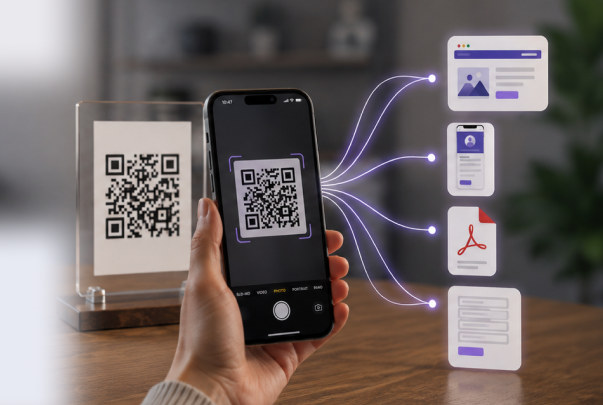
A QR code is really just a container — what matters is the content packed inside it. Here are a few of the most common types a scanner runs into day to day.
|
QR Type |
Example |
Who Uses It |
|
Restaurant menu, manual |
Restaurants, education |
|
|
Digital business card |
Sales, networking |
|
|
Instant chat session |
Customer support |
|
|
Event or feedback survey |
Events, HR |
|
|
Add event to phone |
Conferences, bookings |
Most modern scanners can decode the QR data behind these use cases without special setup. The real difference shows up in what happens next — whether the app previews the link safely, saves it to history, or just dumps raw text and leaves you to figure out the rest.
How to Choose a Safe QR Scanner?
- Check what permissions actually match the features. For basic scanning, camera access is usually enough; any additional permissions should have a clear purpose.
- Look for link previews. A safe app shows the destination URL before opening it, not after.
- Weigh the ad experience. Heavy ad placement can make scanning slower and increase accidental taps, even if it doesn't reflect the app's underlying quality.
- Confirm barcode support if you need it. Not every "QR scanner" reads standard product barcodes — ME QR Scanner, for instance, is built specifically around QR codes rather than full barcode support.
- Check the last update date. An app untouched for years, like ZXing's standalone client, may still install but won't get security patches.
Where Dedicated QR Scanners Beat Camera Apps in Real Life
A retail worker scanning supplier barcodes for stock checks needs speed and reliability the built-in camera doesn't offer, while a customer nearby might scan a business promo code at checkout on the same device. In a warehouse, batch-scan modes let logistics teams log dozens of shipping barcodes a minute — a workflow that dedicated scanner apps handle more efficiently than standard camera apps. Restaurants depend on scanners that read codes fast in dim dinner-table lighting, and real estate agents rely on the same reliability to confirm a yard-sign listing loads correctly before printing hundreds of signs. The same logic applies to a marketing team verifying that a printed campaign code actually routes where it should before going live citywide.
Conclusion
If you only install one QR scanner this year, choose one that's fast, transparent about permissions and ads, and actively maintained. That's exactly why ME QR Scanner takes the top spot in our comparison — though for specific needs like barcode-heavy inventory work or product-price lookups, a few of the alternatives above are worth keeping installed too.
Frequently Asked Questions
ME QR Scanner is a strong all-around pick, combining fast QR recognition, anti-phishing checks, scan history, and a workflow built specifically for QR codes. The right choice still depends on whether you need barcode support, iOS-specific features, or pure privacy.