
QR Code Templates

Revolut QR Codes
Collecting payments shouldn't slow you down. Our QR code generator for Revolut lets businesses, freelancers, and individuals create a scannable payment code linked directly to their Revolut account — no card reader, no manual link-sharing, no friction. Paste your Revolut payment URL, customize the design, and you're ready to accept money in seconds.

What Is a Revolut QR Code?
A Revolut QR code is a scannable image that sends anyone with a smartphone straight to your Revolut payment or request link. Instead of reading out account numbers or asking customers to search for your profile, you display a single payment QR code. They point their camera, confirm the amount, and the transfer completes in real time.
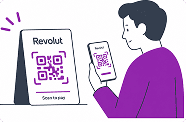

How It Works for the Payer
When someone scans your QR code, their phone opens the Revolut payment page directly — no app download required for the payer if they use a browser. The process takes a few taps. For Revolut users scanning with the app, the checkout is even faster since their details are already saved.
Static vs. Dynamic Revolut QR Codes
A static QR code always points to the same URL — useful for a fixed payment link or your Revolut.me profile. A dynamic QR code lets you update the destination without reprinting the code, which is handy for business owners who run recurring campaigns or seasonal promotions.

How to Generate a QR Code for Revolut
Creating a Revolut payment QR code takes under a minute:
-
1
Get your Revolut payment link. Open the Revolut app, go to your profile or payment request screen, and copy your personal or business URL. This is the link customers will land on when they scan — make sure it points to the right account or request amount.
-
2
Paste the link into the generator. Within seconds you'll have a fully scannable code — no technical setup, no QR specification knowledge needed. The tool handles error correction and encoding automatically, so the code works reliably across all devices and lighting conditions.
-
3
Customize the design. Add a logo to a QR code, match your brand colors, or choose a shaped design. Select a frame style that fits where the code will live — a minimal border for invoices, a bold frame for printed signage.
-
4
Download and deploy. Export as PNG for digital use or PDF for print. The file is high-resolution and ready for anything — a counter sign, an invoice attachment, a social media post, or a trade show banner — no designer required.
No account needed for basic use. For teams that need bulk QR code generation across multiple locations or payment points, advanced plans are available.
Where to Use Your Revolut QR Code
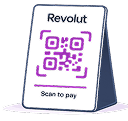
In-Person Payments
Place your QR code wherever customers naturally pause — at the checkout counter in retail stores, on tables in restaurants and cafés, at reception desks in healthcare clinics, or at the front door of fitness centers. A printed code eliminates the need for a POS terminal for low-volume transactions.
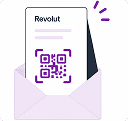
Digital and Remote Payments
Embed the code in email invoices, PDF proposals, or presentation slides. Share it as an image on WhatsApp or Telegram for peer-to-peer transfers. Pin it to your Facebook page so followers can tip or pay without leaving the app.
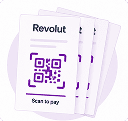
Events and On-Site Collection
Event organizers and nonprofits running fundraisers can display the QR code on signage, screens, or printed handouts. Attendees scan once, and the payment goes through instantly — no cash handling, no change, no delays.
Why Use Our Generator Instead of the Revolut App's Built-In Code?
Revolut's native QR code is functional but minimal. Our generator adds the design control and export flexibility that real-world use demands.
-

Branding and Customization
In e-commerce, the payment moment is also a brand moment. A QR code with your logo and colors reinforces trust exactly when it matters most — when a customer is deciding whether to complete the transaction. The same logic applies to tourism, hospitality, and any marketing campaign where first impressions drive conversions.
-

Professional Output Formats
Download high-resolution files sized for any application: a small sticker on a product, a banner at a trade show booth, or a full-page insert in a printed brochure. The PDF and PNG exports are print-ready without additional editing.
-

Analytics and Tracking
Dynamic codes let you monitor how often your Revolut QR code is scanned, from which devices, and at what times — useful data for finance teams and retail managers optimizing payment flows across locations.
Revolut QR Code Payments: What to Expect
Speed and Reliability
Revolut processes QR code payments in real time. Once a customer scans and confirms, funds appear in your Revolut balance immediately. The codes work across all modern smartphone cameras without any dedicated scanning app.
Cross-Border Use
Revolut supports multiple currencies, so your QR code works whether you're collecting payments domestically or from international customers. Revolut QR codes are useful for tourism businesses, event vendors at international fairs, and remote freelancers billing clients abroad.
Generate Your Revolut QR Code
Paste your Revolut payment link, customize the look, and download a ready-to-use file in seconds. Whether you're a solo freelancer, a growing business, or a large logistics operation managing multiple payment points, the generator scales to your needs. Built for Revolut users who need a payment QR code that works first time, every time.
FAQ
Was This Article Helpful?
Click on a star to rate it!
Thank you for your vote!

Be the first to rate this post!














