De bästa QR-verktygen för rekrytering och jobbportaler
För att skapa en QR-kod för en länk, video eller bild - klicka på knappen nedan.


- Varför företag använder QR-koder för rekrytering
- Fördelar med en QR-kod för jobbansökan
- Hur vi testade QR-koder för företag och rekrytering
- Jämförelsetabell för QR-koder för rekryteringsverktyg
- Bästa verktygen för att skapa en QR-kod för jobbansökan
- Typer av rekryterings-QR-koder
- Hur man lägger till en QR-kod i ett CV eller en annons för ett tryckt jobb
- Bästa praxis för en QR-kod för arbete och anställning
- Slutsats
- Vanliga frågor om QR-kodverktyg för rekrytering
Tryckta rekryteringsannonser fungerar fortfarande, men de förlorar ofta kandidater i nästa steg. En person kan se en affisch, flygblad, annons i ett kontorsfönster eller en banner för jobbmässa, men glömma företagsnamnet innan de börjar söka jobb senare. En QR-kod löser detta genom att skicka kandidater direkt till rätt lediga tjänstesida, formulär eller jobbportal .
För rekryteringsteam är detta användbart eftersom det blir lättare att mäta offline-uppmärksamhet. En rekryterare kan placera en QR-kod på tryckt material, spåra skanningar och uppdatera destinationen när en ledig presentation ändras. ME-QR passar bra i detta arbetsflöde eftersom det stöder länkar, PDF-filer, kontaktuppgifter, varumärkeskoder och dynamisk redigering på ett ställe.

Varför företag använder QR-koder för rekrytering
En QR-kod för rekrytering gör det första steget enklare för kandidater. Istället för att skriva en lång webbadress eller söka efter ett företag senare kan de skanna koden och öppna exakt den exakta rekryteringssidan på några sekunder.
Företag använder QR-koder för rekrytering för att:
- skicka kandidater från tryckta annonser till en jobbportal ;
- koppla ihop flygblad, banderoller och montrar på jobbmässor med onlineformulär;
- minska misstag från manuellt inskrivna webbadresser;
- spåra vilka offline-material som skannas;
- uppdatera länken när en ledig tjänst ändras.
För växande team är detta ett enkelt sätt att koppla ihop offline-rekrytering med online-ansökningar. ME-QR kan hjälpa till här genom en direkt URL -QR-kod eller bredare företag när ett företag behöver varumärkeskoder, skanningsdata och redigerbara destinationer.
Fördelar med en QR-kod för jobbansökan
En QR-kod för jobbansökan eliminerar extra steg mellan att se en ledig plats och att söka den. Detta hjälper båda sidor: kandidater lägger mindre tid på att söka och rekryterare får mer direkt trafik till rätt ansökningssida.
Snabbare åtkomst till jobbsidor
En skanning kan skicka kandidater direkt till en ledig annons, ett anställningsformulär eller ett företags karriärsida. Detta fungerar bra på affischer, flyers, evenemangsbanderoller och receptionsmaterial där folk vanligtvis bara har några sekunder på sig att reagera.
Bättre spårning av QR-koder i tryckt reklam
Rekryterare kan jämföra vilka trycksaker som väcker verkligt intresse. En QR-kod på en jobbmässa kan få fler skanningar än en på en gatuaffisch, och den informationen hjälper till att avgöra var nästa rekryteringskampanj ska placeras.
Mobilvänliga applikationer
Många kandidater tittar på lediga tjänster från sina telefoner. En QR-kod bör leda till en enkel mobilsida där de kan läsa om tjänsten, ladda upp en fil eller skicka in ett kort formulär utan extra sökning.
Starkare arbetsgivarvarumärke
En vanlig svartvit kod kan fungera, men varumärkesdesign känns ofta mer professionell vid rekryteringsmaterial. Med ME-QR kan företag lägga till en logotyp och hålla QR-koden visuellt kopplad till arbetsgivarvarumärket.

Hur vi testade QR-koder för företag och rekrytering
Inte alla QR-plattformar fungerar bra för rekryteringsuppgifter. Vissa verktyg genererar bara enkla statiska länkar, medan rekryteringsteam ofta behöver redigerbara jobbsidor, CV-stöd, analyser och mobilvänlig skanning.
Vi jämförde plattformar med hjälp av dessa kriterier:
- Enkelt att skapa en QR-kod för rekrytering.
- Stöd för dynamisk länkredigering.
- Analys och skanningsspårning.
- CV- och dokumentstöd.
- Varumärkesbyggande och tryckkvalitet.
Testmetodik
För att jämföra verktygen rättvist testade vi dem i flera vanliga rekryteringsscenarier:
- skapade QR-koder för tryckta jobbannonser;
- testade länkar till ansökningssidor och jobbportaler;
- kontrollerat CV och PDF-stöd;
- granskad skanningshastighet på mobila enheter;
- jämförde analys- och redigeringsalternativ.
ME-QR fungerade särskilt bra för den här typen av arbetsflöde eftersom rekryterare kan hantera länkar, filer, kontaktuppgifter och varumärkesspecifika QR-koder i en plattform istället för att växla mellan separata verktyg.
Jämförelsetabell för QR-koder för rekryteringsverktyg
Ett QR-verktyg för rekrytering bör göra mer än att bara skicka folk till en länk. Rekryteringsteam behöver ofta redigerbara destinationer, stöd för CV, varumärkesdesign och grundläggande skanningsdata för att förstå vilket tryckmaterial som ger kandidater en bra inblick.
ME-QR har en topplacering här eftersom det täcker flera rekryteringsbehov på ett ställe. Ett företag kan länka en tryckt jobbannons till en karriärsida, dela en CV-fil, skapa QR-koder för kontakter eller använda en dynamisk QR-kod när URL:en för den lediga tjänsten kan komma att ändras.
|
Verktyg
|
Dynamiska QR-koder
|
Analys
|
CV-support
|
Varumärkesbyggande
|
Bäst för
|
|
ME-QR
|
Ja |
Ja
|
Ja
|
Ja
|
Rekryteringskampanjer, CV, jobbannonser, företagsrekrytering
|
|
Flödeskod
|
Ja |
Ja
|
Begränsad
|
Ja
|
Varumärkesrekryteringsevenemang och offlinekampanjer
|
|
Beaconstac
|
Ja
|
Ja
|
Begränsad
|
Ja
|
Rekryteringskampanjer för företag
|
|
Jotform QR-kodgenerator
|
Begränsad | Formuläranalys |
Ja
|
Grundläggande
|
Jobbansökningsblanketter
|
|
Microsoft Forms
|
Begränsad
|
Formulärsvar
|
Begränsad
|
Grundläggande
|
Interna anställningsformulär
|
|
PlatonForms
|
Ja
|
Formulärspårning
|
Ja
|
Grundläggande
|
Länkhantering och korta kampanj-URL:er
|
|
ViralQR
|
Ja
|
Grundläggande
|
Begränsad
|
Ja
|
Enkla QR-kampanjer för rekrytering
|
|
Bitly QR-koder
|
Ja
|
Ja
|
Begränsad
|
Grundläggande
|
Korta länkar till jobbportaler
|
|
Hovercode
|
Ja
|
Ja
|
Begränsad
|
Ja
|
Rekryteringskampanjer för småföretag
|
|
QR Planet
|
Ja
|
Grundläggande
|
Begränsad
|
Ja
|
Rekryteringssidor och tryckta jobbannonser
|
Bästa verktygen för att skapa en QR-kod för jobbansökan
Rekryteringsteam behöver inte alltid ett komplext rekryteringssystem. Ibland behöver de en tydlig QR-kod för jobbansökan som skickar kandidater från en affisch, flyer, CV eller evenemangsmonter till rätt sida utan extra steg.
1. ME-QR
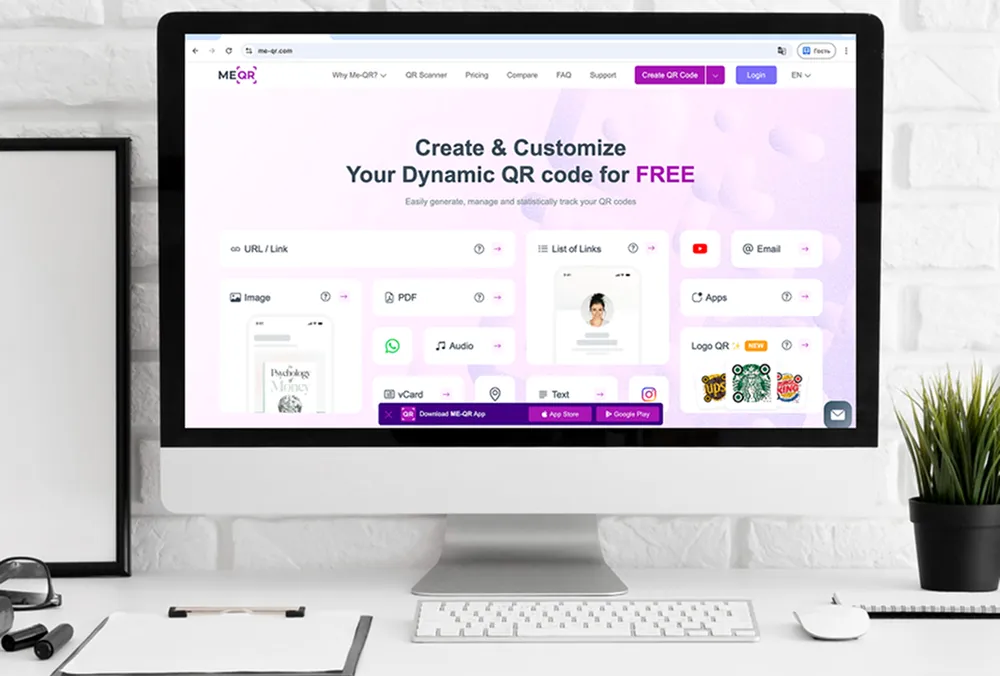
ME-QR är ett starkt alternativ för rekrytering eftersom det stöder olika anställningsscenarier på en plattform. Rekryterare kan skapa QR-koder för lediga tjänster, CV-filer, kontaktkort, ansökningsblanketter och företags karriärsidor.
Det fungerar också bra när rekryteringsmaterial ofta ändras. Ett företag kan uppdatera destinationen bakom en dynamisk QR-kod utan att behöva skriva ut affischer eller flyers på nytt. För CV och kandidatprofiler kan ME-QR också användas med vCard , länklistor eller direkta länkar till jobbansökningar.
Viktiga funktioner:
- Dynamiska och statiska QR-koder;
- Skanningsanalys;
- Dela CV och dokument;
- Design av QR-kod med varumärkesprofil;
- Flera QR-format för rekrytering.
Fördelar:
- Användbart för jobbannonser, CV, karriärsidor och kontakter med rekryterare;
- Dynamiska länkar kan uppdateras efter utskrift;
- Skanningsdata hjälper till att jämföra rekryteringskanaler;
- Mer flexibla än engångsformverktyg.
Nackdelar:
- Team behöver fortfarande ett tydligt ansökningsflöde;
- Vissa rekryterare kan behöva tid för att välja rätt QR-typ.

2. Flödeskod
Flowcode kan användas för varumärkesbyggda rekryteringsevenemang och tryckt rekryteringsmaterial. Det är mer fokuserat på visuella kampanjer än CV- eller dokumentarbetsflöden.
Viktiga funktioner:
- Dynamiska QR-koder;
- Skanningsanalys;
- Varumärkesverktyg;
- Mobila landningssidor.
Fördelar:
- Arbetar för evenemangsbaserade rekryteringskampanjer;
- Stöder QR-design med varumärkesprofil.
Nackdelar:
- Begränsade alternativ för specifika CV-krav;
- Färre format för rekryteringsinnehåll än ME-QR.

3. Beaconstac
Beaconstac riktar sig mer till företagsteam som hanterar QR-kampanjer på många platser eller avdelningar.
Viktiga funktioner:
- Dynamiska QR-koder;
- Analysinstrumentpanel;
- Åtkomst till teamet;
- Integrationer.
Fördelar:
- Lämplig för större rekryteringsteam;
- Inkluderar detaljerad skanningsrapportering.
Nackdelar:
- Mindre enkelt för små rekryteringsuppgifter;
- Prissättningen kan vara för hög för mindre företag.

4. Jotform QR-kodgenerator
Jotform kan vara användbart när huvudmålet är att skicka kandidater till ett ansökningsformulär.
Viktiga funktioner:
- QR-koder för formulär;
- Formulärsvar;
- Fält för filuppladdning;
- Grundläggande anpassning.
Fördelar:
- Arbetar för jobbansökningsblanketter;
- Stöder uppladdning av CV via formulär.
Nackdelar:
- Mindre flexibel extern anställning via formulär;
- Inte byggt som ett fullständigt QR-kampanjverktyg.
5. Microsoft Forms
Microsoft Forms kan skapa enkla anställningsformulär och samla in kandidatsvar, särskilt inom företag som redan använder Microsoft-verktyg.
Viktiga funktioner:
- Skapande av formulär;
- Svarsinsamling;
- Enkla länkdelningar;
- Grundläggande QR-åtkomst.
Fördelar:
- Bekvämt för interna team;
- Enkel svarshantering.
Nackdelar:
- Begränsade varumärkesalternativ;
- Svag för bredare QR-kampanjer för rekrytering.

6. PlatoForms
PlatoForms fokuserar på PDF-formulär, så det kan passa dokumentbaserade applikationer eller företag som fortfarande samlar in strukturerade anställningsformulär.
Viktiga funktioner:
- PDF-formulärkonvertering;
- QR-åtkomst till formulär;
- Formulärspårning;
- Dokumentarbetsflöden.
Fördelar:
- Användbart för PDF-baserade applikationer;
- Stöder dokumentinsamling.
Nackdelar:
- Snävare användningsfall;
- Mindre bekvämt för allmänna rekryteringskampanjer.

7. ViralQR
ViralQR kan täcka enkla QR-kampanjer med grundläggande spårning och anpassning.
Viktiga funktioner:
- Dynamiska QR-koder;
- Grundläggande analys;
- Anpassad design;
- Länkbaserade QR-koder.
Fördelar:
- Täcker enkla rekryteringslänkar;
- Inkluderar anpassningsalternativ.
Nackdelar:
- Begränsat stöd för CV och dokument;
- Färre anställningsspecifika funktioner än ME-QR.
8. Bitly QR-koder
Bitly QR-koder passar främst team som redan använder Bitly-länkar för kampanjspårning.
Viktiga funktioner:
- Korta länkar;
- Generering av QR-kod;
- Länkanalys;
- Varumärkesbaserade webbadresser.
Fördelar:
- Användbart för korta länkar till jobbportaler;
- Enkelt att ansluta till befintliga Bitly-kampanjer.
Nackdelar:
- Begränsade QR-format;
- Inte fokuserad på CV eller jobbansökningar.

9. Hovercode
Hovercode är lämplig för små team som behöver varumärkesspecifika QR-koder och enkel spårning för tryckt rekryteringsmaterial.
Viktiga funktioner:
- Dynamiska QR-koder;
- Skanningsanalys;
- Varumärkesverktyg;
- Enkel QR-hantering.
Fördelar:
- Täcker grundläggande rekryteringskampanjer;
- Stöder design av varumärkeskod.
Nackdelar:
- Begränsat CV-stöd;
- Färre rekryteringsformat än ME-QR.

10. QR Planet
QR Planet kan användas för rekryteringssidor, tryckta jobbannonser och enkla länkbaserade rekryteringskampanjer.
Viktiga funktioner:
- Dynamiska QR-koder;
- Grundläggande analys;
- Designanpassning;
- Länka destinationer.
Fördelar:
- Arbetar för tryckta jobbannonser;
- Stöder grundläggande QR-spårning.
Nackdelar:
- Mindre flexibel för rekrytering i flera format;
- Begränsad jämfört med ME-QR för CV, kontakter och dokument.
Typer av rekryterings-QR-koder
Olika rekryteringskampanjer behöver olika QR-format. En QR-kod på ett CV fungerar annorlunda än en kod på en jobbmässa eller en tryckt ledig annons. ME-QR är användbart här eftersom rekryterare kan välja det format som matchar rekryteringsuppgiften istället för att bara använda en enkel webbsida.
QR-kod för jobbansökan
En QR-kod för jobbansökningar skickar vanligtvis kandidater direkt till en ledig tjänstesida, ett onlineformulär eller en företags karriärportal. Detta format används ofta på affischer, broschyrer, flygblad, kontorsfönster och rekryteringsbanners.
Den största fördelen är snabbheten. En kandidat kan skanna koden och ansöka direkt istället för att söka efter den lediga tjänsten senare via en separat jobbsökning .
QR-kod CV
Ett CV med QR-kod hjälper kandidater att dela ytterligare information utan att överbelasta själva dokumentet. Koden kan leda till en portfolio, LinkedIn-profil, personlig webbplats eller en fil med arbetsexempel.
Rekryterare använder också detta format under anställningsevenemang eftersom det ger snabb åtkomst till kandidatinformation från utskrivna CV eller märken.
Hur en QR-kod på CV hjälper rekryterare
En QR-kod på ett CV placeras vanligtvis nära kontaktuppgifter eller högst upp på sidan. Skanningen kan öppna en portfolio, ett kontaktkort, en ansökningssida eller en profil med arbetshistorik.
För rekryterare gör detta granskningen av CV:n snabbare eftersom de inte behöver skriva in länkar manuellt eller söka efter kandidatprofiler.
Kontakt QR-koder för rekryterare
Rekryterare och HR-team kan använda QR-koder för att snabbt dela kontaktuppgifter under jobbmässor, intervjuer och nätverksevenemang.
Med ME-QR kan rekryteringsteam skapa QR-koder som öppnar en rekryterares WhatsApp-chatt eller startar ett direkt telefonsamtal , beroende på hur kandidater ska svara efter att ha sett den lediga tjänsten.
Flerlänks-QR-koder för karriärsidor
Vissa företag rekryterar till flera avdelningar samtidigt. I det här fallet kan en QR-kod leda kandidater till olika anställningsalternativ istället för en enda ledig tjänst.
Till exempel kan ett företag använda en Telegram QR-kod för en rekryteringskanal med lediga tjänster, uppdateringar och rekryterarkontakter. Detta fungerar bra när kandidater behöver snabb åtkomst till kontorsjobb, distanstjänster, praktikplatser eller regionala lediga tjänster från en rekryteringskampanj.
Hur man lägger till en QR-kod i ett CV eller en annons för ett tryckt jobb
En QR-kod för rekrytering ska göra nästa steg enklare, inte förvirra kandidater. Innan du placerar den på ett CV, en affisch, en flyer eller en rekryteringsbanner är det viktigt att kontrollera vart skanningen leder och hur sidan fungerar på mobila enheter.
Steg 1. Välj destination
Bestäm först vart kandidaterna ska gå efter att ha skannat koden. Detta kan vara en ledig tjänstesida, ett onlineformulär, en portfolio, en rekryterarkontakt eller en företagsjobbportal .
Destinationen bör matcha syftet med rekryteringsmaterialet. En QR-kod för CV leder vanligtvis till en portfolio eller LinkedIn-sida, medan en rekryteringsaffisch ofta leder till en jobbansökningsblankett.
Steg 2. Skapa QR-kod för CV eller jobbsida
När du har valt destination genererar du QR-koden med hjälp av en plattform som stöder redigerbara länkar, varumärkesbyggande och olika QR-format.
ME-QR är användbart här eftersom rekryterare kan skapa QR-koder för CV, kontaktsidor, PDF-filer och ansökningslänkar utan att behöva växla mellan separata verktyg.
Steg 3. Lägg till koden i CV:t eller den tryckta annonsen
När du lägger till QR-koden i ett dokument eller en annons, se till att det finns tillräckligt med tomt utrymme runt den så att folk enkelt kan skanna den.
För CV:n placeras koden vanligtvis nära kontaktuppgifterna eller profilsammanfattningen. På tryckta annonser bör den vara synlig utan att konkurrera med för mycket text eller grafiska element.

Steg 4. Testa hur man skannar QR-koden för en jobbansökan
Innan du skriver ut eller publicerar materialet, testa koden på olika smartphones och skärmstorlekar.
Skanningen bör öppnas snabbt och leda direkt till rätt anställningssida. Om destinationen kräver för många klick kan kandidater lämna sidan innan de har slutfört ansökan.
Steg 5. Spåra och uppdatera länken
Rekryteringskampanjer förändras ofta över tid. En ledig tjänst kan läggas ner, ett formulär kan flyttas eller ett företag kan uppdatera rekryteringssidan.
Dynamiska QR-koder hjälper rekryterare att uppdatera destinationen utan att behöva skriva ut materialet på nytt. Detta är särskilt användbart för långsiktiga rekryteringskampanjer, jobbmässor och rekryteringsannonser på kontor.

Bästa praxis för en QR-kod för arbete och anställning
En QR-kod för rekrytering ska kännas enkel och användbar för kandidater. Små detaljer som placering, sidhastighet och skanningsskärpa påverkar ofta om folk faktiskt slutför ansökan.
- Använd en kort uppmaning till handling nära QR-koden så att kandidaterna förstår vad som händer efter skanningen.
- Placera koden där den är lätt att skanna från normalt avstånd.
- Se till att målsidan fungerar bra på mobila enheter.
- Använd dynamiska QR-koder för lediga tjänster som kan komma att ändras senare.
- Håll designen ren och undvik att överbelasta koden med grafik.
- Spåra skanningar från olika rekryteringskanaler för att jämföra prestanda.
Rekryterare får oftast bättre resultat när QR-koden tar bort extra steg istället för att lägga till dem. En snabb skanning, en tydlig destination och ett enkelt ansökningsflöde hjälper kandidater att gå från intresse till ansökan mycket snabbare.
Slutsats
Rekryteringskampanjer är inte längre enbart beroende av traditionella tryckta annonser eller jobbannonser. En QR-kod kan koppla samman affischer, CV, flygblad och rekryteringsevenemang direkt med en jobbportal , ett ansökningsformulär eller en rekryterares kontaktsida på några sekunder.
De mest användbara QR-verktygen för rekrytering är de som stöder flexibla länkar, mobilvänliga sidor, analyser och varumärkesdesign. ME-QR utmärker sig genom att rekryterare kan hantera CV, PDF-filer, kontaktsidor och dynamiska rekryteringslänkar på en och samma plattform utan att behöva växla mellan flera separata verktyg.
Vanliga frågor om QR-kodverktyg för rekrytering
En QR-kod för rekrytering skickar kandidater direkt till en sida om lediga tjänster, ett ansökningsformulär, en rekryterarkontakt eller ett företags karriärportal efter skanning.