İşe alım ve iş bulma portalları için en iyi QR araçları
Bağlantı, video veya resim için QR kodu oluşturmak için aşağıdaki düğmeye tıklayın.


- Şirketler İşe Alım Sürecinde Neden QR Kod Kullanıyor?
- İş başvurularında QR kodunun faydaları
- İşletmeler ve İşe Alım İçin QR Kodlarını Nasıl Test Ettik?
- İşe Alım Araçları için QR Kodlarının Karşılaştırma Tablosu
- İş Başvurusu QR Kodu Oluşturmak İçin En İyi Araçlar
- İşe Alım QR Kodlarının Türleri
- Özgeçmişe veya basılı iş ilanına QR kodu nasıl eklenir?
- İş ve İşe Alım İçin QR Kod Kullanımında En İyi Uygulamalar
- Çözüm
- İşe Alım İçin QR Kod Araçları Hakkında Sıkça Sorulan Sorular
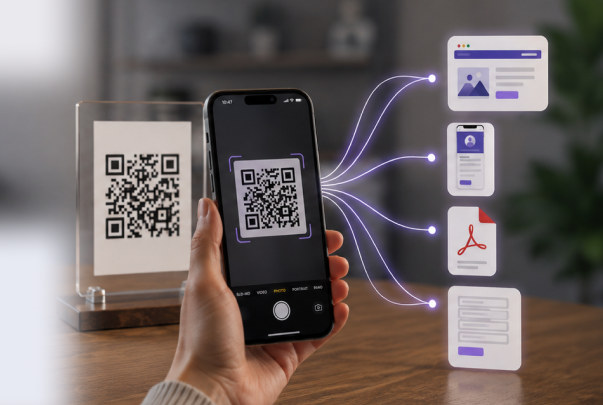
Basılı iş ilanları hala işe yarıyor, ancak genellikle adayları bir sonraki aşamada kaybediyorlar. Bir kişi bir poster, broşür, ofis vitrini ilanı veya iş fuarı afişi görebilir, ancak daha sonra iş aramaya başlamadan önce şirket adını unutabilir. QR kodu, adayları doğrudan doğru iş ilanı sayfasına, forma veya iş portalına yönlendirerek bu açığı kapatıyor .
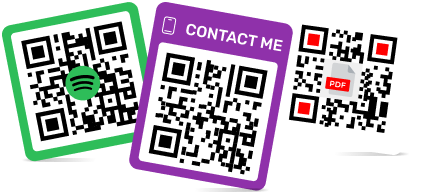
İşe alım ekipleri için bu oldukça kullanışlıdır çünkü çevrimdışı dikkati ölçmek daha kolay hale gelir. Bir işe alım uzmanı, basılı materyallere QR kodu yerleştirebilir, taramaları takip edebilir ve bir pozisyon değiştiğinde hedefi güncelleyebilir. ME-QR, bağlantıları, PDF'leri, iletişim bilgilerini, marka kodlarını ve dinamik düzenlemeyi tek bir yerde desteklediği için bu iş akışına çok iyi uyum sağlar.

Şirketler İşe Alım Sürecinde Neden QR Kod Kullanıyor?
İşe alım sürecinde kullanılan QR kodları, adaylar için ilk adımı kolaylaştırır. Uzun bir web adresi yazmak veya daha sonra şirket aramak yerine, kodu tarayarak saniyeler içinde ilgili işe alım sayfasına ulaşabilirler.
Şirketler işe alım için QR kodlarını şu amaçlarla kullanır:
- Adayları basılı ilanlardan bir iş portalına yönlendirmek ;
- Broşürleri, afişleri ve iş fuarı stantlarını çevrimiçi formlarla birleştirin;
- Elle yazılan URL'lerden kaynaklanan hataları azaltın;
- Çevrimdışı hangi materyallerin taranacağını takip edin;
- Açık pozisyon değiştiğinde bağlantıyı güncelleyin.
Büyüyen ekipler için bu, çevrimdışı işe alım süreçlerini çevrimiçi başvurularla birleştirmenin basit bir yoludur. ME-QR, doğrudan URL QR kodu veya bir şirketin markalı kodlara, taranabilir verilere ve düzenlenebilir hedeflere ihtiyaç duyduğu daha geniş iş kullanım durumları aracılığıyla burada yardımcı olabilir.
İş başvurularında QR kodunun faydaları
İş başvurusu için kullanılan QR kod, bir iş ilanını görme ve başvurma arasındaki fazladan adımları ortadan kaldırır. Bu, her iki taraf için de faydalıdır: adaylar daha az zaman harcayarak arama yaparlar ve işe alım uzmanları doğru başvuru sayfasına daha doğrudan trafik çekerler.
İş İlanlarına Daha Hızlı Erişim
Bir tarama işlemi, adayları doğrudan bir iş ilanına, işe alım formuna veya şirket kariyer sayfasına yönlendirebilir. Bu özellik, insanların genellikle tepki vermek için sadece birkaç saniyeye sahip olduğu posterlerde, broşürlerde, etkinlik afişlerinde ve resepsiyon masası malzemelerinde iyi sonuç verir.
Basılı Reklamlarda QR Kodları için Daha İyi Takip Sistemi
İşe alım uzmanları, hangi basılı materyallerin gerçek ilgi çektiğini karşılaştırabilir. Bir iş fuarı afişindeki QR kodu, sokak posterindeki QR kodundan daha fazla tarama alabilir ve bu veriler, bir sonraki işe alım kampanyasının nereye yerleştirileceğine karar vermeye yardımcı olur.
Mobil Uyumlu Uygulamalar
Birçok aday iş ilanlarını telefonlarından inceliyor. QR kodu, adayların iş tanımını okuyabileceği, dosya yükleyebileceği veya ek arama yapmaya gerek kalmadan kısa bir form gönderebileceği basit bir mobil sayfaya yönlendirmelidir.
Daha Güçlü İşveren Markası
Sade siyah beyaz bir kod işe yarayabilir, ancak markalı tasarım genellikle işe alım materyallerinde daha profesyonel bir görünüm sağlar. ME-QR ile şirketler bir logo ekleyebilir ve QR kodunun görsel olarak işveren markasıyla bağlantılı kalmasını sağlayabilir.

İşletmeler ve İşe Alım İçin QR Kodlarını Nasıl Test Ettik?
Her QR kod platformu işe alım görevleri için iyi sonuç vermez. Bazı araçlar yalnızca basit statik bağlantılar oluştururken, işe alım ekipleri genellikle düzenlenebilir iş sayfalarına, özgeçmiş desteğine, analitik verilere ve mobil uyumlu tarama özelliğine ihtiyaç duyar.
Platformları şu kriterleri kullanarak karşılaştırdık:
- İşe alım QR kodunun oluşturulmasının kolaylığı.
- Dinamik bağlantı düzenleme desteği.
- Analiz ve tarama takibi.
- Özgeçmiş ve belge desteği.
- Markalaşma ve baskı kalitesi.
Test Metodolojisi
Araçları adil bir şekilde karşılaştırmak için, onları çeşitli yaygın işe alım senaryolarında test ettik:
- Basılı iş ilanları için QR kodları oluşturuldu;
- Başvuru sayfalarına ve iş ilan sitelerine giden bağlantılar test edildi;
- Özgeçmiş ve PDF desteği kontrol edildi;
- Mobil cihazlardaki tarama hızını inceledim;
- Analiz ve düzenleme seçeneklerini karşılaştırdı.
ME-QR, özellikle bu tür iş akışları için çok iyi sonuç verdi çünkü işe alım uzmanları, ayrı araçlar arasında geçiş yapmak yerine bağlantıları, dosyaları, iletişim bilgilerini ve markalı QR kodlarını tek bir platform içinde yönetebiliyorlar.
İşe Alım Araçları için QR Kodlarının Karşılaştırma Tablosu
İşe alım için kullanılan bir QR kod aracı, insanları yalnızca bir bağlantıya yönlendirmekten daha fazlasını yapmalıdır. İşe alım ekipleri genellikle düzenlenebilir hedeflere, özgeçmiş desteğine, markalı tasarıma ve hangi basılı materyallerin adayları çektiğini anlamak için temel tarama verilerine ihtiyaç duyar.
ME-QR, birçok işe alım ihtiyacını tek bir yerde karşıladığı için burada en üst sırada yer alıyor. Bir şirket, basılı iş ilanını kariyer sayfasına bağlayabilir, özgeçmiş dosyasını paylaşabilir, iletişim QR kodları oluşturabilir veya ilan URL'si değişebileceğinde dinamik bir QR kodu kullanabilir.
|
Alet
|
Dinamik QR Kodları
|
Analitik
|
Özgeçmiş Desteği
|
Markalaşma
|
En İyisi İçin
|
|
ME-QR
|
Evet |
Evet
|
Evet
|
Evet
|
İşe alım kampanyaları, özgeçmişler, iş ilanları, işletme işe alımları
|
|
Flowcode
|
Evet |
Evet
|
Sınırlı
|
Evet
|
Markalı işe alım etkinlikleri ve çevrimdışı kampanyalar
|
|
Beaconstac
|
Evet
|
Evet
|
Sınırlı
|
Evet
|
Kurumsal işe alım kampanyaları
|
|
Jotform QR Kod Oluşturucu
|
Sınırlı | Form analizi |
Evet
|
Temel
|
İş başvuru formları
|
|
Microsoft Forms
|
Sınırlı
|
Form yanıtları
|
Sınırlı
|
Temel
|
Dahili işe alım formları
|
|
PlatoFormlar
|
Evet
|
Form takibi
|
Evet
|
Temel
|
Bağlantı yönetimi ve kısa kampanya URL'leri
|
|
ViralQR
|
Evet
|
Temel
|
Sınırlı
|
Evet
|
Basit işe alım QR kampanyaları
|
|
Bitly QR Kodları
|
Evet
|
Evet
|
Sınırlı
|
Temel
|
İş ilan sitelerine kısa bağlantılar
|
|
Hovercode
|
Evet
|
Evet
|
Sınırlı
|
Evet
|
Küçük işletmeler için işe alım kampanyaları
|
|
QR Gezegeni
|
Evet
|
Temel
|
Sınırlı
|
Evet
|
İşe alım sayfaları ve basılı iş ilanları
|
İş Başvurusu QR Kodu Oluşturmak İçin En İyi Araçlar
İşe alım ekiplerinin her zaman karmaşık bir işe alım sistemine ihtiyacı yoktur. Bazen, adayları bir posterden, broşürden, özgeçmişten veya etkinlik standından ek adımlar olmadan doğru sayfaya yönlendiren sade bir iş başvuru QR koduna ihtiyaç duyarlar.
1. ME-QR
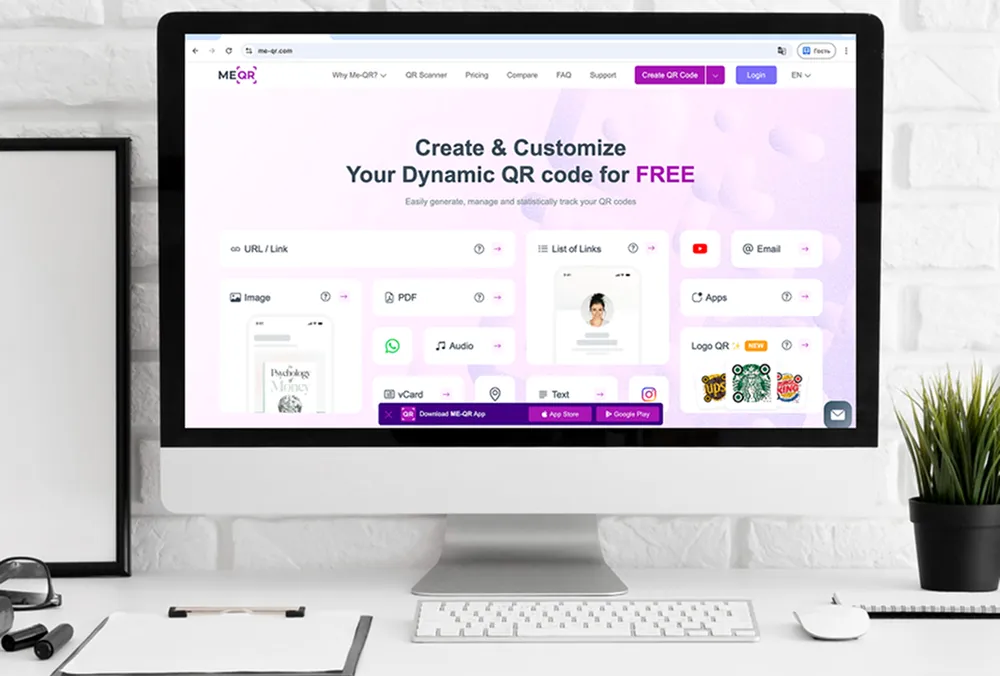
ME-QR, farklı işe alım senaryolarını tek bir platformda desteklediği için işe alım konusunda güçlü bir seçenektir. İşe alım uzmanları, iş ilan sayfaları, özgeçmiş dosyaları, iletişim kartları, başvuru formları ve şirket kariyer sayfaları için QR kodları oluşturabilirler.
İşe alım materyallerinin sık sık değiştiği durumlarda da iyi sonuç verir. Bir şirket, poster veya broşürleri yeniden basmaya gerek kalmadan dinamik bir QR kodunun arkasındaki hedefi güncelleyebilir. Özgeçmişler ve aday profilleri için ME-QR, vCard , bağlantı listesi veya doğrudan iş başvuru bağlantılarıyla da kullanılabilir .
Başlıca Özellikler:
- Dinamik ve statik QR kodları;
- Tarama analizi;
- Özgeçmiş ve belge paylaşımı;
- Markalı QR kod tasarımı;
- İşe alım için birden fazla QR kod formatı.
Artıları:
- İş ilanları, özgeçmişler, kariyer sayfaları ve işe alım uzmanı iletişimleri için kullanışlıdır;
- Dinamik bağlantılar yazdırma işleminden sonra güncellenebilir;
- Tarama verileri, işe alım kanallarını karşılaştırmaya yardımcı olur;
- Tek amaçlı kalıp araçlarından daha esnektirler.
Dezavantajları:
- Ekiplerin hâlâ net bir başvuru akışına ihtiyacı var;
- Bazı işe alım uzmanlarının doğru QR kod türünü seçmek için zamana ihtiyacı olabilir.

2. Flowcode
Flowcode, marka kimliğine uygun işe alım etkinlikleri ve basılı işe alım materyalleri için kullanılabilir. Özgeçmiş veya belge tabanlı iş akışlarından ziyade görsel kampanyalara daha çok odaklanmıştır.
Başlıca Özellikler:
- Dinamik QR kodları;
- Tarama analizi;
- Markalaşma araçları;
- Mobil açılış sayfaları.
Artıları:
- Etkinlik bazlı işe alım kampanyaları için çalışır;
- Markalı QR tasarımını destekler.
Dezavantajları:
- Özgeçmişe özel seçenekler sınırlıdır;
- ME-QR'ye göre daha az işe alım içerik formatı.

3. Beaconstac
Beaconstac, daha çok birçok lokasyonda veya departmanda QR kod kampanyalarını yöneten kurumsal ekiplere yöneliktir.
Başlıca Özellikler:
- Dinamik QR kodları;
- Analiz paneli;
- Takım erişimi;
- Entegrasyonlar.
Artıları:
- Daha büyük işe alım ekipleri için uygundur;
- Detaylı tarama raporlaması içerir.
Dezavantajları:
- Küçük ölçekli işe alım görevleri için daha karmaşık;
- Fiyatlar küçük şirketler için çok yüksek olabilir.

4. Jotform QR Kod Oluşturucu
Jotform, asıl amaç adayları başvuru formuna yönlendirmek olduğunda faydalı olabilir.
Başlıca Özellikler:
- Formlar için QR kodları;
- Form yanıtları;
- Dosya yükleme alanları;
- Temel özelleştirme.
Artıları:
- İş başvuru formları için kullanılır;
- Formlar aracılığıyla özgeçmiş yüklemeyi destekler.
Dezavantajları:
- Form tabanlı işe alım süreçlerinde esneklik daha azdır;
- Tam teşekküllü bir QR kod kampanyası aracı olarak tasarlanmamıştır.
5. Microsoft Forms
Microsoft Forms, özellikle Microsoft araçlarını zaten kullanan şirketler içinde, basit işe alım formları oluşturabilir ve adaylardan yanıtlar toplayabilir.
Başlıca Özellikler:
- Form oluşturma;
- Yanıt toplama;
- Basit paylaşım bağlantıları;
- Temel QR erişimi.
Artıları:
- Kurum içi ekipler için uygundur;
- Basit yanıt yönetimi.
Dezavantajları:
- Sınırlı marka seçenekleri;
- Daha geniş kapsamlı işe alım QR kampanyaları için zayıf.

6. PlatoForms
PlatoForms, PDF formlarına odaklandığı için belge tabanlı uygulamalar veya hala yapılandırılmış işe alım formları toplayan şirketler için uygun olabilir.
Başlıca Özellikler:
- PDF formuna dönüştürme;
- Formlara QR kod ile erişim;
- Form takibi;
- Belge iş akışları.
Artıları:
- PDF tabanlı uygulamalar için kullanışlıdır;
- Belge toplamayı destekler.
Dezavantajları:
- Daha dar kapsamlı kullanım alanı;
- Genel işe alım kampanyaları için daha az uygun.

7. ViralQR
ViralQR, temel izleme ve özelleştirme özelliklerine sahip basit QR kampanyalarını kapsayabilir.
Başlıca Özellikler:
- Dinamik QR kodları;
- Temel analiz;
- Özel tasarım;
- Bağlantı tabanlı QR kodları.
Artıları:
- Basit işe alım bağlantılarını kapsar;
- Özelleştirme seçeneklerini içerir.
Dezavantajları:
- Sınırlı özgeçmiş ve belge desteği;
- ME-QR'ye kıyasla daha az işe alım odaklı özellik içerir.
8. Bitly QR Kodları
Bitly QR kodları, esas olarak kampanya takibi için zaten Bitly bağlantıları kullanan ekipler için uygundur.
Başlıca Özellikler:
- Kısa bağlantılar;
- QR kod oluşturma;
- Bağlantı analizi;
- Markalı URL'ler.
Artıları:
- İş ilan sitelerine kısa bağlantılar için kullanışlıdır;
- Mevcut Bitly kampanyalarıyla bağlantı kurmak kolay.
Dezavantajları:
- Sınırlı QR formatları;
- Özgeçmişlere veya iş başvurularına odaklanmıyoruz.

9. Hovercode
Hovercode, basılı işe alım materyallerinde markalı QR kodlarına ve basit takip sistemine ihtiyaç duyan küçük ekipler için uygundur.
Başlıca Özellikler:
- Dinamik QR kodları;
- Tarama analizi;
- Markalaşma araçları;
- Basit QR yönetimi.
Artıları:
- Temel işe alım kampanyalarını kapsar;
- Marka kimliğine uygun kod tasarımını destekler.
Dezavantajları:
- Sınırlı özgeçmiş desteği;
- ME-QR'ye göre daha az işe alım formatı.

10. QR Gezegeni
QR Planet, işe alım sayfaları, basılı iş ilanları ve basit bağlantı tabanlı işe alım kampanyaları için kullanılabilir.
Başlıca Özellikler:
- Dinamik QR kodları;
- Temel analiz;
- Tasarım özelleştirmesi;
- Bağlantı hedefleri.
Artıları:
- Basılı iş ilanları için kullanılır;
- Temel QR izleme özelliğini destekler.
Dezavantajları:
- Çok formatlı işe alım konusunda daha az esnek;
- Özgeçmişler, iletişim bilgileri ve belgeler söz konusu olduğunda ME-QR ile karşılaştırıldığında sınırlıdır.
İşe Alım QR Kodlarının Türleri
Farklı işe alım kampanyaları farklı QR formatları gerektirir. Bir özgeçmişteki QR kodu, bir iş fuarı afişindeki veya basılı bir iş ilanındaki koddan farklı şekilde çalışır. ME-QR burada faydalıdır çünkü işe alım uzmanları, yalnızca basit bir web sayfası bağlantısı kullanmak yerine, işe alım görevine uygun formatı seçebilirler.
İş Başvurusu için QR Kodu
İş başvurusu için kullanılan QR kodları genellikle adayları doğrudan iş ilanı sayfasına, çevrimiçi forma veya şirket kariyer portalına yönlendirir. Bu format genellikle posterlerde, broşürlerde, el ilanlarında, ofis vitrinlerinde ve işe alım afişlerinde kullanılır.
En büyük avantajı hızdır. Aday, kodu tarayarak anında başvuru yapabilir; böylece daha sonra ayrı bir iş arama süreciyle boş pozisyonu aramak zorunda kalmaz .
QR Kodlu Özgeçmiş
QR kodlu özgeçmiş, adayların belgeyi aşırı yüklemeden ek bilgiler paylaşmasına yardımcı olur. Kod, portföye, LinkedIn profiline, kişisel web sitesine veya çalışma örneklerinin bulunduğu bir dosyaya yönlendirebilir .
İşe alım uzmanları, aday bilgilerine basılı özgeçmişlerden veya rozetlerden hızlıca ulaşabilmek için işe alım etkinlikleri sırasında da bu formatı kullanırlar.
Özgeçmişe QR kod eklemek işe alım uzmanlarına nasıl yardımcı olur?
Özgeçmişlerdeki QR kodları genellikle iletişim bilgilerinin yakınında veya sayfanın üst kısmında yer alır. Tarandığında portfolyo, kartvizit, başvuru sayfası veya iş geçmişini içeren bir profil açılabilir.
İşe alım uzmanları için bu, özgeçmiş incelemesini hızlandırır çünkü bağlantıları manuel olarak yazmaları veya aday profillerini aramaları gerekmez.
İşe alım uzmanları için QR kodlarıyla iletişim kurun
İşe alım uzmanları ve insan kaynakları ekipleri, iş fuarları, mülakatlar ve ağ oluşturma etkinlikleri sırasında iletişim bilgilerini hızlı bir şekilde paylaşmak için QR kodlarını kullanabilirler.
ME-QR ile işe alım ekipleri, adayların iş ilanını gördükten sonra nasıl yanıt vermeleri gerektiğine bağlı olarak, bir işe alım uzmanının WhatsApp sohbetini açan veya doğrudan telefon araması başlatan QR kodları oluşturabilirler .
Kariyer Sayfaları için Çoklu Bağlantılı QR Kodları
Bazı şirketler aynı anda birden fazla departman için işe alım yapar. Bu durumda, tek bir QR kodu adayları tek bir açık pozisyon yerine farklı işe alım seçeneklerine yönlendirebilir.
Örneğin, bir şirket açık pozisyonlar, güncellemeler ve işe alım uzmanı iletişim bilgilerini içeren bir işe alım kanalı için Telegram QR kodunu kullanabilir . Bu, adayların tek bir işe alım kampanyasından ofis işlerine, uzaktan çalışma pozisyonlarına, stajlara veya bölgesel açık pozisyonlara hızlı erişime ihtiyaç duyduklarında iyi sonuç verir.
Özgeçmişe veya basılı iş ilanına QR kodu nasıl eklenir?
İşe alım QR kodu, adayları şaşırtmak yerine bir sonraki adımı kolaylaştırmalıdır. Özgeçmişe, postere, broşüre veya işe alım afişine yerleştirmeden önce, taramanın nereye yönlendirdiğini ve sayfanın mobil cihazlarda nasıl çalıştığını kontrol etmek önemlidir.
Adım 1. Varış Noktasını Seçin
Öncelikle, adayların kodu taradıktan sonra nereye yönlendirileceğine karar verin. Bu, bir iş ilanı sayfası, çevrimiçi form, portfolyo, işe alım uzmanı iletişim bilgileri veya şirket iş portalı olabilir .
Hedef, işe alım materyalinin amacına uygun olmalıdır. Özgeçmiş QR kodu genellikle bir portföye veya LinkedIn sayfasına yönlendirirken, işe alım posteri genellikle iş başvuru formuna yönlendirir.
2. Adım. Özgeçmiş veya İş İlanı Sayfası için QR Kodu Oluşturun
Hedefi seçtikten sonra, düzenlenebilir bağlantıları, marka kimliğini ve farklı QR formatlarını destekleyen bir platform kullanarak QR kodunu oluşturun.
ME-QR burada kullanışlıdır çünkü işe alım uzmanları, ayrı araçlar arasında geçiş yapmadan özgeçmişler, iletişim sayfaları, PDF'ler ve başvuru bağlantıları için QR kodları oluşturabilirler.
3. Adım. Kodu Özgeçmişe veya Basılı İlan'a Ekleyin
QR kodunu bir belgeye veya reklama eklerken, insanların kolayca tarayabilmesi için etrafında yeterli boş alan bırakın.
Özgeçmişlerde, kod genellikle iletişim bilgilerinin veya profil özetinin yakınına yerleştirilir. Basılı reklamlarda ise, çok fazla metin veya grafik öğesiyle rekabet etmeden görünür kalmalıdır.

4. Adım. İş Başvurusu İçin QR Kodunun Nasıl Taranacağını Test Edin
Materyali yazdırmadan veya yayınlamadan önce, kodu farklı akıllı telefonlarda ve ekran boyutlarında test edin.
Tarama işlemi hızlı bir şekilde açılmalı ve doğrudan doğru işe alım sayfasına yönlendirmelidir. Hedef sayfaya ulaşmak çok fazla tıklama gerektiriyorsa, adaylar başvuruyu tamamlamadan ayrılabilirler.
Adım 5. Bağlantıyı Takip Edin ve Güncelleyin
İşe alım kampanyaları zaman içinde sıklıkla değişir. Bir pozisyon kapanabilir, bir başvuru formu taşınabilir veya bir şirket işe alım sayfasını güncelleyebilir.
Dinamik QR kodları, işe alım uzmanlarının materyalleri yeniden basmaya gerek kalmadan hedef adresi güncellemesine yardımcı olur. Bu özellik özellikle uzun vadeli işe alım kampanyaları, iş fuarları ve ofis işe alım ilanları için kullanışlıdır.

İş ve İşe Alım İçin QR Kod Kullanımında En İyi Uygulamalar
İşe alım için kullanılan QR kodunun adaylar için basit ve kullanışlı olması gerekir. Yerleşim, sayfa hızı ve tarama netliği gibi küçük ayrıntılar, insanların başvuruyu tamamlayıp tamamlamayacağını sıklıkla etkiler.
- QR kodunun yanına kısa bir harekete geçirici mesaj (CTA) ekleyin, böylece adaylar tarama işleminden sonra ne olacağını anlasınlar.
- Kodu, normal mesafeden kolayca okunabilecek bir yere yerleştirin.
- Hedef sayfanın mobil cihazlarda düzgün çalıştığından emin olun.
- Daha sonra değişebilecek iş ilanları için dinamik QR kodları kullanın.
- Tasarımı sade tutun ve kodu grafiklerle aşırı doldurmaktan kaçının.
- Farklı işe alım kanallarından gelen tarama sonuçlarını takip ederek performanslarını karşılaştırın.
QR kodunun ek adımlar eklemek yerine ortadan kaldırması durumunda işe alım uzmanları genellikle daha iyi sonuçlar alırlar. Hızlı tarama, net bir hedef ve basit bir başvuru akışı, adayların ilgi aşamasından başvuru aşamasına çok daha hızlı geçmelerine yardımcı olur.
Çözüm
İşe alım kampanyaları artık sadece geleneksel basılı reklamlara veya iş ilan sitelerine bağlı değil. Bir QR kodu, posterleri, özgeçmişleri, broşürleri ve işe alım etkinliklerini saniyeler içinde doğrudan bir iş portalına , başvuru formuna veya işe alım uzmanının iletişim sayfasına bağlayabilir .
En kullanışlı işe alım QR araçları, esnek bağlantıları, mobil uyumlu sayfaları, analizleri ve markalı tasarımı destekleyenlerdir. ME-QR, işe alım uzmanlarının özgeçmişleri, PDF'leri, iletişim sayfalarını ve dinamik işe alım bağlantılarını birkaç ayrı araç arasında geçiş yapmadan tek bir platform içinde yönetebilmeleri nedeniyle öne çıkmaktadır.
İşe Alım İçin QR Kod Araçları Hakkında Sıkça Sorulan Sorular
İşe alım QR kodu, adayları taradıktan sonra doğrudan iş ilanı sayfasına, başvuru formuna, işe alım sorumlusuyla iletişime geçme sayfasına veya şirket kariyer portalına yönlendirir.