How to Connect a Custom Domain (White Label) to ME-QR: A Step-by-Step Guide
To create a QR code for a link, video or picture - click on the button below.


Want to replace standard QR code links with your own branded URLs? Setting up the White Label feature allows you to maintain brand consistency, boost scan rates, and increase user trust.
To use this feature, you must be a registered user on ME-QR. If you haven't registered yet, please create an account to unlock extended benefits, including domain customization.
Here is a straightforward technical guide to configuring your custom domain.
Step 1: Assign the Domain in Your ME-QR Account
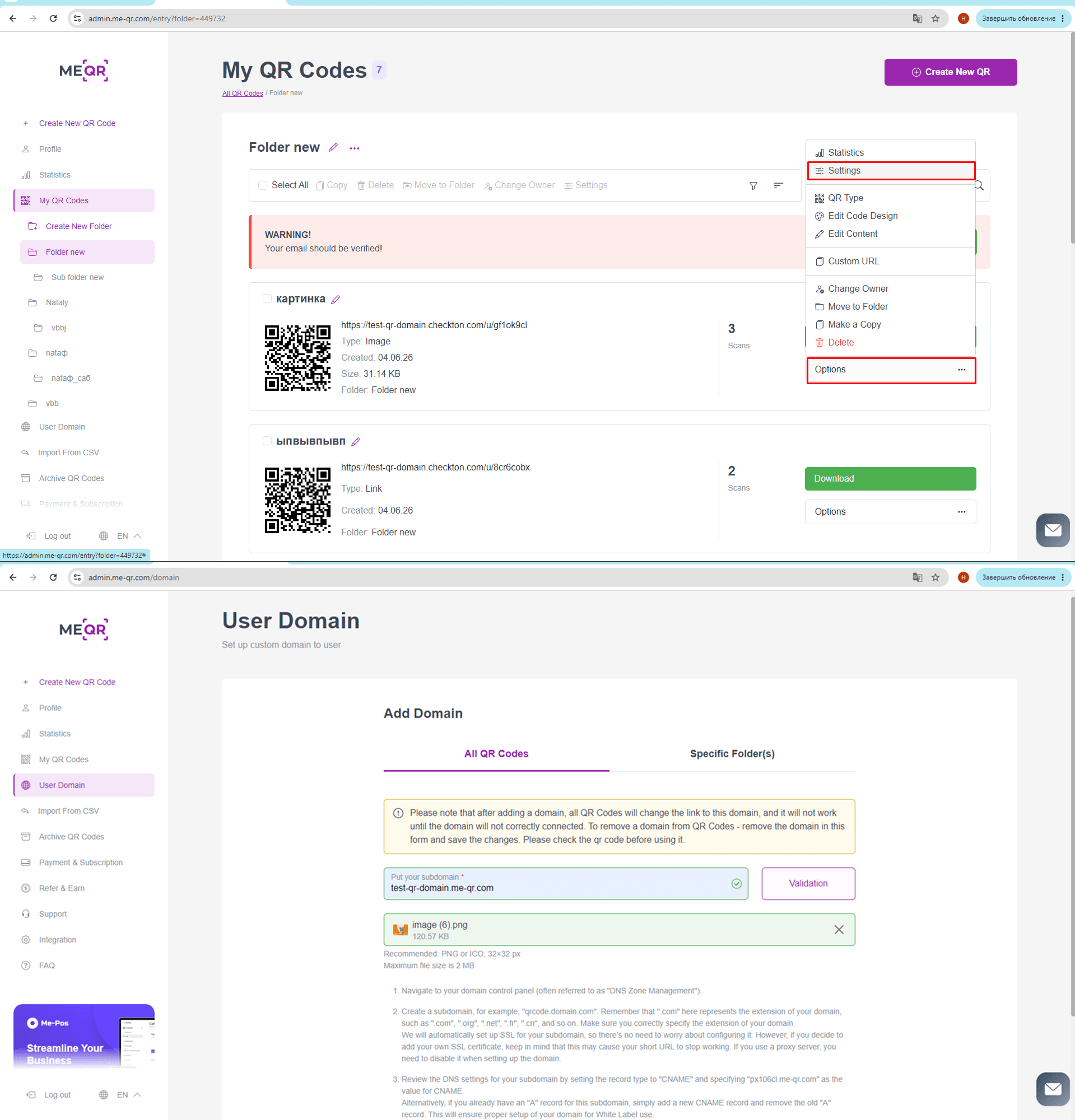
First, you need to specify your domain in the ME-QR administrative panel. You can do this for an individual QR code or apply it globally.
- For a single QR code: Go to your dashboard, navigate to the "Actions" section to the right of your chosen code, and click "Change domain".
- For all your QR codes: Click "Change domain for all QR codes" at the top of the dashboard page.
Step 2: Prepare Your Domain DNS Settings
Now, you need to point your domain (or subdomain) to the ME-QR servers.
- Log into the account where you purchased your domain (GoDaddy, Namecheap, etc.).
- Navigate to your domain control panel, often referred to as "DNS Zone Management" or "DNS Settings".
- Create a subdomain specifically for your QR codes (for example: qrcode.yourdomain.com).
⚠️ Crucial Step: Make sure you correctly specify the extension of your domain (e.g., .com, .org, .net, .fr).
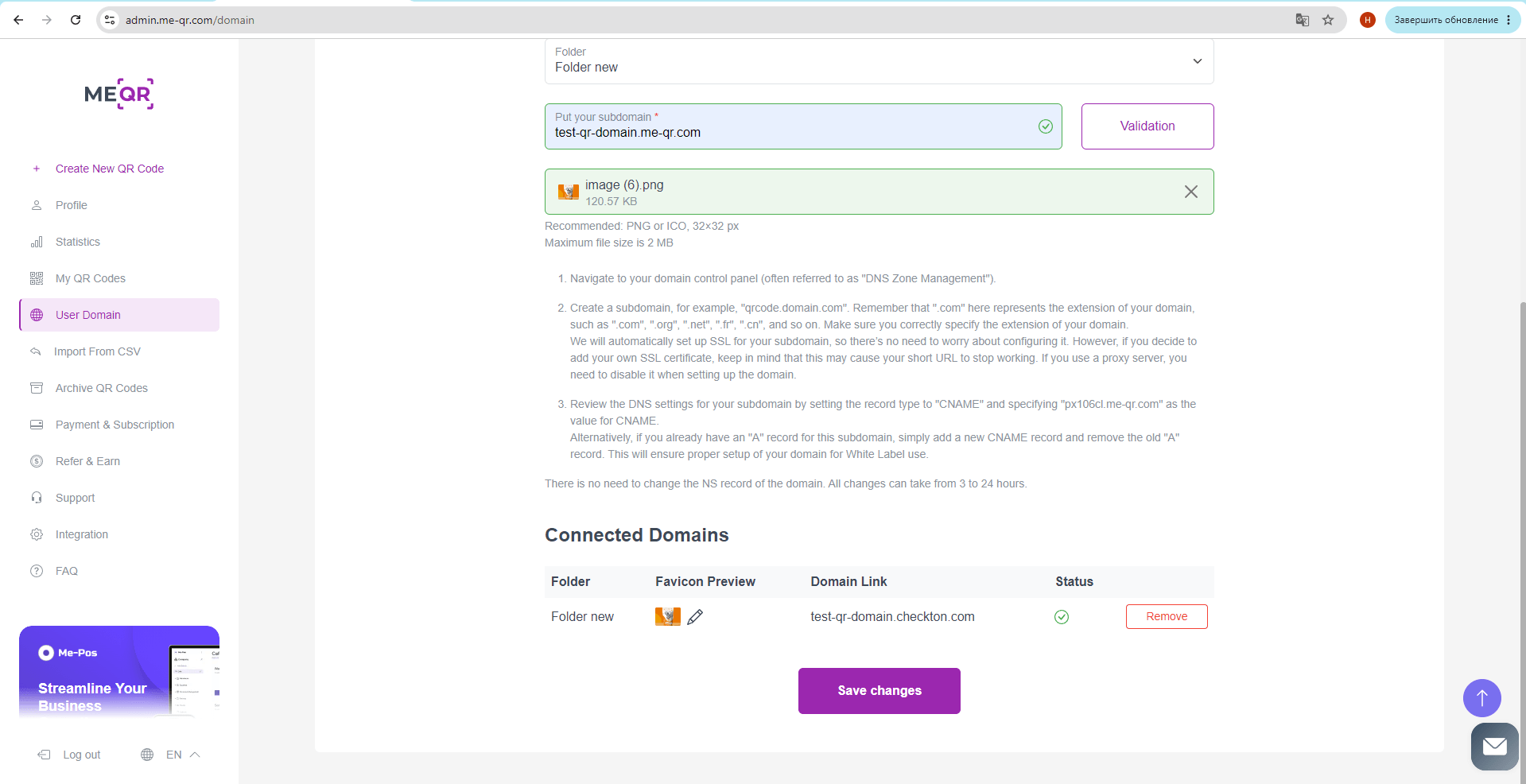
Step 3: Add the CNAME Record
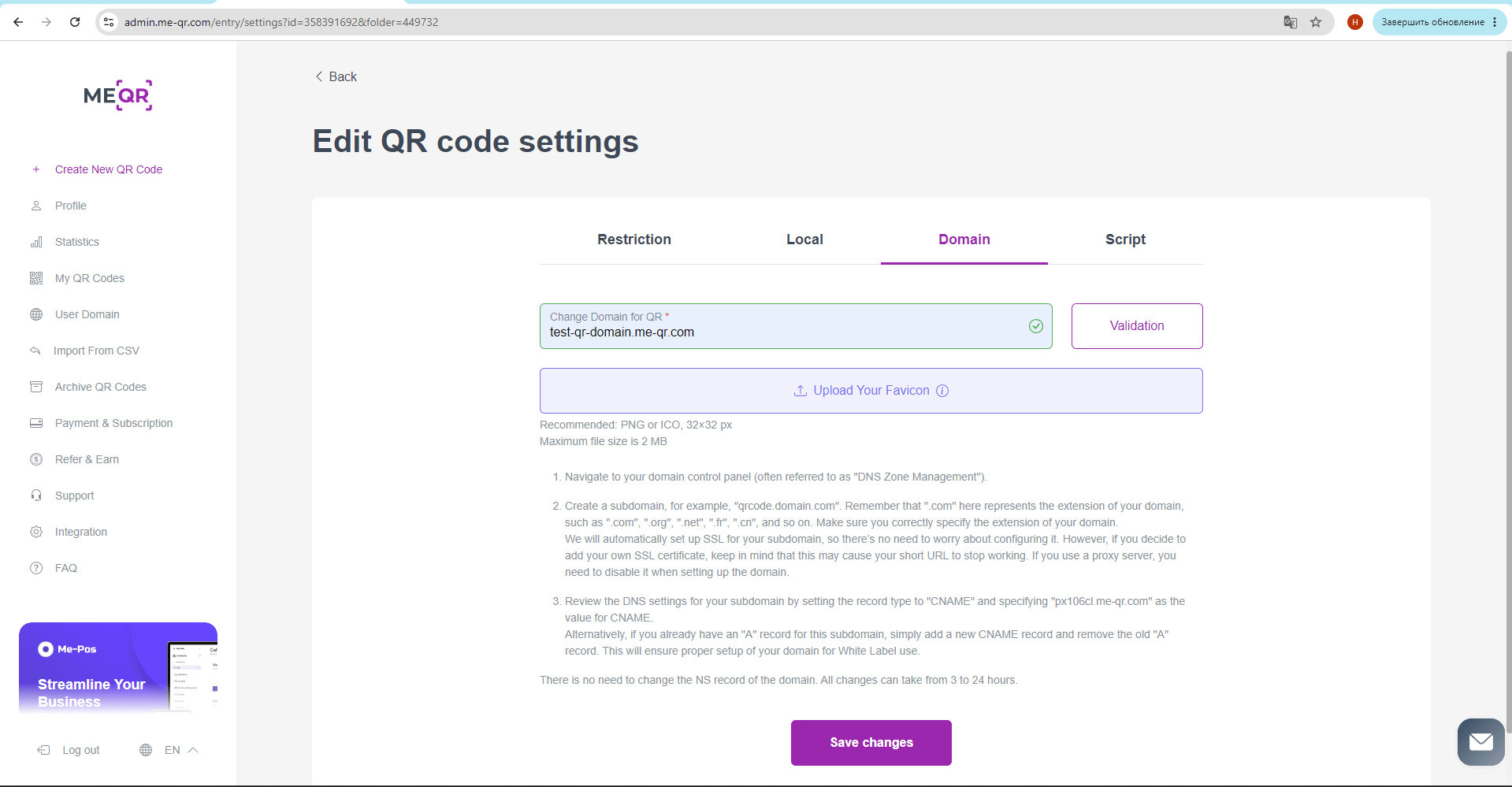
To route your branded links through ME-QR, you need to add a specific DNS record.
Create a new record in your DNS panel with the following parameters:
Note on existing "A" records: If you already have an "A" record assigned to this specific subdomain, you must delete it and replace it with this new CNAME record. Leaving both will cause connection conflicts.
Important: SSL and Security
- Automated SSL: ME-QR automatically configures and manages the SSL certificate (HTTPS) for your subdomain. You don't need to worry about security settings.
- Do Not Add Custom SSL: Please do not attempt to install your own SSL certificate for this subdomain. Doing so may conflict with our system and cause your short URLs to stop working.
Your White Label setup is now complete! DNS changes usually take anywhere from a few minutes to 24 hours to propagate globally. Once updated, all your scanned QR codes will display your personal brand domain.