
QR Code Templates

KakaoTalk QR Code
Connect with anyone instantly! Whether you're growing your network, sharing your KakaoTalk profile, or accepting payments, our KakaoTalk QR code generator makes everything fast and simple. With just a quick scan, people can add you on KakaoTalk or send you money—no typing, no hassle. Let's explore how KakaoTalk QR codes can transform the way you connect and do business!

What Are KakaoTalk QR Codes?
A KakaoTalk QR code is a scannable digital code that provides instant access to your KakaoTalk profile or payment information. Instead of manually typing your KakaoTalk ID or bank details, people can simply scan your QR code from their phone and connect with you immediately. It's the easiest way to expand your network and streamline transactions.
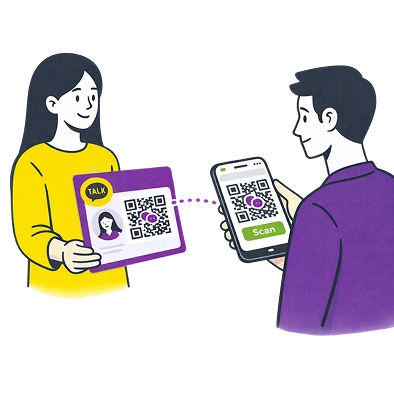
Using KakaoTalk QR codes makes networking and payments convenient for everyone. No more spelling out usernames, no more confusion with payment details. Everything is digital, accessible, and quick! Plus, QR codes help you maintain a professional image while keeping all your contact and payment information secure and organized.
Use Cases for KakaoTalk QR Codes
Business Networking
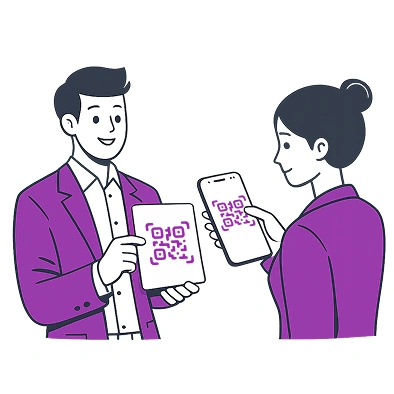
Make a lasting impression at conferences, meetups, and events. Share your KakaoTalk QR code on business cards or presentations, allowing new contacts to add you instantly. This eliminates the awkwardness of exchanging contact information and ensures no one loses your details. You can also include links to your portfolio or company website, giving people a complete picture of who you or your business is.
Content Creators & Influencers
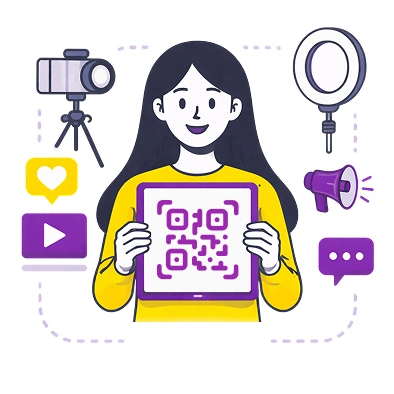
Growing your KakaoTalk community has never been easier. Place your KakaoTalk QR code on social media posts, YouTube videos, or your website. Fans can scan and follow you immediately, helping you build a loyal audience. This is perfect for creators who want to engage with their followers more personally through KakaoTalk channels and chats.
Small Business Owners
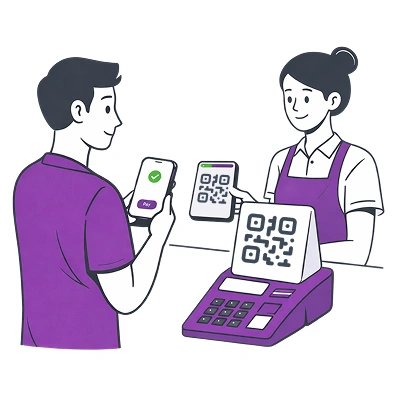
Accepting payments through KakaoTalk Pay is seamless with a QR code. Display your KakaoTalk Pay QR code payment at your store, QR code on product packaging, or in your online shop. Customers can scan and pay instantly without entering bank details manually. This not only speeds up transactions but also reduces errors and enhances customer satisfaction.
Event Organizers
Hosting a meetup, workshop, or party? Share your KakaoTalk group QR code so attendees can join the event chat instantly. This keeps everyone informed about updates, schedules, and changes in real time. You can also use the Kakao Pay QR payment method for check-ins, making entry faster and more organized.

Freelancers & Consultants
Whether you're a photographer, designer, or consultant, having a KakaoTalk Payment QR code simplifies invoicing. Clients can pay you directly after services are rendered—no waiting for bank transfers or dealing with complicated payment platforms. It's professional, efficient, and convenient for both parties.
How to Create a KakaoTalk QR Code?
QR Code for KakaoTalk Profile and Chat
Creating a QR code for your KakaoTalk profile or chat with Me-QR is simple and takes just a few minutes. Follow these steps:
-
1Visit Me-QR — Open the Me-QR website.
-
2Choose "KakaoTalk QR Code" – Find the page with QR code generators for KakaoTalk.
-
3Select "Profile/Chat" Option – QR code type for KakaoTalk profile/chat sharing.
-
4Enter Your KakaoTalk Details – Input your KakaoTalk ID, profile name, or group chat link.
-
5Generate Your QR Code – Click "Customize & Download QR" and let Me-QR create your unique code!
-
6Customize (Optional) – Change colors, shapes, or add your logo to match your branding.
-
7Test Before Use – Scan your KakaoTalk chat QR code to ensure it directs to the correct profile or chat.
-
8Download & Share – Print, embed on your website, or share digitally on social media.
KakaoTalk Pay QR Code
Accepting payments via KakaoTalk Pay is just as easy:
-
1Visit Me-QR — Open the Me-QR website.
-
2Choose "KakaoTalk QR Code" – Find the page with QR code generators for KakaoTalk.
-
3Select "Payment" Option – choose the KakaoTalk payment QR code generator.
-
4Enter Payment Information – Input your KakaoTalk Pay link.
-
5Generate Your Payment QR Code – Click "Customize & Download QR" and your payment QR is ready!
-
6Customize (Optional) – Add your business logo to a QR code or brand colors for a professional look.
-
7Test Before Use – Ensure the payment link works smoothly before going live.
-
8Download & Display – Place it at your checkout counter, on invoices, or online.
Why Is Me-QR the Best KakaoTalk QR Code Generator?
Me-QR offers everything you need to create and manage KakaoTalk QR codes efficiently. Here's why it's the best choice:
-

Dynamic QR Codes:
Need to update your KakaoTalk details? No problem! Me-QR lets you edit your Kakao dynamic QR code without changing the actual code. This means you can correct errors or adjust information on the go without reprinting anything. -

Trackable & Analytics-Ready:
See how many people scanned your KakaoTalk QR code and analyze user engagement. This data helps you measure your networking success or monitor payment transactions, allowing you to make improvements and optimize your strategy. -

High-Quality Downloads:
Download your KakaoTalk QR codes in various formats, including PNG, SVG, and PDF. Whether you need it for print materials or digital use, Me-QR ensures your codes look crisp and professional at any size. -

Secure & Reliable:
Your KakaoTalk profile and payment information are safe with Me-QR. We use industry-standard encryption to protect your data, ensuring that only authorized users can access your information through the QR code. -

Multiple QR Code Types in One Place:
Me-QR isn't just for KakaoTalk. You can also create QR codes for WhatsApp, Instagram, payment links, websites, and more—all from one convenient platform. This makes managing your digital presence easier than ever.
Start Connecting Today!
If you want to expand your network or streamline payments, a Kakao Talk QR code for business is an essential tool in modern communication. From profile sharing to accepting payments, a simple scan can make all the difference in how people connect with you. And with Me-QR, you get a powerful, easy-to-use KakaoTalk QR code generator that ensures seamless networking and transactions.

Using KakaoTalk QR codes makes networking and payments convenient for everyone. No more spelling out usernames, no more confusion with payment details. Everything is digital, accessible, and quick! Plus, QR codes help you maintain a professional image while keeping all your contact and payment information secure and organized.
FAQ
Was This Article Helpful?
Click on a star to rate it!
Thank you for your vote!

Be the first to rate this post!














