
QR Code Templates

QR Сode for Instagram
QR codes have become increasingly popular as a convenient way to share information and connect with digital content. In the context of Instagram, QR codes offer a powerful tool for promoting your account, sharing content, and engaging with your audience.
Understanding Instagram QR codes
Instagram QR codes are dynamic two-dimensional barcodes that function as direct links to your Instagram profile, content, or specific pages. When users scan these QR codes using their smartphone's camera or a QR code scanner, they are instantly directed to the designated Instagram destination. It eliminates the need for manual searching, making it convenient for users to explore your Instagram content.
How to Create Instagram QR Codes
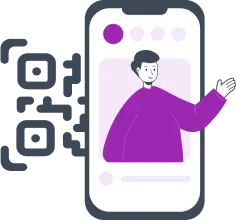
To create an Instagram QR code, follow these simple steps using ME-QR, an efficient QR code generator:
-
1Access the ME-QR website and select "Instagram QR code" as the desired type.
-
2Enter the link to your Instagram profile, page, or content that you want to link to the QR code.
-
3Customize the QR code's appearance, and you can even incorporate the Instagram logo for brand consistency.
-
4Generate and download the QR code to your device.
Benefits of Instagram QR Codes
Instagram QR codes offer a plethora of advantages for both businesses and individuals. They facilitate easy sharing of your Instagram profile, allowing others to follow you with a single scan. For businesses, placing "Follow us on Instagram" QR codes on marketing materials such as posters, business cards, or product packaging can significantly increase your follower count. Moreover, incorporating your Instagram logo into the QR code ensures brand recognition and builds trust with your audience.
Example of Usage Instagram QR Codes
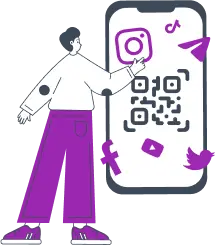
The potential applications of Instagram QR codes are vast:

Share your Instagram QR code on social media and other digital platforms to increase your follower base.

In physical locations like stores or events, display Instagram QR codes to engage customers and promote your products or services.

Make use of Instagram QR codes in marketing campaigns to redirect users to exclusive content, giveaways, or discounts.

Create unique QR codes with Instagram filters to add a touch of creativity and intrigue, enticing users to scan and explore.
ME-QR — The Ideal QR Code Generator for Instagram
Reasons why ME-QR is the ideal choice for creating Instagram QR codes:
-
 Ease of Use: Generating QR codes for Instagram with ME-QR is effortless and user-friendly, making the process seamless for anyone, regardless of technical expertise.
 -
 Extensive Features: ME-QR offers a wide range of features, allowing you to customize your Instagram QR codes to align with your brand and campaign goals.
 -
 Diverse QR Code Types: With ME-QR, you have the flexibility to choose from various QR code types, ensuring that you can select the one that best suits your specific marketing objectives on Instagram.
 -
 Effective Campaign Tracking: ME-QR provides valuable analytics that enable you to monitor and measure the performance of your Instagram QR codes. This data helps you gain insights into user engagement and campaign success.
By utilizing ME-QR for your Instagram QR code needs, you can streamline your marketing efforts, boost audience engagement, and maximize the impact of your Instagram campaigns. We also offer QR codes for other social networks, such as QR codes for Snapchat, QR codes for Twitter and TikTok QR codes generator.
Incorporating Instagram QR codes into your marketing strategy can open new avenues for growth and engagement. Creating these QR codes with ME-QR empowers you to connect with your audience effortlessly. So, start leveraging the power of Instagram QR codes to expand your reach, drive engagement, and make your mark in the digital landscape.
Yes, you can easily create an Instagram QR code using ME-QR. Our tool allows you to generate a dynamic QR code that links directly to your Instagram profile. Simply visit the QR Code Generator for Instagram, enter your profile link, and customize the design as needed. By doing this, you can promote your account effectively, allowing users to follow you with a single scan.
Creating an Instagram QR code is a straightforward process. First, navigate to the ME-QR website and select the “Instagram” option. Next, input the link to your Instagram profile or specific content. You can customize the appearance of the QR code, even adding the Instagram logo for brand consistency. Once customized, simply generate and download the QR code to your device.
After generating your Instagram QR code on ME-QR, downloading it is quick and easy. Once you’ve customized the QR code to your liking, look for the download option provided on the page. Typically, you can choose from various formats such as PNG or JPEG. By saving the QR code image, you can use it across different platforms, whether in print or digital marketing.
Scanning an Instagram QR code can be done effortlessly with a smartphone camera or a dedicated QR code scanner app. Simply open your camera app, aim it at the QR code, and a link will appear on your screen. Tap the link to be directed to the Instagram profile or content associated with the code. This feature enhances user engagement and simplifies the process of connecting with your Instagram account.
Was This Article Helpful?
Click on a star to rate it!
Thank you for your vote!

Be the first to rate this post!














